Hi citizens of Nivalis Nights,
A new update is now live, and this one is all about giving you more time to enjoy the city!
Many of you asked for a way to make farming less of a full-time job, and Greenhouses can now be fully automated with the new Automatic Harvester and RePlanter 4000 upgrades. They also get their own storage, and with the new "Use Greenhouse Stock" option, your venue managers will use your own crops before buying ingredients. Plus, you can manage your greenhouses remotely, farming animations are 40% faster, and new fast travel options take you straight to your venues and greenhouses.
We've also rebalanced the Venue Owner Ranking, reduced late-game save file sizes by up to 50%, improved performance and loading times, and fixed several quest blockers you've reported.
Heads up for farmers: as part of the farming rebalance, your Farming level may drop by a few levels on existing saves. You'll find the details in the Farming Balancing section below.
As always, thank you for your feedback and suggestions. Many of these changes come straight from your ideas, so keep them coming!
Here are the patch notes:
Farming, Greenhouses & Venue Management
There are 2 new greenhouse upgrades that let you invest in your productivity:
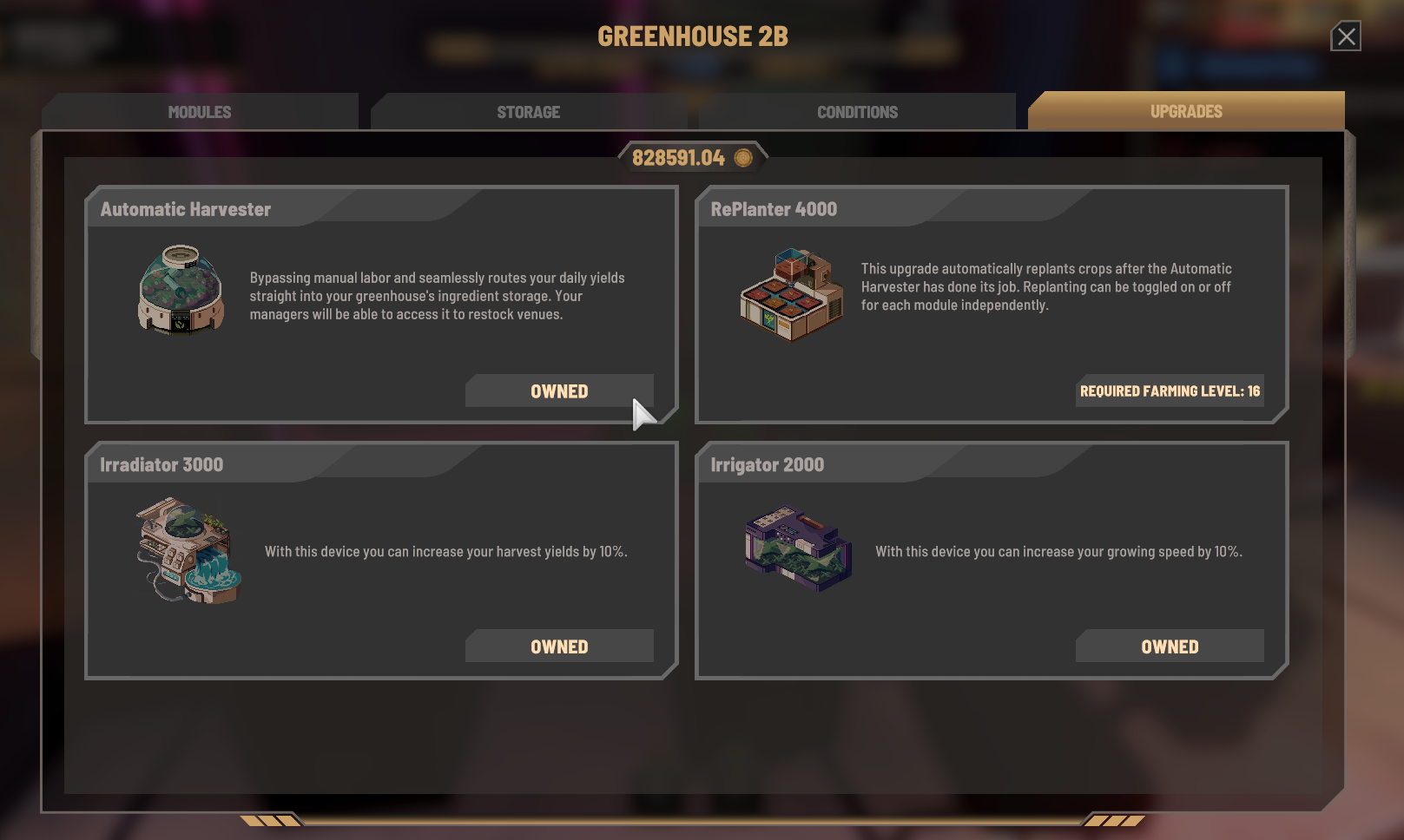
Automatic Harvester: unlocks at Farming level 15 and allows full automation of your harvest
RePlanter 4000: unlocks at the new level 16 and automatically replants seeds once a harvest is done, completing the automatic harvesting cycle
Greenhouse Storage: greenhouses now have their own storage. You can place any regular furniture with a storage value (the same you'd use in your restaurants) to get the same basic or refrigerated storage space in your greenhouse. All harvested crops are moved there. If one storage type is full, crops spill over to the other, and when both are full, they go to your main inventory as a fallback, along with a warning notification
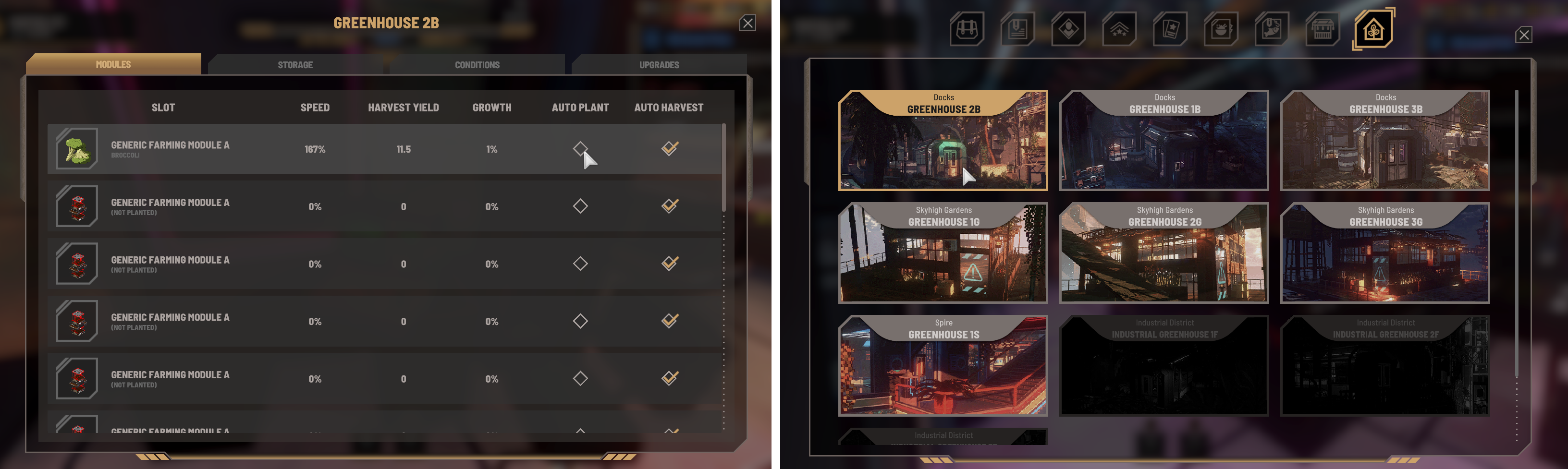
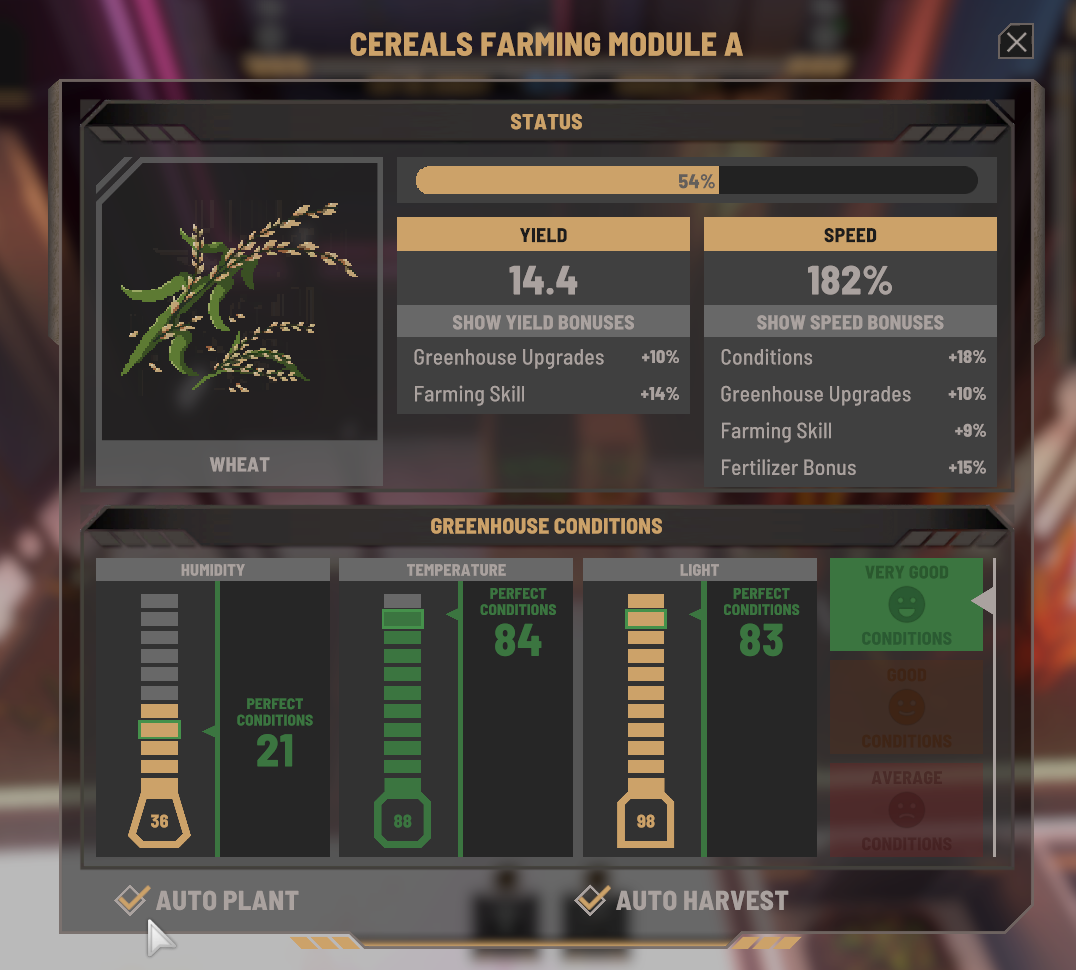
Remote Control: the new greenhouse selection panel, accessible via the Tab menu, lets you use your greenhouse console remotely. Inspect the status of all your modules, toggle automatic harvesting or planting, and click any entry in the list to access a module directly and choose what to cultivate
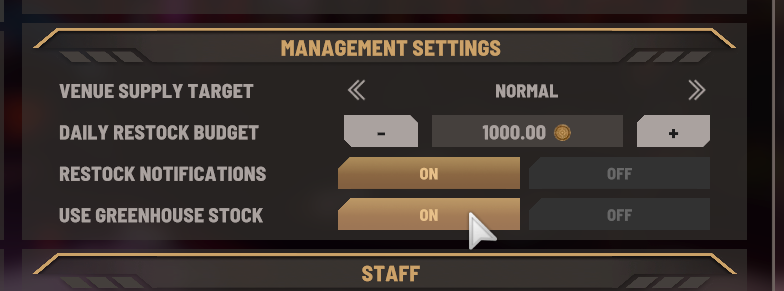
Venue Restocking: we've added a new "Use Greenhouse Stock" option to each venue's management settings. When enabled, managers will use your greenhouse stock first before buying ingredients
Daily Restock Budget: the budget currently used is now displayed next to the daily restock budget you've set, for more transparency
Farming Balancing: we've performed a balancing sweep over Farming skill levelling requirements, growth duration and yield per item. On existing saves, you may notice your Farming level has dropped by a few levels. This can mean some modules you already own, or new upgrades like the Automatic Harvester, need a higher level than you currently have. We know that's annoying if you'd already unlocked them. The new levelling curve, together with adjusted growth times and yields and 40% faster farming animations, makes progression feel better across the whole game, and you should be back to your previous level fairly quickly
Farming animations are now 40% faster
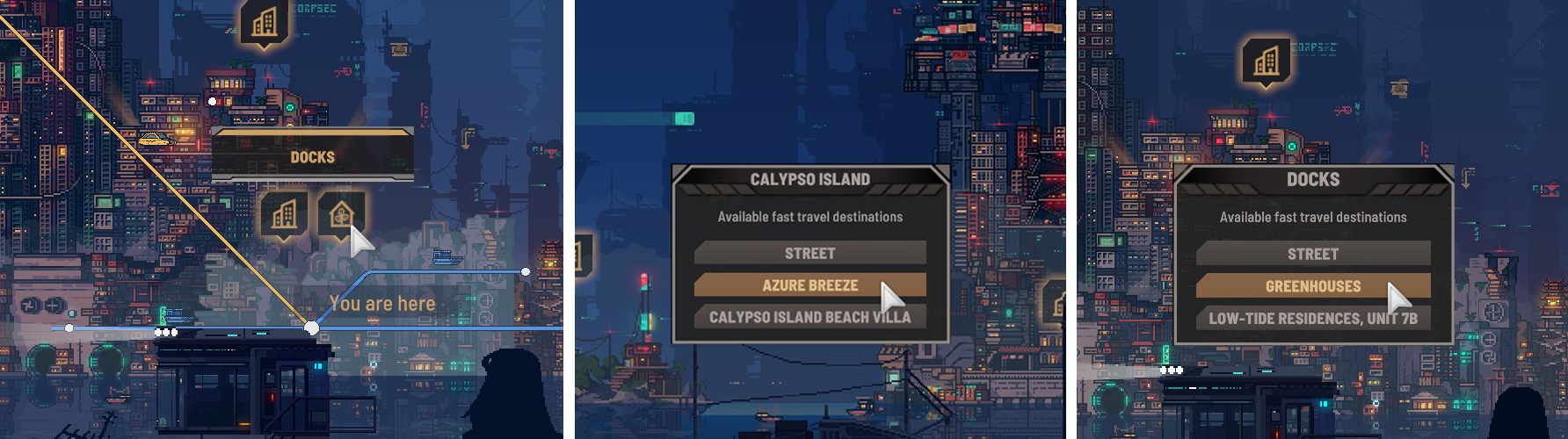
A new icon is now displayed on the map if you own a greenhouse in that district
Added new fast travel options for owned venues and greenhouses (if there's one in the district)
New icons for the Automatic Harvester and RePlanter 4000
Various greenhouse fixes across all 4 scenes, including placement areas, volumetric particles and removed storage crates
Fixed the Restock Notifications toggle not displaying the correct value after loading a save
Venue Owner Ranking
Daily earnings are no longer displayed in this list, as they were only part of the equation and could lead to wrong assumptions
Player venue income is now calculated the same way as for NPC-run venues, based on the last 7 days instead of the average across all days. Improvements show up within a few days, and a slow start no longer holds you back for the rest of the game
Fixed a bug pushing the popularity of smaller rival owners to zero, which caused them to always show the deboost. This affects how venue visits are decided and could influence (and potentially reduce) your customer activity
Rebalanced the ranking: a venue's tier, popularity and income now count equally. Income is compared with the best-earning venues in the city, so earnings alone no longer decide the order
Owning more venues still helps, but each extra venue counts a little less than the one before. A handful of excellent venues can now beat a large chain of small ones
Owner reputation from story events now has a stronger effect on the ranking
The venue details on the ranking screen now show how many points each venue adds to its owner's rank
Performance & Stability
Several optimisations to improve framerate and reduce stuttering
NPC optimisations to improve framerate in crowded areas
Reduced frame stuttering at the start of each in-game hour (background NPCs now appear and leave over a few seconds instead of all at once)
Faster game startup and loading screens
Lighting optimisations
Reduced memory allocations
Improved performance when switching categories in the Vendors and Recipes UI, and time periods in the Reviews UI
Fixed an occasional exception causing an infinite loading screen at the end of a day
Fixed a crash when quitting the game
Fixed NPCs that could get stuck when appearing outside a walkable area
Fixed edge cases where character interactions could be interrupted
Saves
Smaller save files: reviews older than one month are no longer saved. Until now, the game was saving every single venue review, so the longer you played, the bigger your save grew. Each venue now keeps only its recent reviews: the last month for venues you own, and the newest reviews for everyone else. Saves are now much smaller (a 50% reduction has been observed for late-game saves). Your lifetime stats are safe: total reviews, % positive, best-selling dish, average rating and achievement progress still count every review your venues have ever received. However, it's no longer possible to display a venue's lifetime reviews. Existing saves convert automatically
A warning pop-up is now displayed if saving the game fails for any reason (for example, when trying to overwrite a save file that is already being read by another process)
Fixed autosaves not happening after a sleep sequence triggered by the story
Venues & Staff
Sal Magundi: our beloved chef, who can no longer perform certain essential tasks, has been adjusted so he no longer gets stuck trying to do them. He can take orders, manage complaints, order ingredients and idle. You can hire him as a waiter or manager, but be aware of his limitations
Improved the venue task workflow and added more safeguards to prevent tasks from becoming stale
Cleaning up trash: after firing cleaning staff, old trash pieces stayed stuck at the venue forever. At the next day change, new cleanup tasks will now be re-queued for staff to take care of
Fixed orphaned orders staying on the order console indefinitely. They're now cleaned up at the end of the day
Staff characters are now transparent, to make it easier to move around inside venues
Fixed pathing at Fusion Point (staff can now easily access the delivery spot)
Fixed pathing issues at the Taco Real venue in The Stacks
Fixed sink issues for Night Vision-type bars in multiple scenes
Fixed the Beer Soup recipe configuration
In the venue finance UI, the Staff tab now lists wages for each staff member instead of one total. Wages paid before this update still appear on a single "Staff" line
In the venue finance UI, meal and ingredient entries no longer appear when the Lifetime period and Staff tab are selected
The dairy products machine now has a distinct look, along with updated temporary icons
Fixed kitchen module placement issues in inside corners
Quests
Fixed a conditional hard lock in the Coffee Run quest with Lily Nightingale
The Network: fixed a conditional blocker at "Escape a Health Inspection". If you've been stuck there, please go back to where you helped the GenDebtors. Ava will talk to you and you'll then be able to continue the quest
Hacker Guide: fixed a blocking situation that could happen if you met all available vendors before Kai had a chance to mention vendors for gaining achievement points
Fixed Alexander not reappearing under specific conditions (Trade Talks, Where Is Ava?, Lochlainn's Pain)
Fixed a rare condition with Danny Danetti in the Neon Sellout quest
Fixed voiceover line matching in one of Ava's dialogues in the Retirement Party quest
Fixed chess being too easy in the tournament
Fixed the first chess Steam achievement being tied to winning the tournament qualification instead of just playing your first match
Audio & Visuals
Reprocessed all of Ava's voiceover lines to optimise sound frequencies and reduce potential triggers for players with misophonia
Multiple fixes related to the Lighting Details settings
Fixed facial animation for Cecil Grimes
The shelter is now darker during daytime, to better match its night aesthetic
Puddles no longer remain on Calypso Island and The Spire when travelling there, and snow no longer remains on Calypso Island
Fixed flying drone paths in Metro Hub
Various visual fixes across multiple scenes, including Calypso Island, Metro Hub and Central Canyon
Various fixes for the player clipping out of bounds
UI & Quality of Life
You can now type tag names when searching for items and recipes
The quest icon in the show/hide quests shortcut is now coloured to reflect which quests are currently displayed in the quest HUD (red when a venue setup task is listed, blue when a pinned quest is listed)
The Max and + buttons in transfer UIs (vending machine, venue storage, composter) now properly take the remaining storage space into account
Settings tabs now keep their scroll position when switching tabs or reopening the settings menu
The game window is no longer minimised when clicking on a window on another monitor
Reviews UI: added a minimum size to the scrollbar, so it stays easy to grab even with long review lists
Fixed and improved interactions with objects and furniture in many situations
Fixed cases where furniture could be placed on the edge of the placement area and then couldn't be picked back up
Fixed a case where taking a photo in photo mode would fail