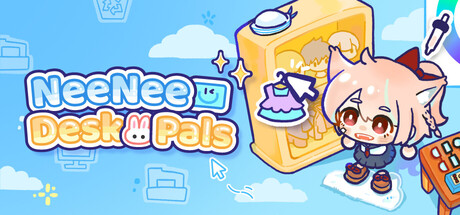
🎉 We're live!
The full version of NeeNee Deskpals is now available!
The Workshop is already bursting with adorable deskpals made by you all — seeing your creations truly warms our hearts! Passion is the most amazing thing ✨
This game wouldn't be where it is today without you. Every step from the Demo to now has been powered by your playtime, support, and invaluable feedback.
Thank you from the bottom of our hearts! 🥳
Our team will keep updating, polishing animations and features, and improving the game.
If you're enjoying it, a review would mean the world to our small indie team!
🌟 Update Notes
We spent nearly half a month in internal testing polishing the game before launch. After release, we received more feedback from your playthroughs, and the first round of hotfixes is now live.
The current build is stable to play overall.
If you run into any bugs or have suggestions while playing or creating parts, post in Steam Discussions or join our Discord community to share feedback — we're always reading and responding.
Workshop window improvements: Added page turning; long item descriptions now scroll.
Color panel interaction optimized: The color panel now refreshes instantly when switching dye slots.
Fixed custom item functionality in Bond interactions; added a link to the custom asset upload guide.
Outfit preview in the character window changed to instant replace mode; outfit changes now sync to your deskpal in real time.
Fixed the issue where the Workshop stops working after switching languages.
Corrected multiple localization texts and fixed Korean localization issues.
Adjusted texts and images for Bond-related achievements.
⚠️ Important Notes
Demo Save Migration Notice
The full version adds character save data. After migrating your Demo save, some characters may show white patches on their ears and hands. To fix this, go to the Skin Color panel, open "More Colors & Details," and adjust the dye slots.
NeeNee Deskpals Part Upload Guide
https://docs.google.com/document/d/1lJWE51qX0_qBEXjOcntOJXAD8VtaZ9ttmsPEySAbPbM/edit?usp=sharing
Custom Expressions
Some creators have questions about custom expression settings. All the logic and tips — how to pin expressions, hide them, or use custom assets alongside official expressions — are detailed in Chapter 4 of the guide. Please check the upload guide before creating.
FAQ Document
We've compiled a FAQ covering common questions — feel free to check it whenever you need.
https://docs.google.com/document/d/1H4PFXz0kHYdZ0x4CyIpf0wENizUg--1keySgeiuDkLU/edit?usp=sharing
Thank you again for all your support.
Have fun, and may you create the deskpal companion of your dreams! 🥰