Color Customization - Contest Stations
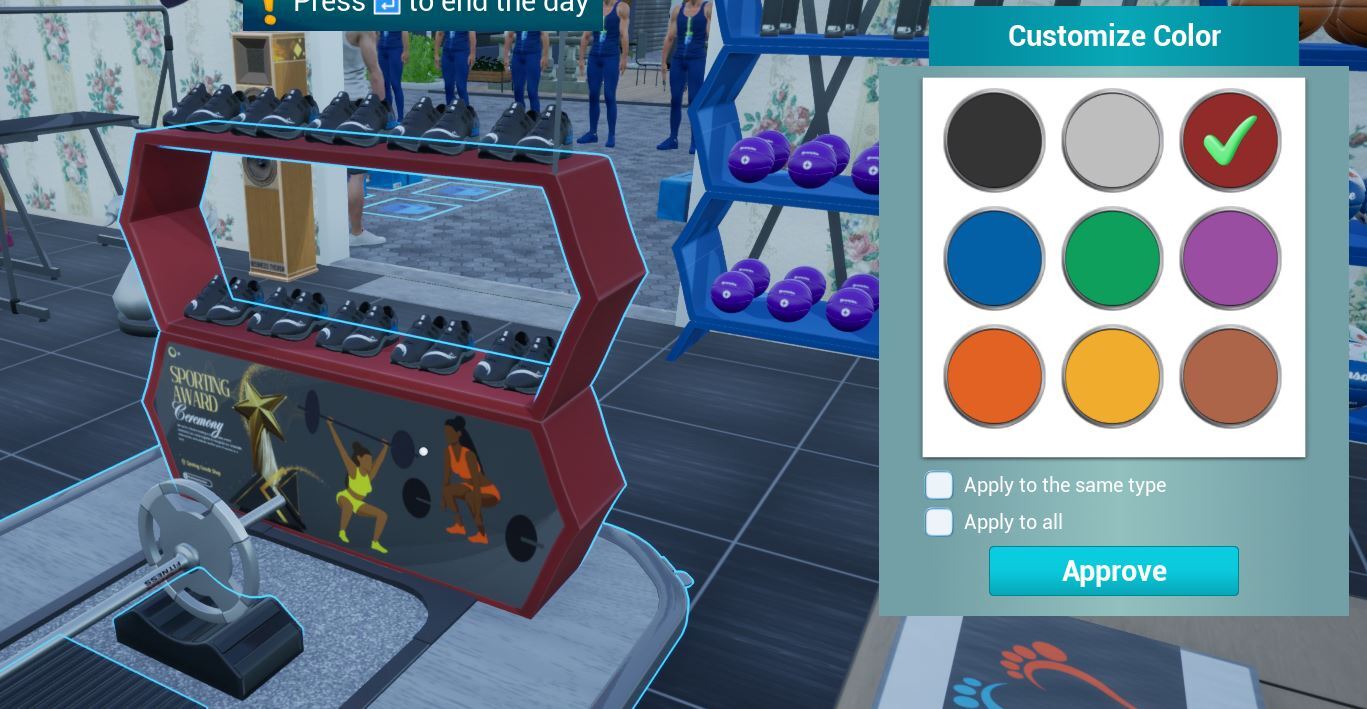
You can customize the contest station color by pressing the B-key (by default) when you hover over.
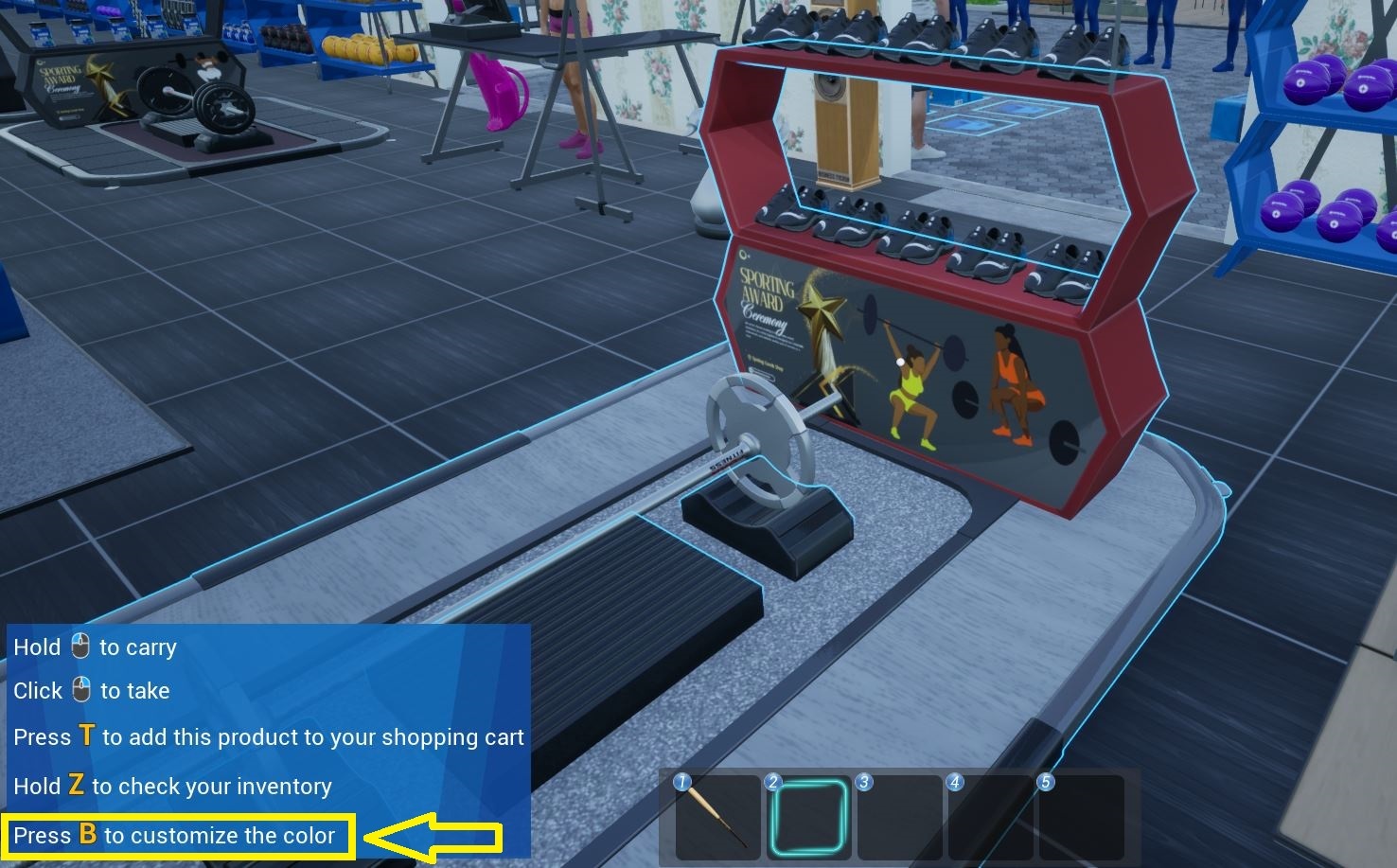
It's B-key by default. You can change it from the Options-Controls.
Keybinding: Options -> Controls -> Customize Color
This announcement was written and published by the developers/publisher of Sporting Goods Shop on Steam; it is mirrored here unedited for readability, with full credit and a link to the original above. © the respective rights holders. Rights holder and want it removed? Email us — we take it down promptly.
