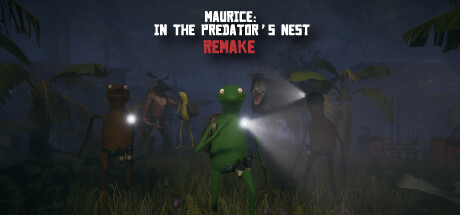
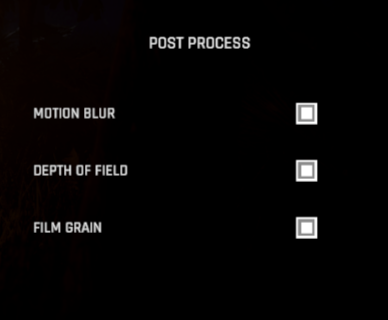
Finally, I'm giving you a settings menu worthy of a AAA Game like Maurice: In The Predator's Nest. After hearing complaints like: "it’s a headache only being able to run 5 feet before my eyes turn off and I turn into Velma from Scooby Doo" about the game's motion blur, I've decided to lower it a bit. Still, if you don't like it, you have the freedom to disable it in the graphics settings.
Honestly, I will never get tired of thanking all of you who support the game and give me suggestions to improve it. Also, thanks to those who have shown your love by buying some in-game skins. With the money raised, I can almost pay for 2 months of university. You guys are AWESOME!!!
Update notes:
Added:
- New Graphics Settings:

- Enable DLSS

If your graphics card supports DLSS, you can activate and deactivate this option.
This is my first time using DLSS, so if there are any bugs, I'd love for you to report them on Discord.
Link to Discord
- Large quantity of quality options
- Texture Quality
- Material Quality
- Render Distance
- Level of Detail
- Anti-Aliasing Mode
- SMAA Anti-Aliasing Quality (Only when you are using SMAA)
- Cast Shadows Toggle
- Shadow Resolution
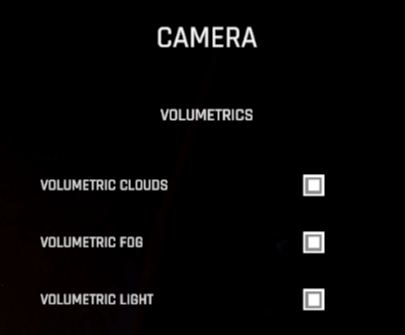
- Volumetrics
- Post-process options
- Other:
- Now, when you are the host of a custom game, instead of leaving the game, you end the game so that XP is saved for all players.
Fixes:
- Fixed low keycard spawn rate on Death Valley map. (Thanks to Mihhnea pro for the report.)
- XP when you press the Hit button near the corpse while the end-game animation plays. (Thanks to Winner2806 for the report.)