The latest patch contains these two zip files. Extract them out into their own separate folders.

Then open a command prompt, go to the extracted folder and run:
For windows;
> sectorsedgeserver.exe
For linux:
> chmod +x sectorsedgeserver
> ./sectorsedgeserver
If the server started successfully, you'll see the version number logged out:

Connecting to Servers
As the official servers are shutting down, I won't host a server list anymore. To view a list of all self-hosted servers, join the Sector's Edge Community Discord.

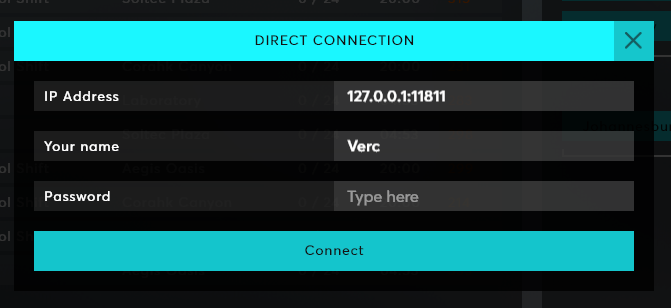
Head over to the server list, press space and you'll see the Direct Connection window. This window will show by default when the official servers shut down.
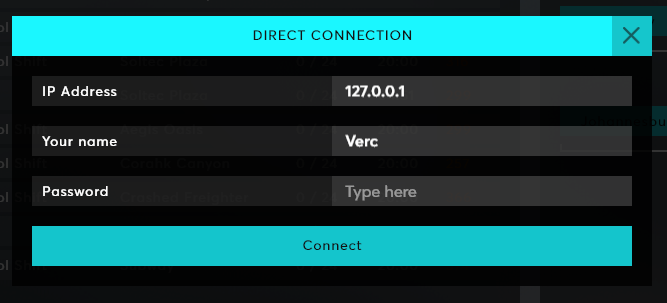
You can type your username here because I'm not sure how well the Steam APIs will work once the game shuts down. I may release a version with no Steam integration if the game breaks.
Port Forwarding
The server uses UDP on port 11810. Nothing fancy here :)
Configuring Servers
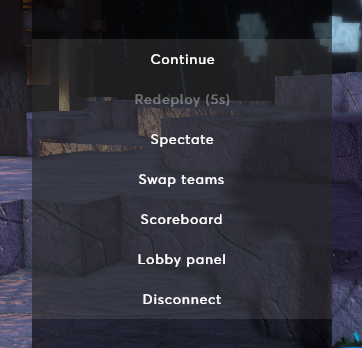
When you connect to a server via localhost (i.e. 127.0.0.1) you are an admin. This means you can press escape and click Lobby panel to customise the lobby:
Most settings are here, the rest of them will be added soon.
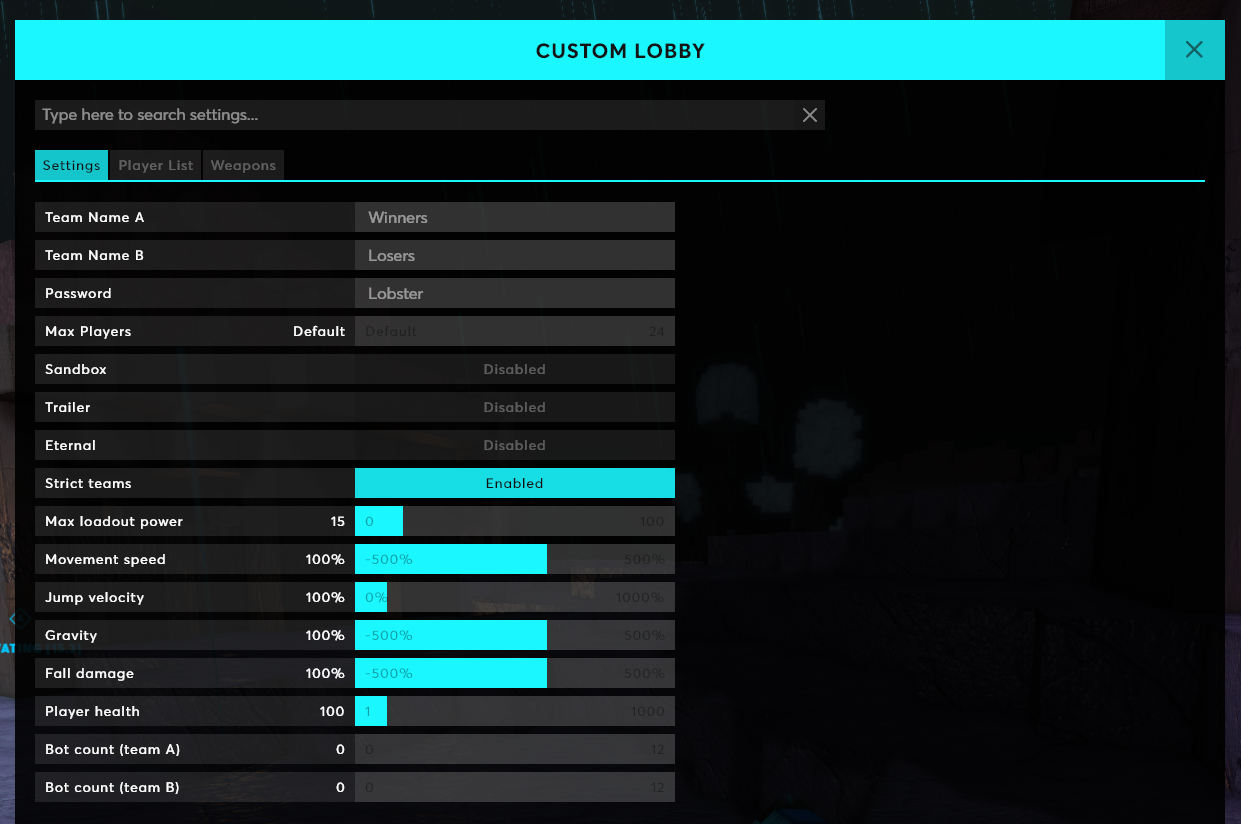
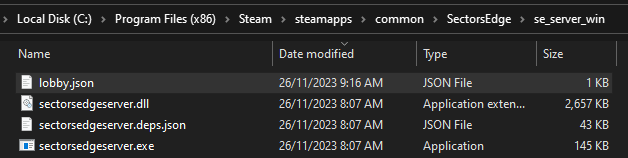
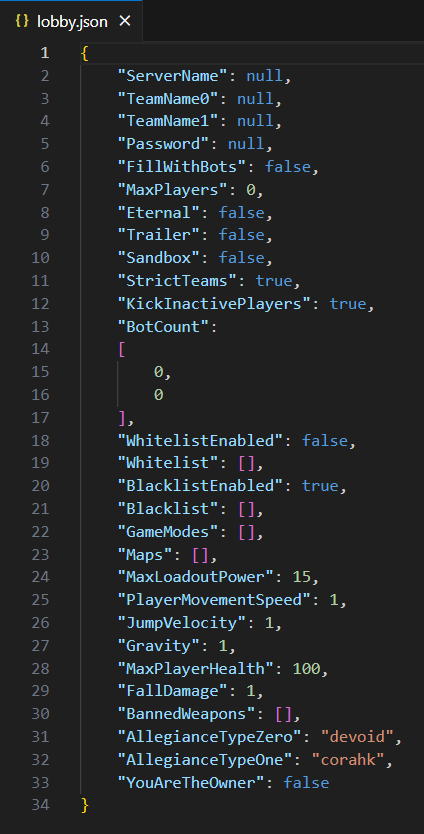
The other settings can be configured via the lobby.json file, which is created next to the server after the server runs for the first time. Open this file in a text editor:
Changes you make here will automagically sync to the in-game lobby panel, and vice versa.
Running Multiple Servers
If you want to run multiple servers on the same computer, include a number at the end of the launch command. For example, to run 3 servers, run these commands in separate command prompts:
> sectorsedgeserver.exe
> sectorsedgeserver.exe 1
> sectorsedgeserver.exe 2
These servers will run on port 11810, 11811 and 11812 (respectively). You will need to set up UDP port forwarding for each port.
Each server will also have their own JSON file called lobby.json, lobby1.json, lobby2.json.
To connect to a server on a different port, include the port number in the Direct Connection window:
Planned Features
Until the 17th December I'll be fixing bugs and working on custom servers. Let me know what else you would like to control in your servers!
Planned features:
- Add all settings to the in-game lobby UI
- Settings for explosion radius, weapon fire rate
- Show custom maps in the post-match vote list
- Currently players who connect to the server via 127.0.0.1 are admins. I'll add an AdminIPs array to lobby.json to let you control who are admins.
Setting Reference
ServerName - the name of the server. Only shows on the scoreboard
TeamName0 - the name of Team A on the scoreboard
TeamName1 - the name of Team B on the scoreboard
Password - the password players must enter in order to connect to the server
FillWithBots - controls whether bots fill the server up to 5v5, and fill spots when humans leave
MaxPlayers - the max amount of players that can connect to this server. Set to 0 to use the game mode default
Eternal - set to true if you don't want the match to end when the time hits 0
Trailer - instant respawns. Set custom spawn positions by typing this in chat: /setspawn
Sandbox - infinite ammo and blocks, take no damage
StrictTeams - controls whether players can swap to unbalanced teams
KickInactivePlayers - kicks inactive players after a few minutes
BotCount - the amount of bots on each team
WhitelistEnabled - enables the IP whitelist
Whitelist - an array of IP strings that are allowed to join the server
BlacklistEnabled - enables the IP blacklist
Blacklist - an array of IP strings that are banned from the server
GameModes - an array of game modes that players can vote for. Valid values are: brk, cs, ctf, esc, ffa, gg, hh, rush, sta, tdm
Maps - an array of maps that players can vote for. Valid values are: ad, ao, arena1, arena2, arena3, arena4, arena5, bo, ca, cf, ch, cr, cy, dc, is, lb, mc, r, rw, sa, sh, sp, st, sw, wl
MaxLoadoutPower - controls the loadout power limit that prevents players from spawning
PlayerMovementSpeed - movement speed multiplier
JumpVelocity - jump velocity multiplier
Gravity - gravity multiplier
MaxPlayerHealth - maximum player health
FallDamage - fall damage multiplier
BannedWeapons - an array of weapons that can't be used in this lobby. Players will die if they have already spawned with any of these weapons
AllegianceTypeZero - the allegiance icon for Team A on the scoreboard
AllegianceTypeOne - the allegiance icon for Team B on the scoreboard
YouAreTheOwner - ignore this, it gets sent to players when they join to let them know if they can view the lobby UI in-game
Full Changelog
Fixes
- Potential fix for Proton startup issues
- The bottom of Aegis Desert, Crashed Freighter, Soltrium Temple and Ice Station is now invincible
- Fixed flickering server list when releasing a new version
- Fixed collision with the top of the map
- Bots no longer attempt to spawn instantly with long 10s cluster spawn times
- Bots will now prefer to join cluster spawns with a human in it
Changes
- Voice chat UI now shows for other players within 80 blocks radius (was 20 blocks)
- Bare minimum is now force-enabled when GPU VRAM is <= 1 GB (was <= 2 GB)
Additions
- Self-hosted servers
- New lobby panel UI for the owner of self-hosted servers