Rewrite+ on Steam is receiving a major update today. The following is an overview of what we have been working on over the past months as well as how the update may impact your gameplay experience. This update applies only to the default branch. If you have been playing on any other branch, you must switch back to the default branch ("None" under Properties/Beta) to play this updated version.
Saves and Branches information
First, to address the mammoth in the room, if you have been playing on the default branch, game saves you manually made during gameplay should continue to function without issues. However, if you do run into issues with a save, we advise you to either load an earlier save file or auto-save and progress from there or continue playing on an earlier branch or version.
Regardless of the branch or version you have been playing on (including legacy), we expect your global progress save (i.e. the save file automatically created by the game to log your completion, Memories, and achievement progress) will carry over to this version without issues. If you have been playing on the legacy branch, while your gameplay saves will not function with this version, you can switch to this version after completing your current route or at any time you want, and your progress will carry over without issues.
Achievement support
As some of you may have noticed for months, we, perhaps prematurely, added an achievement list to Steam that was previously unachievable. We are happy to announce that achievement support has now been implemented as of this version and can be unlocked during regular gameplay.
If you have been making progress with the game, regardless of which branch you have been playing on (including legacy), all achievements can be retroactively unlocked as many times as needed once you have switched to the default branch. You can do this by accessing the Memories screen, upon which the game will automatically check your progress and unlock all the achievements for which you fulfill the requirements. To access the Memories screen, upon starting the game and reaching the title screen, click the “Load” button to bring up the load menu. Once you are in the load menu, click the “Memories” button on the bottom row. You can also do this at any time during regular gameplay.

There are two achievements with some unique intricacies we would like to point out:
- The Theater of Love and Tears: The Battle of Tomoko the Ultimate Shikigami
To avoid breaking saves made on previous versions (caused by inserting a function call early in the relevant script, which would have made saves made later in that script unreadable), instead of unlocking immediately after the scene finishes, this achievement is unlocked at the end of the day on which this scene occurs, provided that you have read the correct version of the scene.
- Mappie Master
If you believe you have fulfilled all of the achievement’s requirements but it does not unlock retroactively for you, note that on October 25, the Mappie events differ depending on whether Kotori’s seed planting event has occurred or not.
Subtitled videos and credit sequences
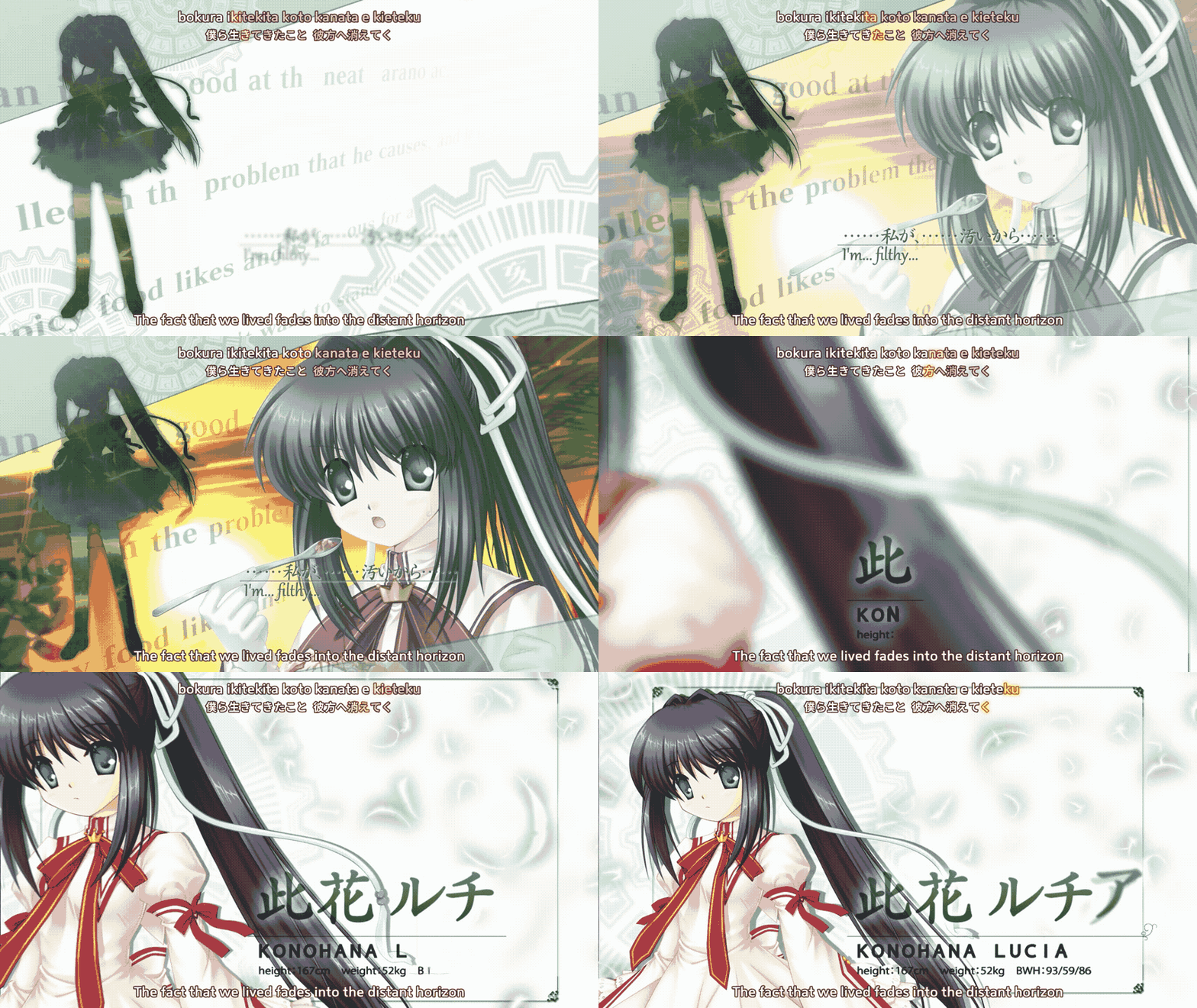
As of this update, all opening and ending videos as well as the YO-SHI-NO song video are now fully subtitled. In addition, all non-video ending sequences that play at the end of each route are also subtitled. Subtitles for these videos and sequences can be toggled on and off in the Settings menu.
You may have noticed that the video files "op00.wmv", "op01.mpg", "ed00.wmv", and "ys00.wmv" have been removed and replaced with equivalently named .omv files as of this version. This is because, to make the videos Steam Deck and Proton-compatible (more on that later), we had to ditch the Windows Media Player-based video playback system.
If you prefer using the original video files (or you have been using a mod that replaces these files), you can simply drop these files back into the "mov" folder in the game’s installation folder. On Windows, the game will always prefer these files over the new .omv files. Please note that using the original files results in no content differences.
Note that “Watari no Uta”/”Song of Passage”, played at the end of the Moon route, is not subtitled as it does not contain legible language.
New ending credit sequences
We also added three new credit sequences. These sequences list all of the game’s localization and Kickstarter backer credits (for backers at the $50 tier or above).
As a special surprise, these three sequences are accompanied by Rewrite songs that long-time fans will surely recognize, all fully subtitled! We are going to keep the songs that we included a secret here, but they are played at the end of the game’s various routes after their original ending sequences.
All three songs will also be available in the Music gallery once their respective ending sequences have been played once. As such, if you have previously fully unlocked the Music gallery, your completion progress will have gone down when you enter the Music gallery after the update.
Steam Deck Verified updates
Those of you with Steam Decks may have noticed a while back that Rewrite+ went up from Playable to a Verified rating. All the additions and changes we made to the game to get the game to Verified are implemented as of this update.
Notably, we have created an official Steam Deck controller config that makes the game more controller-friendly. You can, of course, create your own config or use any config uploaded by other users.
As mentioned above, we switched to playing ".omv" files using the engine’s Theora implementation to get videos to play properly on Proton. If you are playing on Steam Deck (or any other Linux distro via Proton), the original .wmv and .mpg files will be ignored even if they are found.
Other additions and changes
- A new QoL function, “Resume”, has been added to the game. Players who have played Summer Pockets on Steam will know this as the “Continue” function in that game.
- Upon quitting the game via the “Quit” button in the textbox, the “Close game” button in the Save, Load, etc. menus, or the Close button of the game’s window, a save will be automatically created at the point where you quit the game. Clicking the “Resume” button will load this automatically created save.
- The “Advanced settings” button under Volume as well as the “Video settings” button under Other settings have both been removed with the video playback change. All videos now play back at the BGM’s volume.
- If the original videos are copied into the game’s folder, these buttons will be enabled and their settings can be changed as necessary. Note that this applies only to Windows and not Proton.
- Swiping from down to up on the game’s window on a touch screen now brings up the text backlog.
- Swiping horizontally now brings up the pause (right-click) menu. At this time, only “Quick Menu B” (selectable in the Config menu) supports touch.
- The translation has been revised (over 1500 changes have been made throughout the game since our last update).
- Several CGs with text have been translated.
Steam trading cards and community items
Steam trading cards and the associated community items are still in the works. We expect to have more to share in the next few weeks.