ComiPo! is now updated to V3.52.00.
Major changes from Ver. 3.51.00 to 3.52.00
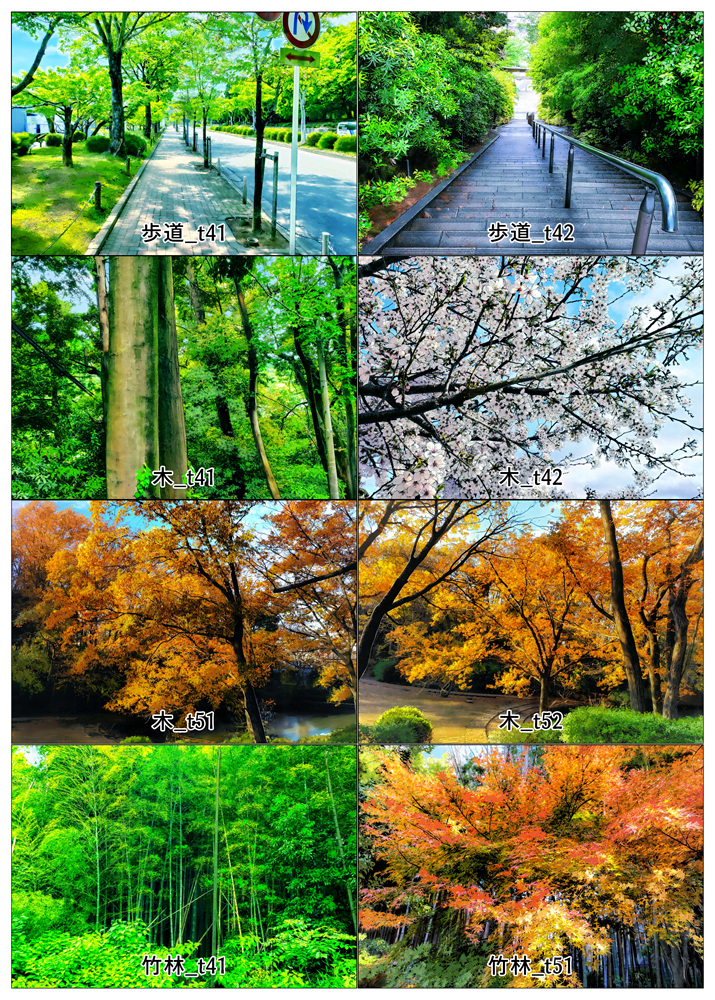
Added ## BG Image and Item Image.
Added materials provided by Keiichi Tanaka, Manga Artist.
・BG Image (8 items)
[31.Residential] : Sidewalk_t41, Sidewalk_t42
[Tree & Mountain]: Bamboo_t41, Bamboo_t51, Tree_t41,
Tree_t42, Tree_t51, Tree_t52
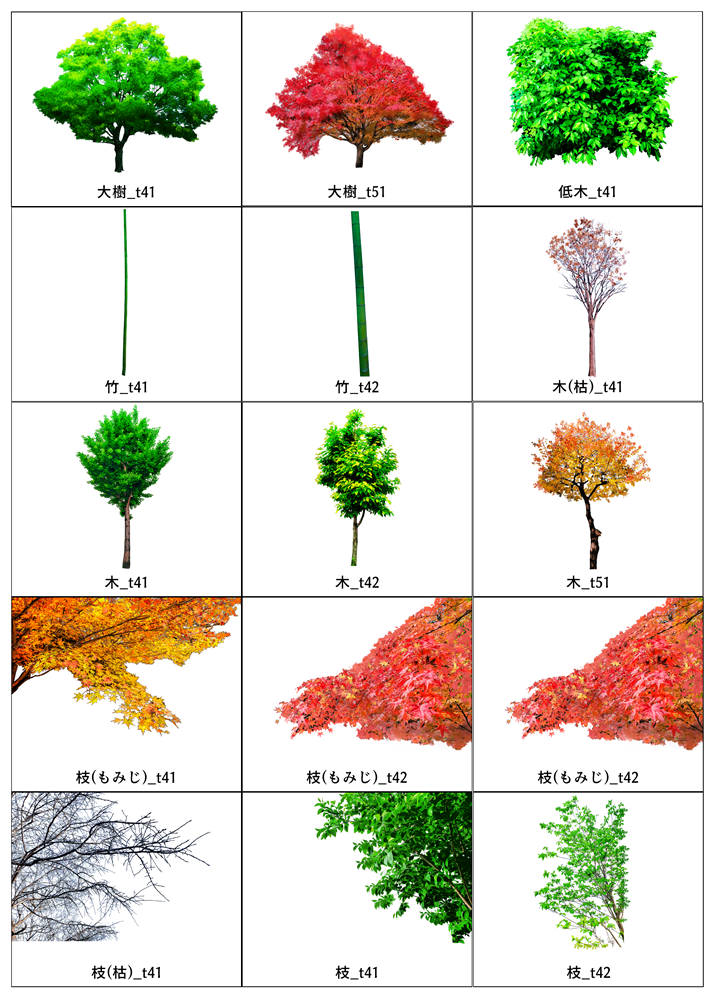
・Item Image (25 items)
[Tree] : Bamboo_t41, Bamboo_t42, Big Tree_t41,
Big Tree_t51, Branch (Maple)_t41,
Branch (Maple)_t42, Branch (Maple)_t43,
Branch (Withered)_t41, Branch_t41,
Branch_t42, Branch_t51, Branch_t52,
Branch_t53, Branch_t54, Shrub_t41,
Tree (Bare)_t41, Tree_t41, Tree_t42,
Tree_t51, Trunk_t41, Trunk_t42,
[33. Grass & Flower] : Grass_t41a, Grass_t41b
[36. Fence & Wall] : Hedge_t41a, Hedge_t41b

## Add 3D Item
・Added 11 each of Tiger and White Tiger.
[41.Animals_6] : Tiger_01 - 11, White Tiger 01 - 11


## Added support for enlarged thumbnails in dialogs.
・ "Change Pose" "Tool size" to match the setting of [Screen]-[Tool size] in "Preference".
・The thumbnails displayed in dialogs such as "Change Pose", "Change Face", and "Camera Angle" will also be enlarged.
・The thumbnails displayed in the "Change Pose", "Change Face", and "Camera Angle" dialogs will now be larger.
・ This feature can be turned off with [Screen]-[]Resize thumbnails in dialogs too" in "Preferences".
・ This feature can be turned off with "Preference" [Screen]-[]Resize thumbnails in dialogs too.
* The "Create/Edit Character" dialog does not enlarge the thumbnails.
## Support for Microsoft Windows 11
