If you see the following screen when starting the game:
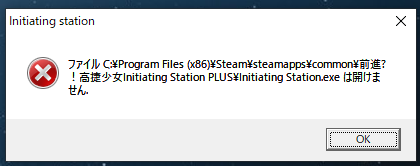
This is because you use a non- "Traditional Chinese, Taiwan" setting to open non-unicode software. We recommend that you use the Locale Emulator solution to start the game. The setting method is as follows:
1. Go to the official website of Locale Emulator to download and install the Locale Emulator software
2. Start and log in to STEAM, right click on the game name → content

3. "Local Files" tab → "Browse Local Files"
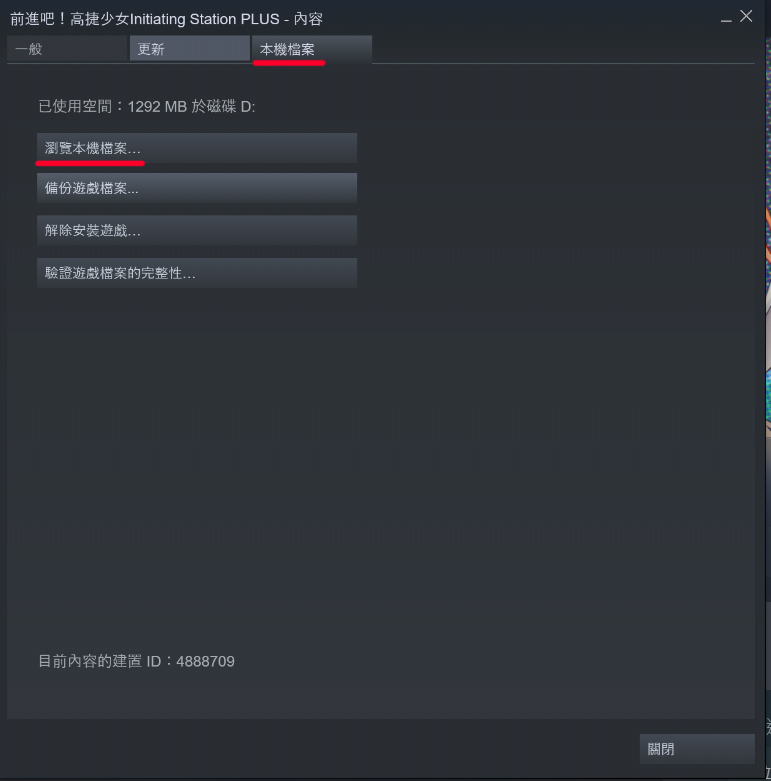
4. Make sure the name of the installed folder is "Takame Girls-Initiating Station PLUS"
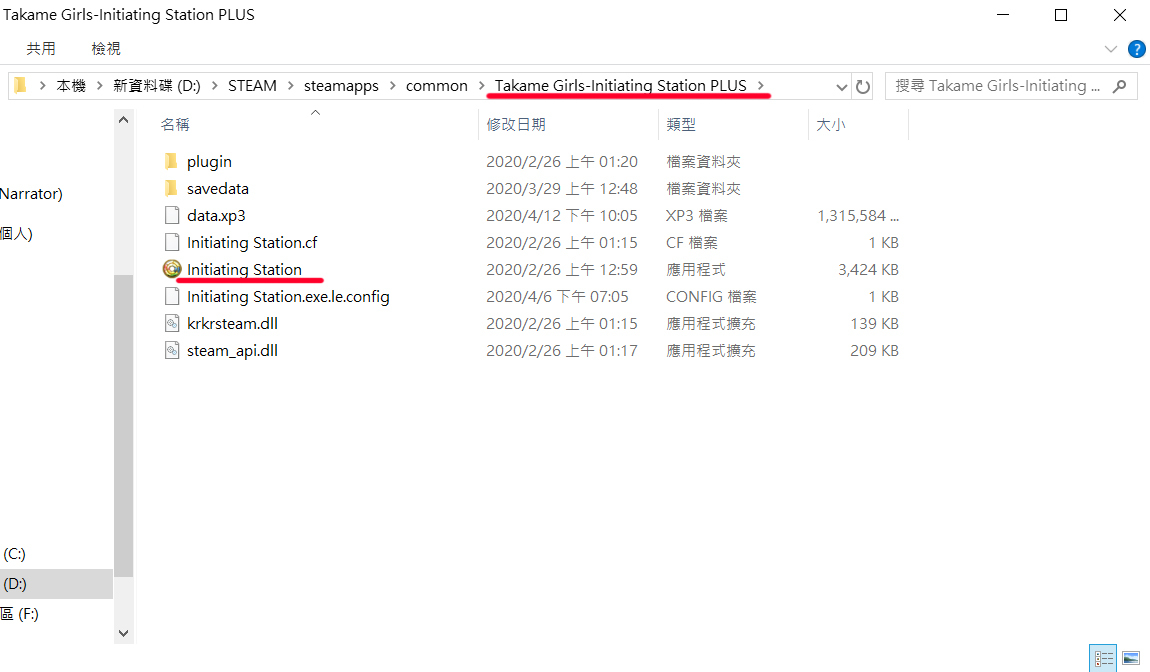
(If not, please delete and reinstall the game)
5. Right-click on the game execution file → Locale Emulator
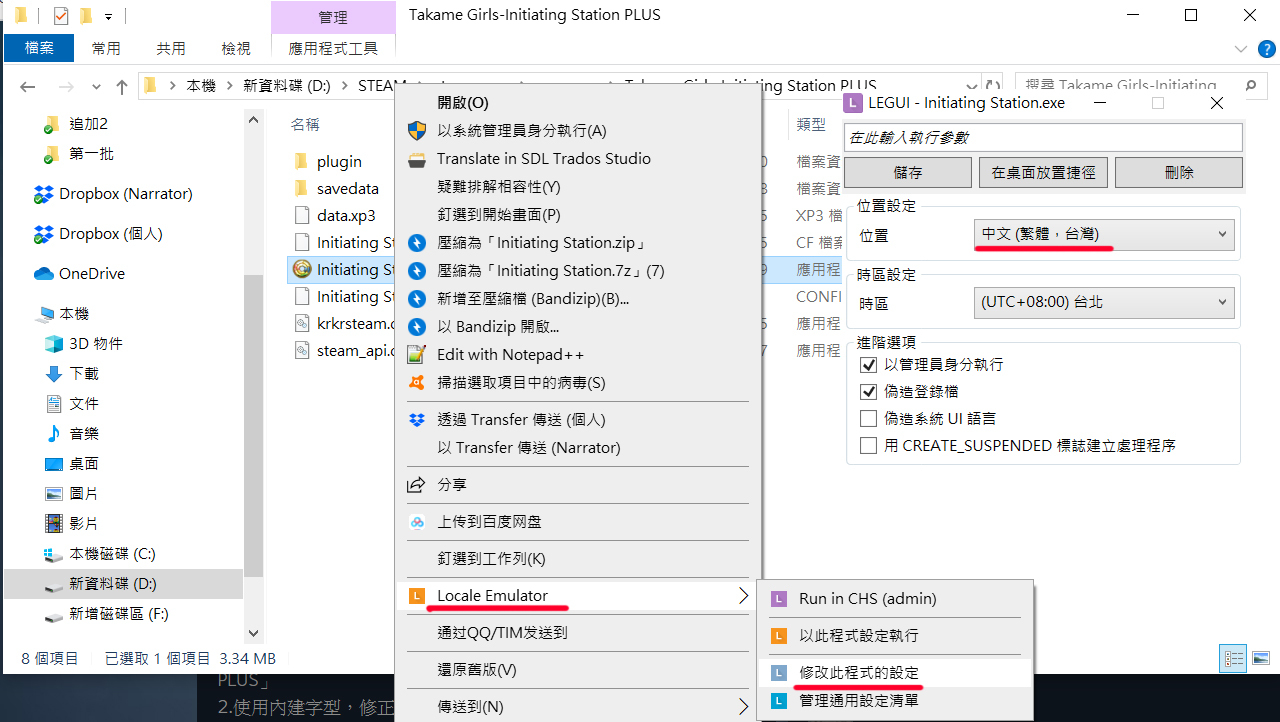
6. Select "Traditional Chinese‧Taiwan"
7. After confirming, you can start the game