Take Charge From Inside the Game
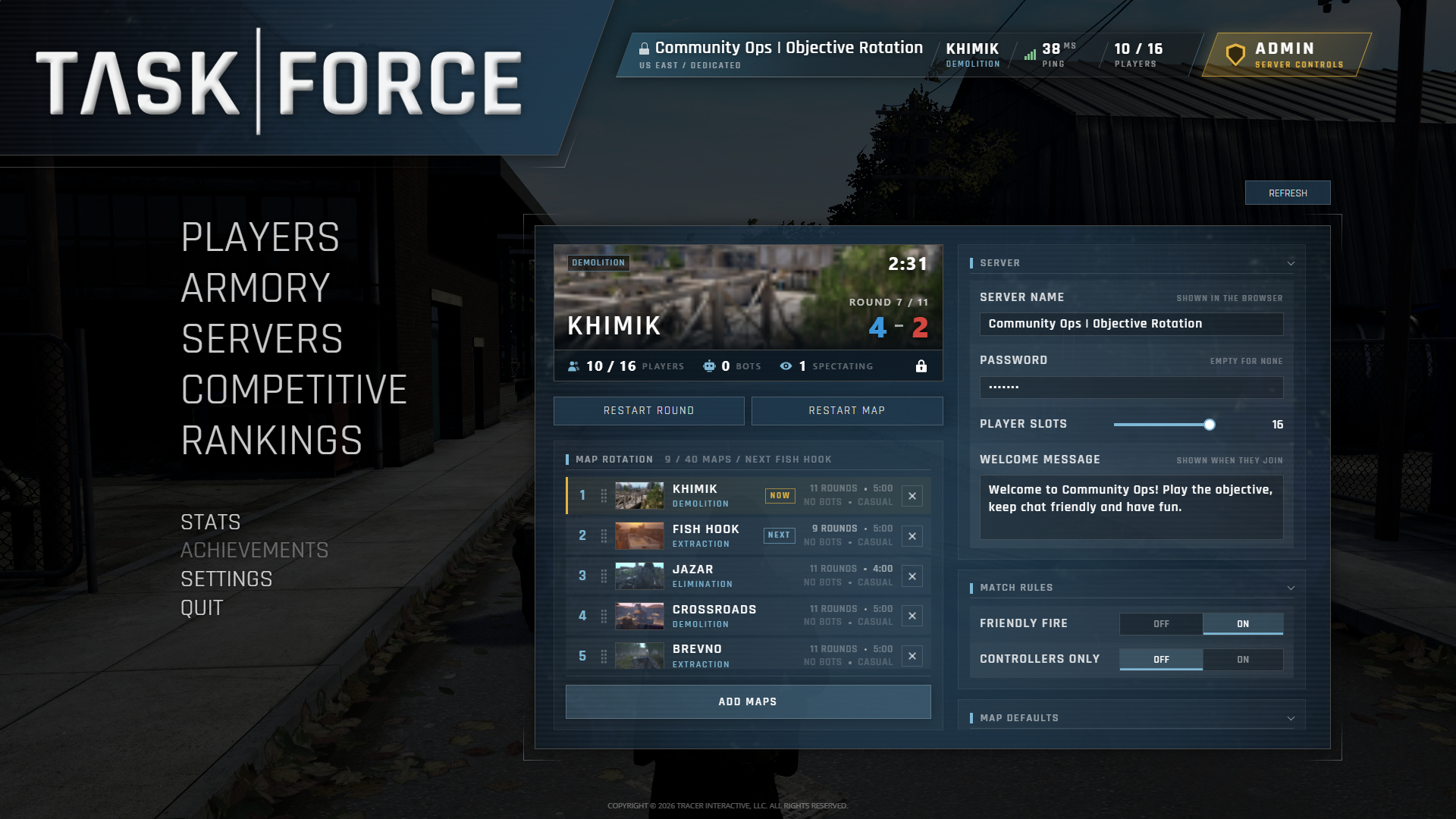
Running a server used to mean switching over to the website or typing commands into the console. Now, if you run the server, press Escape and an ADMIN button is waiting for you at the top right of the menu. One click shows you the whole server: the map that's on, the rotation, the rules and every player, without ever leaving the fight.
It works the same everywhere you're in charge:
- Your lobby: host a lobby and you're its admin. Change the map, tune the rules and keep your match the way you want it.
- Your rented dedicated server: run the match from in game: the map, the rotation, the rules and the players. The admins you've picked get the parts you've allowed them.

Know Your Server at a Glance
On a dedicated server or a public lobby, the in-game menu now shows the server you're on across the top: its name, the map and mode, your ping and how many players are on. When you're an admin, ADMIN / SERVER CONTROLS sits right at the end of it.
Open it and the left side shows what's happening right now: the map, the mode, the round, the score and the live round clock, plus how many players, bots and spectators are on. RESTART ROUND and RESTART MAP are one click (and one confirm) away.
Map Rotation
Your whole rotation is listed under the current map, with NOW and NEXT marked and each map's rounds, round time, bots and competitive setting beside it.
- Drag maps into a new order, or remove one with its X.
- Hover over a map and pick NEXT to play it after this one, or PLAY to go there right away.
- Click a map to change how it plays.

ADD MAPS opens every map you can play: the official maps and the Workshop maps installed on the server, pictures and all, with a search bar for big collections.
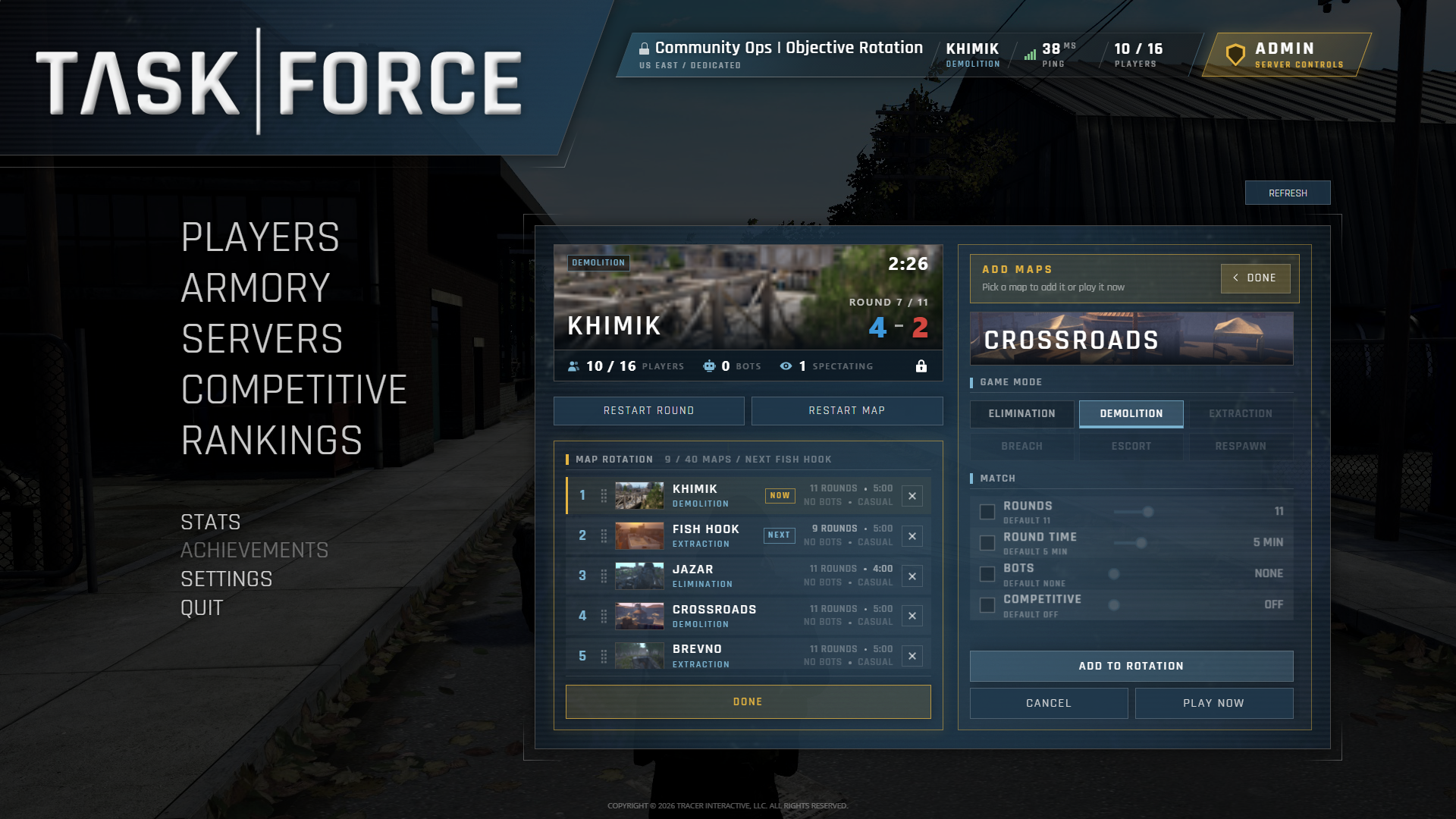
Pick one and set it up: its game mode, and if you like, its own rounds, round time, bots and competitive setting. Anything you leave unchecked follows your server's map defaults. Then ADD TO ROTATION, or skip the line with PLAY NOW.
Players
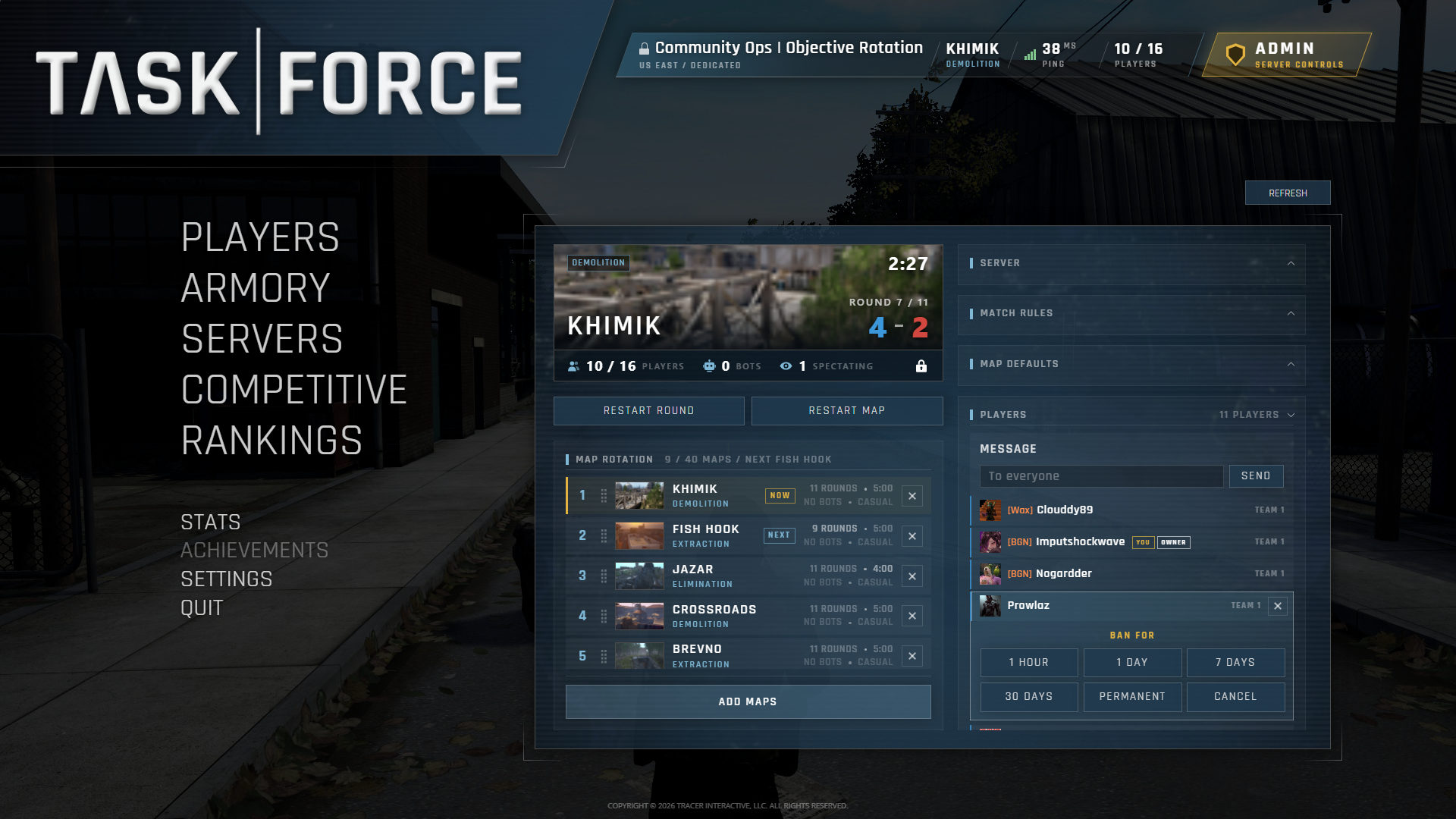
Every player on the server is listed by team, clan tags and all. Click one to see what you can do:
- MUTE or UNMUTE them
- KICK them for a short timeout
- BAN them for 1 hour, 1 day, 7 days, 30 days, or until the server restarts
- MAKE ADMIN to share the load with someone you trust
You can also send a MESSAGE to everyone on the server, and SHUFFLE TEAMS when the sides get lopsided (the teams are shuffled when the next round starts).
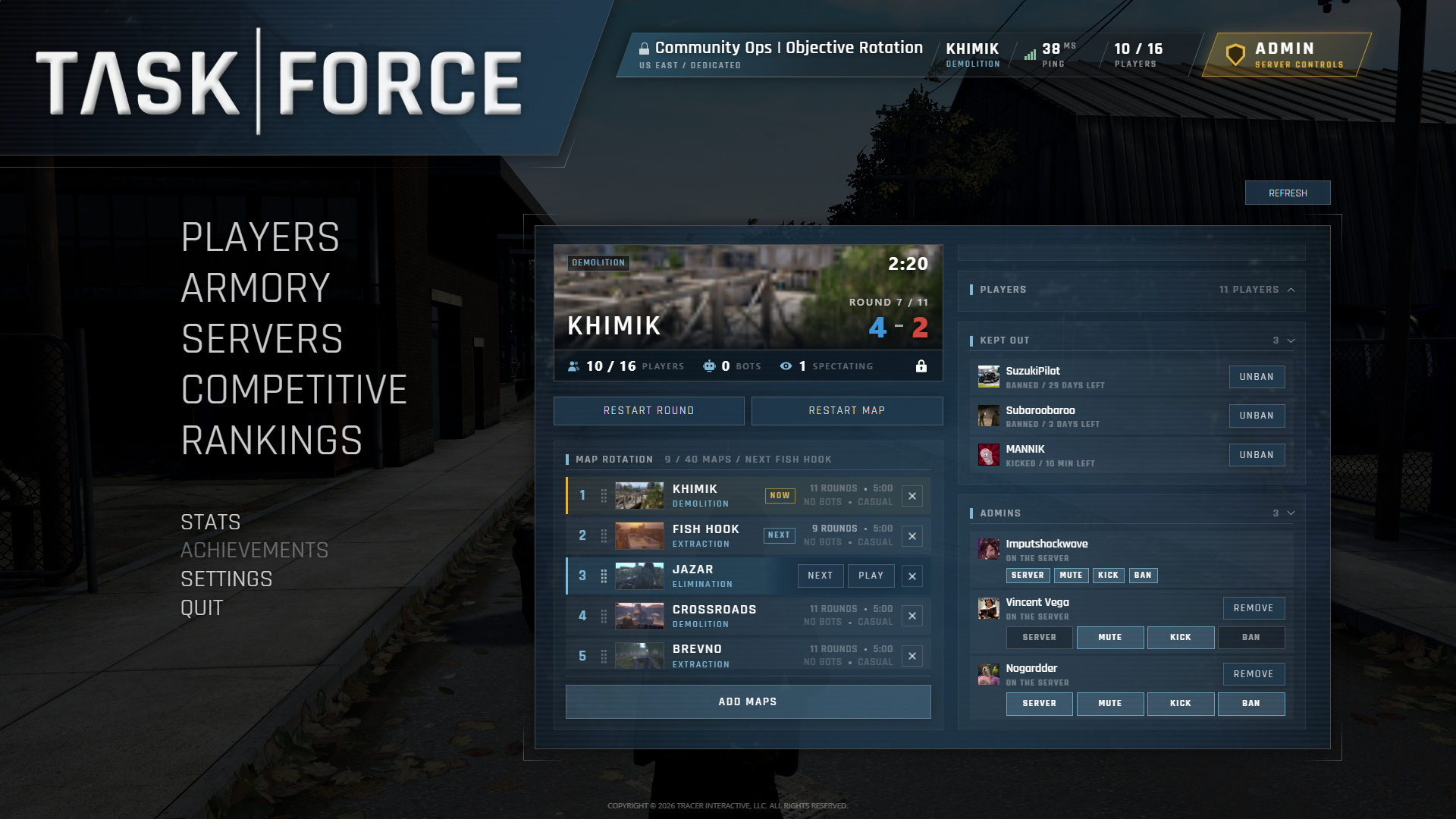
KEPT OUT lists everyone kicked or banned from the panel and how long they have left, with UNBAN beside each one. Server owners and lobby hosts also get ADMINS: your server's admins, and exactly what each one may do: change the server's settings and rotation, mute, kick or ban.
Server Settings
Most of your server's setup can now be changed in the middle of a match:
- SERVER: the server's name, its password, player slots and the welcome message players see when they join.
- MATCH RULES: friendly fire, and whether the server is for controller players only.
- MAP DEFAULTS: what every map plays unless it has its own setup: bots, round time, rounds per map, competitive and tiebreakers.
Changes are saved the moment you make them. Most apply right away, and the ones that only make sense from the next round are marked with a NEXT ROUND tag.
Lobbies

Hosting a lobby gives you the same panel. A private lobby reminds you it's invite only, so you know to bring your friends in through Steam or Discord. Kicks and bans in a lobby last until the lobby closes. Even when you play a map on your own, offline, the panel lets you change the map, the rotation and the rules.
Full Controller Support
Like the rest of the menus, the admin panel works with a controller from top to bottom: move down through every section with the d-pad, reorder the rotation, pick players and change settings without touching your mouse.
Let Us Know
This is a big new piece of the game, and server owners and lobby hosts are the best people to tell us what's missing. If something doesn't work the way you'd expect, or there's a control you wish you had, let us know on our Discord.