Gear Up Without Leaving the Fight
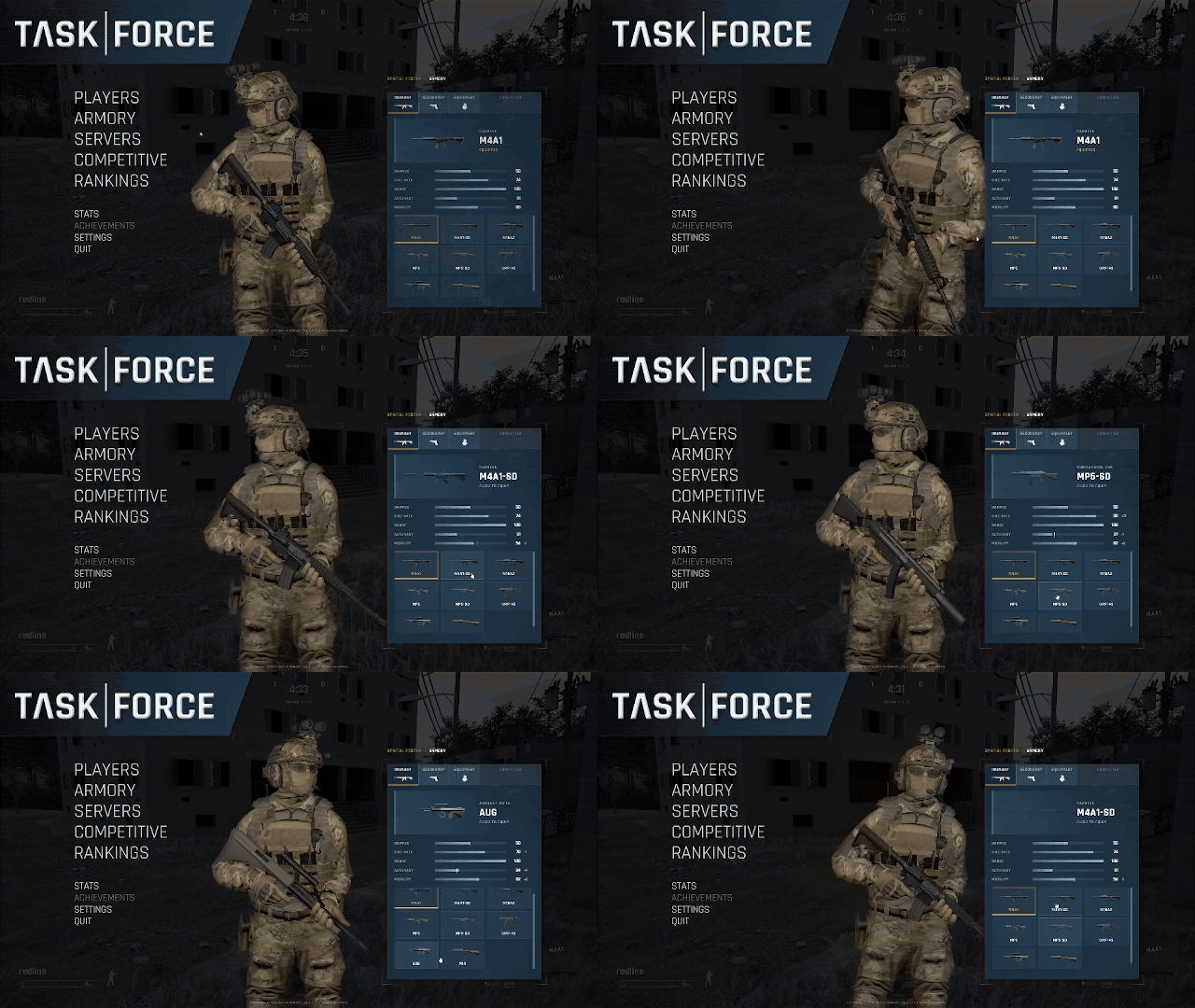
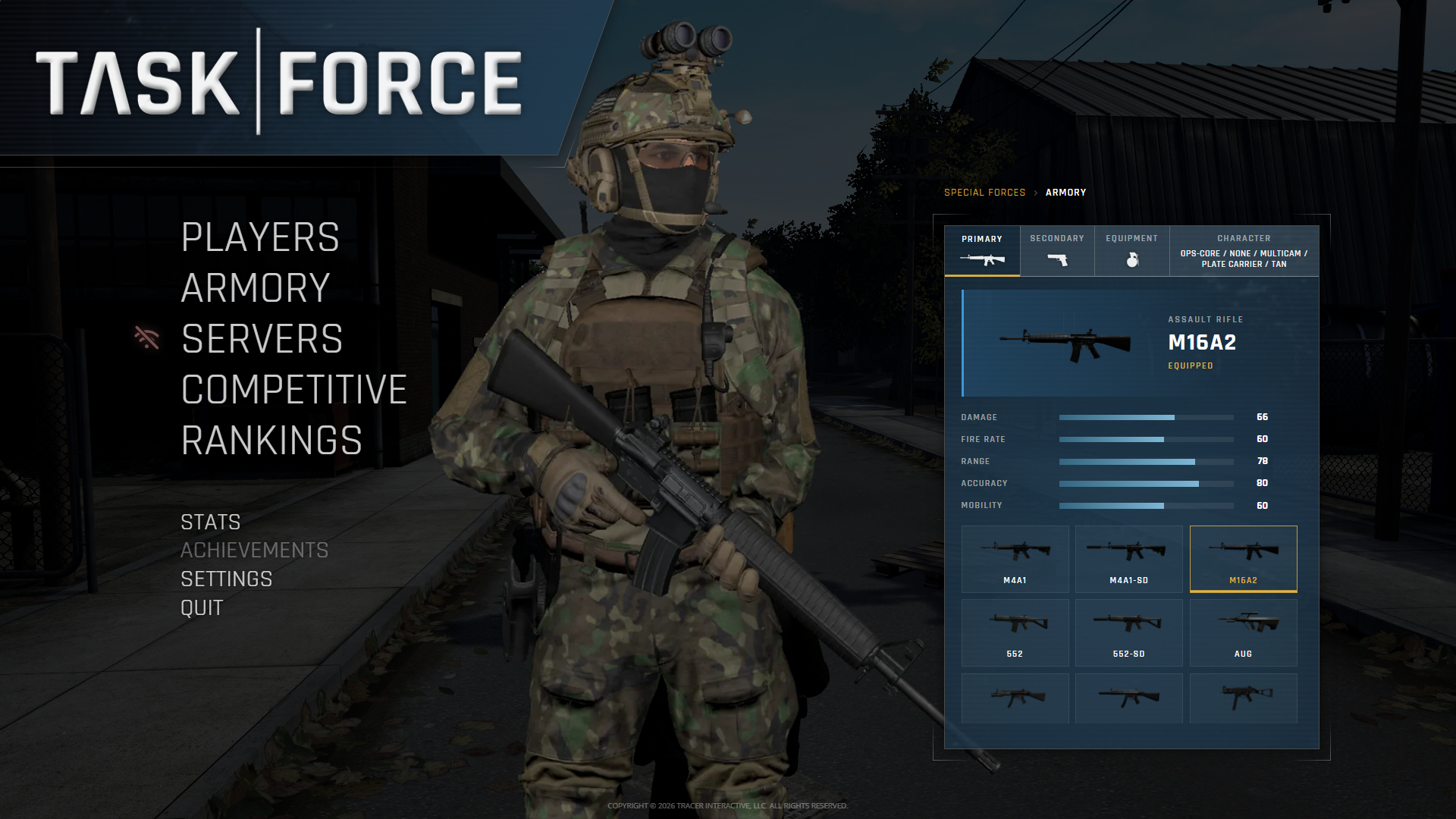
No more typing commands into the console to set your loadout. Press Escape in any match and open the new ARMORY: your operator stands front and center while your whole loadout sits right beside them.
This is just a first taste of what the armory will become. We plan to add a lot more character customization and weapon customization in future updates, and this page is where all of it will live. For now, it's a much easier way to gear up.
What's Inside
- PRIMARY, SECONDARY and EQUIPMENT: every weapon your team can carry, laid out in a grid. Click one and it's yours.
- CHARACTER: change your operator's look, from helmet to plate carrier, and see it on them as you go.
- See before you pick: move your mouse over a weapon and your operator holds it up for you, while its stats show next to what you have equipped now.
- Full controller support: the d-pad moves, A equips, B backs out.
Know What You're Trading
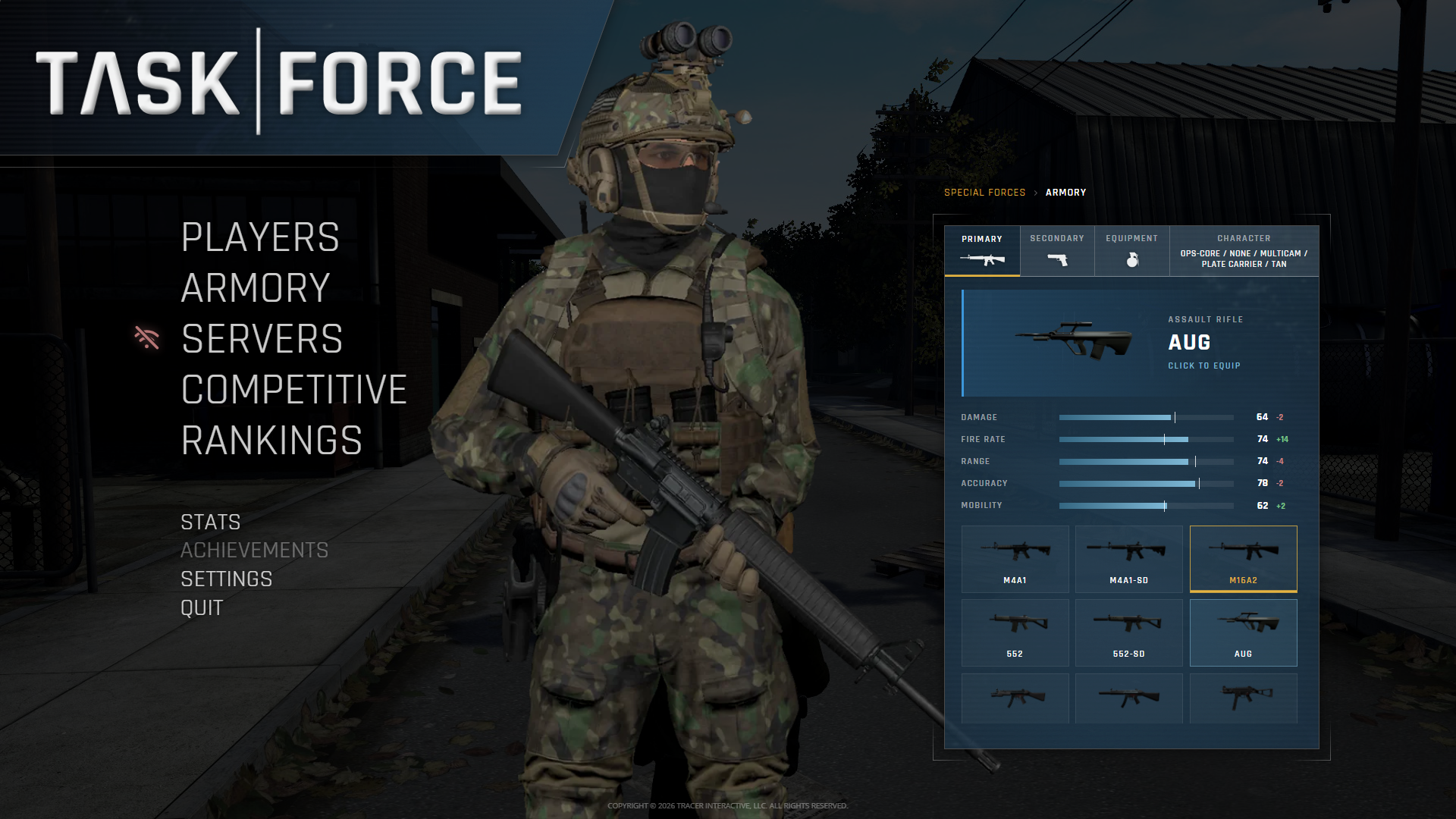
Every weapon shows its damage, fire rate, range, accuracy and mobility as bars. Hover over a new one and a marker shows where your current weapon sits, with the difference right next to the number in green or red. More range, less mobility? You'll know before you click.
Your loadout follows your team, so switching sides brings up that side's weapons on its own. Some game modes set everyone's loadout, and the armory will tell you when that's the case.
Console Changes
Since the armory now handles your loadout, the primary and secondary console commands have been removed.