Hi farmers, 😄
Thank you for continuing to play Farm Factory Simulator during Early Access, and for sharing your feedback, suggestions, and bug reports through the Steam Discussions and the in-game Bug Report / Feedback feature.
Following the livestock additions in our previous update, this week expands that part of the game with Retiring Livestock Mode, the Livestock Processor, and new meat production.
This update also introduces a completely new Load / Save Game system, visual improvements to the outdoor environment, and some underlying system and technology changes as part of our longer-term preparation toward multiplayer support.
Here is what is included in this update.
Main Updates
1. Retiring Livestock Mode
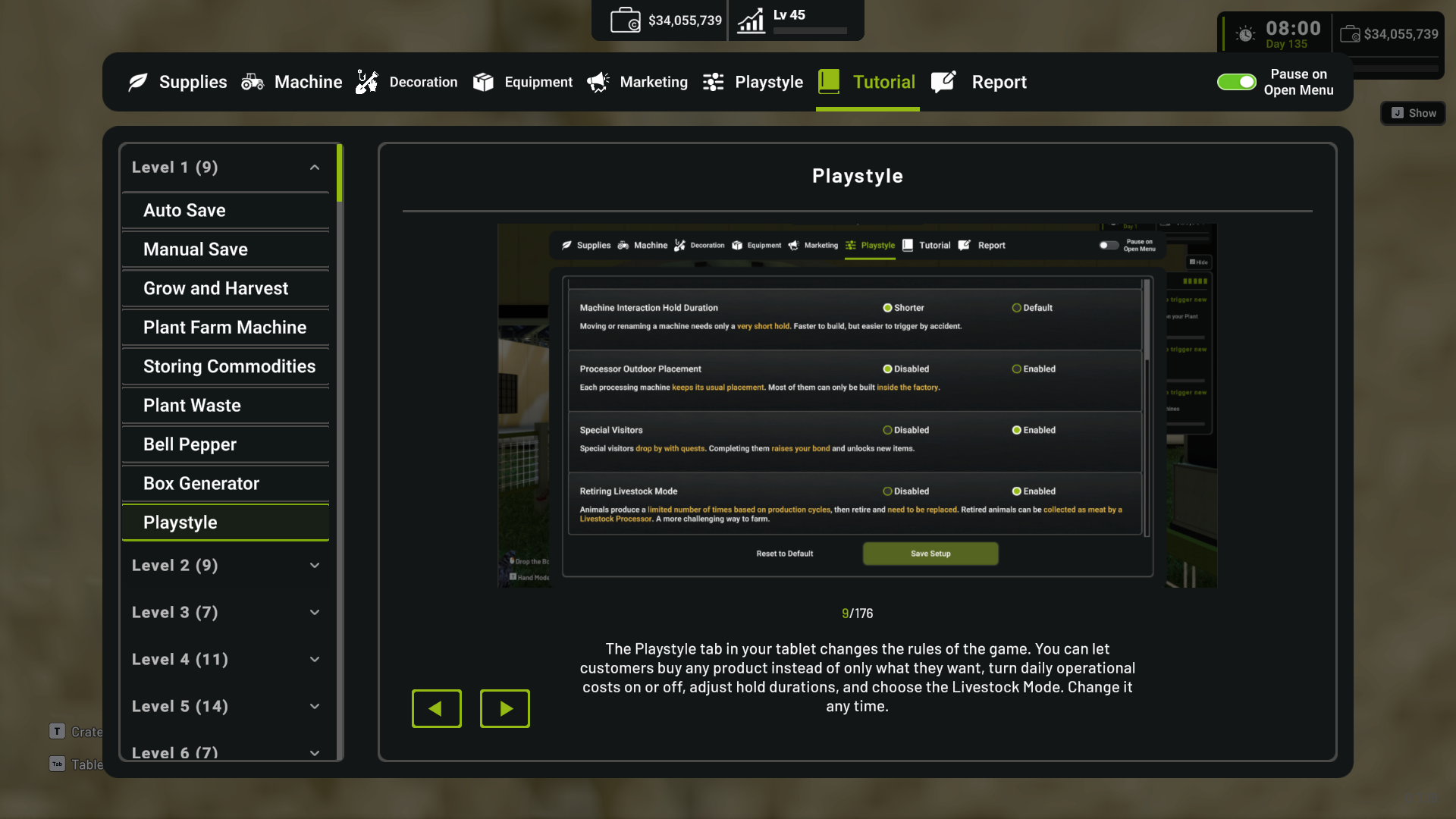
A new Retiring Livestock Mode is available through the Playstyle settings.
This system is optional, so you can choose how you want livestock progression to work in your save.
a. Enabling Retiring Livestock
When Retiring Livestock Mode is enabled, livestock can produce for a limited number of production cycles.
Once all of their productive cycles have been completed, the animal reaches the end of its productive life and needs to be replaced.
Retired livestock can then be collected by the Livestock Processor and converted into meat for further production.
This adds another layer of planning to livestock management, including when to replace animals and how to use retired livestock in your production lines.


b. Disabling Retiring Livestock
If you prefer the existing livestock behavior, you can keep Retiring Livestock Mode disabled.
When disabled:
Livestock continue producing without a production-cycle limit.
Livestock do not retire.
Their sale value does not decrease due to age.
Meat products from retired livestock are not available.
This means players who prefer the previous livestock system can continue using it without being required to manage livestock retirement.


c. Existing Saves
When loading an existing save, you will receive a prompt explaining Retiring Livestock Mode and can choose whether to enable or disable it.
The setting can also be changed later through the Playstyle menu, so your initial choice is not permanent.

2. Livestock Processor
The Livestock Processor is used to collect livestock that have reached the end of their productive life when Retiring Livestock Mode is enabled.
The Machine has also received several improvements to make its role and operation clearer.

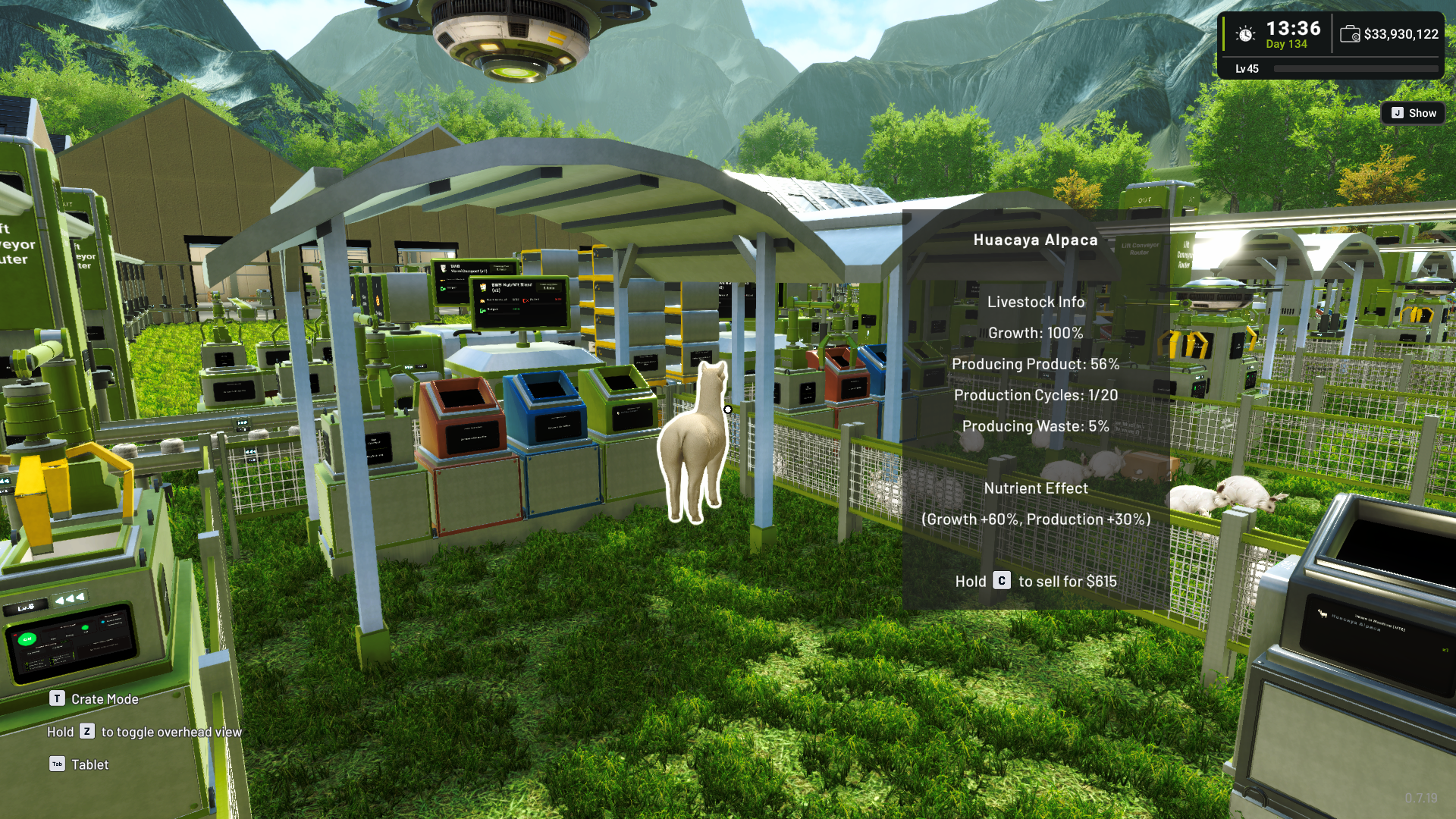
a. Processing Retired Livestock
When an eligible retired animal is available, the Livestock Processor collects it from the Animal Pen and processes it into meat.
The collection sequence now has updated visual and audio feedback, making it clearer when an animal is being processed.
The Livestock Processor is now located in the Processing category alongside other production Machines.
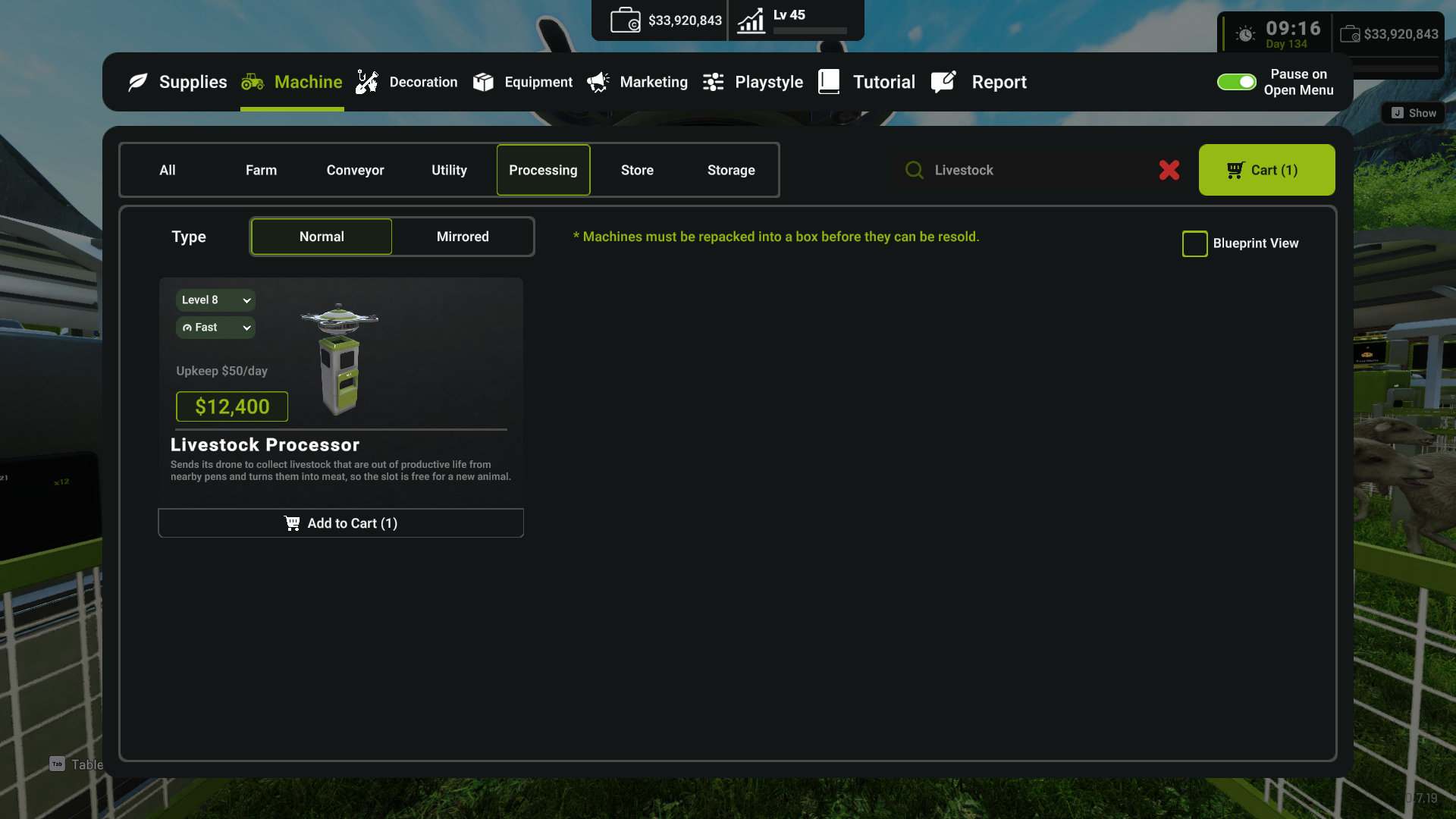

b. Meat Output
Processed meat now leaves the Livestock Processor through its conveyor output.
There is no manual Eject option for the Machine.
If the output cannot currently accept another item, finished meat waits inside the Machine and continues leaving once space becomes available.
This helps prevent products from overlapping or appearing outside the intended output area when the conveyor is full.

c. Machine Improvements
The Livestock Processor has also received several usability improvements:
Its footprint has been reduced to one tile.
Stored item counts now update correctly.
Produced meat is recorded in the Machine log.
The Shop now uses the correct Livestock Processor blueprint image.
The smaller footprint also makes it easier to place other Machines directly beside it.


3. Meat Production
Retired livestock can now become part of new meat production chains when Retiring Livestock Mode is enabled.
Several processed meat products are available across the production system, including:
Smoked Chicken
Smoked Duck
Cured Lamb
Beef Jerky
Chicken Skewer
Lamb Stew
Smoked Goose
Country Stew
Alpaca Charqui
Meat products have also received updated icons and visual assets to better represent them in the Store, boxes, and production flow.
This gives livestock another role beyond their regular products and creates additional production paths for farms using Retiring Livestock Mode.
[carousel autoadvance="true"]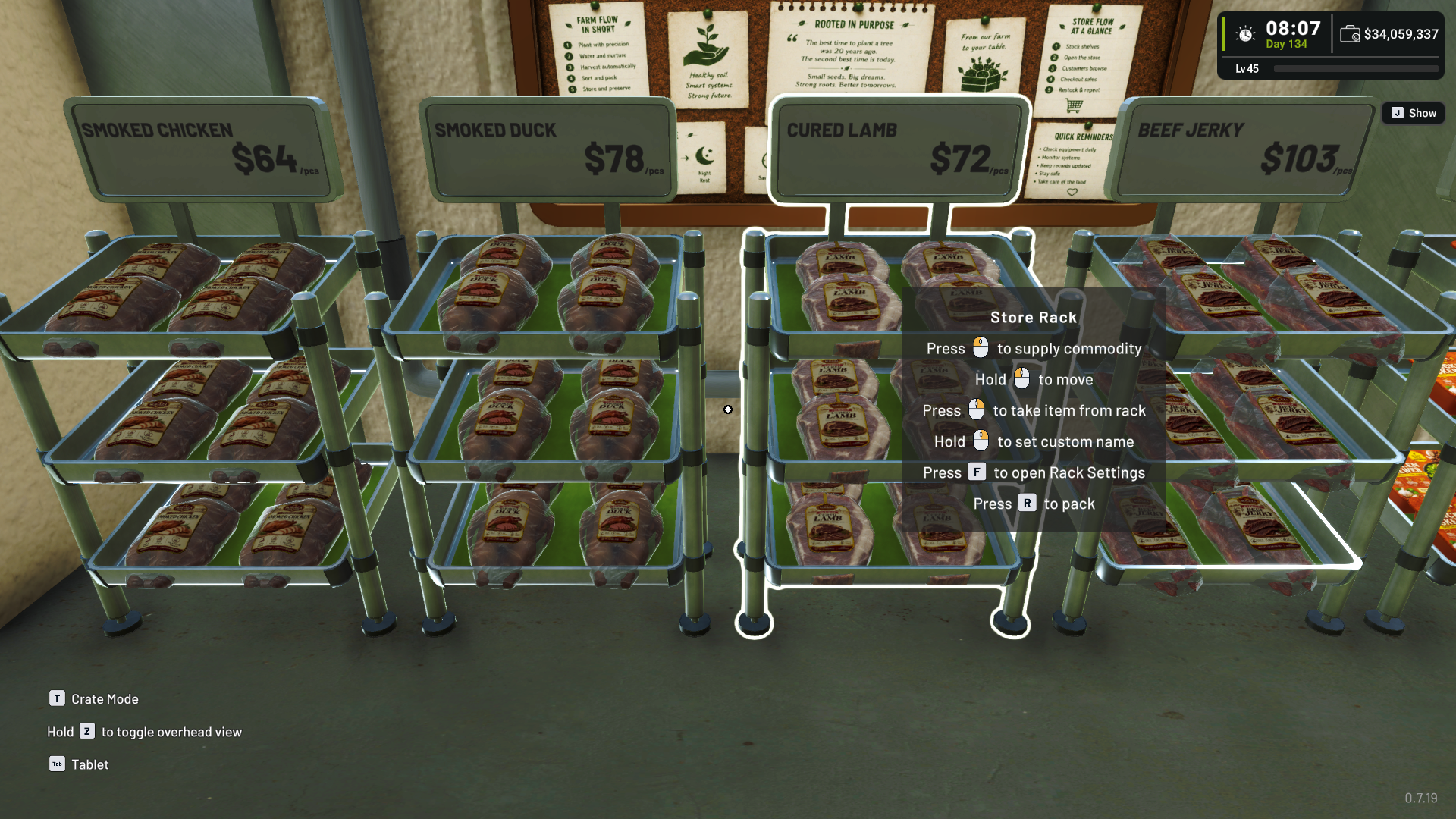


4. Clearer Livestock and Plant Information
Livestock and Plant information has been reorganized to make production status easier to read.
a. Livestock Information
When hovering over livestock, the status display now separates and clarifies information such as:
Product production progress
Waste production progress
Remaining production cycles
Nutrient effects
When Retiring Livestock Mode is enabled, the remaining production cycles make it easier to see how much productive life an animal has left.
Animals that have already retired are also marked with:
Out of productive life
The information then helps indicate whether the animal should be sold or collected by a Livestock Processor.


b. Supply Cards
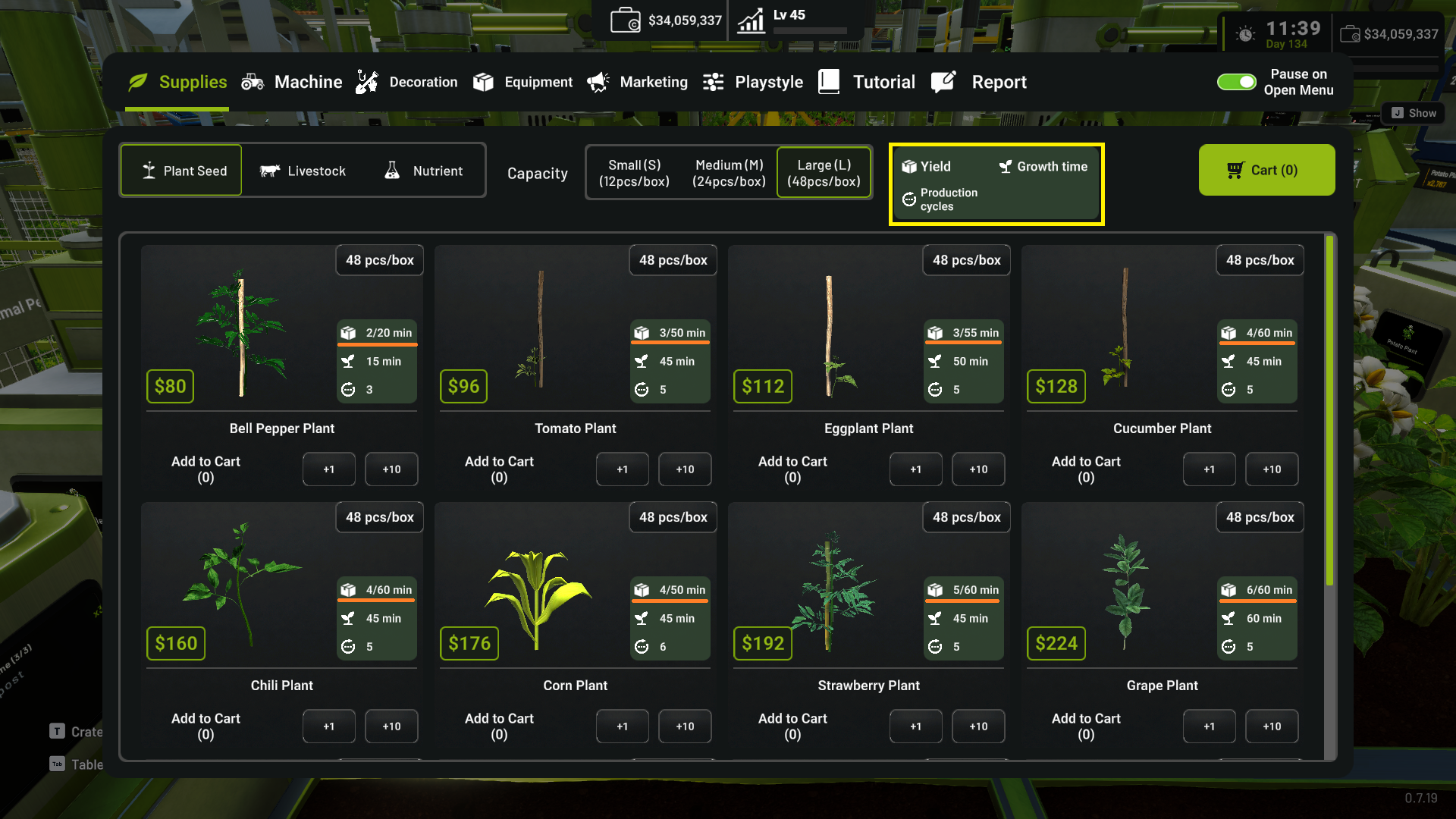
Supply cards for Plants and Livestock have also been cleaned up.
Production amount and interval information are now displayed together to make them easier to read.
Production Cycle information is also shown more consistently:
Plants display their production cycles where applicable.
Livestock display production cycles when Retiring Livestock Mode is enabled.
This makes it easier to understand production behavior before purchasing a Plant or Livestock.

5. New Load / Save Game System
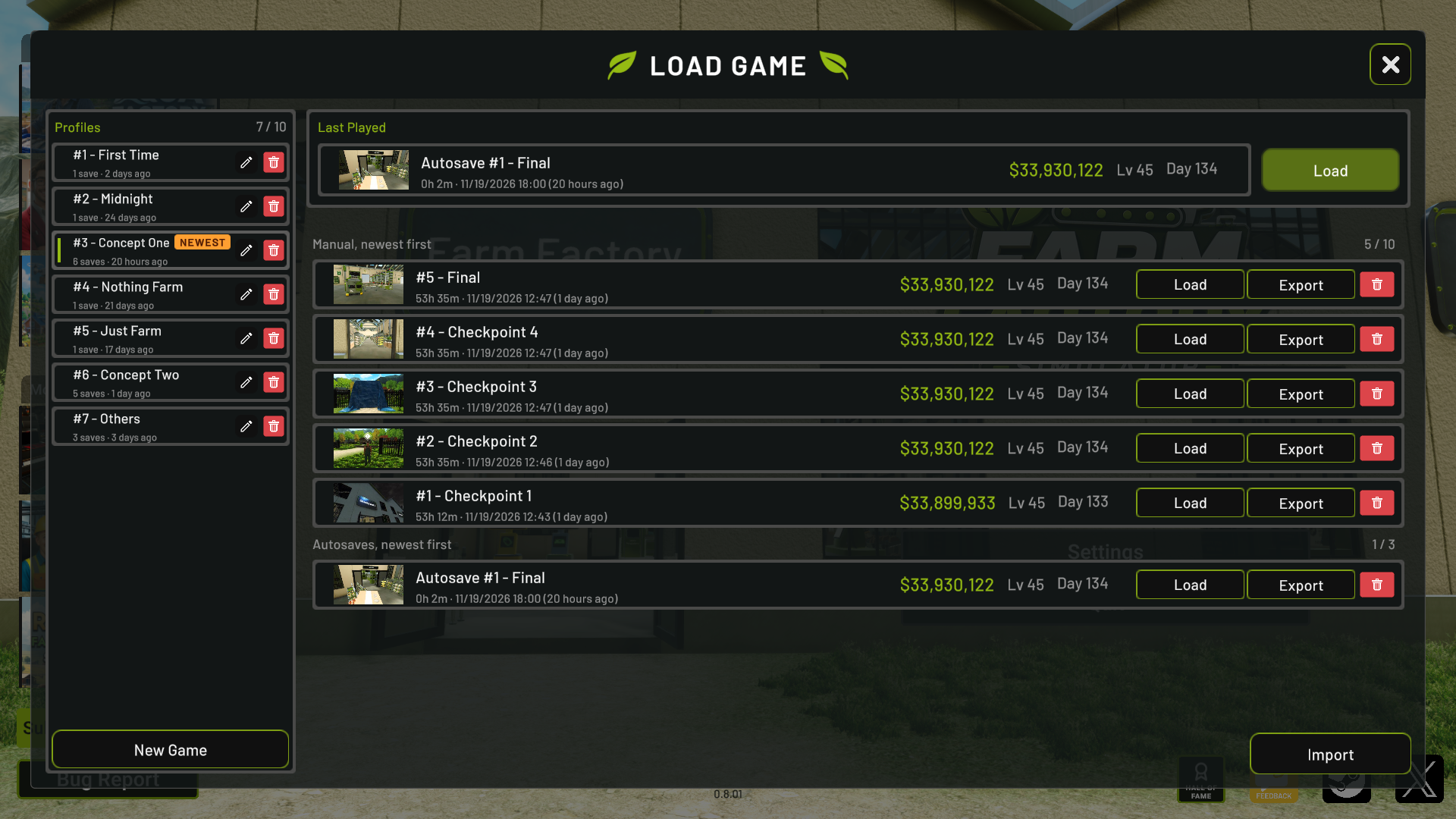
The Load Game and Save Game menus have been redesigned to support significantly more save progress.
The new system supports up to:
10 Save Profiles
10 separate progress saves within each Profile
This gives each Profile room for multiple progression saves without requiring players to overwrite their existing progress.
The additional save capacity is especially useful for players who want to experiment with different factory layouts, progression choices, Playstyle settings, or other setups while keeping their main progress separate.
This also responds to community requests for more save files and greater flexibility when experimenting with the game.
Save Profiles can also help when more than one person plays Farm Factory Simulator on the same Steam account or computer, allowing each player to keep their progression more clearly separated.
6. System and Technology Updates Toward Multiplayer
We have also made changes to some of the underlying systems and technologies used by Farm Factory Simulator.
These changes are part of the technical groundwork we are preparing toward our longer-term goal of supporting multiplayer.
This does not mean multiplayer is available in this update. The purpose of these changes is to prepare parts of the game so existing systems can continue evolving toward multiplayer support in future development.
Because some underlying systems have changed, you may notice small differences in certain visuals, presentation, or behavior compared with previous versions.
The existing gameplay systems affected by this work have been tested internally and are expected to continue working normally.
However, with changes at this level, community testing across different saves and factory setups is also valuable. If you notice behavior that differs unexpectedly from previous versions, please let us know through the in-game Bug Report / Feedback feature or the Steam Discussions.
Those reports will help us investigate any differences that may only appear in specific player setups as we continue this technical transition.
Improvements
1. Outdoor Environment Visual Improvements
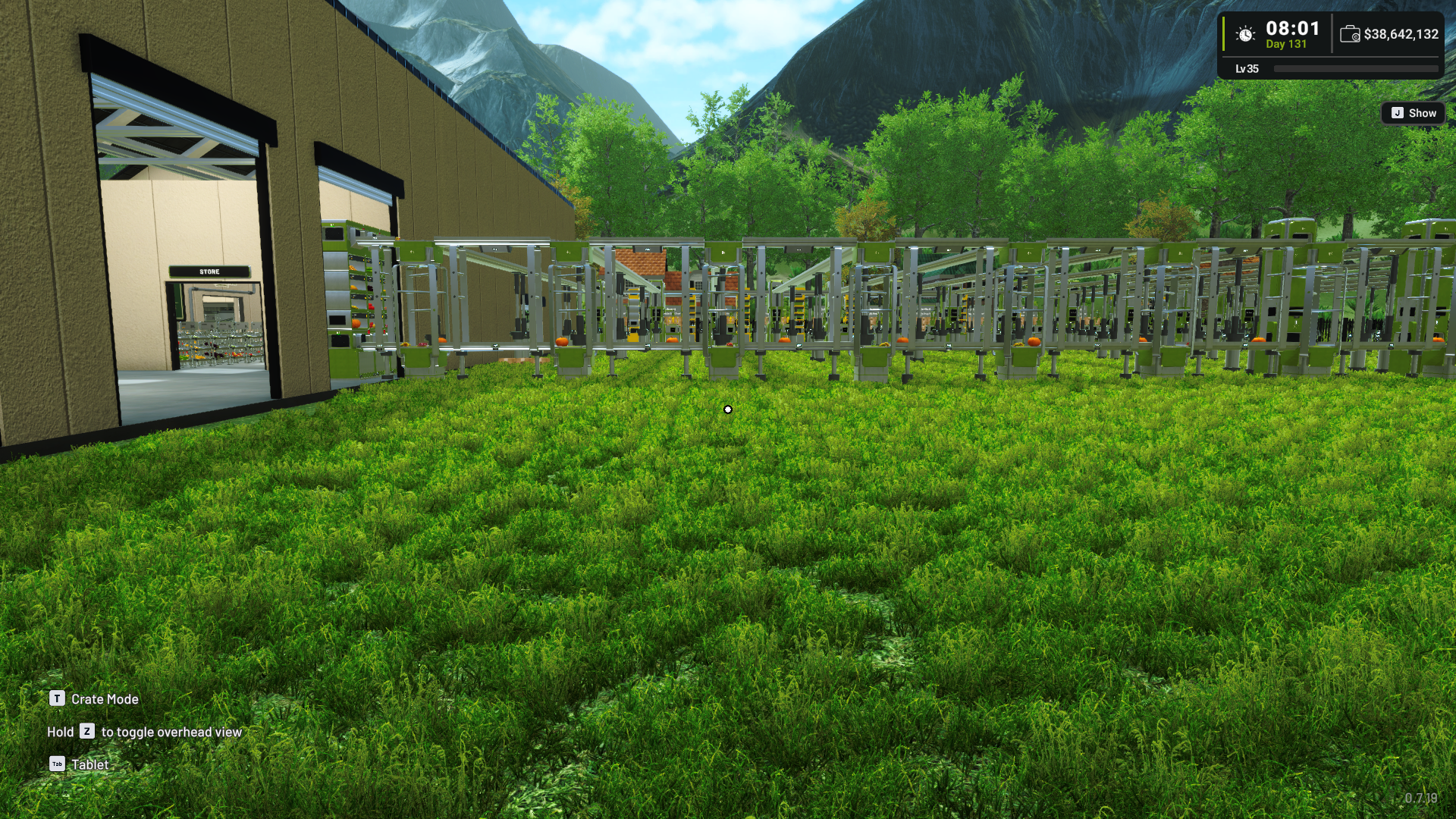
The outdoor environment has received visual adjustments to improve its overall presentation.
Color tones and the general outdoor look have been refined to create a more balanced and consistent appearance across the Farm and Factory surroundings.
You may notice differences in how outdoor areas look compared with previous versions as part of these visual improvements.

2. Clearer Playstyle Information
Playstyle settings now include clearer descriptions for each option.
Descriptions have been improved for:
Customer Demand
Operational Cost
Hold to Move / Rename
Outdoor Processing
Special Visitor
Retiring Livestock
These explanations make it easier to understand what each Playstyle option changes before selecting it.

3. Updated Livestock and Meat Tutorials
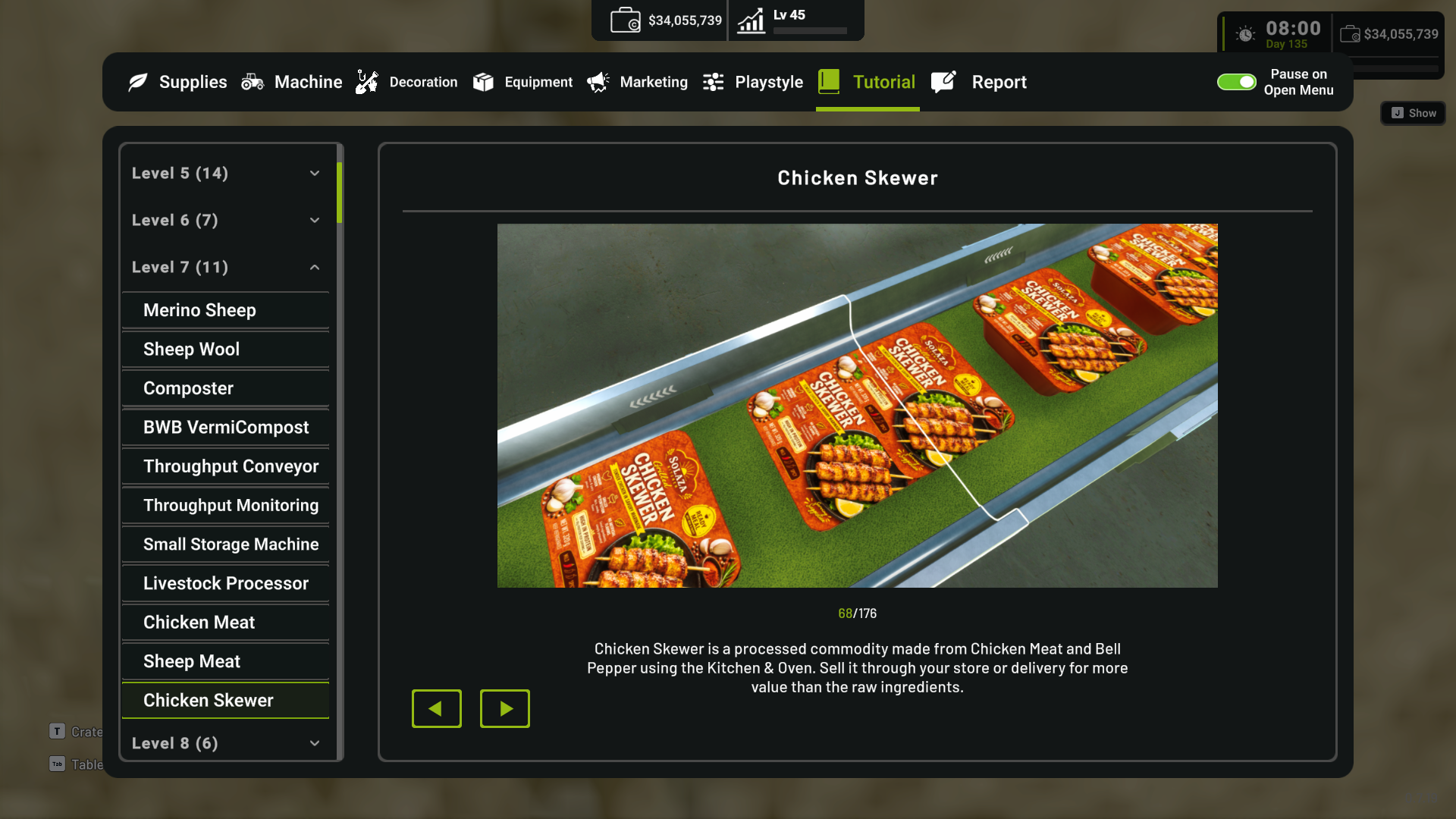
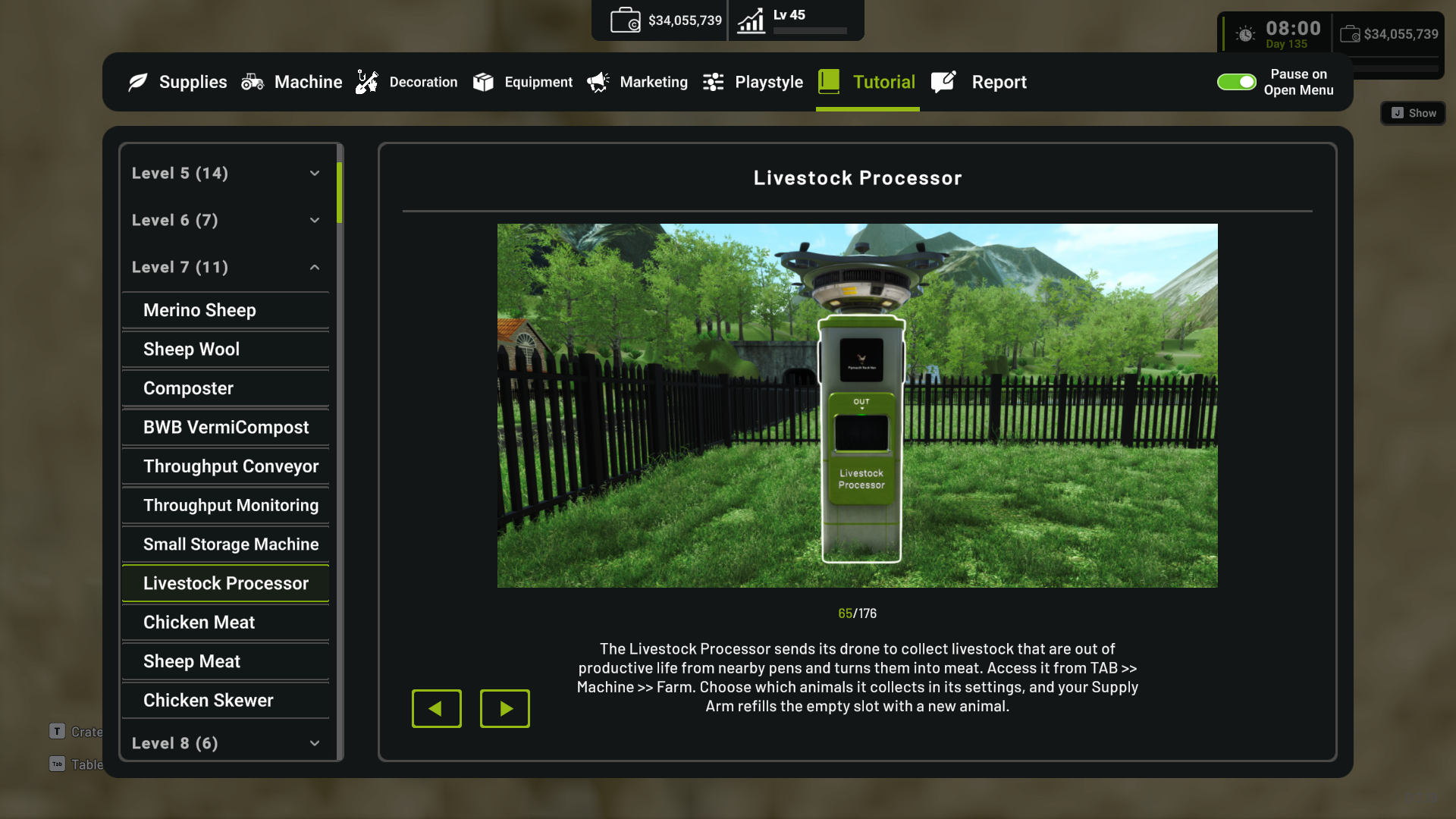
Tutorial coverage has been expanded for the new livestock and meat systems.
New tutorial images have been added for:
Raw meat products
Processed meat products
Livestock Processor
Retiring Livestock Mode
Playstyle settings related to the new system
This should make it easier to understand how livestock retirement connects to meat production and the wider factory system.
[carousel autoadvance="true"]

4. Processing Machine Monitor Improvements
The monitors on the Mill and Preserving Station, including their Mirror variants, have been adjusted so their interface is no longer cut off by the Machine model.
This improves visibility of monitor controls and information.
5. Purchase Cart Localization
Machine names shown in the Tablet purchase cart now correctly follow the currently selected language.
This also applies to Mirrored Machine variants.
Changing the game language while the purchase cart is open now updates the displayed Machine names correctly.
21 November 2026 - v0.8.02 Hotfix
Following reports from players after the recent update, we identified and fixed two issues affecting items stored in Storage.
Bug Fixes
Fixed an issue that could cause stored conveyor items to disappear after updating the game.
Fixed an issue that could cause stored item quantities to be limited to 65,535 after updating the game.
For Affected Players
If your stored items were affected by either of these issues, please update the game to v0.8.02 first.
Updating to v0.8.02 prevents the issue from occurring again, but it does not automatically restore save data that was already affected.
To recover your save condition from before the issue occurred, you will need to reimport a save file from the previous game version:
Make sure Farm Factory Simulator is updated to v0.8.02.
Open the game and go to Load Game.
Click Import (bottom right).
When the file browser opens, navigate to:
%USERPROFILE%\\AppData\\LocalLow\\Bewolba Studios\\Farm Factory Simulator
Open the folder with your numeric Steam ID.
Open the Saves folder.
Open the folder for the save slot from the previous game version.
Select the older .sav file and import it.
Load the imported save and check that your stored items and quantities have been restored correctly.
Reimporting a save from the previous game version is required to recover the save state from before the affected data was changed.
Tutorial Video: [dynamiclink href="https://www.youtube.com/watch?v=EhNa8vU1zWw"]If you still encounter missing items or incorrect stored quantities after following these steps, please let us know through the in-game Bug Report / Feedback feature or the Steam Discussions so we can investigate further.
Thank you again for playing Farm Factory Simulator during Early Access.
This update gives players more choice over how livestock progression works, more flexibility for keeping multiple save progressions, and also includes some important groundwork for where we want to take the game next.
You can continue using livestock without retirement, or enable Retiring Livestock Mode to introduce productive lifecycles, replacement planning, and new meat production chains.
At the same time, we are continuing the technical work needed for our future multiplayer goals. While the existing systems have been tested internally, your reports are especially helpful during changes like these, where different factory layouts and save conditions can reveal behavior that may not appear during internal testing.
If you encounter any issues, visual differences, unexpected behavior, balancing problems, performance issues, or production flow problems, please let us know through the in-game Bug Report / Feedback feature or by sharing your thoughts in the Steam Discussions.
See you on the farm! 🌱
[dynamiclink href="https://store.steampowered.com/app/4668220/Farm_Factory_Simulator/"]