Hi everyone, 😄
Thank you very much for all the feedback, reports, and suggestions you continue to share with us.
This update introduces one of our biggest new content additions so far: the Office, a completely new room that gives you another space to customize, organize, and interact with beyond the factory floor.
Alongside the Office, we have also added several improvements for Daily Supplies, Pallet management, repacking, and general factory usability.
With that in mind, here is what is included in this update.
Main Updates
1. The New Office
A new Office is now available on the second floor, above Cold Storage 3.
The Office becomes available at Level 20 and is unlocked separately from the existing factory expansion areas.
Before it is unlocked, the room remains closed and its windows appear dark from outside.
Once available, the Office provides a dedicated space that can be furnished and customized separately from the main production areas.


a. Office Delivery and Lighting
Office items use their own delivery point inside the room instead of being delivered through the factory Supply Drop Areas.
This keeps Office customization separate from your normal production logistics and makes newly purchased Office items easier to access.
The Office also has its own working light control, allowing the room lighting to be changed without affecting lighting elsewhere in the factory.


2. Office Furniture and Customization
This update includes 28 purchasable Office items, covering several categories such as:
Furniture
Decorations
Storage
Functional equipment
Interactive items
Rather than functioning as a fixed room layout, the Office can be arranged based on how you want the space to look and function.
a. Furniture and Decorations
Furniture and decorative items can be placed throughout the Office to create different layouts and styles.
Several furniture surfaces can also be used to place smaller objects, allowing items to be arranged on desks, shelves, tables, and other compatible surfaces.
Objects placed on top of another movable object can move together with it, making it easier to reorganize decorated furniture without rebuilding everything from scratch.

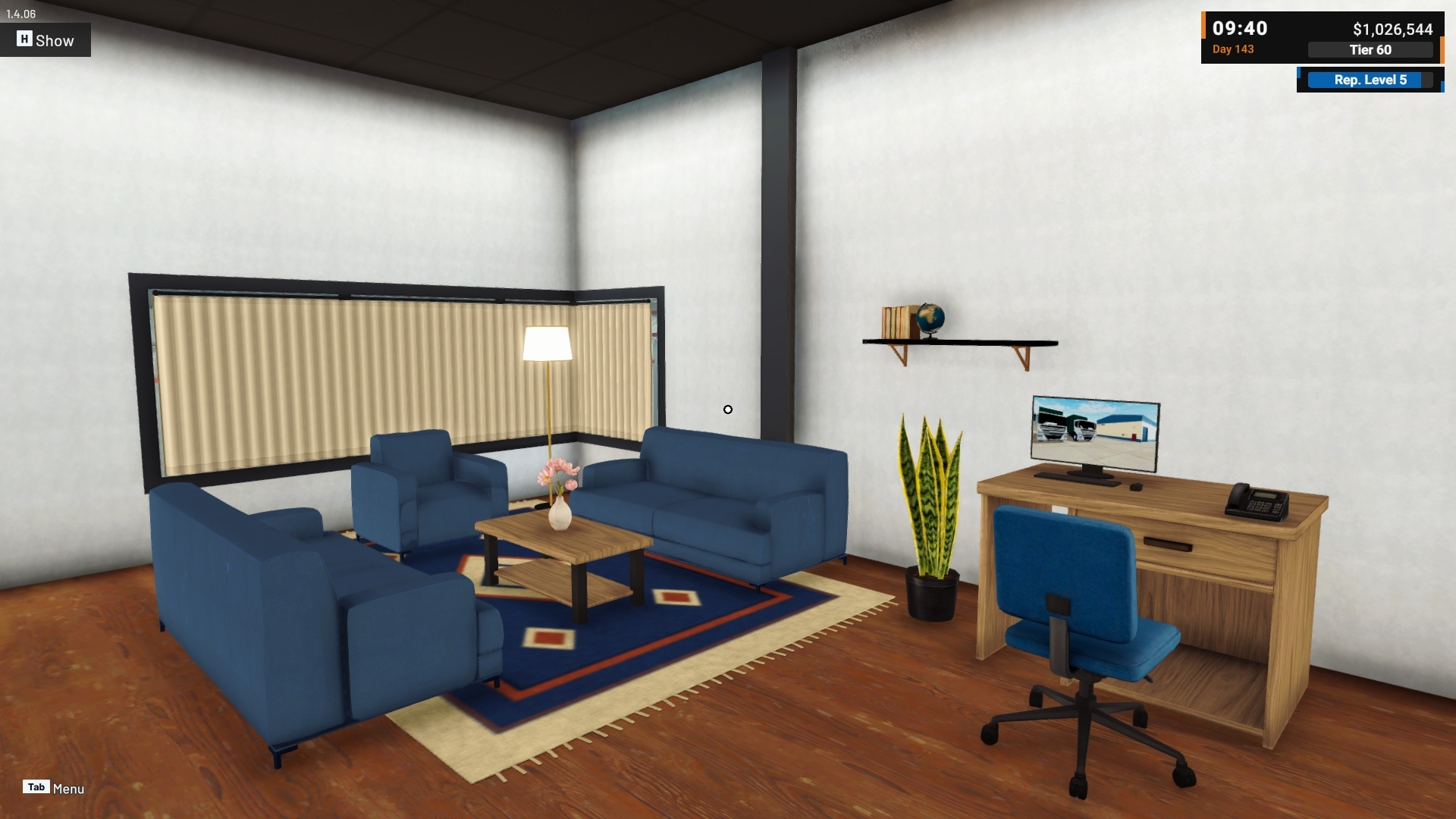
b. Office Partitions
Office Partitions allow you to divide the room into smaller sections.
They use the Office placement grid and can support wall-mounted items, giving you more flexibility when creating your own room layout.
When a Partition is moved, compatible wall items attached to it can move together with the Partition instead of being left behind.


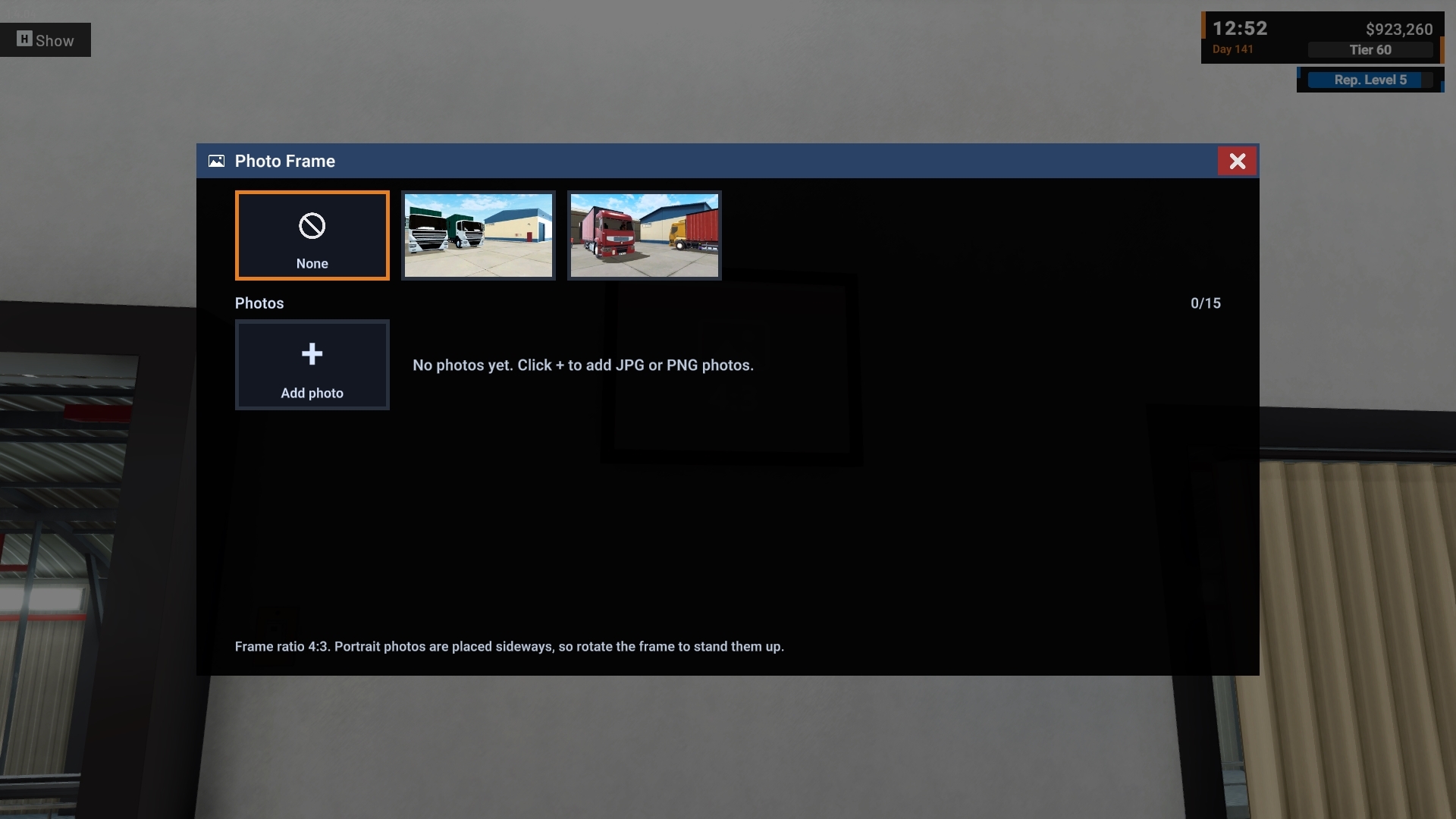
c. Personal Photos
The Office also includes photo customization.
You can use your own screenshots in supported photo frames and the polaroid-style photo board, allowing the Office to display moments from your own factory.
Photos are selected from your screenshot gallery rather than through a separate in-game Photo Mode.


3. Office Connected to Your Factory
The Office is not only a decorative space.
Several Office items are connected directly to information and events happening elsewhere in your factory.
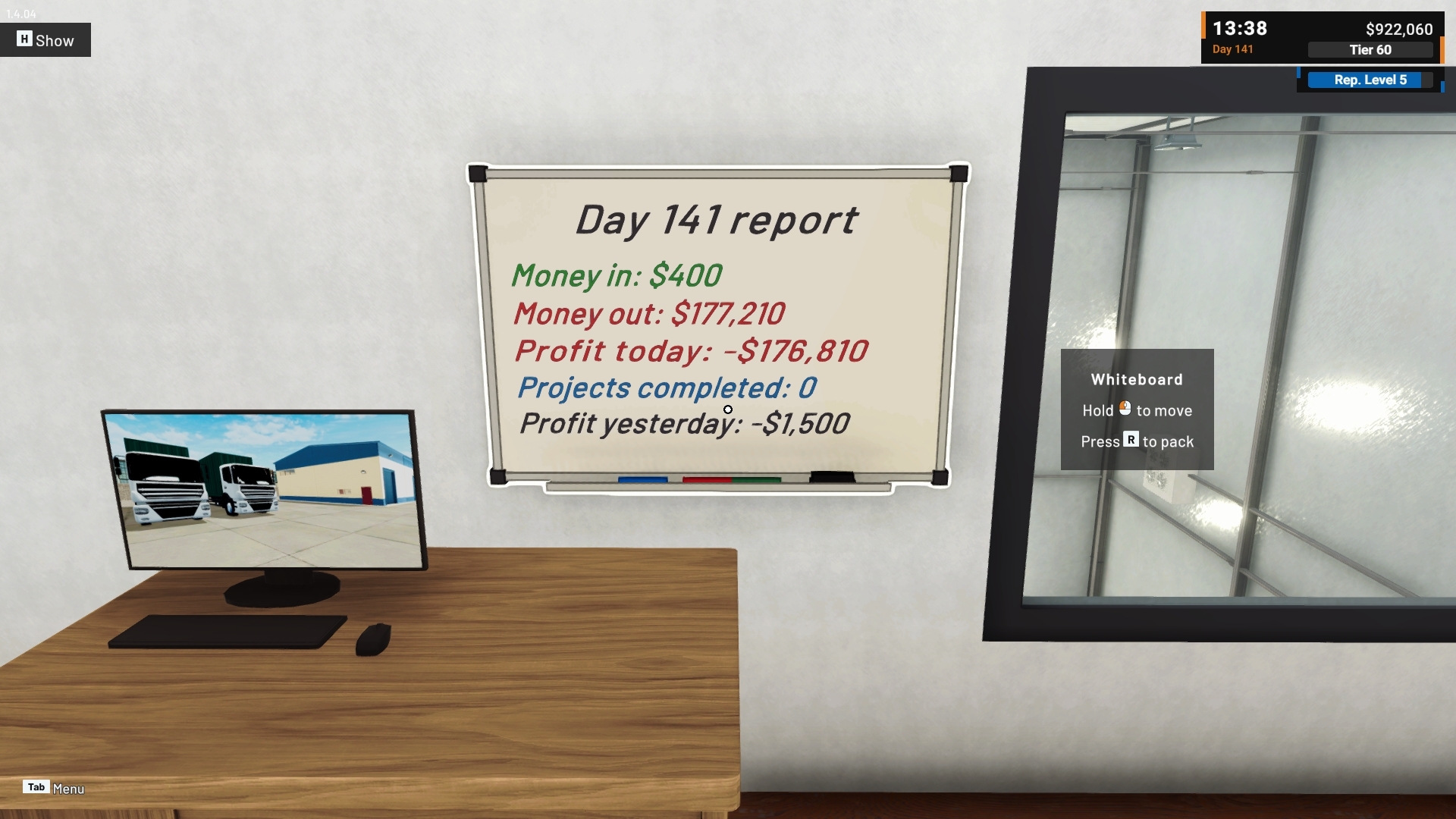
a. Wall Clock and Whiteboard
The Wall Clock follows the current in-game time.

The Whiteboard can display Daily Report information, giving the Office another way to keep track of factory activity.
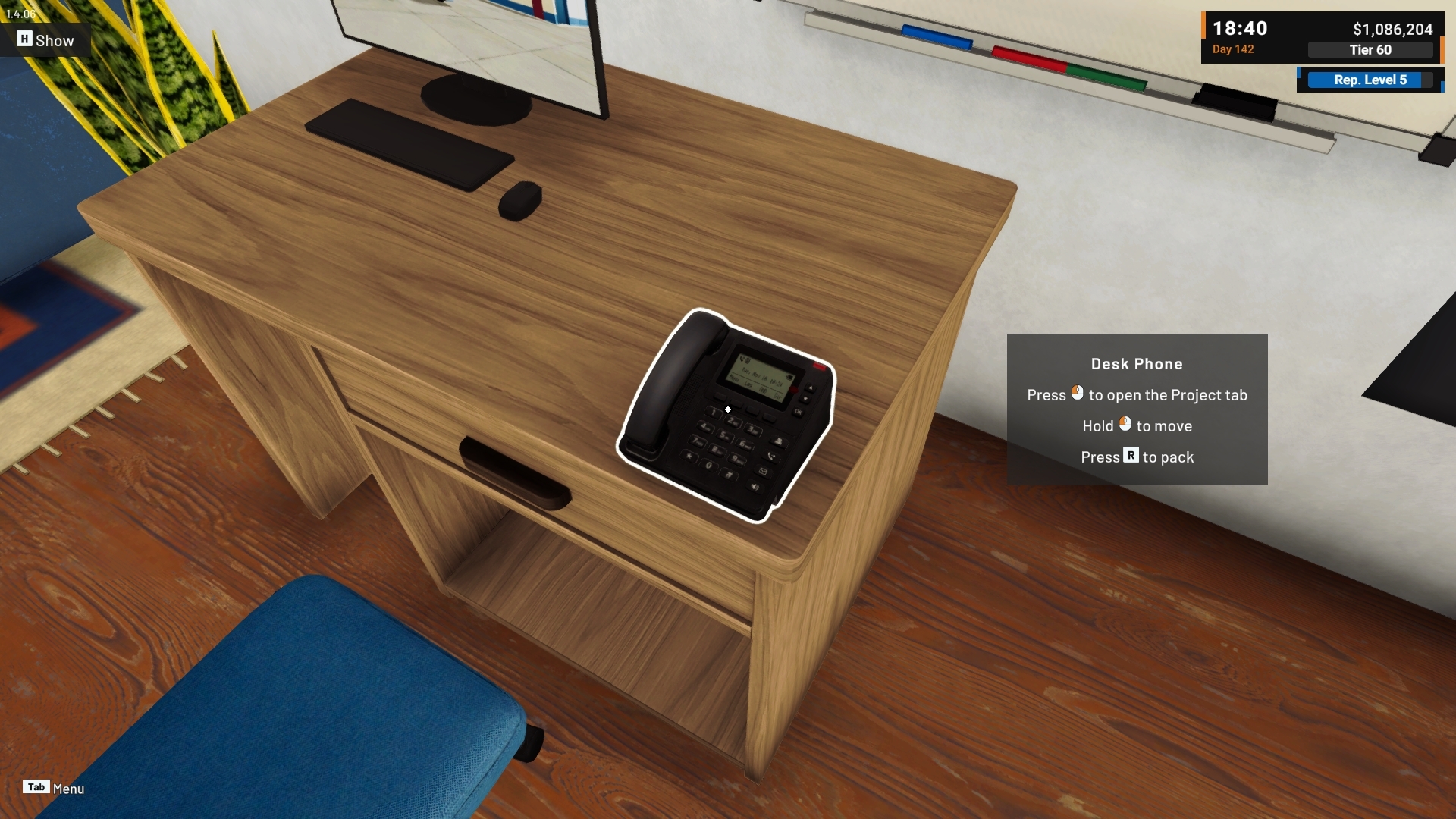
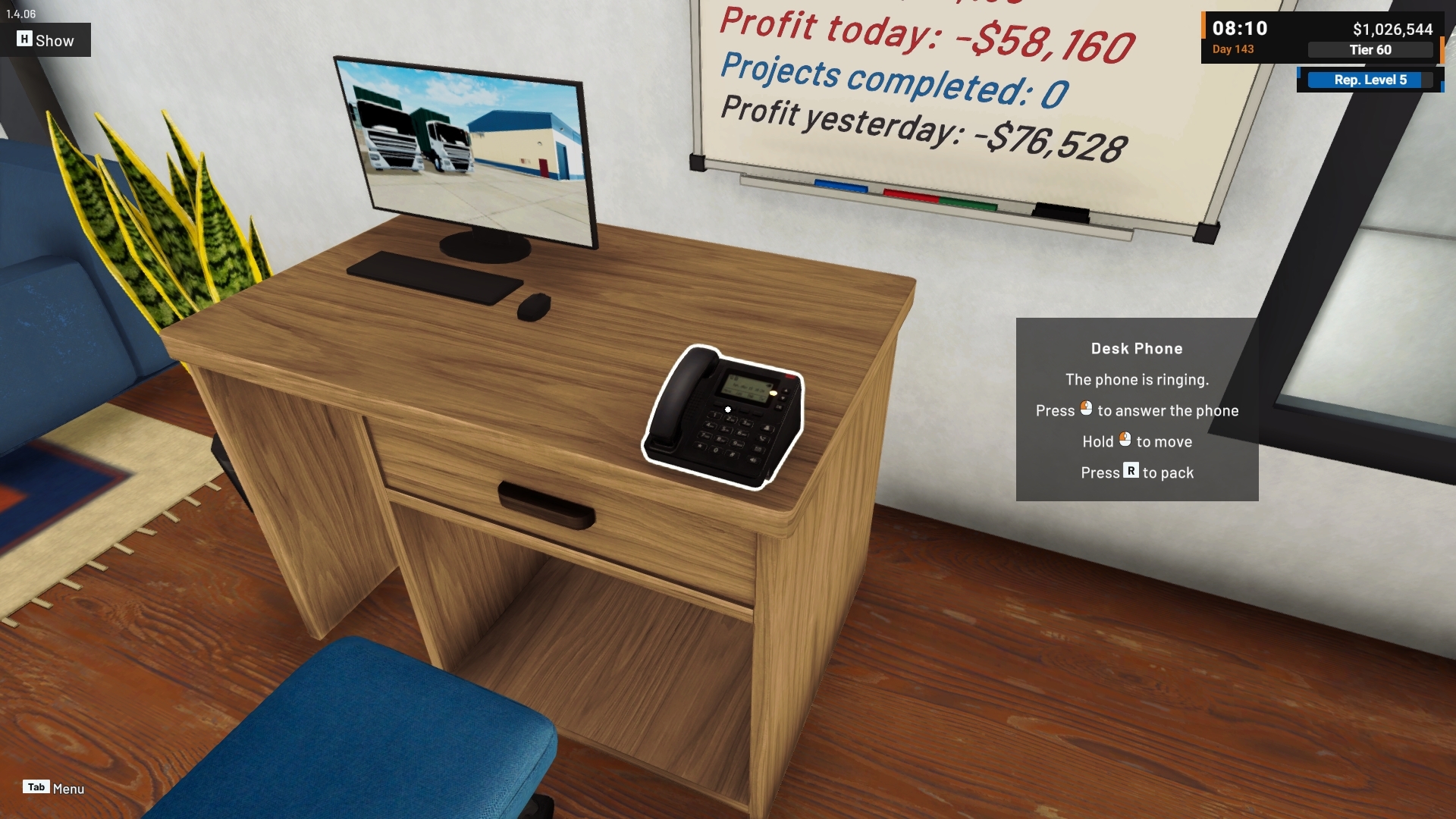
b. Desk Phone
The Desk Phone can react to events such as new Project offers or payments becoming available.
Interacting with the phone provides a direct connection to the related Project information.

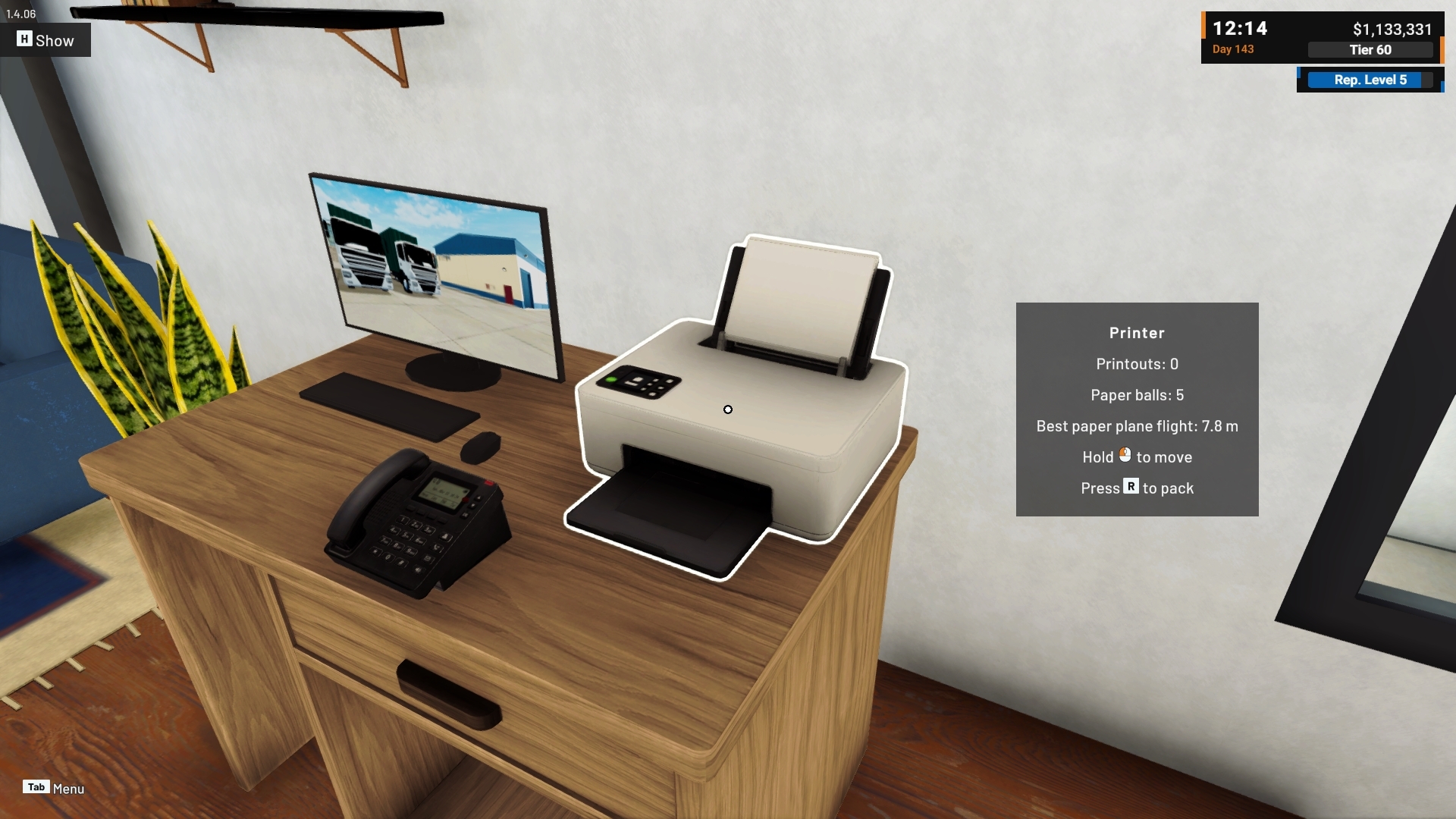
c. Printer
The Printer can also react to factory events, including payments becoming ready or truck-related activity.
Printed paper can then be physically interacted with inside the Office, making the item more than a static decoration.


4. Office Activities
The Office also includes several interactive activities for players who want something to do away from the production floor.
a. Dartboard
The Dartboard provides an aiming-based activity and keeps track of your results.

b. Mini Basketball
The Mini Basketball setup lets you take shots using the same general aiming interaction and track your performance.


c. Foosball
The Foosball Table includes its own challenge with score tracking, adding another activity that can be placed inside the Office.
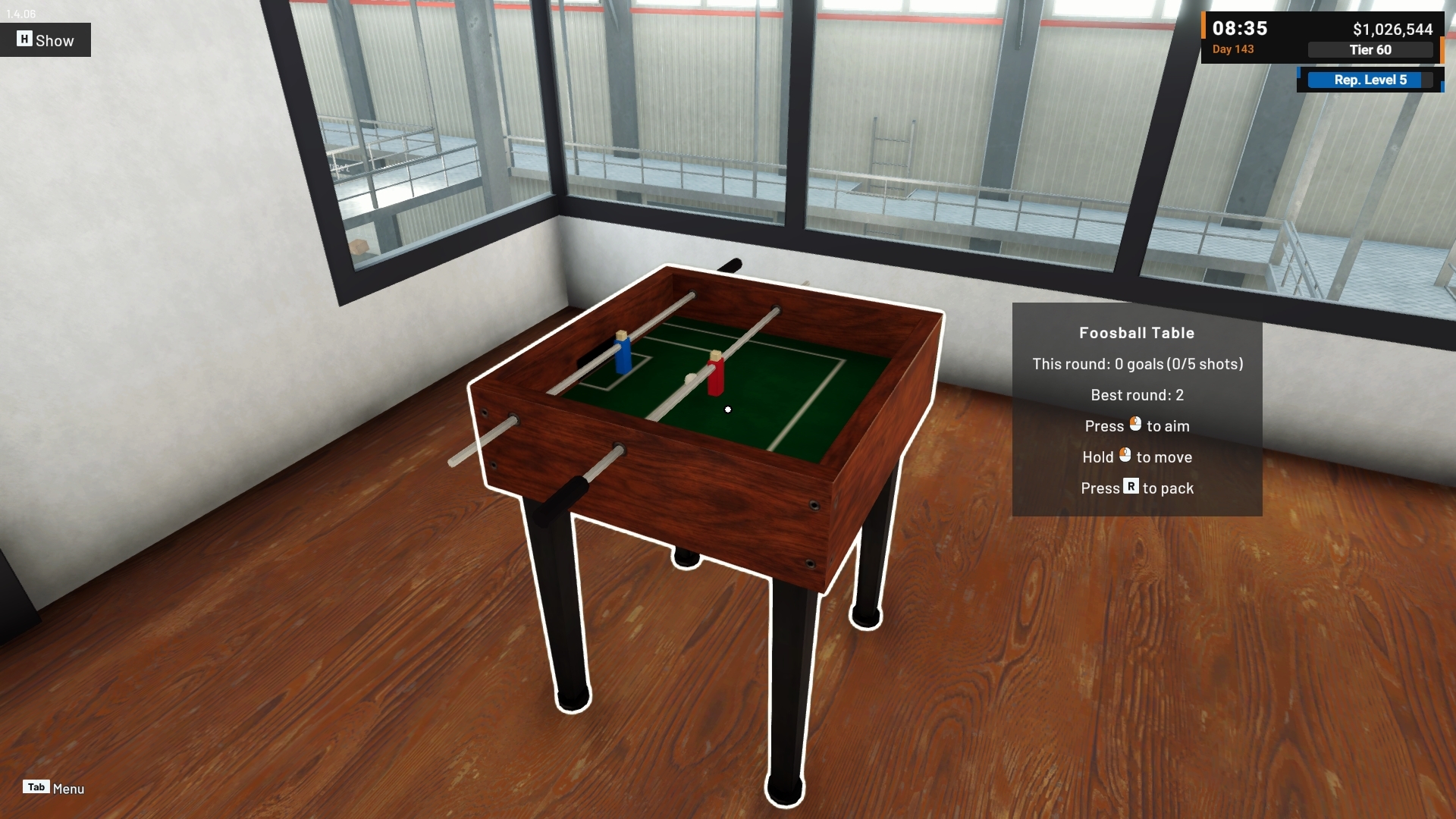


These activities are designed as optional interactions and do not affect factory production or progression.
Factory Improvements
1. Quick Buy for Daily Supplies
The Daily Supplies panel now includes a new Quick Buy option.
This allows you to purchase the currently configured Daily Supplies list immediately instead of waiting for the next day.
a. Buy the Current List Now
Quick Buy uses the Daily Supplies list currently shown in the panel and purchases it immediately.
Using Quick Buy does not replace or cancel the normal Daily Supplies schedule.
Your configured Daily Supplies will still be ordered normally at the next scheduled day change.

b. Sell Leftovers First
If the Supply Drop Area still contains eligible leftovers, Quick Buy can take those into account before making the purchase.
The confirmation can show how much money can be recovered by selling eligible leftovers first.
If your current money is not enough to complete the purchase, the panel can also indicate whether selling those leftovers would provide enough money to cover the difference.
This makes it easier to clean up the previous supply delivery and immediately use the recovered money toward the next purchase.

2. Pallet Loading Cutoff Information
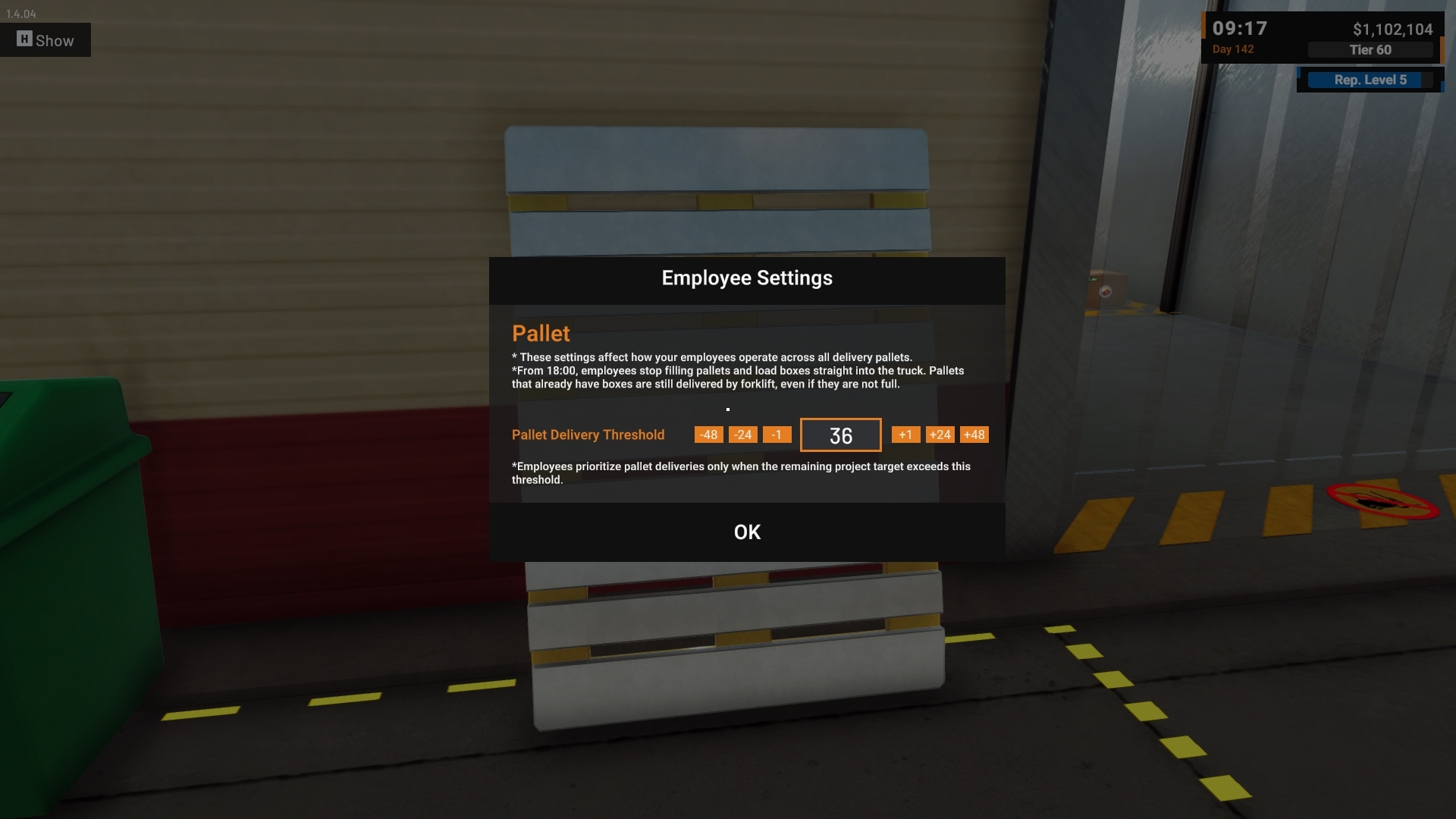
We have added clearer information about when Employees stop filling Pallets near the end of the shipping period.
Previously, a partially filled Pallet could make it appear as though an Employee had stopped working without explanation.
The game now explains that after a certain time, Employees stop adding Boxes to Pallets and begin loading Boxes directly onto the truck instead.
Pallets that already contain Boxes can still be delivered by Forklift even if they are not completely full.
This information is now available in:
Pallet Settings (Employee Settings when interacting with Pallet Generator)
The related Tutorial
The Employee Task Information
The underlying Employee behavior has not changed. This update makes the existing behavior clearer to the player.


3. Faster Repacking for Empty Machines and Equipment
Repacking empty Machines and Equipment now requires one less step.
If the object being repacked contains no production items, Labels, Packaging, or other stored contents, it can now be repacked directly without showing an unnecessary confirmation dialog.
Objects that still contain items will continue to show the confirmation warning as before.
This keeps the warning where it is useful while making simple factory rearrangement faster.


Improvements
1. Surface-Based Footstep Audio
Footstep sounds now respond to the surface the player is walking on.
Different surfaces, such as the factory's metal areas and the Office flooring, now produce more appropriate footstep sounds as you move between them.
2. Contextual Control Legend
The control legend in the lower-left corner of the screen now appears more contextually.
Actions are only shown when they can actually be used, reducing cases where the interface displayed an interaction that was not currently available.
Thank you again for your continued support, feedback, reports, and suggestions.
The Office gives us a new type of space in Food Processing Simulator: one that can be personalized and interacted with while still staying connected to what is happening throughout your factory.
We will continue expanding the game while also improving existing factory management and quality-of-life systems.
If you encounter any issues or unexpected behavior, please report them through the in-game Bug Report Menu and/or the Steam Discussions so we can investigate further.
See you in the next update! 🥗🚚
[dynamiclink href="https://store.steampowered.com/app/3928990/Food_Processing_Simulator/"]