Dear Players, 👋
Castle Siege and Siege Vehicles are finally here! This guide covers everything you need to know about building, fueling and driving Siege Vehicles, how a siege works, and what owning a castle brings to your clan. This update also introduces a completely rebuilt water system, new shadow and lighting technology, and full server authority with a new anti-cheat system, all of which are detailed below.
The Castles of The Quinfall
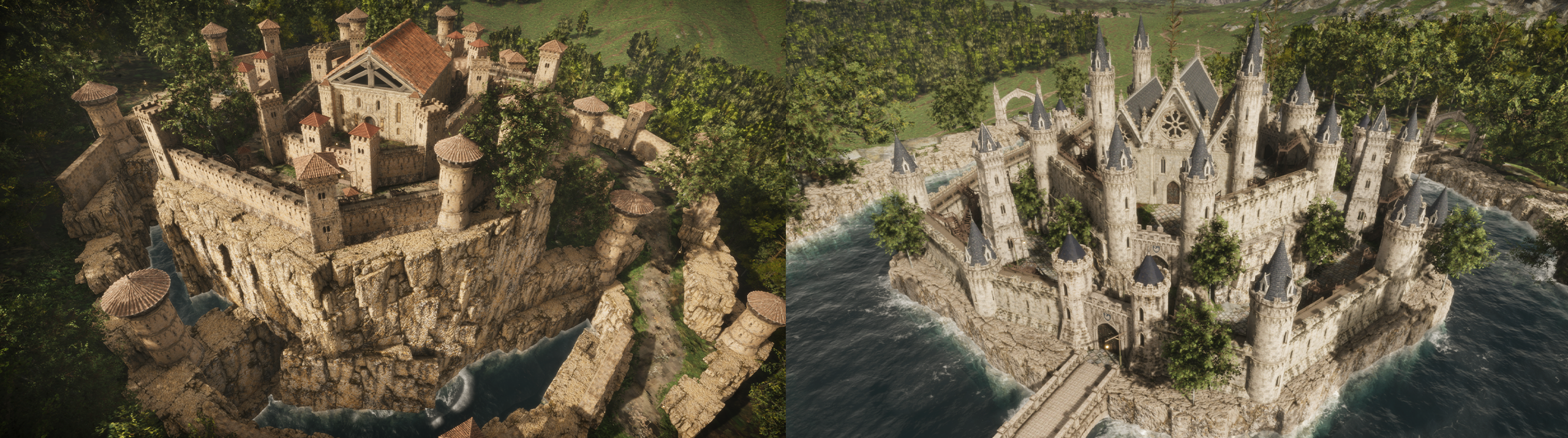
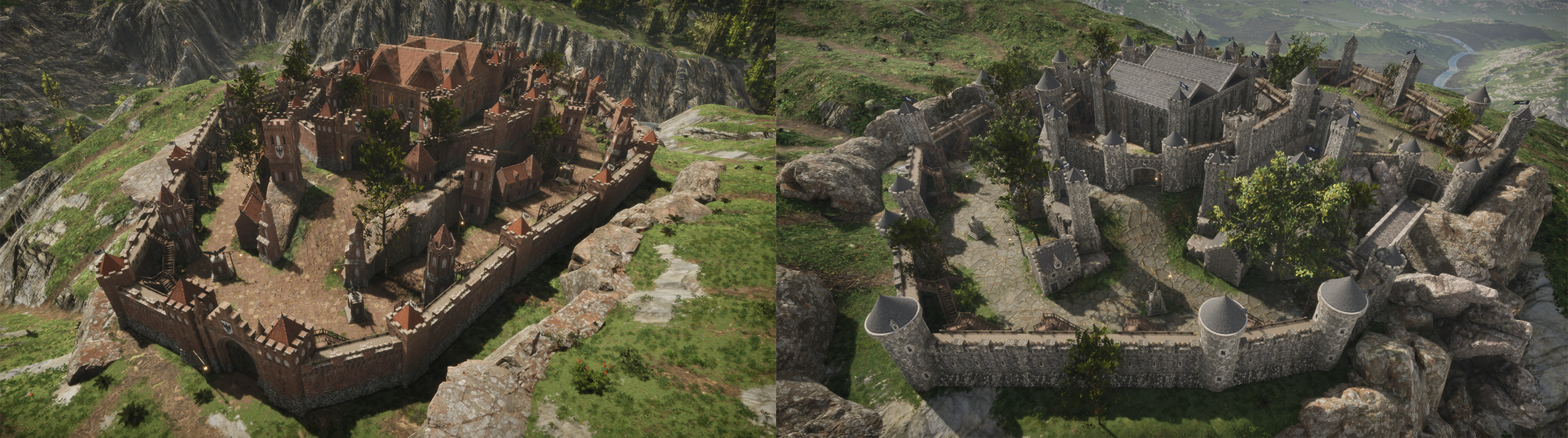
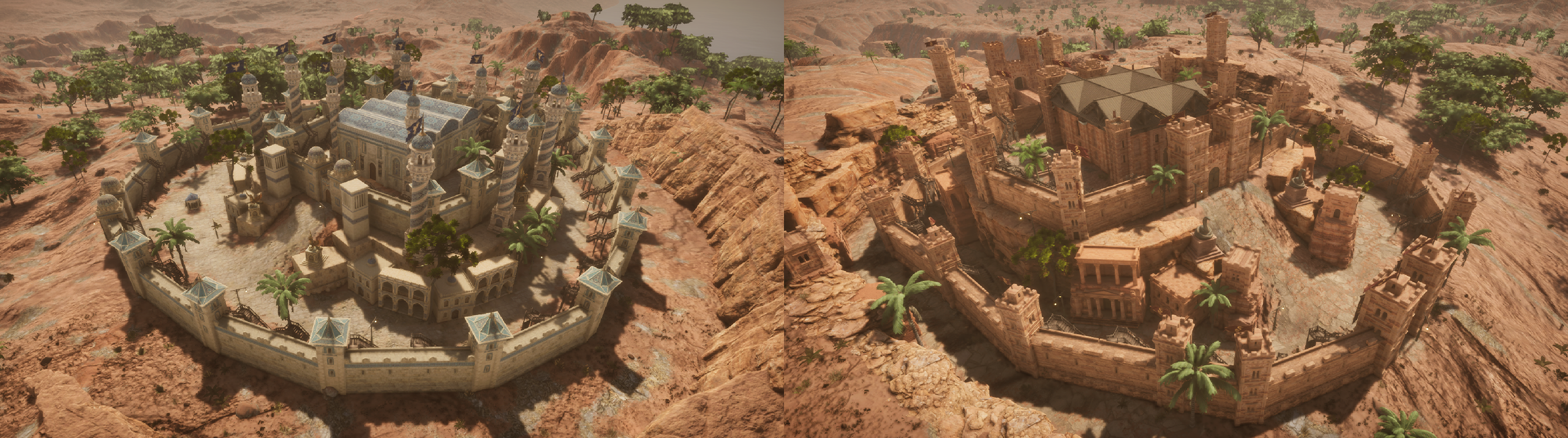
Castles now rise across the world of The Quinfall, and every one of them can be claimed. Each castle serves as a stronghold for the clan that holds it, granting control over the taxes and treasury of its region. Here is a first look at the castles your clan can fight for.



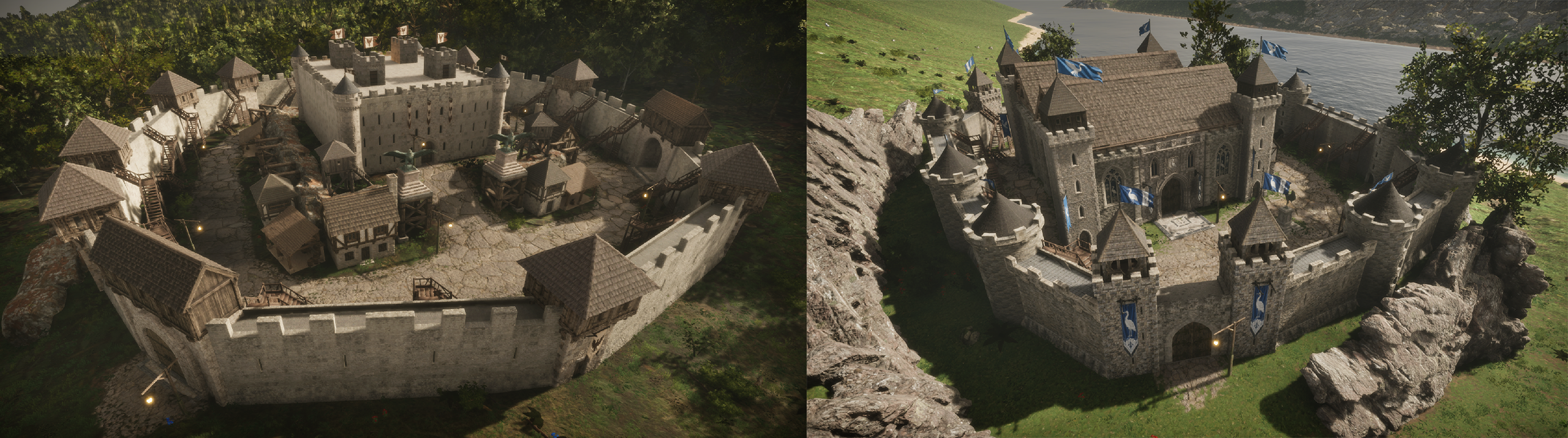
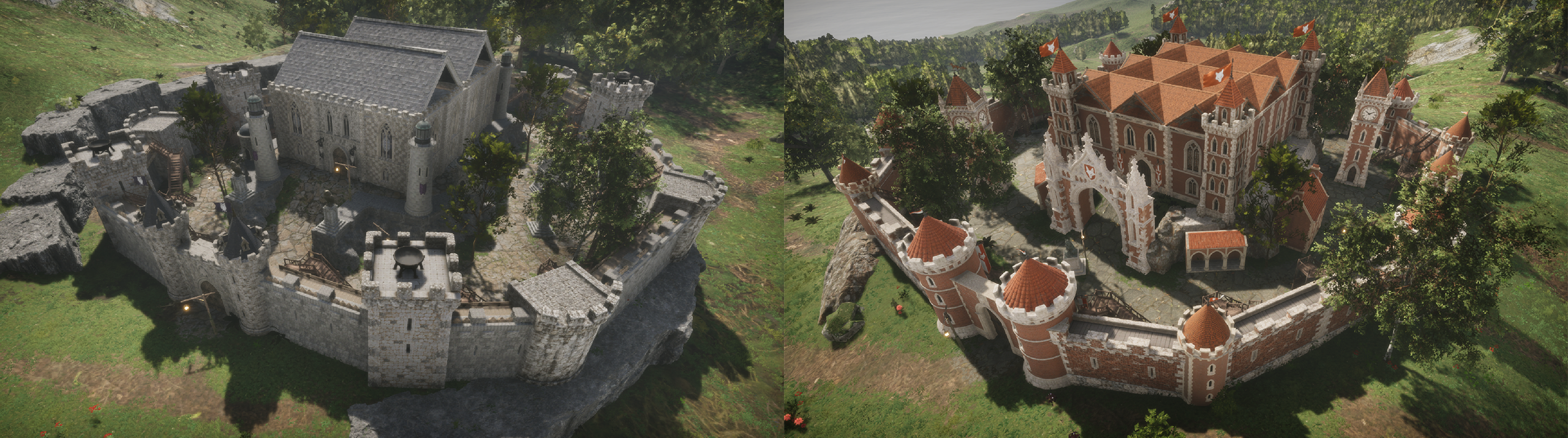

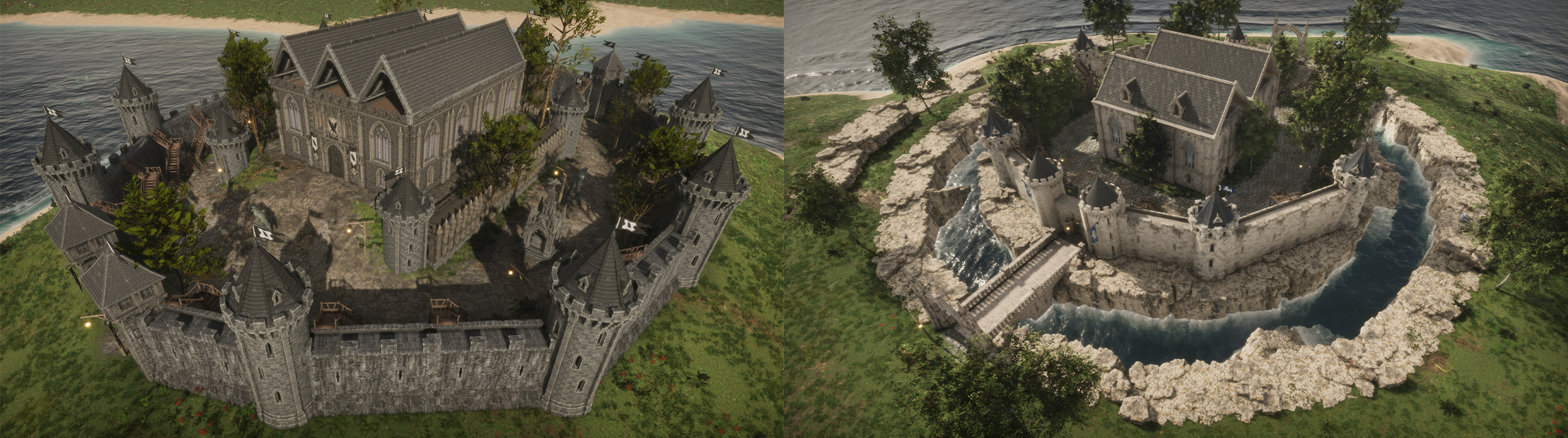
Siege Vehicle Guide: Required Materials and Steps
To field a Siege Vehicle, you need the Machine itself, Fuel, Ammunition (for ranged machines) and Repair Parts. All of them can be crafted through the Engineering profession at the Tinkering Workbench.
You can craft Siege Vehicles at the Tinkering Workbench. Cannon, Catapult and Battering Ram require Engineering Level 30, while Defensive and Offensive Golems require Engineering Level 50. Every machine is crafted with 200 Fuel inside. Siege Vehicles can also be bought and sold on the Central Market (Placeable Items > Siege Vehicle).
You can craft Fuel (x5) at the Tinkering Workbench using Fish Oil and Gunpowder.
You can craft Ammunition at the Tinkering Workbench in Low, Medium and High quality: Cannon Ball for the Cannon, Catapult Ammunition for the Catapult, and Flame Oil for the Offensive Golem's Flame Breath. Battering Ram and Defensive Golem do not use ammunition.
You can craft Repair Parts (x5) at the Tinkering Workbench or obtain them from drops and rewards. Each Repair Part restores 10% of the machine's max HP.
Open your Vehicles panel and press Deploy to place a machine in the field. You can keep up to 20 machines in storage and have up to 5 deployed at the same time.
From the Details menu, you can add Fuel, load Ammunition (100 capacity), and repair or upgrade your machine.
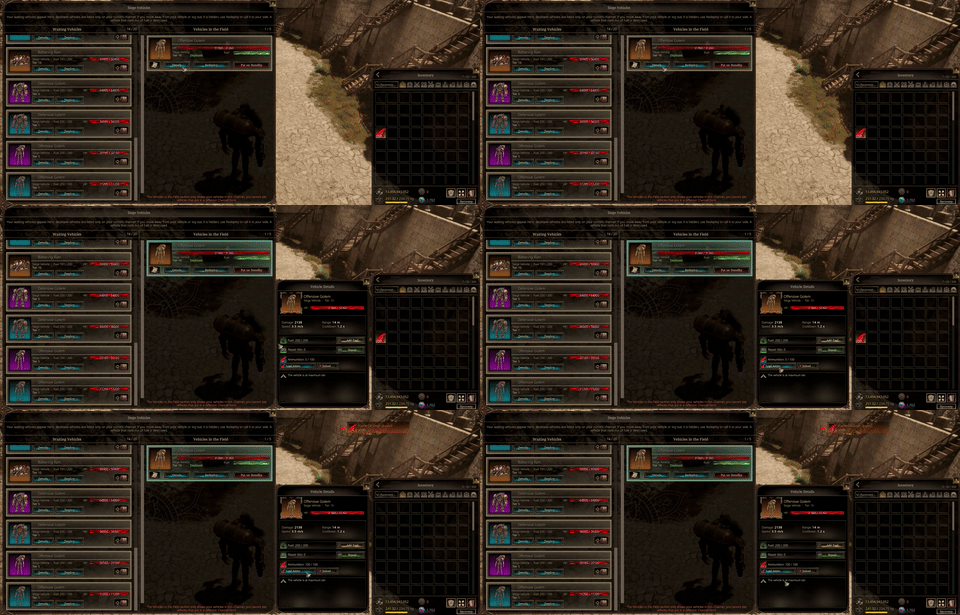 Approach your machine and hold E to get in. W moves forward, S moves backward (wheeled machines only), and A / D turn. Left Click attacks, and Golems have a special Right Click attack. Press E or ESC to get out.
Use Redeploy to bring a deployed machine to your side, or Put on Standby to send it back to storage.
Siege Vehicle Guide
- Only the owner can drive a machine. While driving, the driver takes no damage; all damage is dealt to the machine.
- A deployed machine constantly consumes Fuel, even while hidden (200 Fuel lasts 1 day). If its Fuel runs out, the machine is permanently destroyed.
- If the owner moves more than 50 m away or logs out, the machine stays in the field for 30 minutes and can still be attacked; after that, it becomes hidden. If the owner dies or teleports, it is hidden immediately. Hidden machines can be brought back with Redeploy.
- Machines cannot be deployed in cities, towns, ports, houses, within 450 m of a hostile (red) altar, or next to a castle throne.
- Machines cannot be put on standby, redeployed or repaired for 60 seconds after dealing or taking damage.
- A machine with ammunition loaded cannot be put on standby. Unload it first from the Details menu.
- Machines can be upgraded from Tier 1 to Tier 10, using a different metal and ore at each tier plus materials specific to each machine type. Tier 10 requires Energy-Core Alloy. Machines change appearance at Tier 5 and Tier 10.
- Cannon, Catapult and Golem attacks dig into the terrain.
Siege Vehicle Types
- Cannon: Long-range (150 m) cannon fire. Hits players, workers, machines, castle walls and altar structures.
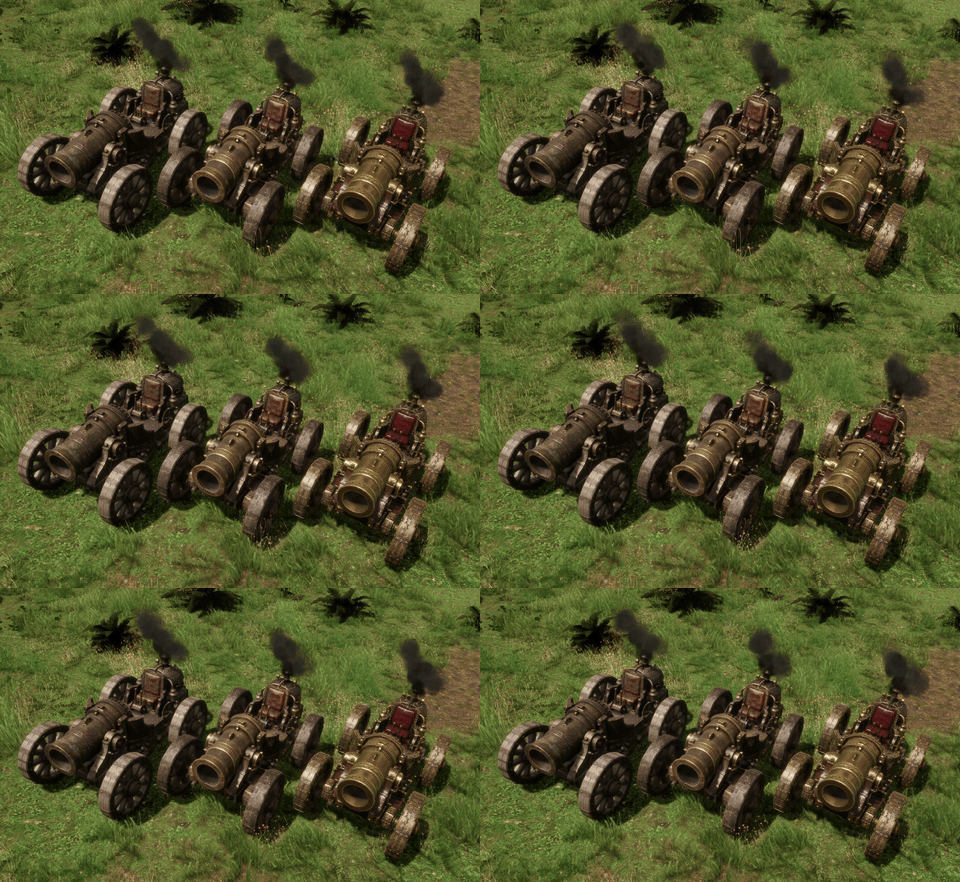
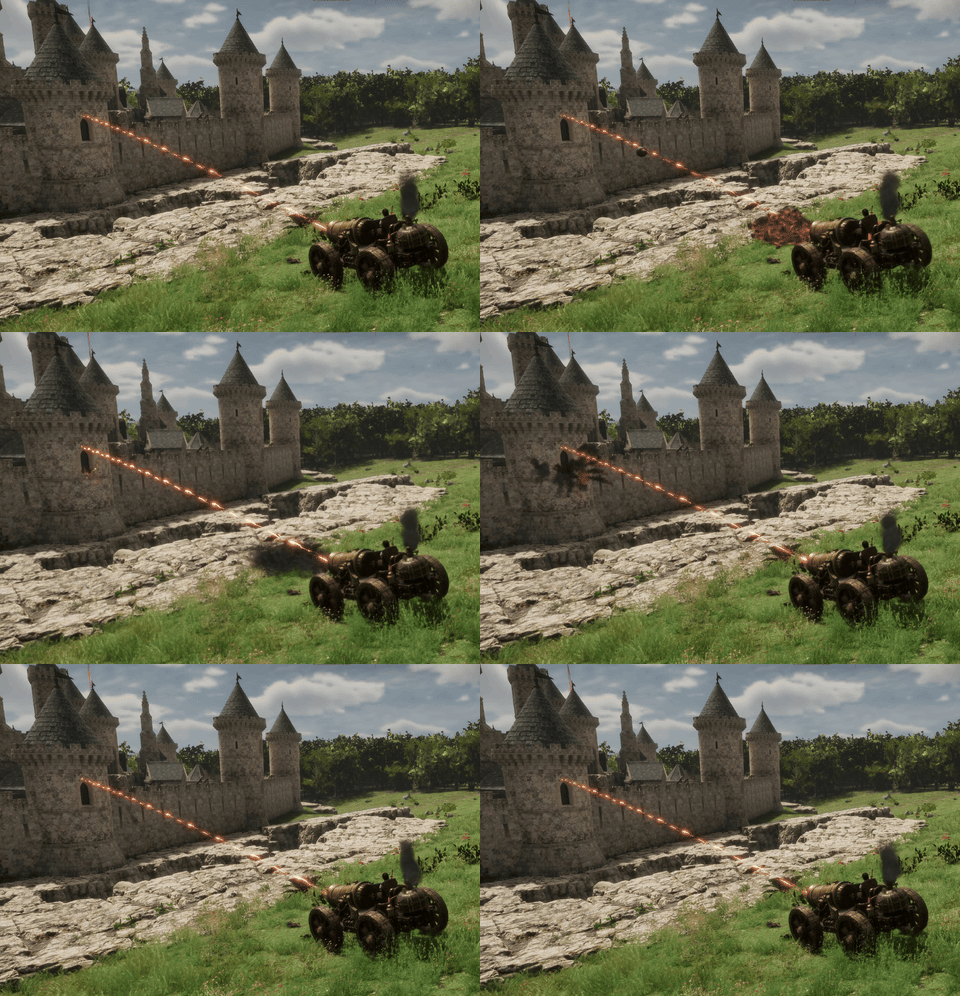
- Catapult: Long-range (150 m) arcing stone shots. Hits players, workers, machines, castle walls and altar structures.


- Battering Ram: Has the highest HP among wheeled machines. Built to break castle gates and walls; it also damages hostile altar structures.
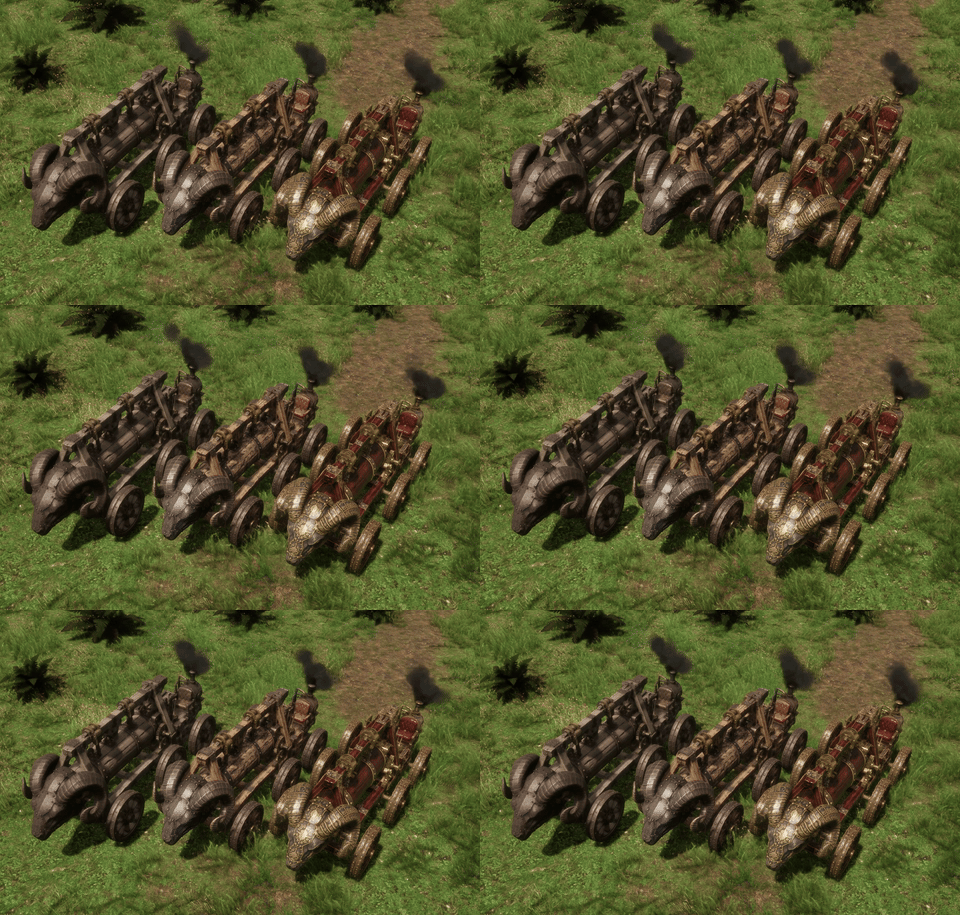
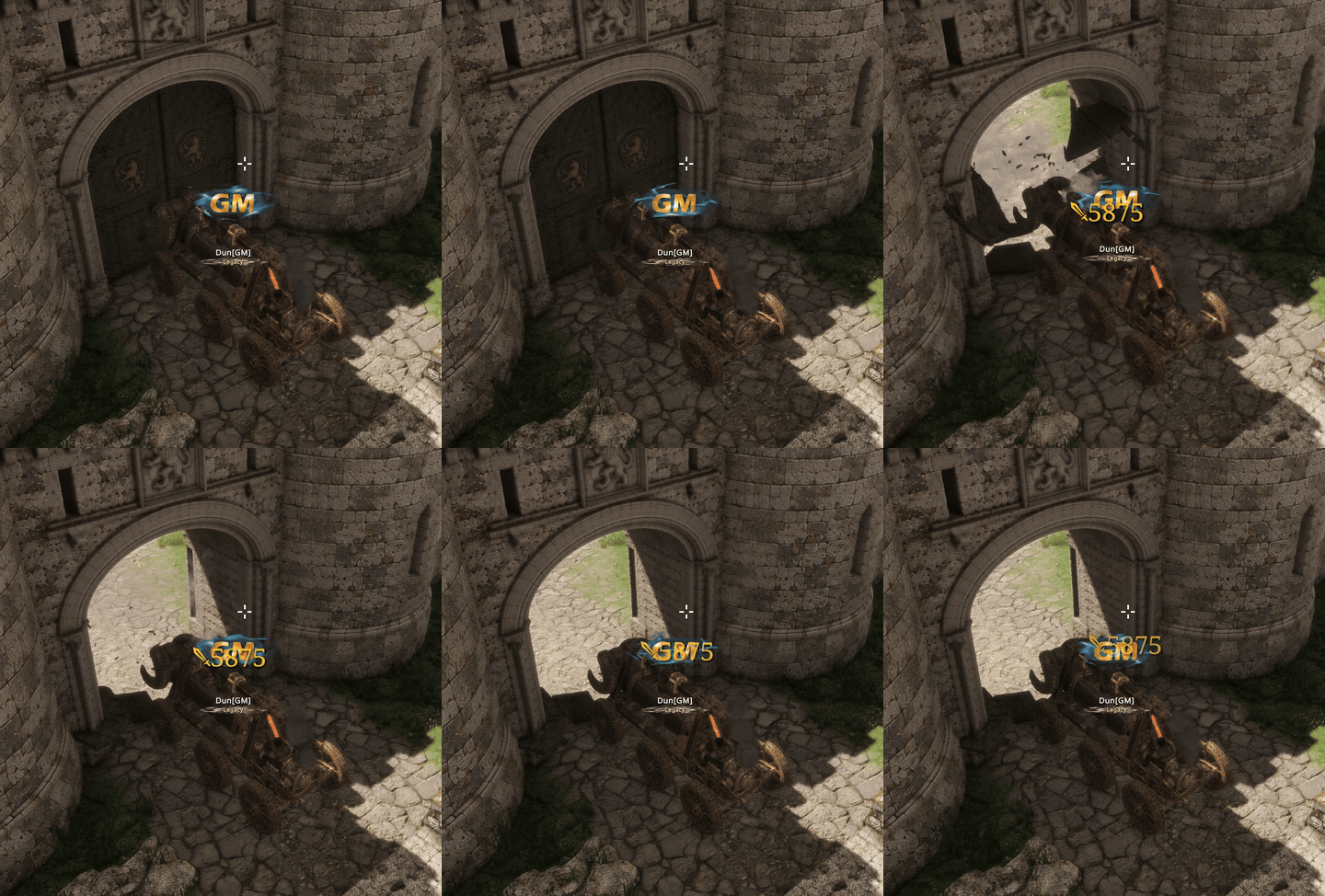
- Defensive Golem: The toughest machine. Its punch hits enemy machines and castle walls, while Ground Slam (Right Click) damages players, workers and machines in an area.

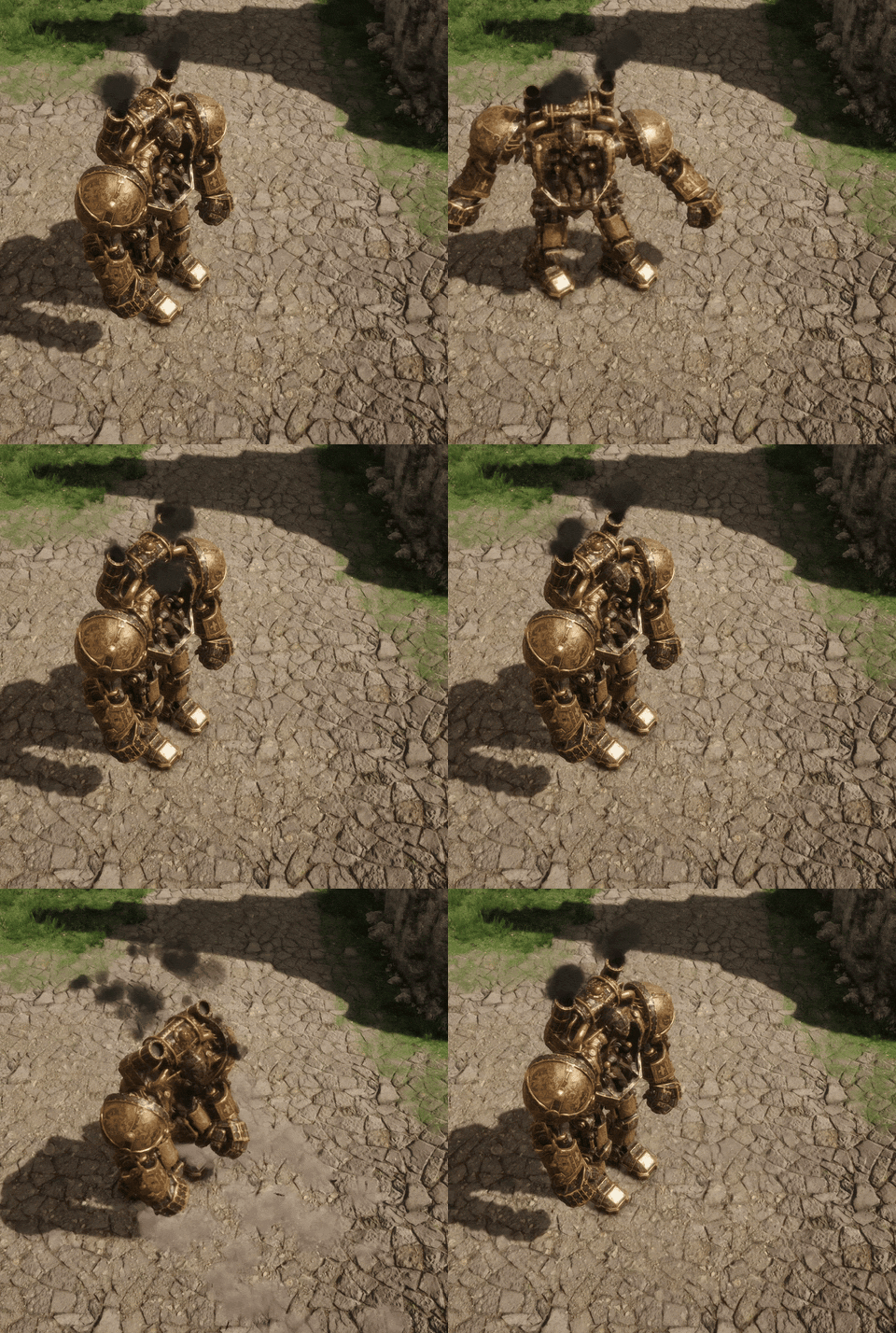
- Offensive Golem: Its punch hits castle walls, structures and enemy machines, while Flame Breath (Right Click, uses Flame Oil) burns everything in front of it.


Castle Siege Guide

- Castle Sieges start automatically at 21:00 (server time) on Thursdays and Sundays (EU / ASIA) and on Wednesdays and Sundays (NA), and last 90 minutes.
- Castle regions are PvP zones on every channel.
- Castle walls and gates can only be damaged during a siege, and the owning clan cannot damage its own castle. Only basic attacks damage walls (skills do not). Explosive Arrows deal 3x damage, and Siege Vehicles are the most effective way to bring walls down.
- To capture a castle, a clan member must stay alive on the throne for 10 minutes. The castle immediately passes to that clan and appears in its color on the World Map. Other clans can take it back the same way until the siege ends.
- When the siege ends, the clan holding the throne keeps the castle. Players within 400 m of the castle are sent to the nearest safe zone, and all walls and gates are fully restored.
- If you log in or change channels within 200 m of a throne during a siege, you will spawn in the nearest village.
- During a siege, Castle Teleport, treasury transfers and tax changes are disabled.
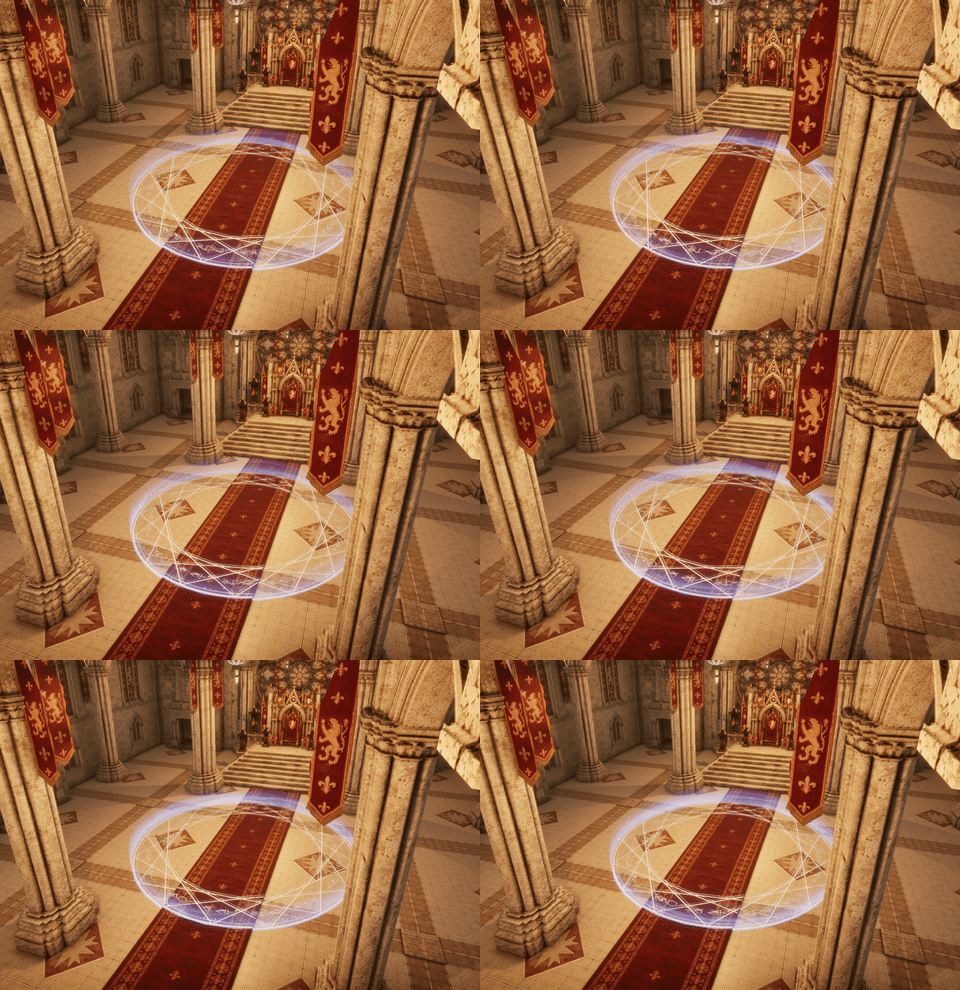
Castle Ownership
- Tax Income: Castle owners set the NPC trade tax and Central Market tax of their region, as well as the altar tax. All tax income goes to the castle treasury.
- Treasury: The clan leader or members with castle permission can transfer the treasury to the clan.
- Castle Teleport: Owners can teleport to their castle from the clan Castles tab (not available during a siege).
- Castle Gates: Only the owning clan can pass through the castle gates.
1. New Dynamic and Interactive Water System
We are pleased to introduce a completely rebuilt water system. Seas, rivers and lakes have been redesigned from the ground up: waves are now in constant motion, while shoreline foam, color variation in shallow waters and coastal wetness are generated dynamically. Water is now an interactive part of the world. Ships, characters and objects leave trails, ripples and foam as they move through it, and ships produce a realistic wake behind them.
Most importantly, wave simulation is now synchronized with the server. Ship roll and pitch are calculated server-side using the same wave model, ensuring that all players see identical waves and ship movement during naval battles, raft crossings and sea voyages. The system has also been optimized to run more efficiently than before, providing smoother performance, particularly across wide ocean views.

2. SDF AO and Virtual Shadow Maps (VSM)
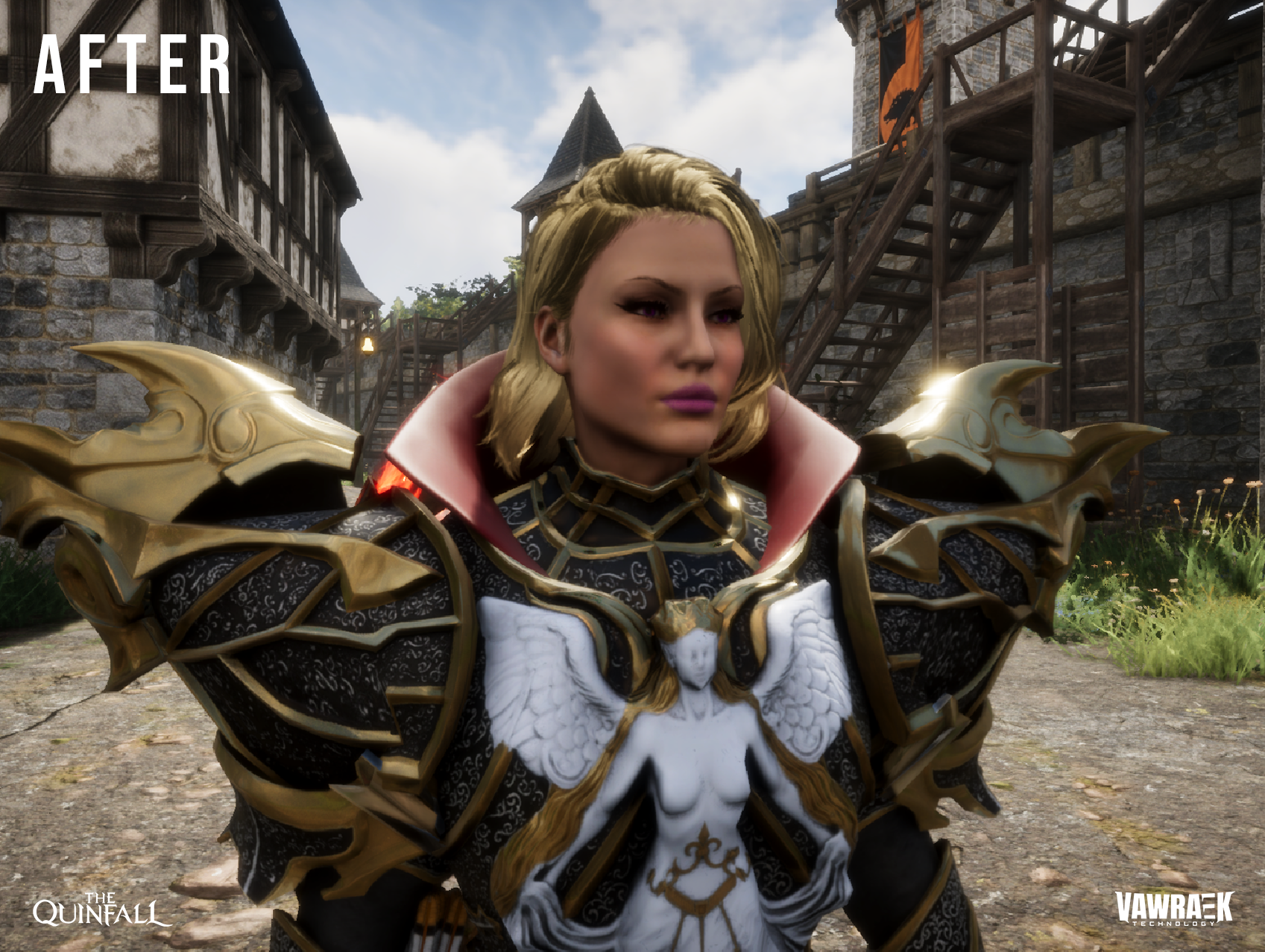
With the new Virtual Shadow Maps system, shadows cast by the sun are now significantly sharper and more detailed. In the previous system, distant shadows could appear blurry, show broken edges or disappear abruptly. Shadows cast by trees, castles, ships and player-built structures now remain crisp and consistent at every distance. Shadows follow the sun naturally throughout the day, and light sources such as torches and lanterns now cast their own shadows.
SDF AO (Signed Distance Field Ambient Occlusion) calculates soft shading in areas not reached by direct sunlight, such as beneath trees, in the inner corners of buildings, inside caves, on ship decks and where structures meet in altar areas. As a result, objects no longer appear to float above the ground; they are properly grounded in the world, and scenes gain noticeably greater depth. Together, these two systems deliver a substantially more realistic and vivid visual experience without unnecessary performance cost.


3. Server Authority and New Anti-Cheat System
This update introduces a new, far more consistent anti-cheat system that detects cheating with 99.9% accuracy. Manipulations such as speed, teleport, damage or time hacks can no longer go unnoticed, as every action is verified against the server's own calculations.
As the server now has full authority over the game, XIGNCODE and all kernel-level anti-cheat software have been removed from the game. Software running at the deepest level of your system is no longer required, resulting in lighter game launches and the elimination of related compatibility issues. With all calculations now handled centrally, synchronization issues have also been resolved, including position desync of characters, monsters and ships, "ghost" monsters that could not be hit, and movements appearing differently between players. Every player now sees the same world, at the same moment, in the same way. This new architecture also allows us to identify and resolve bugs far more efficiently, and enables significantly more meaningful NPC AI behavior.
The Quinfall v1.4.0.2 – Patch Notes
Highlights
Fully server-authoritative, multithreaded server simulation
XIGNCODE removed. No more kernel-level anti-cheat
Castle Sieges, territory ownership and siege vehicles are here
New shadow and lighting tech that looks better and costs less GPU
Install size reduced from 108 GB to 71 GB
Heads-up: This patch is bigger than usual. Because we reduced the game's install size, most game files have changed and need to be downloaded again.
Server & Anti-Cheat
New server-authoritative simulation
We've moved to a new-generation multithreaded simulation that makes the server 100% authoritative. The server now makes the final call on everything that happens in the game; your client only displays the result.
What this means for you:
Many client-side bugs are now much easier for us to track down and fix.
Cheats that work by modifying the game client (speed hacks, teleporting, editing values) no longer work, because the server simply won't accept those actions.
Unlike traditional server-side simulation, this system scales horizontally, so we can add more server capacity as the player count grows. In stress-test simulations, it ran 10,000 concurrent players on a single map without performance issues.
We've also done significant work on our anti-cheat systems alongside this change.
XIGNCODE removed
XIGNCODE has been removed and replaced with in-house anti-cheat modules developed by Vawraek.
Kernel-level anti-cheat is no longer used. Our anti-cheat no longer runs at the deepest level of your operating system.
The anti-cheat module loading step on the startup screen has been removed, so you'll no longer wait for it when launching the game.
Castle Sieges & Territories (NEW)
Castle Sieges and the territory ownership system have been added.
Siege Vehicles have been added for attacking castles and altars.
Olympiad Wars now take place every evening and are no longer tied to the Castle/Clan War schedule.
A day indicator has been added to the Clan War interface.
Altar rework: from materials to rent
Altars no longer require materials based on their contents. Instead, altars now pay rent, based on their contents and the tax rate set by the castle that controls their territory.
Existing altars: The materials already placed in your altar have been converted. The time those materials would have covered has been credited to the altar as rent balance.
Why: This clears out the large number of abandoned altars around the world and fixes inconsistent timing issues with materials.
Clans
Fixed a sync issue with clan member indicators and clan storage.
Removed the 5-day restriction that prevented newly created characters from using clan storage.
Workers
Visual improvements to worker types.
Workers can now be given potions. Workers automatically use potions to restore HP when they need it, with a 10-second cooldown.
Dancer worker buffs are no longer removed when you switch weapons.
Added an indicator showing the area covered by Dancer workers.
Fixed workers sometimes falling down while being dragged with a lasso.
Fixed some boss mechanics not dealing damage to workers.
Fixed ranged attacks hitting your own warrior worker.
Fixed worker information not showing at the Beehive (visual bug).
Combat & Weapons
The Truncheon can now be upgraded.
Fixed the skill bar weapon-swap command being triggered while typing in chat.
Fixed a rare issue where the character could get stuck when equipping another weapon in place of a bow.
Fixed equipment placed on the skill bar not being equippable with its hotkey after its durability value changed.
Graphics & Performance
Shadows & Lighting
Overall shadow quality has been significantly improved. A new virtual shadow technique delivers detailed shadows with much lower GPU usage.
The GPU bottleneck in areas with many light sources and heavy shadows has been resolved for most systems.
Added SDF AO (Signed Distance Field Ambient Occlusion), a new-generation indirect lighting technique. It adds soft, realistic shading in corners, crevices and where objects meet, so scenes look more grounded and less flat.
General lighting improvements: overly dark and overly bright scenes have been recalibrated. This calibration will be finalized in upcoming major updates and will become a new setting you can adjust yourself.
Forests and vegetation will get major improvements in upcoming major updates.
World & Terrain
World Map: visual improvements and major performance improvements.
Visual improvements to seas, lakes and rivers.
Terrain textures: visual improvements and optimization.
Improved the look of trees at long range.
Fixed a noise effect on terrain seen on some systems.
Fixed a visual bug causing dark patches on some terrain areas.
The Autumn/Winter seasonal system is back. You can turn it off in Settings.
Install size
The game's install size has been reduced from 108 GB to 71 GB.
Ships & Sea
Fixed friendly players, and sometimes the captain, falling off the ship while sailing.
Fixed characters sometimes being unable to jump while on a ship.
Improved synchronization of sea creatures.
NPCs, Mobs & Bosses
NPCs and mobs now use a pathfinding system and navigate much more intelligently.
Fixed NPCs and mobs walking through walls in indoor areas.
Fixed issues with NPCs wandering around inside cities.
Fixed World Bosses getting stuck in some cases.
Other Fixes
Fully fixed a client-side loading issue that caused players to fall through the ground.