Something new has arrived at Kourindou. Your guests sit down at the board with their spell cards from the original games, and you can now play your Steam friends too.
Spell Card Matches (BETA)
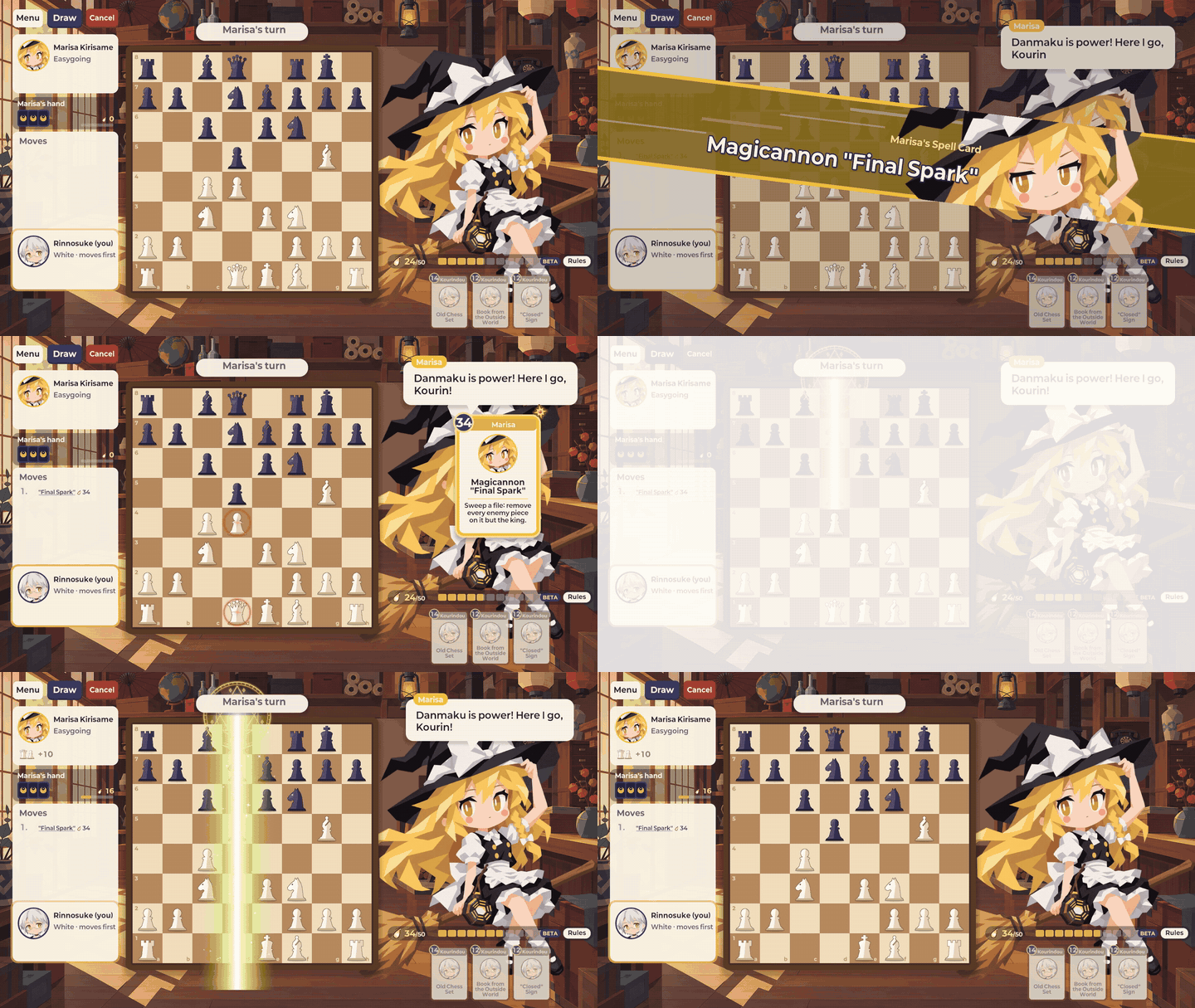
Choose "Spell cards" under "Rules" on the guest select screen to play with spell cards. The pieces and the board stay the same, and you still win by checkmate.
- 50 cards: each of the 9 guests has 5 spell cards from the original games, plus 5 Kourindou items. Every guest has one Ultimate Card, their strongest.
- Spirit: you gain 1 every turn, and more when you lose a piece to your opponent, as much as the piece is worth (pawn 1, knight/bishop 3, rook 5, queen 9). It holds up to 50. You play at most one card per turn, before your move.
- Many effects: Freeze, Ward, Barrier, Leap and Summon, along with removing pieces, turning enemy pieces to your side, and even stopping time. Kings are never targeted by cards, and a card can never put the enemy king in check.
- A show for every card: after the spell card declaration, each card plays its own effect inspired by the original games.


Collecting cards and building a deck
- You start with the 5 Kourindou items.
- Beat a guest in a spell card match to take some of their cards home: 2 for your first win, then 1 per win. A guest's Ultimate Card comes after you have their other 4 cards.
- Build a 5-card deck in "Edit deck". Only one Ultimate Card per deck.
- "Guest Deck" shows the cards a guest will play before the match starts.
- Spell card results are recorded separately from normal chess.

Online Play (BETA)

Choose "Online" on the title screen to play other people.
- Invite a Steam friend, or get matched with a player waiting with the same rules and time control.
- Pick normal chess or spell cards. Spell card games use either the deck each player built ("Custom deck") or the five cards of the character each player picked ("Character cards"). Every card is available online.
- Time controls: Rapid 10+5, Blitz 3+2 or Bullet 1+0.
- Choose the character your opponent sees, Rinnosuke or one of the 9 guests, and send quick emotes during the game.
- After the game, "Rematch" starts another with the sides swapped.
Gamepad Support
- Every screen can be used with a gamepad alone. Move the focus with the d-pad or stick, press A to select, and play moves on the board with a square cursor.
- B goes back and Start opens the pause menu. Plugging in or unplugging a gamepad during play opens the pause menu.
Gameplay
- Guest mistakes are shown differently. There are no ? / ?? marks or red flashes during the game; the score sheet shows them once the game is over. A guest now notices a mistake when you punish it, and says something then.
- Guests no longer make mistakes that are too unnatural, such as giving away their queen on the very next move.
Fixes
- The "A Hundred Puzzles" achievement now uses the "Puzzles solved" count shown on the puzzle screen. Before, it only counted rated puzzles solved first try without a hint, so it could stay locked after more than 100 puzzles. If you have already solved over 100, it unlocks the next time your progress is saved after starting the game.
Since these features are still in BETA, there may be rough edges. If you post on the Steam Community Hub, we will work your feedback into upcoming patches as quickly as we can.
If you are enjoying Touhou Chess, a Steam review would mean a lot to us. And we would be glad if you tried the new online play and spell card matches with your friends!
