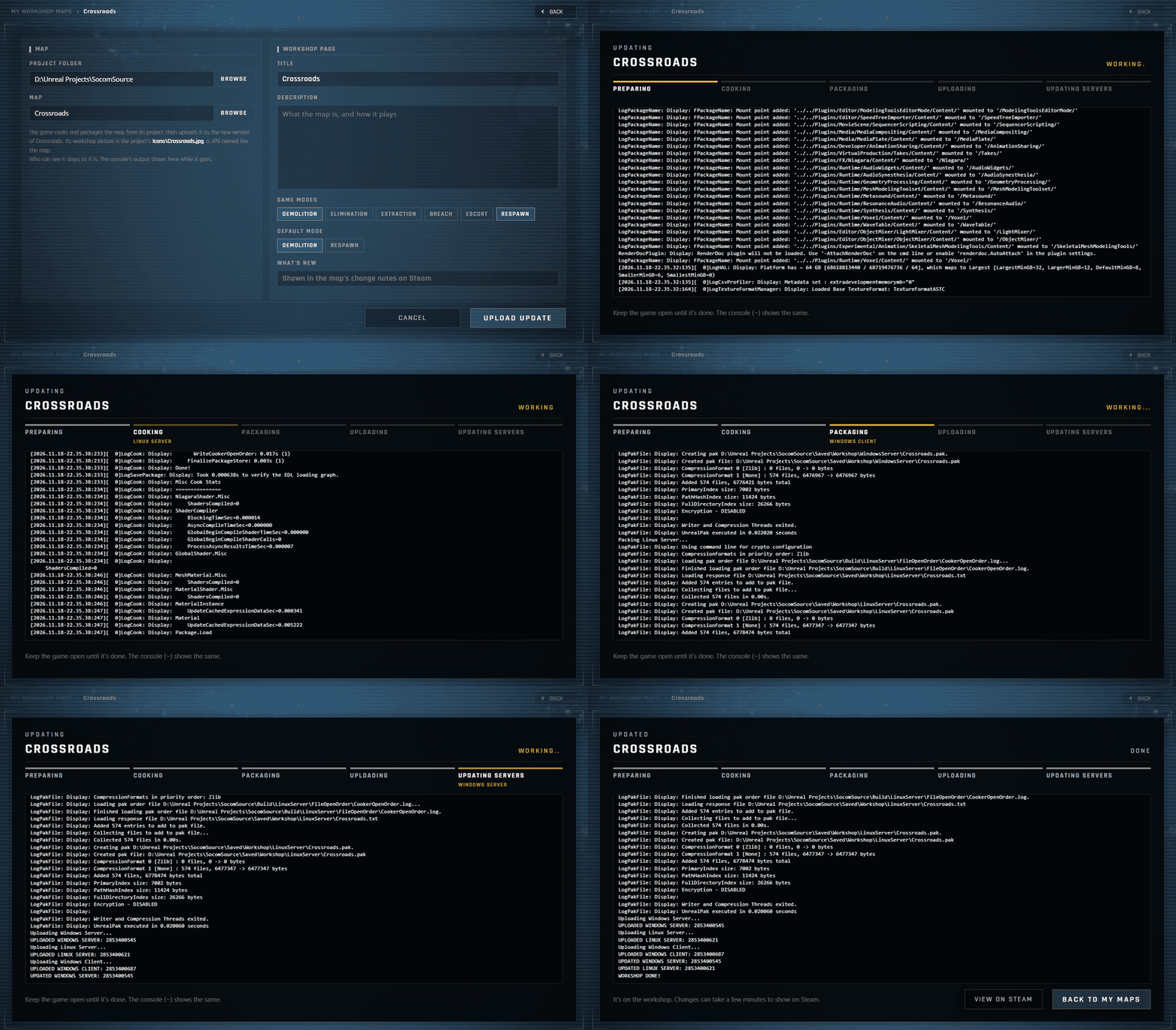
Until now, putting a map on the Steam Workshop meant running the upload command in the console and reading through its output. The new Workshop Uploader gives your workshop maps a page of their own: everything you've published, how each map is doing, and a form to upload a new map or an update. While a map goes up, a live tracker and the game's own console output show you exactly how far along it is.
Your maps

The maps you've published are listed under MY MAPS, the most recently updated first. Pick one to see:
- Its picture, its workshop item, its map and when it was last updated
- Its rating, subscribers and download size
- Who can see it, its game modes and its description
- DELETE, VIEW ON STEAM and EDIT
Under the card you'll see how many maps you have, how many of them are public, and how many subscribers they have in total. OPEN IN STEAM takes you to your workshop files on Steam.
Uploading a map
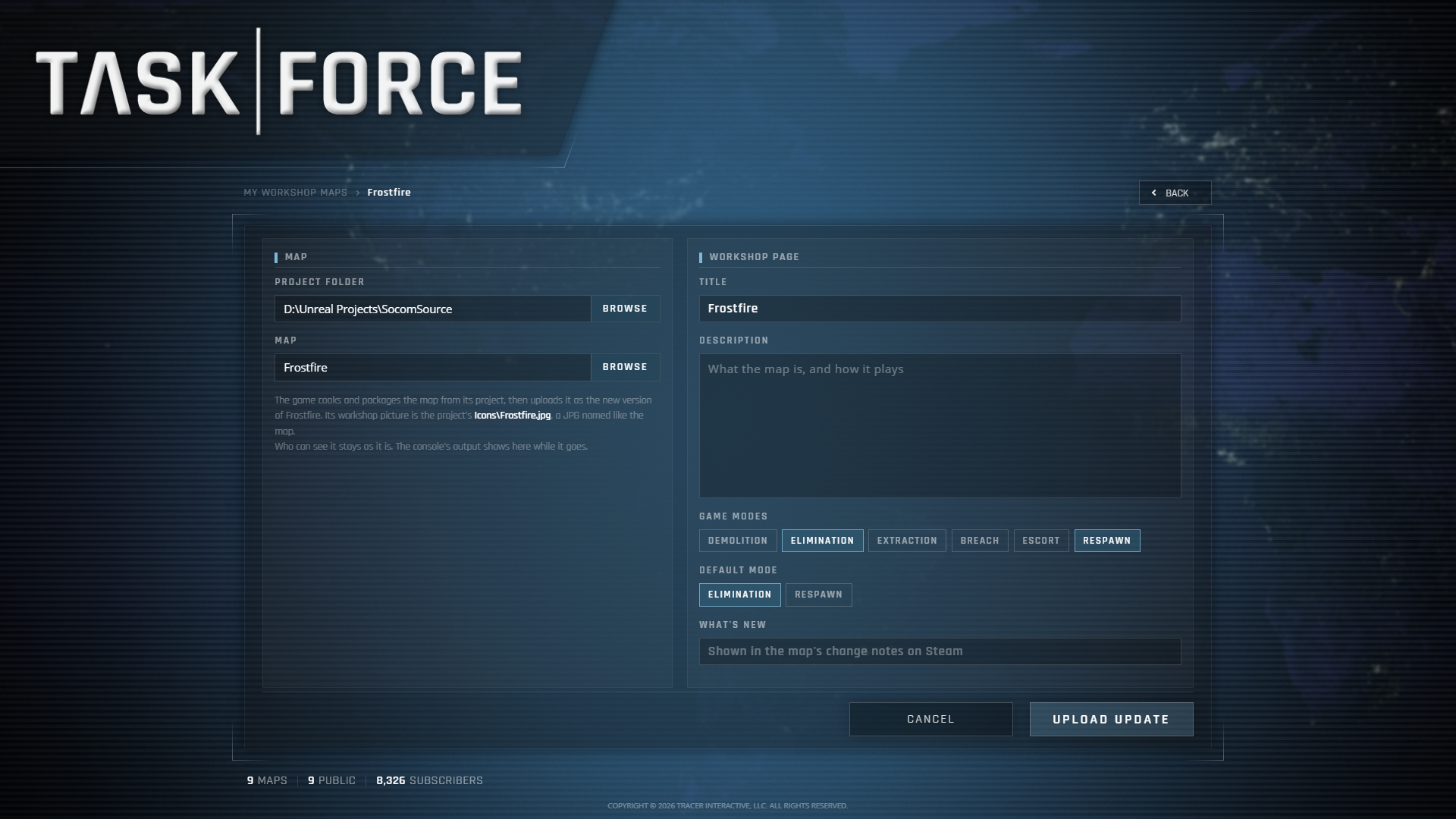
NEW MAP uploads a new map. EDIT uploads a new version of the map you picked. Either way, the form asks for:
- The project folder and the map, picked with BROWSE. The map goes in your project's Content/Maps/Workshop folder. Leave the project folder empty to use the game's own Documents/Unreal Projects/TaskForce folder instead.
- The title and description players see on the workshop. Leave a new map's title empty to use the map's name.
- Its game modes: at least one, and which of them is the default.
- What's new, for an update: shown in the map's change notes on Steam.
Watch it go up
Press UPLOAD MAP (or UPLOAD UPDATE) and the game cooks, packages and uploads your map while you watch, as in the animation at the top. A tracker follows each stage, PREPARING, COOKING, PACKAGING, UPLOADING and UPDATING SERVERS, with the build it's working on, and the console's output scrolls by underneath. Your map is built for players and for Windows and Linux servers, and each build is uploaded. Keep the game open until it's done.
Who can see it

Every new map starts private, so only you can see it until you're ready. Switch it between PUBLIC, FRIENDS ONLY and PRIVATE right in its details. While a map is private or friends only, a banner reminds you. An update doesn't change who can see the map.
If you haven't accepted Steam's workshop agreement yet, no one can see your maps. The uploader warns you when you make a map public or friends only, and when an upload runs into it, a button takes you to ACCEPT THE AGREEMENT.
When something goes wrong
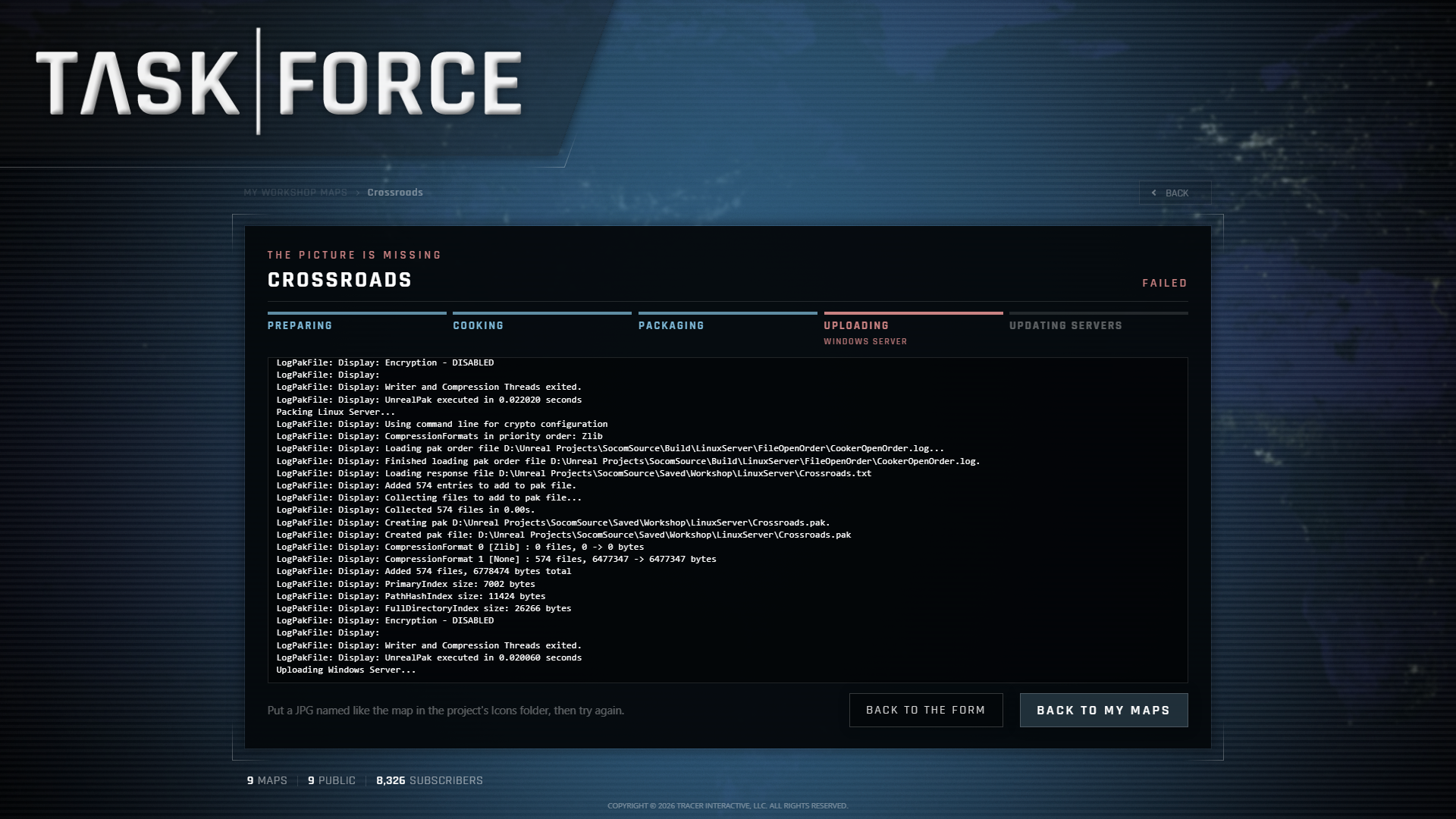
If an upload fails, the tracker shows where, and the uploader tells you why in plain words and what to do about it: a missing or oversized picture, not being signed in to Steam, a lost connection, a full Steam Cloud, a build that failed to cook or package, and more. BACK TO THE FORM takes you back with everything still filled in, ready to try again.
Make your own maps
Learn how to build and upload workshop maps here: github.com/tracerinteractive/TaskForce