Hi everyone, 😄
Thank you very much for all the requests, reports, feedback, and suggestions you continue to share with us through the community.
Many of the changes in this update were made in response to requests and reports from the community. As with every request, we review how it can fit into Food Processing Simulator and adjust the implementation based on the feasibility of the existing systems, gameplay flow, and technical structure.
This update includes a major performance pass for larger saves, more flexible Vendor Truck controls, easier empty Box cleanup, Employee task improvements, and several smaller quality-of-life changes.
With that in mind, here is what is included in this update.
Main Updates
1. Large Save Performance Improvements
Following community reports and save files shared by players experiencing slower performance in larger factories, we reviewed several systems that become heavier as a save grows.
The implementation focused on areas where optimization could provide meaningful improvements without changing how your factory or save data is expected to work.
a. Faster Large Save Loading
Loading has been optimized, particularly for larger saves containing many Boxes.
In our like-for-like testing with a large late-game save, loading was approximately 16% faster after these changes.
One of the areas receiving the most work was Box loading. Several unused parts of the Box setup were removed and other loading processes were streamlined, reducing unnecessary work when rebuilding a large factory from a save.
Actual results can vary depending on your save size, number of Boxes, factory layout, and active systems.
b. Saving Improvements
Saving has also been streamlined to reduce unnecessary processing.
Several parts of the save process now avoid rebuilding or rewriting information when it is not needed, helping reduce the amount of work performed during manual saves and other save-related moments.
c. Faster Return to Main Menu
Returning from gameplay to the Main Menu has also been optimized.
This is especially useful for larger saves containing many Boxes, where unloading the factory previously required more processing before the Main Menu could appear.
Several background errors that could occur while leaving gameplay have also been addressed as part of this work.
2. Vendor Truck Product Selection Improvements
The community has also requested more flexible ways to configure Vendor Truck loading without manually selecting every individual product.
We adapted this request around the existing Sales Location system so the Employee can make product selections based on the destination the truck is actually serving.
a. Any Popular Product and Any Preferred Product
Two new options are available in the Vendor Truck product menu:
Any Popular Product
Any Preferred Product
When used, the Vendor Truck Loader can collect eligible products based on what is currently considered Popular or Preferred at the selected Sales Location.
The existing menu priority still applies. Entries are processed in their configured order, and Employees continue to prioritize nearby eligible Boxes within each entry.
Because these selections depend on destination information, they require a Sales Location to be selected.
If either option is configured while the truck is still using a manual trip without a Sales Location, the settings cannot be accepted and the panel will explain why.


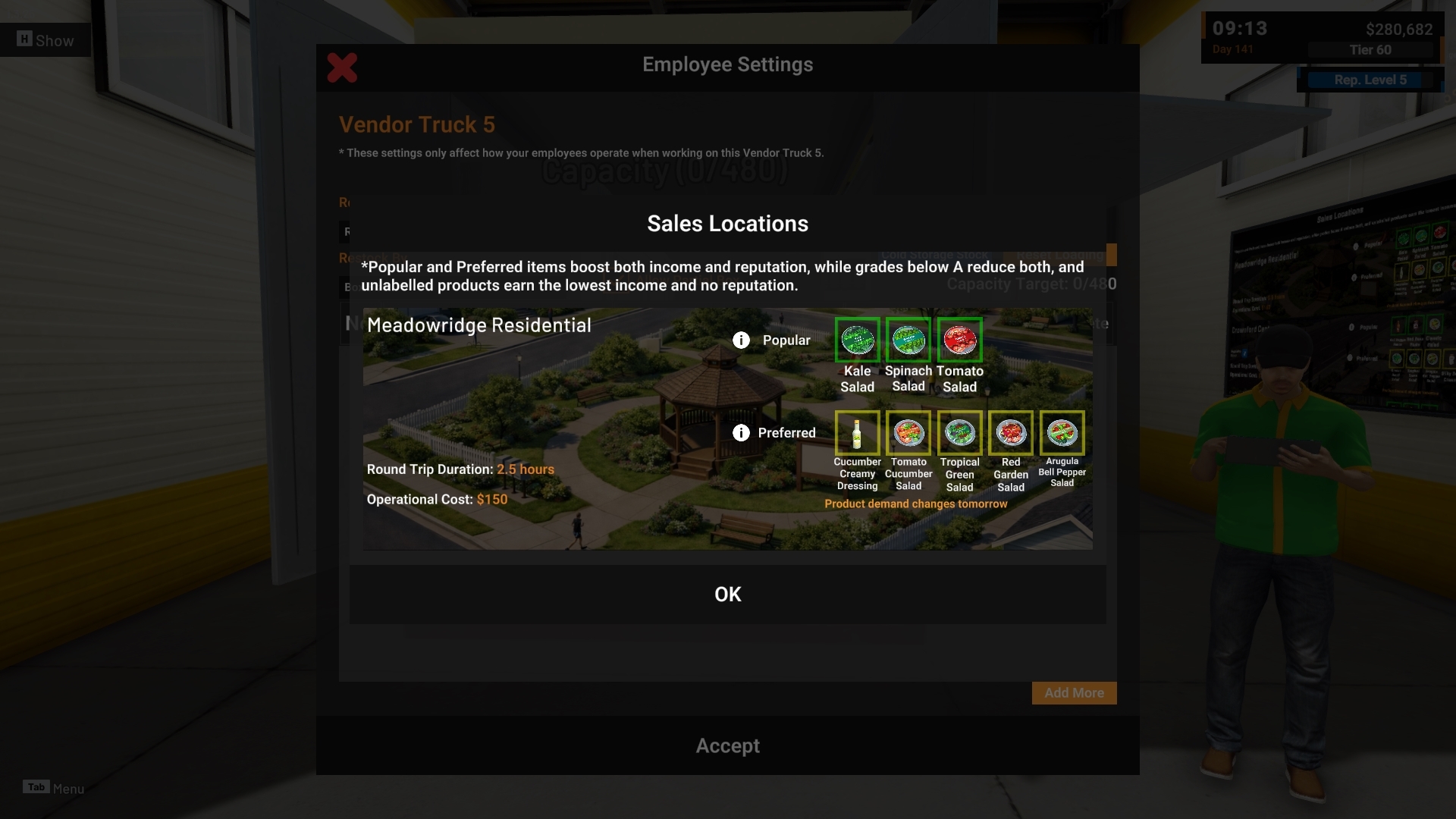
b. Sales Location Information
Based on community requests for clearer destination information while configuring Vendor Trucks, an information button is now available beside the Sales Location selection.
This allows you to open the selected Sales Location information directly from the Vendor Truck settings without leaving the panel.

3. Vendor Truck Departure Reminder
Another community request was for clearer warning before a Vendor Truck misses its departure window.
Vendor Trucks can depart between 08:00 and 18:00.
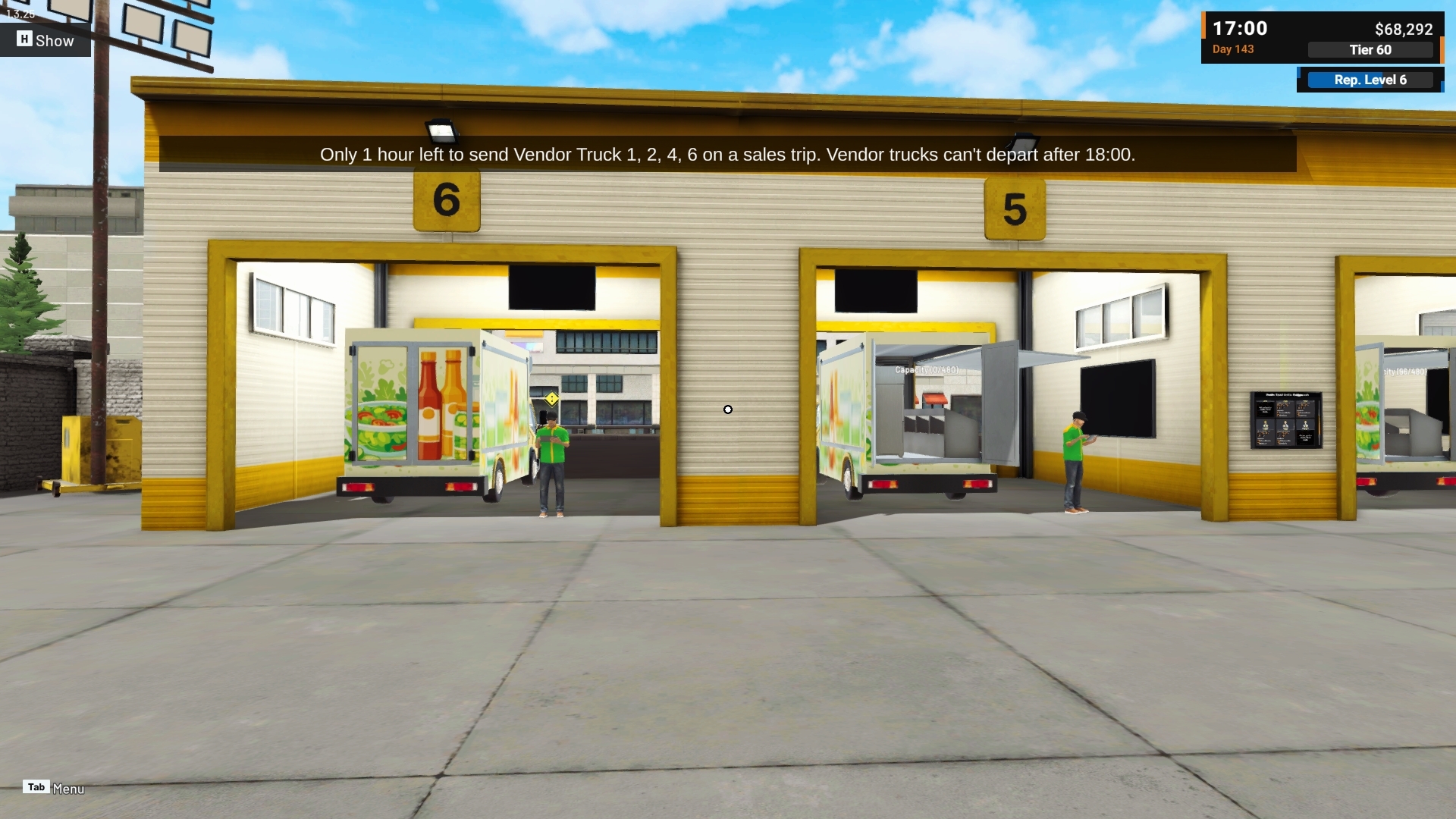
At 17:00, the game will now display a reminder if any Vendor Trucks already contain cargo but have not yet departed.
The notification lists the affected truck numbers and reminds you that they will no longer be able to depart after 18:00.
We implemented the reminder one in-game hour before the cutoff so there is still time to review the truck and dispatch it, including through the tablet.
Improvements
1. Remove Empty Boxes
The community has requested a faster way to clean up empty Boxes without needing to carry each one back to another location.
To keep the interaction consistent with the existing Box selling system, empty Boxes now use the same action with a different purpose.
An empty Box will show Remove instead of Sell.
Removing an empty Box:
Does not provide money
Does not require confirmation
Does not count as sales income
You can also press and hold Remove to remove multiple nearby empty Boxes of the same Box size at once.
This follows the same bulk interaction pattern already used for selling similar Boxes.


2. Employee Task Coordination Improvements
Several community reports described Employees competing for the same destination, stopping Vendor Truck workflows, or taking more Boxes than necessary.
We reviewed how Employee tasks coordinate with one another and adjusted several parts of the system while keeping the existing Employee roles and workflow intact.
Employees should now behave more reliably in several situations:
Two Employees should no longer compete for the final available space on the same Rack.
Employee task reservations should no longer leave a Vendor Truck waiting because a previous Box task was never properly released.
Boxes already being carried toward a Project delivery are now considered before another Employee takes additional Boxes.
Cold Storage Racks using packaging group focus can now be selected correctly by Employees.
These changes are intended to reduce unnecessary Box drops, idle behavior, and duplicate work between Employees.

3. Machine Management Level Badge
The community has also requested clearer information about how far a Machine can still be upgraded.
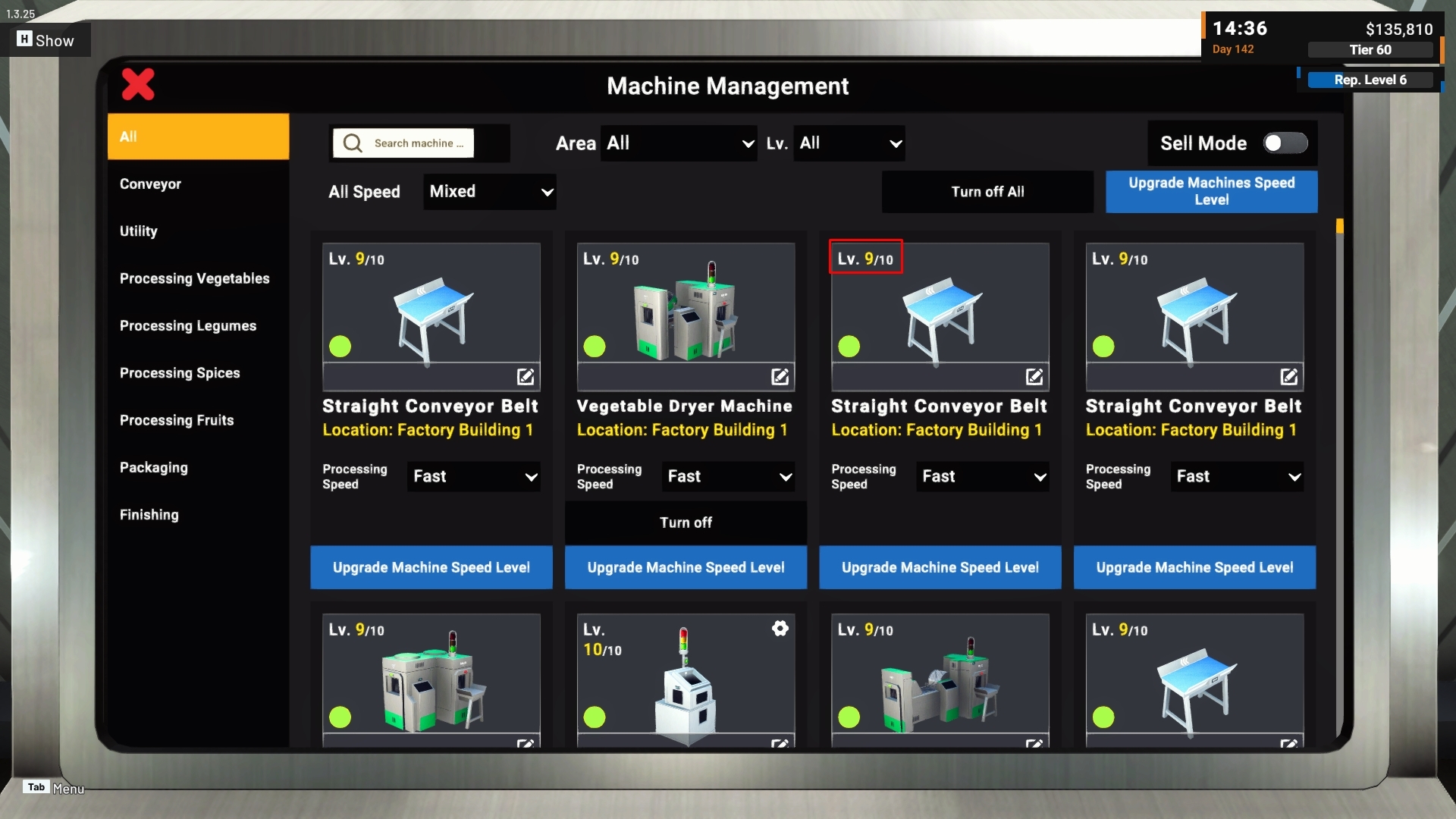
Machine cards in Machine Management now display both the current level and maximum level.
For example:
Lv. 1/10
This makes it easier to see the remaining upgrade progression directly from the Machine card.
4. Machine Placement Grid
Based on community requests for clearer Machine alignment and layout planning, a floor grid is now displayed while placing a Machine.
The grid provides a clearer reference for spacing and alignment, especially when building larger production lines or arranging several Machines next to each other.

Thank you again to everyone in the community who continues to send us requests, suggestions, reports, and save files.
Community feedback helps us identify not only which parts of the game need attention, but also where existing systems can be expanded or adjusted. We may not always be able to implement a request exactly as originally suggested, but we will continue reviewing each idea and adapting it based on what is feasible and works best with the systems already in Food Processing Simulator.
If you encounter any issues or unexpected behavior, please report them through the in-game Bug Report Menu and/or the Steam Discussions so we can investigate further.
See you in the next update! 🥗🚚
[dynamiclink href="https://store.steampowered.com/app/3928990/Food_Processing_Simulator/"]