Thank you for all the reports and reviews in the first days after release. This update is mostly built from them.
Mac: this update is out on Windows first. The Mac version follows in a few days; until then Mac stays on 1.1.0. If you play the + same city on both, please wait with it on the Mac until 1.1.1 arrives there.
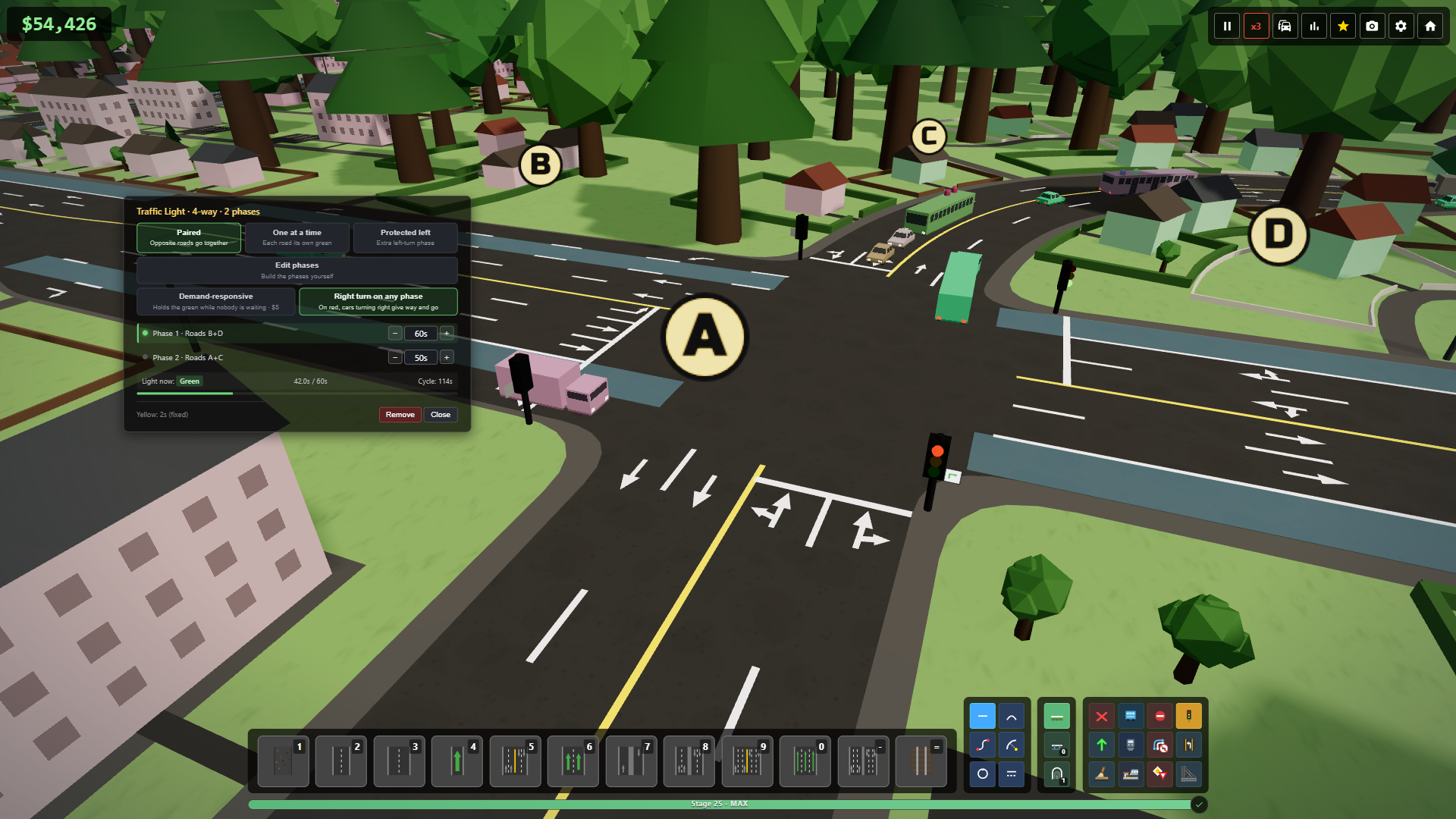
Traffic
- Green arrow at traffic lights. Cars turning right can go on red after giving way to traffic with green ("Right turn on any phase"). It's on for every light, also in existing cities, and you can switch it off per light in the traffic light panel.
- Roundabouts. Entering cars give way to ring cars, moving or standing, and don't change lanes in front of them. Busy rings no longer lock up in a circle.
- Lanes. Default lane arrows follow a simpler set of rules: merges land in the right order, every lane leads somewhere and every exit lane gets used. Turns are named the same way everywhere.
- Lane connector. Redone panel you can drag. "Ban left and U-turns" never leaves a road without a way out, and turn lanes no longer disappear after lane edits.
- Routing. Cars no longer avoid one-lane ramps and flyovers just because they are narrow. The extra cost now only applies to undivided roads, where a car turning across traffic blocks the lane behind it.
- Early districts. New districts stay away from mountains and lakes for more of the early stages, so an early game over from a district you can't reach is much rarer.

Road and district rules
- Three new road rules: No Buses, No Passenger Cars (trucks and buses only) and No Passengers (trucks only). Changing a rule reroutes traffic both ways.
- Rules on districts. Click a district with the Road Restrictions tool to stop through traffic: the banned vehicles can't cut across it from one entrance to another, but they can still arrive, leave and turn round. Signs appear at every entrance.
Building info window
- Click a building with the Info tool and a window opens on the right.
- What it sends and where it goes. Vehicles per minute and of which type, where they go and who comes to it, by building type with the biggest destinations.
- Suburb and schedule. How far its suburb has grown and how it grows, and a special building's daily schedule.
- Its queue. Where the cars waiting in it want to go, with unreachable destinations in red.
- Explore. Pick a vehicle type to see only those vehicles, hover a row to highlight those buildings on the map, click to fly there.
Creative mode changes
- Unlocks rule. By stage, Everything (every road, tool and building from the start) or No limits (the same with unlimited permits).
- Continue in Creative. After a game over you can keep the same city and go on in Creative. The run still counts as lost.
Bug fixes
- Lag that built up over a long session of rebuilding roads.
- Ctrl+Z works on German and French keyboards, Ctrl + a letter no longer picks a tool, and map editor keys work on any layout.
- Auto Bend with the ground-level tool builds bridges and tunnels instead of refusing, and no longer crashes when a piece starts right after a junction.
- Roads can't be built into a visible mountain side.
- Snapping picks the bridge, not a tunnel below it.
- A closed one-way road gets one row of cones at its entrance.
- A held Shift from a drag no longer turns R into the roundabout tool.
- Stations can be placed on unlocked plots, and rail and road only make a level crossing at the same level.
- A road refused because it ends on a bridge now says so.
- "Protected left" at traffic lights can be picked when one road has its left turn banned.
- The Trumpet and Double Loop interchanges no longer draw U-turn lines where their ramps meet.
- The interchange tool can be placed over a tunnel.
- Loading a city or starting a new one no longer keeps the previous city's selected building, route lines, tool previews or trip report, and it opens in the normal map view.
- Photo mode hides every panel.
- One-way roads splitting off a two-way road no longer overlap each other when they have more lanes than their side of it. They sit side by side, and the road widens to meet them.
Also: Tab / Shift+Tab jump between disconnected and overloaded buildings, and Esc leaves a map mode before opening the menu.
If something breaks or feels wrong, tell me here in the discussions or on Discord.
