Hey everyone!
The wait is over! We're thrilled to announce that the Level Editor and Steam Workshop are officially LIVE in Megastore: Tidy Up Together!
This isn't just another update. It's the beginning of something much bigger for the game.
For the first time, YOU can create the stores, design the challenges, and share entirely new levels with the world! Build a tiny cozy shop, an enormous megastore, or something completely unexpected. Then invite your friends and tidy it all up together!
And the best part? There are already community-created maps waiting for you to play!
To celebrate this milestone, we're also launching our first Community Map Creation Contest with $100 in Steam Gift Card prizes!
Get Started — Official Level Editor Guide
Explore Steam Workshop & Play Community Maps
A Whole New World of Community Levels!
Don't feel like building? No problem! There's a whole new collection of stores waiting to be organized!
With Steam Workshop integration, discovering new maps is incredibly simple. Browse community creations, find something you like, click Subscribe, and launch it from the new Community Levels tab in-game once it's downloaded.
And of course, every community level supports online co-op for up to four players!
So grab your friends, find a store you like, and jump in together. Whether it's a small relaxing shop or an enormous challenge with thousands of products, there's always something new to try!
Important for co-op: Everyone joining a session must subscribe to and download the same Workshop map before playing together.
Community Creations Are Already Here!
Thanks to our amazing closed playtesters, Steam Workshop is launching with community-created maps already available to explore!
We've seen players come up with some incredibly creative ideas, and this is only the beginning. We can't wait to see how the Workshop grows as more of you start creating and sharing your own levels!
Browse Steam Workshop — Your Next Store Is Waiting!
Your Store. Your Rules. Your Imagination!
Ever played one of our maps and thought, "I wish I could build my own store like this"?
Well, now you can!
We've spent a lot of time making the Level Editor feel like a natural part of the game, rather than a complicated modding tool. You don't need any special knowledge or experience. Just jump in, start placing things, and let your creativity take over!
The editor guides you through the entire process with easy-to-follow steps, contextual controls, and automatic product generation.
During our closed playtest, many players told us how much they enjoyed building their own stores, and the creations we've already seen have been amazing!
Here's how easily you can bring your own level to life:
Step 1 — Build Something Completely Your Own
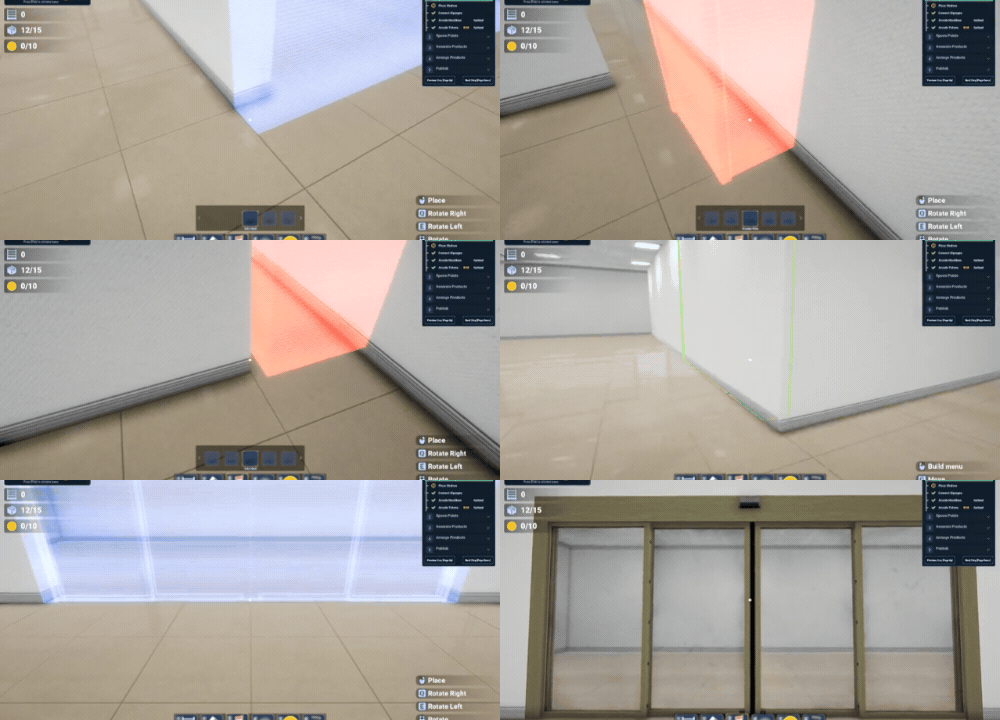
Start with an empty space and turn it into whatever you imagine! Create rooms, build corridors, divide departments, and shape your own store layout using walls, structures, and more than 10 automatic door designs.
Want a compact little shop instead of a massive megastore? Go for it! You're in control of the layout.
Step 2 — Make Every Corner Your Own
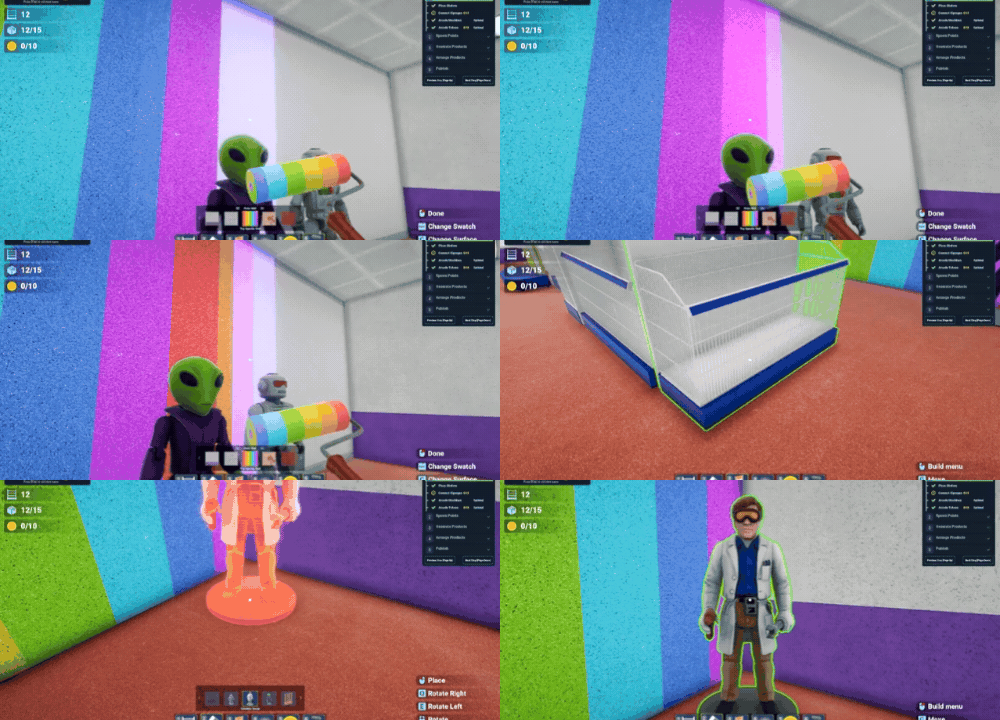
Now comes the fun part: filling your creation with shelves, decorations, and all those little details that make a store feel special!
Here's just some of what you can use:
Every department and shelf type from our official maps, including Electronics Store and Gift Shop!
88 placeable decorations, structures, and checkout-area props to bring your ideas to life.
Paintable walls, floors, and separators to create your own look.
Snapping, grid alignment, and quick cloning to make building easier and faster.
Arcade machines and hidden Arcade Tokens to add a little extra exploration.
Mix and match different departments, experiment with layouts, and create a store that feels entirely yours. There are so many possibilities to explore!
Step 3 — Turn Your Store Into a Tidy-Up Challenge
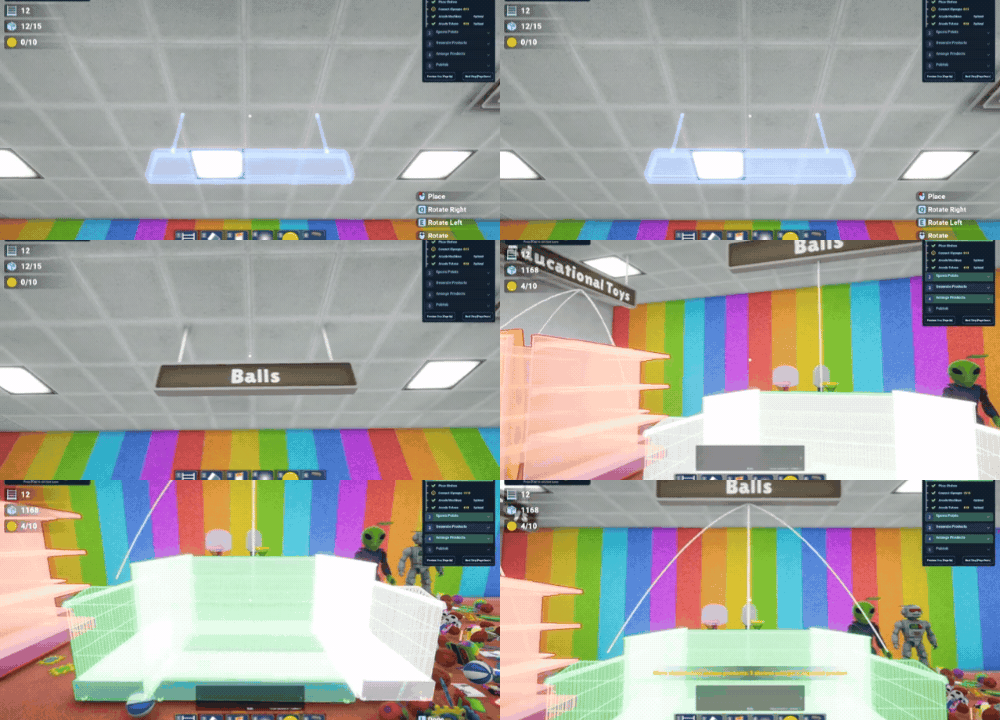
Once your shelves are ready, it's time to decide what belongs where!
Choose from four different signage styles and assign product categories to your shelves. We've made this process especially beginner-friendly: only categories that match your placed shelves are shown, and compatible shelves highlight in green while you're placing signs.
No complicated setup required. Just choose your categories, connect your shelves, and move on to the next step!
Step 4 — Bring It All to Life With Products!
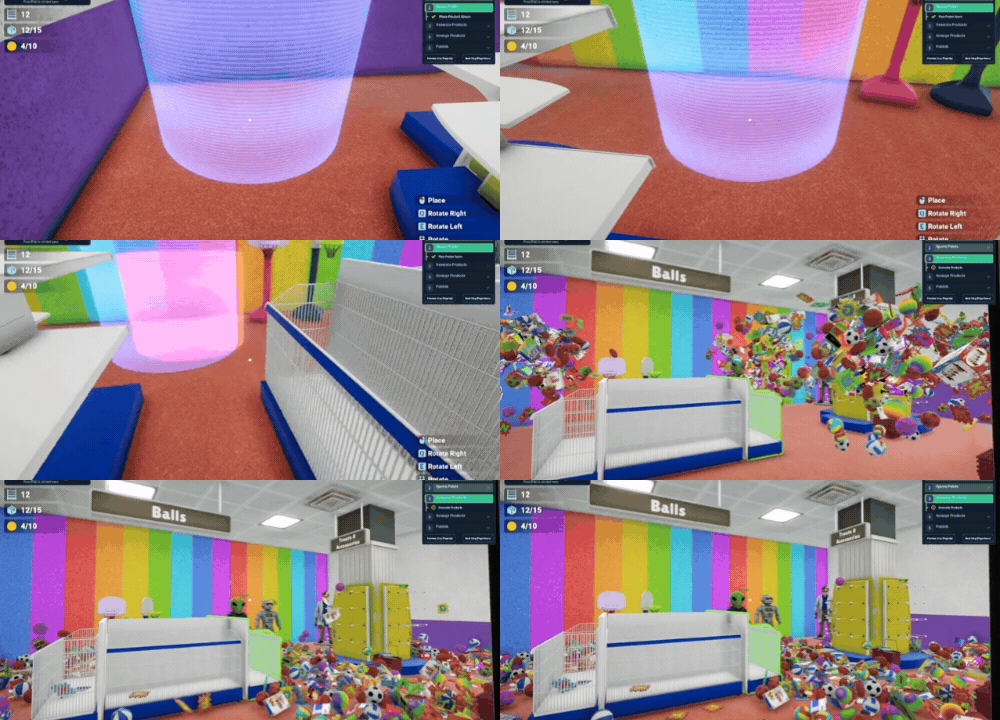
Here's where everything comes together!
Choose where your messy product piles should appear, select which product types you want to include, and let the editor generate your level automatically!
You can use department filters, category filters, and search to customize your product selection. Want to adjust a few things afterward? You can pick up and move products just like in normal gameplay!
You can even choose exactly where all four players will spawn and which direction they'll face.
And just like that, you've created a fully playable Tidy Up level! Test it, give it a name, and share it with the world through Steam Workshop.
Create a Map. Win a Prize! — $100 Contest
What better way to celebrate the Level Editor than by seeing what our community can create?
We're kicking things off with our very first Community Map Creation Contest, featuring a total of $100 in Steam Gift Card prizes!
The Prizes
1st Place — $50 Steam Gift Card
2nd Place — $30 Steam Gift Card
3rd Place — $20 Steam Gift Card
How to Join
Just build a map and publish it to Steam Workshop. That's it!
There's no separate registration or submission process. Every publicly available community map is automatically eligible, including maps created during our closed playtest!
How We'll Pick the Winners
We want the community to help decide which maps deserve the spotlight!
On December 6, 2026, at 23:59 UTC, we'll identify the 10 most-favorited eligible maps on Steam Workshop.
We believe favorites are a fairer way to recognize great creations, giving both small and large maps an equal opportunity to shine. Players can support their favorite maps simply by adding them to their Steam Workshop favorites!
Our team will then play these 10 finalists and select three winners based on:
Creativity: Original ideas, interesting layouts, and clever use of the editor.
Gameplay: How fun, accessible, and enjoyable the level is to play.
Presentation: Visual design, attention to detail, and overall polish.
The community determines the top 10 finalists through Workshop favorites, and our team chooses the three winners!
Each creator can receive only one prize. Maps must be original, fully playable, and publicly available on Steam Workshop. Plagiarism, artificially inflated favorite counts, or other attempts to manipulate the contest may result in disqualification.
We'll announce the winners after reviewing the finalists. Prizes will be delivered as Steam Gift Cards in the stated USD value or local currency equivalent, subject to regional availability.
So start building, share your creations, and let's see what you've got!
A Small Note About Performance
We've kept building restrictions to a minimum so you can experiment freely. That also means it's possible to create enormous levels with thousands of products, decorations, and other objects.
Please keep in mind that some community maps may run less smoothly than our optimized official maps, particularly if they contain very large numbers of objects or detailed product arrangements. Performance will depend on the complexity of the level and your hardware.
We encourage creators to test their levels and keep performance in mind while building.
This Is Just the Beginning!
When we first started working on Megastore: Tidy Up Together, we dreamed of creating something that could continue growing long after players finished our official maps.
And today, we're taking a huge step toward making that happen.
Until now, we've been creating stores for you. Now, it's your turn to create stores for everyone!
We genuinely can't wait to see what you'll build, how you'll challenge each other, and what kinds of unexpected ideas will come out of this amazing community.
To everyone who joined our closed playtest, created maps, reported bugs, and helped us improve the editor: THANK YOU! Your feedback and enthusiasm helped make this update possible.
And if you're opening the Level Editor for the first time, remember: you don't need to create the biggest or most complicated store. Sometimes the smallest, simplest ideas turn into the most enjoyable maps!
So go ahead. Build something fun. Share it with the community. Discover what others have created. And most importantly, enjoy playing together!
Start Creating — Official Level Editor Guide
Discover & Play Community Levels on Steam Workshop
A whole new chapter of Megastore: Tidy Up Together starts today, and we can't wait to experience it with you!
Happy building and happy tidying!
— Yolo Games Studio