Dear swordsmiths,
We hope you had a great Halloween weekend filled with tricks, treats, and perhaps some tinkering at the forge! A new Bladesong update is here, and this is what we have in store for you:
The Library UI, Reborn
Our library UI up to this point was a long list of sword parts and materials in the left sidebar. As the library grew and commissions in Story Mode became more complex, the sidebar became increasingly contested real estate, leaving too little room for the library to breathe.
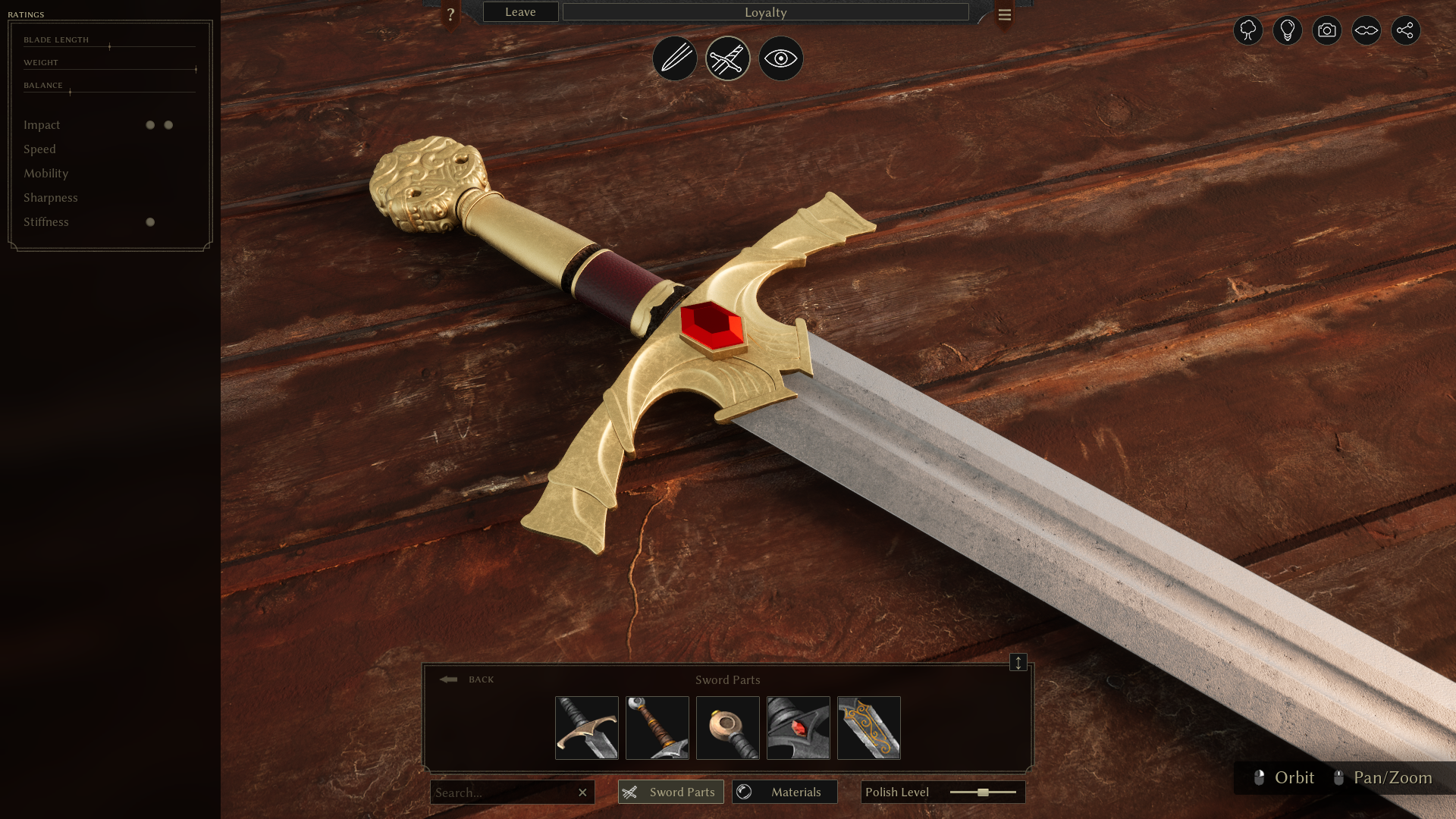
In this update, we present a complete rework of how the library is displayed and, to some extent, how it functions. The library now occupies the bottom center of the screen. Instead of displaying all sword parts at once, you find what you need through hierarchical categories.

Parts and materials are now separated, which has a nice side effect: You can choose a part from the library and then assign a material to it before attaching it. Alternatively, you can choose a material first, then pick a part from the library to spawn with that material. The library remembers your material choice, so future engravings, for example, will be spawned in your chosen material.
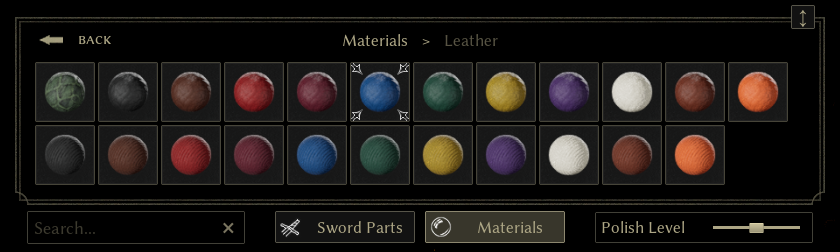
The search function has gotten more powerful, too, and now supports searching by name, type, and the book a part belongs to. If you’re in the mood for browsing, you may search for * to show all parts at once.
New Sword Parts

The trusty Horse Head pommel has been a fan favorite since the early playtests. For Halloween this year, our mad 3D artist Resuru went off the rails and created the Essekor Mare, a depiction of a chaos-riddled, mutated horse trampling the dead grass of Bladesong’s wasteland. It comes with a new sword part book called ‘The Savage Tooth’, containing a dozen teeth modeled closely after canine jaws.

Raytracing
If you have a raytracing-capable GPU, you may now opt in to raytracing in the game’s options. Try it on swords with lots of reflections, or glowing materials that cast light into the scene.
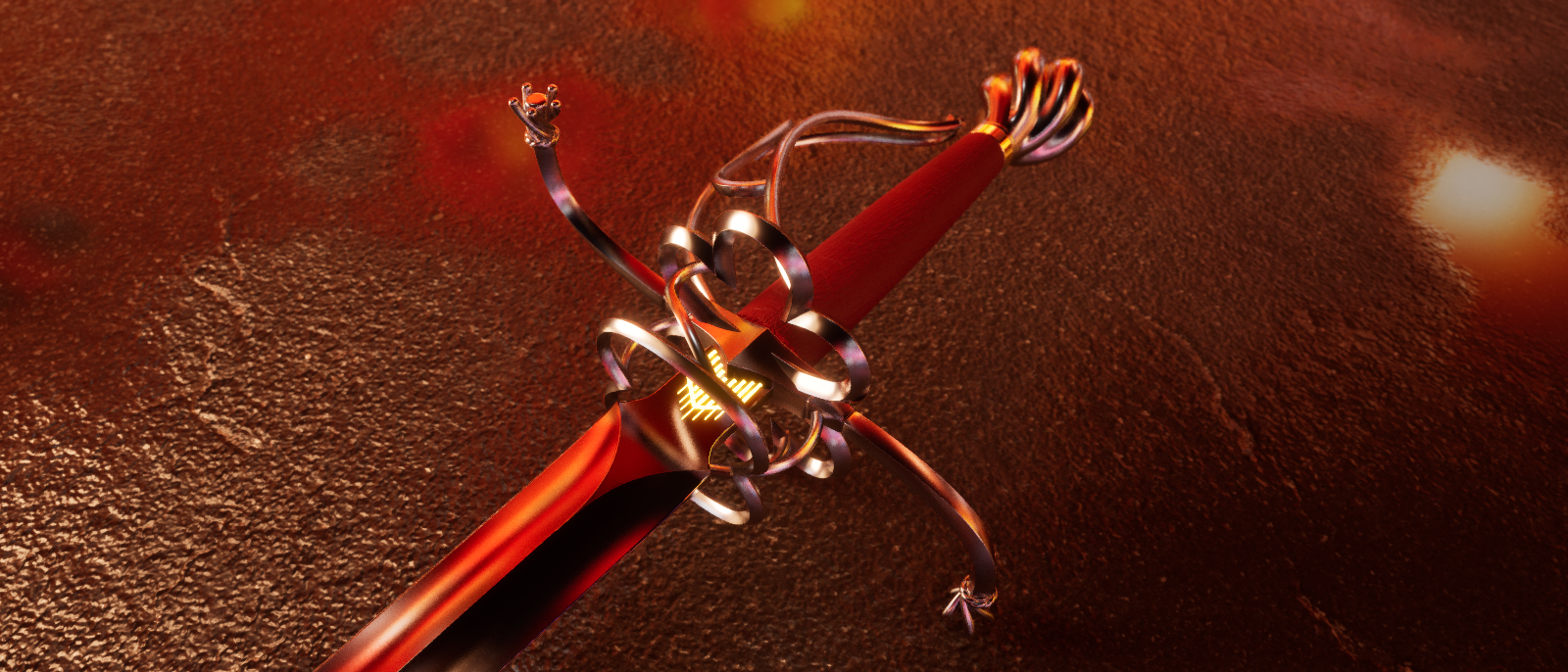 Red Hornet with raytraced reflections.
Please note that raytracing is an experimental feature. The first activation may take up to 30 seconds while shaders compile. If you encounter any crashes, please let us know on our Discord.
And there’s more
Changing the blade material (Creative Mode only) now works just like changing the material of a part: pick a material from the library, click on the blade, and you’re done. The bending of sword parts has also received some improvements: rotated parts now behave more intuitively when you first bend them, and a subtle grid makes the bend plane easier to see as it changes based on the camera perspective. Last but not least, we worked on the audio for Chapter 3 and fixed a couple of bugs thanks to your reports!
Your continued support and enthusiasm for Bladesong mean a lot to us. Please keep sharing your thoughts and suggestions, and join our Discord, where we’ll be hosting a Community Challenge very soon. Meanwhile, we’ll go back to working on Chapter 4.
– David and the Bladesong team ⚔️

Full Changelog
New: Completely overhauled sword part and material library UI
New: Sword parts Essekor Mare and The Savage Tooth set
New: Experimental Raytracing support, enable in the options (takes half a minute on first activation!)
Fix: Special materials (e.g. ice) no longer break on any parts
Fix: Added nameless introduction for Sorry Rennick
Fix: German localization formatting mishap
Improvement: Initial bending of rotated sword parts is no longer affected by the part's own rotation
Improvement: A better visualization for bending, adjust opacity in the Options
Improvement: Blade material is now assigned just like part materials (Creative Mode only)
Improvement: Sword part search can now use * wildcards
Improvement: Story events now trigger before compendium victory/defeat
Improvement: Chapter 3 sound effects and music tweaks
Improvement: Allow bend/stretch of end cap Bill