Hello from Studio BBB. This update improves jump inputs and spirit attack hit detection, and reduces the wait before you can try again after a game over or a fall. We have also reworked vibration and companion spirit movement, and added the English opening narration announced in the previous patch. Thank you for sharing your experiences and reporting issues. Contents
1.1. Button Inputs and Movement
Jumps, Wall Jumps, and Charges now respond more quickly to button inputs.
Reduced the time it takes to turn around on the ground.
When you catch slightly on a ceiling corner while jumping, Mono now shifts sideways to continue upward.
Fixed an issue where pressing jump just before landing could trigger a midair Charge or Glide. The game now remembers the input and jumps as soon as Mono lands.
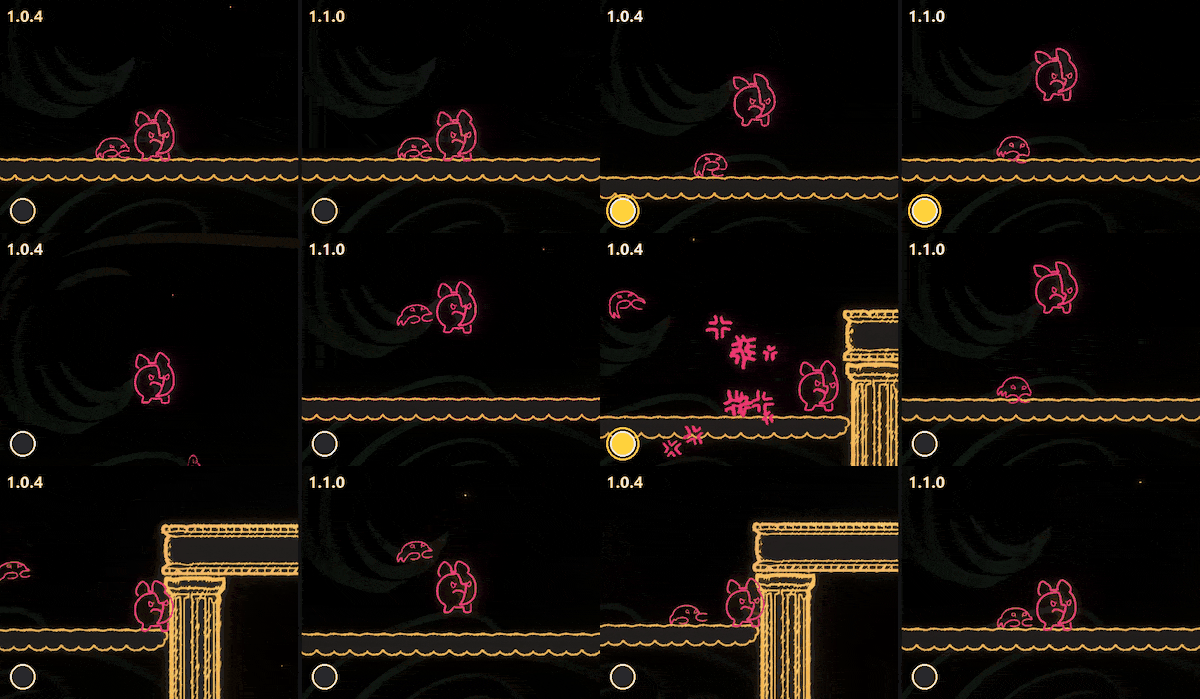 Yellow dot: jump input.
Jump inputs made just before you regain control after being hit are now remembered, even while Mono cannot move. Mono jumps as soon as movement becomes possible again.
Fixed issues where using an ability after being hit could end invincibility early or leave Mono translucent. Using an ability now preserves the remaining invincibility time.
Fixed an issue where repeatedly tapping the Glide button let you glide longer and farther than the time limit allowed.
Getting hit or pushed while singing now interrupts the song. Press the button again to start singing again.
1.2. Getting Back into the Game Faster
Restarting after a game over and returning after a fall are now faster. We have reduced the wait between pressing a button on the game over screen and restarting.
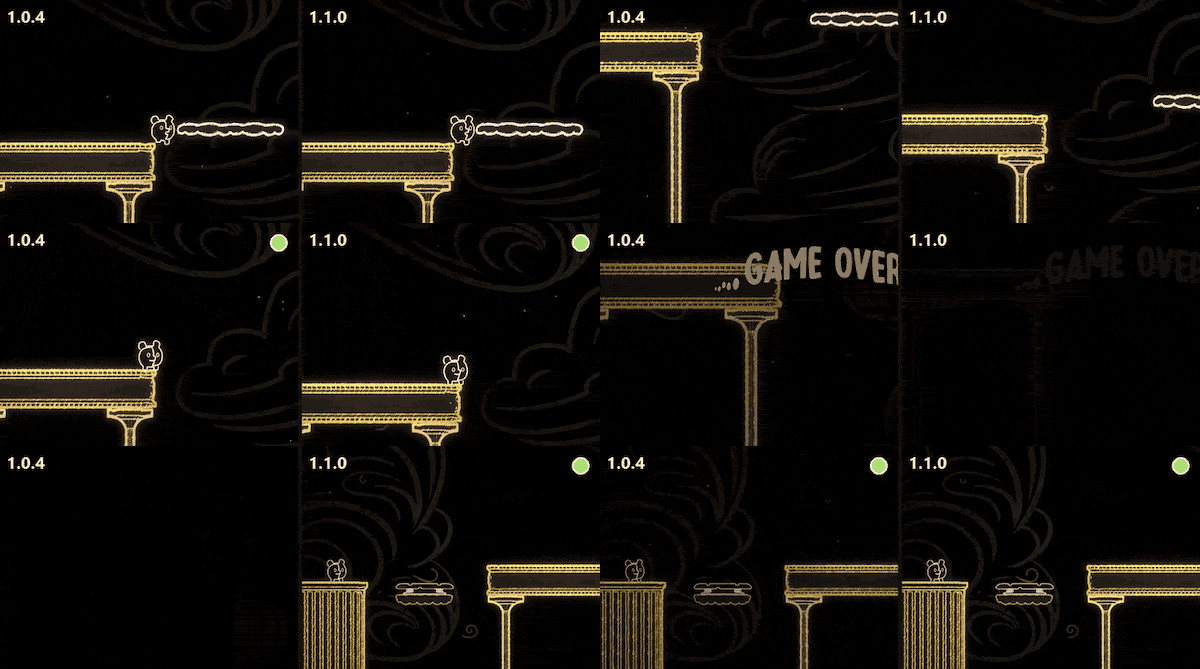 Green dot: the moment you regain control.
In each world's boss encounter, restarting after Mono is knocked out, or selecting “Return to Checkpoint” or “Start Over,” skips the entrance sequence. Leaving the stage and entering again plays the entrance sequence again.
1.3. Camera Movement
Adjusted how quickly the camera follows horizontal movement during regular traversal in solo play.
Adjusted the camera in large stages to give you a better view of where you are heading. When you fall below the platform you were standing on, the camera shows more of the area below.
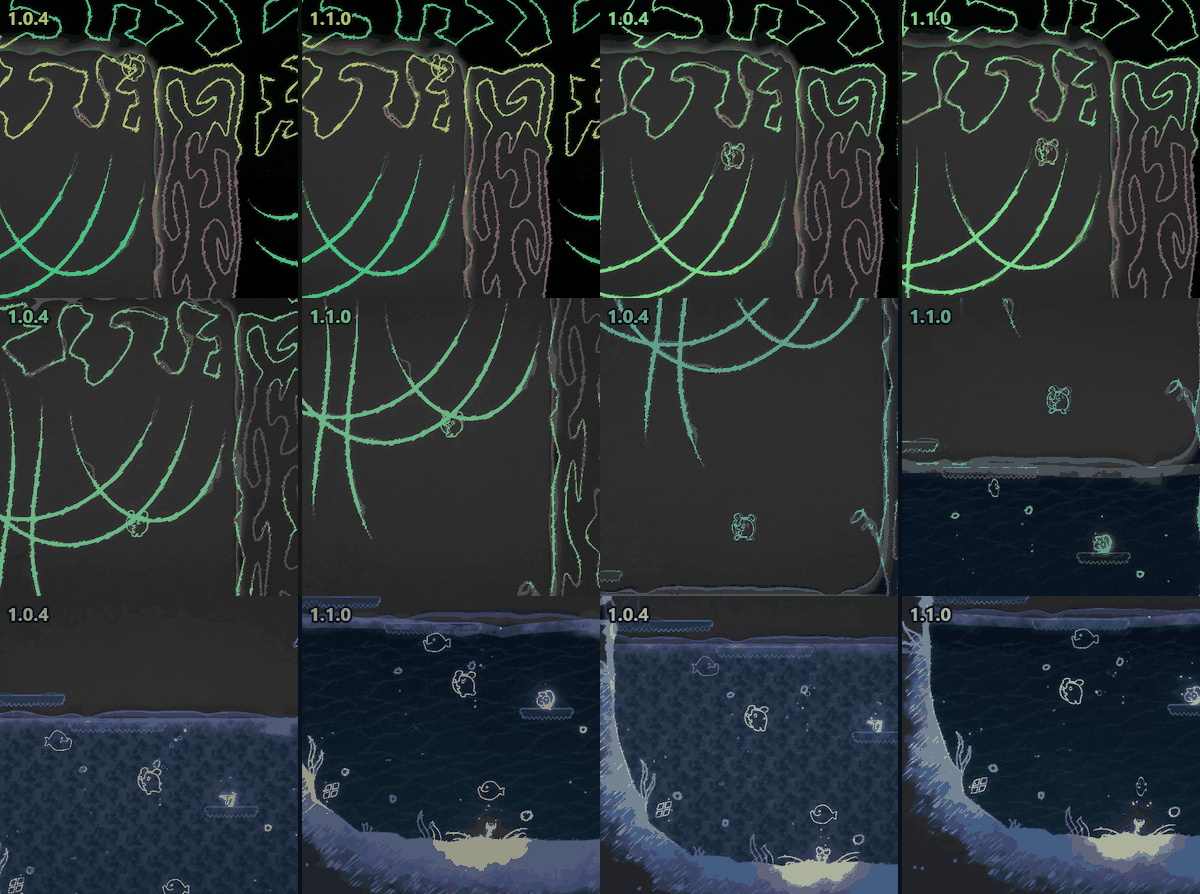
Reduced the camera's up-and-down movement when jumping in place.
Smoothed the camera's zoom changes and return to its normal view when gliding or using springs.
In areas where gravity reverses, the camera now gives you a wider view in the direction of gravity.
Fixed an issue where the camera did not return to its previous zoom level after a Glide ended or was interrupted by a hit.
Fixed issues where the camera moved suddenly at stage boundaries or Mono moved out of view.
2.1. Attack and Contact Detection
We have aligned the timing and range of spirit attacks with their movements to reduce the frustration of being hit by attacks that appear to miss, and make the moment of impact clearer. Preparatory movements, such as opening a mouth or raising a fist, no longer register as attacks. In the Basilio image, yellow shapes show the attack area, while the pale red area also takes Mono's body size into account to show where Mono can be hit. The circle around Mono is green when no hit occurs and red when a hit occurs.
Basilio: A fist slam hits near the fist. When Basilio lands, standing on the ground beneath its body will get you hit.
Rilla: The attack reaches beneath its body on the side of the slamming fist. The area under the opposite arm is outside the attack's range.
Aligato: Contact with its body, including its jaw, triggers a bite. The bite hits when the jaw closes, rather than when the mouth opens.
Piranhaway, Chamelius, Diggory, Chatty, and Pistol Shrimp: Aligned the timing and range of bites, tail swings, snout thrusts, and claw attacks with their movements. Each hit in a series of attacks is checked at the corresponding moment.
Froggey: Aligned hit detection with its falling body during a slam and the position of the underwater shockwave when it lands.

A rolling Beandillo or charging Pistol Shrimp now pushes Mono when their bodies actually touch. The strength of the push varies with how quickly they approach each other.

Adjusted how contact with spirits' tears and water droplets pushes Mono.
Basilio's and Beandillo's tears push Mono when a droplet actually touches Mono.
Fixed a delay between contact and the resulting push.
Reduced how high tears push Mono upward.
The direction and strength of a push now depend on the incoming direction and speed of the tear or water droplet.

Adjusted hit detection for hazards and some boss attacks.
Fixed an issue where some boss attacks dealt damage during their preparatory movements.
Adjusted cave Stalactites so that touching any part of the rock deals damage.
Fixed an issue where water jets, vines, certain projectiles, and boss attacks always pushed Mono in the same direction.
Fixed an issue where Support's “no life loss” effect could remain disabled after Mono was hit by certain boss attacks.
Fixed an issue where singing a different emotion to some bosses always pushed Mono to the right.
2.2. Emotion Transfer
Fixed an issue where a nearby spirit's song immediately replaced the emotion Mono had received from an emotion plant. While Mono is within the plant's range, the plant's emotion takes priority. If Mono's emotion changes through another means while listening to Parruff or Froggey, their song must be heard again from the beginning.
2.3. Terrain and Progression
Fixed an issue where being pushed by a Mimosa Vine or moving platform into a wall or spikes could launch Mono an abnormally long distance.
Fixed an issue where riding a happy Mammonite floating in water could carry Mono up to the ceiling and leave Mono stuck.
Adjusted spike placement in some areas to prevent Mono from falling through gaps between spikes.
Fixed hints that did not work in some areas.
Fixed signs that appeared embedded in walls in some areas.
Companion spirits now follow at a suitable distance and match Mono's movement speed.
Added different movements for each spirit, such as lingering behind before catching up or briefly taking the lead.
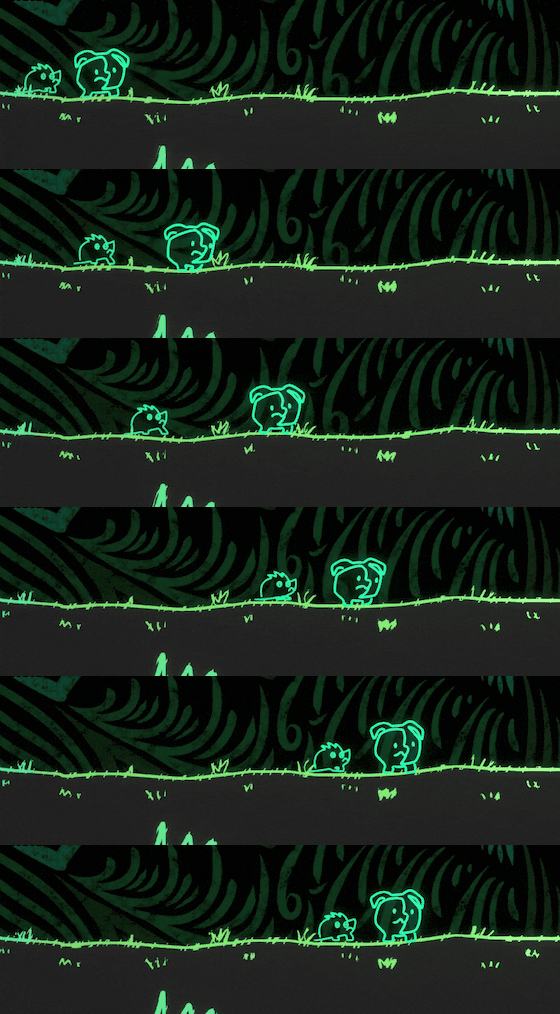
Spirits follow Mono's actions during Charges, Wall Jumps, Double Jumps, and Glides.
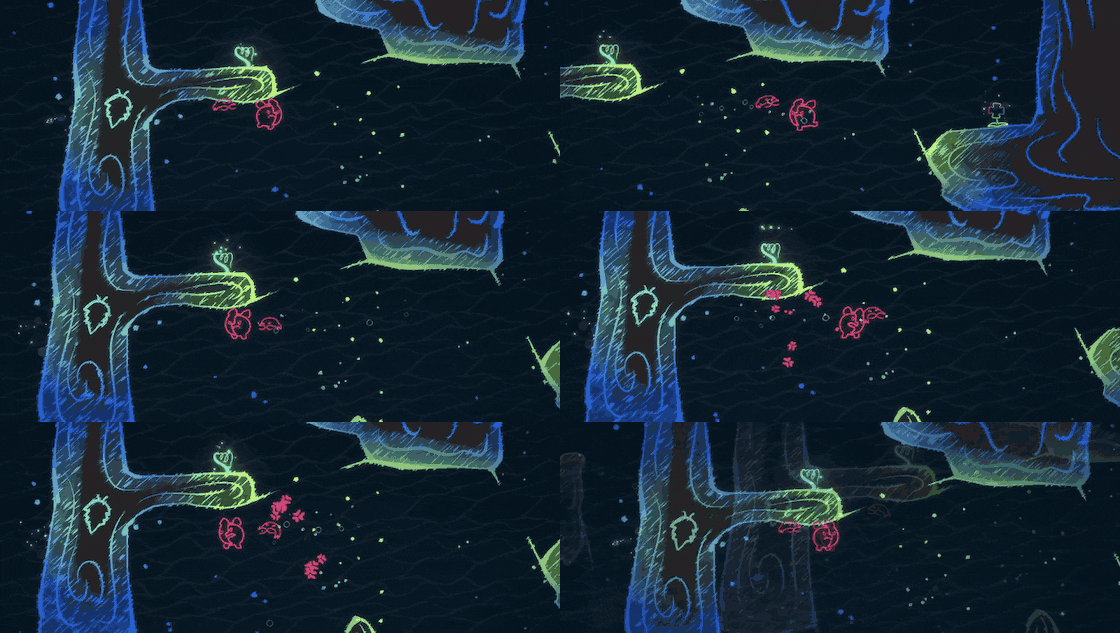
Underwater, they swim in time with Mono. They also stay with Mono when using springs or flying through the air.
When Mono is swallowed by a spirit or enters a sand tunnel, companion spirits follow one after another.
Reduced excessive repeated jumping and teleporting.
Fixed issues where spirits became stuck in terrain or stretched out while teleporting. Also fixed spirits freezing in place or walking backward after an ability ended.
Updated settings for two-player play.
Continuing a save in co-op uses Normal difficulty. The difficulty stored in subsequent saves also changes to Normal.
Support and difficulty cannot be changed, and their menu entries are grayed out. Fixed an issue where Support could be enabled during co-op, preventing damage and death from falls.
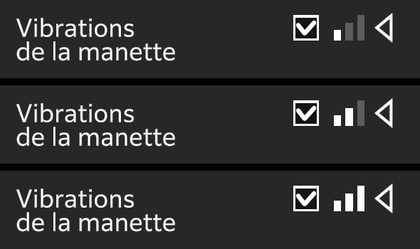
Player 1 and Player 2 can each turn vibration on or off and choose its strength independently.
Player 2 now also receives a vibration warning before the platform they are standing on breaks.
When transferring an emotion to a boss pushes Mono back, Prism is now pushed back as well.
Fixed an issue where Prism emerged away from the exit when passing through a sand tunnel. Prism now follows Mono out of the same tunnel.
Corrected Codex descriptions that explained Prism's abilities using Mono's controls.
5.1. Controller Vibration
Reworked vibration strength, duration, and timing throughout the game, from common actions such as jumping, charging, and singing to major sequences.
Added a vibration warning just before a Glide ends.
Refined vibration while riding Mimosa Vines. Added vibration when carried by Balloowhale or Sea Anemone water jets, Sunflower winds, or Prism's flight.
Added vibration when jumping into water from a height.
Added vibration to the opening, world introductions, boss completion videos, and various sequences.
Added vibration suited to certain boss attacks when they are visible on screen.
Aligned the timing of videos, scripted sequences, and vibration more closely with the sounds you hear.
Vibration stops while paused, while menus are open, and while a scene is loading. It also stops when switching to another window, opening the Steam overlay, or quitting the game.
5.2. Visuals and Animation
Added a slight body squash animation when landing from a height.
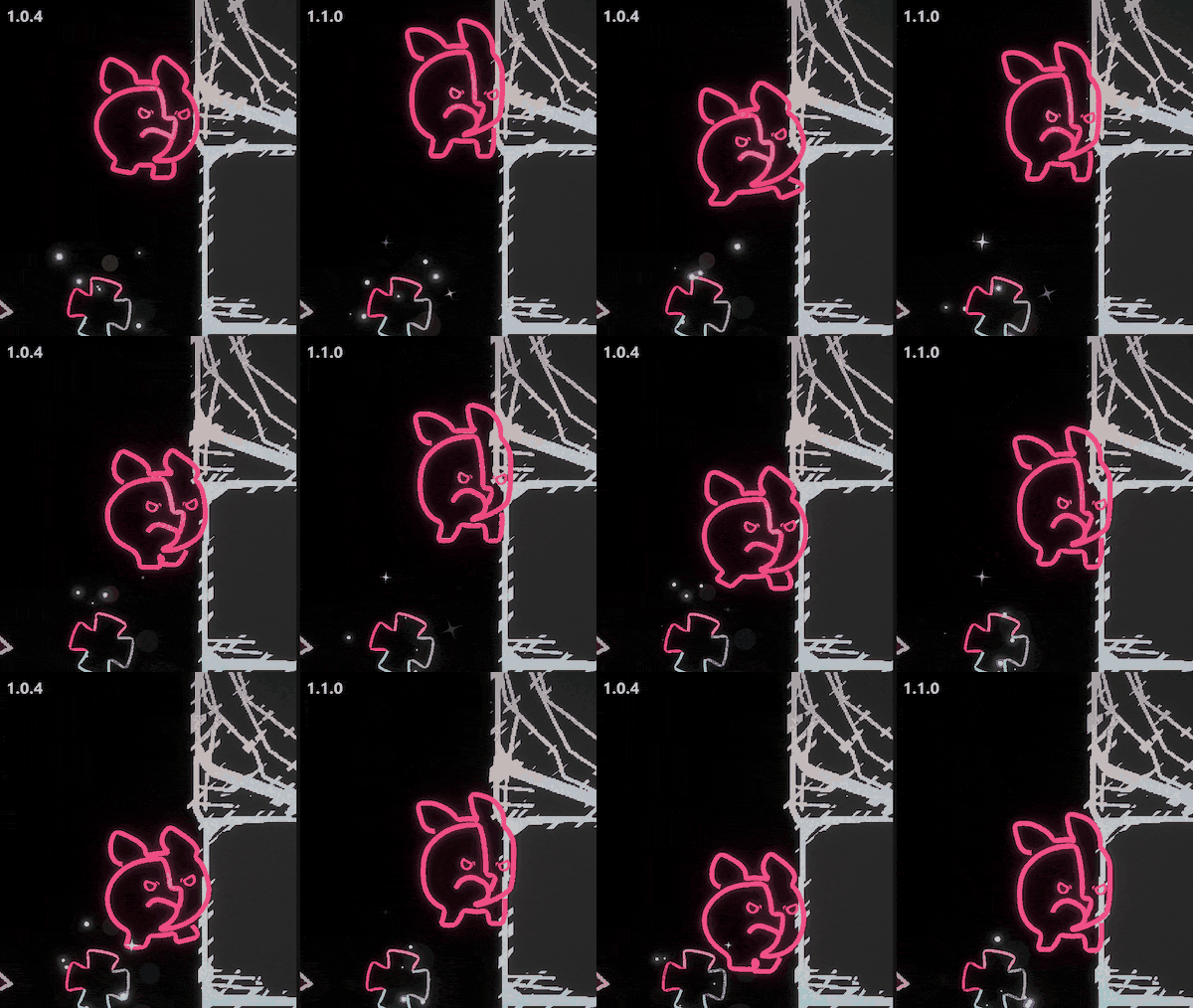
 Slow-motion playback
Added an animation where Mono's face squashes against the wall and feet wriggle after clinging to a wall for a while in Anger.
Emotion plants now briefly glow brighter when Mono receives their emotion.
At the start of a scripted sequence, displays such as the life and shard counters slide off the top or bottom of the screen. They return to their positions when the sequence ends.
Refined scenes where the camera switched abruptly or returned before a boss's movement had finished.
Fixed jittery movement on some bosses when using a high-refresh-rate display.
Fixed an issue where Mono could move or get hit after a sequence ended, before reappearing on screen.
Fixed boss location arrows flickering during sequences or covering the life display.
Turning off “Screen Shake” also disables the cinematic zooms and flashes added in this update.
Fixed sequences where the Screen Shake setting was not applied.
6.1. Narration and Cutscenes
Added English narration to the opening and voice actor information to the ending credits.
All language settings use English audio with subtitles in the selected language. Adjusted subtitle timing to match the narration, and split long sentences across lines for easier reading.
You can replay unlocked cutscene videos in the Cutscene Codex on the stage selection screen and in the cutscene window after the ending. Scenes with a video display the “Watch Movie” prompt.
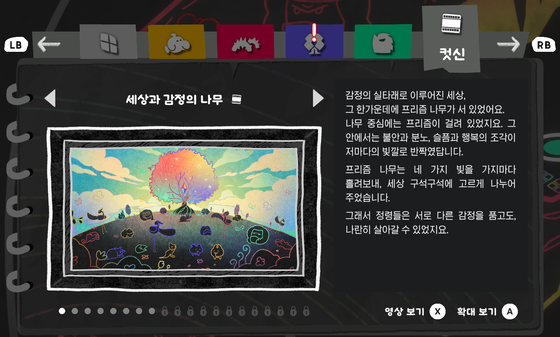
Reduced the wait when turning pages in the Cutscene Codex.
Fixed an issue where pressing cancel again after confirming a video skip reopened the confirmation window.
6.2. Codex and Progress
You can now read the World Codex's storybooks a little at a time, before collecting every Emotion Shard. The first page opens when you reach a world, with further pages unlocking at 10, 20, and 30 Emotion Shards. A “!” appears in the Codex when a new page opens.
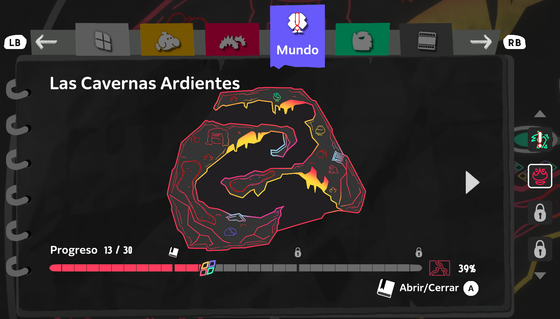
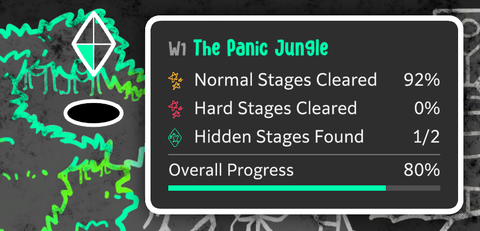
Improved progress and collection displays to make it easier to see how much remains before 100% completion.
World selection screen: Added Overall Progress.
Save and stage selection screens: Shards count toward progress as soon as you collect them. Spirits count each time you unlock one of their emotion pages.
World Codex: Added a total collection percentage for all four worlds combined to the map screen.
Environment Codex: Progress is shown for the whole world, including worlds whose entries span two pages. The empty and filled portions of the bar are also easier to distinguish.
Tidied up the layout of Codex descriptions and button prompts.
Improved the tracking of Codex discoveries and achievements. Duplicate records in existing saves are counted once, and achievements you have already earned are kept.
Fixed Codex, achievement, and new skin notifications appearing all at once or overlapping and disappearing. Notifications now appear one at a time.
Reduced memory usage when viewing the Codex.
7.1. Menus and Saving
Whether Support is enabled is now remembered separately for each save file.
Improved menus and saving on the world selection screen.
Added “Achievements” to the menu.
“Codex” is now available as soon as you open the pause menu on either the full world map or an individual world's stage selection screen.
Confirming a skin on the world selection screen now saves it immediately.
Fixed an issue where the world information card reappeared over the menu when opening Achievements or the Codex.
Fixed errors that could occur when making an input after leaving the title screen or when changing stages.
7.2. Controller Settings
Controller settings now offer three vibration strengths: low, medium, and high.
Button prompts now match the type of connected controller. Added “Button Icons” to Controller settings so you can select the type yourself if the displayed icons do not match your controller.
7.3. Navigating Menu Lists
Refined navigation in some menu lists.
Vertical navigation (Achievements, key bindings, and language selection): Press up once more at the top, or down once more at the bottom, to move to the opposite end.
Horizontal navigation (key bindings and Graphics): Press left once more at the first item in a row, or right once more at the last, to move to the other end of the same row.
Horizontal navigation (Language): Press right once more at the end of a row to move to the first item in the next row, or left once more at the start to move to the last item in the previous row. The end and beginning of the list also connect.
Holding a direction stops at the boundary. Controls for settings whose values are adjusted with left and right remain the same.
7.4. On-screen Displays
When the hint gauge is full, “Hint” now appears alongside the button prompt.
Stage transition arrows now show the destination stage's number, making it easier to see where they lead.
Adjusted the layout and selection highlights in settings windows, and fixed the language selection cursor pointing at the adjacent option.
On the title and world selection screens, the brightness preview now matches the size and layout of the colorblind preview.
Fixed stray dots appearing around image edges in the red-green colorblind preview.
7.5. Languages and Text
Refined line wrapping throughout the UI to avoid splitting words in each language.
Adjusted text and icons that overlapped, and selection boxes that obscured text, in some languages.
Adjusted long text that extended beyond settings windows in some languages.
Fixed some characters appearing as squares (□) in Simplified and Traditional Chinese.
Corrected the Spanish translation of “Bloom,” the Italian translation of “Achievements,” and the Traditional Chinese translation of “Audio.”
Corrected inaccurate wording in progress displays and settings reset prompts in some languages.
Please share your thoughts and any issues you encounter on the Steam Discussions or our official Discord. It helps to include the stage, what was happening, whether you were playing solo or co-op, and the keyboard or controller you used. For stuttering or shutdown issues, please also include your PC specifications, screenshots, and video. Steam Discussions Official MONOWAVE Discord After playing the update, please feel free to tell us what has changed for you and what still feels uncomfortable.
Please share your experience of playing MONOWAVE in a Steam review. Your experience can also help others who are considering the game. Steam Reviews Thank you for joining Mono on the journey. Studio BBB [dynamiclink href="https://store.steampowered.com/app/2680440/"]