Today I'm going to show you some of my favorites and how I'm keeping this performant for a game that demands it. Happy Monday, let's dive in!

Flow of Water
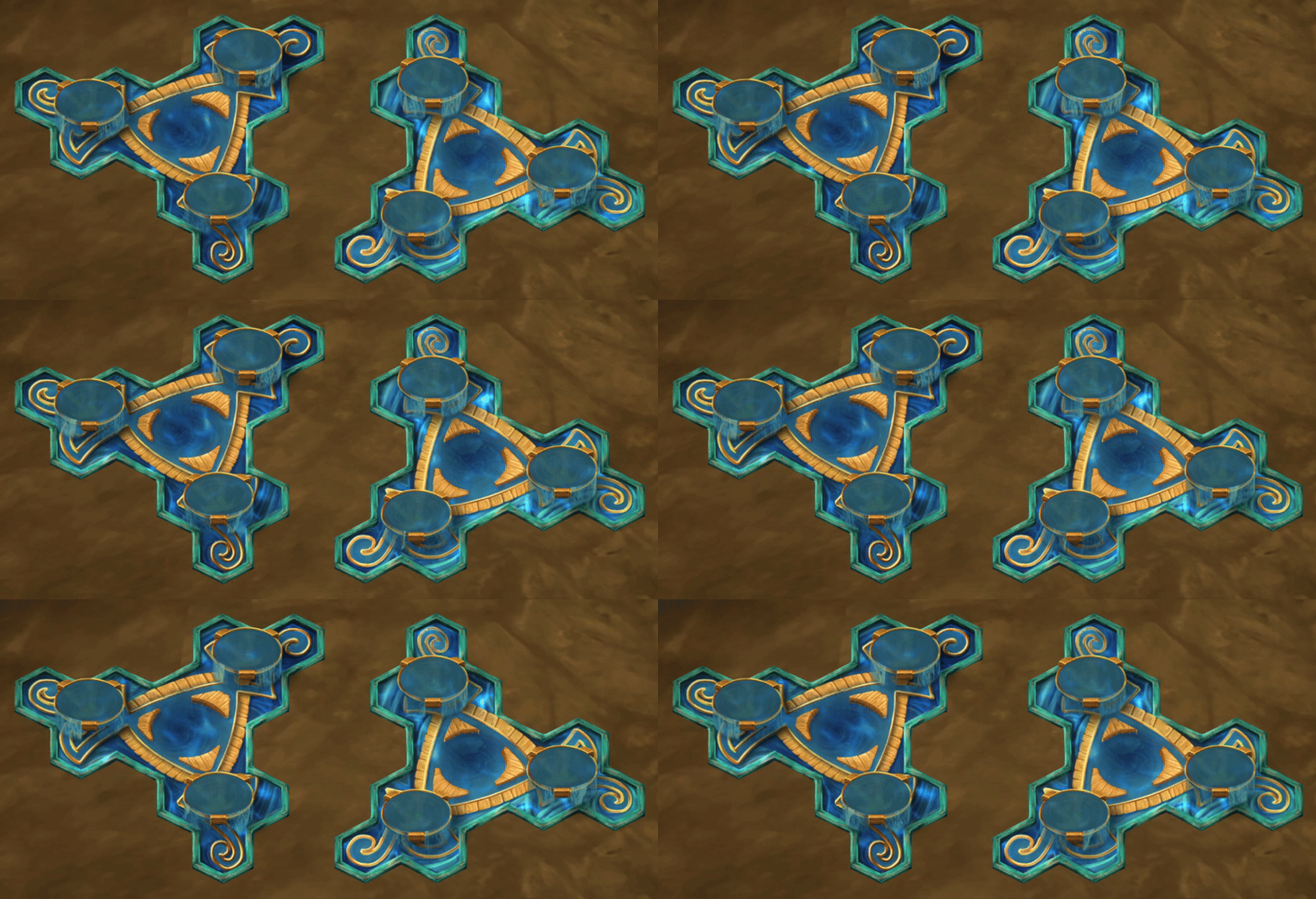
Water structures in the game have a lot of flowing parts.
Caustics are definitely first, as they've existed on Coral Pool for a while now, and the very first thing to do is transfer that aesthetic to all the water structures. This is a simple multi-scroll texture in ways I've covered before. All we need is a mask at the right layer to feed into the shader and we're good to go.

Shortly after that we move into flowing and falling water. For this we create a UV curtain and channel that we flow a texture across, very much in the style of streamways. The catch here is that we can leverage both the base layer that the player walks on and a sorts-with-the-player layer for the waterfalls and curtains, all topped off with an outward ripple texture that can be used in a variety of places.
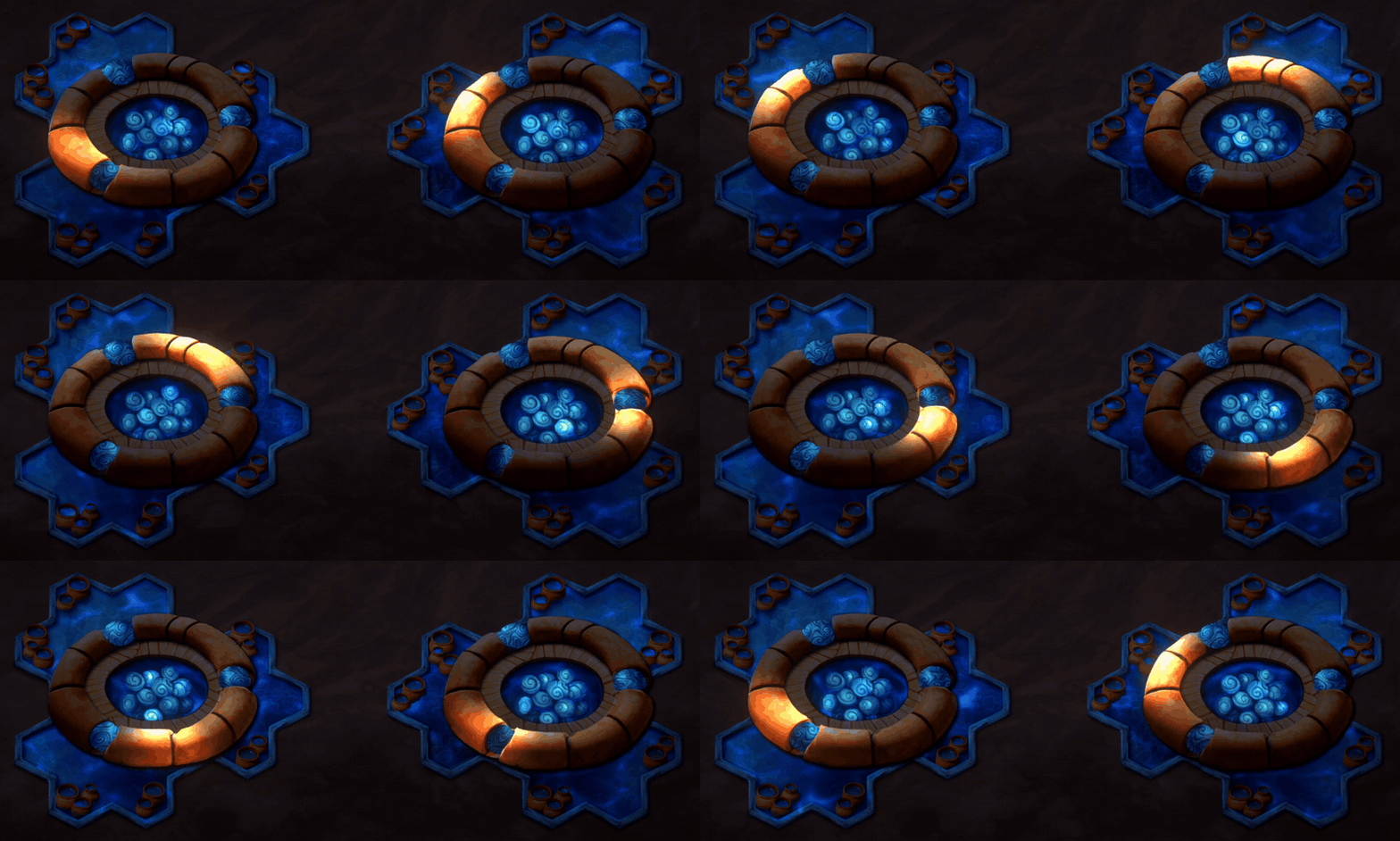
Next we have a simple 'spherize' action we can do to make a texture appear like a ball. The cool thing here is we can scroll a tiling texture in a direction along the spherical UVs and it creates the appearance of a rolling ball, even though there's no poles really, it's all just a very cool fake. Pair that with some shading and lighting on a texture and it feels very globe like, despite being just a flat image.

And then to add just a little sugar on top, we can leverage the same technique with a series of flat colors to have the other orbs alternate pulsing a soft glow to make them feel alive.
Decoding the Colors
It's fun to look at the resulting MaskFX texture, and see all the ways that color can give us the result we want.

For MoteMancer, I have two mask textures alongside the regular artwork, plus another set of values attached to each sprite. That's quite a few little controls to play with:
Regular Mask
- Red determines where hue shifting applies.
- Green controls wind sway.
- Blue controls how much the art bypasses normal lighting.
- Alpha adds painted rim lighting.
MaskFX
- Red supplies the U coordinate.
- Green supplies the V coordinate.
- Blue supplies fixed shadows and highlights, or coverage for glowing effects.
- Alpha packs together which texture to use and how fast to scroll it.
Vertex Color
- Red supplies the hue angle.
- Green offsets where the scrolling texture starts.
- Blue controls effect strength.
- Alpha handles opacity.
The distinction between those masks and the vertex colors is useful. The masks let me paint exactly which parts of a Structure should respond. The vertex values let individual copies of that Structure behave differently without needing different artwork.
For example, I can paint a mask that says only the leaves should change hue, then give each copy a slightly different shade. Or offset the scrolling textures so a whole row of identical Structures doesn't perform the same dance in perfect unison.
Keeping It All Together
The other important piece is the FX texture array. Think of it as a stack of textures that the shader can choose from. Water, ripples, energy patterns, and other scrolling appearances can each have their own slot.
The MaskFX tells us which one to sample, where to sample it, and how quickly to move through it. That means different parts of the same image can use different effects. A flowing channel and a rolling orb don't need separate materials just because they're doing very different things.

This matters because MoteMancer can have a lot of Structures on screen. Giving every little effect its own material would make it much harder to keep the rendering batched together.
There are costs elsewhere, of course. Extra layers still draw pixels, and numerical masks need enough precision to keep their coordinates intact. I'm trading some texture memory and shader work for a system that can give a lot of otherwise flat artwork movement without needing a separate animation setup for every piece.
Flow of... Scales?
Which brings me to my next fun idea: the snakes on the Alembics.
I think I can use this same technique to make their scale textures scroll from the heads down along their bodies. The painted shape would stay where it is, but the surface could appear to slide along it. Whether that looks cool or creepy, we'll find out shortly!

There are still a lot of Structures that need attention, but with the pipeline in place, it's all downhill from here.
Back to the Lab!
~CyanAvatar 🌿