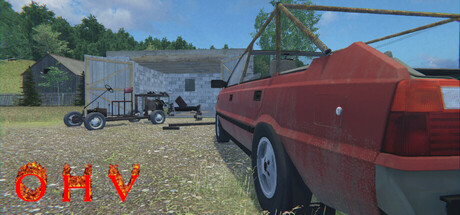
Starting with build 24-10-2026, custom vehicles are now supported! This feature is still in beta, so quite a few things probably won't work as intended yet. However, I've decided to release it at this stage because I need your feedback, both from players and modders.
I'm a player and I want to drive custom vehicles.
If you want to use custom vehicles:
Head over to the Workshop and subscribe to a test vehicle.
Wait a moment for Steam to download it, then launch the game. The vehicle will be available for purchase at the car dealership, and some parts for it will be available in the yard next to the scrapyard.
What should currently work:
Painting and washing vehicles
Fuel consumption
Radio and lights (enabled by default using the K and L keys, respectively)
Installing custom parts
Saving vehicles and custom parts
Flipping an overturned vehicle back onto its wheels (using the menu opened with the mouse wheel). Pushing vehicles doesn't work yet.
I'm a modder / I create 3D vehicle models.
If you're a modder and want to create a vehicle for the game or convert one of your existing models, come join us on Discord (
). I'll be happy to help if you need any assistance.
At the following link, you'll find a working vehicle available for download, along with an early version of the documentation:
Download the test vehicle and documentation
You need to place the contents in the mods/DEBUG_LOCAL_CAR folder. Once you've launched the game, press Y to spawn the vehicle in front of the player's house.
You can replace meshes and modify the vehicle's properties, then press Y again to respawn it without leaving the game.
Important: You must not be inside the vehicle when respawning it, or the game will become completely stuck.
The car you can see in the screenshot was created by Poezja.