Home / News / Return to Shironagasu Island
Version 1.0.36: Full Controller Support for Steam Deck
Read the original on Steam ↗Version 1.0.36 is now live. This update focuses on the Steam Deck: you can now play the whole game from start to finish using only the controller.
■ Steam Deck / Controller
Use the D-pad to select buttons and investigation spots, then press A to confirm. The selected item is shown with a white frame.
Press B to go back from any screen or to cancel a confirmation.
Press Start to open the menu, where you can Save, Load, Skip, open Config, or Return to Title.
Press L1 to open the backlog and scroll back through the story. Press R1 to advance the text.
In Config, volume and text speed can be adjusted in 10 steps with Left/Right on the D-pad.
In the backlog, use Up/Down on the D-pad to select a voiced line and press A to replay the voice.
Works with the Steam Deck’s default controller layout. No setup is needed.
■ Display Improvements (Steam Deck)
Fixed an issue where the story text was not shown in the intended font (Source Han Serif).
Fixed an issue where parts of characters in the backlog (such as voicing marks) were cut off.
Fixed a white flash that appeared briefly when the game started.
■ Other Changes and Fixes
The save overwrite confirmation now appears inside the game screen.
Fixed an issue where the animated title background stopped after selecting an empty slot on the Load screen and returning.
On PC, the arrow keys and Enter can also be used to navigate in the same way. Mouse controls are unchanged.
Thank you for your continued support of Return to Shironagasu Island!
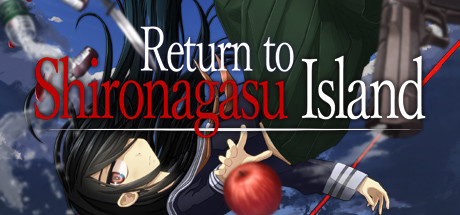 MORE ON STEAMCOZYReturn to Shironagasu Island
94.2% positive · 3,523 reviews
Price tracking · player charts · similar games →
MORE ON STEAMCOZYReturn to Shironagasu Island
94.2% positive · 3,523 reviews
Price tracking · player charts · similar games →
This announcement was written and published by the developers/publisher of Return to Shironagasu Island on Steam; it is mirrored here unedited for readability, with full credit and a link to the original above. © the respective rights holders. Rights holder and want it removed? Email us — we take it down promptly.