Hello Survival Typists!
We’re back with a much smaller update this time, as life and medical issues have taken their toll on our team. We’ll bounce back in the following update, so for now we ask for some patience from everyone.
Alt-Tab.Games
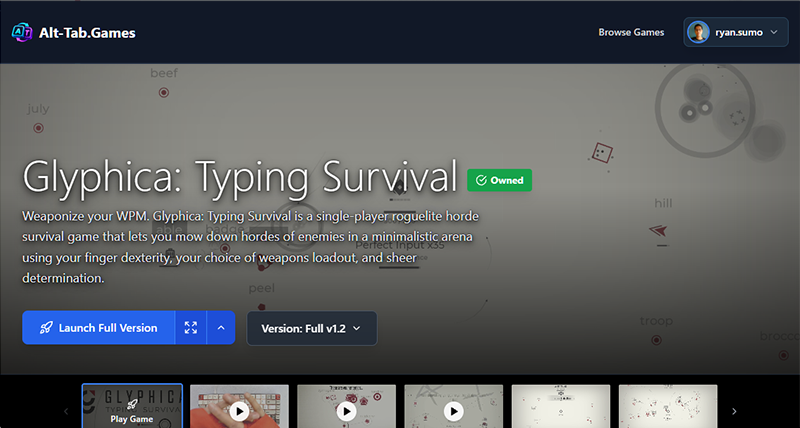
We love the idea of players being able to play Glyphica wherever they want, so much so that aliasBlack developed a controller version for the game. So we’ve been working on a way to let you play the game on any browser using your SteamID. Simply log in here using your SteamID and you should be able to play the full game:
\[https://alt-tab.games/play/glyphica-typing-survival]
Some things to keep in mind:
You need to set your Steam profile to public so that we can verify ownership of the game
This version only works with QWERTY layouts for now, but if there is demand for the browser version we plan on making changes to the game so that you can select the layout of your choice
Your saves will not transfer between your PC and the Browser
Clearing site data will delete your browser save file, but clearing cookies will be fine.
This is a soft launch so we’re expecting possible issues as this is the first time we share it with a wider audience. We would very much appreciate your feedback on the experience.
Moving Save files from Documents to Appdata
Another thing we’ve been working to fix is issues regarding the game engine saving to player’s documents folder. This was an engine specific issue that sometimes created issues with Windows Defender not allowing the game to run. Starting from this update, the game should now store all save and mod files in the appdata folder as is typical with other games and game engines. This *should* work seamlessly without anyone needing to do anything. But if there are issues please do let us know so we can try to fix them. This may also have some effects when updating old mods, so in particular we would appreciate any reports from that end.
Mac OS Issue/Rosetta
We just want to let you know that we are aware that the game is not launching on Macs updated to OS 27. This is because the game was originally built using Intel Processors and Apple has slowly been transitioning away from supporting software built for Intel. Previously Apple supported these games using a program called Rosetta pre-installed into every update, but starting with OS 27 it seems Mac has chosen not to automatically include Rosetta, making games like ours unplayable. They have provided a workaround where you can install Rosetta, which you can find here:
https://support.apple.com/en-us/102527
We are working on a long term fix, which is a native Apple build of the game. We ask for your patience in the meantime.
Trading Cards, Badges, and Emoticons
We did find time to make a small addition to the Glyphica experience by adding trading cards.
That’s all for this update folks. Thanks for your patience and looking forward to coming back with more content for you next month.
CHANGELOG
BUGFIXES
--------
- Fixed buying Main Weapon doesn't unlock Armory entry until game reboot.
- Fixed Reanimation and Refraction weapons not unlocking in Armory.
- Fixed Refraction not working due to a class name mismatch.
FEATURES
--------
- Changed savegame/mods location to a less problematic location (Documents -> AppData).