Hello mates!
Craftomation 101 1.0.12 is here! The sharp-eyed among you will ask: where are 1.0.10 and 1.0.11? You already have them — they were small patches we released without separate posts. So part of what I'm about to tell you has already reached you in small portions. Today the big one arrives: a completely new tutorial system.
Why these changes?
Craftomation 101 isn't an easy game. Not everyone knows what visual programming is, so good tutorials are a must. Above all, we wanted to help players who struggle with the more advanced commands. We also wanted to fix important save bugs, so you can always return to your old world, even one you'd forgotten about.
A new tutorial system
Putting hints everywhere is easy. But some players hate it. I do, for one: as a player, I really hate it when a game keeps shoving hints at me and won't let me do anything myself.
A tutorial engine is a system that figures out on its own what to show, when, and to whom. Which player needs a hint and which doesn't. Where to flash a frame to catch your eye, and where to stay out of the way.
Our old system was so old that fixing something in one place broke something in another. Sometimes we couldn't even add a new tutorial: we could see players struggling somewhere, but every attempt to add something broke something else. At some point Kolya, our programmer, said he couldn't take it anymore, threw the old system out entirely and spent two weeks building a new one. Now we can add tutorials anywhere.
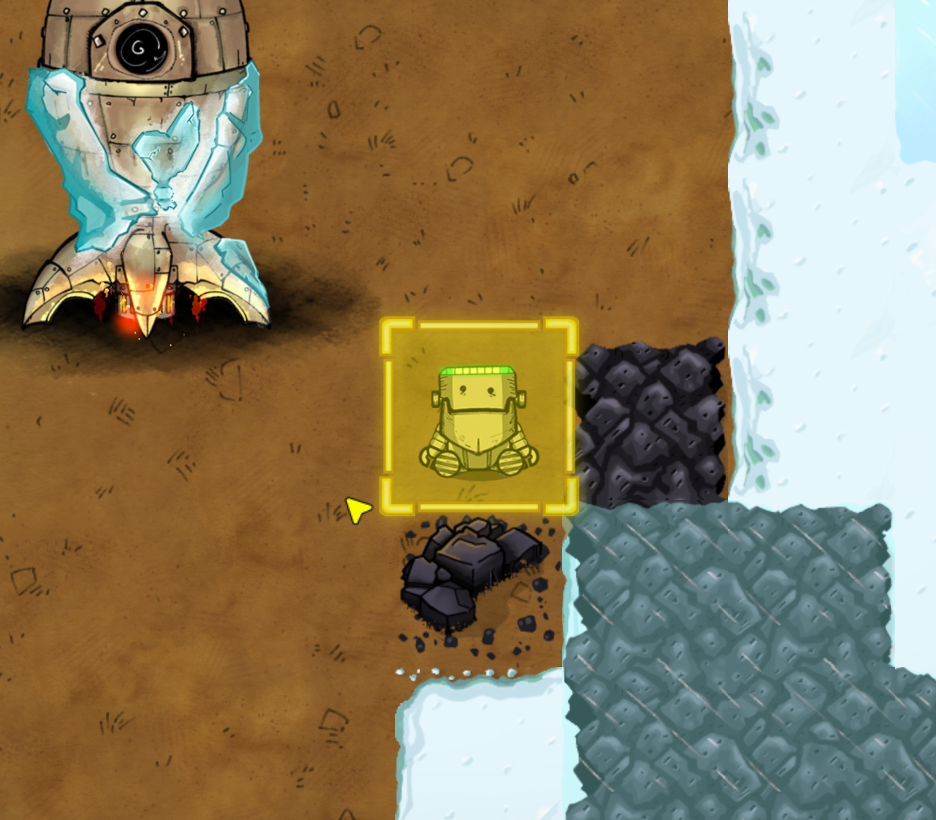
What the new tutorials can do:
- Notice mistakes and tell you exactly what to fix. Remember the story of a player whose last block in a function wasn't connected to the output? Now the game will gently point out: "Hey, something here isn't connected."
- Show new visual hints: a frame highlights the blocks and items you need, and the interface scrolls to the right spot by itself.
- If you've wandered off to the other side of the map, a big yellow arrow shows you where to go to continue.

- Recover when things don't go to plan: the tutorial picks up again after you delete blocks, break connections, close the panel or even load a save.
7 new tutorial scenarios
We now help you get to grips with variables, arrays, loops and search filters. We built many of these scenarios from your own reports: when you told us your code didn't work the way you wanted, we took those examples and turned them into tutorials.
The new scenarios:
- Smart Find & Pick
- Var Numbers
- Var Logic
- Checker Tools
- Var Objects
- Repeater
- Array
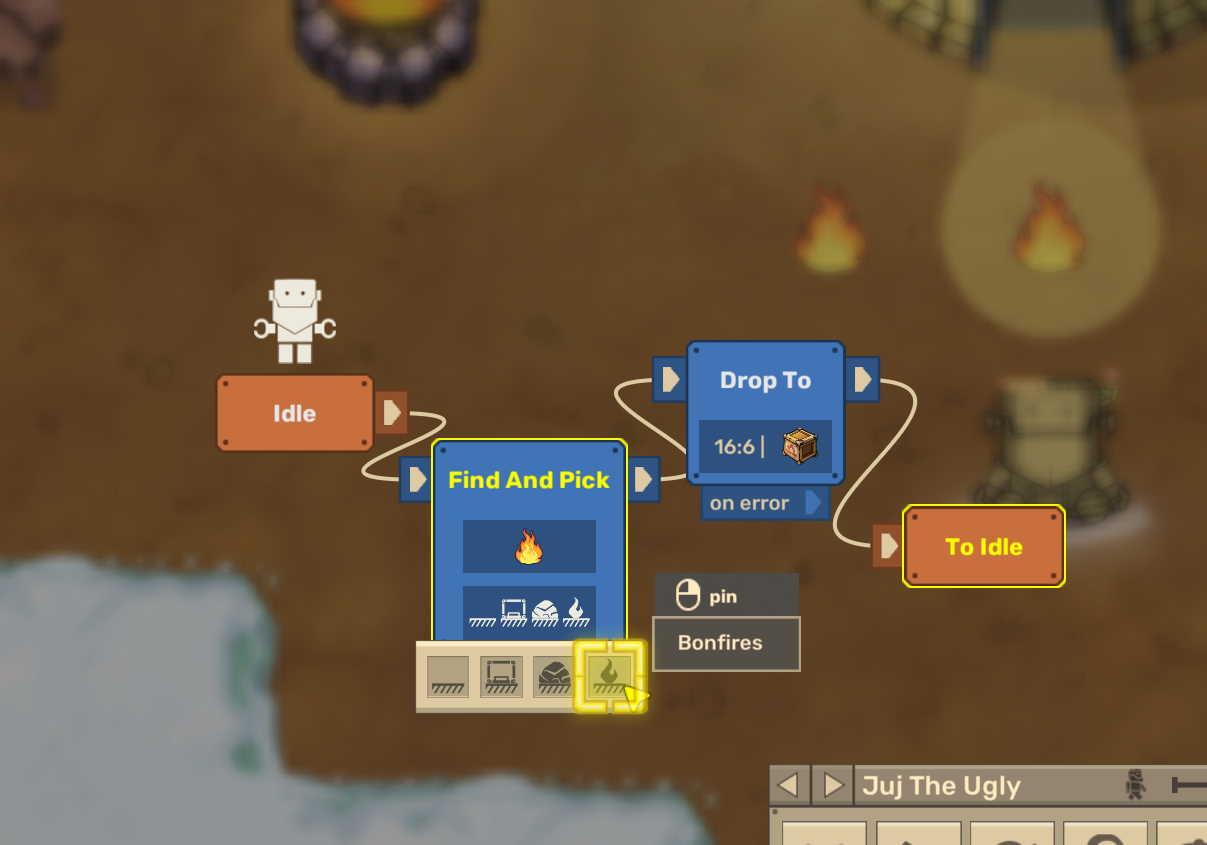
So that a tutorial doesn't mess up the world you've built, we almost always give you a new robot with a clean program as a gift. You write your program on it together with the tutorial, and afterwards the robot stays with you. Here, for example, is the search filter tutorial: we teach a robot not to take fire from bonfires so they don't go out.
And this is important: nobody has to play these tutorials. It annoys me too when a game says "No, follow the steps" when you already know what to do. We know our players: whoever doesn't need it will skip the tutorial and figure things out on their own. Besides, if you've ever seen visual programming before, the game will feel pretty intuitive. The Skip button is at the top of the screen.
To be honest, we were really worried that something might break with the new tutorial system. Sasha, our tester, spent the whole last week checking it inside and out. We hope it turned out good and stable, and that things will now be much easier for new players: everything gets hinted at and highlighted at the right moment.
Controls without conflicts
Through the in-game feedback form, you told us it was possible to assign conflicting keys and then struggle with the controls. Now the control settings warn you about conflicting key and mouse button bindings and highlight them in red, so you can't accidentally set up controls that are awkward for you.
We also fixed the default layout for AZERTY keyboards: one key in it conflicted with another. And hotkey labels in tooltips now update right after you rebind them.

Saves no longer disappear
If you've been playing for a long time, your old autosaves might have stopped showing up in the load menu: saves from one world pushed out saves from another. That was unpleasant, and we've fixed it.
- Save limits now apply separately to each world, so your old worlds stay put, even if you haven't launched the game in two years.
- Each world gets a clear name, and the map, date and seed info is laid out more neatly.
- In the settings, you can choose how often autosaves happen and how many to keep.

Clearer code blocks
Visual code blocks have "ears" — ports where data comes in on the left or right — and input fields for numbers. Sometimes they were crooked: one higher, one lower, and an input field didn't line up with the ear it belonged to. Now arguments, data ports and execution lines are laid out consistently.
- Sum, Difference, Compare Num and Compare Var now have separate input fields for both operands.
- You can now add and subtract numbers to and from coordinates: the number applies to both coordinates at once.
Behind the scenes: an elusive bug
A huge thank-you to everyone who sends reports through the in-game form. It's the button with a bug on it: click it, describe what happened, and we see the bug right away and try to fix it. The form is anonymous: we learn nothing about you, only about the bug.
That's exactly how we finally caught the bug with restoring deleted custom functions: they could disappear again or carry over an outdated archived status. This bug felt about a thousand years old — we tried to fix it not once, not twice, not three times. If a player hadn't sent us their save, we'd still be stuck with it.
Another find: a moved item could visually end up on a free cell while logically staying under a building, like a chest. We found and fixed that too.
Other fixes and improvements
- Get Type now correctly tells Wood from Seed depending on the state of the tree.
- Placed bonfires are correctly recognised as an item type.
- The settings window is more convenient and clearer.
- Undo now undoes pasting blocks on the first try.
- Random melted snow no longer appears on new maps.
Where's Hardcore?
A quick reminder: in 1.0.9 we added difficulty levels. In Standard mode, resources are unlimited and bonfires burn for a very long time.
We wanted to add a Hardcore difficulty in this patch too — for those who find the game too easy: the planet is truly hostile, and holding out for long is tough. Plus a mode where you set the difficulty yourself: say, a very aggressive planet but unlimited resources, or very few resources but long-burning bonfires. You asked for this in the comments under the last post. But honestly, we just didn't make it in time. This time, tutorials and important bugs came first.
What you tell us
One comment under a previous post really touched us. We were rolling out yet another patch late at night, and someone wrote: "Guys, get some sleep." It's lovely to have such caring players! We're releasing this patch at six in the evening, so maybe we'll actually get some sleep tonight.
Someone felt our programming language doesn't have enough features. How so? We have arrays, loops and functions! Players in Discord build binary number systems, and the programs you send us constantly surprise us. Still, we get it: programmers understand programmers, and you always want more tools. Someone, for example, asked for an array of function references — we'd never have thought of that ourselves.
Some reviews also said the game has a great final goal but hardly any other interesting challenges. I don't quite agree: if you're playing for the first time, every new stage is a challenge, from melting the volcano to building new stations. But if you're playing for the tenth time, then maybe, yes. We don't have an elegant way to add five completely different challenges yet. So we're asking you: what challenge would you like to see in Craftomation 101? Write to us on Discord, in the comments or by email — we'll read everything. You usually come up with really great ideas.
Thank you for playing, writing to us and sending reports. Try the new tutorials and let us know what you think!
How can you join the development?
- Share your ideas and feedback on our Discord server
- Help us translate the game into your native language
- Subscribe to our YouTube channel and follow the studio news
- Follow Craftomation 101 on Twitter
- Tell your favourite content creators about the game
- Sign up for our newsletter