We've been cooking up a big update for LBA – Twinsen's Quest, and before it goes out to everyone, we want your input. Tell us what works, what's broken, and what you'd change.
A public preview branch is now open on Steam, so you can play it today.
What's new?
- 🎮 Co-op: up to 3 players on the same screen
- ⚔️ New gameplay options: impact freeze, combos, magic ball recall and ricochets, a revamped lock-on… all optional, all OFF by default
- 🗺️ Objectives shown on the Holomap and in the HUD
- 🧣 A snow costume for Twinsen
- 🔊 Menu sounds and smoother gamepad navigation
- 🍏 A macOS (Apple Silicon) version
How to join the preview
- In your Steam library, right-click the game → Properties
- Open the Betas tab
- Select preview from the drop-down
Steam will download the update automatically. To go back to the regular version at any time, select None.
The preview is a work in progress: expect a few rough edges. Thanks for your patience!
Where to give feedback
Everything is laid out on our Discord in #preview-feedback: each feature is explained there, along with what we'd like you to test. Have a look before you play, then post your impressions and ideas there. Bugs go to #preview-bugs.
Not on Discord? You can also post in the Steam discussions.
When reporting a bug, it helps a lot to tell us your platform (Windows or macOS), your controller, and the options you had turned on.
We read everything, and fixes will land on the preview branch first. 🙏
We hope you'll enjoy shaping the future of LBA with us!
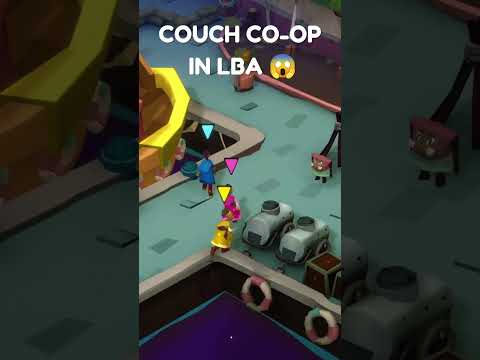
🎮 Co-op (up to 3 players)
Turn on Co-op Mode in Options → Extras and up to two companions can join Twinsen on the same screen.
👦 It's mainly designed to be played with your kids 👧🏻 (I built it to play with my daughters).

How it works
- Each companion plays on their own gamepad. A new option lets you choose whether controller 1 belongs to Twinsen, or whether Twinsen plays on keyboard and every gamepad goes to the companions.
- Companions have their own colour and outfit, their own life bar, and unlimited clovers. We're not monsters.
- They throw their own magic ball, use the Proto-Pack (D-pad Up), and can grab and push crates — even the same crate as someone else.
- They follow Twinsen from room to room. If one gets stuck or left behind, they catch up on their own.
- They freeze during dialogues and hide when Twinsen hides.
- The camera pulls back slightly to keep everyone in frame.
- Rumble only goes to the controller of the player it concerns.
What we want to know
- Is it fun? Where does it feel pointless or crowded?
- Did you run into any blocking bugs?
⚔️ New gameplay options
Lots of new features to test, each with its own switch in Options → Advanced.
Everything is OFF by default. Change nothing and the game plays exactly as before.
Game feel
- Impact freeze: a tiny pause on melee, saber and magic ball hits, and on kills. Makes every hit land.
- Camera shake: small camera kicks on impacts.
- Controller vibration: rumble on hits and key moments.
Combat
- Melee combos: a three-hit chain, with input buffering so your button presses link up instead of getting lost.
- Damaging recall: the magic ball now waits on the ground. When you call it back, it flies home with physics and hurts any enemy in its path.
- Ricochet chains: the ball bounces from enemy to enemy. The number of bounces grows with your magic level: none at level 0, up to four at level 4.
Lock-on update
- A ring under your target with a health gauge. A trailing arc shows the damage of your last hit, and the ring doubles when you're hard-locked.
- Same colour code as before: yellow = out of range, green = you can hurt it, red = immune.
- A lock sound, right stick to switch targets, and no more locking onto enemies through walls.
What we want to know
- Which options make the game better? Which make it worse?
- Does anything feel too strong, too weak, or too busy on screen?
- Which ones should be ON by default for a new player?
Tip: try them one at a time first, then all together. They feel quite different.
🗺️ Objectives, costume & polish
- Objectives: your current objective now appears on the Holomap and in the HUD, so it's easier to know where to head next after a break.
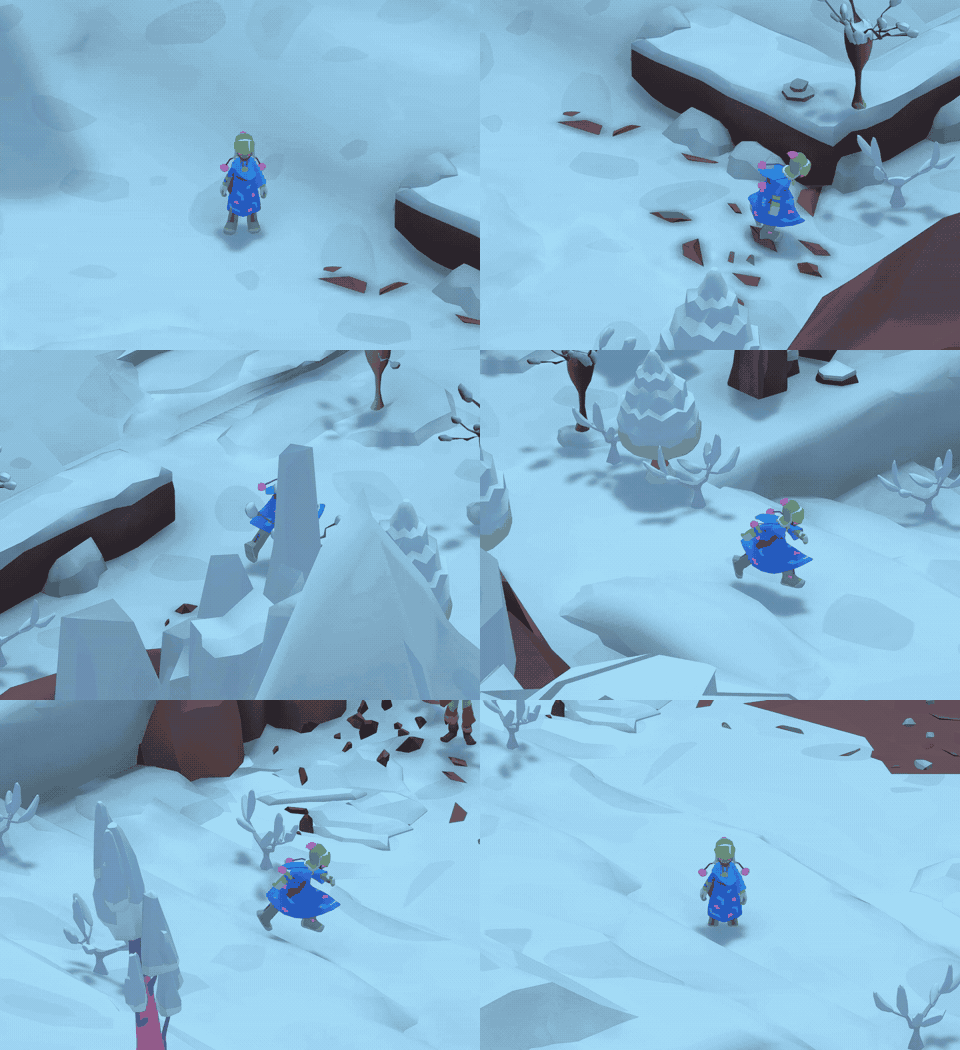
- Snow costume: Twinsen gets a new winter outfit. 🧣
- Menus: new menu sounds and smoother gamepad navigation throughout the menus.
What we want to know
- Are the objectives clear and helpful, or do they give away too much?
- Any menu you still can't navigate comfortably with a gamepad?
🍏 macOS version
The game now runs natively on macOS (Apple Silicon only). Please tell us how it runs on your Mac — model, performance, and any issues. 🙏
Thanks for playing, and see you on Twinsun! 💙
Ben