Age of Clicks 0.70 - what changed since 0.62.5
Economy, trade, diplomacy, army, interface and editors - almost every system in the game has been rebuilt or deepened. Everything below is in order, with pictures. The game is still in Early Access and the balance is still being tuned.
In short
- Economic cycle - the state of a country's economy from Depression to Overheat; it sets how fast you build
- Buildings - build time, tiers with a choice of branch, a look for every era
- Production - a tab of its own: workers, chains, line shares, a "civilian ↔ military" focus
- Deposits - ore lies in specific places, no deposit means no mine
- Budget, living standard, loans - a new budget window, people eat goods, debt and default
- Trade - contracts between countries, auto-trade, a supplier catalogue, a route map
- Diplomacy - an agreements desk, land lease and purchase, influence, regime change and funded uprisings, two kinds of blocs, the Course of the State
- Lands - integrating territory for money and time, national uprisings, puppets of a new kind
- War - initiative bubbles, army doctrine, the "one year into the war" forecast, peace bought with points
- Interface - a living map instead of illustrations in the menu, a configurable top bar, hotkeys, a world ranking
- Editors - an events editor, a formable-nations editor, a resources layer, a full-screen scenario workbench
ECONOMY
Economic cycle
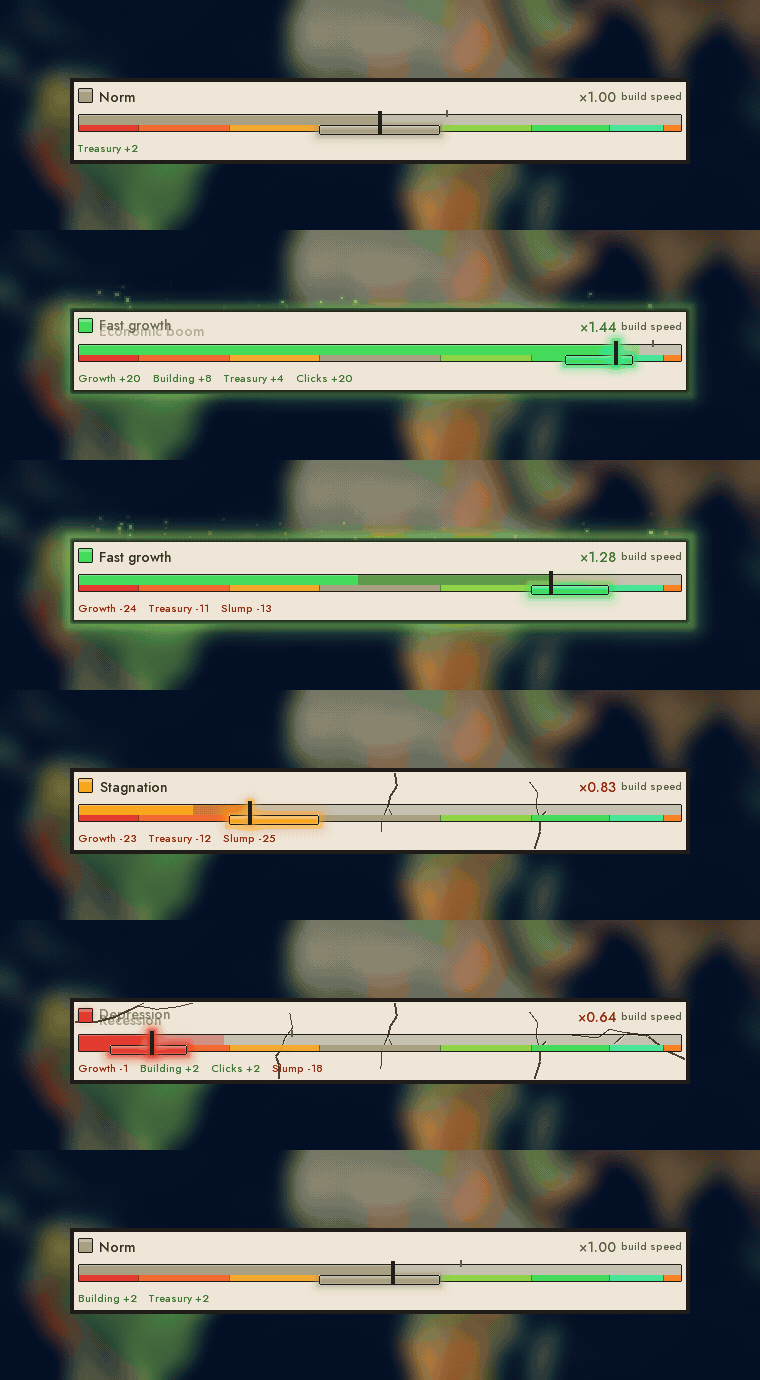
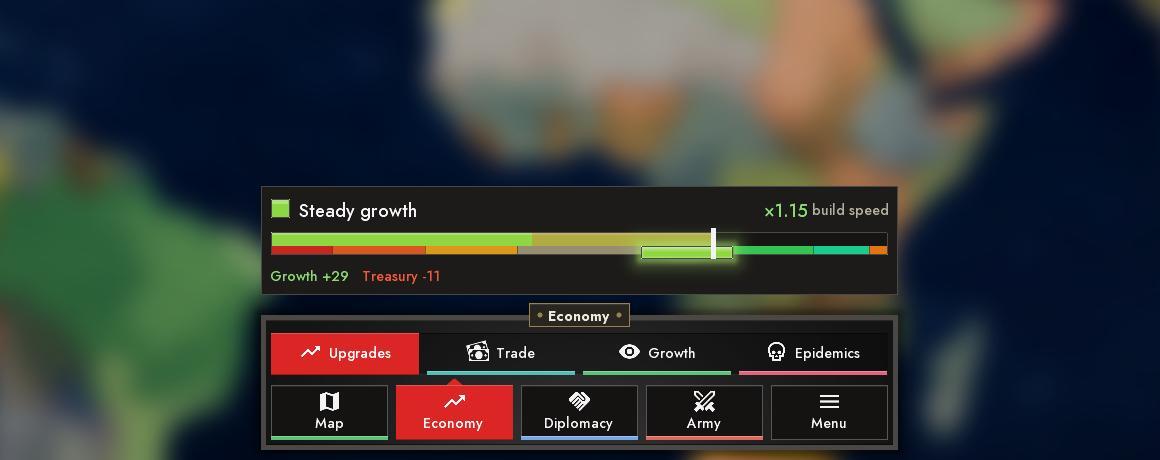
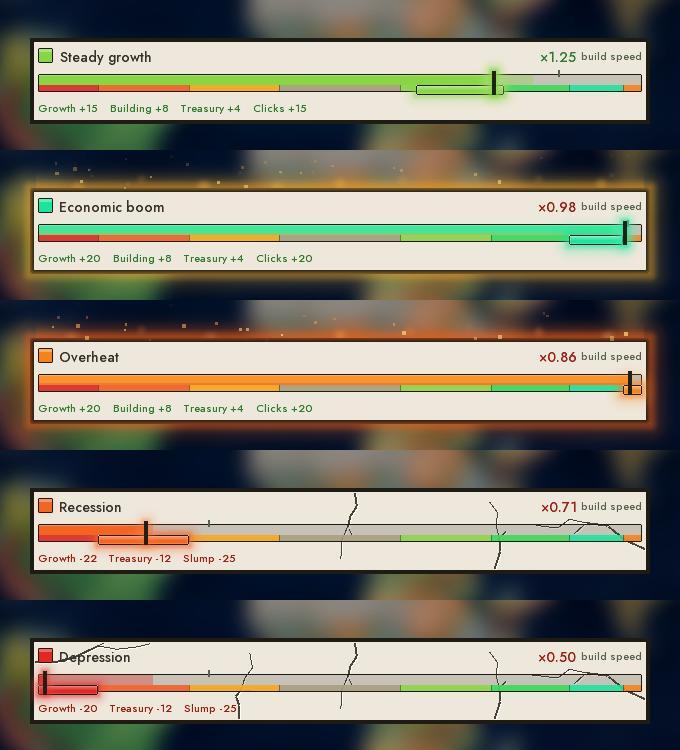
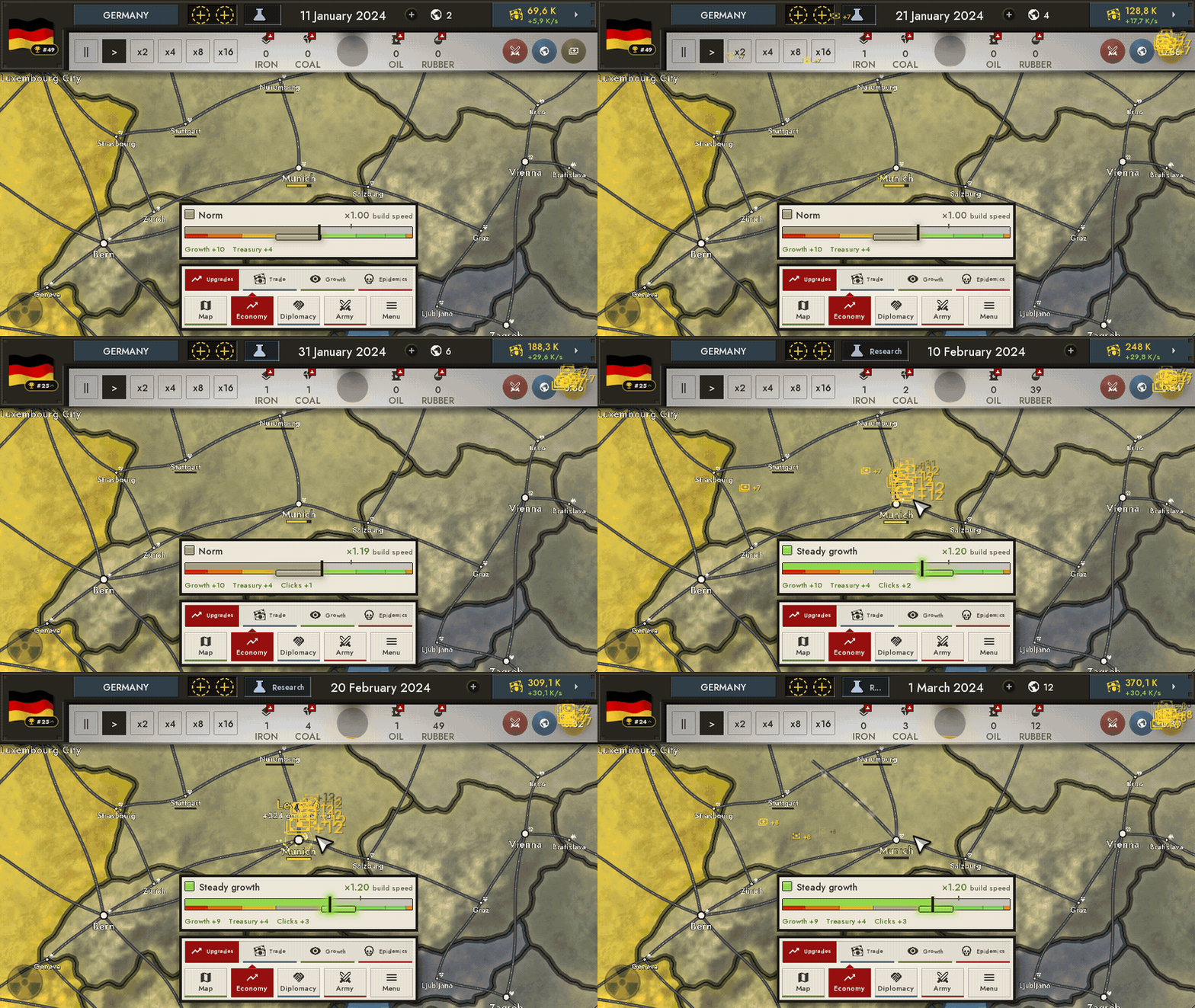
Every country now has an economy state - a scale split into eight zones: Depression, Recession, Stagnation, Norm, Steady growth, Fast growth, Economic boom and Overheat. It sits above the bottom panel in the "Economy" map mode. The zone decides how fast the country builds and how its cities grow: everything is slow in Depression and fast in a boom. Overheat, though, is a trap: building slows down again there, so you cannot push the economy forever.
The marker follows the development of the economy. Clicks on your own land (including hold-to-click and the auto-clicker) push it up, and a long fall in income drags it down. Idling alone will not drop you below Norm: you only fall if you really lose ground. If the economy slides for long, a crisis hits: clicks are weaker, production is lower and the scale is pressed down. How deep and how long it is depends on how long and how hard income was falling. Crises happen only to the player. The zone also affects living standard: it drops in Stagnation, Recession, Depression and Overheat.
Construction takes time
Buildings no longer appear instantly. Extraction, processing and military buildings have a build time, and the current cycle zone multiplies it. A big batch is built in waves rather than all at once, and the row shows an amber "×N" badge with a progress bar. The utility upgrades stayed instant: Click Power, Finance, Tax Office, Railways, University and Diplomat.
Building tiers and forks
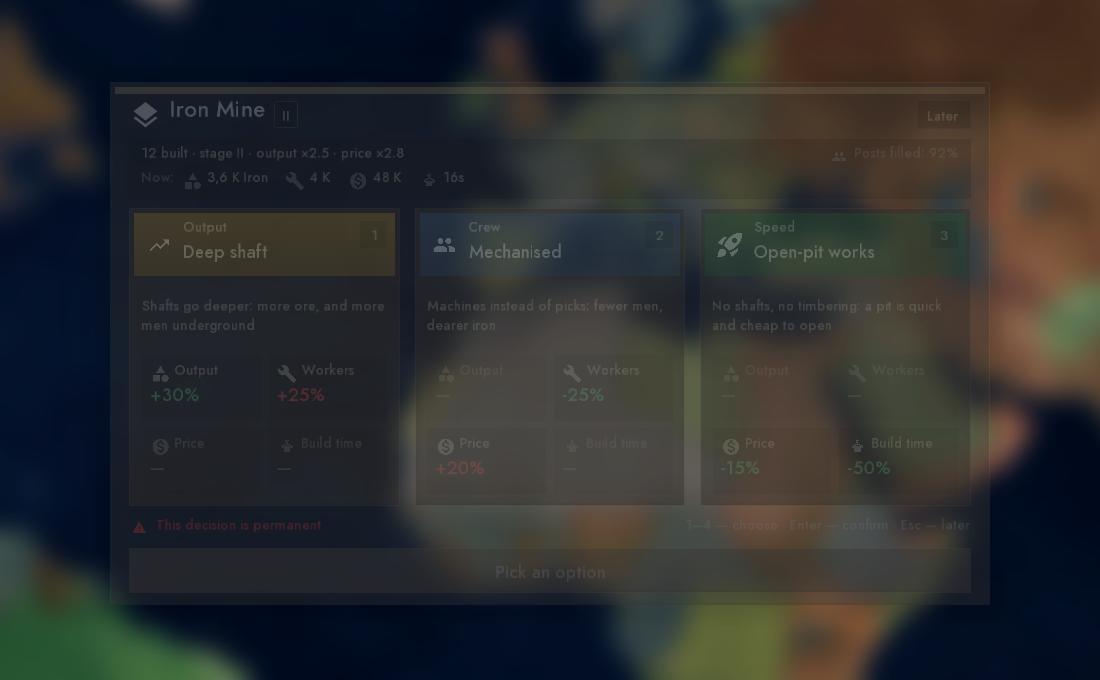
Extraction buildings, the steel mill and the refinery got real levels of development. Each tier gives more, but the next building of the kind costs more too; the building is renamed as it grows: a mine becomes an "Iron Megacomplex".
On entering the second and third tier a fork of three branches opens, and the choice is final: lean toward output, toward people, or toward speed and price. The choice window opens by itself, and while it is on screen the game is paused.
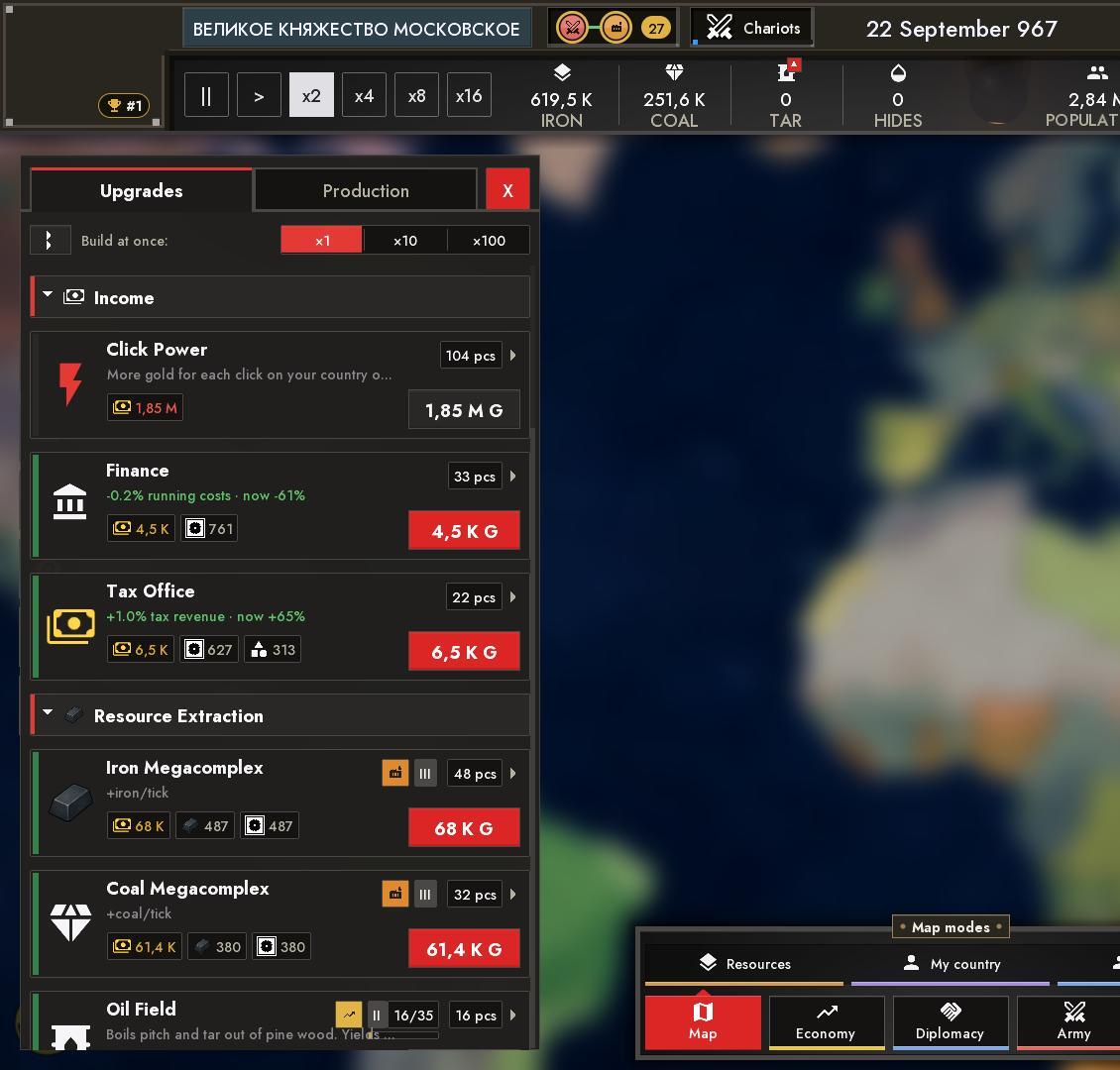
Buildings change with the eras
Buildings got a look for each era - with its own name and its own gate technology: Tar Kiln → Pitch Works → Oil Rig, Forge → Blast Furnace, Roads → Paved Roads → Canals and Highways → High-Speed Lines. Resource icons follow the era too. Three technologies of the zeroth era were added: "Alchemy", "Siege Engines" and "Falconry".
The production system
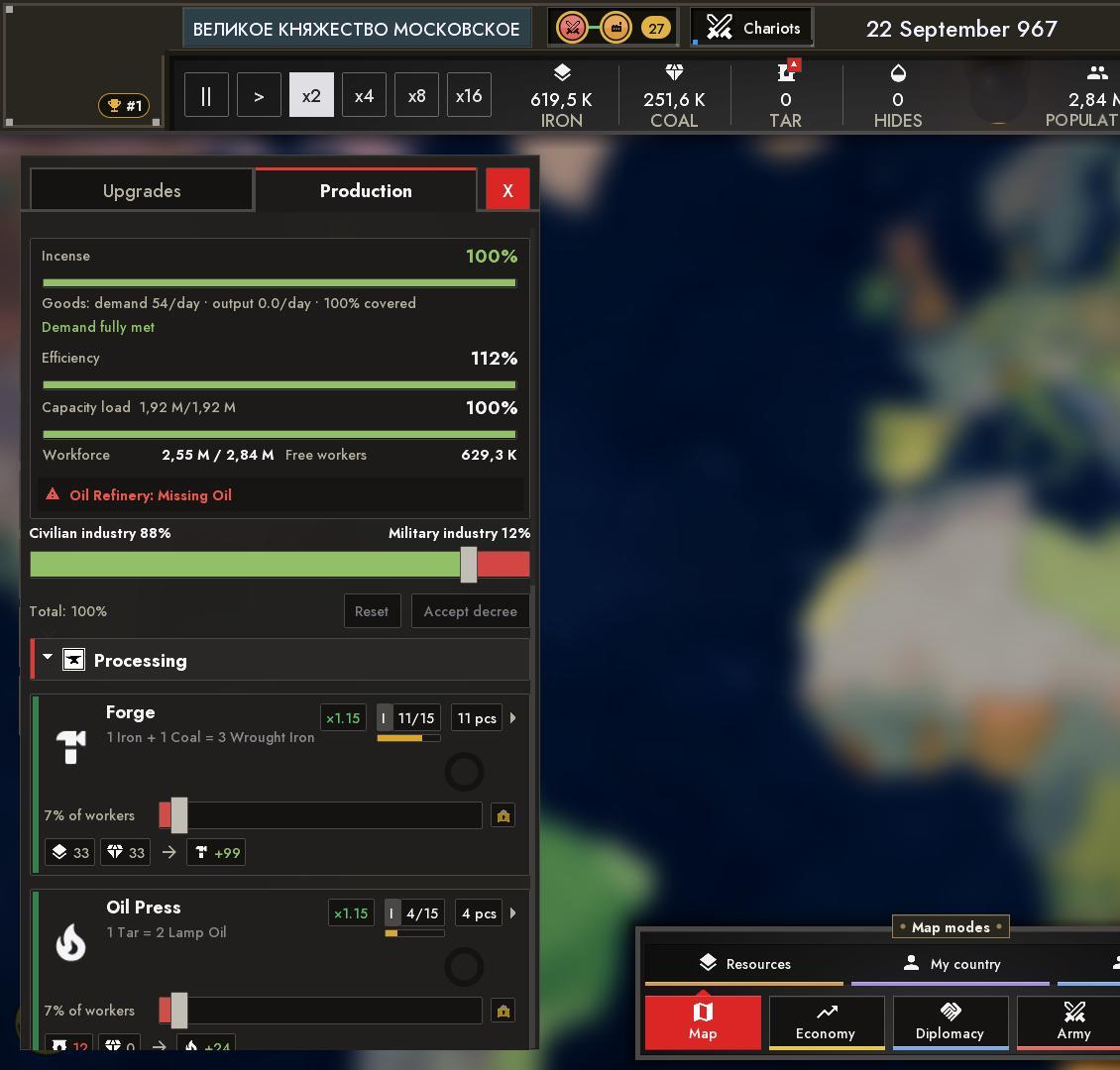
The upgrades menu (key E) has a "Production" tab: it shows only what is built and explains where goods come from. At the top are the balance of people, meters for capacity load and efficiency, and a "Consumer Goods" block with demand, output and coverage.
Each line has its own slider for the share of workers: the smaller the share, the slower the line, and zero is a full stop. A common "Civilian ↔ Military" slider redistributes workers between lines at once. Edits pile up as a draft and are applied with "Accept decree". The ring in a line's square shows the progress of the output cycle (green - working, yellow - short of raw materials, red - short of workers), and you can click it to speed the output up. A building page has a "Production chain" card: who feeds this building, whom it feeds, and what is missing.
Deposits
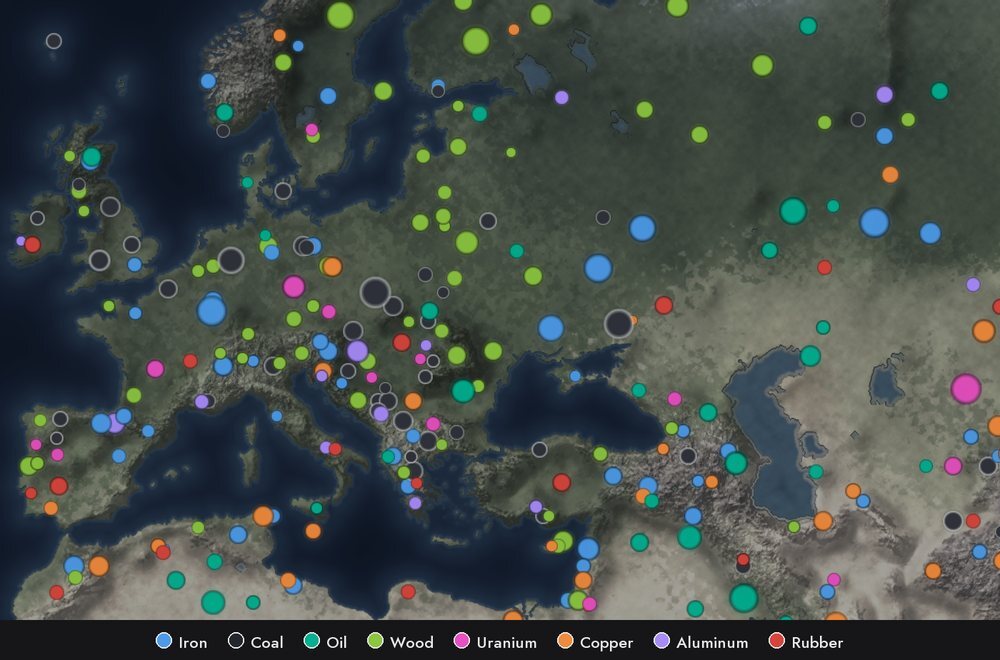
Ore is no longer "everywhere": deposits are specific places on the map tied to the landscape (mountains - iron, copper and uranium, sands - oil, tropics - rubber, taiga - timber and so on). No deposit, no mine, and there is no oil at sea. A country bigger than an islet is guaranteed a few strategic deposits. A new "Deposits" map mode shows every field.
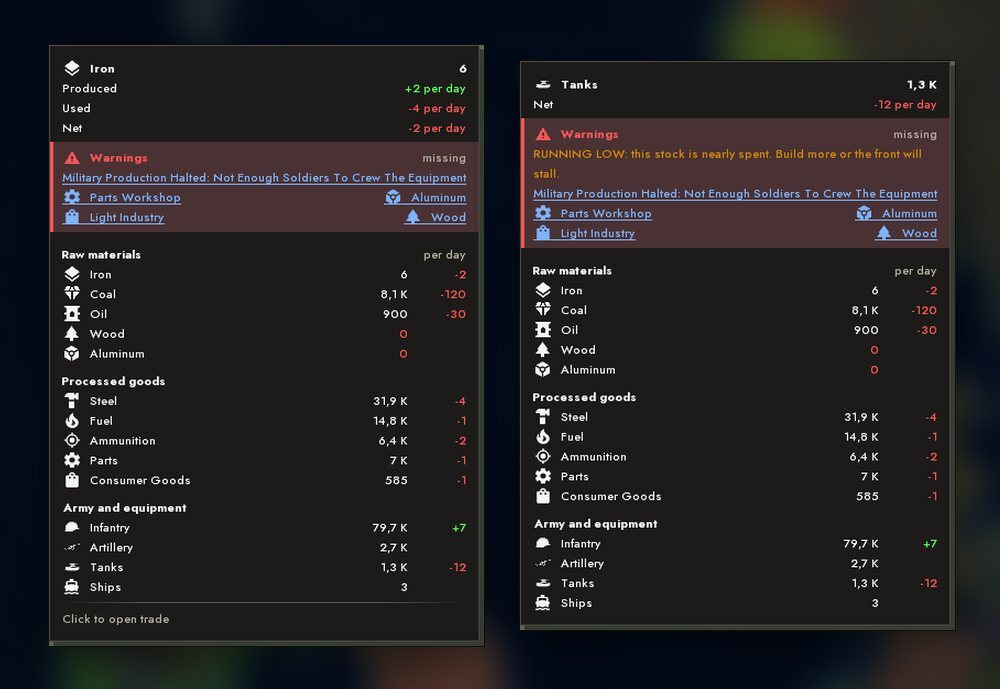
A shortage of raw materials is visible right on the top bar: iron, coal, oil and rubber show a shortage icon, a tap opens trade, and hovering shows a stockpile card - stock, extraction and consumption, what stands idle and what is missing.
Budget
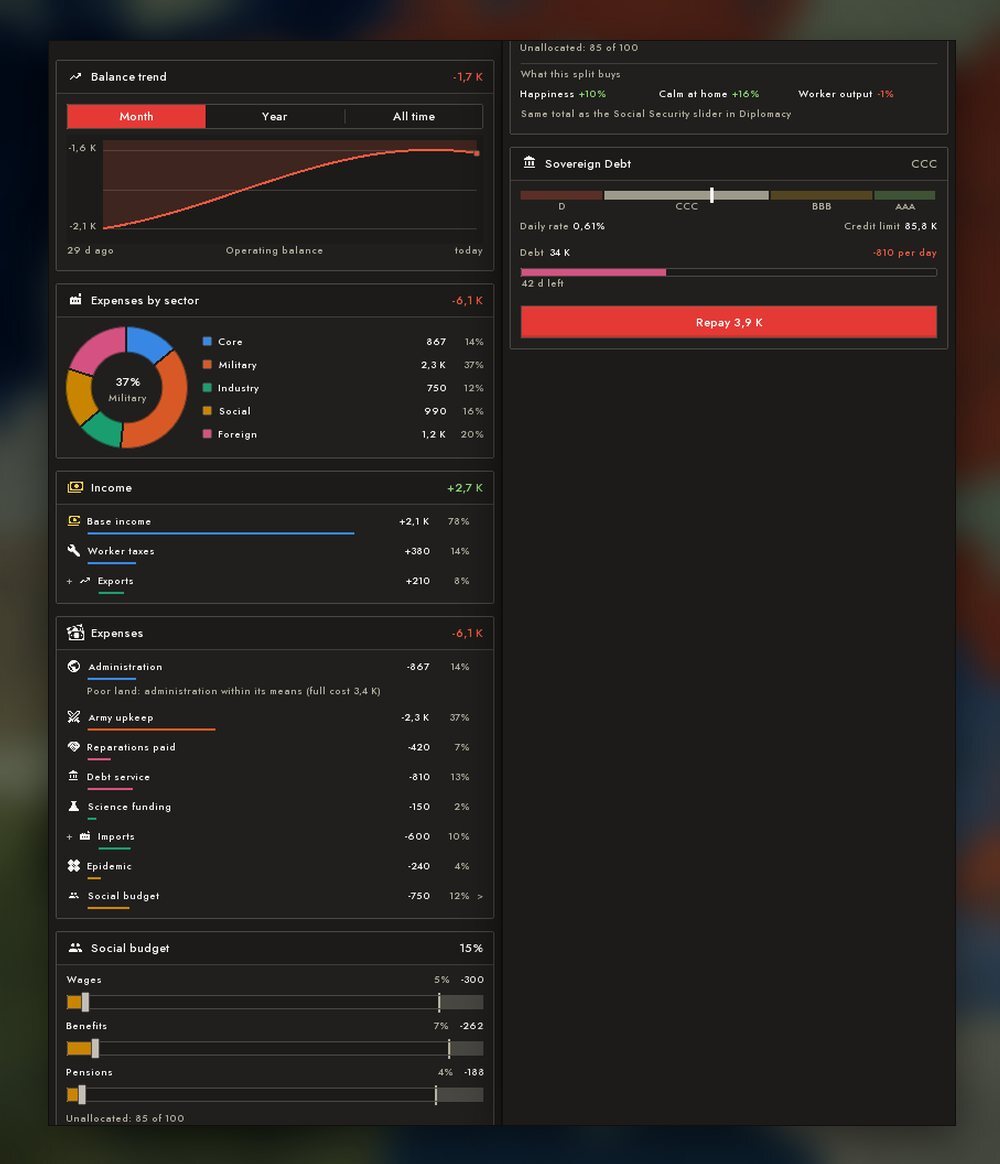
The new budget window is a slide-out panel on the right (the treasury tile on the top bar, or the B key). At the top are net income and a graph by day, below are cards: spending by sector, income, the social budget and sovereign debt. Rows with an arrow lead to the menu that changes them.
The social budget is split into three sliders - wages, benefits and pensions. The window shows at once what the chosen split gives.
Living standard
A separate scale of citizens' living standard - from Poverty to Prosperity. It is made up of the country's development, happiness, social spending, wages, consumer goods, the cycle zone and the form of government, and war pulls it down. It affects population growth and worker output, and when it is low the risk of a strike builds up: for a while output, taxes and conscription drop. The population now really consumes goods provided by light industry and imports - the economy is no longer abstract. The level is shown on the top bar, in the "Living standard" map mode and in the "How People Live" card.
Loans, debt and default
The budget has a "Sovereign Debt" card with a credit rating. The rating sets the loan limit, the rate and the term. Debt service has rows of its own in the budget. Miss payments and you get a default: the market is closed for a long time, the risk of revolt grows and the debt is cut. Only the player can borrow from the market. Between countries loans are made against land through the agreements desk: fail to repay and the pledge goes to the creditor, who also gets a reason for war.
TRADE AND DIPLOMACY
Trading by contract
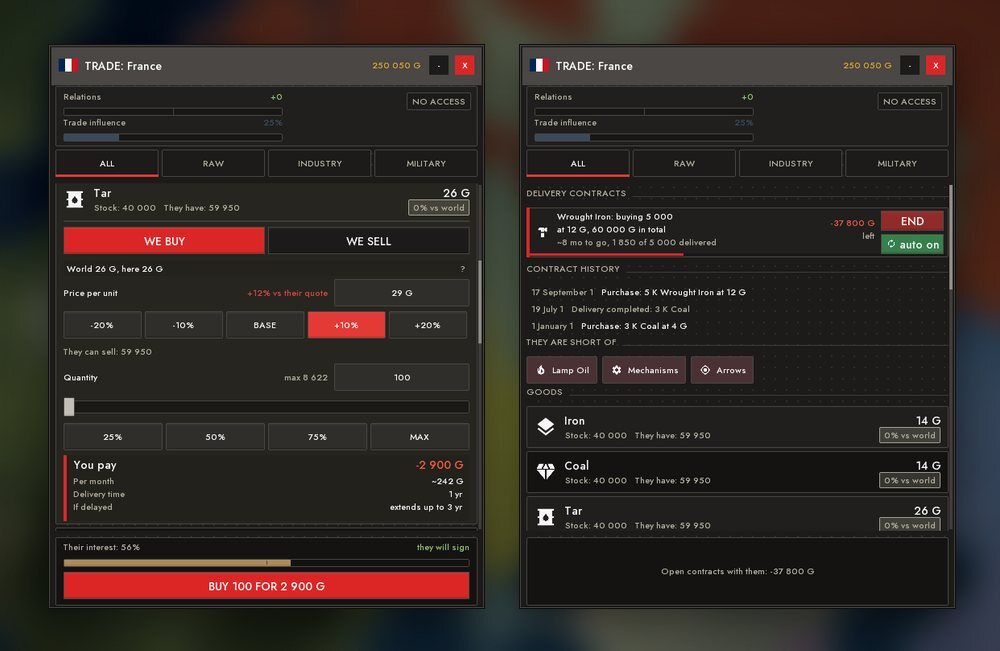
Instant buying and selling and the old "world market" are gone. Trade runs on two-sided contracts between countries: you order goods from a country at a price you name yourself. Delivery comes in equal batches, payment as they arrive. The seller is finite: it gives only what is above its own stock. A bot decides whether to sign: it agrees if you are not its enemy and the price suits it. The "AUTO" switch renews an order while the price is acceptable.
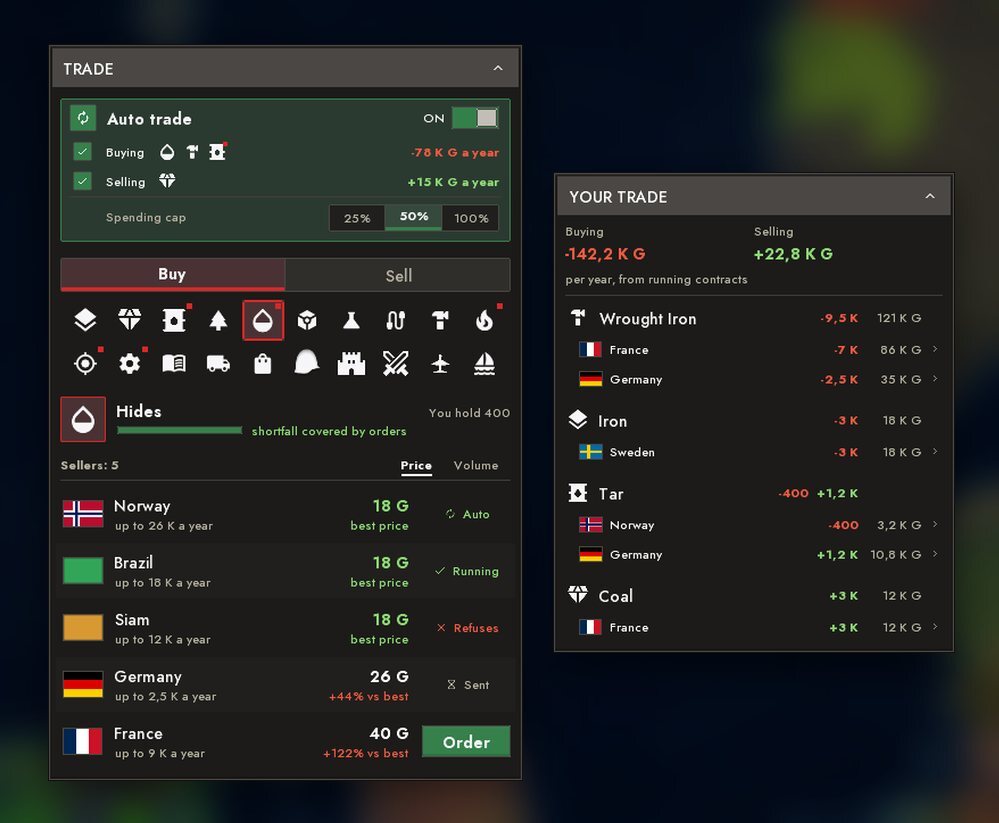
The price accounts for the seller's subsoil, relations with it, embargoes, sanctions and delivery. On the left is the "Trade" catalogue: who is cheaper for what, and an order is placed straight from the row; on the right is "YOUR TRADE" with totals by goods and by country.
There is also auto-trade - a card at the top of the "Trade" panel. Switch it on and once a month the country looks at what it lacks and what lies spare, and signs contracts at the partner's price: it buys the missing goods from the cheapest sellers and sells surplus to whoever pays more. It spends no more than the chosen share of income, and buying and selling switch on separately.
Trade routes on the map
Contracts are drawn on the map: a route runs along roads from the biggest city, dotted across the sea, and cargo tokens travel along it. Green - you sell, red - you buy, blue - open market access, thickness - volume. While the sides are at war with each other, or every route to the partner runs through a country at war with one of the sides, the contract stands still; when the road is free or peace is signed, trade resumes by itself. A country's "trade influence" colours the map and the scale in the country window.
The diplomatic agreements desk
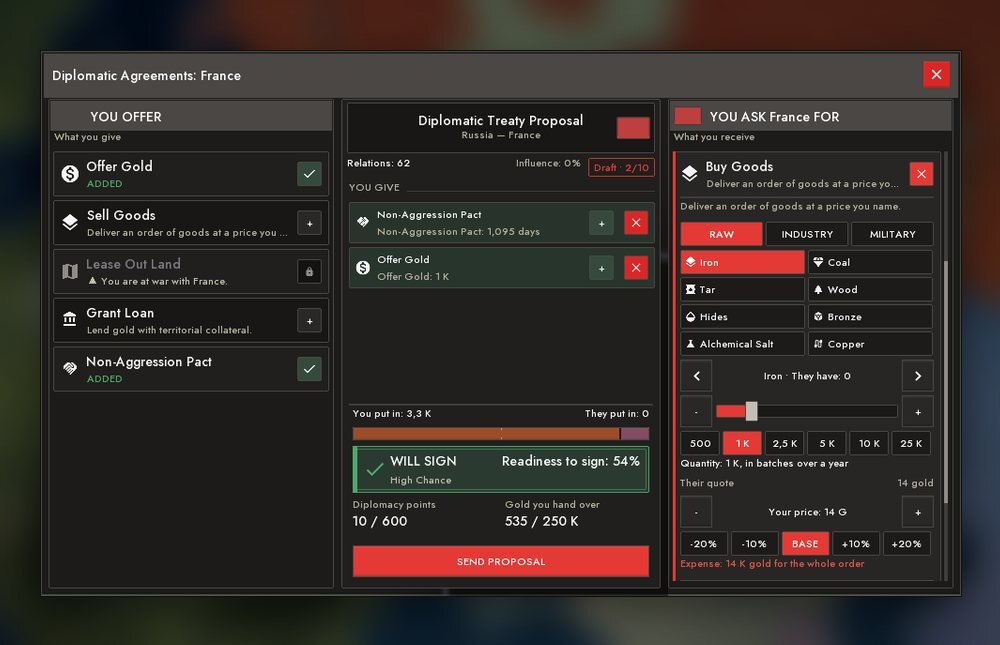
The "Diplomatic Agreements" button in a country panel opens a desk where a treaty is assembled from clauses. You give - gold, goods, a land lease, a loan, a non-aggression pact. You ask - gold, market access, land, a lease, goods, a loan, or war against a third country. At the bottom is a "readiness to sign" scale and a stamp: WILL SIGN, WILL REFUSE, CANNOT HONOUR or HOSTILE. The AI judges the treaty as a whole; a refusal costs nothing, and a treaty is signed only as a whole.
- Market access - opens another country's market and removes the embargo markup.
- Territory lease for a few years: leased land is hatched with a "lattice" in the owner's colour, and war between the sides voids the lease. If a tenant refuses to return the land, sanctions are put on it, and if it persists, a reason for war.
- Land purchase for gold or in exchange for land; influence can win a discount.
- A loan against land and the "Declare War on 3rd Country" clause.
Military alliances and economic unions
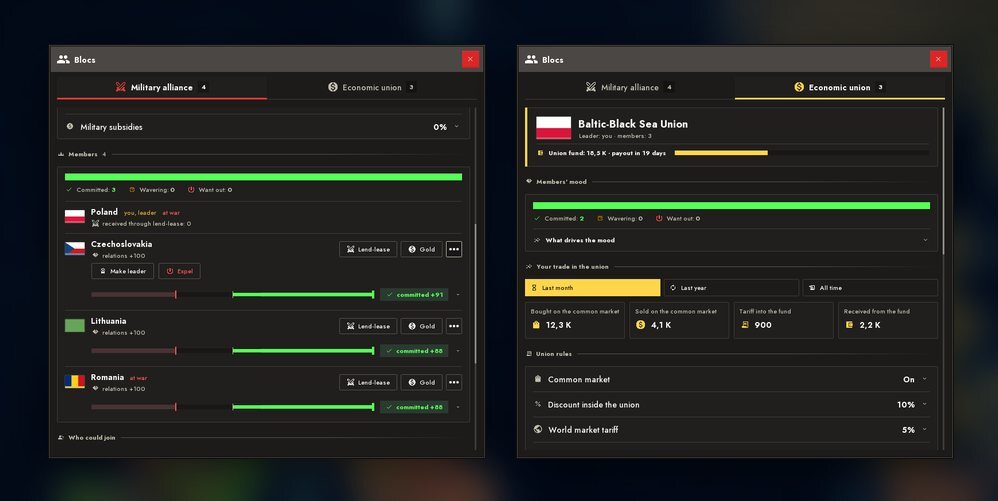
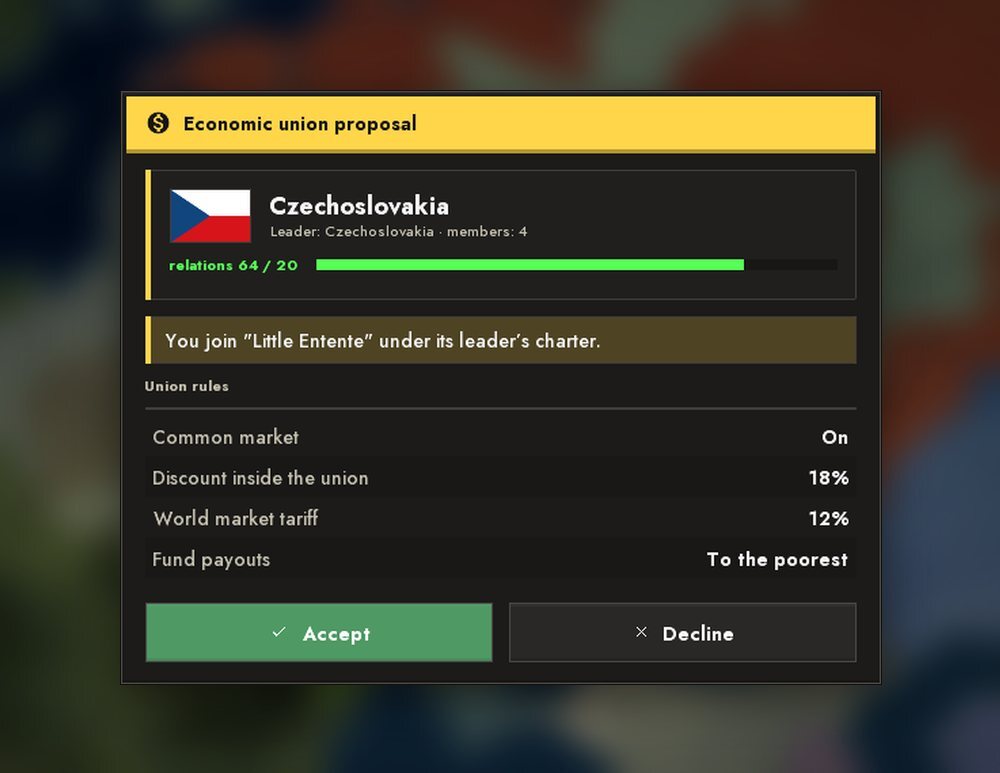
Alliances split into two kinds. In a military alliance the leader picks a doctrine - defence, offence, standards or mobilisation; allies can be handed equipment by lend-lease. An economic union has a common market, a discount on trade inside the bloc, a duty on outside purchases and a common payout fund. A bloc throws out members that fight each other. The "You are invited to a bloc" window explains the outcome: what happens to the charter and relations and who will leave the bloc. Someone else's ally can be pulled out of an alliance for influence.
Every member of a bloc has a mood: the duty angers a member by what it really costs it, and the reasons are shown in a hint of the blocs window. A bot asks to join a bloc only if it would stay in it, and when a member leaves a notification gives the reason. The "Alliances" map mode switches between military and economic blocs and has its own legend. A non-aggression pact together with good relations removes the war justification and the casus belli, the AI does not attack a pact partner or a country with warm relations, and the player's peace pulls allied bots out of the war.
Influence, regime change and uprisings
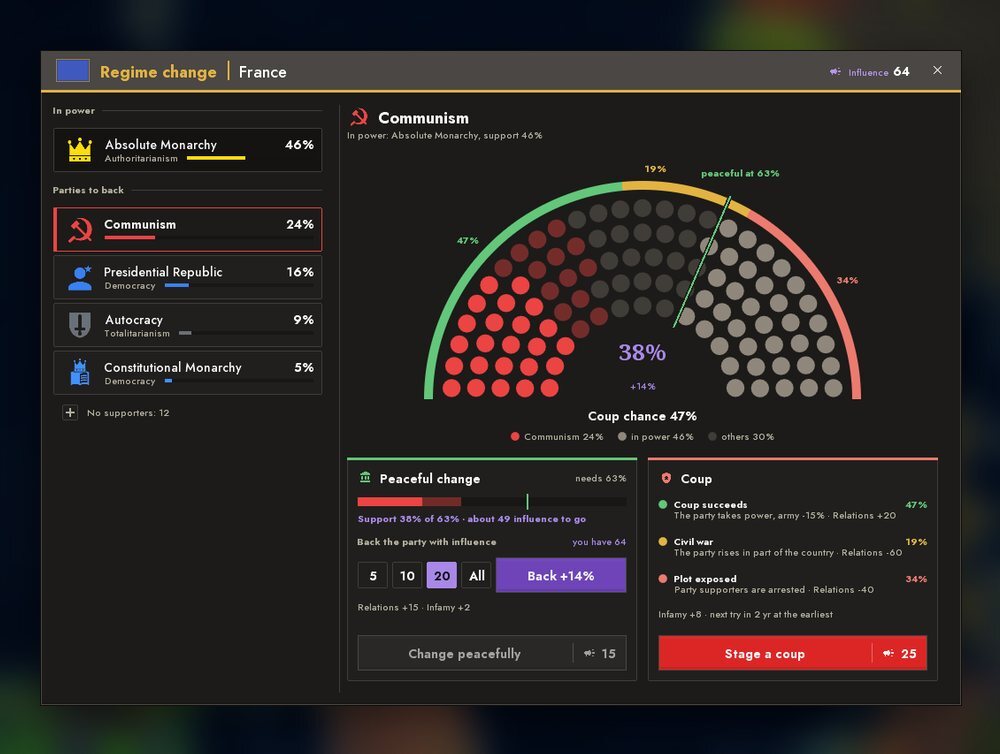
Influence is a new currency: gifts give relations and influence, and influence itself melts away with time. It can be invested in a foreign country: the "Regime change" button raises support for the chosen party. When support is enough, power changes peacefully; otherwise you can risk a coup: it can succeed, lead to a civil war, or fail and spoil relations.
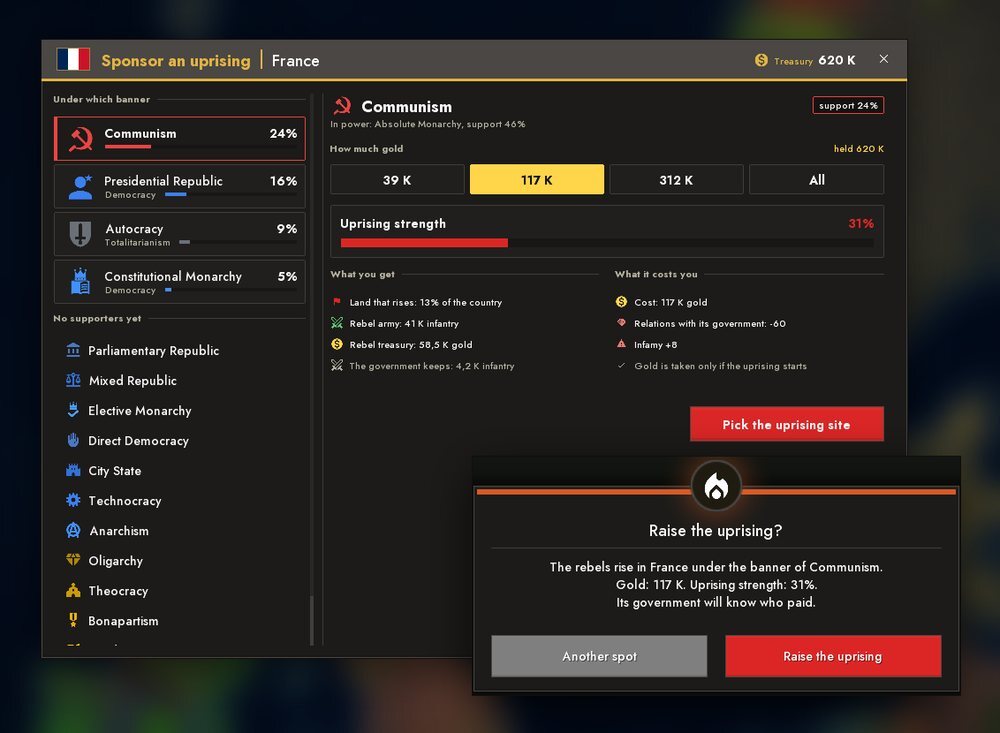
Influence and gold can also be spent on an uprising: the "UPRISING" button in a foreign country's panel. You choose the banner (the rebels' ideology), the sum and a place on its own land; in advance you see what part of the country rises, what army the rebels get and how relations change. The gold is spent only if the uprising really starts, and the authorities learn who paid. If an uprising is already running you can add money to arm new fighters. Bots fight rebels to the end, and a civil war ends with one side winning rather than splitting into two countries with different ideologies.
Forms of government and society
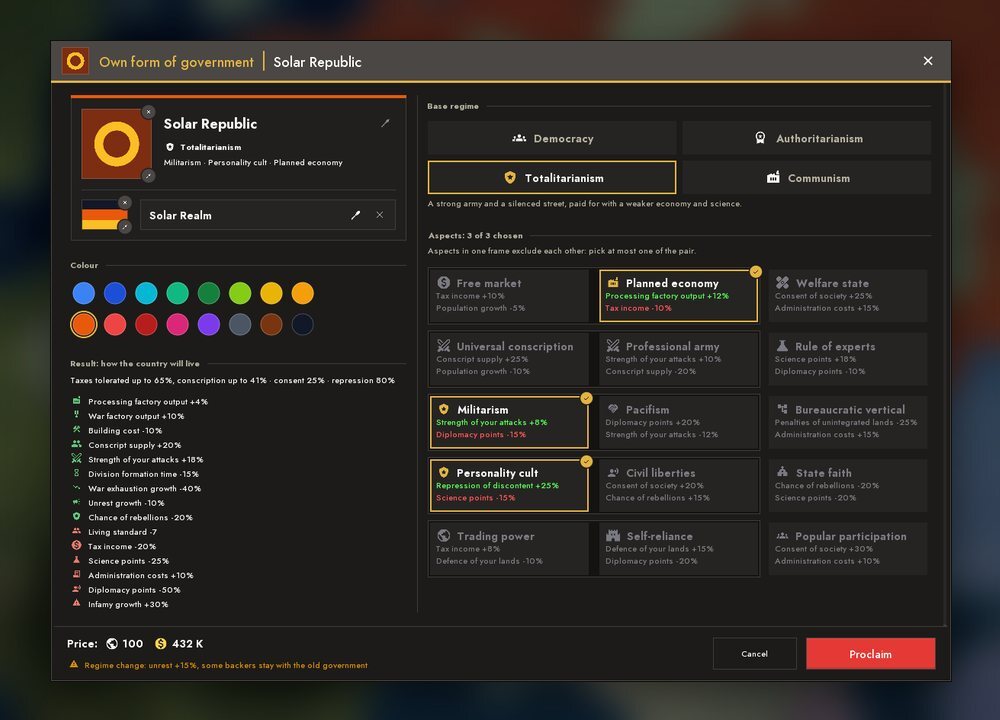
The rigid tax and conscription limits of each form of government are gone. In their place works society's tolerance: it grows with social payments, living standard and habit, while a sharp rise in taxes or conscription and cuts in payments hit happiness; strong pressure spills into protests. Forms of government are marked with white silhouettes. You can also create your own form of government: a name, a colour, a symbol, a flag and a few traits of your choice (each has its own price, and there are mutually exclusive pairs).
Course of the State
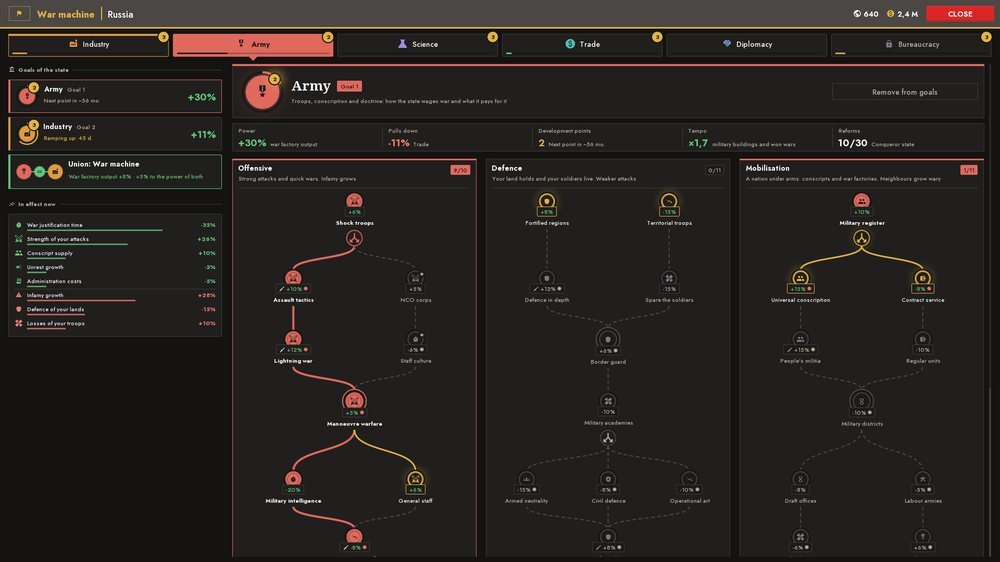
Six institutions - industry, army, science, trade, diplomacy and bureaucracy - develop along "goals of the state": you pick two, the pair gives a name and a bonus, and a conflicting one pulls down. Development points come with time, and each point is a reform from the tree (three paths, "either/or" forks, some reforms have a price and a "season" - war or peace). Reforms can be taken back for diplomacy points and gold. Only the player has a course; bureaucracy speeds up land integration. The course cell is on the top bar, the window opens with G.
LAND AND POWER
Land integration
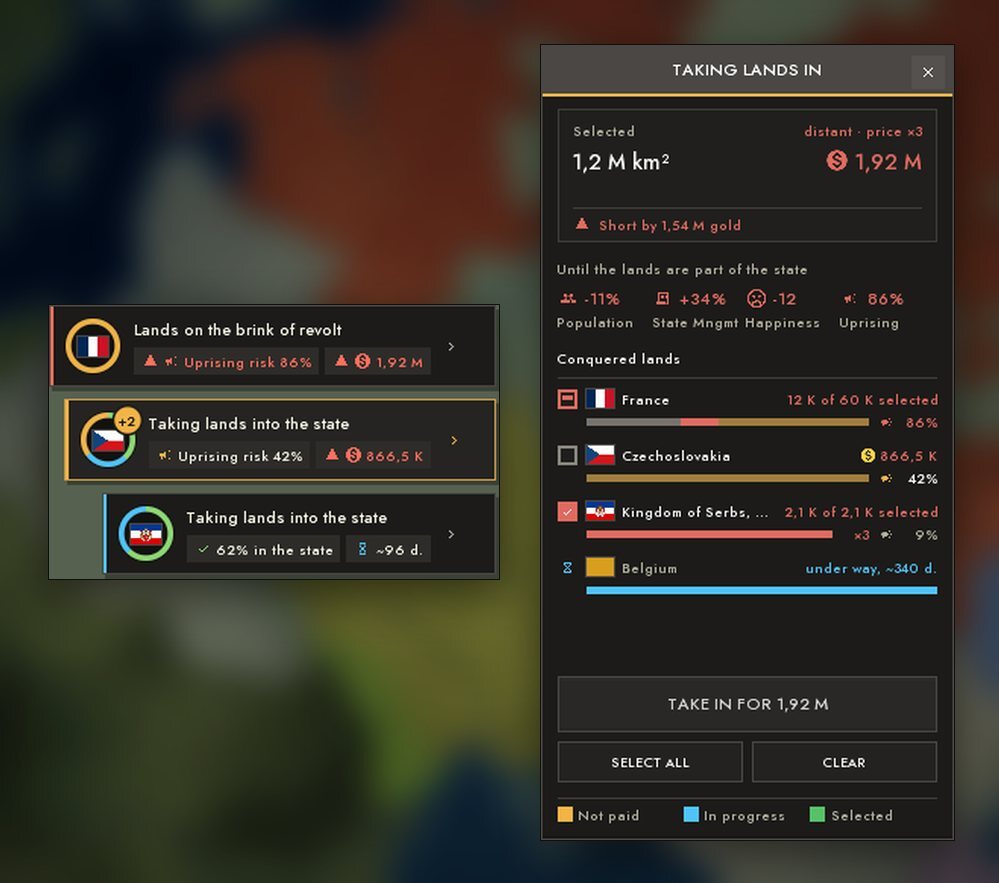
Land you capture or get by treaty does not become part of the country at once. While land is "not in the state", it gives few people and little income, administration costs more and happiness falls. Integration costs money and time, and the price grows with the distance from your border: the more foreign countries between, the dearer, and overseas land too. One work queue per country; bureaucracy from the "Course of the State" speeds it up. The penalties fade as the work goes, not only at the end.
Three states are visible on the map: occupation (dense hatching), "own, but not integrated" (thin hatching; in the "Land Integration" mode amber is unpaid and blue is in progress) and integrated (no hatching). A separate "lattice" is a lease. Progress is shown in your country panel, a chip with the revolt risk and the price hangs at the top right, and land is picked with a brush or a fill.
National uprisings
Every unintegrated nation builds up a risk of uprising: at war it grows faster, when overstretched faster still, and if the nation still exists, too. Paying for integration stops the growth at once. Warnings come in advance. When the risk reaches its limit the people secede: a dead nation is resurrected and fights, a living one takes its land and fights, and a vassal, an ally or a pact gives the land back without war. The strength of uprisings is configurable.
Puppets and vassals
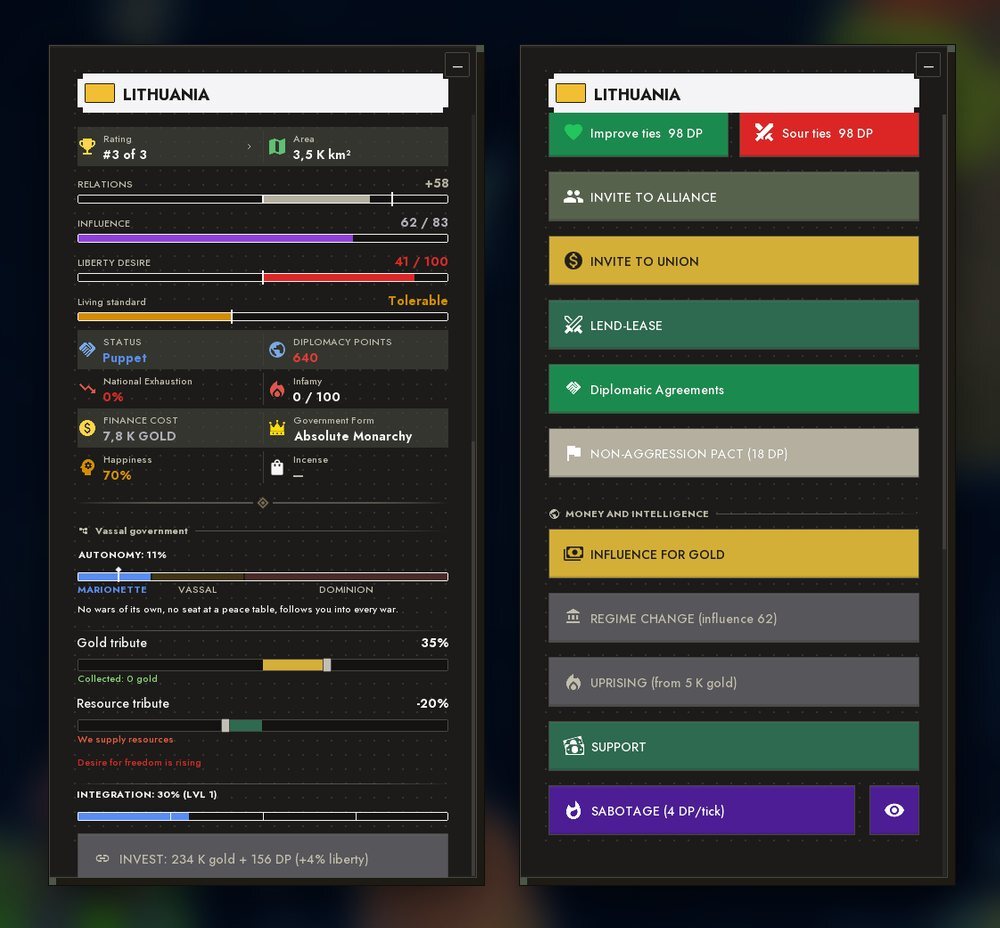
The engine that manages vassals was reworked. Autonomy equals the wish for freedom minus integration and falls into three levels: puppet, vassal and dominion. A puppet does not fight on its own and does not sit at the peace table (the "SATELLITE" mark; its suzerain speaks for it), and it joins any war after its suzerain. A vassal has no foreign policy. A dominion declares its own wars and shares the spoils. A country panel has a vassal block: an autonomy scale, tribute, integration and a border decree. Integration became much more expensive, and taking half the land of a fresh puppet no longer works - it rebels.
Formable nations
Formable nations are no longer a "set of whole countries" but drawn territories. To proclaim a nation you must hold almost all of its land as your own (occupation does not count), pay gold and have a suitable form of government. The window shows progress and who holds the missing land, and everything outside the territory is darkened on the map. Only a "claimant" can proclaim one. Bots form nations too: they gather the required form of government in advance and shift their war goal toward the holders of the missing land. Proclaiming a nation integrates its land into the country at once. There is also a formable-nations editor (see "Editors").
WAR
Initiative bubbles
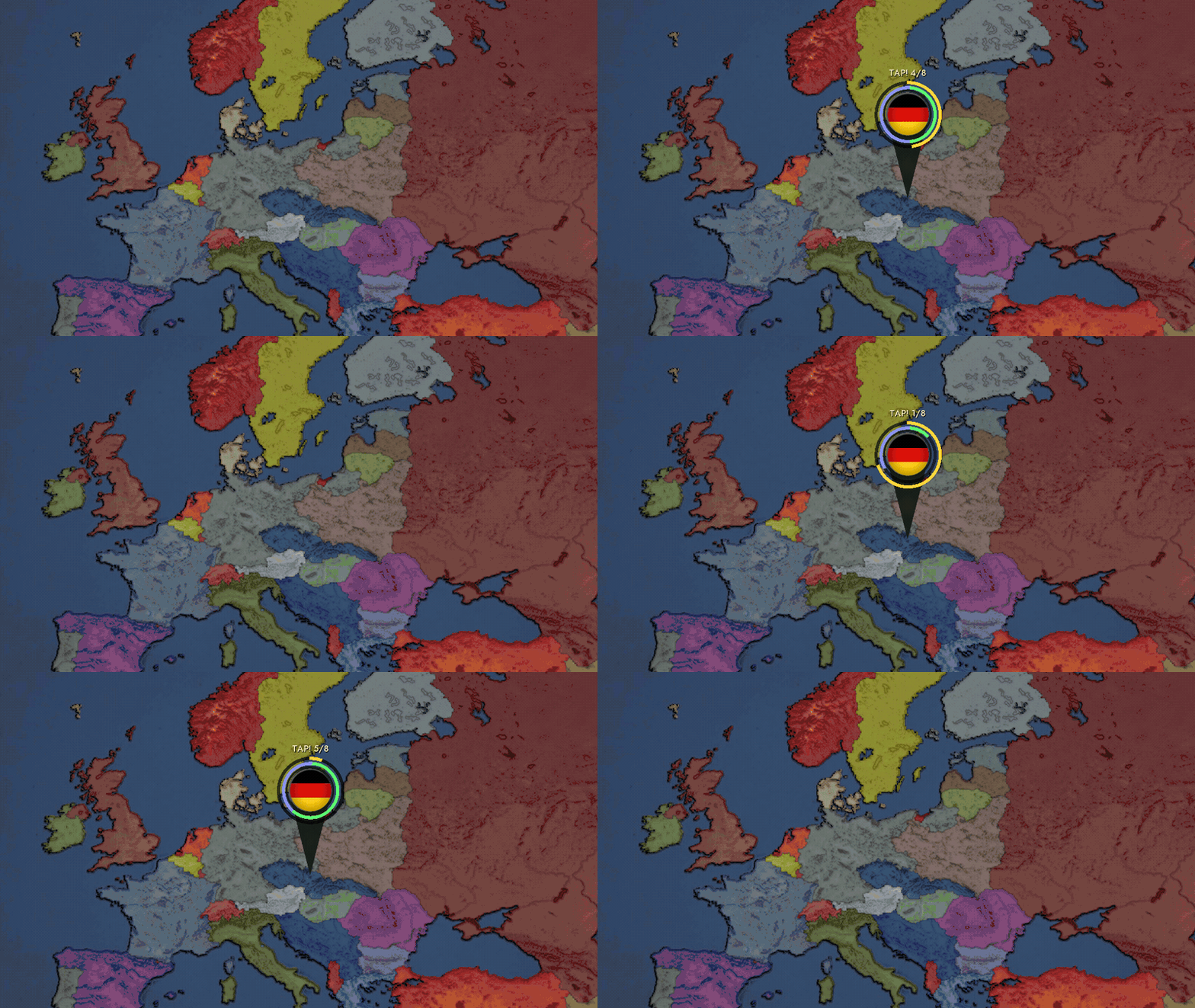
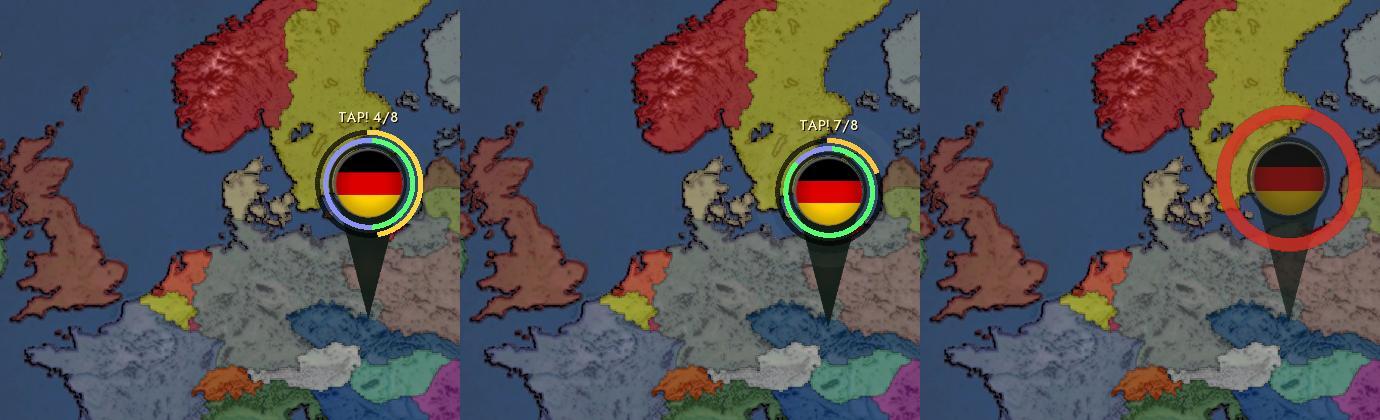
A mini-game during war. On the front line, right on the map, a pin appears with the enemy flag, a "TAP!" label and three arcs: gold - time, green - your clicks, steel-violet - the bot's share. You have to click the pin full in a limited time, but it is not just a race with a timer: the bot fills its bar in parallel, and whoever finishes first takes the sector. Win - and on that stretch of the front your waves are stronger and more frequent for a while, the enemy's weaker, and you get free click waves. Lose - and the initiative goes to the enemy, all mirrored.
The higher the difficulty, the less time and the more taps; on the easiest levels the bot cannot make it, and you can only lose to the timer. A bubble appears on land only and only in your own wars, not in the tutorial. Pause honestly freezes the timer; if the front line moved or a panel covered the pin, the window is cancelled without a penalty.
Forming the army: doctrine
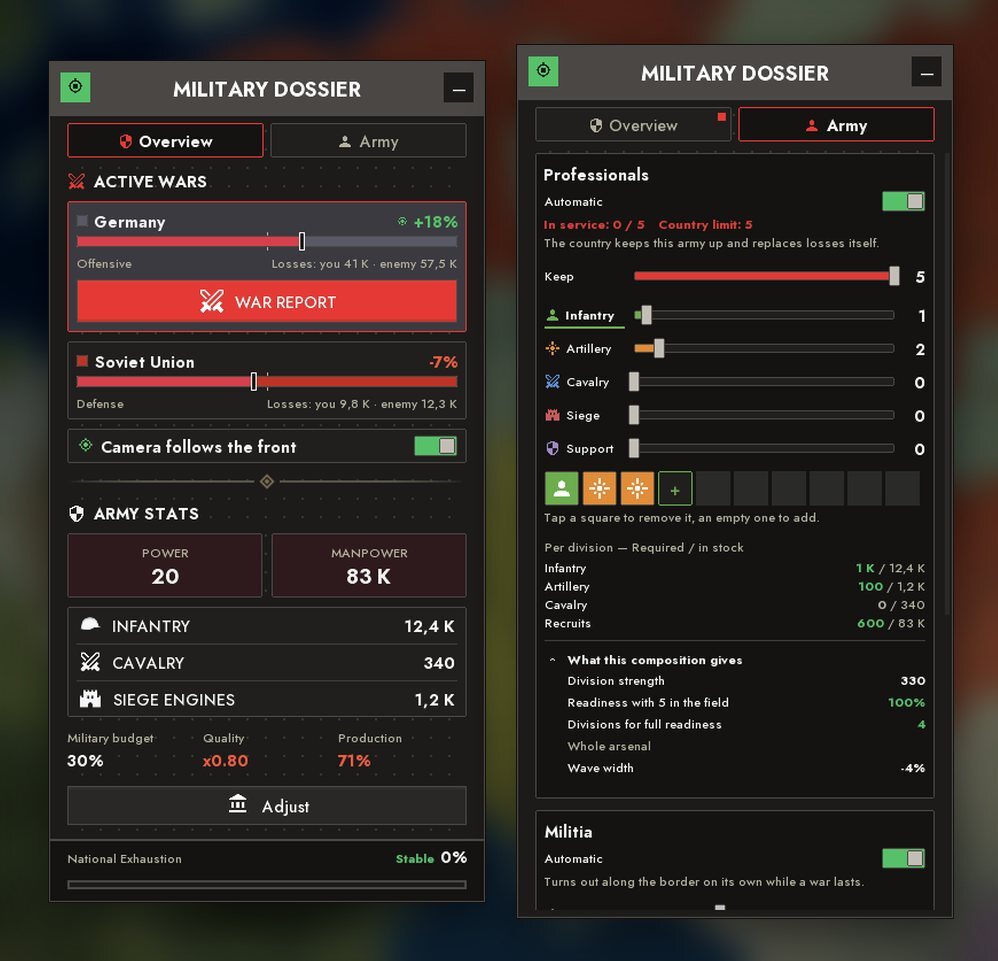
You no longer have to assemble each division by hand. The player sets the composition and how many divisions to keep, and the country recruits them itself and replaces losses; by default it all works automatically. The number of divisions depends on the size of the country (the ceiling grows with the military budget) and on what the equipment stockpile can carry. The composition is chosen by what the country is really rich in: lots of tanks - tank divisions, only infantry - infantry ones. Divisions are added one at a time and complete themselves to the composition, and disbanding returns part of the equipment.
Militia now also has a composition and needs people. Posts tie up recruits, and a shortage of people cuts their weight. The menu is at "Army → Military Dossier → the Army tab"; any slider switches to manual mode by itself, and you can go a whole game without ever opening it.
The dossier has a note "What this composition gives": division strength, readiness, wave width and the weight of a militia post. Wave width depends on the whole arsenal, not on the template, and terrain and march speed do not depend on composition.
The "one year into the war" forecast
Before declaring war the comparison of forces shows not only "now" but "one year into the war": the military budget and the bot's production, recruits, losses. The verdict and the warning "The enemy arms itself faster" say that dragging a war out does not pay.
Peace conference, bought with points
The war score is made up of land, losses and battles and turns into a budget of points spent on peace terms. Vassalisation and regime change cost more than ordinary terms, and there are new ones: "Free vassals", "Free a nation" and "Break alliance". Satellites sit without a voice, and their points go to the suzerain. Someone who did not fight on their own (joined at an ally's call) gets a white peace with no table and no spoils. If you lose, the winning bot composes the terms: it demands part of your land with cities (or makes the rest a vassal), and you can sign, give other land of your own worth no less instead (picked with a brush on the map) or refuse; refusals are limited.
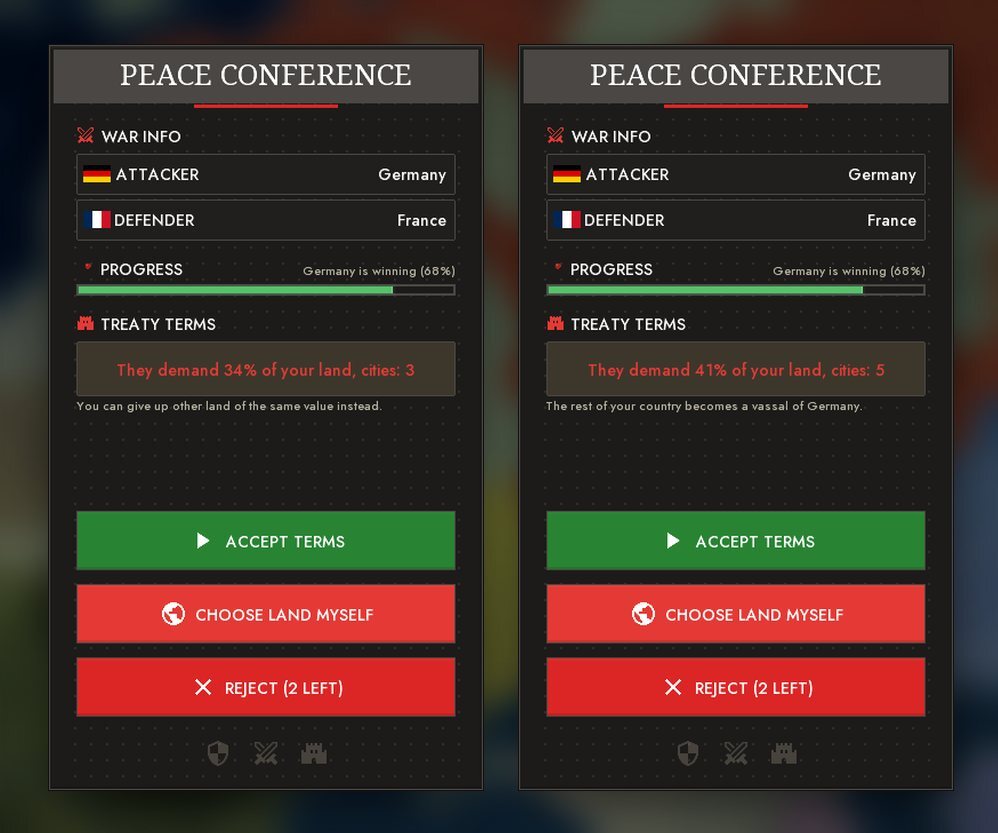
Peace with a bot
The answer to "ask for peace" no longer depends on a die. A bot that has just taken land and is not exhausted refuses; otherwise it signs after a long lull on the front; at once - if it lost a lot of land, is exhausted or is ruined by a nuclear strike. A refusal names the reason and the term, and diplomacy points are spent only for an accepted request. A bot itself offers the status quo, and a frozen front and a war that runs too long end in peace "as is".
Orders, camera, war mark and nuclear strikes
- The order arrow presses every enemy whose land the line crosses, not only the country under the tip. While an order is carried out, chevrons run along the shaft.
- The camera behind the front: a crosshair button in the Military Dossier (or the F key) - the camera rides along the line of the chosen war and follows it. WASD or the middle button release it.
- The war declaration mark: a strike flies from country to country in an arc, at the border there is a ring and a plate with two flags, a coalition is a fan. Bots' wars are visible too.
- Allies: "Join an ally's war" - without a justification and without infamy; the commitment "Defence only / All wars".
- Nuclear strikes: shake, flash and sound only for the block in frame; the AI does not strike where its own divisions stand.
War balance
The front moves slower, losses per battle are lower, attacks are weaker in the first minutes of a war, and against an exhausted enemy a "breakthrough" is possible. The army became more expensive: equipment in divisions pays upkeep and eats ammunition. A bot builds its army more fairly than before, and fortifications are weaker.
INTERFACE
The main menu and a map instead of pictures
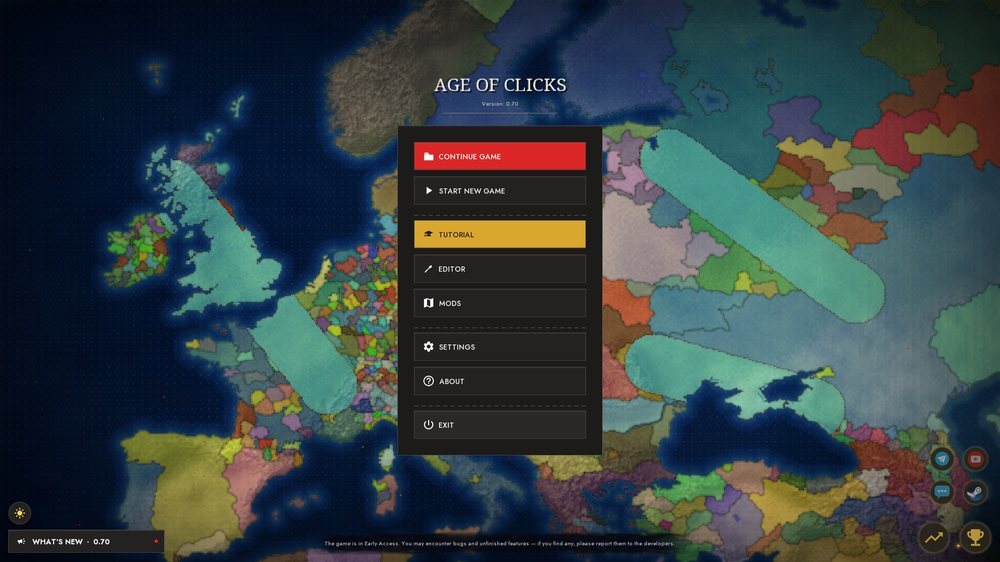
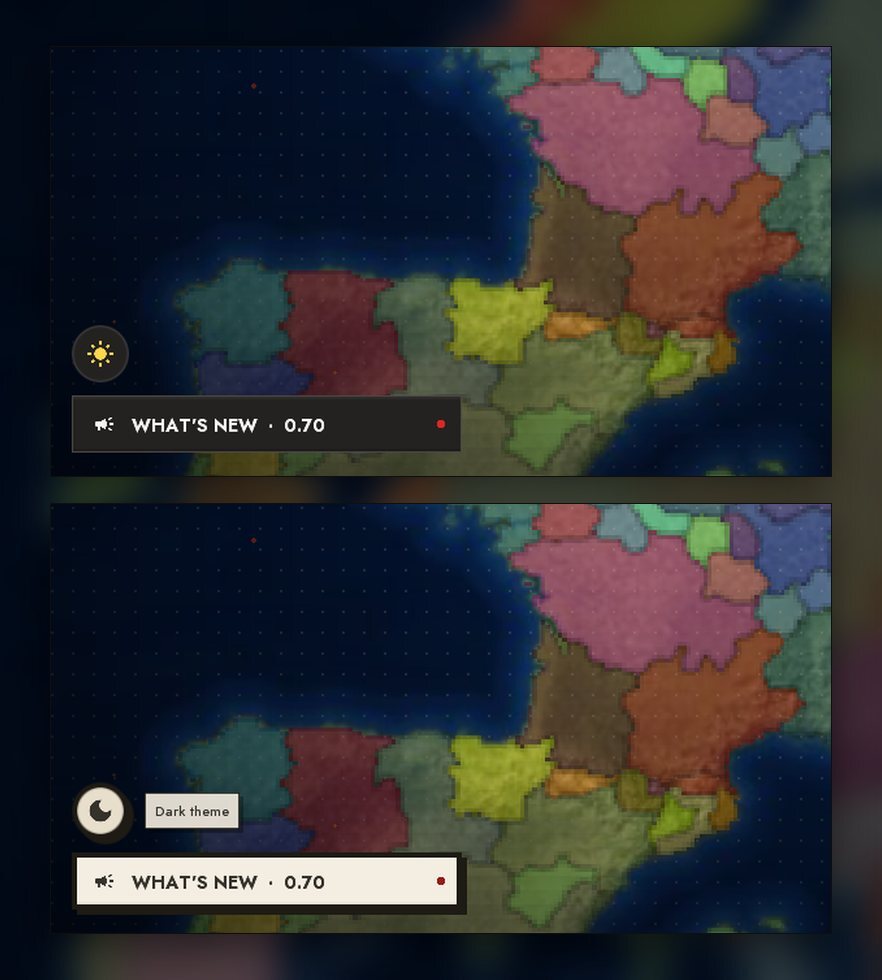
The menu became a single column (the "Play" submenu is gone; there is one main button - "Continue Game" if there are saves, otherwise "Start New Game"). Illustrations in the background were replaced by a living world map: a click and a drag paint land in the colour of the chosen country, quick clicks build a multiplier, and when almost all the available land is painted the countries crumble and another era grows. Paint all the maps - the "Breach in Time" achievement and a charm. Bottom left is the "What's new" block with a red dot (it unfolds into a panel), above it a round theme button (a moon or a sun): switching the light and dark theme runs as a circle growing from the button itself. On the right - "Statistics" and "Achievements".
 Charms are souvenirs on a string with physics: they hang from the screen edge and panels, and if you pull too hard they snap off with a "Delete?" prompt.
Top bar, bottom dock, hotkeys
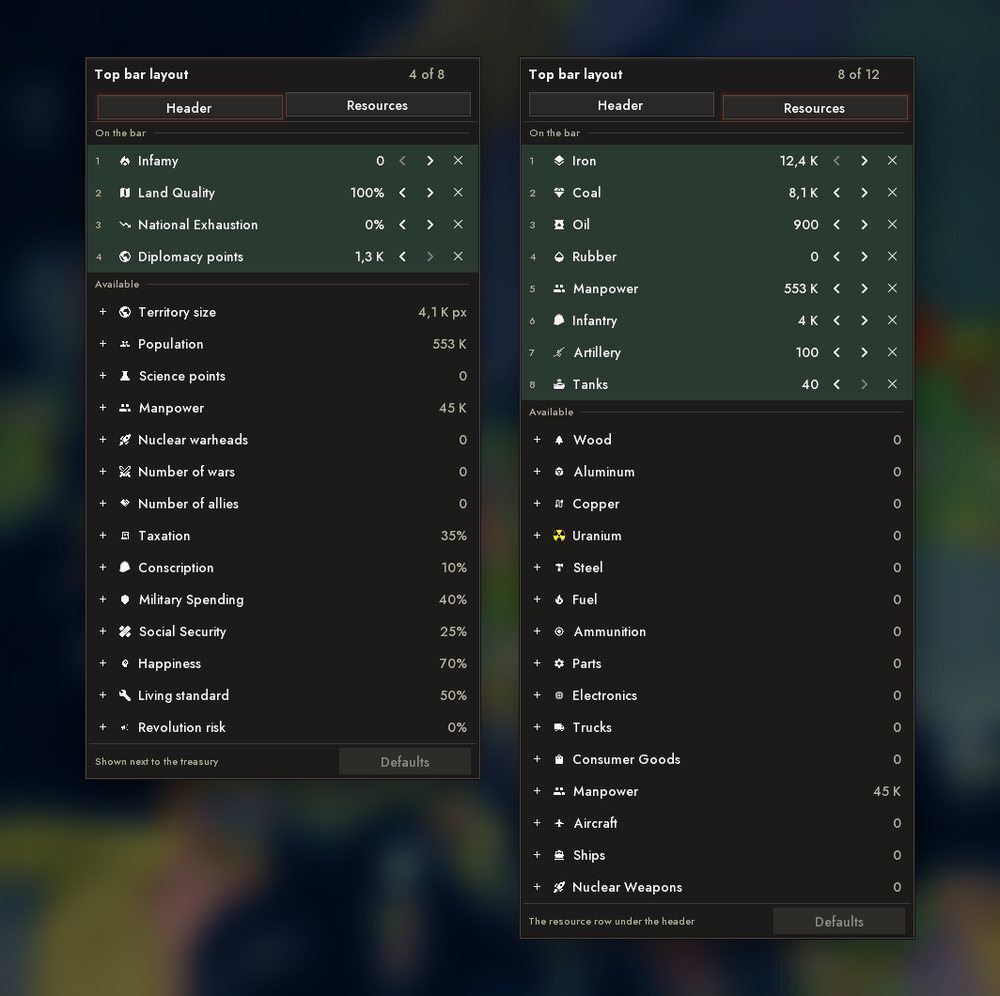
The top bar can be assembled to taste: the "+" circle left of the gauges opens "Bar setup". The "Header" tab is a set of gauges, the "Resources" tab is the resource columns. Rows are dragged straight onto the bar, arrows move, a cross removes, "Defaults" restores. The country flag became a large waving cloth with a ranking badge; there is a "Course of the State" cell, a treasury tile (a click opens the budget) and shortage icons on iron, coal, oil and rubber.
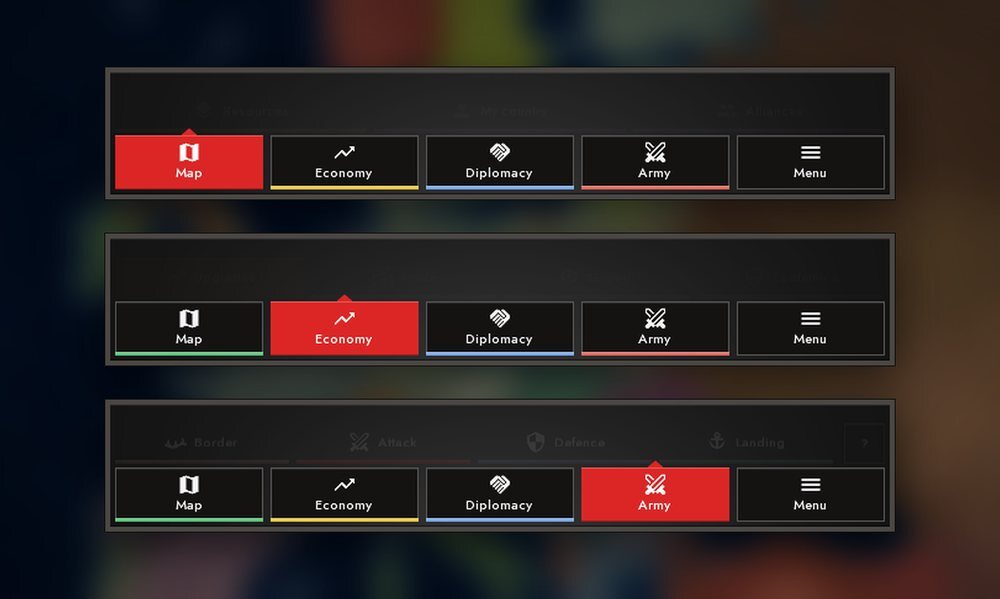
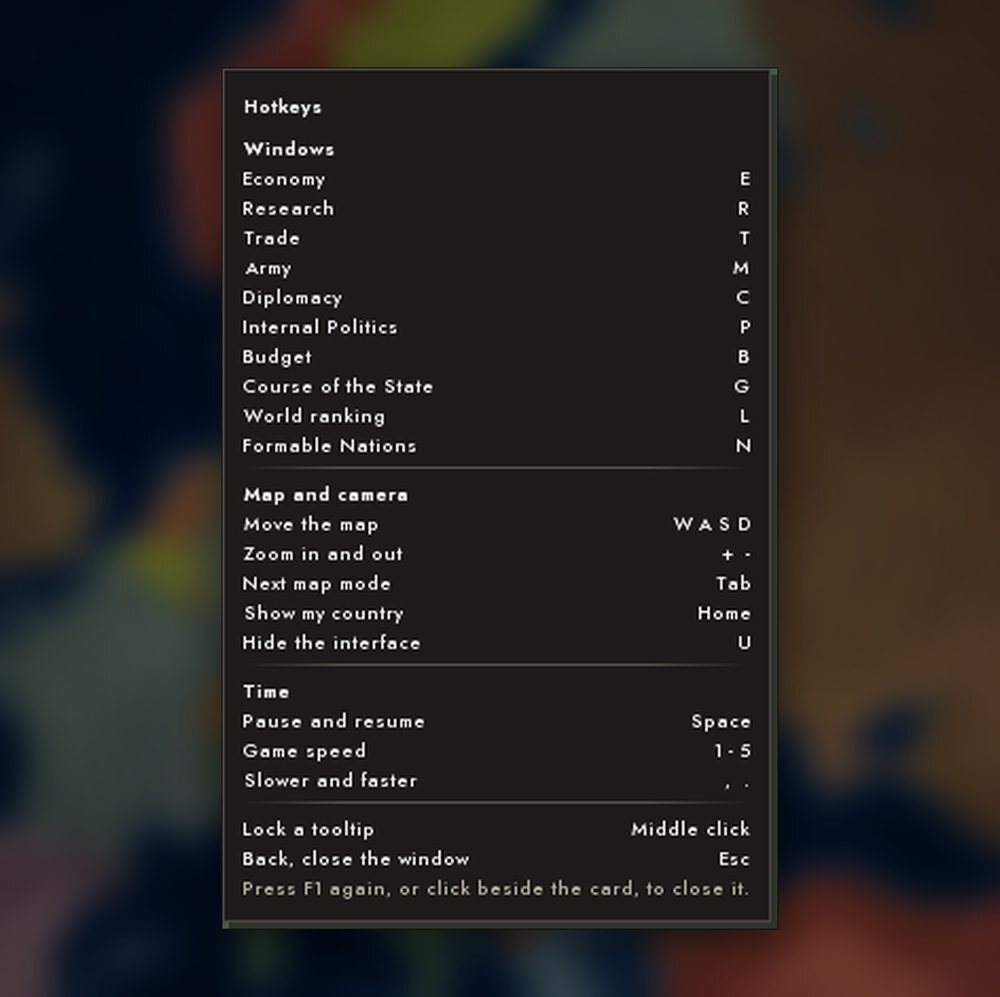
The bottom dock has captions under the icons and a coloured line at the base of the tabs. On PC there are hotkeys: E - economy, R - research, T - trade, M - army, C - diplomacy, P - own politics, B - budget, G - course, L - ranking, N - formable nations (pressing again closes the window); Tab and Shift+Tab - map modes, Home - to your country, "," and "." - speed, plus, minus, PgUp and PgDn - zoom; F1 - a card with all the keys.
World ranking
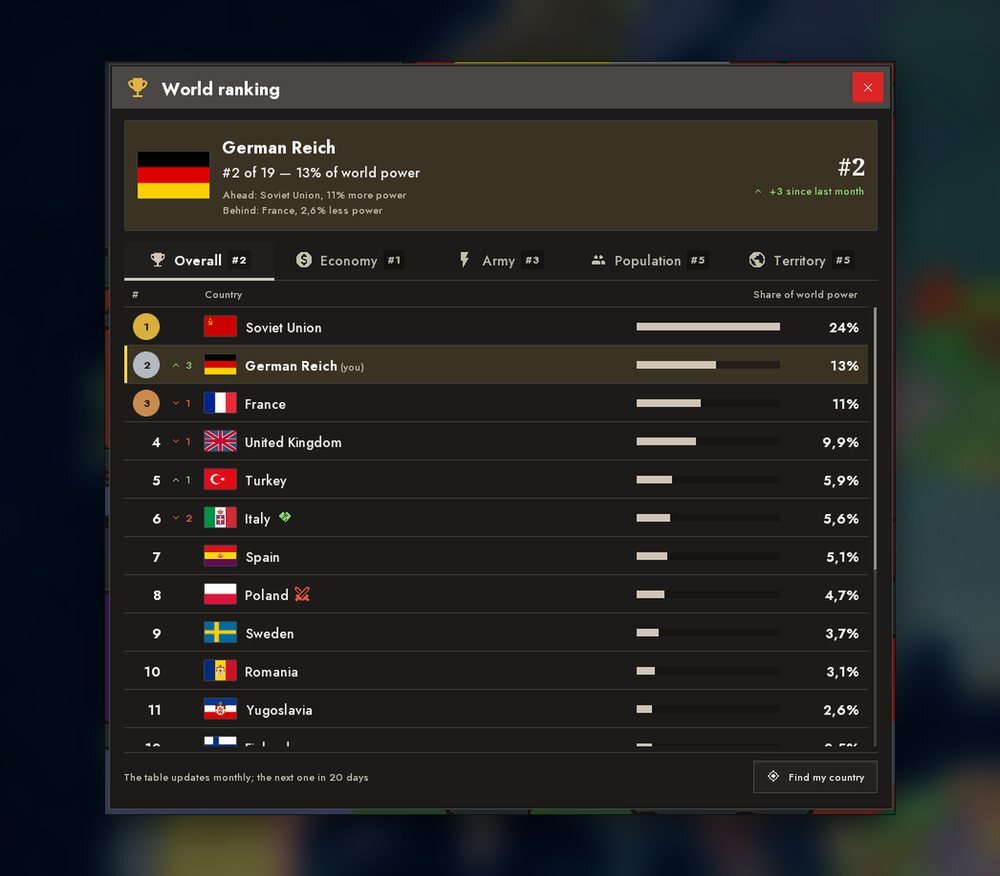
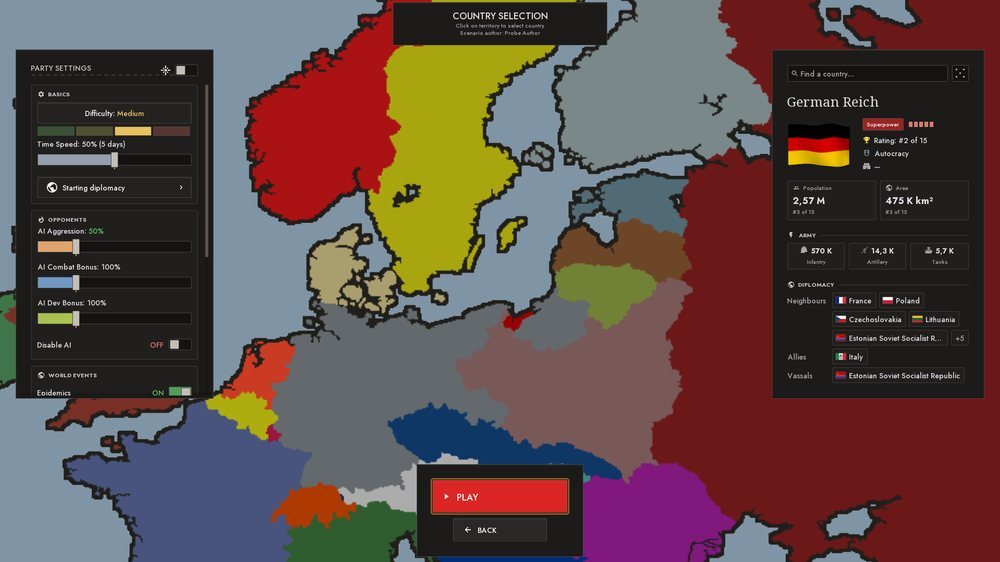
A window on the L key, a badge by the flag, a cell in diplomacy and a row in country selection. The place is set by the share of world power: economy, army, population and territory. The table updates once a month, has several tabs, and a row expands.
Screens and cards
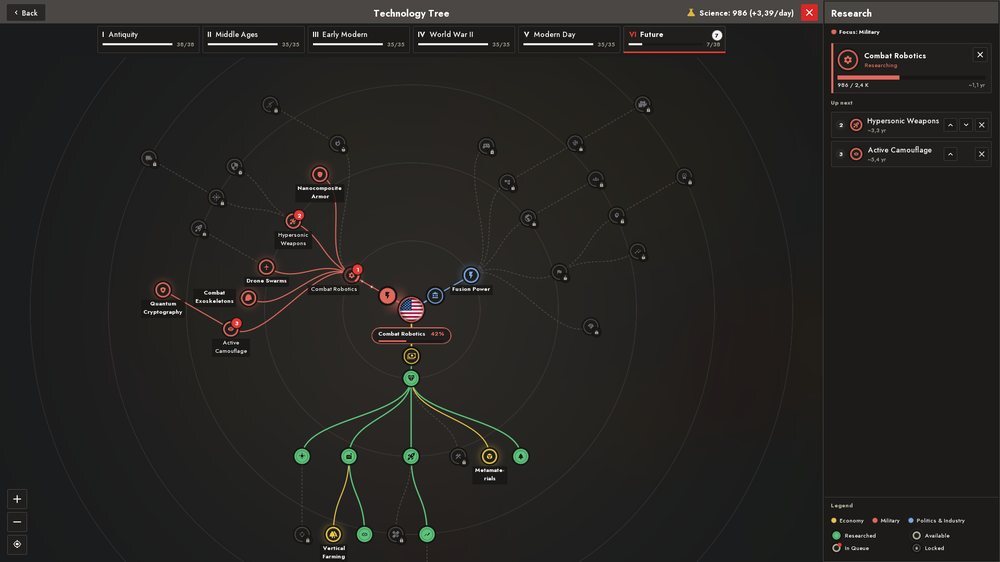
- The technology screen was rebuilt: researched nodes are green, branches are colour-coded (army red, economy yellow, politics blue), available ones glow; a queue with buttons, a card with a single button, an era ribbon, wheel zoom. At the end of the tree is a new era, "Future"; branch hubs and node labels no longer overlap.
- The notification feed: cards under the top bar instead of flat toasts - threat and coalition, land integration, a national uprising, the course, regime change; a click closes or moves the camera.
- Cards: "resource stockpile", "what a city gives", the epidemic report in a large font. In tooltips a gain is green and a cost is red.
- Country selection was rebuilt: settings in frames, a card with a waving flag, form of government, capital, ranking and starting army; chips of neighbours, suzerain, enemies, allies and vassals pick a country and fly to it.
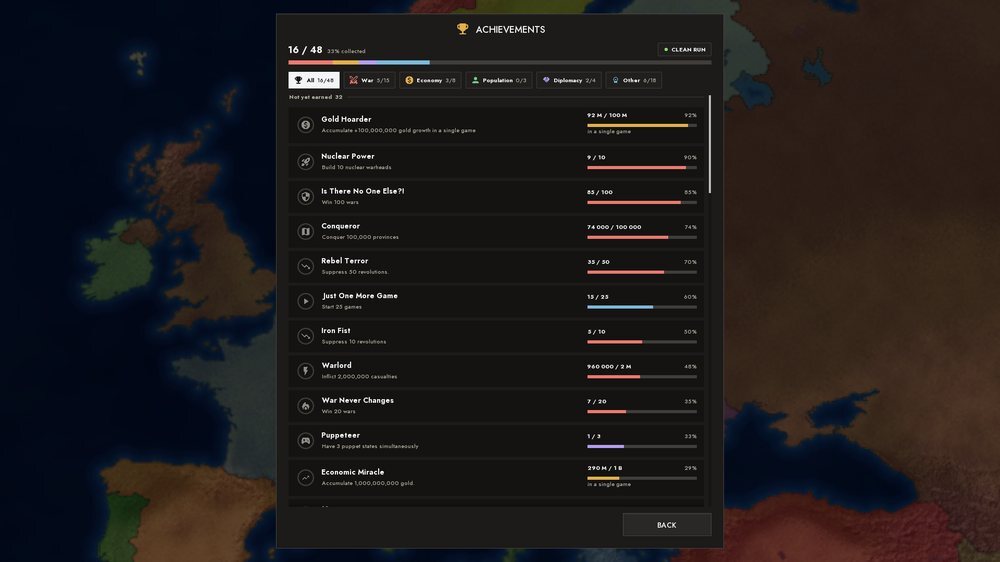
- Achievements, statistics, recap: new achievements ("Breach in Time", "Look What These Hands Can Do", "Tree of Knowledge", "Dream State", "U-Turn", "Founding Fathers"), statistics are tiles and blocks instead of identical rows, and the recap is several pages with a "ruling style" out of six archetypes.
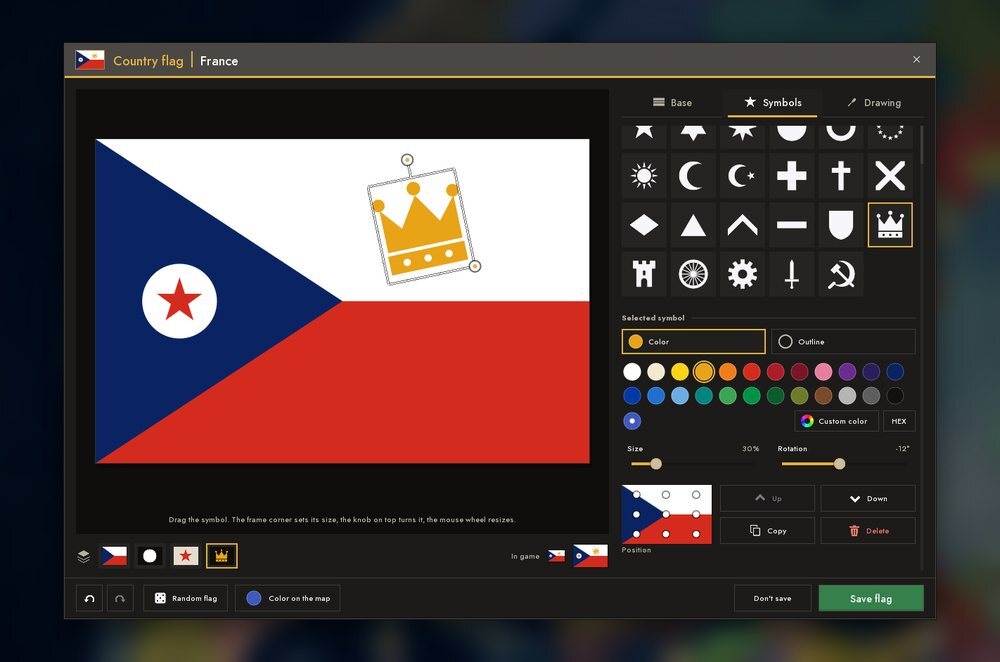
- The flag editor: three tabs (base, symbols, drawing), a palette, undo, export.
- The tutorial was rewritten in chapters: a step is counted by its result, not by a press, the screen puts itself in the right state, and if it does not work out a "Do it for me" button appears. It ends with a war, the war report, a peace conference and a choice of "Keep playing / To the menu".
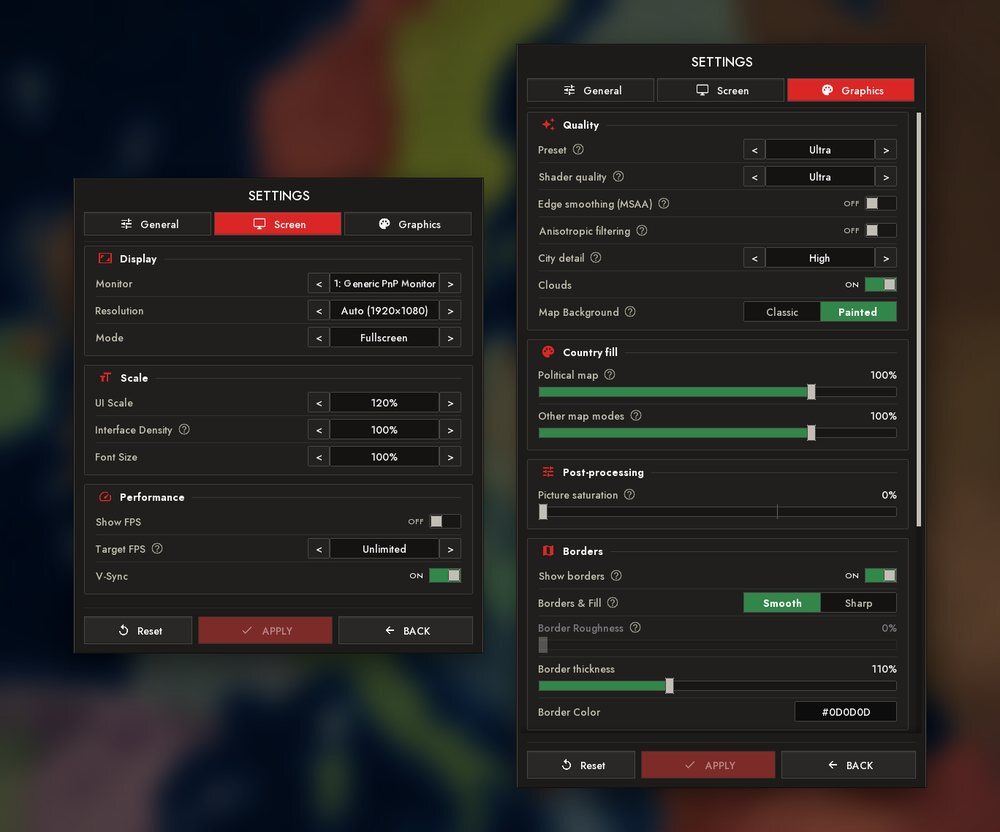
- Settings: "Interface Density", "Hold to click", volume. Fill is set separately for the political map and the other modes; there is a choice of map background (painted or classic), an "Ultra" level for PC and a frame saturation slider. For phones: a thin panel header and a "CLOSE" button instead of a cross under the bezel.
- Tooltips: they gained links - a click on a blue word opens the right menu and highlights what you need (for example "Where to get it" on a resource shortage); a card can be pinned, and icons in tooltips and panels are coloured.
- Sound: the set of interface and event sounds was made anew, with their own sounds for an achievement, a formed nation and a defeat.
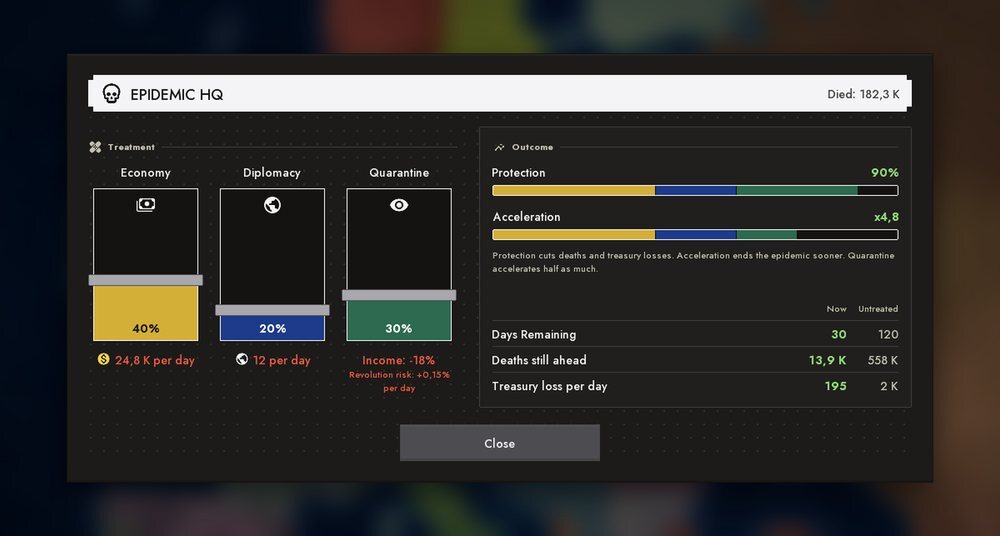
- The epidemic HQ: cure sliders on the left, a "Result" card with an honest day count on the right; prices in your own currency.
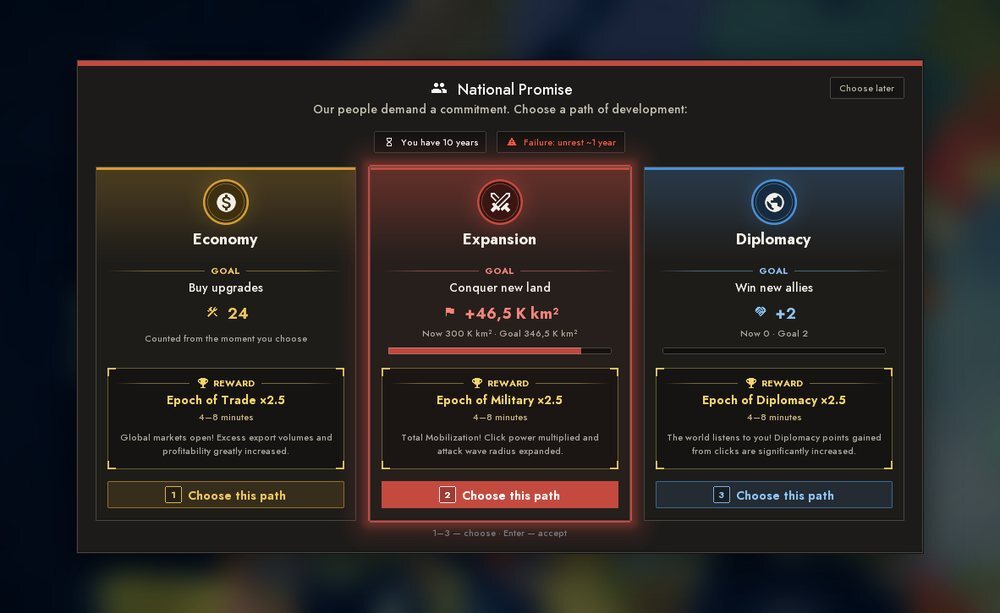
- The promise to the people: goal cards, land area, tidy rows in portrait mode.
- Building stage choice: "pros / cons" rows instead of a tile grid.
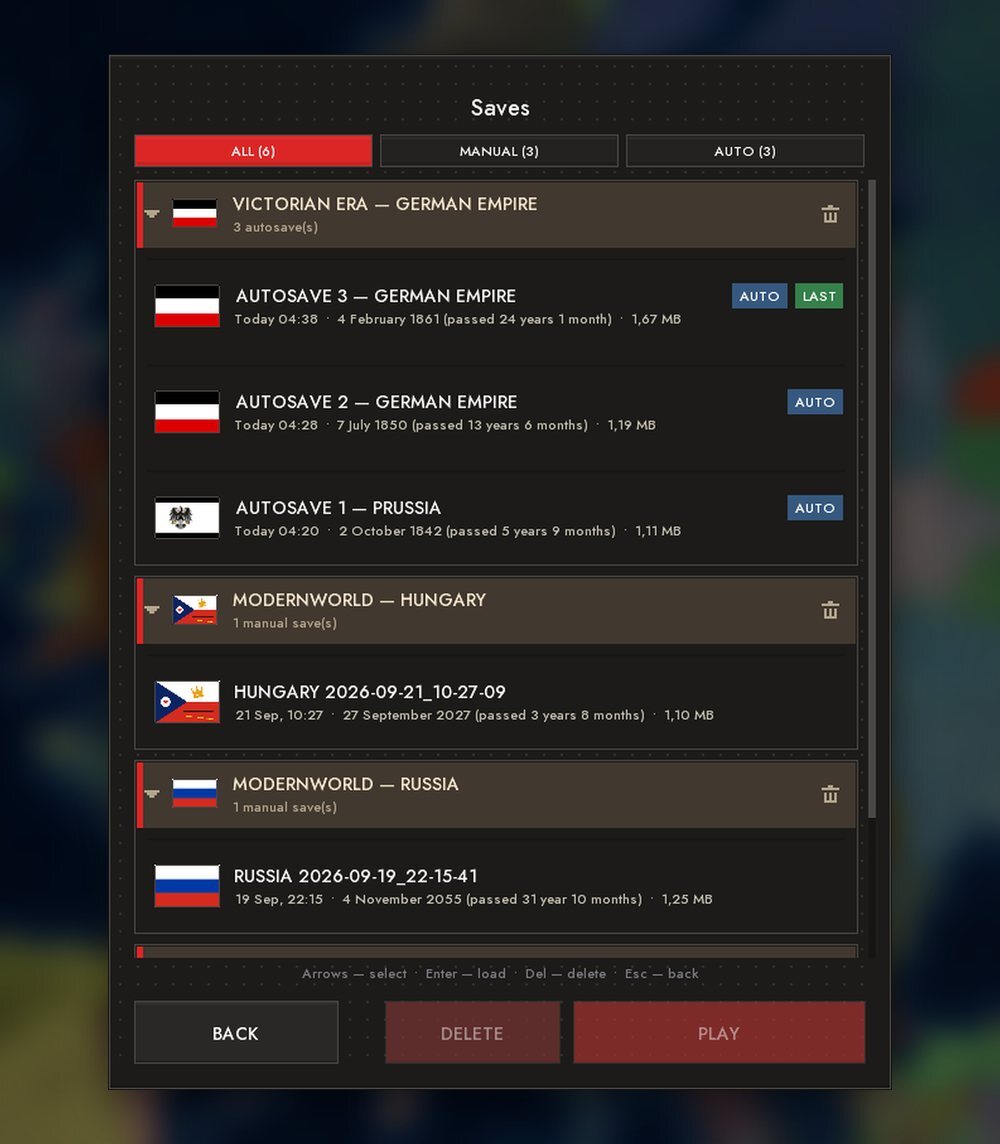
- The save list: every slot shows the country flag.
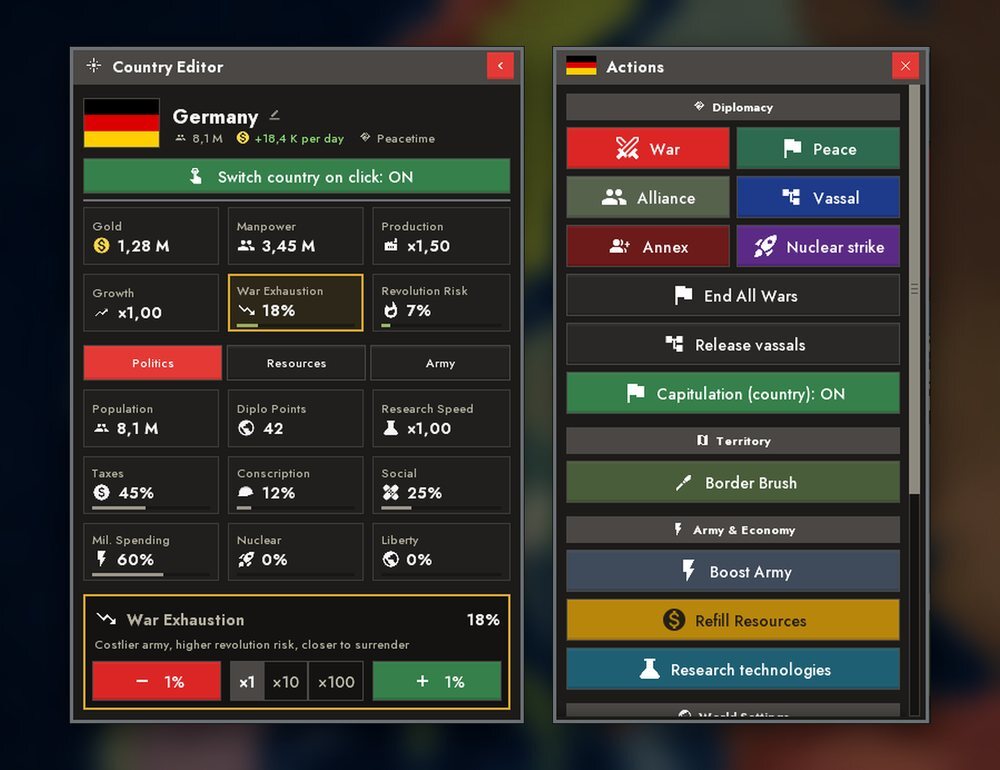
- Sandbox mode: a country panel and an "Actions" panel - peace, nuclear strike, war, alliance, vassal and annexation are picked by clicking a country on the map.
- Photo as a flag: WebP and TIFF are read, and grey images no longer give a white flag.
EDITORS AND WORKSHOP
The events editor
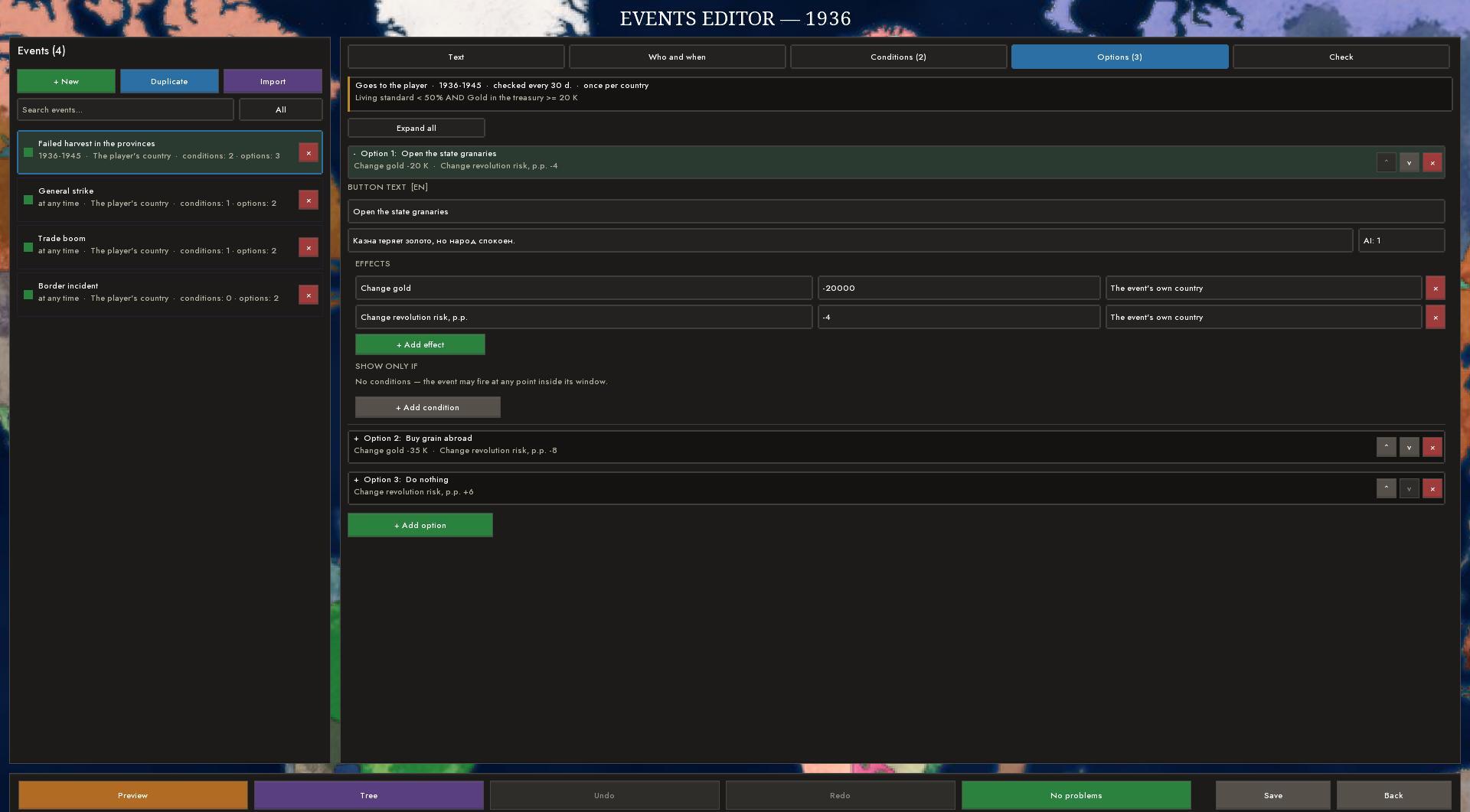
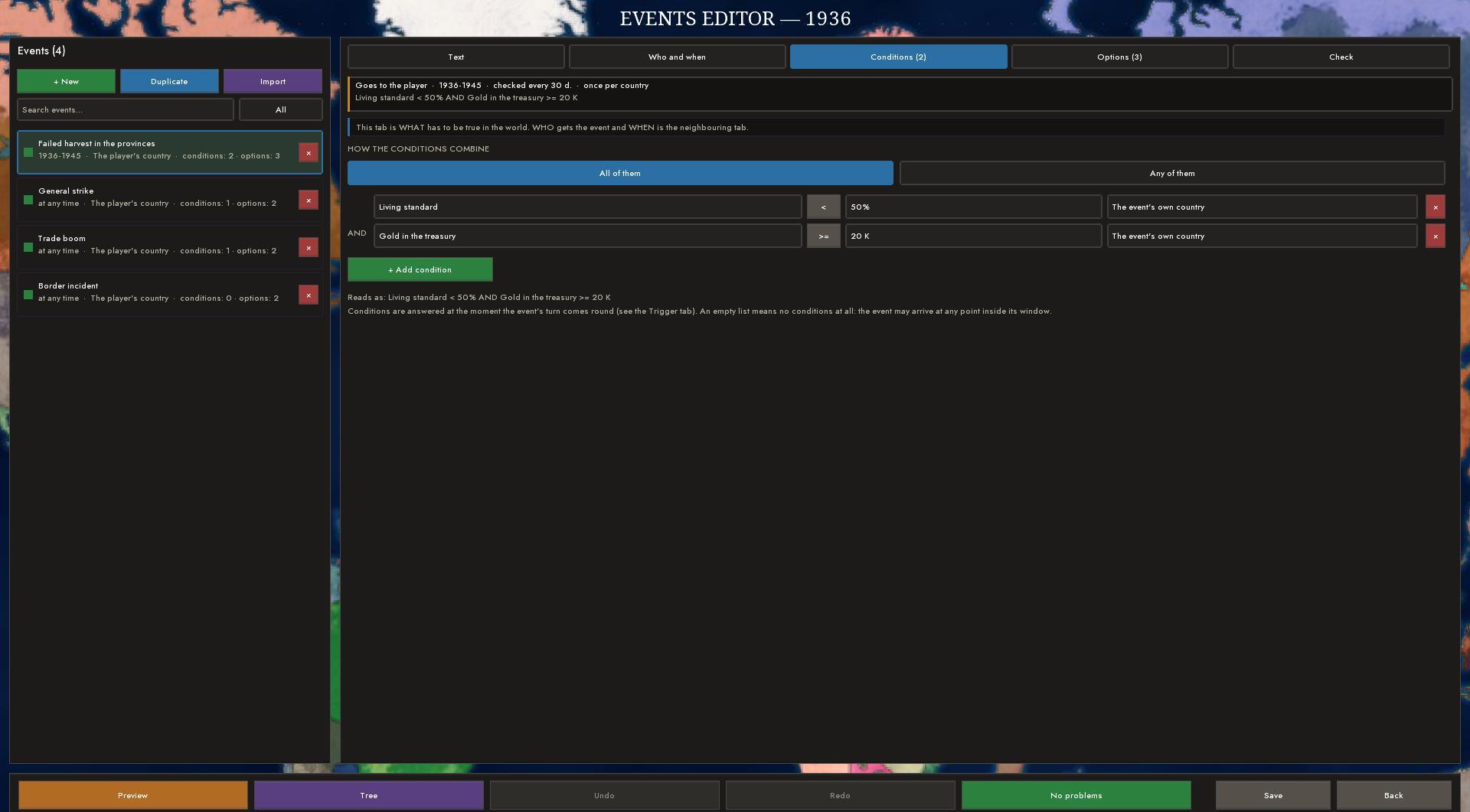
The scenario workbench has an "Events" tile - a full editor of authored events. Tabs: Text, Who and when, Conditions, Options, Check. Conditions are built from a large set of variables (living standard, strike risk, the economic cycle and others), combined "all" or "any", and every answer option has conditions of its own for showing. An event can come to the player, to any country, to the AI only, or to a list of countries; you can set a window of years and days, a chance and a repeat.
"Preview" shows the window as in the game, and the "Check" tab goes through the event by the rules and finds errors. There is an event tree (one event launches another) and a separate window design editor (a frame, elements, pictures, templates that can be saved to a shared shelf). Texts can be kept in many languages with export and import of translations. Every element of the editor has a hint.
The scenario workbench, the resources layer, ideologies, formable nations
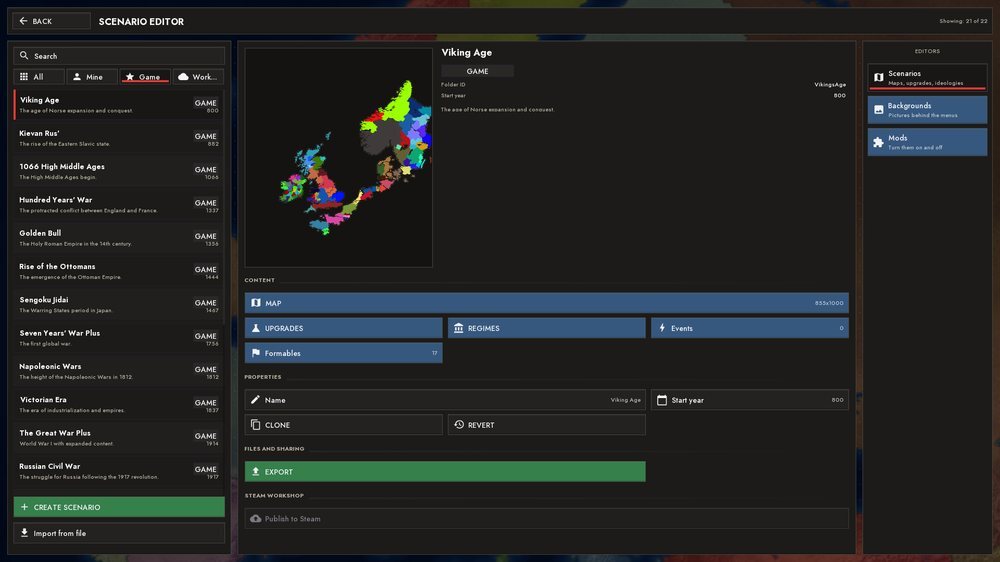
The workbench opens full screen: a list, a card and a "Scenarios / Backgrounds / Mods" rail, search and filters (All / Mine / Game / Workshop), badges GAME, MINE, WORKSHOP, MODIFIED, PUBLISHED. Original scenarios can be hidden and restored, and "Reset" returns the game's version.
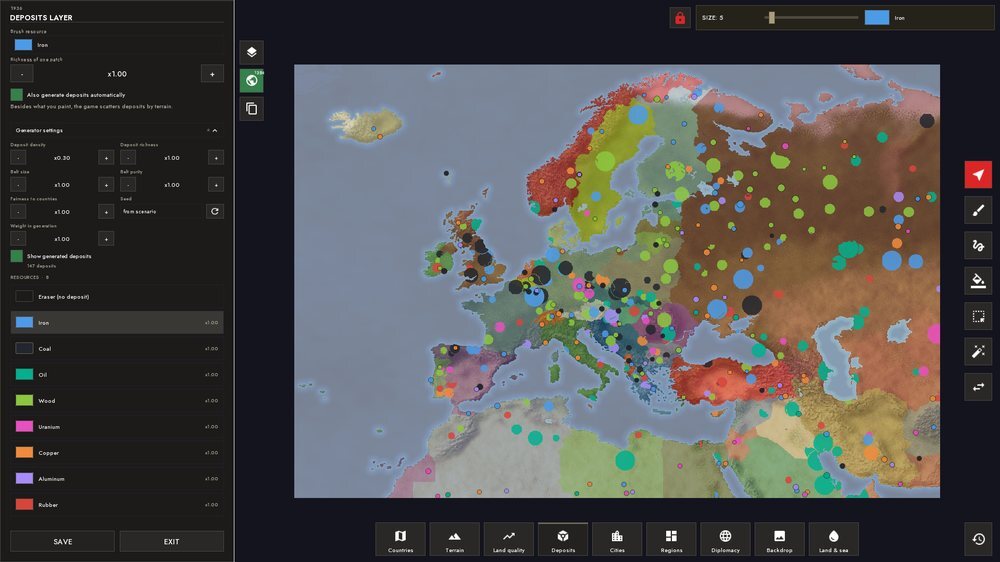
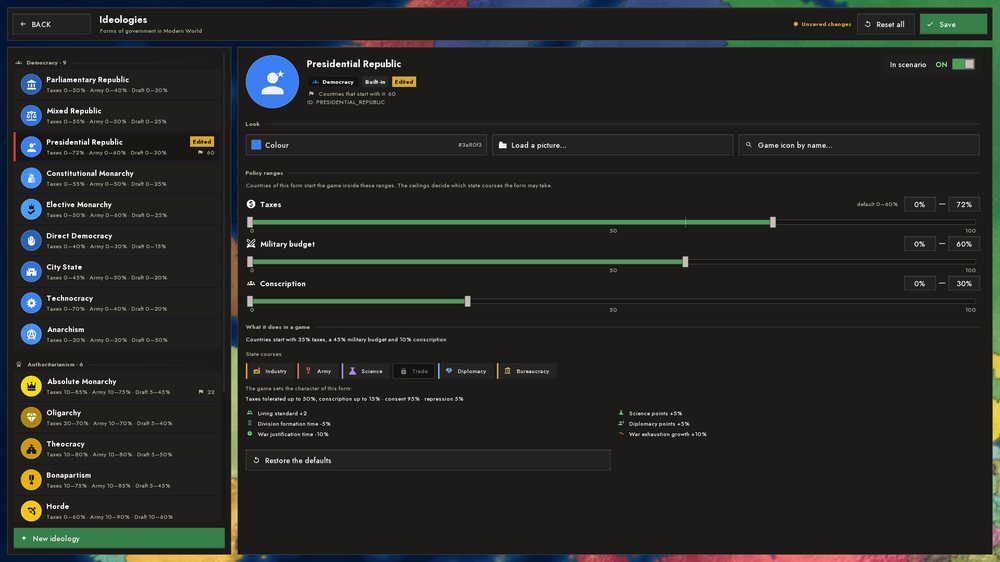
The map editor has a new "Resources" layer: deposits are painted with a brush, and auto-generation is configurable (density, richness, belt size, guarantees for countries) with a preview. Another new tool is the formable-nations editor: territory is drawn with a brush, an eraser, a lasso or the "country" tool; a nation gets tags, names, a colour, forms of government, claimants, a capital and a Steam achievement. The ideology editor became a full-screen workbench: a list by mode and a card, a range as one slider, a "What this gives in the game" block, switching off built-in forms. In the "Diplomacy" layer relations are set with one slider.
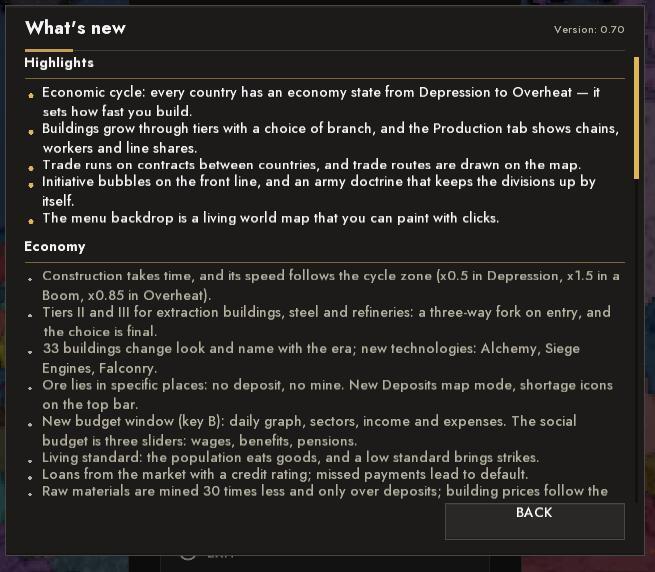
A changelog with pictures. The "What's new" block in the main menu reads a BBCode file: headings, lists, expandable sections, pictures and animated GIFs from files next to it; a language suffix (_en, _ru) can be added to a picture name, and the game picks the right one by itself. The same changelog_en.bbcode file can be put into your own mod's folder: a "What's new" button appears in "Mods".
In the Workshop: a publish sheet with a cover and a "What changed" field, remembered visibility, "Unlink", and scenario import and export through a file.
MAP, CITIES AND PERFORMANCE
Cities and roads
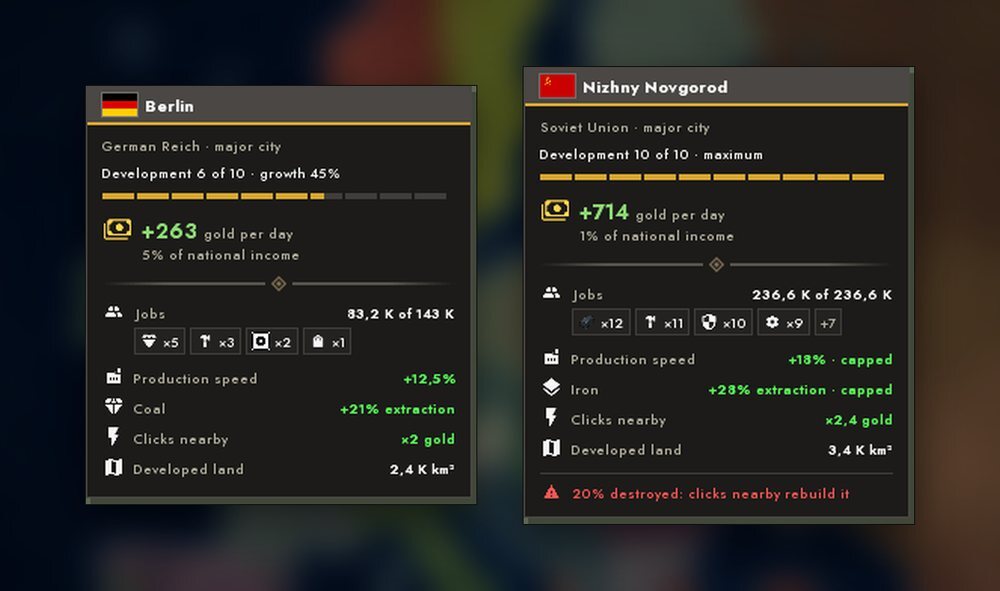
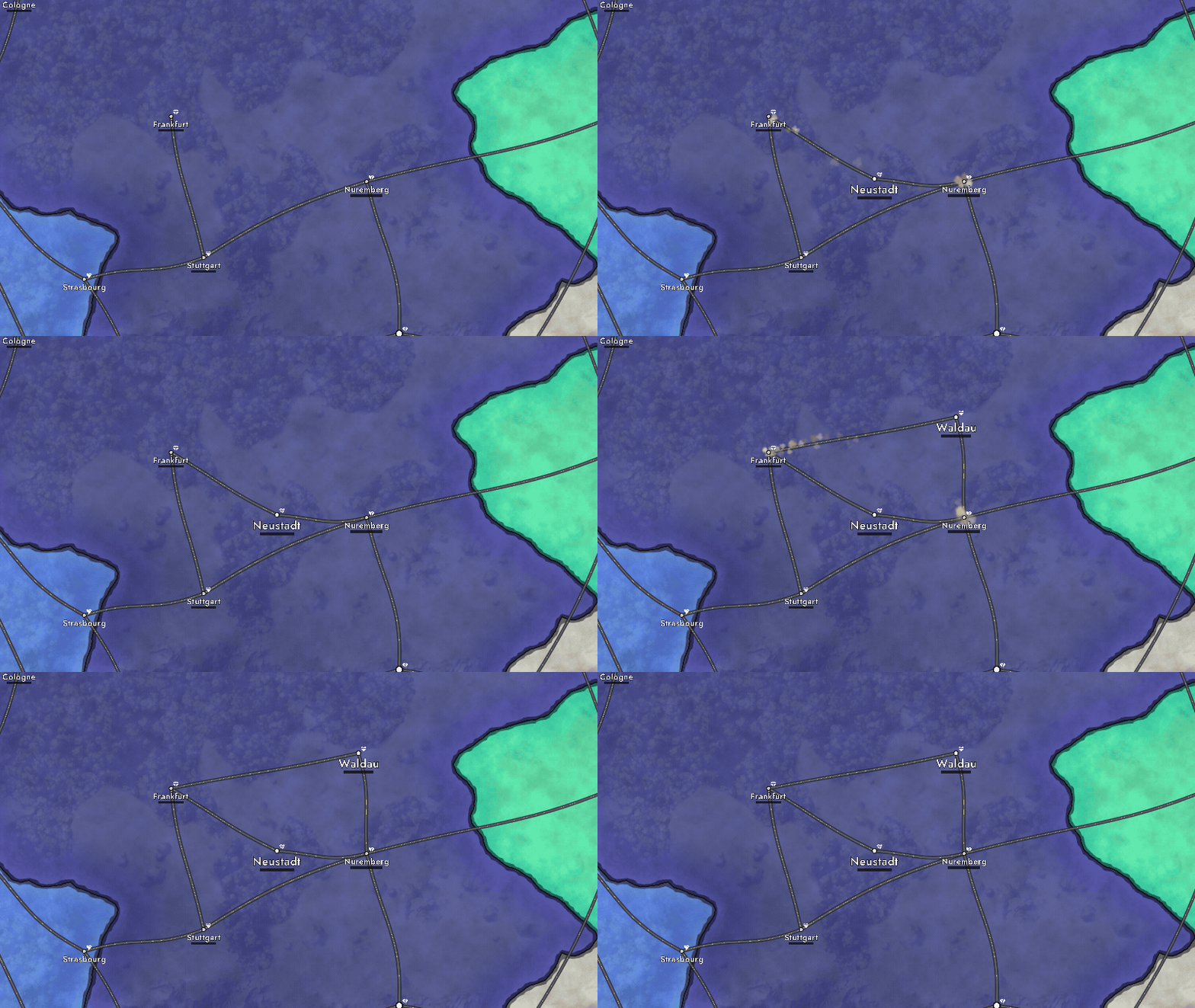
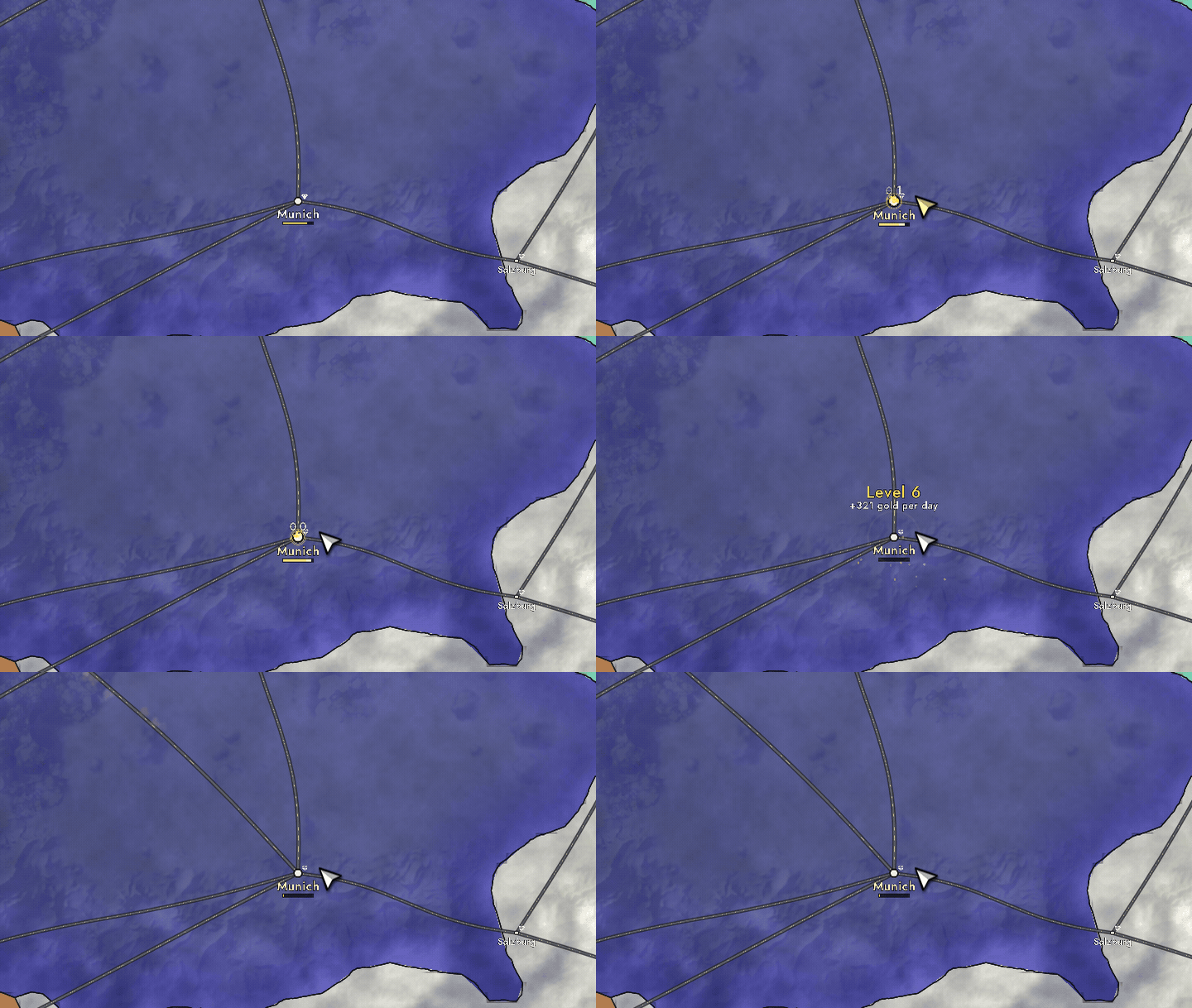
A single road network now links the cities. Its look changes with the era - dirt, a paved highway, a railway, asphalt; roads show up when you zoom in, and the cargo tokens of trade routes ride along them. Cities on the map became dots with a dark rim, and a level-up comes with a golden wave and sparks. There is now one capital per country, and cities start at different levels. The "what a city gives" card shows gold, jobs, production speed, extraction and clicks nearby.
A city grows from clicks, the speed depends on the economy zone, and bots grow small cities as well. In the "Found a city" mode a ghost follows the cursor: its colour says whether you can build, and the card says why, what it costs and what it gives. New roads stretch from a city to its neighbour, and a level-up or a click on a city comes with an animation.
Settings gained "City detail" and "Shader quality".
Map and speed
The painted background is now on every map: it is assembled from tiles for the current scale, so coast, mountains and plains stay sharp at any zoom; forests, fields, tundra and snow are drawn separately, and the outline of countries at the sea follows the background's shore. The water in "Ultra" was rewritten.
Brush selections, claims at the conference and formable-nation territories now end exactly on the drawn border, the glow around countries became visible, and leases and integration got their own hatching. A scenario opens noticeably faster, and less memory is used in the menu and in the late game on phones.
BALANCE
We tried to balance the economic cycle, diplomacy, trade and the AI, but there is no ideal yet and a lot is still being tuned. What changed in substance:
- Economy: raw materials are mined noticeably less and only over deposits; building prices are computed from the country's income; the Tax Office, Railways and University got caps.
- Diplomacy: vassal integration became much more expensive; a coalition against an aggressor forms sooner.
- AI: all bots make diplomacy and war decisions, not every fifth one; to keep wars from growing many-fold, the chance to start a war was lowered, and bots rest between their own wars. The AI-development and AI-combat-bonus sliders sit on the difficulty ladder.
- Game speed: economy, crisis, cycle, construction and auto-clickers run on one game clock - speed no longer changes the balance.
- Hold to click: holding on your own land is a repeated click: after a short pause the rate climbs.
Removed and replaced
- The world market with instant buying and selling - the trade map and contracts took its place
- The "Country Resources" map mode - replaced by "Deposits"
- The Trading Post, the ammunition factory and the spare-parts workshop were taken off sale (already built ones keep working)
- The "Play" submenu in the main menu and the illustrations in the menu background
- Two old flag windows - replaced by a single flag editor
- The "Economic Stagnation" event
- Bots "slept": only every fifth one made decisions - now all of them do
- Clicks on the map on touchscreens and touchpads doubled or got lost
- Capitulation without any land lost - from exhaustion and from nuclear strikes
- Endless frozen and "ghost" bot wars
- Order arrows were silent on the player's fronts and did not work through an intermediate country
- Small countries fought for decades without capturing anything
- Heavy equipment melted faster than people, and losses were counted "per wave"
- The army in divisions was not paid for
- Automatic shortage buying credited goods twice
- Bot armies were not filled because of a wrong population count; bankrupts rebelled during war
- Divisions did not grow after being formed
- Balance depended on game speed
- Out-of-memory on weak devices; freezes when opening a scenario and in the late game
- A freeze during colonization
- The music looped a single track - now it is a deck without repeats
- An empty custom-backgrounds folder gave a black screen
- Two countries with the same name in "Free a nation"
- In the tutorial, letter hotkeys bypassed the dock lock
- The tech-genius achievement was granted immediately - now it counts only your own research
Thank you for playing and sending reports - without them the balance cannot be tuned.
