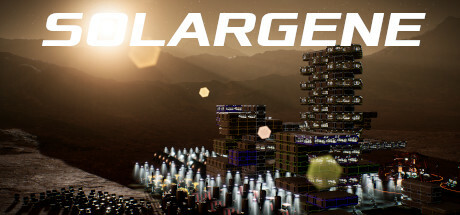
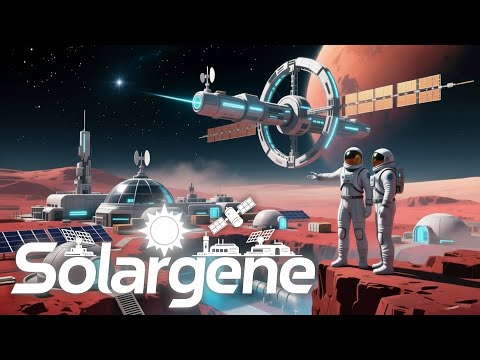
Solargene is a space corporation simulator in which you will build colonies on the surface and in the orbits of planets and moons in the solar system, manage personnel, extract resources, establish logistics, research new technologies, and fulfill contracts.
You will be able to build space stations and ships, fly to planets, moons, and asteroids in the solar system with an accurate simulation of the movement of celestial bodies and realistic space flight physics.
Full list of changes in version 1.5:
! The appearance of phantom blocks during the construction of an orbital station has been fixed.
* Do not issue contracts for a science colony after everything has been researched.
* The creation of a new game has been fixed on the Steam Deck.
* The achievement for completing training has been fixed.
* The crash during the construction of an orbital station has been fixed.
* The crash when moving a stuck character on a space station has been fixed.
* The dismantling of robots into spare parts has been fixed.
* The search for the nearest support has been fixed.
* The repair of robots when the player is outside the colony has been fixed.
! Full support for the Steam Deck.
* The Steam Deck defaults to the maximum interface scale.
* On the Steam Deck, clicking on an input field displays the on‑screen keyboard.
* Removing focus from the input field for numbers.
! Support for touch screens.
+ Moving the camera with a gesture on the touch screen.
+ Selecting game objects by tapping the touch screen.
+ Scrolling through interface panels with a finger on the touch screen.
+ Zooming in/out with a gesture on the touch screen.
+ Rotating the camera with a gesture on the touch screen.
+ the 'home' key - switch to the previous building
+ the 'end' key - switch to the next building
* remapping of buttons for SteamDeck
* fixed the saving of button configurations on Linux
+ when controlling the camera using the gamepad sticks, a crosshair is displayed in the center of the screen, and the mouse cursor moves there
* disabling thermal vision via ESC
* disabling the horizontal slicing mode via ESC
* pressing the panel toggle button again closes the associated panel
+ Double tap on the touchscreen is equivalent to a mouse click.
* The camera rotation around the planet when selecting a location for a colony has been fixed.
* By default, the content of the room panel on the Steam Deck is reduced.
* The tutorial for the Steam Deck has been updated.
* The camera rotation on the orbital station has been fixed when automatic switching between sections is disabled.
+ Zoom can be adjusted using the Steam Deck triggers.
+ The ‘Cursor‑over instrument panels’ option has been added to the game settings.
+ The ‘Reduced room panels’ option has been added to the game settings.
! Steam achievement support has been added
+ Steam achievement 'Retrograde Mercury'
+ Steam achievement 'Planet of Storms'
+ Steam achievement 'Red Planet'
+ Steam achievement 'Lord of the Rings'
+ Steam achievement 'Remember Kant!'
+ Steam achievement 'No further'
+ Steam achievement 'Hitchhiker's Guide to the Solar System'
+ Steam achievement 'Stairway to Heaven'
+ Steam achievement 'I know kung fu'
+ Steam achievement 'Good Morning, HAL'
+ Steam achievement 'Use the Force'
+ Steam achievement 'Now I know everything'
+ Steam achievement 'Dark Side of the Moon'
+ Steam achievement 'Strong Roast'
+ Steam achievement 'The Breath of Mars'
+ Steam achievement 'The Silence of Venus'
+ Steam achievement 'Sunstroke'
+ Steam achievement 'Diligent Student'
+ Steam achievement 'RTFM'
+ Steam achievement 'Hello, world!
+ Steam achievement ‘Sharing is caring’
+ Steam achievement ‘We’re back!’
+ Steam achievement ‘Election Day’
+ Steam achievement ‘Neuromancer’
+ Steam achievement ‘Do Androids Dream?’
+ Steam achievement ‘Tesla approves’
+ Steam achievement ‘I’m a Martian’
+ 4 hidden Steam achievements
* by default, switching sections of the orbital station by hovering the mouse cursor over them is disabled
* The cost of dismissing employees has been reduced by 25%.
* The requirement for jet fuel production has been reduced by 60% under the contract for the industrial colony.
* The meteor threat indicator is displayed in red if the projected damage is 0, but the probability of damage is >1%.
- The requirement for personnel to have augmentations has been removed from the conditions for delivering the colony under the contract.
* The minimum required spacing between supports has been doubled.
* Display the buttons in the construction panel (at the bottom of the screen) in different colors.
Have fun playing!