Welcome explorers to a very exciting update for Age of Empires III: Definitive Edition! While there are plenty of notable fixes today, there’s lots of new features – including quality of life updates, plus a long list of balance changes and campaign fixes, and so much more! There are so many more new things in today’s update so make sure to dig down into the notes before jumping in game to experience them firsthand!
Changes applied right before, during or after the Open Beta are marked with * (asterix).
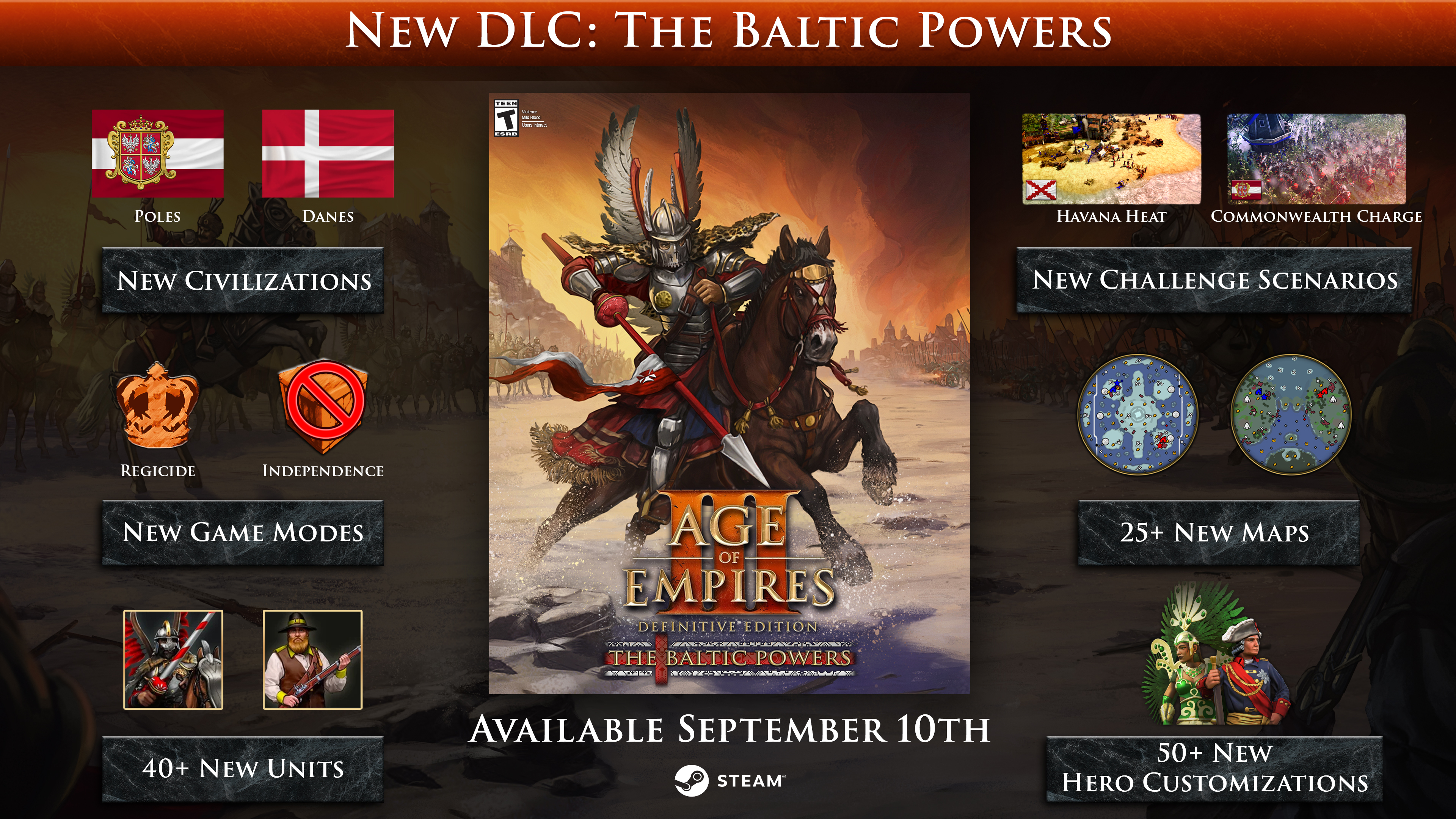
Plus, the newest DLC, The Baltic Powers, is availble now!
💬 DISCUSS: Age of Empires III: Definitive Edition Forum
🗣 JOIN: The Age of Empires Official Discord
This is just a small taste of what is coming in the latest update. For a more complete list, please visit our site and check out our blog. Happy Gaming!

◆ Update 19.18309 ◆
Build Spotlight
Quality of Life Improvements
Spectator Mode
The Spectator UI has been massively overhauled with extra displays and functionality:
- The new top panel provides an exhaustive breakdown of Team performance in both 1v1 and Team games. This includes aggregate data on the sides for Team Populations as well as Units and Buildings Defeated/Lost.
- The bars offer side-by-side comparisons for Total Resources Gathered, Military and Economic population counts across all competing teams.
- A new queue panel displays sent shipments for the currently viewed player.
- Both views can be toggled out through the Advanced Information toggle on the Spectator/Replay controls.
- The Player display now features colored player and team ID indicators. The third row shows current counts for: Military units, Civilian units, Sent shipments.
- The player view can be switched through the Ctrl+F+(Player number) shortcut.
Deck Manager
We have improved the accessibility of the Deck Manager through new hotkeys and displays:
- Hotkeys: Added hotkey support for faster deck management. The hotkeys are now displayed within the buttons’ tooltips.
- Ctrl+N: Create a new deck.
- Ctrl+S: Save a deck.
- Del: Delete a deck.
- Ctrl+Del: Fast-delete a deck (no prompt).
- Ctrl+C or Ctrl+D: Copy/duplicate a deck.
- Dialogs: All deck-related prompts can now be quickly confirmed with the Enter key or closed with Esc.
- Revolution Decks: Added a new toggle above the Deck list that allows you to view the cards of Revolutions available to the selected civilization.
- Home City Data: The screen now shows the civilization name, its corresponding flag, as well as the level and name of the currently selected Home City.
- Technology Tree Button: Added to the Deck Manager above the “Clear” button.
Multiplayer
- Civilization Switch Button: Added a button to change civilization in the quick match searching dialog.
- Restored ESO Ranks: Replaced the ‘Casual Rank’ display with restored legacy rank titles such as Lance Corporal, Brigadier, and Major General.
- Rank Badge: Added an explanation in the badge’s tooltip how stars and stripes work.
- Top Bar: Re-arranged the buttons in the top bar according to most frequent use (from left to right): 1. Leaderboard, 2. Friends, 3. Chats, 4. Clans, 5. Settings.
- Friends list: Moved positive interactions to the top of the player context menu.
- Lobby Filter: Multiplayer Browser region filter default changed from Closest to All Regions.
- Quick Search: Now plays a sound when a match has been found.
- Play Button: Now has an icon assigned like all the other buttons.
User Interface
- Hitpoint Bars: Are now also displayed in the player colors in the HUD.
- Kill Counter: Added individual kill counters to units and buildings with attacks so you can finally verify the effectiveness of your cannons!
- Charged Actions: Can now be toggled on or off per unit selection via click or grid hotkey on the charged action icon.
- Delete Building Command: Added a new command that forces allied AI players to destroy any building highlighted by the player in the game world. Use it to claim Trading Posts for your own!
- Team Resources: Added a new check box to lobbies that shares all player resources across their team.
- Train & Research times: Tooltips of units, buildings, and technologies now display how many seconds it takes for training or research to be completed.
- Population & Garrison space: The statistics panel of buildings and ships now display how much population and garrison space they provide.
- Profile Icons:
- Profile Icons related to specific DLCs (i.e. Knights of the Mediterranean or The African Royals) are now unlocked when owning those DLCs.
- Profile Icons related to the previous USA and Mexico DLCs are now unlocked for owners of the updated base game.
- Profile Icons not related to DLC, but to past events are now unlocked through the The Baltic Powers DLC.
- Bombard Brawl Profile Icon rewards are now properly awarded when attaining the intended score.
- XP Rate: You can now see your current XP rate in the tooltip of the Home City button.
- Scores: Names of resigned or defeated players are now struck out in the scoreboard.
- Minimap: Added a button and hotkey to reset the minimap orientation.
- Photo Mode: The Photo Mode button is now also shown when the game is over.
- Technology Tree:
- Added new sheets that show all Natives, Mercenaries, and Outlaws.
- Added Revolutions and their unique units to every civilization’s technology tree.
- Postgame Statistics:
- Added star icons to cells in order to see the best statistics more easily
- Hovering flags in Player Summary now displays the civilization name
- Fixed the Postgame Timeline getting stuck on the screen if the game ends while viewing it.
- Map Selection:
- Added a search bar.
- It is now possible to navigate and cycle through maps by hitting the starting letter keys, i.e. the key C will jump to California.
- ‘All Maps’ is now automatically re-selected if all filters were manually toggled off, preventing the map list from being displayed as empty.
- Lobby:
- Now properly remember the last used civilizations and teams for AI players whenever applicable.
- Changed the small icon button of the Technology Tree into a larger text button for better visibility.
- Home City: Pressing the Esc key now properly returns from the Home City to the World view.
- Menu:
- Added new ‘Campaign’ sub-menu to the main with: Story Mode, Historical Battles, Tutorial, The Art of War and Challenges buttons in it.
- Removed ‘Tutorial’ button from ‘Tools’ sub-menu.
- Moved ‘News’ button to ‘Tools’ sub-menu.
- Added ‘Scenario Editor’ Button to Main Menu.
- Localization:
- Sejm: Fixed incorrect translations in several languages.*
- Brazilian Portuguese:
- Fixed the incorrect use of ‘Fuzileiro’ (Fusilier) for Skirmisher-type units and vice versa.
- Fixed outdated descriptions for:*
- The Warrior (Aztec Age-up, II): Corrected 1 Skull Knights to 2 Skull Knights
- Calmecac (I): No longer mentions a Warrior Priest.
- Summer Palace (Chinese Age-up, V): Corrected 10 Iron Flails to 2000 food.
- Guard Azap: Corrected from “Proteger o Azap” to “Azap da Guarda”.
- Volunteer: Standardized the National Guard name across Latin-script languages.
- German: Big spawn buttons in Native American Town Centers are now called: Vorhut, Gefolge and Kriegszug, instead of the modern Spähtrupp, Stoßtrupp, Kampftrupp.
- Spanish:
- Corrected Esquimal to Inuit.
- Corrected the translation of Espingol from “Trabuco” to “Espingarda Danesa”.
- Corrected the translation of Gun Running from “Correr con armas” to “Contrabando de armas”.*
- French:*
- Winged Hussar: Fixed being labeled as a French unit.
- TEAM Times of Troubles: Corrected from “Époque conflictuelle” to “Temps des troubles”.
- Lowlander: Corrected from “Habitant des plaines” to “Lowlander”.
- Hindu Villager: Corrected from “Village hindou” to “Villageois hindou”.
- Fish Trap: Corrected “Trappe à poissons” to “Piège à poissons”.
- Malay: Corrected the mistranslations of Poles from “Tiang” to “Orang Poland”.*


Free DLC Content
To celebrate the release of The Baltic Powers DLC, we are excited to share these gifts with every loyal fan of Age of Empires III: Definitive Edition to enjoy:


This is just a small taste of what is coming in the latest update. For a more complete list, please visit our site and check out our blog. Happy Gaming!
:alertalert: DISCLAIMER
This list is subject to change and should not be considered a comprehensive list of all the known issues we’re tracking. The above is to inform you of the team’s current priorities, which will change as other issues arise or take precedence.
For the latest updates and announcements, please visit our social channels.