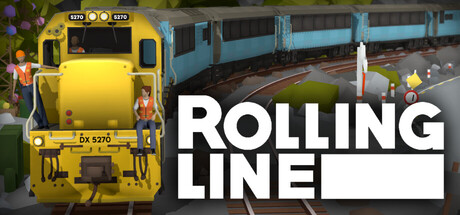
Guess what! I've just been at a local model railway expo here in Nelson (New Zealand).
This is the first time I've ever done a proper public demo of Rolling Line at an event like this and it was an amazing experience. So many people got to try the game for the first time, and I even ran into a few people that had heard of it before already!
Since this public demo went so well I'll certainly be trying to attend more of these in the future, like the larger Christchurch expo next year (there's one happening in Christchurch in just a few weeks but that was too short notice to get organized for).
Something I was also working on (which I didn't manage to get ready in time for the model railway expo) was some hand-made physical release disks! These are basically just me printing out and setting up my own disk copies one-by-one, so there won't be many of them. The main purpose is to sell at in-person events, but I will probably sell some online just for fun. The shipping will be pretty expensive though, because I of course live in New Zealand at the bottom of the world.
More news will be coming on this later when I've actually finished making them.

While on the topic of public demos, here's a reminder that the game actually already has a "demo mode" option built into it! If you enable demo mode (from the pause menu) the game will hide most of the superfluous menus (like the editing options on the wall, and most settings) and run the game in a simpler form. By default things like train interaction are disabled, but you can still enable them if you want.
Demo mode is perfect for if you are wanting to show people the game in a public setting (like a model train expo) or if you just want to introduce someone to the game in a very simple way.

While this update was mainly just a news post to talk about the model railway expo, this update also includes some fixes and features:
There is now a separate key binding for "Change player height (smooth)" which instead of making the player height jump sharpy, it will smoothly move the player up and down while you hold the button. You can use the PageUp and PageDown buttons for this, and the left/right bumpers on controller. The scroll wheel uses the normal move up/down movement style, but it is also now slightly smoothed.
Fixed bug where painting an object with multipaint slots would cause the highlight effect to get stuck enabled for the other materials on the object.
Fixed various issues with loading grouped track in drawers. The system is still not perfect (and is really in need of a complete re-do) but the most major issues are now at least solved.
Fixed bug where duplicate custom drawer names (caused by editing files manually) would cause the list popup to break.
Moved the custom floor color setting so that the paint UI doesn't clip into the table.
Fixed bug where flags and posters would get stuck in the drawer if edited.
The preview mod (for props, trains, track, etc) now no longer gets disabled in miniature mode. This means you can teleport inside the cab of a modded train preview to see what the cab looks like without needing to spawn a copy of the mod.
Fixed messy collision caused by in-train cab buttons. This means that the player can move around in the cab much easier without bumping into things.
I've finally fixed the linked save system (which was broken for a while). The game has a behind-the-scenes system for linking packaged mods when you save a copy of a map that has them. E.g. if you save a local copy of a workshop item, the save file is "linked" to the workshop items folder, so it will load the same mods that the workshop save had. And if you save a copy of an official map (like the GETA Sulfur) it will keep a link to those built-in mods, like the GETA liveries.
And also here's some demo mode specific changes:
Demo mode now automatically un-equips the current held item so your hands are always empty when loading a save.
There is now a setting in the demo mode options menu to enable "demo mode shortcut keys" which is what I have been using for this public demo. You can press the F1-F5 keys to load various official maps with one key press. Press F9 to toggle the "block interaction" setting on and off, press F10 to toggle whether the joypad is enabled and press F11 to teleport the player into the cab of the nearest train.
And that's all for now!
It was such a great experience to demo the game to people in real life, and quite inspiring to see how well the game mixes with the real world model railroading hobby. I'm definitely committed to making this a proper model railway sim in as many ways as possible.
...which is what the next update is going to be heavily focused on!
Thank you to all my Patreon supporters!
Current Patreons:
Space Pizza/oscped4, Phil Davies, holden050, James Kesler, Taerom, LunaFromSpaaace, jan, scj643, Gustavo Sanchez, Garst, Matthew Johnson, Gazzac100, Teapop311, Thomas Merolla, Ben Burch, Detroit_, Don Willis, Jack Fruh, Jed, Lynk_Wyland, Nathan Perez, Ábris Pataki, Outertoaster, KathalLasagna, Richard Prior, Michelle chan, Joblogh, Railraider, The_President, SmokeStream, Matt, EmperorSal ツ, Hypothesiz, Trainiac 21, ItzAerozic, Microcosmologist, CAMOGUY54321, Jayton Hawkins, Jonathan Ginsburg, SeTP1, WingoDingo, Skilker, Blake Prevett, Helga Nordgren, HuskyDynamics, EngineerSmith, KANedTiger
Past Patreons:
Codebag Playz, Ethan Lamont, Rivet, Simon, Joey Drysdale, DOLLIN, JohnR, Leto Gloas, Rowan Mackenzie, Lutz, Carter Shew, The Cat Train, Trackmeister, NESecretWeapon, TheAmazingRyry, Clae
You can join the Patreon to help support me to keep making free updates!
Also, as with all my devlog videos that I post on Patreon, I upload them to YouTube for everyone as well usually a few weeks later. So the map tour I posted recently on Patreon is now available on YouTube:
https://www.youtube.com/watch?v=ws11_T_ljDs