A new big update is now available! It introduces animal feeding and taming, improved cave generation, actual ocean waves and a lot more!
Animal Feeding and Taming
This update greatly expands the "Animal Husbandry" aspect of the game: you're now able to feed and tame animals!
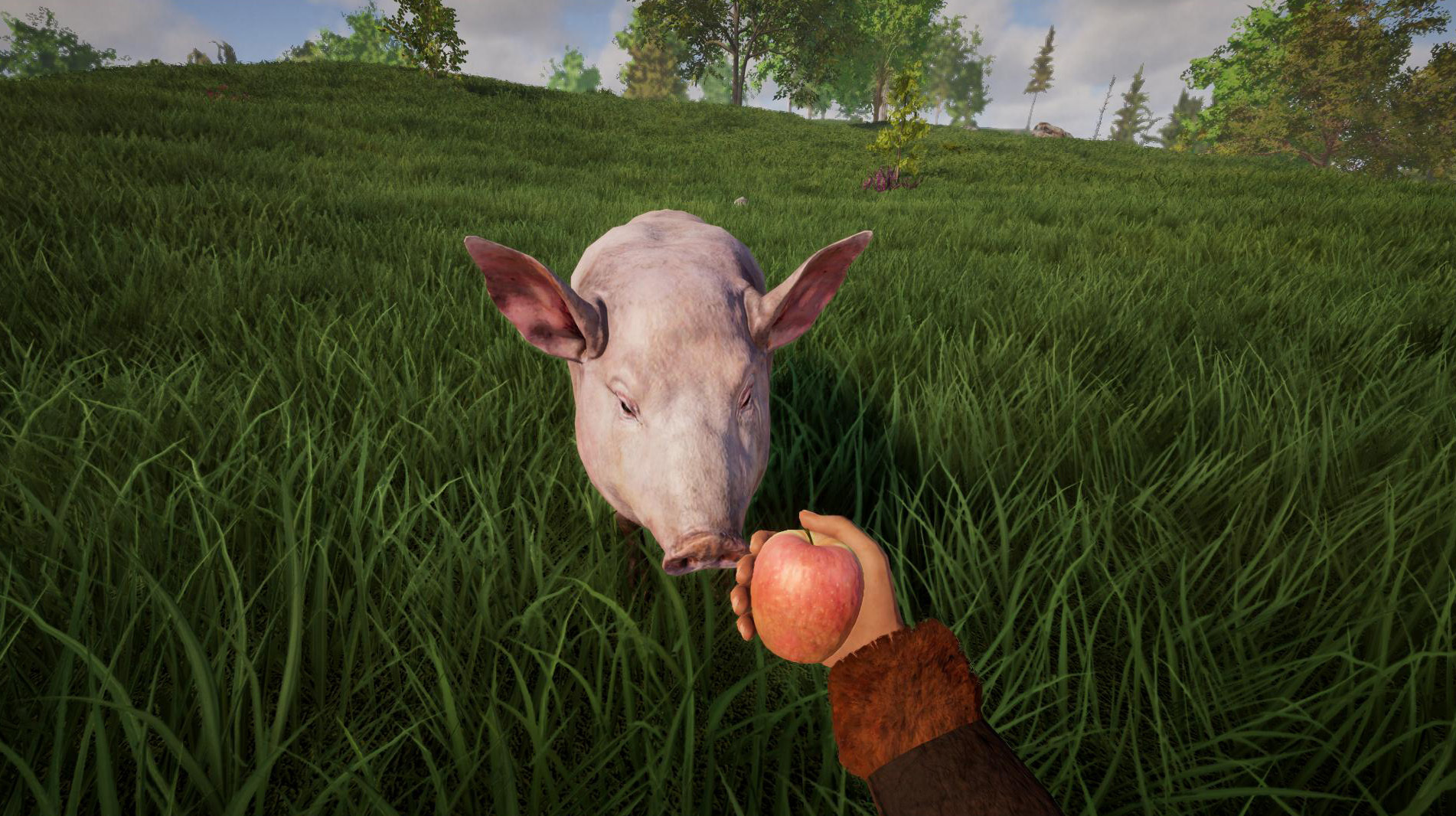
Animals become hungry over time. If they go without food for a long time, this becomes visually apparent as they appear severely emaciated. This can be counteracted by feeding the animals: animals can be fed directly from your hand, but they will also eat food off the ground.
Some animals also graze. Keep in mind that if an animal is kept in an enclosure, the meadow will eventually be grazed bare.
Also keep in mind that some foods can be toxic to certain animals. To get an overview of that, you can check out the new "Animal Husbandry" section in the journal (J).
Feeding an animal (preferably with its favorite food) helps to tame it. Once tamed, animals become trusting and lose their aggression towards the player. Currently you can tame all domestic animals (pigs, sheep, cows, goats, horses etc).
It's also possible to tame wolves, but that's a bit more difficult: if you're really careful and move slowly toward the wolf while holding some meat in your hands, he will not attack you. You can then feed him once you're close enough. This has to be repeated so that the wolf really becomes tame.
You can also pet animals: to do that, first put your equipped item away (default key: H), then look at the animal and hold down your right mouse button. Most animals enjoy that! ;)
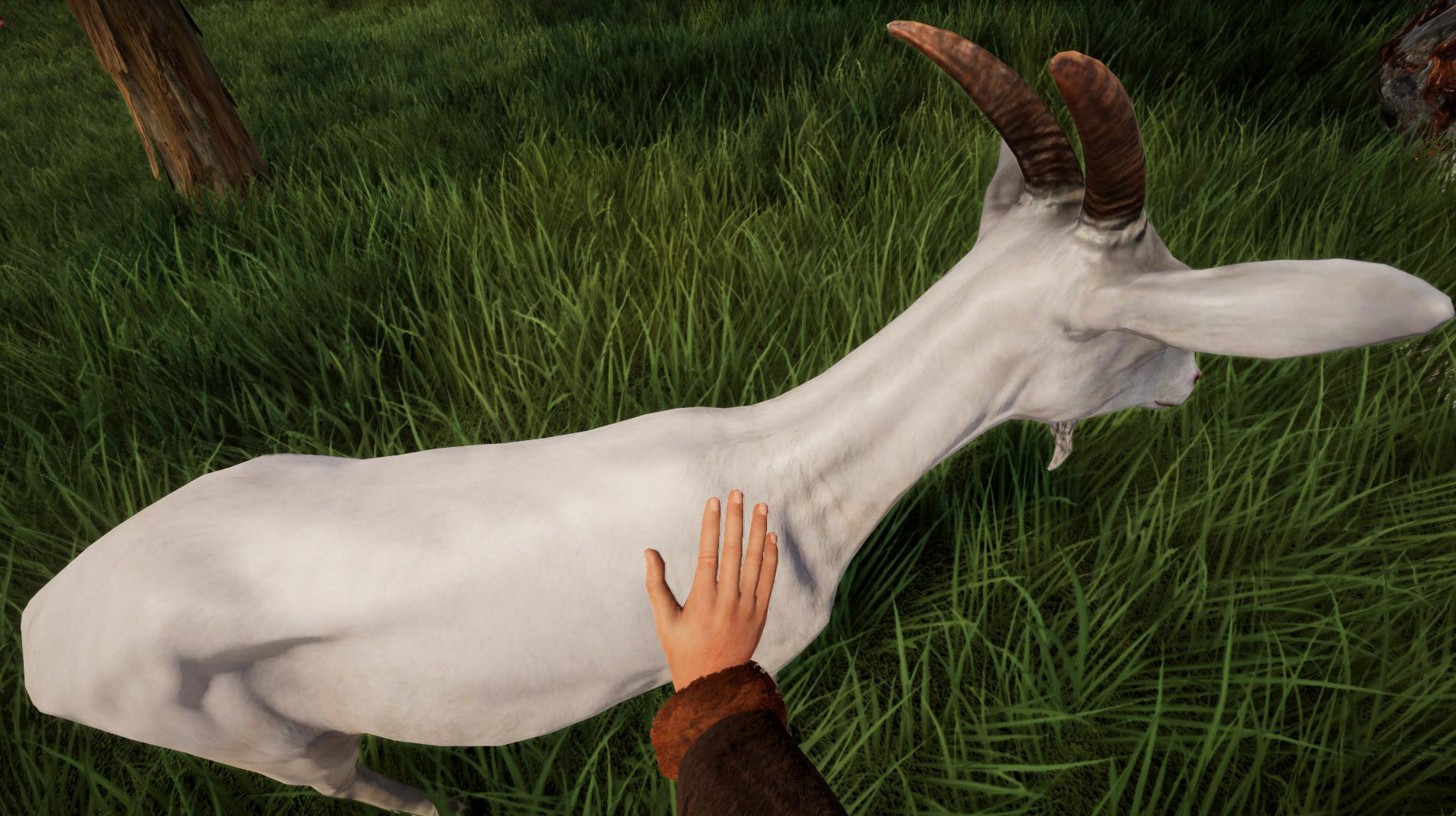
If you hit a tamed animal, the animal will tolerate it to a certain extent (by not fighting back, for example), but eventually it will lose its trust in you. So don't you dare!
Ocean Waves
With this update, water gets actual 3D Gerstner waves! The wave intensity depends on the weather and wind. This isn't just a visual upgrade: boating is directly affected by this. It becomes particularly difficult during storms, and the risk of capsizing increases.
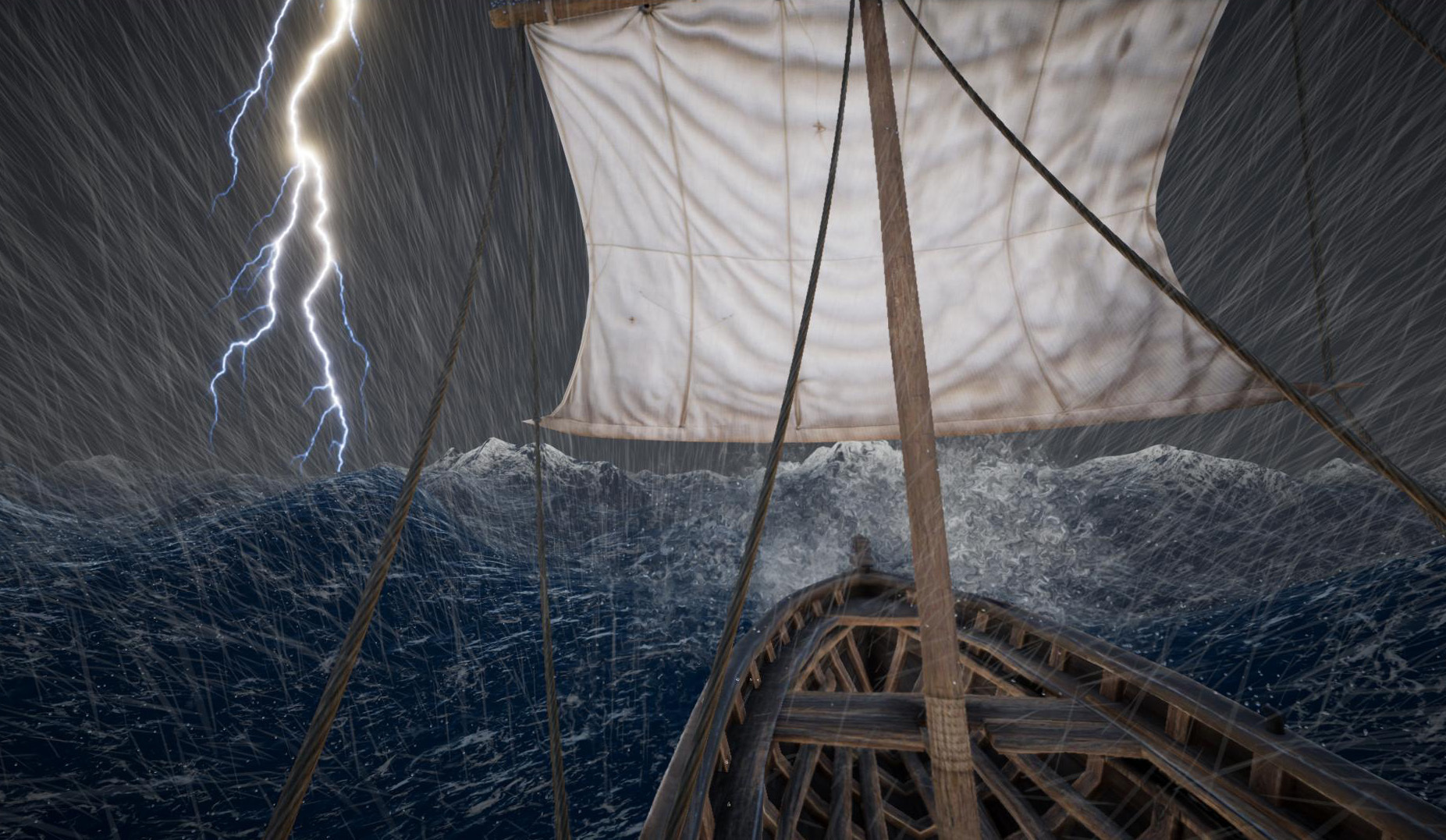
We've also updated the underwater effects and reworked the flowing behaviour for non-infinite water (the water surface now levels out much more reliably and flows more smoothly).
You can turn off the new ocean waves or water effects btw (to improve performance on older graphics cards).
There is also an option to turn on an "infinite ocean": this renders the ocean all the way to the horizon. It's not an accurate representation of the world, but makes for a nicer view - especially if you're forced to play with low view distances.
Better Caves
We've also revamped the cave generation: the old, boring tunnels have mostly been replaced by noise-based cave generation. This creates much more interesting and varied caves. Caves become larger the deeper you go; sometimes the game generates huge cave chambers. There is also a chance to find stalagmites and stalactites in some cave chambers.
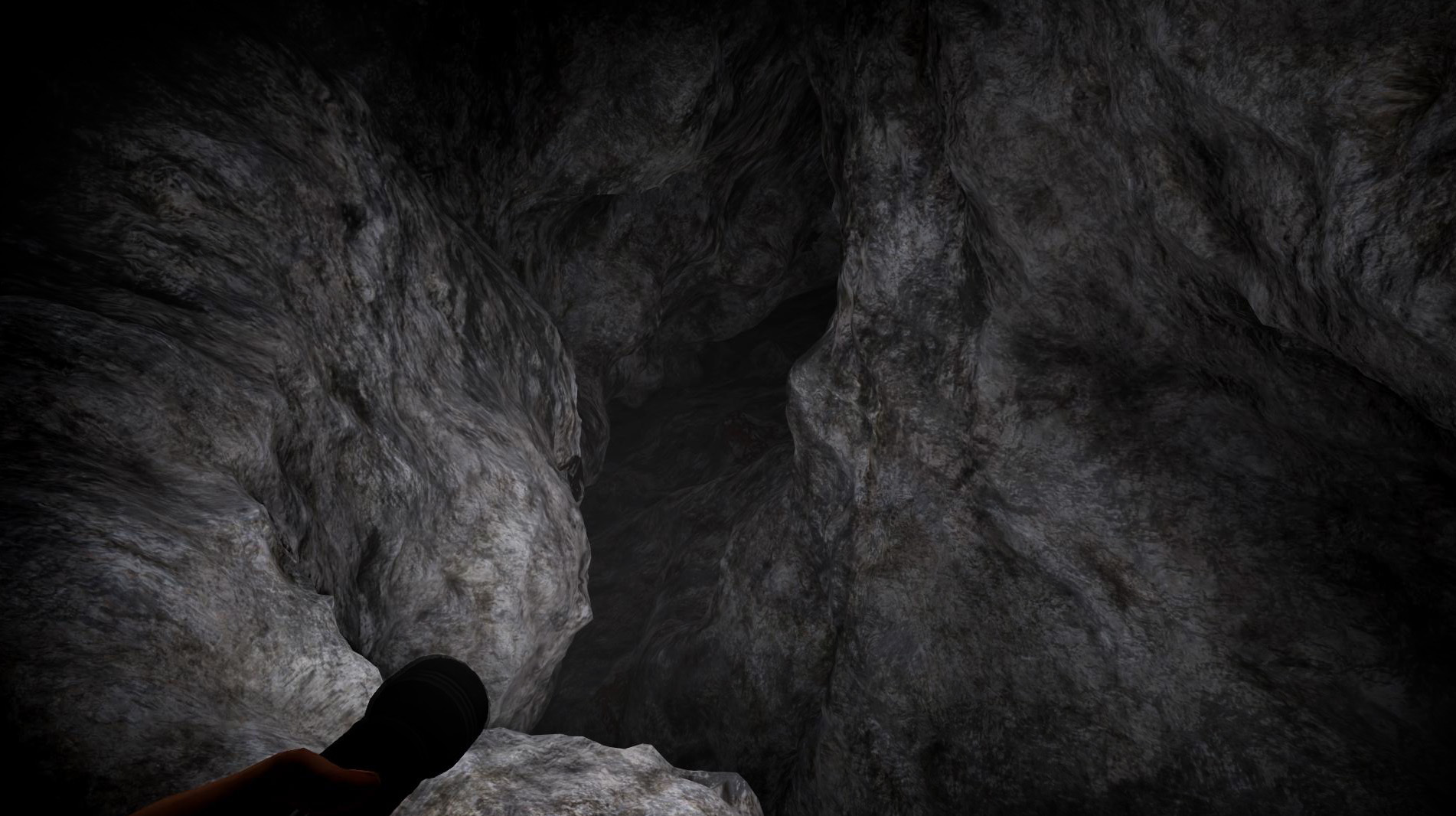
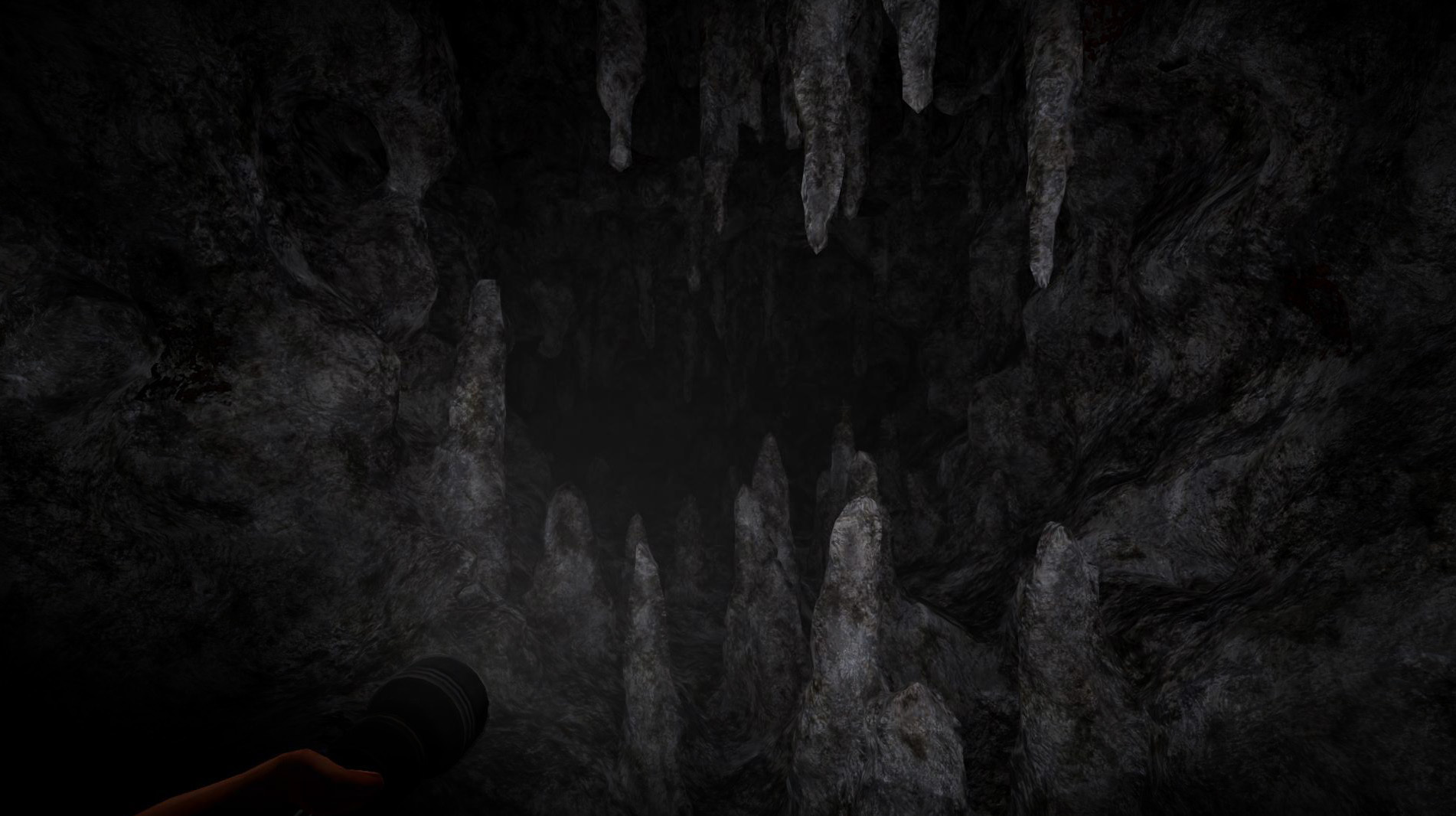
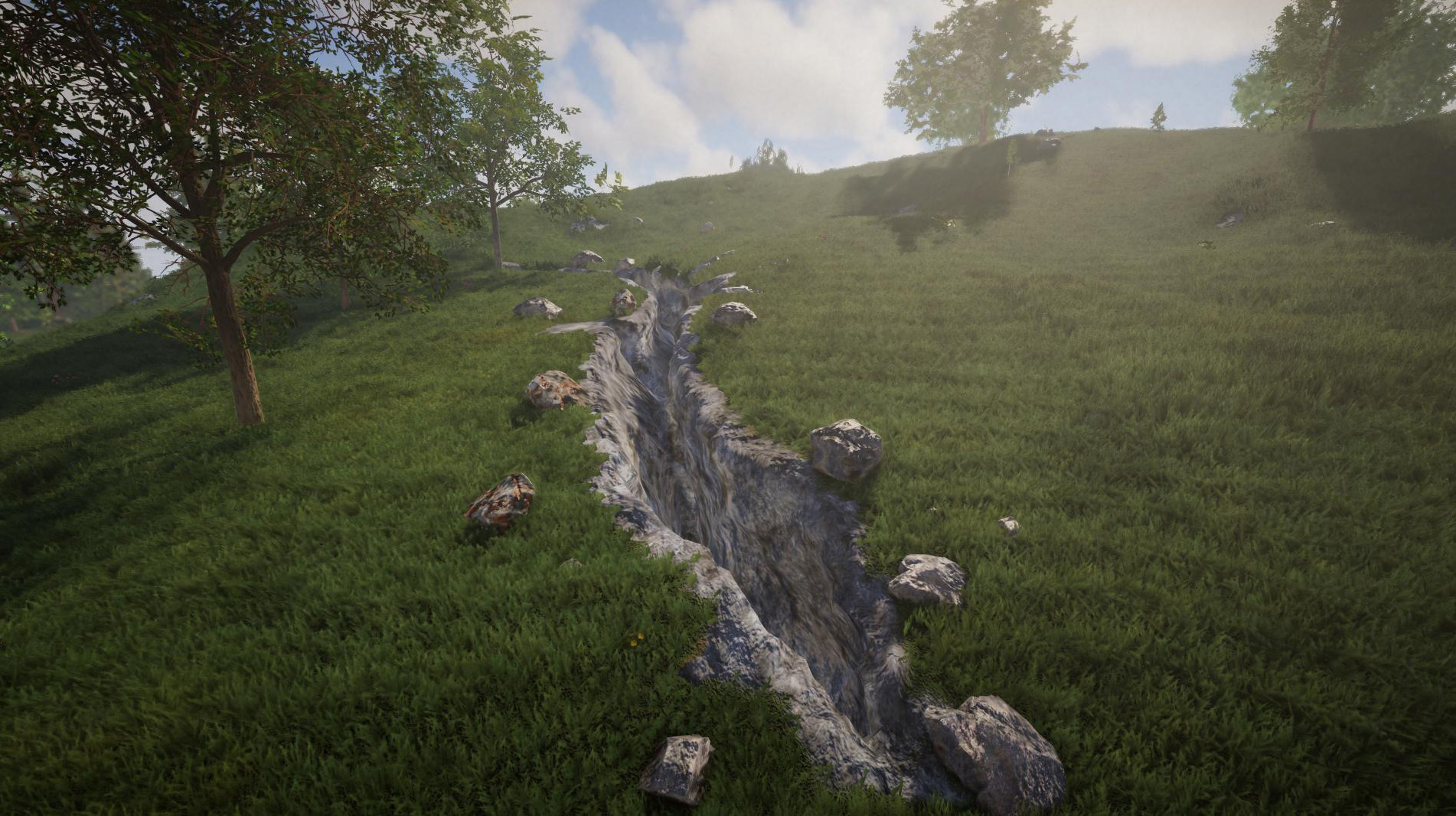
The game still generates a few tunnels near the surface (serving as cave entrances), and usually they lead to an actual cave. But the game can also create crevices on the surface, usually surrounded by boulders to make them easier to spot. The deep underground caves (the ones which are filled with water) remain unchanged.
To make cave exploration a bit easier, we've reworked the climbing rope: it now adapts to the ground and you can also use it to lower yourself slowly into caves.
By the way, the new caves generate in existing worlds. To make this possible, a world conversion is necessary - it will be performed when loading a world for the first time after the update.
Use Items on Mounts
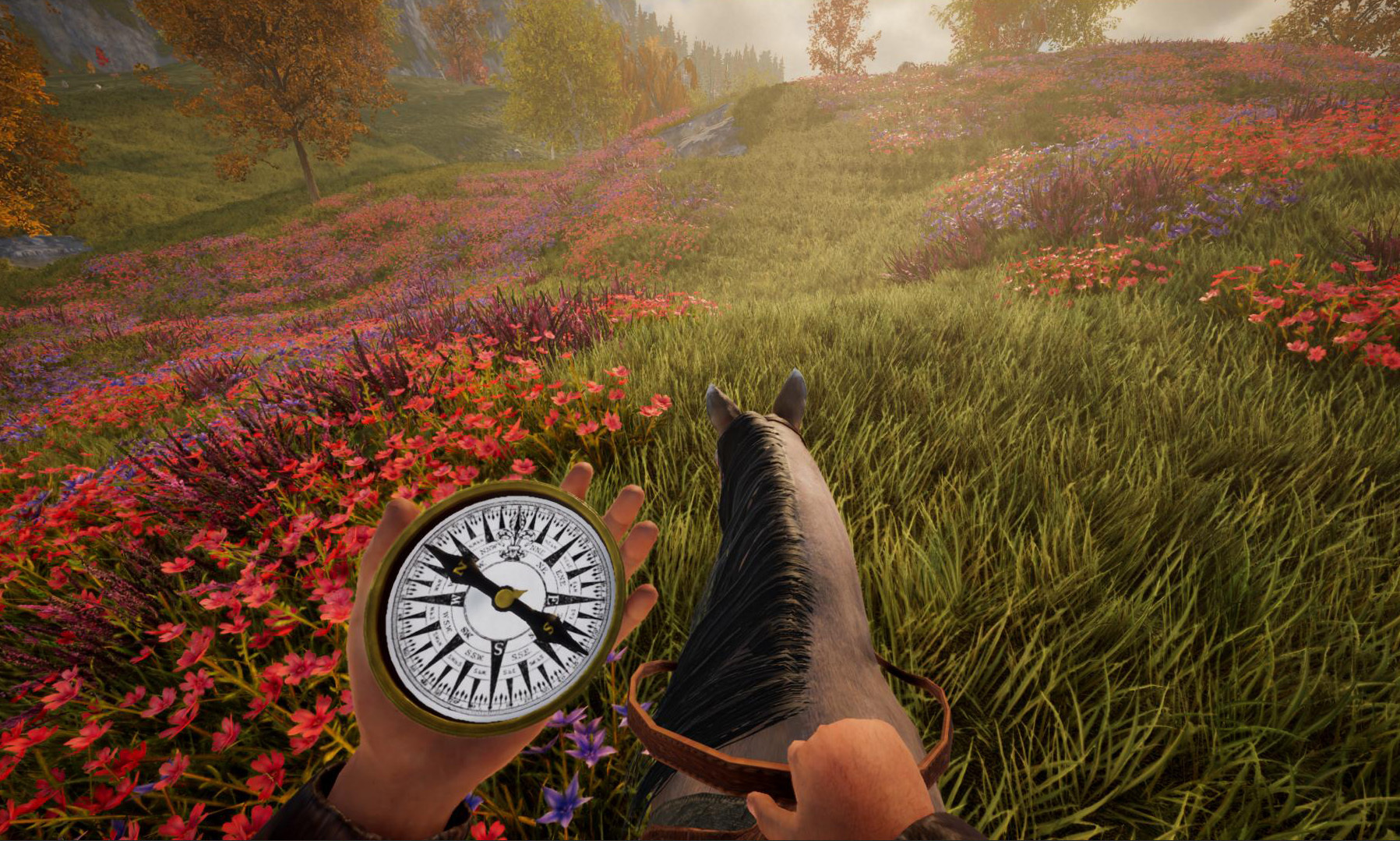
Many items can now be used while riding a mount or driving a boat. This works for weapons, navigation equipment (compass, map etc) and also food. This feature is still a work in progress, so if you run into any issues, please let us know!
Blueprint Resources in Survival
Blueprints now require resources in Survival mode. The blueprint list at the blueprint table contains an overview of all required resources, but you can also see them on the HUD when holding the blueprint in your hands.
Some blueprints require a ton of resources. If there is not enough room in your inventory for all the resources, you can also place chests near the target location - the game will automatically take all nearby chests into account.
Permission Editor
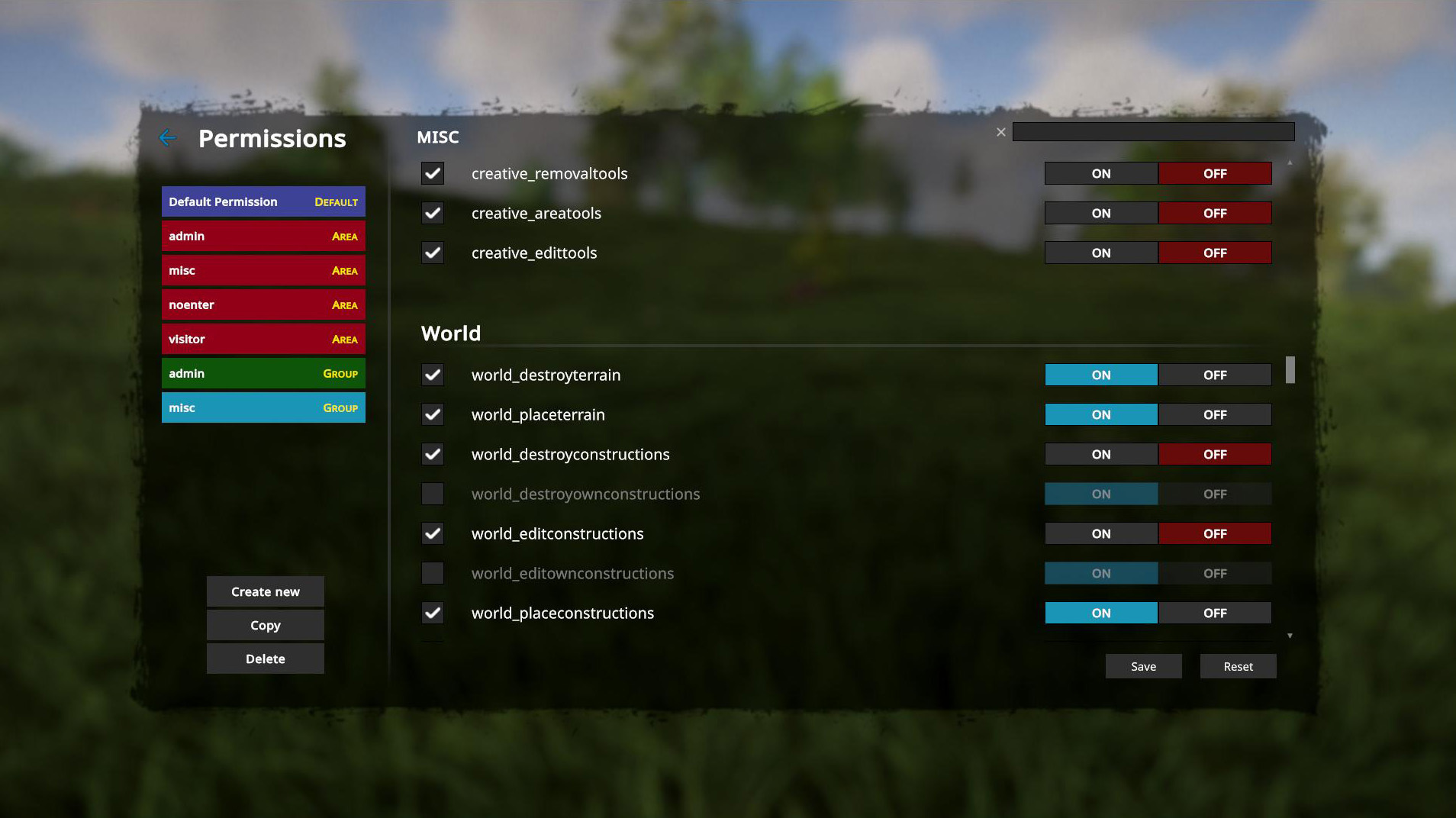
This update introduces a useful feature for server admins: a built-in permission editor. This enables you to create, modify or delete group and area permissions. In order to use the editor, make sure you have the "savepermissions" permission (under "commands"). To open the editor, press ESC and hit the small red edit button next to the "Permissions" button.
Other changes
There are also a ton of other changes and bugfixes. We've reworked how terrain smoothing works (e.g. for the rake, but also for the creative mode terrain tools). The rake and the terrain tools are now capable of making the terrain much smoother!
When looking at an item or collectible plant, the game now shows a clearly visible outline around them (but this can be turned off in the settings).
Icy surfaces on the terrain now have a transparency effect (and, by the way, ice is now slippery), and the game now supports "Tessellation" for terrain: this greatly increases the geometric terrain details around you (but it has an impact on performance). You can turn it on in the graphics settings.
If you're interested in various statistics (like travelled distance, felled trees, killed enemies etc), you can now view all stats for your current world. Just press ESC and hit the new "Statistics" button.
There is a new creative mode terrain tool (F5) to raise/lower terrain. Speaking of creative mode: since there have been repeated requests for this in the past, there is now a more comprehensive teleport feature: you can create several teleport points in a world, then teleport to them. The game stores a name and screenshot for each teleport point. To use this tool, just enter "tp" or "teleport" into the console (but we're also looking into a way to make this more easily accessible).
There are also several API changes and new features. The changelog for these can be found separately in our forum.
If you run into any issues or if you have any questions, please let us know! :)
Next Update
We've also been working on other features, like better npc pathfinding and food spoilage. These features didn't make it into this update, but we expect them to be ready soon.
_____________________________________
Changelog 0.9.3 (2026-08-31):
- Animals can now be fed and tamed
- Animals can be fed by hand, but they also eat food off the ground
- Every animal has different preferences when it comes to food
- Food satisfies animals' hunger and restores their health, but some food can also kill them
- If an animal is hungry and you hold suitable food in your hands, it will move towards you
- You can feed all domestic animals, deer, moose and wolves
- Hungry animals appear heavily emaciated
- Animals can starve to death (does not apply to wild animals)
- Some animals graze when they're hungry (this reduces the grass)
- Wolves won't attack you if you hold meat in your hands and slowly move towards them
- All non-aggressive animals can be petted
- Animals (including wolves) become tame through regular feeding and petting, so they no longer attack you or run away
- Animals only get pregnant if they are full and were fed recently
- Animals can be fed by hand, but they also eat food off the ground
- Improved cave generation
- Former "tunnels" are much shorter and almost always lead to an actual cave
- Small crevices can now spawn on the surface, leading into a cave
- Boulders are now often generated around crevices on the surface to make them easier to spot
- Much bigger caves are generated slightly below the ocean or sea floor (0)
- There is a small chance for huge cave chambers to be generated (in deep layers)
- Some caves contain stalagmites/stalactites
- Former "tunnels" are much shorter and almost always lead to an actual cave
- [New] Ocean now has actual waves, depending on the weather
- [New] Reworked boat physics and driving behaviour, now taking ocean waves into account
- [New] Updated underwater effects, added "god ray" effect and waves are now taken into account correctly
- [New] Added option to render an infinite ocean on the horizon (no accurate world representation, but makes for a nicer view)
- [New] Many items can now be used while riding a mount or driving a boat
- [New] Added teleport command (teleport or tp): you can create as many teleport points as you like, including a name and screenshot. You can teleport there using a command or the UI
- [New] Added ingame permission editor to create, modify or delete permissions in multiplayer (experimental feature, feedback needed)
- [New] Placed areas (F9 creative mode) can now be resized or moved retrospectively
- [New] You can now enable random rotation for persistent item placement (hold C)
- [New] Added lemon tree (including lemon as a new item)
- [New] Blueprints now require resources in survival (optional)
- [New] Blueprint resources are used from inventory and also from nearby chests (can be disabled in multiplayer)
- [New] Blueprint export tool now takes textures into account (groups blocks by texture, additional .mtl file) and reduces vertices
- [New] Statistics (e.g. travelled distance, trees felled etc) can now be viewed ingame (ESC menu)
- [New] Added new creative mode terrain raise/lower tool (F5->4)
- [New] Items and plants now show a clearly visible outline when being targeted (can be disabled in the settings)
- [New] Multiplayer: added "PauseWhenEmpty" setting which pauses the world when no players are online (enabled by default)
- [New] Controller: added option to interpret joystick devices as gamepads (feedback needed)
- [Change] Engine updated to Unity 6000.3.22f1
- [Change] Updated npc behaviour and collision (npcs should get stuck on terrain or walls less frequently now)
- [Change] Animal breeding is now only possible if the animals were fed and are full
- [Change] Journal now contains information about animal husbandry (breeding, feeding etc)
- [Change] Reworked water flow handling, water surface now levels out much more reliably and flows more smoothly (non-infinite water)
- [Change] Reworked climbing rope, rope now adapts to the ground and you can also use the rope to lower yourself slowly into caves
- [Change] Blueprints containing terrain now load much faster
- [Change] Cows now give milk for much longer after pregnancy
- [Change] Map can now display more than 256 markers
- [Change] Reworked pickup sounds for all items and objects
- [Change] Ice on terrain and in caves now has a transparent effect
- [Change] Ice surfaces are now slippery
- [Change] Rake is now capable of making terrain smoother
- [Change] Crafting menu search now also covers block materials
- [Change] Added new background scenes in main menu
- [Change] The game now provides suggestions when misspelling an item name while using the "item" command
- [Change] Most lights (torches, headlamp, flashlights etc) are much brighter now
- [Change] Game now avoids "ghost terrain cells" (i.e. single remaining invisible terrain blocks), which typically blocked water and caused visual "spikes" in LOD chunks
- [Change] Added console command "fixghostcells" to remove already existing "ghost terrain cells" from earlier sessions
- [Change] Grill and skewer can now also be attached to the "fireplace" object
- [Change] Console command "edit flags" on vegetation with "ForceSnowiness" or "DisableWind" parameters now takes effect immediately
- [Change] Block placement preview can now optionally be rendered with textures (see settings)
- [Change] Changed fuel consumption of furnaces
- [Change] Reworked gravity checks for objects and plants, objects in blueprints should no longer break when placing them
- [Change] World converter can now also convert older worlds (as long as they were created or last played after November 2022)
- [Change] Added pickup option for grindstone (hold F)
- [Change] Dedicated server: added optional "/pluginlist" route handler for webserver (needs to be enabled in server.properties explicitly)
- [Change] Many API changes, additions and bugfixes (see separate changelog)
- [Bugfix] Fixed an issue where buildings or objects were sometimes missing after returning from exploration trips (feedback needed)
- [Bugfix] Fixed objects in blueprints sometimes breaking for no reason when placing the blueprint (feedback needed)
- [Bugfix] Fixed some npcs getting teleported to the surface above them
- [Bugfix] Fixed dynamite and grenades not exploding
- [Bugfix] Moving elements in manual placement mode no longer stops working if the related chunk was unloaded (this usually happened with larger blueprints)
- [Bugfix] Fixed issue that blueprints containing huge terrain never loaded
- [Bugfix] Fixed wrong chat line breaks and also prevent chat from breaking rich text tags (emojis etc)
- [Bugfix] Fixed "deletenpcs" command not working correctly when trying to delete all npcs
- [Bugfix] Fixed sporadic crash when loading a corrupted blueprint
- [Bugfix] Fixed an issue where normal mapping was missing when terrain surfaces faced exactly south or north
- [Bugfix] Fixed an issue where the shake effect (e.g. when freezing) was amplified when looking up or down
- [Bugfix] Fixed F8 edit tool affecting random construction elements when looking at terrain
- [Bugfix] Fixed emojis flickering on signs or text elements in the game world
- [Bugfix] Fixed launch error under macOS when the game is installed on an external volume
- [Bugfix] Multiplayer: fixed area permissions inheriting wrong base permission for keys which were not explicitly set
- [Bugfix] Controller: rotation is no longer reset when enabling manual placement