Call of Duty: NEXT Highlights
[p align="start"][p align="start"]Call of Duty®: NEXT brought Modern Warfare 4 Multiplayer into the spotlight, with live gameplay and new intel on modes, progression, customization, Ground War: Combat Outpost, Kill Block, Call of Duty: Warzone™, and more. Here are some of the highlights.[p align="start"]Multiplayer: Boots on the Ground
[p align="start"][p align="start"]Modern Warfare 4 returns to the roots of Modern Warfare with boots-on-the-ground combat, grounded movement, hard-hitting weaponry, and a balance of speed and responsiveness designed to keep you in the action.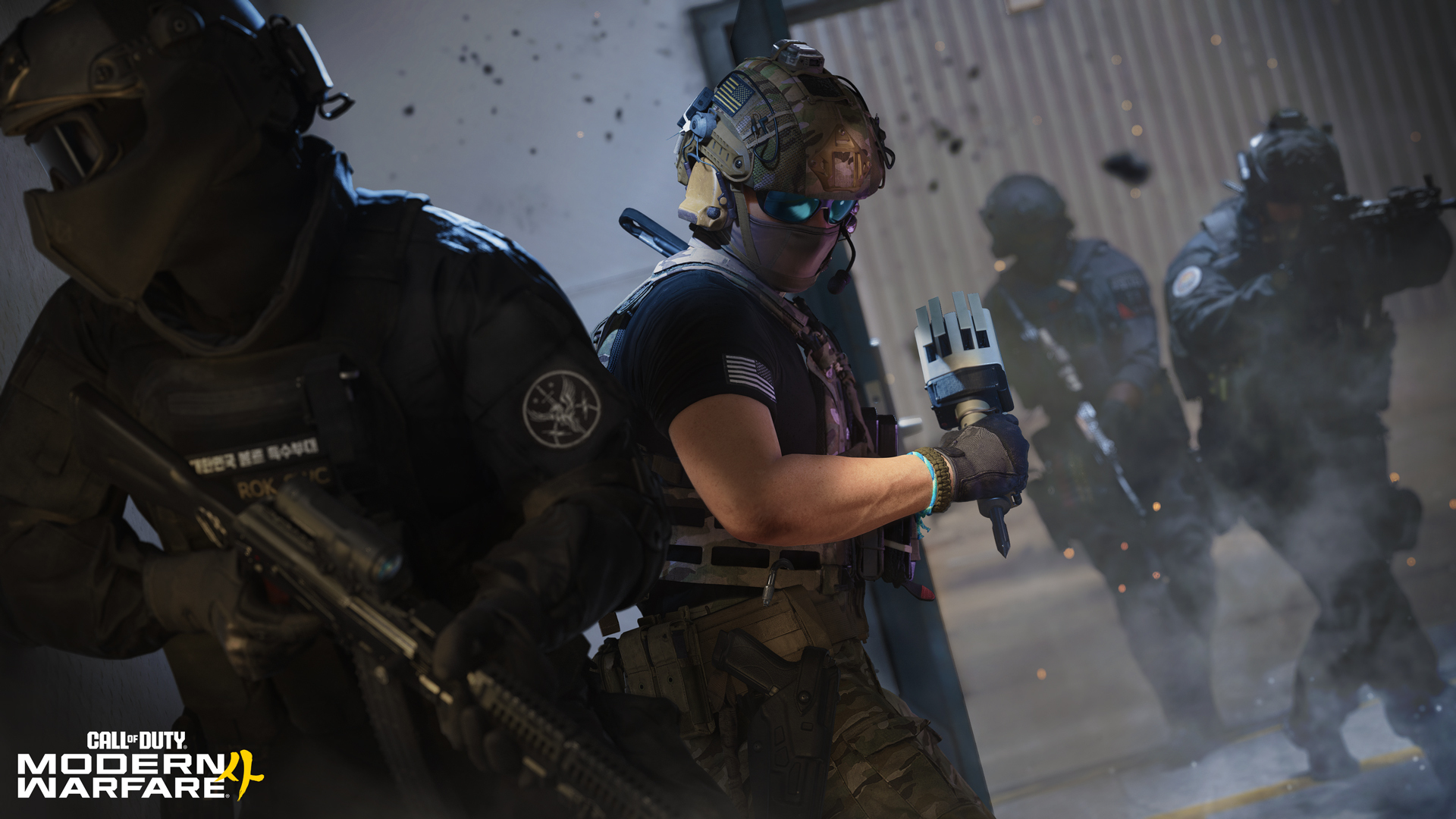
NEXT showcased the new Inflation mode, with Hijack, Arms Deal, and Frontline also joining the launch lineup. Search and Destroy is confirmed for the Beta.
Hijack (6v6, available during the Beta): Fight for control of a Data Spike, carrying, throwing, or passing it between teammates as you advance toward the enemy Comm Station. Plant the Spike to score points over time and earn a bonus if it detonates, while defenders counterattack to defuse it before it can score.
Arms Deal (5v5): Based on Search and Destroy, earn in-match cash through kills and objective play to purchase a limited selection of weapons and equipment each round. It’s single-life and high stakes: get eliminated and you lose your entire loadout.
Frontline (6v6): Push the line in this team-based respawn mode where players always deploy from their team’s base. Eliminate enemies to score, earning more points for taking them down outside their base, encouraging teams to push forward while defending their own.
Smartstreaks: Killstreaks now reward both kills and objective play, giving you more ways to contribute toward earning your streaks. Kills remain the primary driver, while playing the objective also counts toward your progress, rewarding a wider range of playstyles.
The expanded Create-a-Class brings your Operator, Killstreaks, Perks, weapons, and other choices together within each loadout. Want to get into the fight faster? Gunny recommends Short Range, Long Range, and Balanced loadouts as starting points, ready to use or customize to suit your playstyle.
[p align="start"]Build Your Arsenal
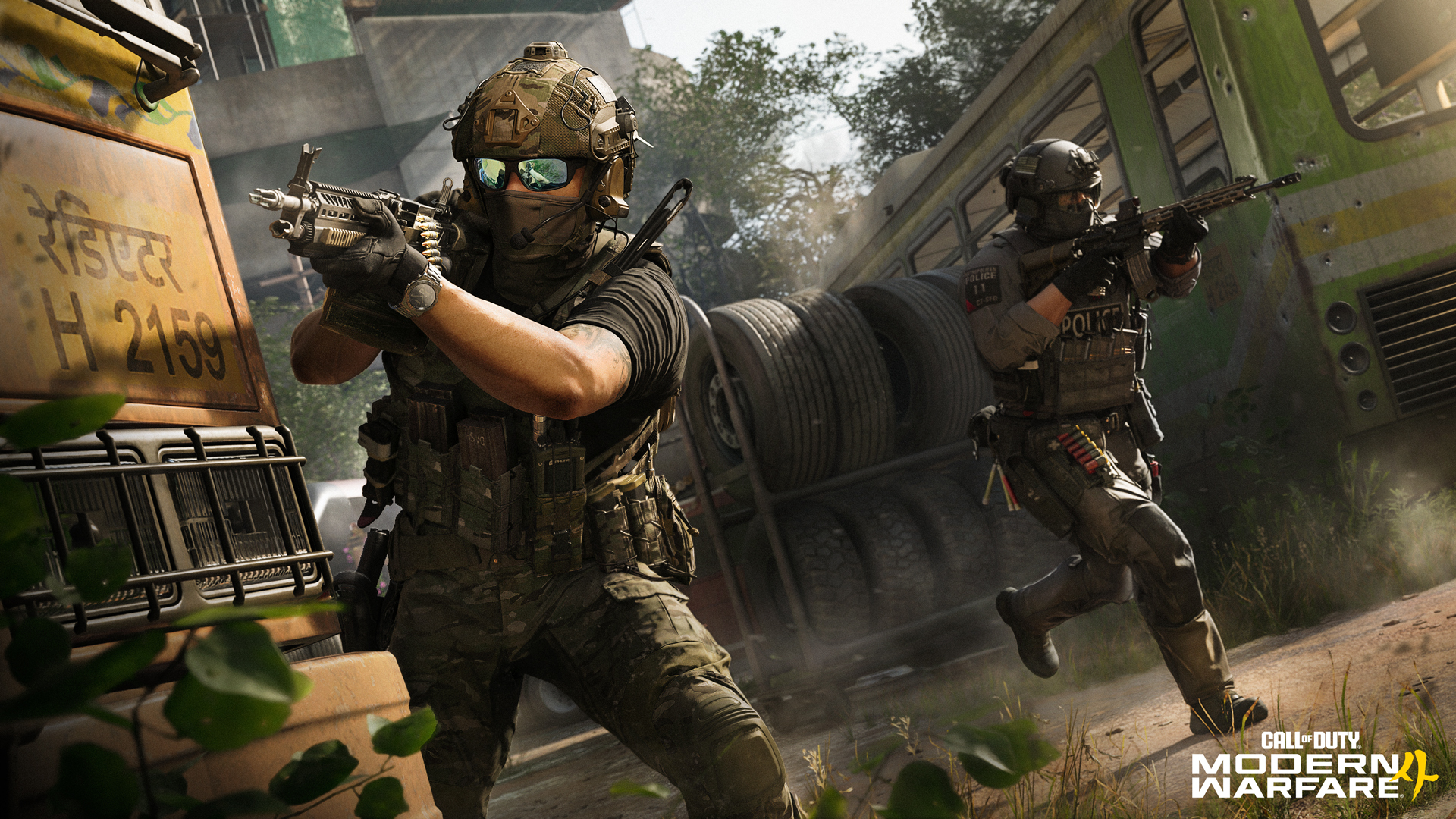
The majority of weapons launch with their own Apex Attachment (and occasionally more than one), offering a unique way to customize how it plays. The new Weapon Progression system cuts down on redundant unlocks, too: unlock an attachment once and build out an arsenal that gives you more options as you move from weapon to weapon.
[p align="start"]Ready to Prestige? Choose your path. Regular Prestige returns you to Level 1 while retaining your Create-a-Class unlocks. Classic Prestige brings the traditional reset experience with additional rewards. Both feature their own rewards and milestones.[p align="start"]The Weapon Camo journey also spans Multiplayer, DMZ, and Call of Duty: Warzone. Progress each weapon's Camo Track across all three experiences to unlock its Mastery Camo Challenges, with three Mastery Camos to earn in each mode for nine total.Modern Warfare 4: Prestige Mastery Camo Showcase
Modern Warfare 4: Multiplayer Mastery Camo Showcase
Modern Warfare 4: DMZ Mastery Camo Showcase
Call of Duty: Warzone™ Mastery Camo Showcase
Ground War: Combat Outpost
[p align="start"][p align="start"]Prepare for the next evolution of Ground War. In Combat Outpost, establish Outposts to earn resources, then put those resources to work completing further objectives. Expect large play spaces combining vehicle and infantry combat with powerful airborne Killstreaks overhead.Two purpose-built Combat Outpost maps are coming to the Beta, both set within Hajin: Imjin Farmland and Wolves Stadium, offering distinctly different battlegrounds spanning open terrain, towering structures, and indoor objectives.
[p align="start"]First Deployments into Kill Block
[p align="start"][p align="start"]With more than 500 combinations, no two Kill Block deployments play out the same. The living map reconfigures its layout and sightlines from match to match, with weather conditions ranging from clear skies, rain to snow. Look out for Slabs featuring recognizable elements from Modern Warfare favorites including Crash, Highrise, and Shoot House, appearing in randomized placements each match.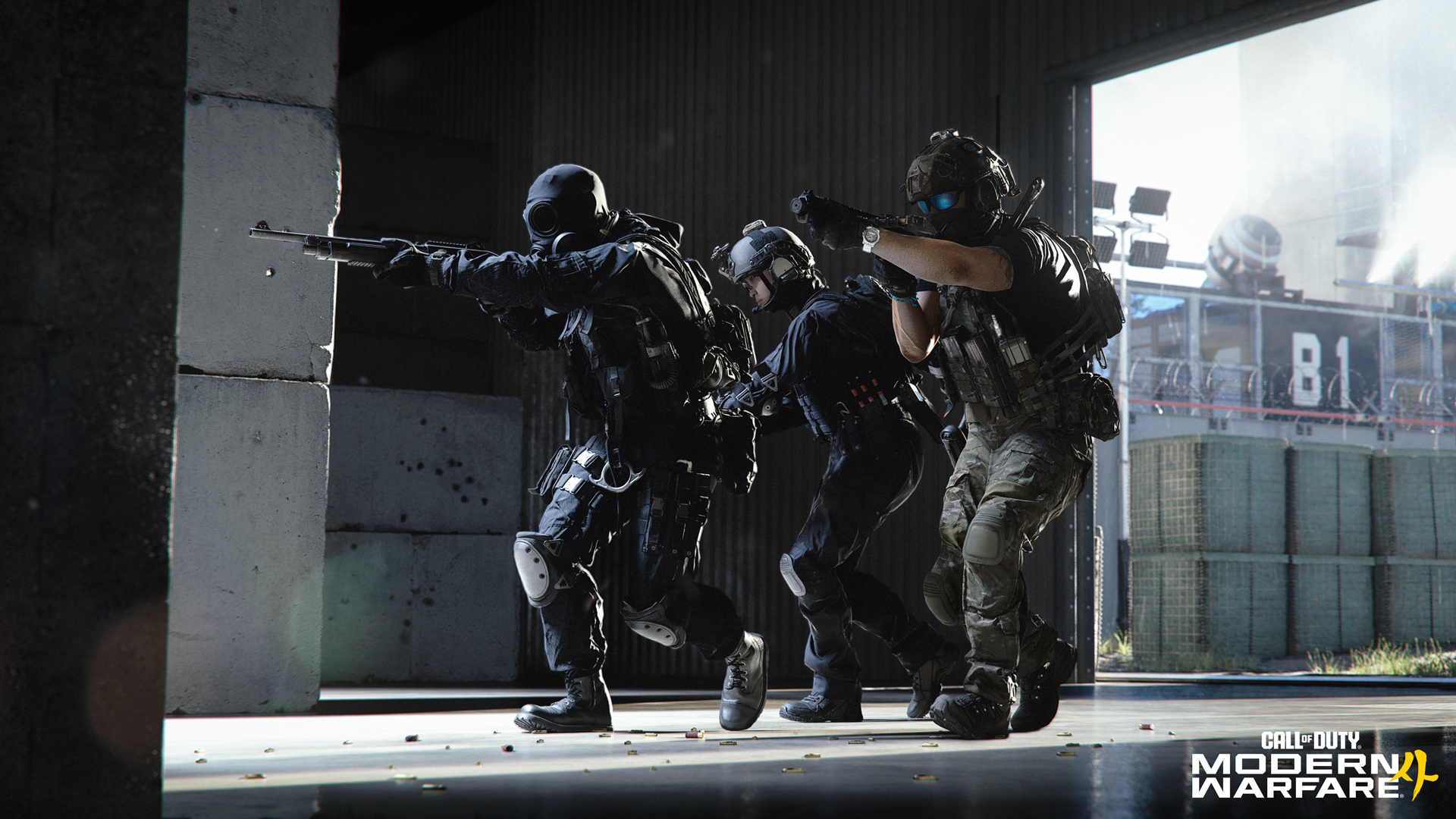
Gunfight comes to Kill Block in the Beta, but that's just the start. Kill Block is built to support Core modes and Killstreaks, with Search and Destroy and Domination already being put through their paces and additional Core modes and map combinations planned after launch.
[p align="start"]Additional Call of Duty: NEXT Intel
[p align="start"][p align="start"]Modern Warfare 4 launches with 12 Core 6v6 maps, spanning locations around the world and built to give each battleground its own distinct identity.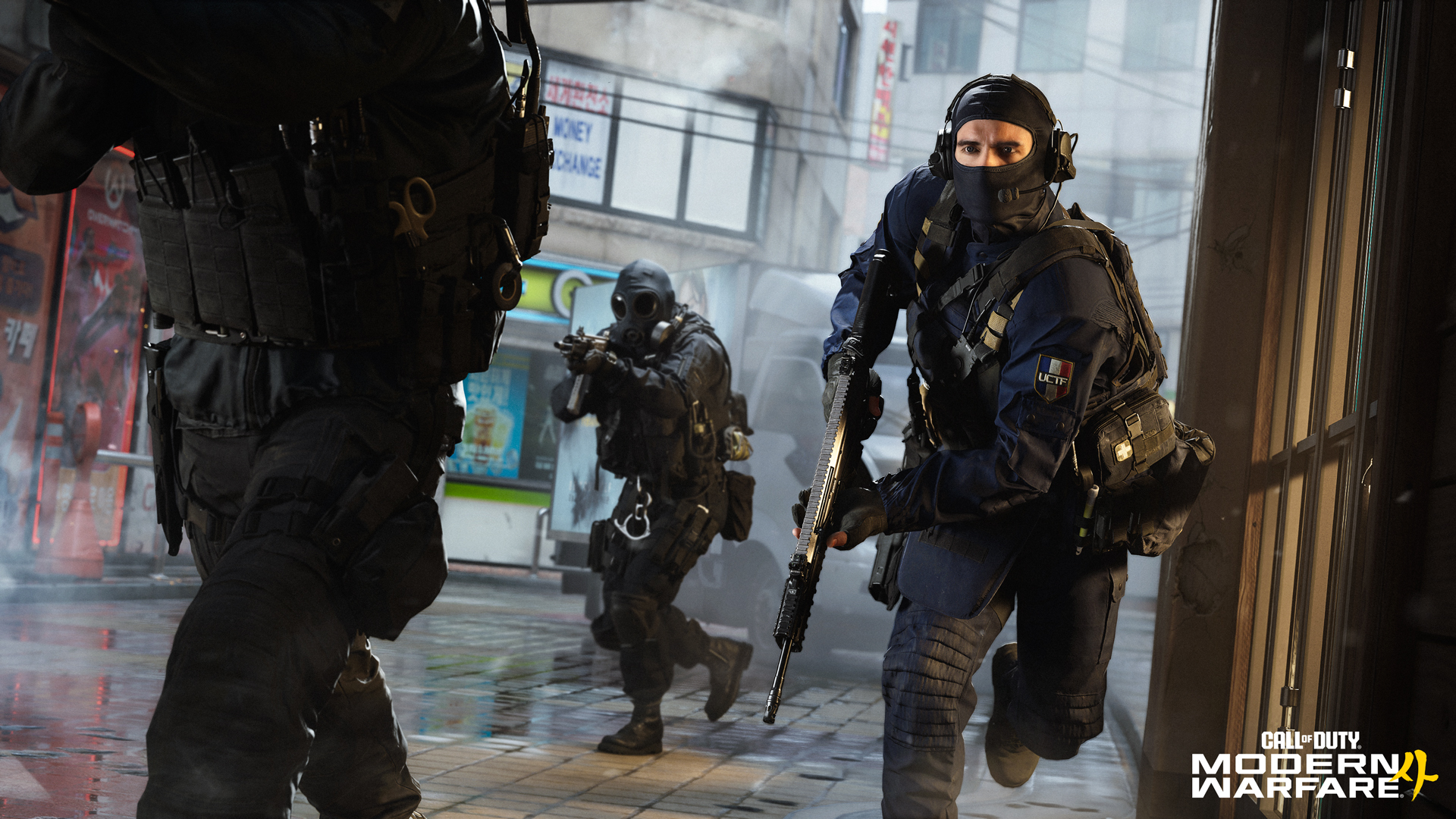
On PC, expect deep control over performance and visual quality across a wide range of hardware, continued focus on mouse responsiveness and visual clarity, shaders prepared ahead of time, and significantly fewer “update requires restart” interruptions — all designed to get you into the action faster.
[p align="start"]And there's more coming to Call of Duty: Warzone. Zodiac, built by Beenox, brings a new Resurgence experience with a variety of POIs, familiar features, and one particularly tactical addition: the train. The DMZ map Hajin is also coming to Battle Royale, with these two new Call of Duty: Warzone maps arriving in Season 1.[p align="start"]Modern Warfare 4: Multiplayer Vision
[p align="start"]Dynamic realism in an elevated battlespaceSUMMARY: Realism, spectacle, and player control balanced to create thrilling, fast-paced and impactful gameplay.
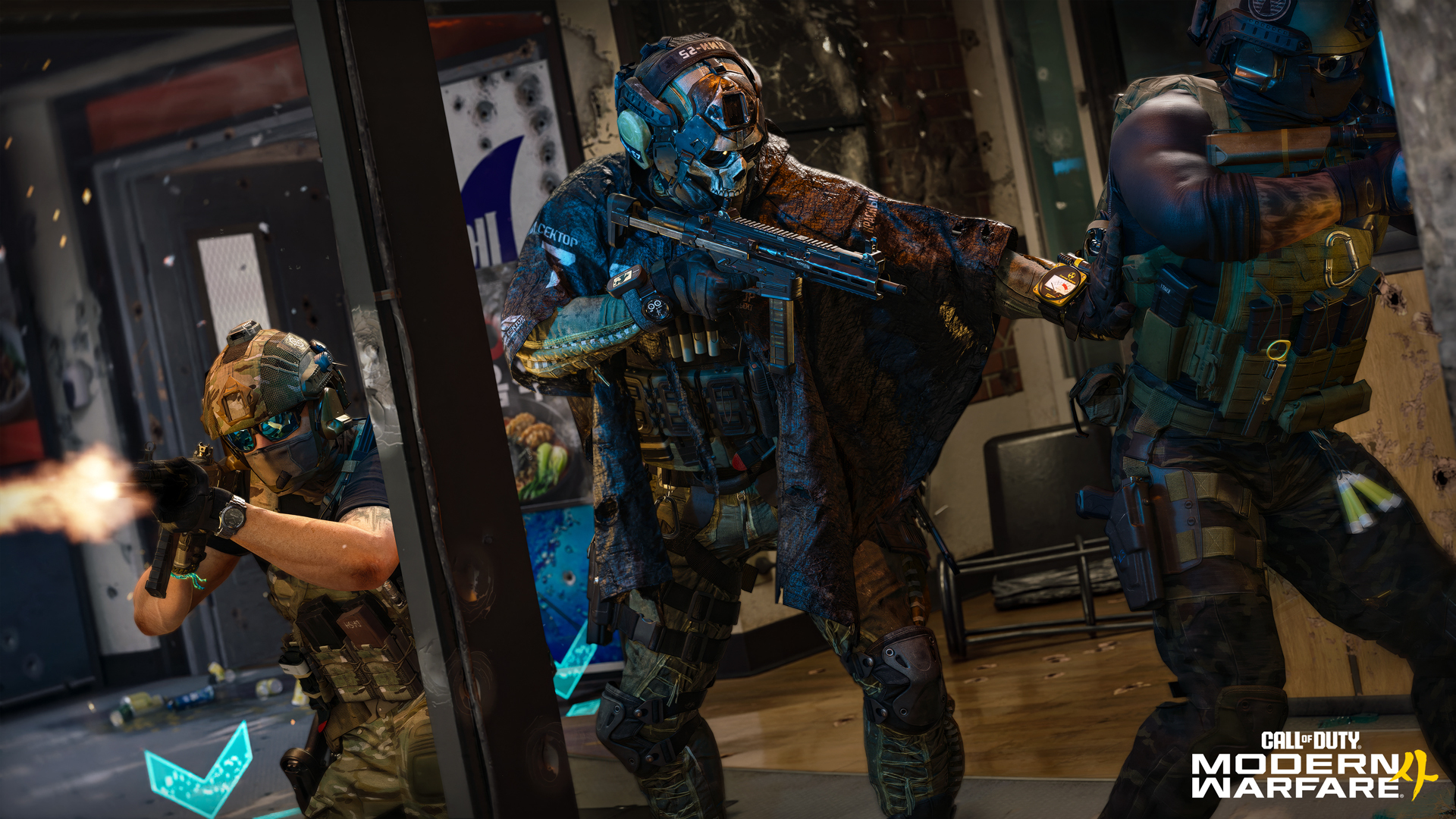
The environment reacts dynamically as explosions send debris flying, potted plants shatter, hydrants burst, and nearby explosions shake your footing. But realism isn’t the goal on its own. When it risks adding friction or frustration, Infinity Ward prioritizes control and responsiveness. Movement stays fluid, interactions stay reliable, and the focus remains on the player.
[p align="start"]The result is a Multiplayer experience that delivers grounded realism while remaining exciting, rewarding, and immediately satisfying to play.Movement // Overview
[p align="start"]Move Freely, Stay in ControlSUMMARY: A refined movement system built around responsiveness, control, and expanded traversal freedom.
Movement in Modern Warfare 4 is driven by fast and fluid first-person gameplay grounded in believable combat. Every movement mechanic is designed to reduce friction between actions while expanding player freedom across the environment, creating traversal opportunities that feel unrestricted and responsive. Animation transitions have been created to allow players the ability to navigate seamlessly across horizontal and vertical spaces without sacrificing precision or control.
[p align="start"]New traversal and combat movement options are designed to preserve momentum, reward player intent, and expand player choice, supporting a wide range of playstyles, from deliberate tactical positioning to all-out aggression. New movement systems include:Mantle Slide: For the first time, you can now transition from a Mantle directly into a Slide to keep the pressure on your enemies. Slide over a car hood, a planter, or low cover and transition instantly into offensive movement.
Mantle Momentum: This preserves forward velocity until the obstacle is cleared. No hard stops, just clean mantles that will help you to pressure targets and keep routes intact.
Mantle Steering: You never lose control while mantling obstacles. You can steer left or right mid-movement, aim down sights (ADS), or even abort the mantle after it starts. This is a system built to keep the game responsive, even in transitional states.
Supine Slide: Push movement further without sacrificing clarity. Double-tapping crouch during a sprint triggers a longer, lower slide that ends in a supine position (on your back, with feet forward). It opens new tactical possibilities in tight spaces, letting you stay in the fight from unconventional angles.
Pipe Climb and Fast Pipe Slide: New pipe traversal mechanics expand vertical movement options across the environment, with the ability to ascend or descend pipework attached to buildings. You can also slide into a vertical pipe while holding crouch, transitioning directly into a fast, controlled descent designed to feel intuitive immediately.
Hang Shimmy: Move left or right while hanging from ledges to reposition before climbing, dropping, or engaging.
Hang Lean: While hanging and aiming down sights, players can lean and rotate their operator with full 360-degree control, allowing for more deliberate positioning and target acquisition while suspended.
Climbing Jump: Jump precisely in any direction while hanging, climbing ladders, or traversing pipes, expanding routes and allowing faster repositioning across the environment.
Movement // Mantling Control
[p align="start"]Mantle Control and ChoicesSUMMARY: Mantling now allows early player control, unlocking advance, attack, or retreat options during the transition.
Mantling has been rebuilt to give players greater control during movement transitions. Instead of being locked into an animation, players can steer mid-mantle, Aim Down Sights while entering a space, sprint out to preserve momentum, or disengage entirely to reposition and reassess.
[p align="start"]Mantling is now a choice, not a commitment.Movement // Fluidity as You Traverse
[p align="start"]Chaining Movement, Preserving MomentumSUMMARY: Movement actions connect seamlessly, preserving momentum while adapting dynamically to player state and environmental traversal.
Instead of interrupting the flow, actions like sprinting, sliding, mantling, climbing, and transitioning to prone can all be chained together to maintain control across a map, creating seamless paths through contested spaces.
[p align="start"]Movement systems also adjust dynamically to player speed and state. Sprint landings adapt depending on height and momentum, mantling while sprinting preserves forward movement, and players can transition into low-profile movement to continue navigating under cover or fighting from unconventional angles.[p align="start"]Expect the full suite of movement mechanics to be available across Campaign, Multiplayer, DMZ, and Call of Duty: Warzone™.[p align="start"]Master this flow of movement actions to elevate your effectiveness at Modern Warfare 4. At launch, players can test those skills in a dedicated movement training course built around speed, movement chaining, and route mastery.Gunplay
[p align="start"]Every shot mattersSUMMARY: A refined weapons system delivering consistent and responsive gunplay where outcomes are determined by player execution.
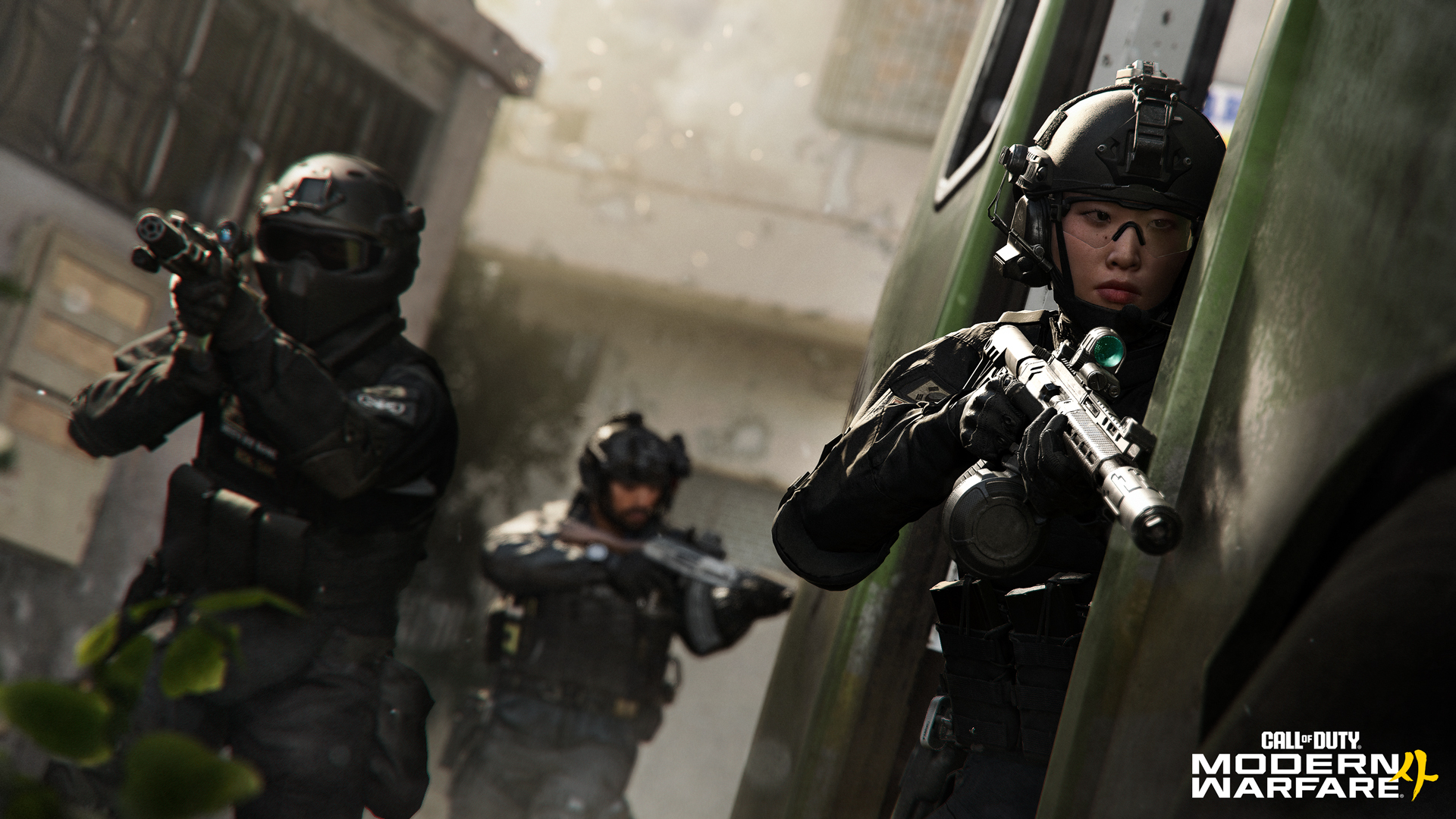
Modern Warfare 4’s gunplay is built around a balance between grounded realism and intuitive gameplay, combining precision aiming, physical weapon handling, enhanced visibility, and refined audio design. Bullet trajectory, weapon motion, operator stance, camera behavior, audio, FOV, and target visibility all align within a highly tuned combat fidelity system.
[p align="start"]Many of these refinements work beneath the surface, improving how weapons look, sound, move, and respond while keeping firefights readable and intuitive, even during aggressive movement and sustained firefights. Handling, recoil, and sight clarity have all been refined for greater consistency and control, reinforcing precise gunplay where player execution determines the outcome.[p align="start"]The goal is simple: no bloom, no guesswork, no doubt. Every shot tells the truth.[p align="start"]Gunplay // Weapon Framing
[p align="start"]Unified Field of ViewSUMMARY: Weapons and the environment share a unified field of view, improving clarity and creating a more realistic first-person perspective.
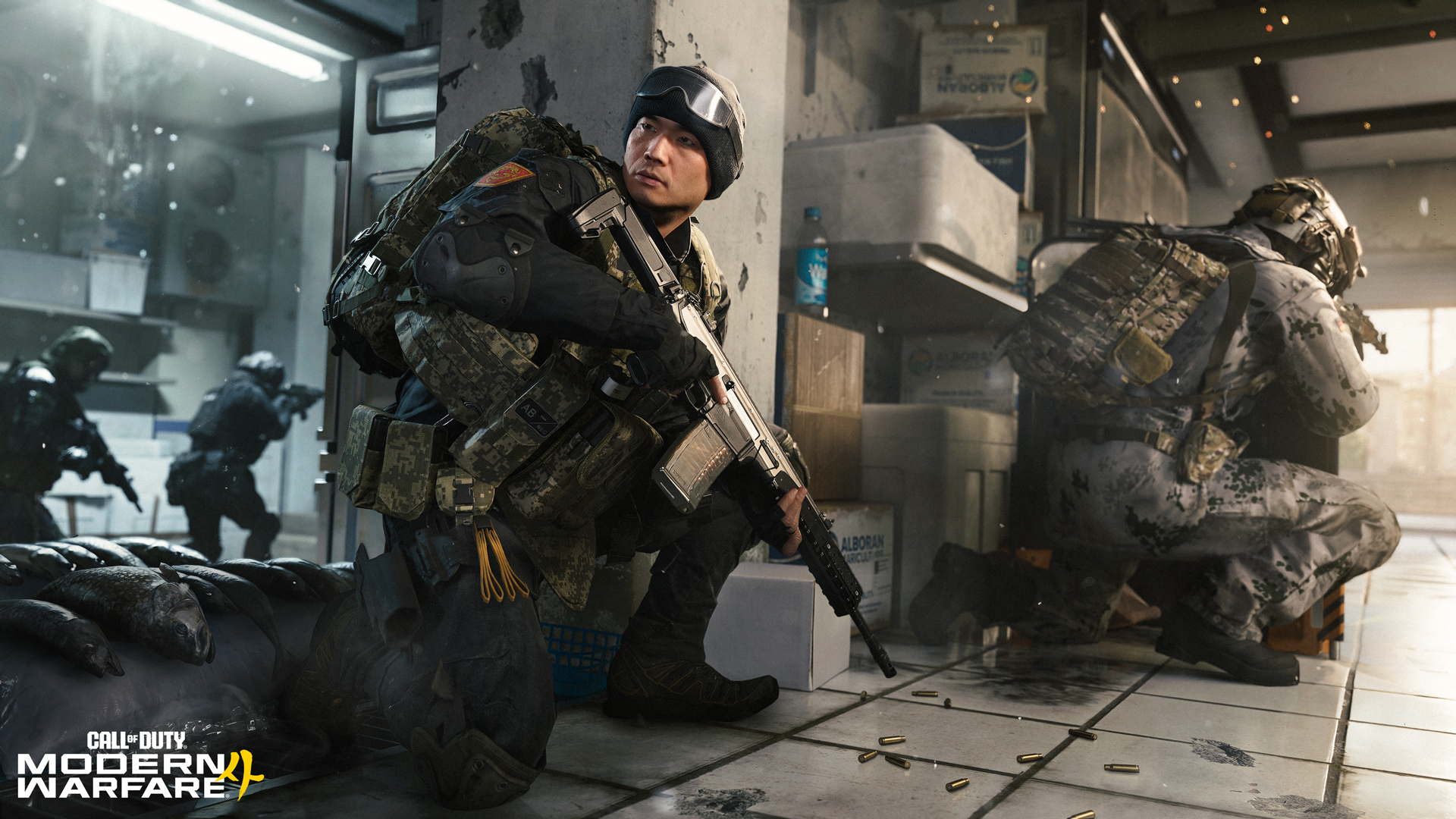
Weapon framing has been rebuilt to better match the player’s perspective. In previous Call of Duty titles, the weapon's field of view was rendered much lower than the environment, creating a less natural presentation.
[p align="start"]In Modern Warfare 4, the weapon and environment are rendered in the same field of view, aligning what you see with how first-person combat should feel, and delivering a more grounded and spatially coherent first-person view. Photorealistic lens distortion (available on PC) and depth of field preserve cinematic presentation without compromising clarity.[p align="start"]The result is a more natural presentation where weapon movement, animation, handling and detail read clearly in frame, while feeling more grounded in motion.[p align="start"]Gunplay // Visual Clarity in Combat
[p align="start"][p align="start"]Visual enhancements improve immersion, but they can interfere with gameplay when visibility breaks down. In Modern Warfare 4, visual systems are built to support both clarity and realism, ensuring the experience remains precise, readable, and authentic. Here are some examples:Visual Clarity in Combat // Enhanced FOV (PC only)
[p align="start"]Expanded Awareness, Preserved Target ScaleSUMMARY: A lens-based field of view expands situational awareness without reducing perceived target size, maintaining precision while presenting a more natural first-person perspective.
Visual Clarity in Combat // VFX Masking
[p align="start"]Clear Sight Picture Under FireSUMMARY: Muzzle effects are dynamically masked at the point of aim, keeping targets visible without reducing visual intensity.
Muzzle smoke adds weight and realism to every trigger pull, but it can also obscure what matters. In Modern Warfare 4, that tradeoff has been addressed without reducing visual intensity. A masking system preserves the full impact of muzzle effects while protecting the player’s sight picture around the point of aim, ensuring targets remain visible even during sustained fire. This preserves gameplay readability while allowing for more visceral weapon effects, with masking individually tuned for every optic across the arsenal.
[p align="start"]Visual Clarity in Combat // Depth of Field
[p align="start"]Clearer Point of AimSUMMARY: Depth of field is reworked to preserve target clarity, guiding focus without obscuring the sight picture.
Depth of field is intended to focus the player on a target, but it has often done the opposite, softening the image and obscuring the sight picture. In Modern Warfare 4, the effect as you ADS has been reworked to behave more like real-world focus and support gameplay readability. Instead of blurring into the environment, depth of field now isolates the weapon while keeping the player’s point of aim sharp and readable, making targets easier to track without sacrificing cinematic presentation. The effect now supports aiming instead of competing with it.
[p align="start"]Gunplay // Weapon Handling
[p align="start"]Natural Movement and Responsive ControlSUMMARY: Weapon handling reflects player movement and environment, with responsive motion, adaptive stances, and more natural sprint behavior.
Weapon handling has been rebuilt to create greater freedom of movement during combat. At lower speeds, movement now feels more physical, with each step translating into subtle weapon sway instead of a smooth glide. Turning in place has also been updated, with additional input shaping how the weapon settles and shifts, resulting in more physical, grounded weapon motion.
[p align="start"]Weapons now respond more directly to the environment. As you move near walls or take corners, the weapon adjusts position to match the space, retracting or shifting stance as needed. Weapon types also behave differently, reinforcing their weight and role across close- and mid-range engagements. Stance transitions are more fluid and adaptive, shifting naturally based on nearby threats and engagement range, prioritizing speed and readiness up close while emphasizing stability at distance.[p align="start"]Tactical Sprint behavior has been updated to better reflect player exertion. Instead of a fixed burst, movement now changes as stamina is depleted, with posture and stride cadence adjusting to reflect fatigue. Combined with the updated framing system, these changes keep movement, positioning, and weapon control closely aligned.[p align="start"]Gunplay // Accuracy
[p align="start"]No more Bloom: Input-Aligned BallisticsSUMMARY: Bloom has been removed, with hipfire shots traveling where the weapon is pointed for direct, skill-based accuracy.
Modern Warfare 4 strengthens the connection between player input and weapon performance by removing Bloom from hipfire. Previous systems introduced shot variance that could send rounds off target despite correct weapon alignment. Now, hipfire shots travel where the weapon is pointed, creating a more direct relationship between player intent and shot placement.
[p align="start"]This does not eliminate the challenge of hipfire engagements. Weapon sway, recoil, movement, and handling characteristics still influence accuracy, rewarding players who can control their weapon under pressure. Rather than relying on hidden randomness, the system places greater emphasis on player skill, weapon management, and situational awareness.[p align="start"]Weapon alignment has also been improved through more precise simulation of motion and convergence, helping maintain correct orientation toward the point of impact at any range. The result is a more readable and consistent gunplay experience where accuracy reflects player input and outcomes feel earned.[p align="start"]Gunplay // Recoil and Motion
[p align="start"]Readable Recoil, Consistent MotionSUMMARY: Recoil and weapon motion are refined for consistency and clarity, improving control and readability in sustained fire.
Weapon motion has been refined to better simulate how firearms behave under sustained fire. The motion of the weapon now directly affects where bullets go, improving control while keeping every shot readable, and allowing lasers to reflect bullet trajectory precisely with each trigger pull. The updated system delivers clearer visual quality during highlight moments like Plays of the Game, presenting authentic behavior that holds up in slow-motion replays.
[p align="start"]Gunplay // Weapon Materials
[p align="start"]Real-World Material FidelitySUMMARY: Real-world materials and scan data ensure more accurate surface detail, improving visual clarity and realism across every weapon.
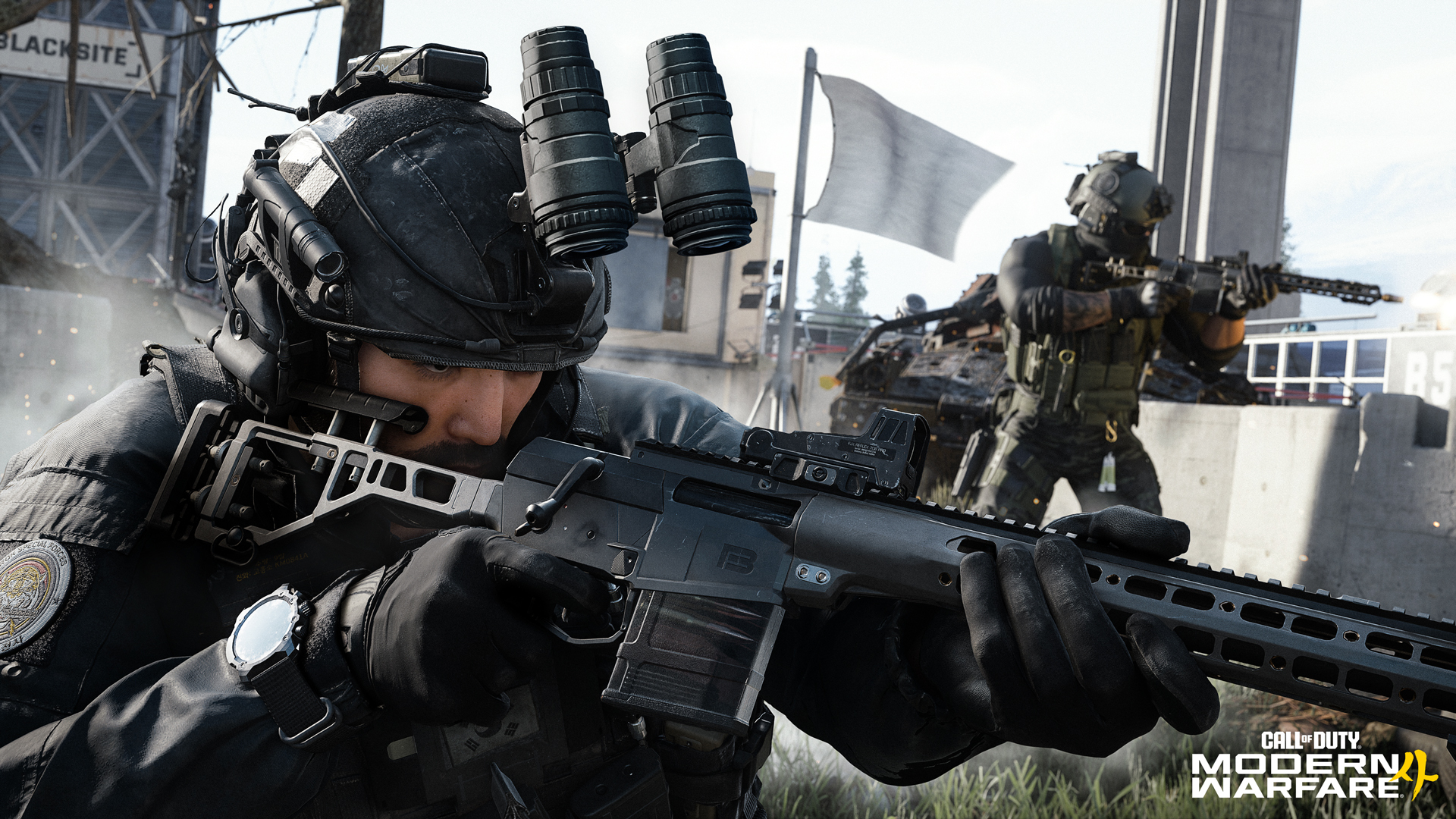
Every weapon surface is built to read clearly and accurately, from polymer and wood to hammer-forged steel. Using high-precision scan data and refined workflows, materials now capture fine detail — including tool marks, carbon residue, and unique patterns of wear — with greater definition and consistency. These improvements extend across the full arsenal, giving each weapon a distinct visual identity grounded in real-world reference.
[p align="start"]Create-a-Class
[p align="start"]Centralized Loadout ControlSUMMARY: Customize Operators, Killstreaks, Weapons, Perks and Equipment per loadout, enabling fully specialized setups for every combat approach. Available during the Beta.
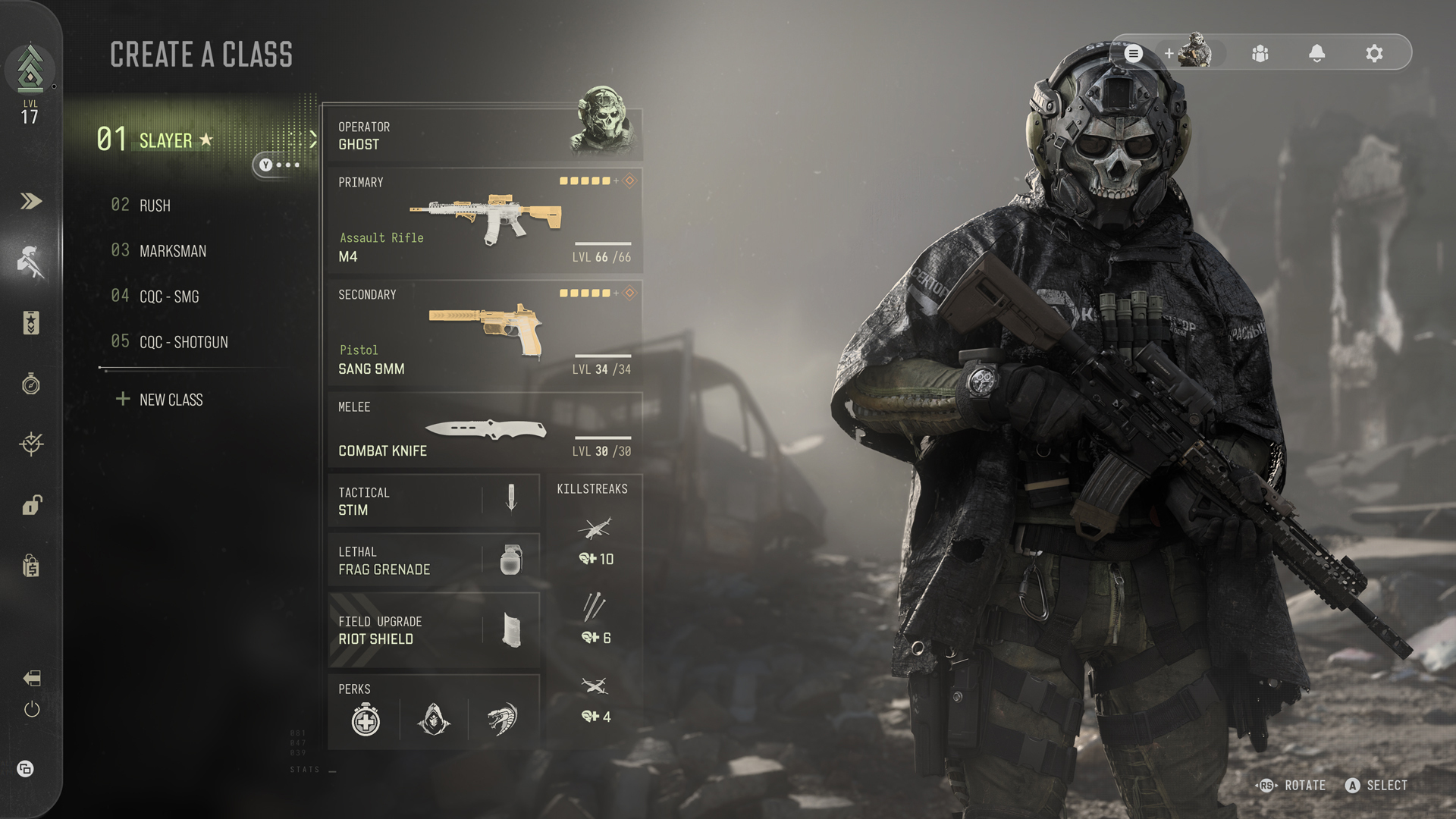
The Create-a-Class system in Modern Warfare 4 Multiplayer introduces a deeper level of loadout customization built around player identity, combat role, and a player’s approach to combat. A vertically structured Create-a-Class menu returns to a clearer, list-based layout, making loadouts faster to scan, compare, and adjust at a glance. For the first time, Operators and Killstreaks are integrated directly into each loadout, allowing every class to reflect a specific combat role and set of preferred tactics.
[p align="start"]Build your class around a favorite Operator and adjust every part of the loadout to how you fight, combining weapons, equipment, Perks, and Killstreaks into a combat setup designed to keep you effective during a match, whether holding lanes at range, moving aggressively through objectives, or adapting between engagements. Each loadout supports a distinct combat role from top to bottom.[p align="start"]Create-a-Class // Loadout Options
[p align="start"]Extensive, Operator-Grade AssetsSUMMARY: A wide-ranging arsenal of weapons, attachments, and equipment, delivering exceptional depth and customization. Available during the Beta.
The Create-a-Class menu allows immediate access to a wide range of weapons and equipment, as well as Perks and Killstreaks, each built around a chosen Operator:
33 weapons, including 24 primary, 8 secondary, and 1 melee
22 weapons are available to use during the Beta
28 Apex Attachments and more than 500 standard attachments
19 Apex Attachments are available during the Beta
9 Tacticals and 11 Lethals
7 Tacticals and 8 Lethals are available during the Beta
11 Field Upgrades
9 Field Upgrades are available during the Beta
17 Killstreaks
10 Killstreaks are available during the Beta
18 Perks
15 Perks are available during the Beta
Create-a-Class // Gunny: Attachment Optimizer
[p align="start"] Optimized Attachments for your WeaponrySUMMARY: Instantly assemble tactically proficient weapon builds using the attachments you’ve unlocked. Available during the Beta.
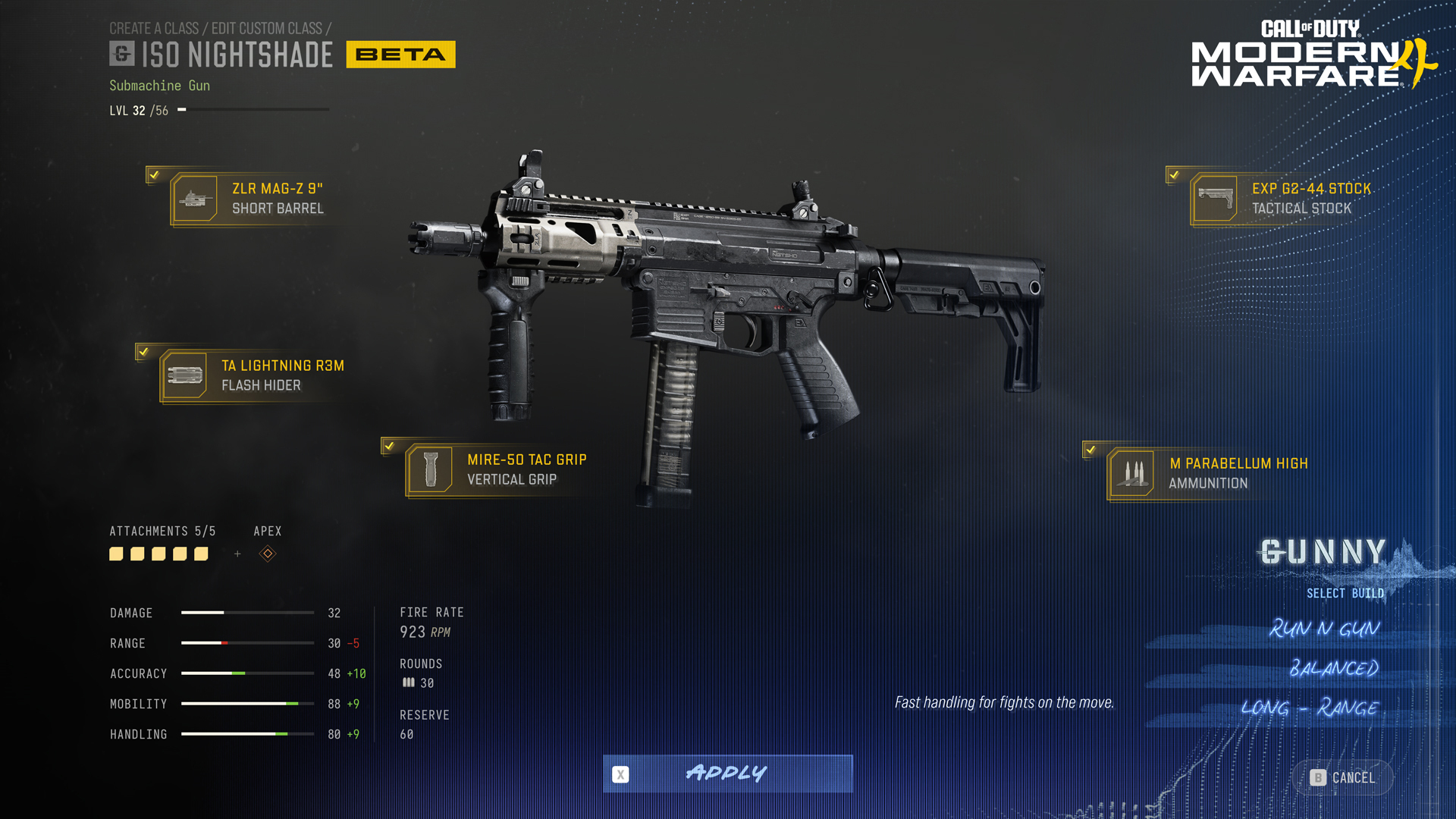
Short for Gunnery Sergeant, Gunny introduces a faster, optional way to approach Gunsmith that helps players quickly assemble their attachments into effective builds for different combat roles and playstyles while still allowing full customization. Available within Create-a-Class, Gunny uses the attachments you’ve already unlocked to craft performant weapon builds, allowing players to experiment with different weapon characteristics, ranges, and combat roles without slowing down customization.
[p align="start"]With a single input, Gunny can cycle through builds that support different playstyles such as close-range, balanced, or long-range, and these builds evolve naturally as new attachments are unlocked, supporting weapon progression from early levels through full completion.[p align="start"]Gunny supports both newer players looking for reliable weapon setups and experienced players experimenting with different weapon strengths, combat roles, and playstyles.[p align="start"]Create-a-Class // Apex Attachments
[p align="start"]Specialized Weapon ModificationsSUMMARY: Final weapon progression unlocks that modify weapon behavior, introducing specialized combat functionality and new tactical possibilities. Available during the Beta.
Apex Attachments expand Gunsmith with a new tier of optional weapon customization tied to weapon progression, unlocked as the final reward for maxing out a weapon. Apex Attachments are equipped separately from standard Gunsmith attachments and do not consume an attachment slot. Each Apex Attachment introduces a distinct gameplay effect that changes how the weapon performs in combat, reshaping how fully leveled weapons function in combat, creating specialized weapon identities with distinct tactical strengths. From aggressive close-range conversions to stealth-focused configurations and experimental tactical modifications, Apex Attachments introduce new ways to approach combat across the arsenal.
The Mojave .357 revolver equips the “Outlaw”, custom single-action hammer, enabling rapid fan-firing from the hip for fast follow-up shots.
The Oris 8.6 Marksman Rifle adds a sidesaddle with three quick-draw kunai, complementing its 8.6 Blackout configuration.
The Sang 9mm pistol’s “9&12” attachment mounts a side-break 12-gauge shotgun to the frame, built for close-quarters aggression.
The ISO Nightshade SMG “Trace” integrates custom-tipped ammunition with an optical display, marking enemy positions and tracking movement behind cover at the cost of velocity and penetration.
The X-58 NYX “Void” Apex Attachment transforms the platform into a low-signature stealth configuration built to minimize firing visibility and conceal shot direction during close-quarters engagements.
The M4 assault rifle returns with the “Hurricane” Apex conversion, chambered in 5.7x28 and fed from a P90-style magazine for a high-velocity SMG configuration.
The Kastov 762 assault rifle platform features the “ARC”, a prototype drone countermeasure system, using a barrel-mounted focus jammer to disrupt enemy Killstreaks and equipment.
Create-a-Class // New Equipment// Trip Wire (Lethal)
[p align="start"]Adaptive Trap SystemSUMMARY: A throwable mine that creates dynamic explosive lines, adapting to surfaces and linking to other deployed Trip Wires. Available during the Beta.
The Trip Wire introduces a dynamic new approach to Lethal equipment based on surface placement and an auto-linking system. When deployed, the device creates an explosive tether that adapts to its environment, forming ground, wall-to-wall, or vertical traps depending on where it is placed. The system responds to the surface automatically, constructing a triggered connection without requiring precise setup.
[p align="start"]Multiple Trip Wires (from squad mates) can be combined, linking together when placed nearby to form larger, connected traps. These explosive webs allow squads to control space, block routes, or set layered defenses that restrict enemy movement through contested areas.[p align="start"]Create-a-Class // New Equipment // Smoke Wall (Field Upgrade)
[p align="start"]Sightline Denial and MovementSUMMARY: A forward-deployed smoke drone that creates a navigable, volumetric smoke path to block sightlines and enable movement through contested ground. Available during the Beta.
Smoke Wall deploys a compact rocket that travels forward, leaving a dense trail of smoke in its path. The device navigates over obstacles, allowing it to function across a range of environments and engagement spaces.
[p align="start"]At range, it can obscure long sightlines, limiting visibility for overwatch positions and enabling safer movement across exposed areas. Up close, it creates a direct path forward, allowing players to reposition and advance under cover.[p align="start"]The smoke utilizes Infinity Ward’s brand-new volumetric tech and fully interacts with world geometry and responds to combat. It can be disrupted by gunfire and dispersed by explosives, while remaining a dynamic tactical tool for controlling space and movement.[p align="start"]Create-a-Class // New Equipment // Razor Wire (Field Upgrade)
[p align="start"]Area Denial SystemSUMMARY: A deployable trap that creates a dense coil of barbed wire on contact, halting movement and controlling chokepoints. Available during the Beta.
Razor Wire allows for disruption of enemy movement, particularly along advantageous routes and chokepoints. Once placed, the device deploys on enemy contact, creating a dense entanglement of barbed wire that immediately disrupts forward momentum.
[p align="start"]Enemies who slide or run into the wire are momentarily stopped, creating a window to react and counter. The effects are clear and readable, ensuring enemies know when and why they’ve been caught.[p align="start"]The trap can be forced through, but doing so comes at a cost to your speed and health. Melee attacks or gunfire can clear a path, though this exposes your position. Used well, Razor Wire controls chokepoints, slows advances, and protects vulnerable angles.[p align="start"][p align="start"]Create-a-Class // Returning Equipment // Riot Shield (Field Upgrade)
[p align="start"]Deployable Ballistic CoverSUMMARY: Now a Field Upgrade, this provides frontal protection, offensive melee, and deployable cover capabilities, with destructible durability. Available during the Beta.
The Riot Shield returns as a Field Upgrade, shifting from a constant loadout choice to a timed tactical tool. It can be deployed when needed, allowing you to transition from offense to defense without sacrificing your main weaponry.
[p align="start"]In use, the shield provides frontal protection while advancing or holding a position. It can also be used offensively, with a new heavy melee attack that knocks enemies down and creates space in close quarters.[p align="start"]When planted, the shield becomes deployable cover, allowing you to mount behind it and hold an angle or secure an objective. This creates a strong defensive position, particularly in contested areas.[p align="start"]To balance its impact, the shield is now destructible. It remains durable enough to support a push or cover a retreat, but cannot be relied on indefinitely, encouraging timing and positioning over sustained use.[p align="start"]Create-a-Class // New Equipment // Bomb Glider (Killstreak)
[p align="start"]Direct-Control Aerial StrikeSUMMARY: A throwable, player-controlled glider that enables high-speed aerial scouting and precision dive bombing, with improved mouse and keyboard handling. Available during the Beta.
The Bomb Glider is a low-cost Killstreak that puts you in direct control of a fast-moving handheld plane fitted with explosives. Once deployed, you pilot the glider across the map, scouting from above before committing to a dive attack on your target.
[p align="start"]The glider moves at high speed, allowing you to reposition quickly, line up attacks, and approach from unexpected angles. It rewards precision flight control, giving players the ability to adjust their path in real time before striking.[p align="start"]A new mouse and keyboard control scheme improves handling over older control systems, providing analog-like turning without the need for exaggerated mouse movement. This creates a more stable, responsive flight experience while preserving room for precision and skillful control.[p align="start"]Prestige // Overview
[p align="start"]Classic Prestige Returns — With More Player ChoiceSUMMARY: Two distinct Prestige paths give players more freedom in how they progress, unlock rewards, and continue the grind.
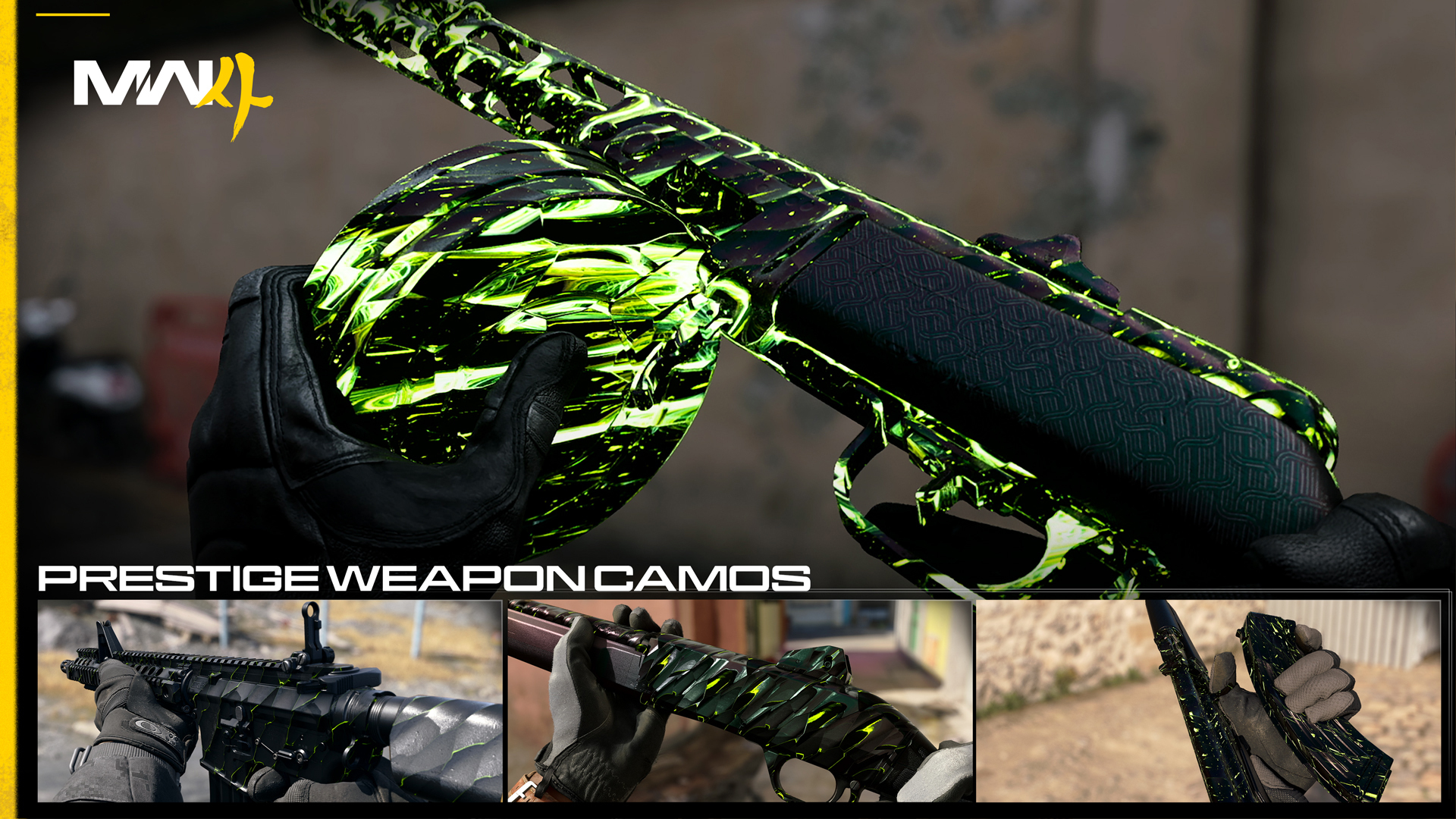
Modern Warfare 4 expands player progression with two distinct Prestige paths built around player choice: Classic Prestige and Regular Prestige. Whether players prefer the traditional reset-and-rebuild structure of Classic Prestige or a more flexible progression path that preserves unlocked content, both systems deliver long-term rewards, progression milestones, and new ways to level up across Multiplayer and beyond.
Classic Prestige delivers the traditional Prestige experience, resetting level unlocks and Create-a-Class progression in exchange for increased XP rates and exclusive Prestige rewards, and the goal of entering Prestige mastery.
Regular Prestige allows players to restart progression from Level 1 while keeping all level unlocks and Create-a-Class content intact, offering a more flexible progression path with a subset of Prestige rewards and milestones.
Both Prestige paths support different progression preferences and combat approaches while rewarding continued time, skill, and long-term commitment across Modern Warfare 4.
Modes and Maps // Overview
[p align="start"]Built for Every EngagementSUMMARY: A globe-trotting selection of 12 Core 6v6 maps anchors a robust collection of maps and modes, alongside Gunfight arenas, large-scale battlegrounds, and the modular Kill Block locations. Expect 6 Core 6v6 maps during the Beta.
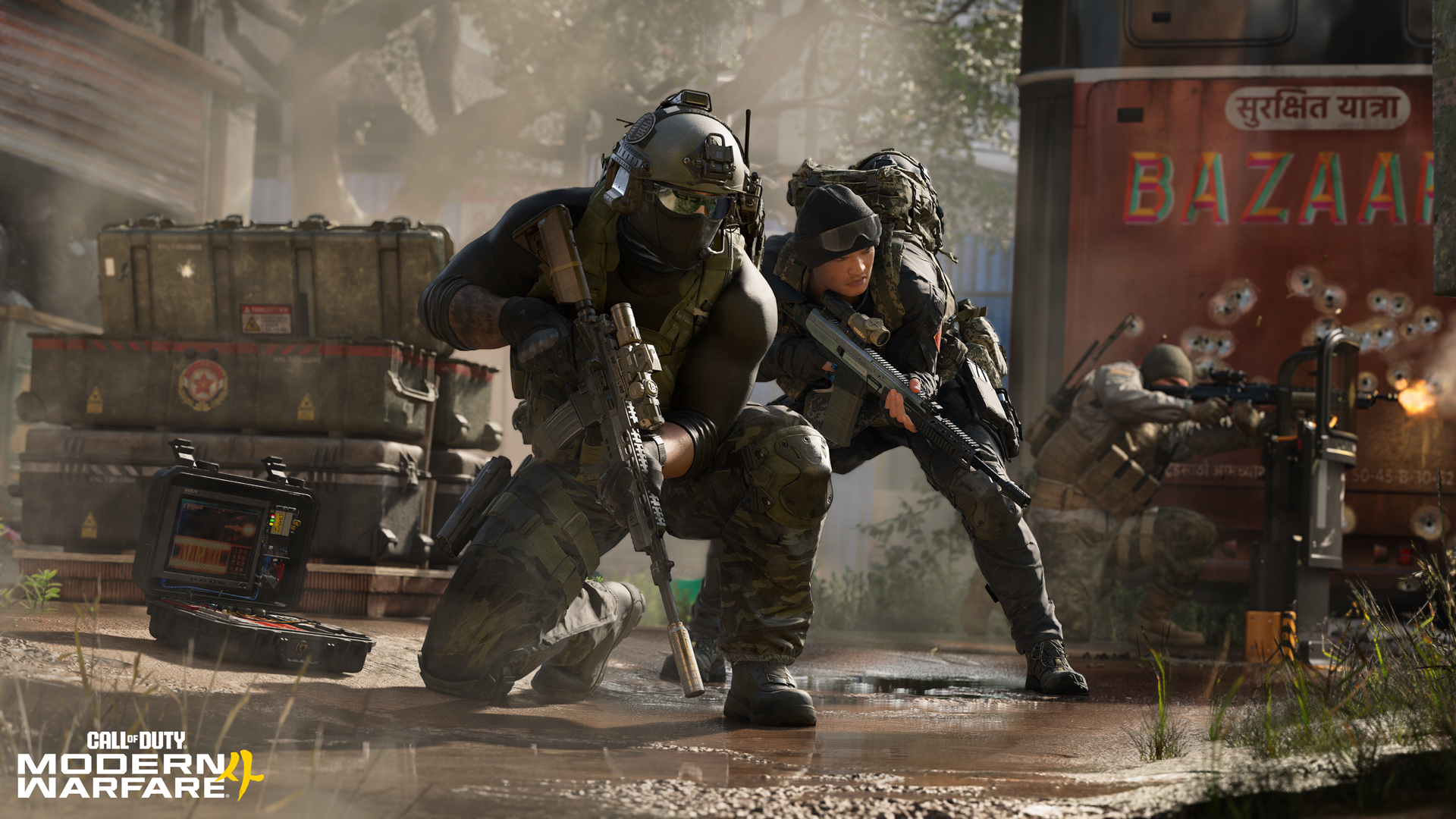
Whether you prefer fast-paced respawn combat, tactical one-life modes, or large-scale combined arms warfare, expect a broad Multiplayer offering built around distinct gameplay identities. Respawn modes like Team Deathmatch, Hardpoint, and Domination return at launch alongside new additions that include Inflation. In Inflation, every elimination drops a cash bounty. Hold on to your earnings to build your team’s total, but every death leaves part of your collected cash behind. The team with the most cash wins the match.
[p align="start"]Search & Destroy returns alongside Gunfight and the new Gunfight 10v10 mode. Both Gunfight variants take place within the Westbridge Training Facility — codenamed Kill Block — a constantly shifting battleground that reconfigures before every match. For players who prefer large-scale battles with armored vehicles across expansive maps, Ground War’s Combat Outpost and more large player count modes deliver coordinated, combined-arms warfare.[p align="start"]Two classic Party Modes also arrive at launch, with additional modes coming shortly after release.Multiplayer Modes // Launch
[p align="start"][p align="start"]Here are the Multiplayer Modes to expect at Modern Warfare 4’s launch:Respawn Modes: Team Deathmatch*, Domination*, Hardpoint*, Kill Confirmed*, Free for All*, Counter Attack (New), Inflation (New), Hijack (New).
Round-Based Tactical Modes: Search & Destroy*, Gunfight, Gunfight 10v10
Ground War Modes: Combat Outpost (New), and other modes (New)
Party Modes: Gun Game, Drop Zone
Multiplayer Modes // Kill Block
[p align="start"]Adaptive Live-Fire Training EnvironmentSUMMARY: A modular Multiplayer battleground that reconfigures every round, challenging players to rethink routes, sightlines, and combat spaces on the fly. Available during the Beta.
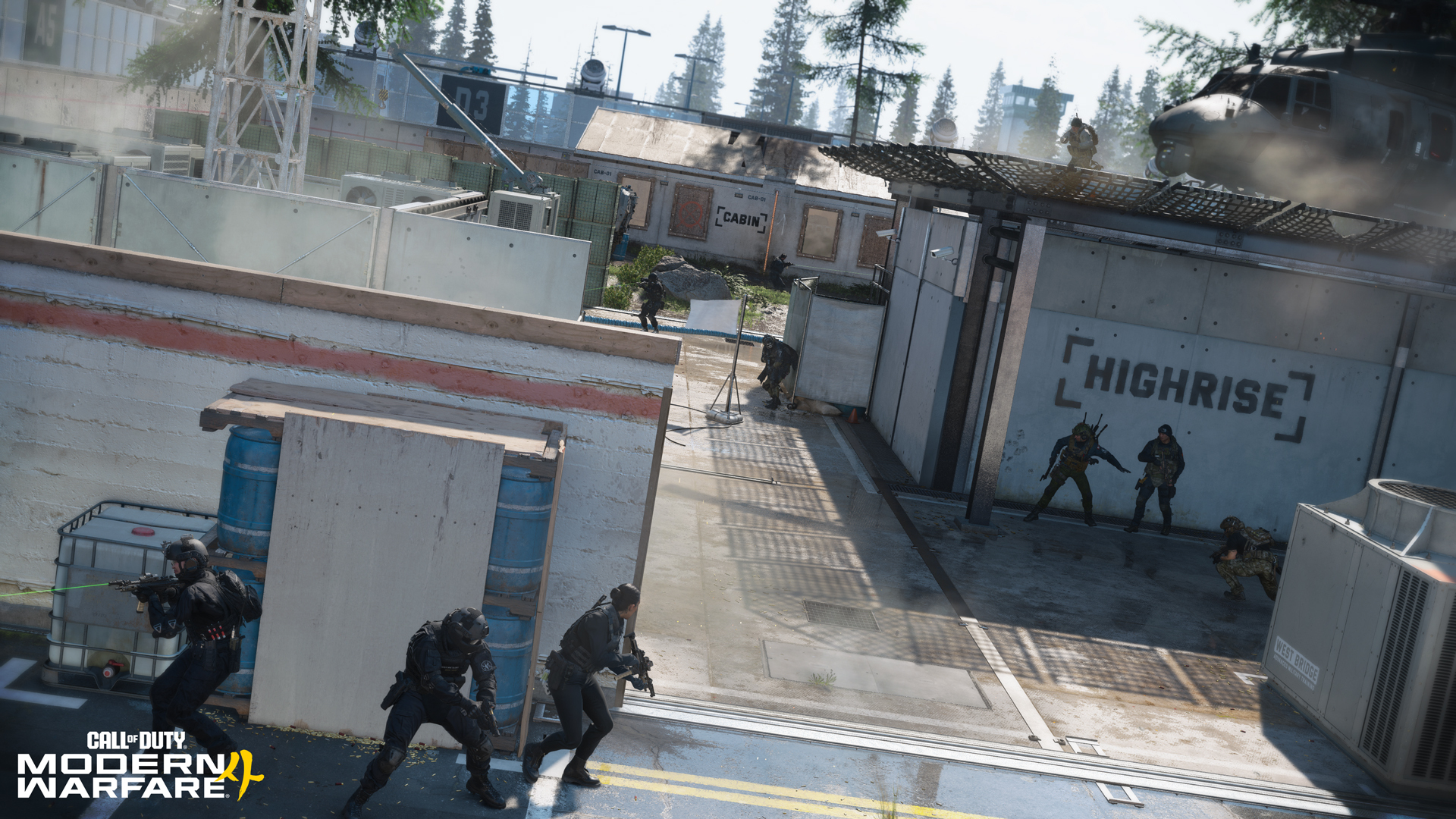
At its core, Kill Block is assembled from three modular sections — two outer areas and one central combat space — combined into a new combat configuration each round. Each section has multiple possible variants, creating hundreds of unique layout combinations that reshape combat flow.
[p align="start"]Some map sections are entirely new, while others draw inspiration from iconic locations across Modern Warfare history. At launch, more than 500 configurations are possible, with layouts reconfiguring between rounds to transform sightlines, routes, cover placement, and engagement pacing every match.[p align="start"]Kill Block supports expanded Gunfight experiences, including 3v3 and the new Gunfight 10v10 mode at launch, with future support planned for more core Multiplayer modes.[p align="start"]Learn the layout. Adapt when it changes.[p align="start"]Multiplayer Maps // Launch
[p align="start"]Grounded Locations, Built for Clarity and ControlSUMMARY: Grounded Core maps set across globally diverse locations, each built around distinct visual identities and tactical flow.
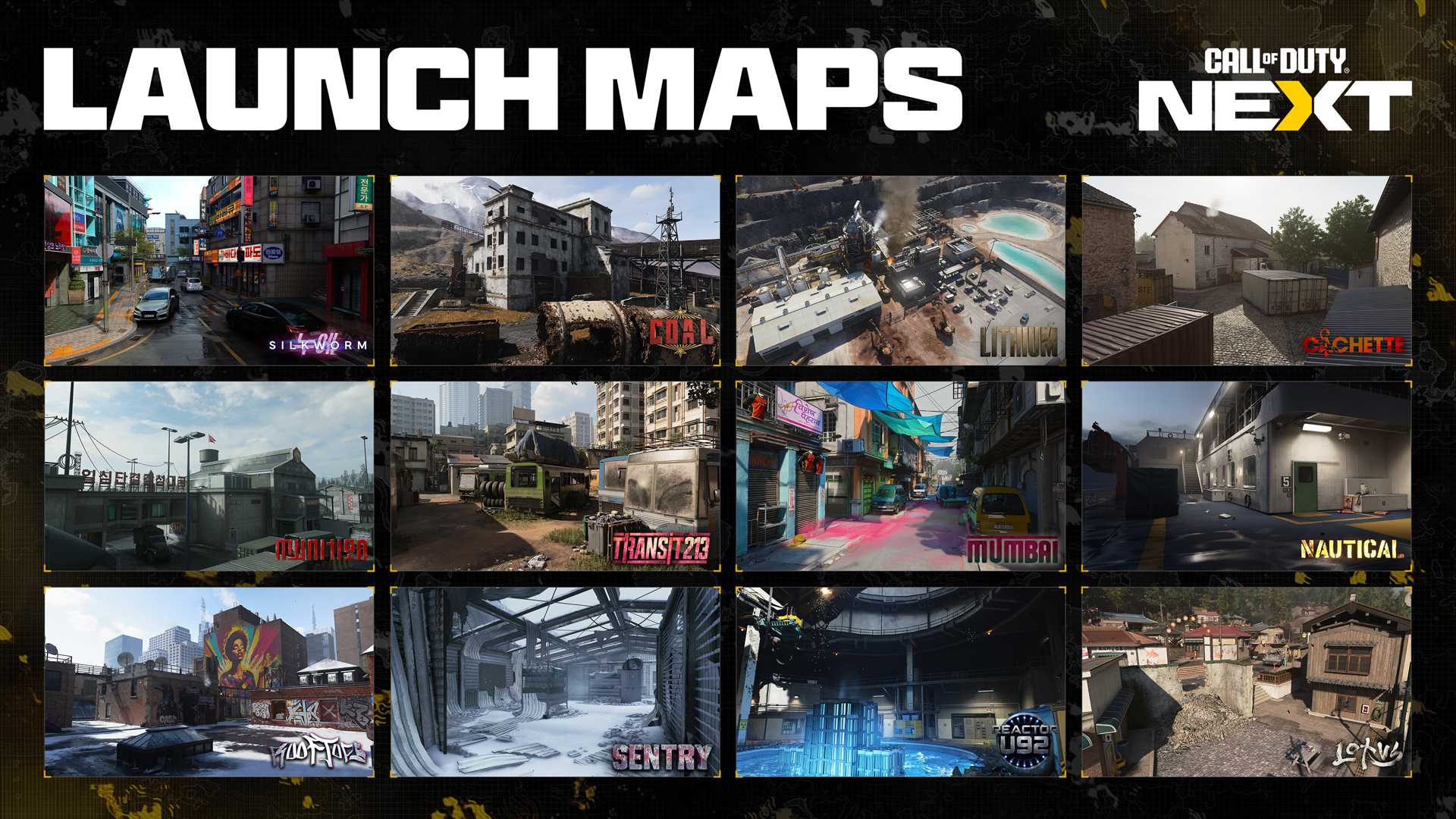
Modern Warfare 4 Multiplayer launches with a global set of grounded, visually unique environments spanning locations around the world. The 12 Core launch maps form the foundation of a broader Multiplayer offering that also includes Gunfight arenas, large-scale combat spaces, and modular battlegrounds like Kill Block. Drawing inspiration from the Campaign's global theater of operations, several maps explore familiar regions through entirely new Multiplayer experiences. Each environment is built around its own tactical identity, atmosphere, and combat pace. To further reinforce that identity, every Core map features its own custom insignia and visual branding inspired by the location, operation, or conflict surrounding the environment.
Here are the 12 Core Multiplayer maps arriving at launch, each built around distinct combat spaces, traversal opportunities, and tactical identities:
[p align="start"]Note: The following lists information and assets currently in development.Cachette (Available during the Beta): On the outskirts of a French rail terminal, an abandoned wine warehouse and derelict mechanic’s garage have been converted into a covert armory.
Coal: Fight through the remains of an old Soviet coal processing plant in a remote, mountainous area, complete with a fallen smokestack, ore chutes, and processing buildings feeding into a slurry-filled river and polluted flood plain.
Lithium (Available during the Beta): Deep within a rural Mexican state beneath the Sierra mountains, Corporación Mexicana de Litio’s Lithium processing refinery has come under attack, transforming the site into an active combat zone.
Lotus (Available during the Beta): A Korean fishing village in the aftermath of an amphibious assault, its market, hostel, boathouse, gardens, and residential blocks left scarred by the fight to reclaim it.
Mumbai: A fugitive’s hideout hidden inside a dense residential district centered around a Victorian market, with a rail line cutting through tightly packed residential blocks.
Munition: An active North Korean command facility with a large munitions depot, monitoring rooms, a linked skybridge, crane, water tower, and multiple hangars.
Nautical: At dawn, a South Korean ferry pulls away from a major conflict zone as debris litters the decks and fires burn across the starboard side and bow.
Reactor U92: A Korean reactor complex has gone nuclear. Electrical damage arcs across the large concave command room, while the boiling containment pool appears to be the epicenter of a massive meltdown.
Rooftops (Available during the Beta): The snow-lined rooftops of New York’s “Hotel Times West” create combat opportunities across a rooftop greenhouse, HVAC platforms, boiler room, patio, skylights, pigeon coop, and laundry room.
Sentry: An assault on a North Korean military base under whiteout conditions sparks firefights across the maintenance garage, generator room, and substation surrounding a central command center and partly destroyed barracks.
Silkworm (Available during the Beta): Infiltrate a dense, urban South Korean shopping district with alley access around perimeter apartments, as the action centers on a well-stocked convenience store, gaming den, and central subway entrance.
Transit 213 (Available during the Beta): An overgrown central parking lot in western India packed with brightly colored buses in various states of dereliction, flanked by a repair shop and small gas station and surrounded by construction projects and high-rise tenement blocks.
Stay Frosty: Play the Beta Now
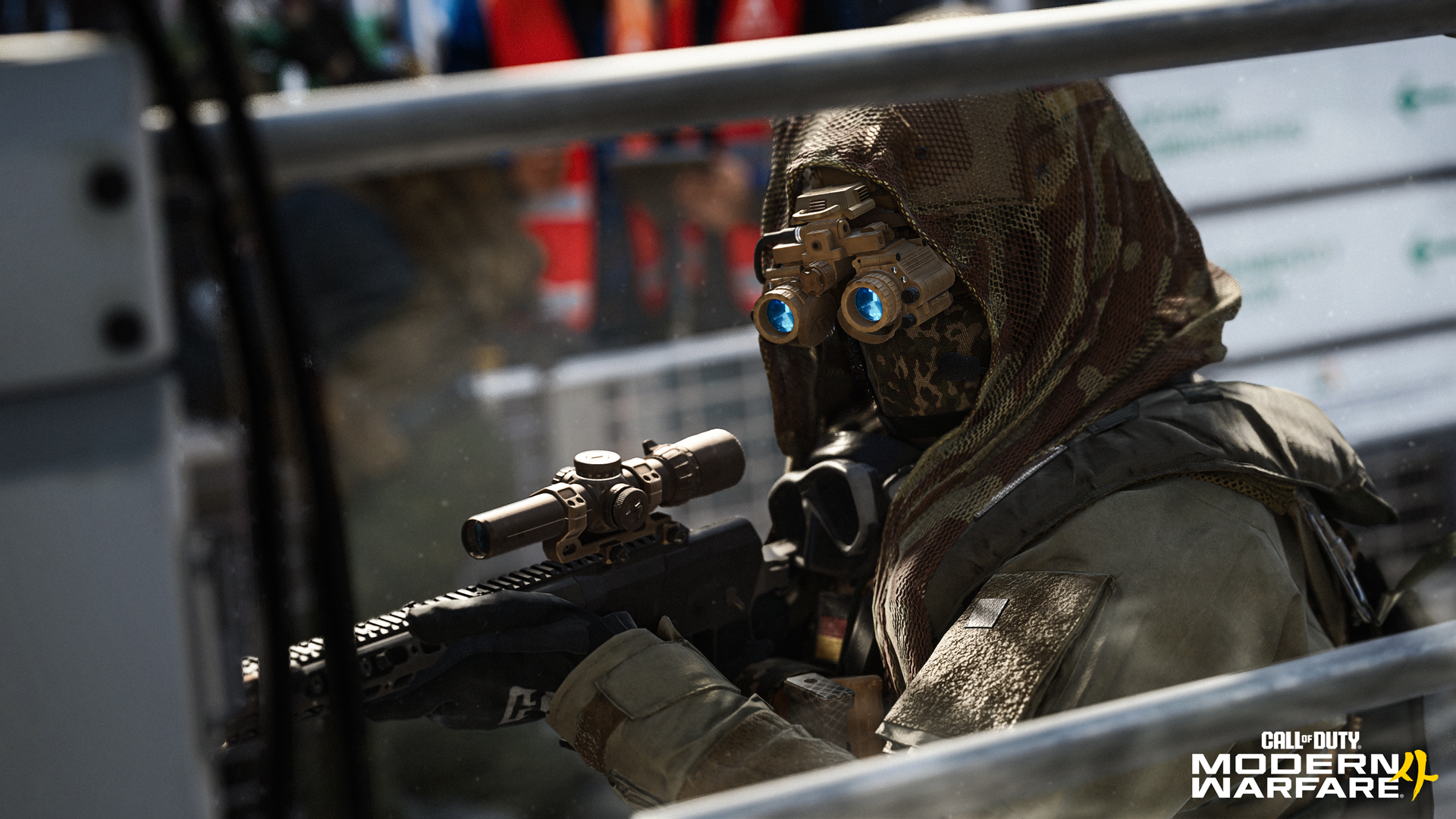
Preorders are available now at participating retailers, in-game, on platform stores, or at CallofDuty.com. For more information on preordering, including Vault Edition content, rewards, and a special Loyalty Discount, consult the Preorder blog here.
