The scales & gauges update is here!
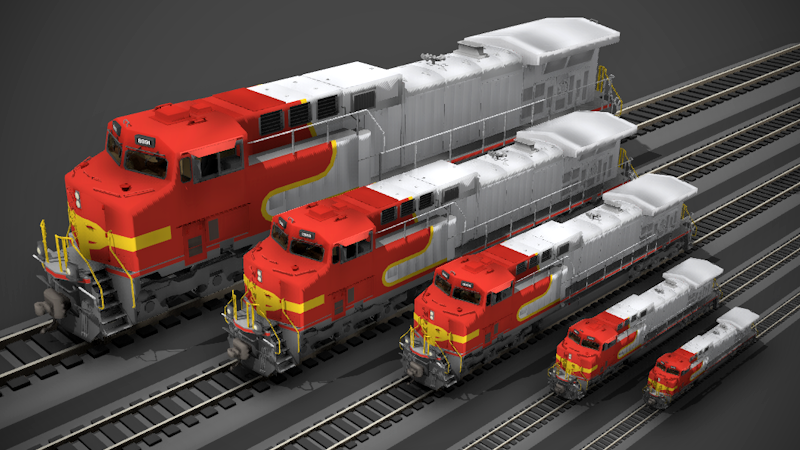
With this update you can now fully customize how large the track, trains, props and player character are in the world. So it will finally be possible to accurately model real-world model railway scales in the game, like HO, G, N, Z, etc.
You can make tiny N scale layouts all the way to huge G scale garden railways:
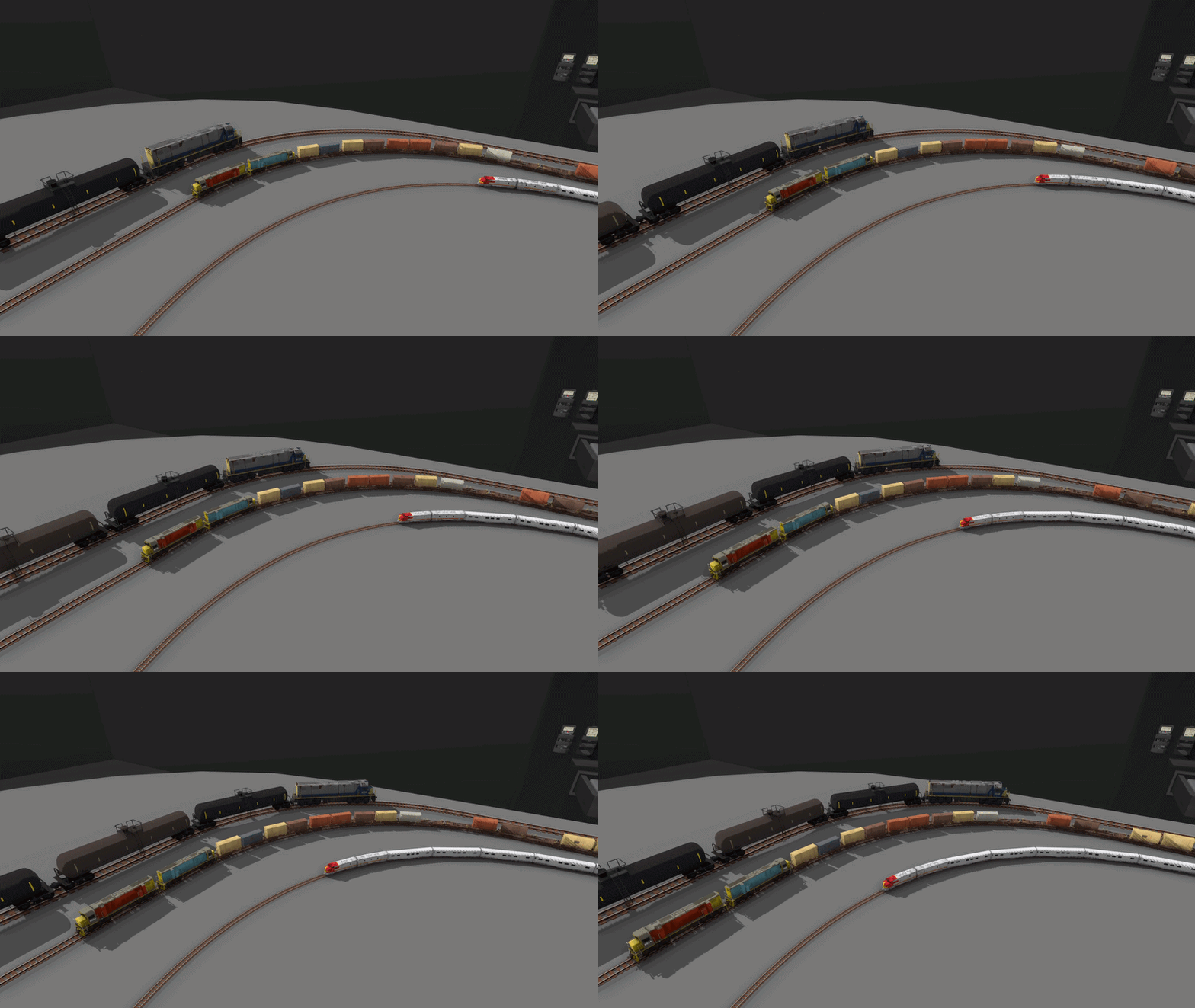
How does it work?
Firstly, if you just want to make maps and aren't concerned about real-world measurements, then you don't have to change anything! You can keep making maps and driving trains at the default scale and everything will look exactly the same as before. But if you want to switch to a real world model railway scale that uses accurate measurements, then you can now do this with the new scale feature.
This system lets you customize two values, the "scale" and the "gauge".
The scale controls how large the map is in relation to the real world. So if the scale is 1/100 (one hundredth of the size of real life) then a 5m high building will be 0.05m high on your map (5cm tall).
For example, the most popular model railway scale "HO scale" is 1/87, which means that objects on an HO scale model railway are 87x smaller than real life.
Meanwhile the gauge is the distance measured between the rails on track. For HO scale this would be 16.5mm, and for the much larger G scale this would be 45mm.
Trains are automatically scaled to match the scale value, and their individual wheel blocks are scaled (only the width) to match the track gauge value. This means you can easily make narrow gauge track with a more narrow wheel gauge, while keeping the scale the same.
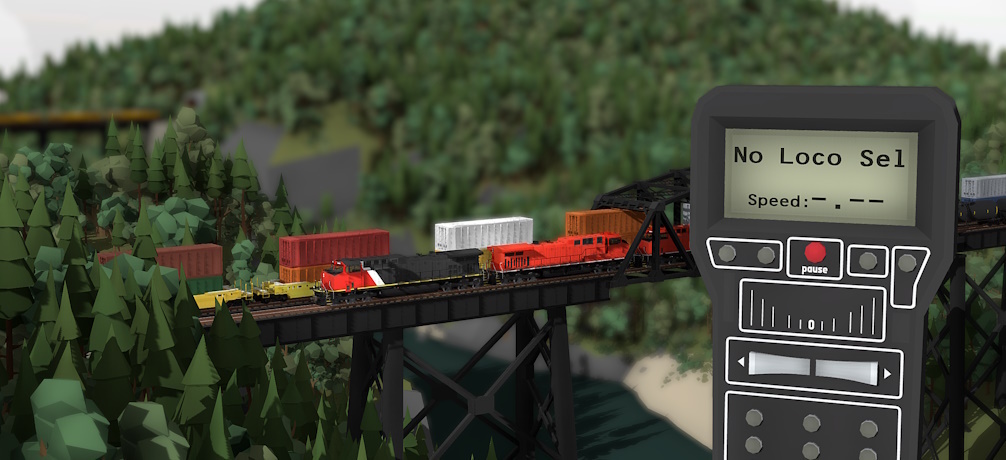 (Here's an example made by Camoguy showing a tiny Z scale railway!)
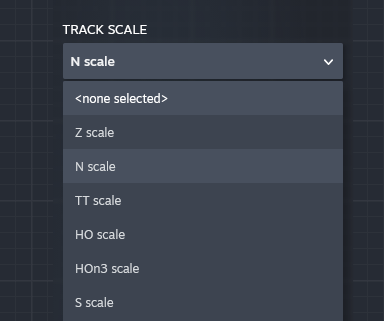
The game lets you customize both of these values, or choose from a range of real-world model railway scales (like HO, HOn3, N, Z, etc).
You can pick from a preset list or set your own custom values directly:
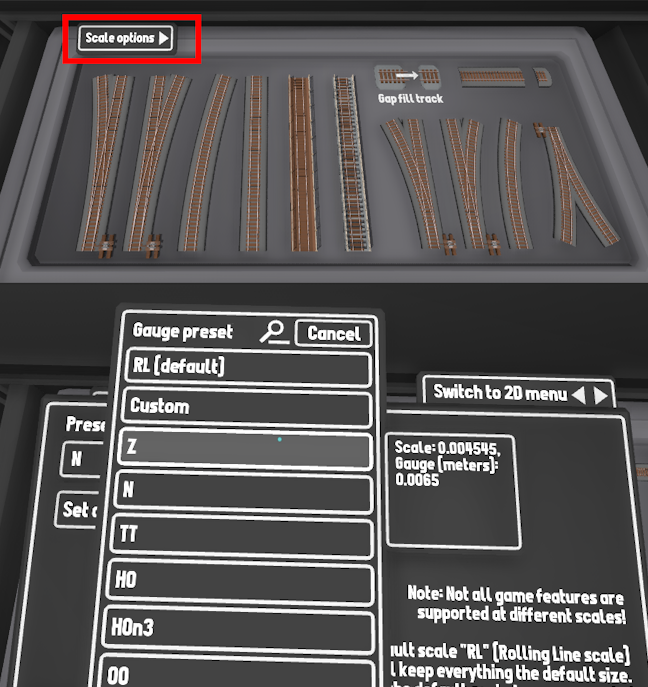
The "World scale' sets how large the player is in miniature mode, so if you are placing down N scale track and set the world scale to N as well, then you will be able to fit inside the cab and drive the trains. But if you set the world scale to HO, then your player will be larger and will not fit inside the trains.
For example, you can make yourself really tiny or really big on any map!
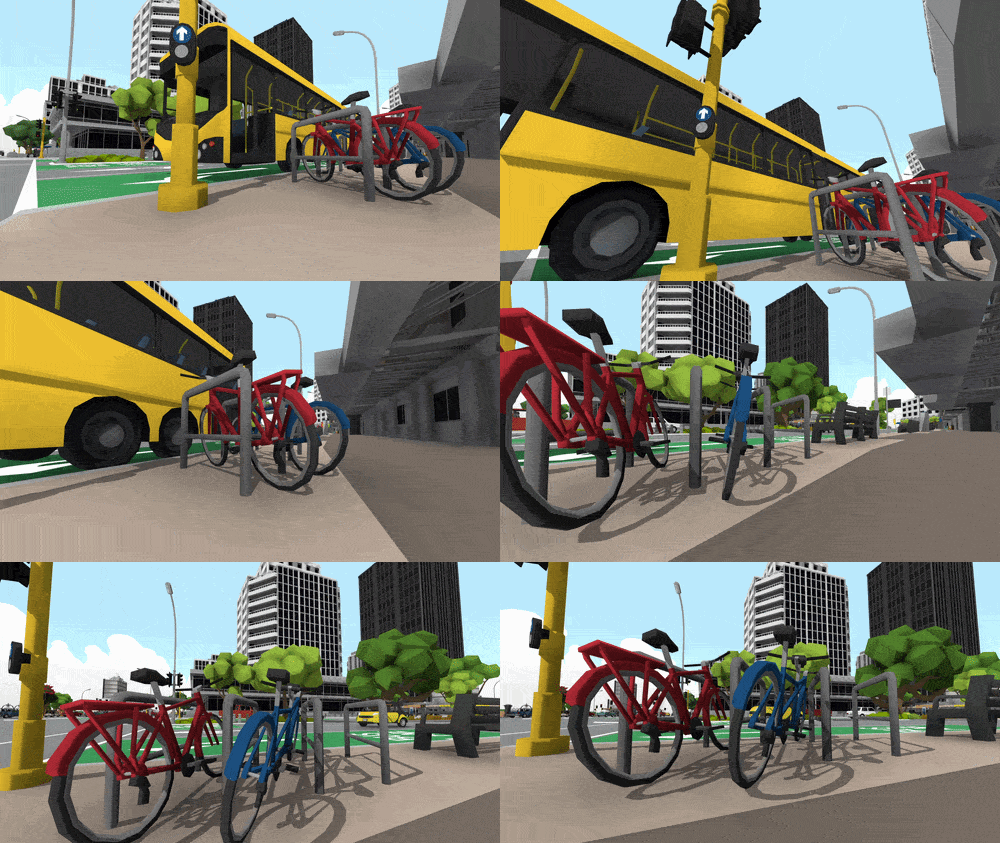
Being able to change the player scale also means you can create interesting effects like ride-on live steam! (where the player is deliberately much larger than the actual trains, and can sit on top of them to drive them). Or you can just make yourself really tiny of big just for fun on any map!
For more info, here is a full guide on how the new scaling features work:
[dynamiclink href="https://steamcommunity.com/sharedfiles/filedetails/?id=3768178811"]
Scaling for mods
All previous and future mods can still keep using the default scale with no problems what so ever. But I've added the option to set the "default scale" for a train mod to any of the real-world scales available.
What this means is that you can make your mods using real-world measurements instead of needing to guess based on the strange default scaling in the game. Your mod will be correctly scaled automatically to all other track scales.
For example, you can set your train mod to use HO as the default scale, which means that your 3D model files should all be 1/87 of the size of the real-world train you are making. Just as if you were making a 3D model of an HO scale model train for a 3D print.
You can set the base scale for train mods, prop mods and even track style mods.
Ruler props
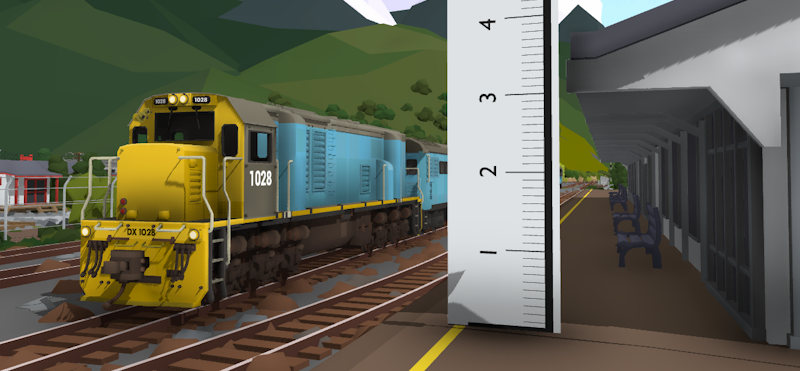
What would a scaling update be without a way to measure things? This update also adds some ruler props to make understanding distances easier. You can find these in the "Room -> advanced" drawer:
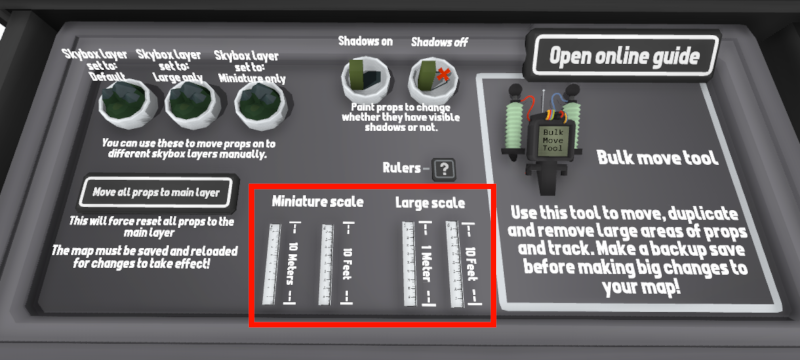
There are two different kinds of rulers:
Large scale
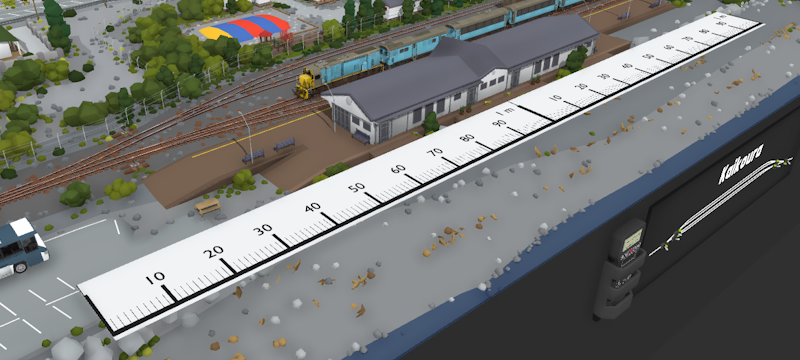
These rulers (in both meters and feet/inches) represent the real world size of the room, as if it were a real model railway. This value does not change with different scales, since a 2m wide table is still 2m regardless of whether the track used on it is N scale or HO scale. These ruler props snap together, so you can measure longer distances by connecting multiple rulers together:
Miniature scale
These rulers instead represent the distance on your map in world scale, e.g. if a locomotive is 3m tall on an N scale layout, then spawning a ruler and placing it on your map will match that height. But if you changed the world scale to G scale (much larger) and placed down a new ruler prop then the ruler would be larger to represent the same 3m height but in G scale:
Steam Workshop
Any new maps uploaded to the Steam Workshop that use a custom scale (anything other than default "RL" scale) will have a tag automatically added for that scale.
E.g. if you set your map's world scale to N scale, then your map will have the "N scale" tag when you upload it to the workshop.
Version 6.0
You might have noticed that the version number has changed from v5. \[...] to 6. This is because I usually increase the overall version number every year or two around large updates that fundamentally change the game. Since scaling makes such big changes to core aspects of the code, it felt like a good time to finally switch over from 5x to 6x.
Just like with other times where the game has significantly changed, you can now access an earlier version of the game using the "Game versions and betas" list in Steam.
Steam Train Fest
Rolling Line is also on sale for the Steam Train Fest event! You can grab it for -20% off for the next week:
Other fixes & features
This update also includes:
You can now edit the dynamic track generator values (like radius, length, etc) directly using keyboard input by pressing the new "..." buttons next to each value.
The modding manager now displays a real piece of intractable track when previewing a train mod. This means that you can see what the train looks like in motion, and on different gauges of track.
Fixed a long time bug where larger track meshes (like tunnels and roads) would sometimes get cut seams in their mesh where the mesh would not line up perfectly. This has now been fixed.
Fixed bug where some buttons in the bulk move tool menu would cause the game to get stuck in the 2D interface when viewing in 2D.
Fixed bug where using undo-redo on props placed with the biome brush would not work correctly.
Fixed issue where some props with larger hitboxes would block the selection of other props if they were not enabled for editing (this was most noticeable on trees).
Fixed an incorrect collision mesh on one of the station buildings.
Adjusted the terrain sculpting brush minimum radius for better use at smaller sized tables.
Fixed mesh clipping bugs with using the terrain sculpting brush on small tables.
Reduced the minimum distance that gap-fill (flexy track) can be used (and extended the maximum).
Fixed bug where using automation triggers to decouple wagons outside of render distance would not work. Couplers can now be interacted with at any view distance.
Improved the terrain sculpting tool line select angle in VR.
Fixed bug where the game could get stuck on "Checking for VR" while launching if SteamVR was encountering issues while auto launching.
Disabled the prompt for using transform edit mode when using a joypad.
Fixed bug where the selector line would be stuck as visible when switching held item (for train controllers).
Fixed rendering issue where the background of the hover UI buttons would have a black border in miniature mode.
This update is something I've been dreaming of adding to the game for years! Having real model railway scales has made such a big difference to the feel of the game in more ways that I even anticipated. Plus It finally allows Rolling Line to be properly used as model railway planning software.
Have fun!
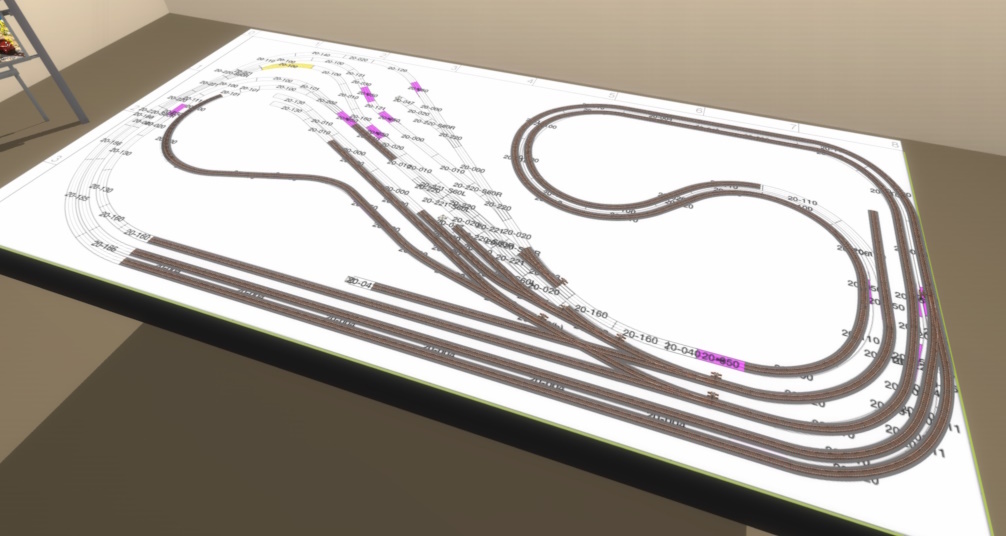 Thank you to Skull4786 for this great screenshot example of making real world model train track plans in game!
Thank you to all my Patreon supporters!
Current Patreons:
SeTP1, Hypothesiz, Slayde Forbes, WingoDingo, LunaFromSpaaace, EmperorSal, KANedTiger, EngineerSmith, Ilike Tra1nZ, DOLLIN, Taerom, Chloe Surett, Garst, Gustavo Sanchez, Gazzac100, Matthew Johnson, Teapop311, TrainTiny, Ábris Pataki, Thomas Merolla, Ben Burch, Detroit_, Don Willis, Jack Fruh, Lynk_Wyland, Nathan Perez, TrainMann, Outertoaster, KathalLasagna, Richard Prior, Michelle chan, Joblogh, Railraider, The_President, Matt, Trainiac 21, ItzAerozic, Microcosmologist, CAMOGUY54321, Jayton Hawkins, Jonathan Ginsburg, TheAmazingRyry, Rowan Mackenzie, Skilker, Helga Nordgren, HuskyDynamics, SmokeStream
Past Patreons:
Codebag Playz, Ethan Lamont, Rivet, Simon, Joey Drysdale, JohnR, Leto Gloas, Lutz, Carter Shew, Trackmeister, NESecretWeapon, Blake Prevett, Clae, The Cat Train
You can join the Patreon to help support me to keep making free updates!