Greetings!
Update 0.0.9 is a fairly small update prepping for the much more complex 0.0.10.
📌Highlights:
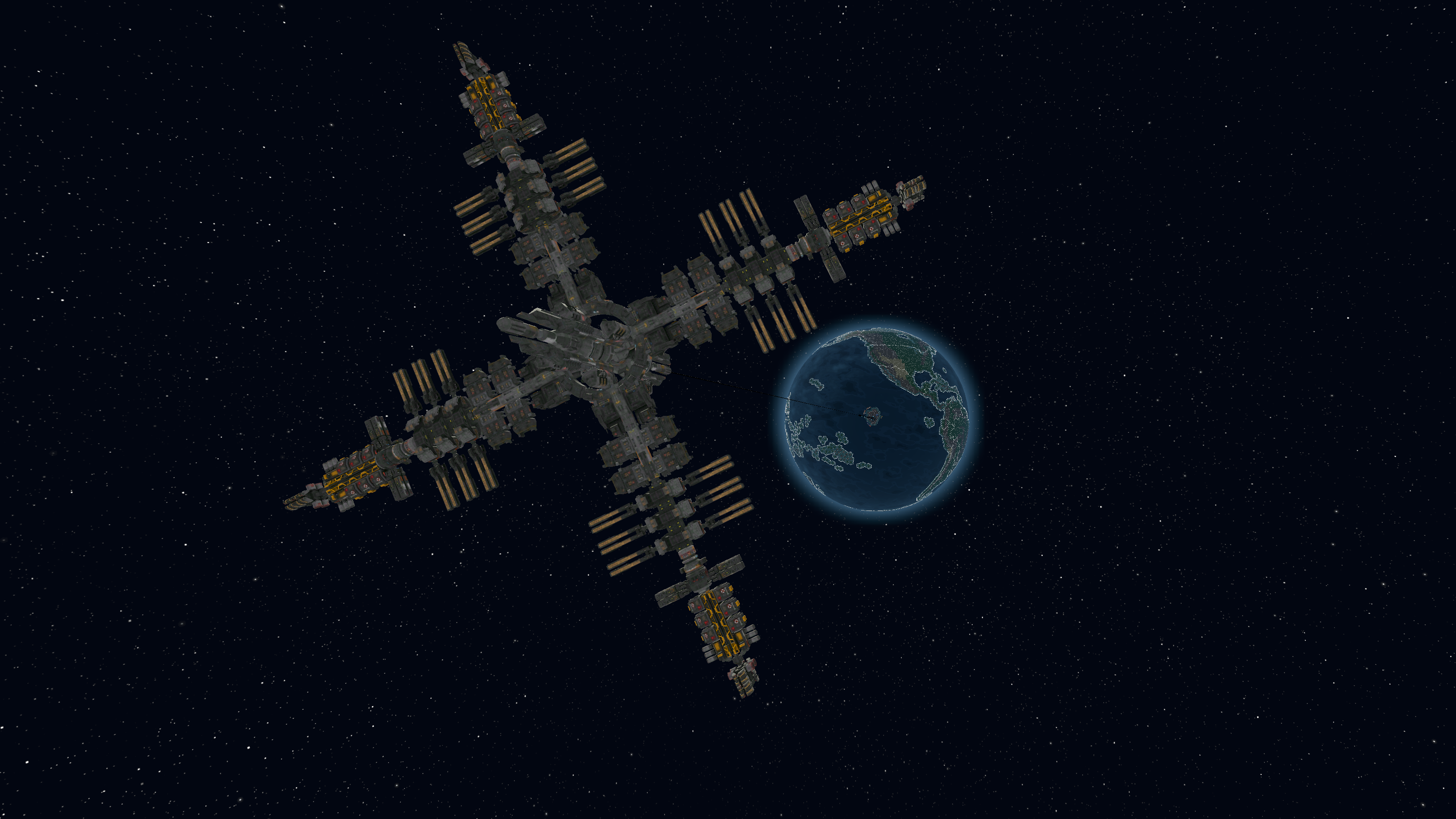
Ultima Mundi Phase 4 can now be completed. The captured asteroid used as a counter-weight on the space elevator was making the world nervous. Uncle Ian wants to replace it with a much more aesthetic and functional "Space Station".

4 new items added to complete Phase 4.
Trade Routes completely rebuilt with fleets, mixed cargo, rerouting, and editing.
Research Menu rebuilt from scratch.

Resource Assignment Panel Overhaul
125 Steam Achievements added
Major optimization, UI polish, balance changes, and bug fixes!
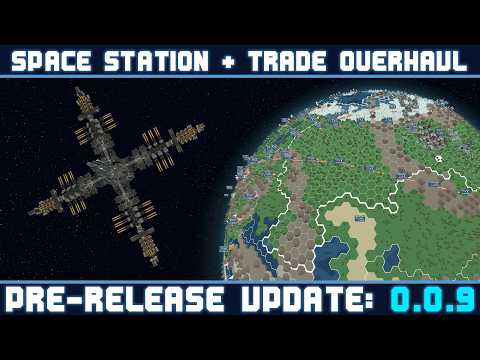
Here is a quick video covering the major changes:
[p align="center"]Full Patch Notes
🏭 ADDITIONS
Story - Ultima Mundi Phase 3 Complete
Players can now complete Ultima Mundi Phase 4: The Space Station.

Just like the Space Elevator, we will need to secure votes in the General Assembly, this time on issue 3 of 4. This vote is more difficult to guarantee than the previous one, but by this point in the game, you're a seasoned expert!

In order to ensure the space elevator didn't come crashing down to earth, Uncle Ian had a team capture an asteroid to use as a counterweight. Since then he has been harassed by world leaders and citizens to get rid of the dangerous eyesore. He needs your help to replace the hunk of rock with a functional Space Station, which will be the hub that unlocks one of the final mechanics of the game. (More info on that in the next update!)
New Items
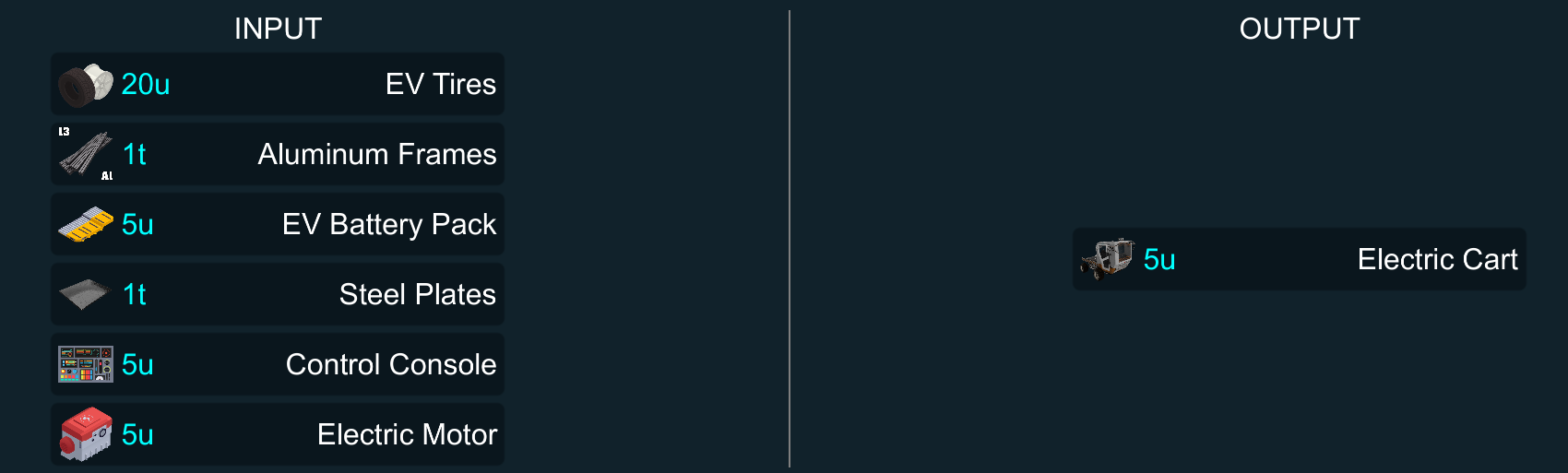
Items needed to complete Ultima Mundi Phase 4:
Aerospace Glass

Water Tank

Electric Cart
Space Suit

💡QoL CHANGES
Trade Routes Overhaul
With the goal of being able to cleanly demolish trade buildings without messing up trade routes, the whole system needed to be re-written.
With that, a trade routes menu has been sorely needed. So now you can see every trade route you have in the game in one spot!

On top of that, you also have more control over what is loaded onto your trade vehicles. Instead of vehicles only being able to transport one single type of resource, you can now combine different goods in the same transport.
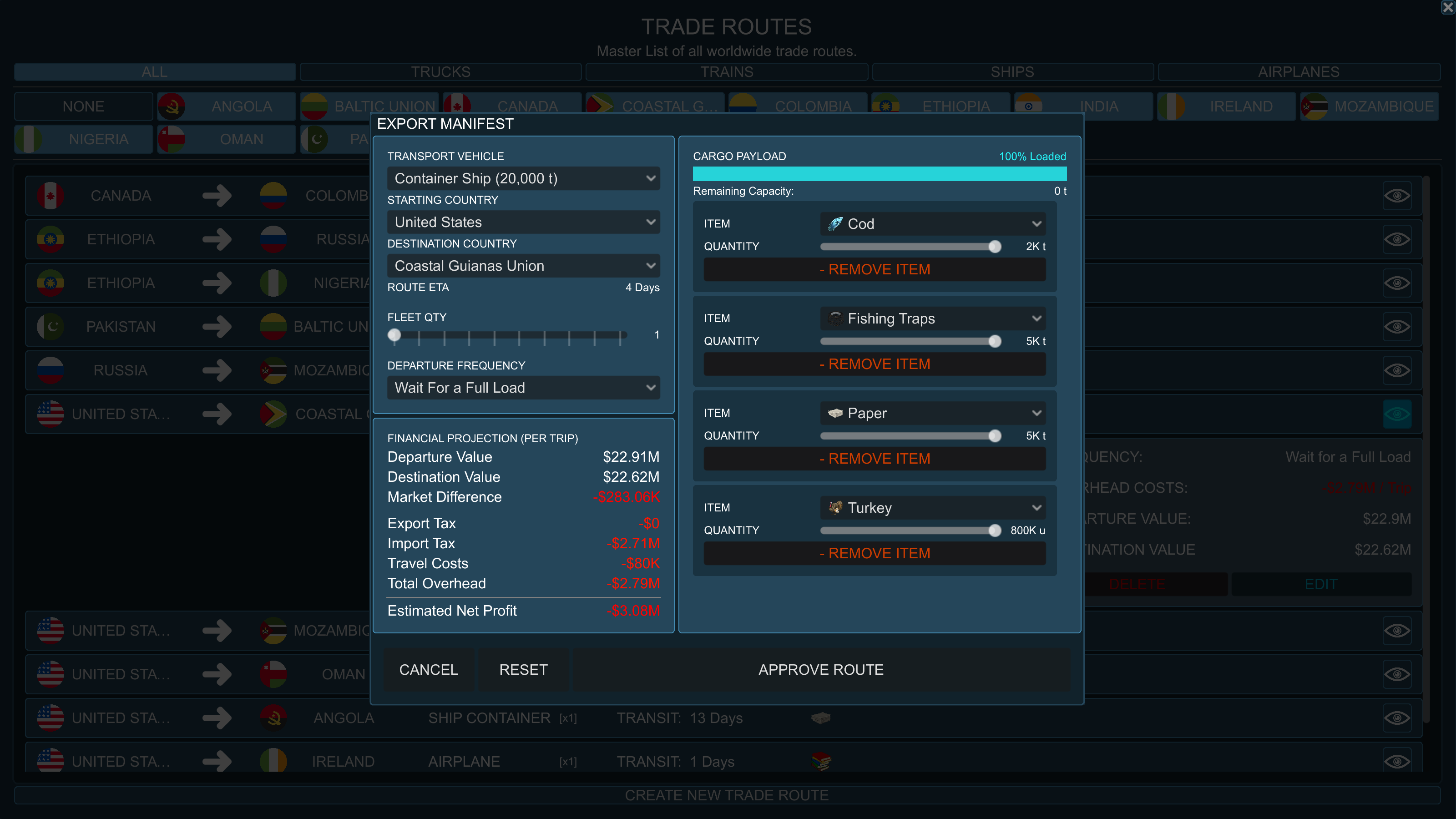
If you want to transport apples, raw beef, timber, and uranium on the same freight truck you can!
You can also just limit how much is loaded on a transport. This can come in handy for completing contracts. Let's say you need to supply 4 tons of iron plates per day.
Before you would have to either limit your production to 4 tons of plates per day, and send whenever you can cover a full load, or send every other day and do something with the over stock. It was a bit messy. Now you can just send a truck with 4 tons loaded per day, and forget about it until the contract is over.

Additionally, you have the choice to add additional vehicles to your transport in the form of fleets. You want to send 100 tons of aluminum frames? You could send it via a cargo plane at half capacity, OR you could send it via a fleet of 10 trucks (each with 10 ton capacity)
You can do this with any trade type.
10 cargo ships? Sure! 8 trains? Why not. 4 airplanes? I guess?

This means the max you can transport in a single trade route using cargo ships is now 2 million tons!
Want to edit your trade route? You couldn't before, but now you can!

The manifest will also more accurately tell you the value of goods loaded and unloaded. This will only calculate the cargo that you specify instead of assuming every vehicle has a full load.
In previous versions, if you send goods to a country with more than one warehouse, it would default to whichever warehouse you built first. That doesn't make a whole lot of sense. Now, the game does a simple distance check and targets the closest available (and allowed) building.
This gives you an actual reason to build multiple trade buildings like Seaports. Like in the United States, if you build one on the west coast and one on the east coast, you don't have to worry about ships taking the long way around, they will target the port that makes the most sense.
As I said, the goal here was to make trade buildings destructible. So now, if you try to demolish a trade building it will do two checks:
If that building is not part of any trade routes, it will demolish right away.
If it is part of a trade route, the game will pop up with a warning that will have you make a choice.
If there are no other trade buildings of that type available in the country, it will give you two options: "Abort", or "Cancel Routes".
"Abort" will cancel the demolition, and "Cancel Routes" will do just that. Cancel all routes that are tied to that building. I don't recommend that.
If there are other buildings that match that building type, you will get a 3rd option to re-route all trade routes to the most logical building.

Another slight change here is that before the different cargo vs container ships was decided for you depending on the resource type. Now you get to choose. Is that higher capacity worth the slower transport?
Research Menu Overhaul
The Research Menu has been completely rebuilt.
The first iteration of this menu was difficult to read. The second iteration was readable, but sprawled long and wide, and wasted valuable screen space. In addition, the old nodes were manually placed, making backend updates incredibly painful.

This third iteration solves all of that:
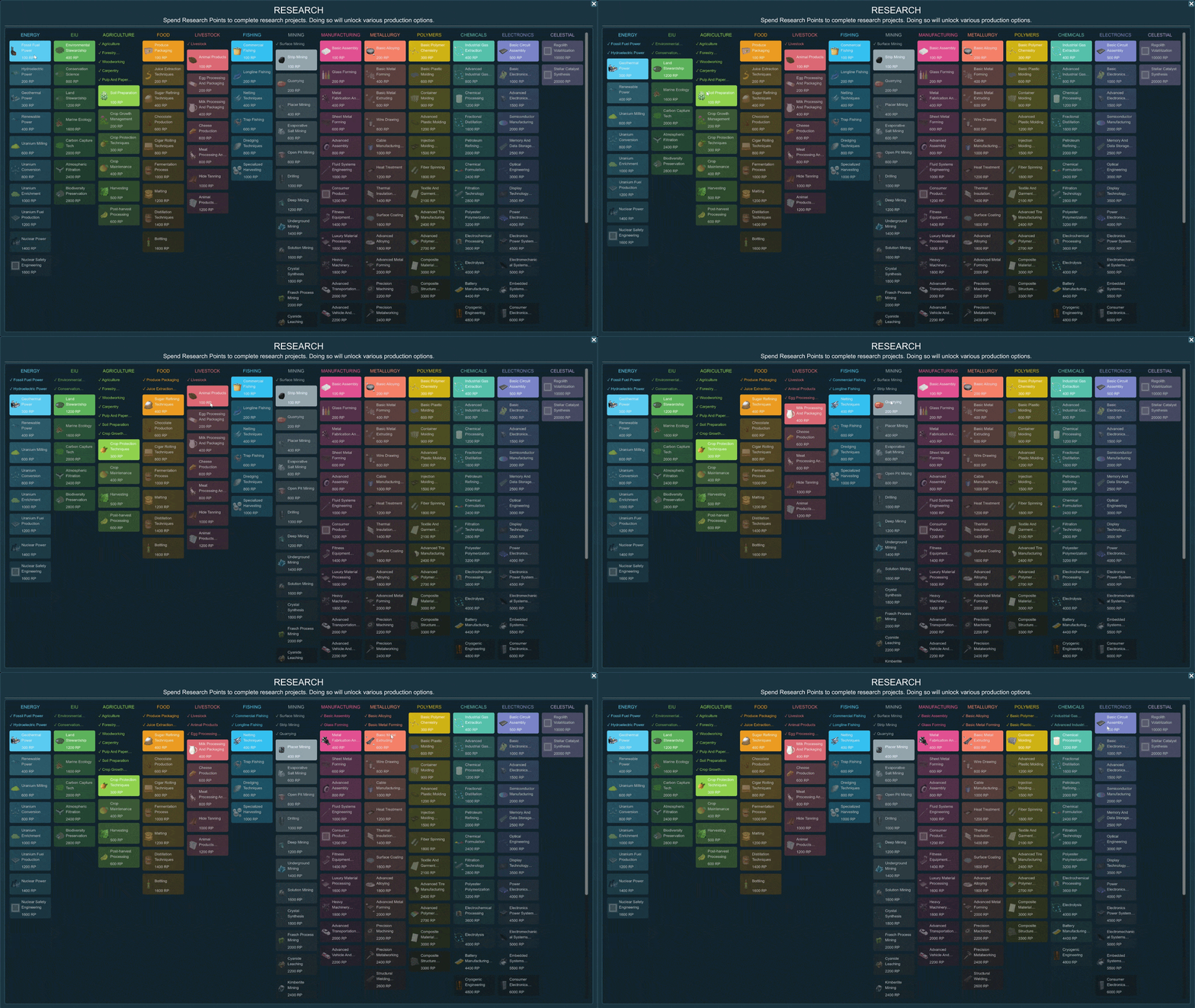
Linear Pipelines: Technologies are now organized into 13 vertical categories. You can see nearly every research and its cost at a glance without excessive scrolling.
1-Click Purchase: I removed the old confirmation pop-up. If you have the RP, simply click the node, and the tech will be instantly unlocked.
Pruning: As you complete research, the UI compacts itself, keeping your current active goals near the top of the menu.
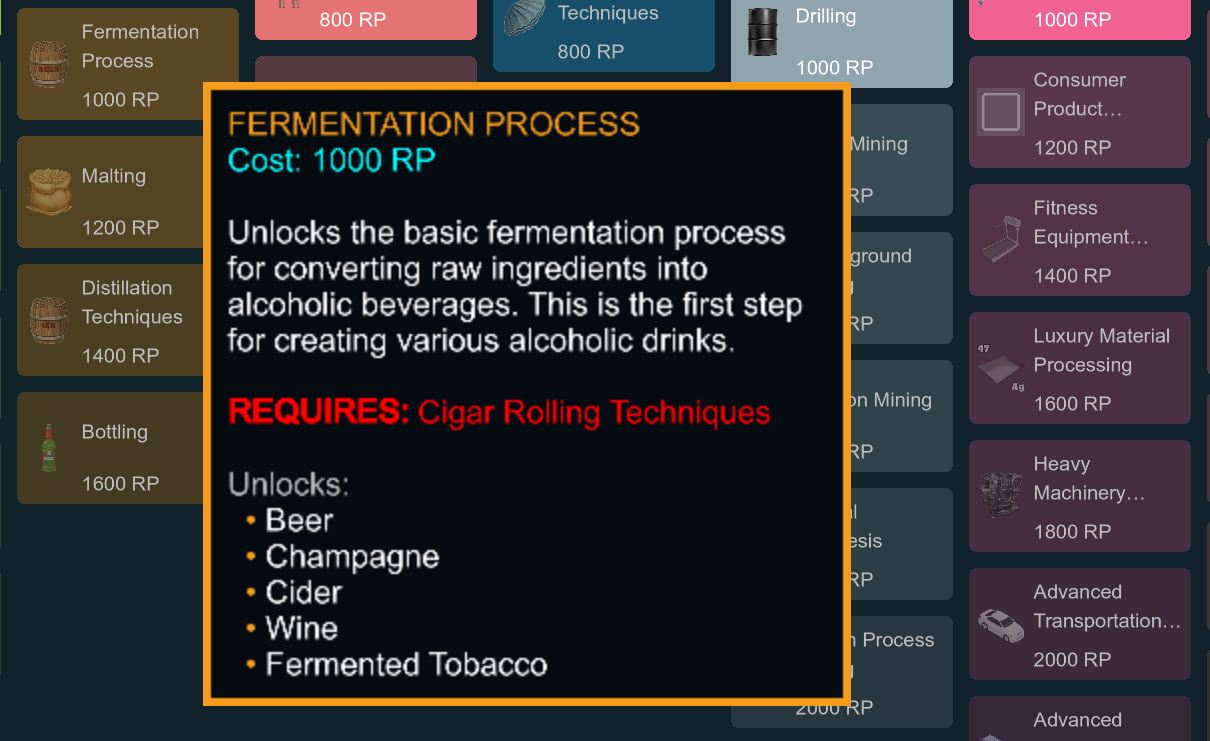
Tooltip: Hovering over any research node displays its description, cost, prerequisites, and a list of exactly what items it unlocks.
Resource Assignment Panel Overhaul
When building any production building, you must choose what you want that building to produce. For some buildings, that would previously mean staring at a wall of over 100 buttons. Many of them were disabled due to not having done the required research. To enable them, you would have to search through the Research Menu, or Library to complete the proper research.


This new layout splits the assignment process into two columns:
Available Production (Left): Displays all items you have the technology to produce, alongside a preview of the building's daily production rate.
Requires Research (Right): Displays all locked items.

Inline Research: You no longer have to close the assignment menu to unlock a new production line. Every locked item now features a "Research Now" button. If you have the required Research Points, you can unlock the technology right there in the menu, and the item will instantly swap over to the available column.
(Note: Don't be alarmed by the high RP cost on some of these buttons! If the item requires multiple locked prerequisites, the button automatically calculates the total cost of the entire chain and unlocks everything you need in one click.)
🏆Steam Achievements
I've added 125 achievements spanning many different aspects of the game.
Story (21)
Story Speed-run (5)
Cash, Profits, Value, & Shares (16)
Debt (4)
Building (14)
Trade Routes (17)
Resource Generation (10)
Contracts (9)
Influence & Votes (8)
Global Perception (7)
Managers (5)
Market (3)
Auctions (4)
Research (2)
A couple you will stumble into. Most you will accomplish by playing deep into the game. Several will require quite a bit of effort. There are also a couple just for fun.

📝Tutorial Lockdown
The game now forces the player to decide if they want to play the tutorial before they can start playing the game.
Most of the UI prohibits the player from doing things that would soft-lock them from completing the tutorial. The following is locked down and slowly released about halfway through playing through the tutorial.
Contracts Menu, Research Menu, Global Perception Menu, Finances Menu, Manage Menu, and Communications Menu unlock as they are needed in the tutorial. Other menus are not accessible. (Except Library and Guide, but not through common buttons.)
Building in the wrong country is not possible.
Building the wrong building is not possible.
Assigning the wrong resource is not possible.
Demolition is not possible.
Eyedropper/Painting the wrong building at that step is not possible.
Player must collect all objectives before triggering next tutorial step.
Accidentally completing the wrong research is not possible.
When it comes time to accept contracts, the player will only be shown the 3 tutorial contracts, and they cannot be declined. The tutorial will not continue until they are all accepted.
Trade Manifest will not be accepted unless the following criteria are correct:
Destination Country
Fleet Quantity
Departure Frequency
Resource
Resource Quantity
🧹SMALL CHANGES
Contracts & Finance:
Added some clarification to the contracts when they are in progress compared to failing, or completely failed. Including color coding the contract panel (blue = not started, green = fulfilled, orange = penalty incurred, red = failed.)
I also added notification bubbles to the individual contacts so that you can easily see which contracts are the trouble makers.
Adjusted the math so that the penalties on a contracts don’t fall short for payout. There was an exploit that allowed you to put forth zero effort towards a contract, but the penalties were small enough that when the contract was done, you would still make a profit.
Adjusted the math on the 14-day money trend.
Removed Ultima Mundi from the market. (No more market fluxes in a market you can't trade in.)
Settings & Saves:
Added YYYY/MM/DD date format to the settings.
Removed “Window Size” from the settings, it was a bit redundant and didn’t do anything useful.
Disabled vsync being on by default.
Made the default fps limit to 120. It seemed like a good balance of quality and performance, and “Unlimited” seemed unnecessary. (Obviously, you can change it.)
Added a “Close Without Saving” button to the Game Options menu. Otherwise there were no other options other than “Save and Close” and “Restore to Default”. (Even pressing the escape key would save your settings before.)
Added an “Exit Game” confirmation menu when you click “exit game”
This will also give you the option to “Save & Quit” if you like.
Autosaves are no longer able to be overwritten.
Saves can now be deleted from either the save or load game menus. (Including Autosaves)
UI & Visuals:
Changed the default font to something more legible.
Replaced default Godot dropdown buttons with less pixelated ones.
Removed tile highlights while menus are up to avoid the background being annoying while interacting with the UI.
Replaced the gray boxes in the manage and market screens with blue ones.
Added “\[X] Close” buttons to load/save game menu, new game menu, and credits. This in an continued effort to make the game entirely playable with just the mouse.
Adjusted the options menu nodes to line up better, and be easier to read.
Guide Images updated and filled in the empty spaces.
Adjusted the color of the Player and NPC chat nodes to be a bit more pleasing to the eye.
On the News Menu, new news articles will flash white indicating that they are new. This so it looks less like the articles are flickering, and more like they are being pushed down.
Added a light profanity filter on the new game screen for the company name, character first name and character last name.
Gameplay & Mechanics:
Refactored movement so it should feel much nicer to move around the globe.
Replaced the default player communication response from "I'll get right on it." to "Acknowledge". It was a bit jarring to have your reply sentence change to a completely different one every time. Having the one word change into a full sentence is a bit easier to read.
Vehicles will now de-spawn when one of their anchor buildings is destroyed.
Changed the scaling and quantity of wind turbines in the wind powerplant.I also added a spinning animation since they seemed a bit dead.
Removed the use of the phrase “Prohibited” and replaced it with “Protected” in regard to items that have enormous trade penalties. (Uranium products, drug precursors, etc.)
⚖️BALANCE
Resources that overflow from storage now have a double effect on the market compared to selling it. (There was no effect before now.)
Adjusted the required research for several plastic and composite items.
Power Plants can now have their employee quantity, wages, and benefits adjusted allowing for better fine-tuning efficiency.Now you can build a coal plant without having to source 20,000 tons of coal per day. As such they have been heavily nerfed!
First 10,000 MWh is the same
15k-25k MWh goes from 60% value to 20%
25k-50k MWh goes from 36% value to 4%
50k-100k MWh goes from 21% value to 0.8%
⏱️OPTIMIZATION
Transport vehicles are now all controlled by a single process on a separate node instead of having their own process controlling their rotation. (Think 1 node looping through 200 vehicles instead of 200 vehicles each doing processing per frame.)
In addition to this, vehicles will only rotate if they are in range of the camera. No use rotating culled ships on the opposite side of the world.
Tile merger was re-written to purge all overdraw faces.
Sprawling merged tiles were separated into smaller chunks so that they could be properly occluded.
Border faces were reduced 90-95% (They were composed of little spheres and cylinders before. Now they are just made of single faces following the hex edges.)
Space Elevator and Space Station now have proper LOD.
Swapped individual resource icons for 4 atlases.
Swapped individual flag icons for 2 atlases.
Compressed many images and textures.
🛠️BUG FIXES
UI:
Fixed issues with Main Menu sub menus not allowing player to back out of them.
Fixed the Save/Load Game and New Game not allowing player to exit them on the main menu, and not backing out properly while in game. (Resuming gameplay instead of returning to the main pause menu.)
Fixed various typos throughout tutorial and miscellaneous menus.
Fixed UI issue within the General Assembly when securing a unanimous vote.
Fixed the daily value calculation in the tile info popup. It was supposed to live-update as you moved sliders, but it stayed static.
Fixed bug with the country resource generation panel (the togglable hover-over-a-country panel) showing placeholder icons and text when production was removed.
Storage warnings (red exclamation marks next to the storage panel) will no longer appear on items with inventory over 0. This makes it so that items that are being supplied via trade won't spam the player with warnings all over their storage panel.
Simulation:
Fixed issue with “Minimum Wage” and “Poverty Line” fighting with one another when determining a building’s efficiency. This fixed another issue where building a farm specifically in Australia would initialize it at 34% efficiency.
Fixed bug allowing players to increase employee quantity in buildings beyond the leveled limit.
Fixed crashes when loading saved games.
Visuals:
Fixed issue with never-ending spinning globe.
Fixed the merged tile mesh showing snow where I had previously removed it (from the un-merged tiles) in Sweden and Finland.
Fixed that pesky "country locked" error message that would sometimes rapid-fire when painting tiles.
Fixed issue with popup sprite double spawning. In addition rapid-fire deleting and respawning with every tick of changing employee efficiency. Now it will only refresh when you exit the popup
Animated structures will now pause their animations when the game pauses. (Does not include particles.)
Replaced the icon for Sodium Chloride as it was sharing an icon with Alunite.
Replaced the icon for Granite as it was sharing one with Jasper.
FUTURE - 0.0.10
Ultima Mundi Phase 5 - Items and (most) assets already complete, just need to make it all function.
Mining on the Moon
Trade Routes through space
Regolith refinement recipe
Until next time, take care,
-Chett Fitzgerald
Check out Factory Default on Discord!