Good evening, Kindred,
To coincide with the release of The Flower & the Flame DLC, we have the Summer Update for Vampire: The Masquerade - Bloodlines 2, adding some more quality-of-life features that the community requested, along with a large update to ranged combat so you can aim down a scope like a sniper or wield two pistols like a gunslinger.
Screenshot Like a Toreador
Today we released The Flower & the Flame DLC, where you can play as Ysabella Moore, the Toreador Primogen, artist, and influencer. We thought it fitting to deliver alongside a suite of features to give you more control when taking screenshots and videos.
Photo Mode
First is Photo Mode, which can be triggered while playing as Phyre, Fabien, Benny, or Ysabella (on keyboard by pressing P, and on gamepad by clicking both joysticks at the same time). Photo Mode pauses the game’s time and puts the camera into a flying mode, so you can move around the scene and get your desired shot.
For those keen to take pictures of their character, be aware that they are hidden during 1st-person gameplay, so trigger Photo Mode during a 3rd-person conversation, feed, or finisher.
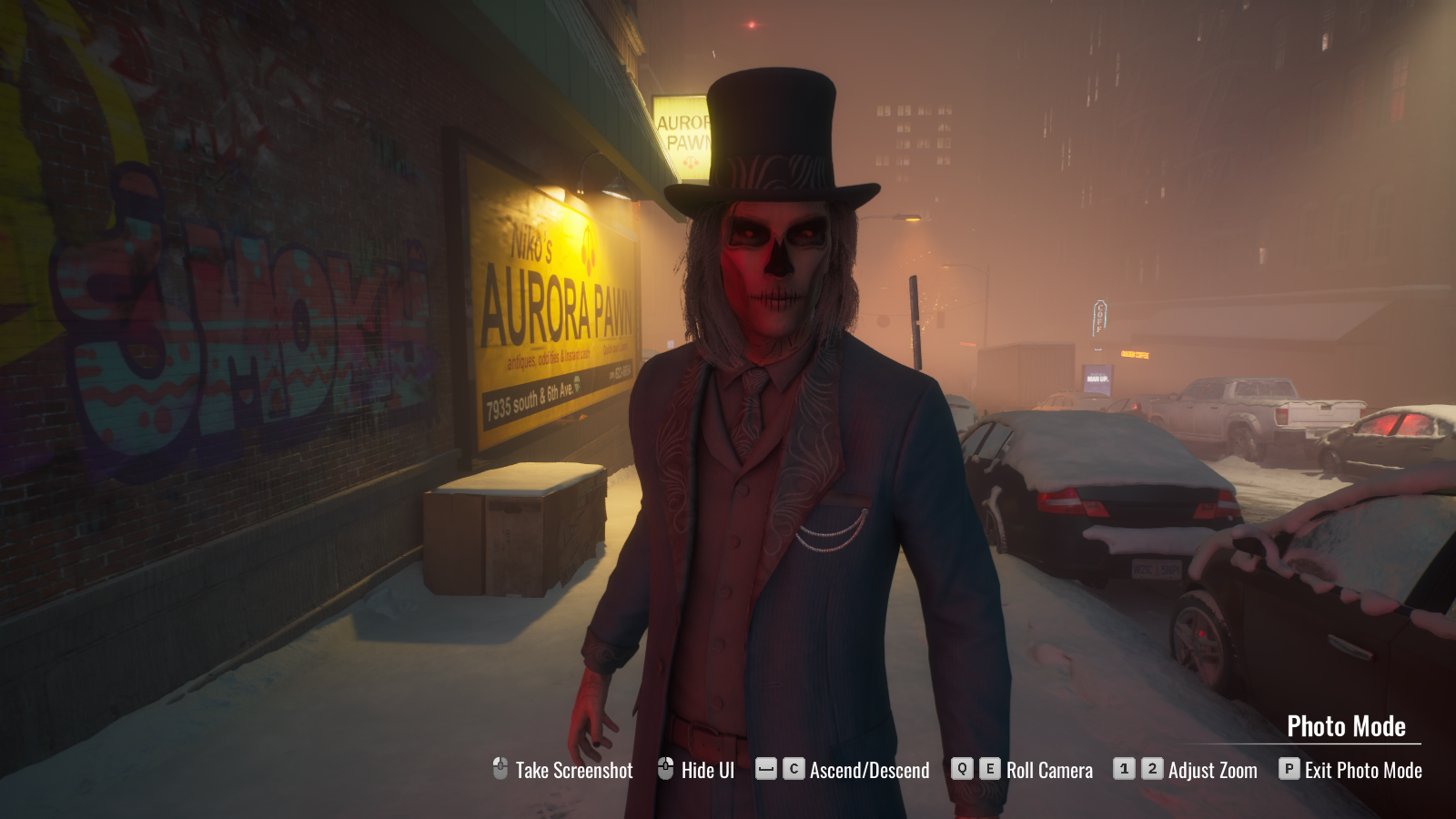 Description: Screenshot of Photo Mode triggered during a conversation with a pedestrian.
Disable HUD & Disable Enemy Health Bars Setting
For those who want to record gameplay outside of Photo Mode, we have added two additional options to the ACCESSIBILITY tab of the SETTINGS menu:
1) Disable Enemy Health Bars will prevent enemy health bars from appearing.
2) Disable HUD turns off all UI overlays that occur during 1st person gameplay.
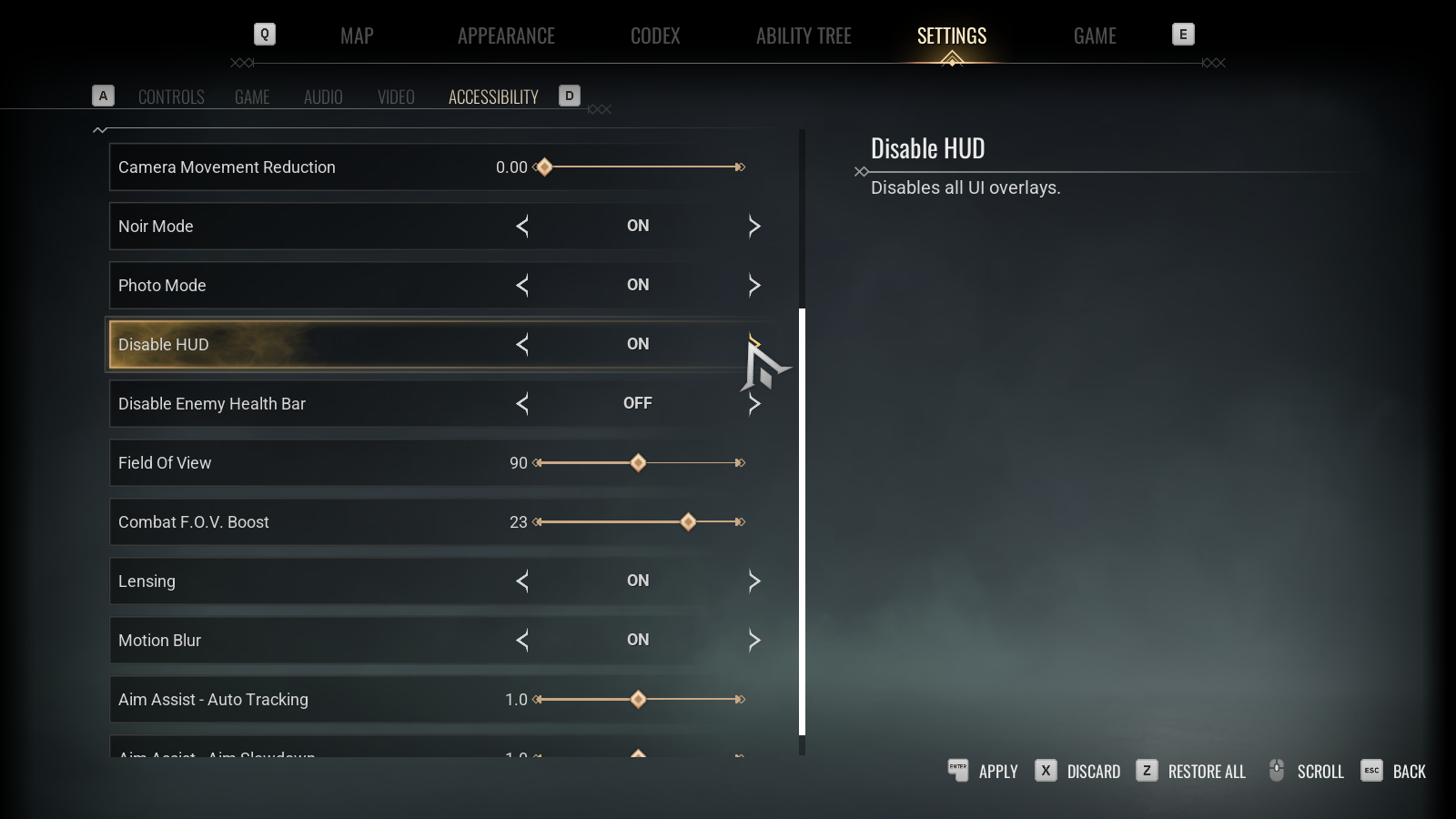 Description: Screenshot of Disable HUD and Disable Enemy Health Bar settings in the ACCESSIBILITY tab.
Noir Mode
Lastly, for those with a flair for the dramatic, we have added the Noir Mode option in the ACCESSIBILITY tab. Noir Mode switches the game’s visuals to black-and-white, adding to the detective fantasy of playing Fabien, or switching the Neo-Noir style of playing Phyre, Benny or Ysabella into a vintage look.
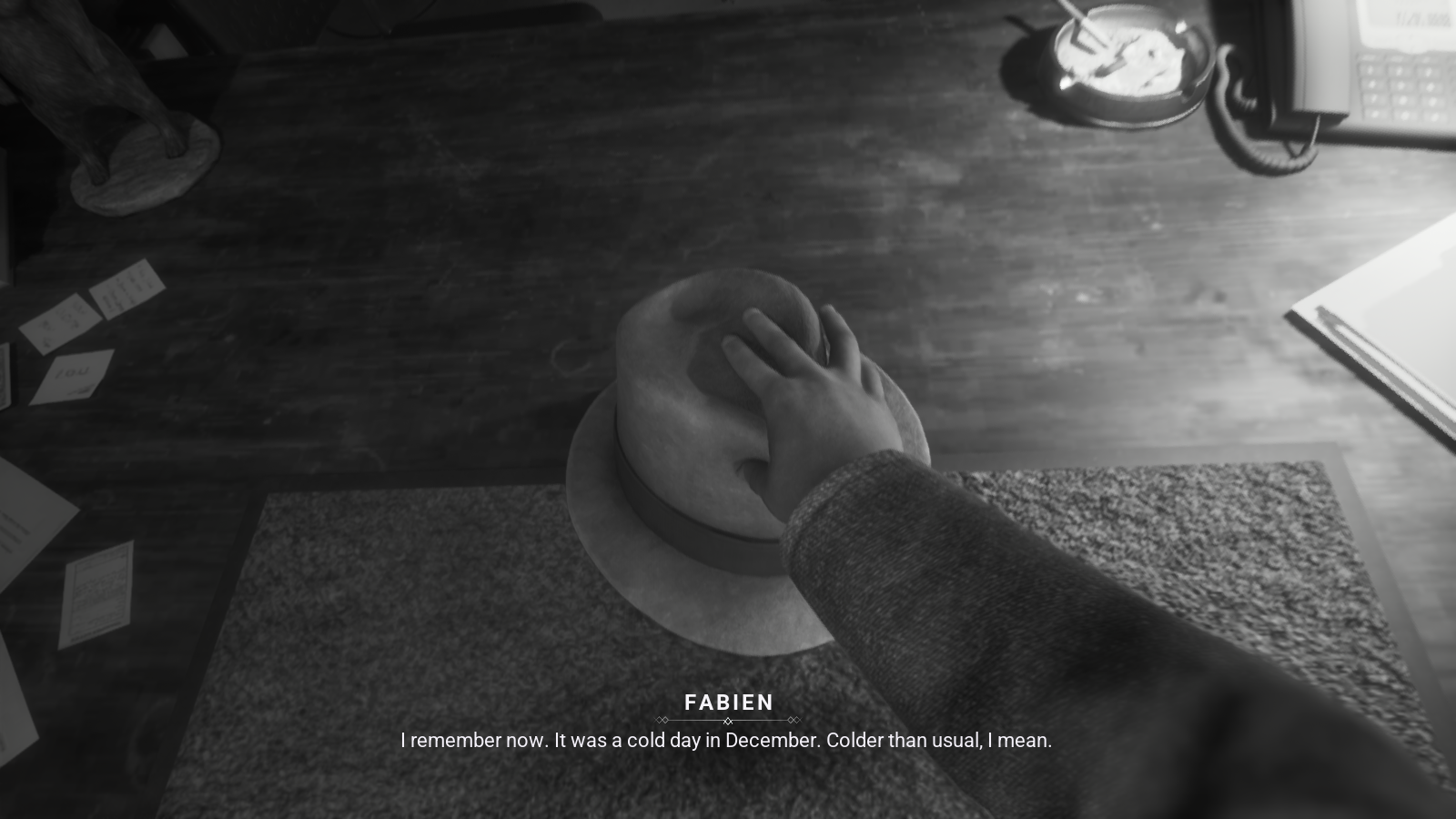 Description: Screenshot of playing a Malkavian Detective with Noir Mode on.
Ranged Combat Improvements
During development of The Flower & the Flame DLC, we added several features to Ysabella’s ranged combat that we have also added to Phyre and Benny as part of the Summer Update.
Holding Firearms
In addition to Phyre holding a gun with Telekinesis, you can now pick them up directly to hold in your hands. Alongside the Spring Update addition of being able to wield melee weapons, this means every weapon in the game can now be picked up and used directly by Phyre, Benny, and Ysabella.
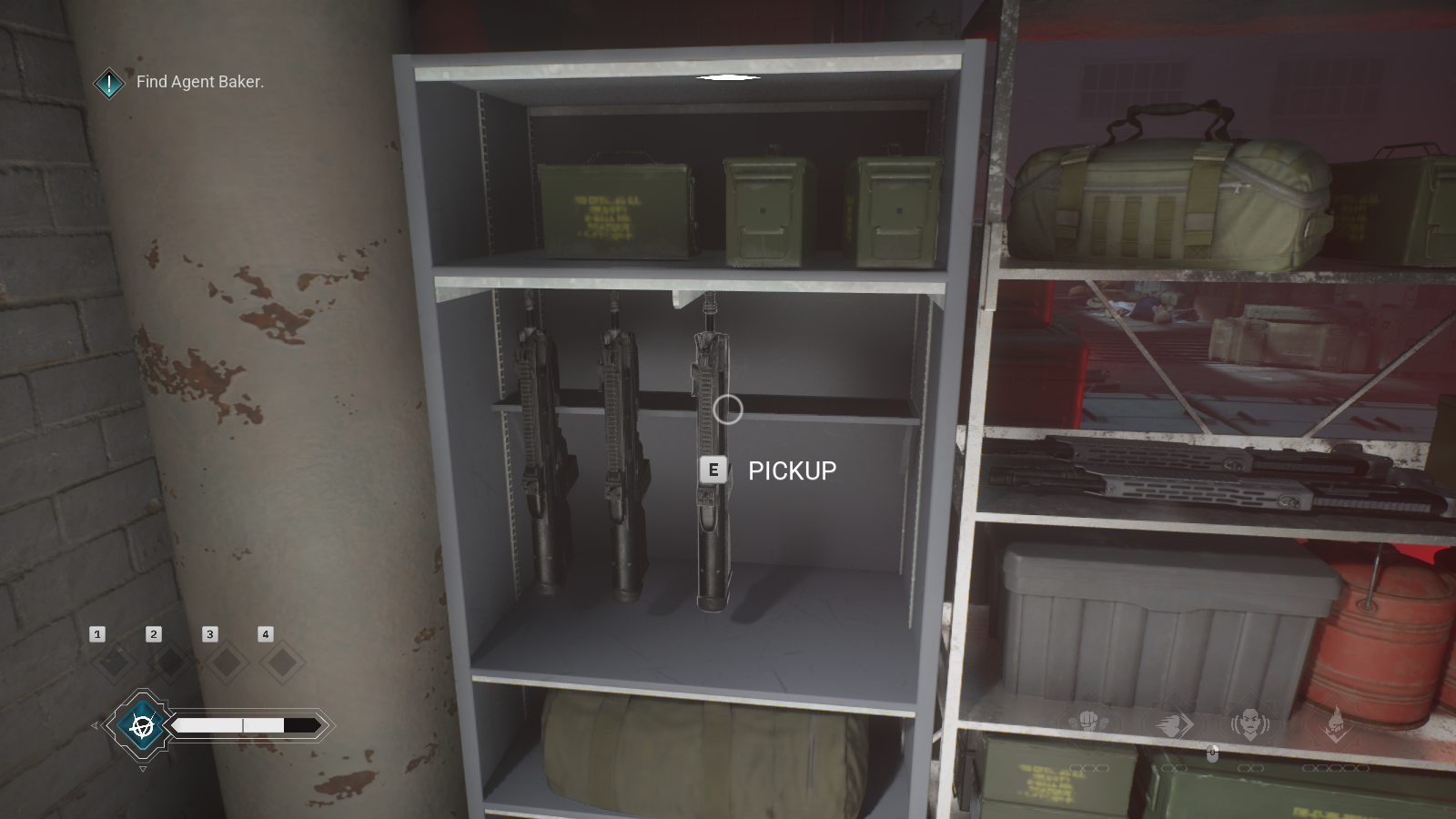 Description: Screenshot of highlighting an assault rifle that can be equipped.
Ammo & Holstering
Each firearm’s ammo count is shown at the bottom right of the screen. Once the ammo is depleted, the weapon is discarded, maintaining the flow of combat.
Firearms are powerful but also loud, drawing attention from others nearby, and larger guns make you easier to spot when sneaking. In the city, aiming a firearm at passers-by can cause a panic, eventually leading to unwanted police attention. So for those of you who want to keep a lower profile, we have added a Holster weapon function (TAB on keyboard; Y on Xbox gamepad; Triangle on PlayStation DualSense) to quickly hide or reveal a carried melee weapon or firearm.
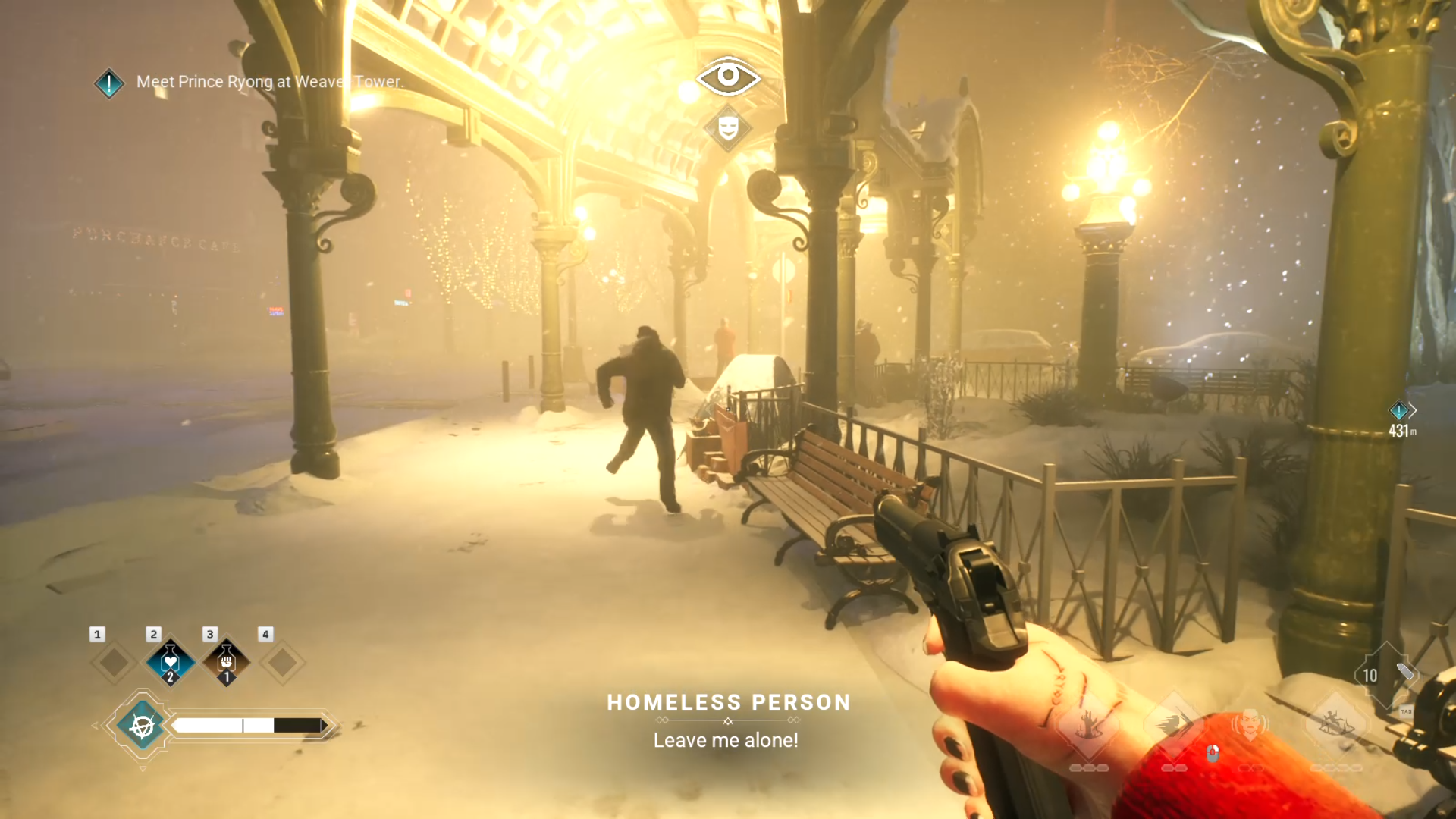 Description: Screenshot of a pedestrian running scared after having a gun pointed at them.
Dual Wielding Guns
Picking up two of the same firearm as Phyre or Ysabella will allow you to dual-wield them. This greatly increases your damage per second at the cost of getting through your ammo faster - it’s also really cool!
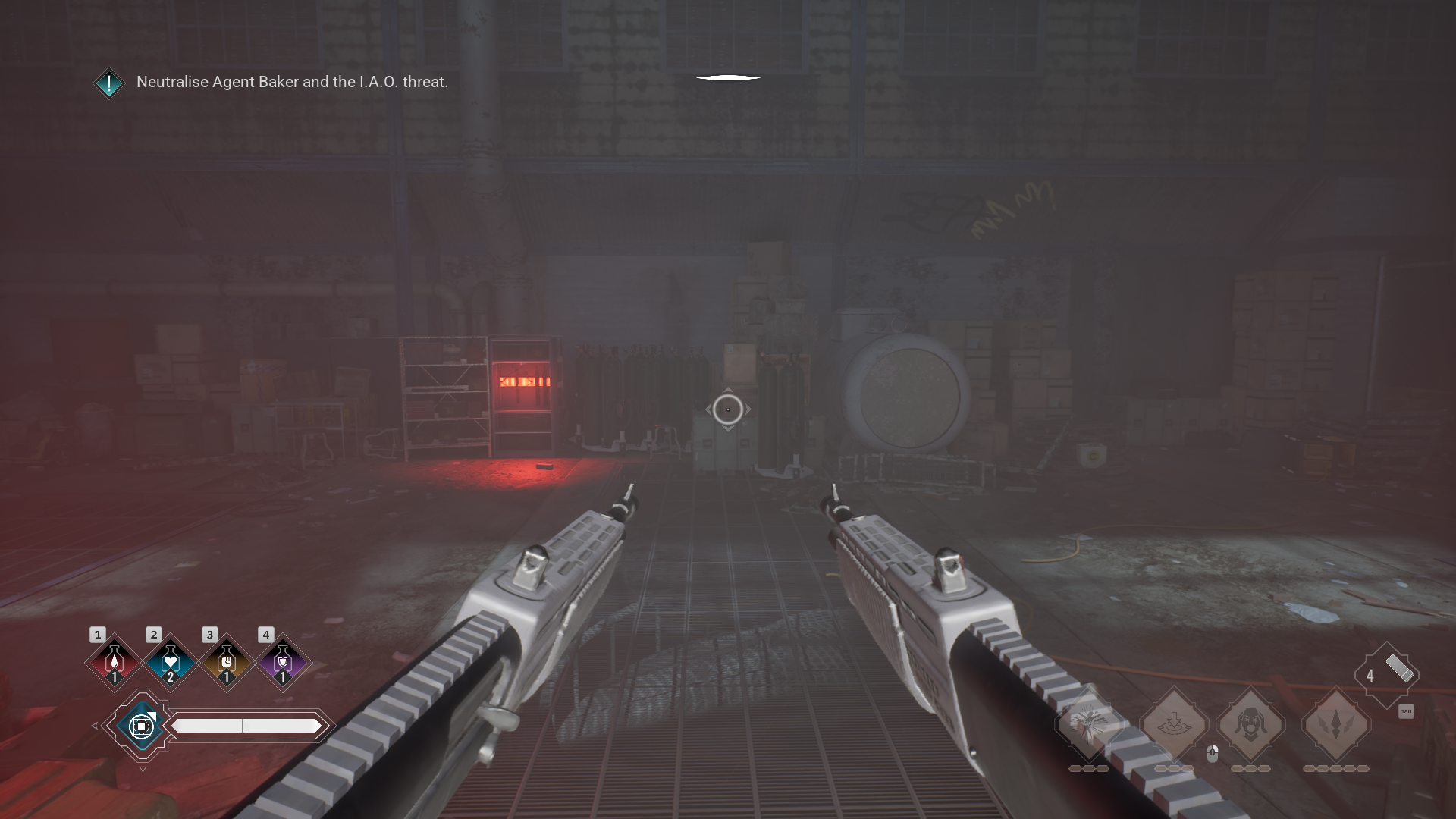 Description: Phyre hunting I.A.O. agents with two of their combat shotguns.
Benny can also pick up a gun to wield alongside his custom sidearm.
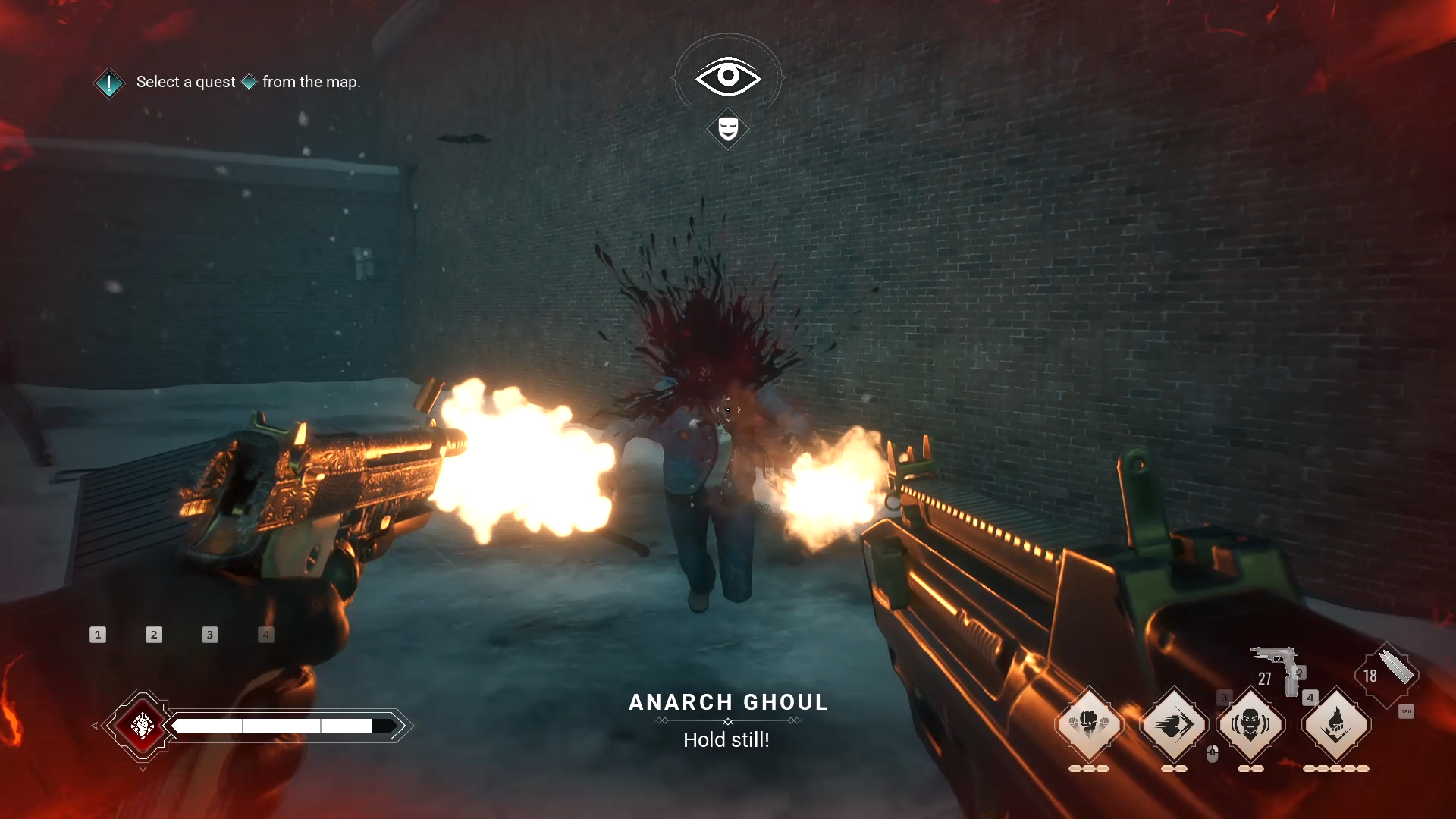 Description: Benny mowing down Anarchs with his trusty sidearm and an assault rifle.
Precision Aim
Benny’s Precision Aim feature is now available for Phyre and Ysabella when they are holding a firearm. Hold Right Mouse (LT/L2 on gamepad) to enter Precision Aim, slowing time to a crawl (and with certain weapons looking down the sight or scope), allowing you to get headshots in the middle of a brawl, or shoot a gas canister just as an enemy walks by to engulf them in a satisfying explosion.
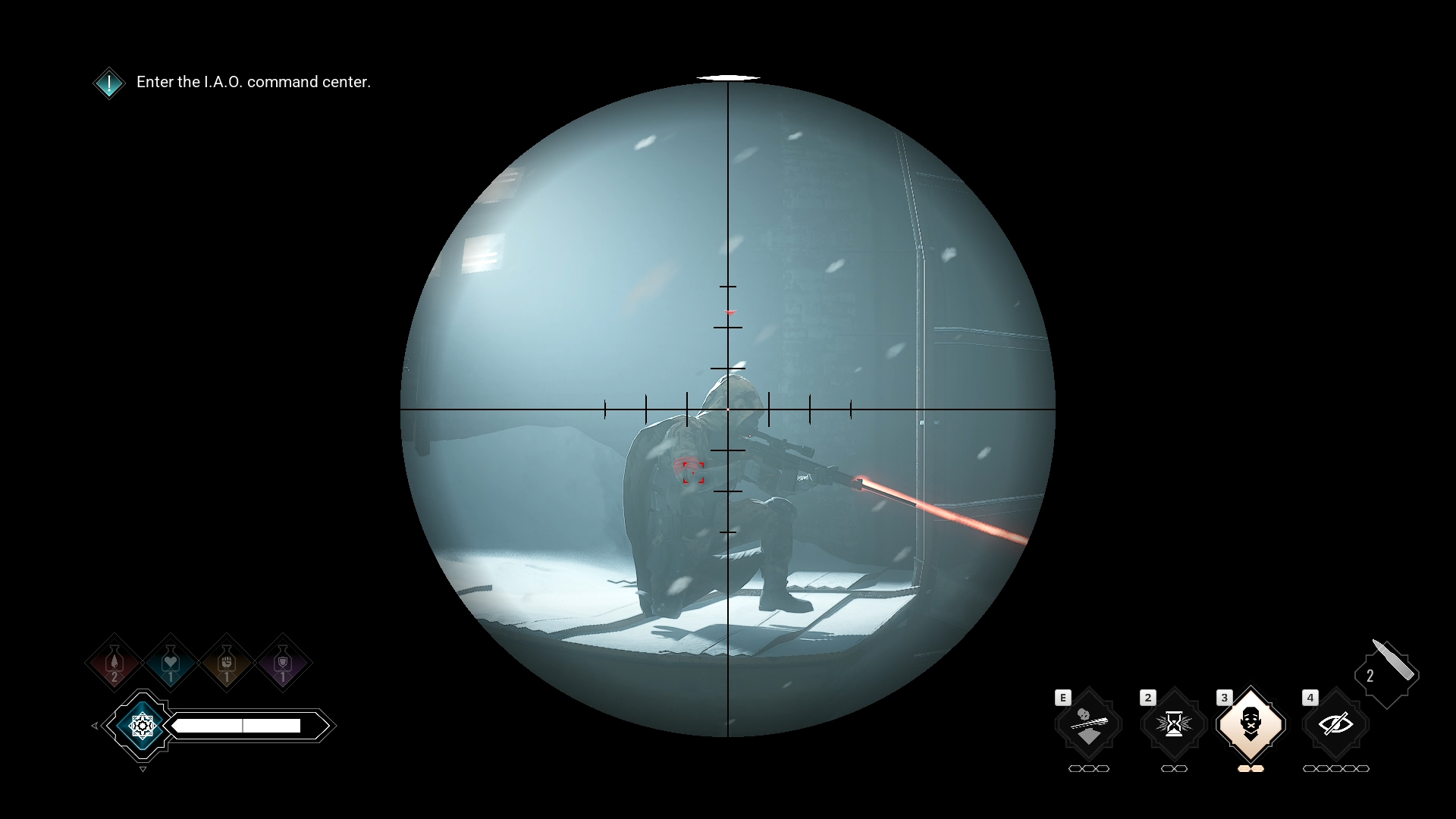 Description: Screenshot of using Precision Aim to look through a sniper rifle’s scope at an unwitting target.
Combat Tutorial Collectables
To tutorialize the new combat features, we have added two collectable notes which explain how to wield ranged weapons and also how to use Shunt to disarm an enemy. Top tip - Split Second + Shunt is a lot of fun.
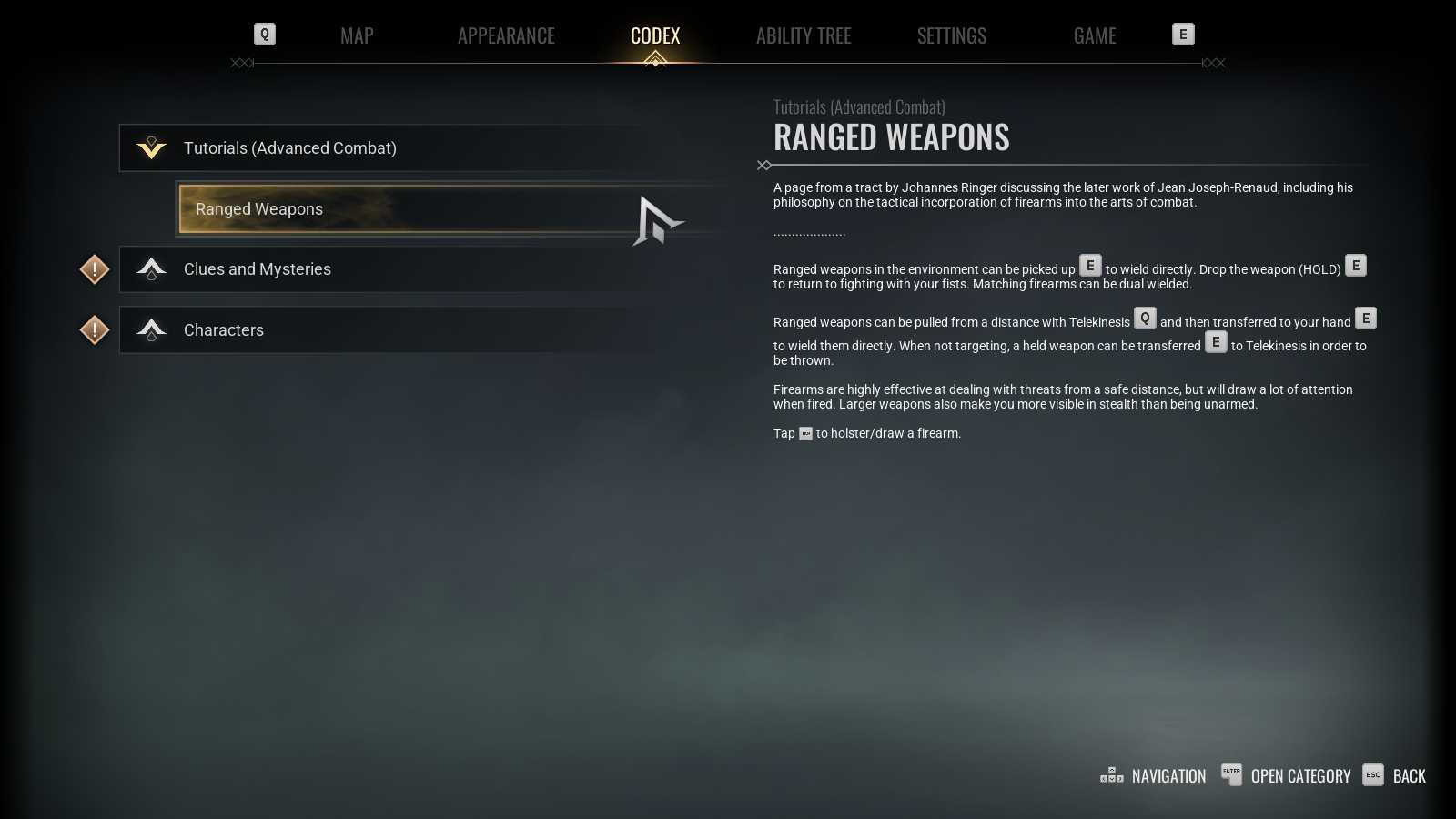 Description: Screenshot of Codex entry detailing how to use ranged weapons.
Dress Like a Detective
It has been a while since we added a new cosmetic to the game, and we noted that many of you have wished for Fabien’s hat, so as an extra thank-you from us, we have added Fabien’s hat to Phyre’s HAIR tab for you to play out your Vampire Detective looks.
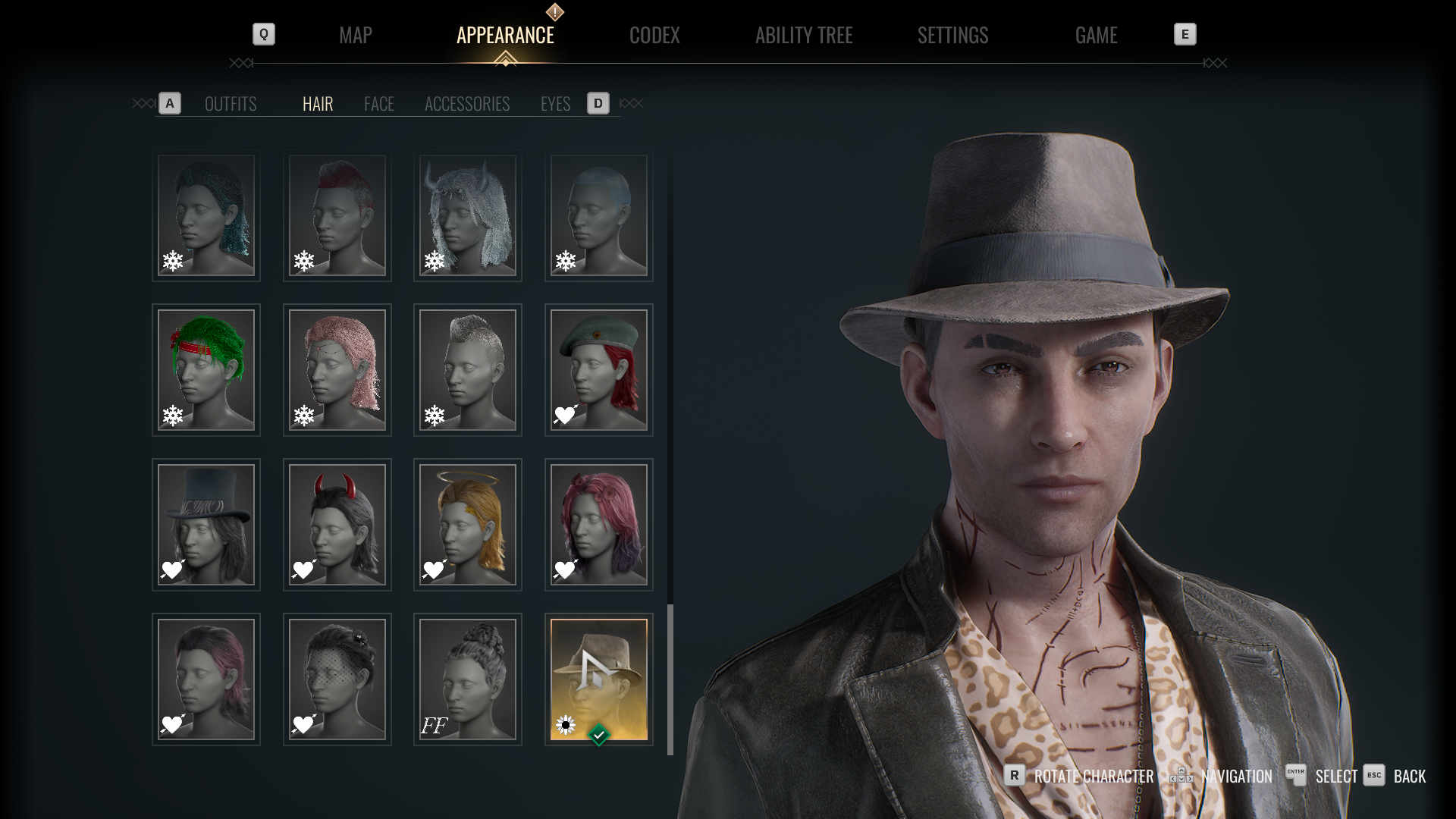 Description: Screenshot of Phyre wearing Fabien’s hat, combined with The Player outfit.
OUTRO
That covers the Summer Update, which is available to play right now along with The Flower & the Flame DLC (see Dev Diary #33 for details). It has been an absolute pleasure to have been on this journey with you, and while development has come to an end, we know it will continue its unlife in the safe hands of the community. We look forward to seeing the mods you’ll continue to add, the art, fiction, streams, and videos you will create. If you’d like to keep up with community progress, please join us on the official Bloodlines 2 Discord.
Goodnight, Kindred.
CHANGELOG
Gameplay Improvements
Added Photo Mode when playing as Phyre, Fabien, Ysabella or Benny.
Added Noir Mode when playing as Phyre, Fabien, Ysabella or Benny.
Added setting to disable HUD/UI overlays.
Added setting to disable enemy health bars.
Added ability to pick up firearms to Phyre, Ysabella and Benny.
Added ability to dual wield firearms to Phyre and Ysabella.
Added functioning scope to Sniper Rifle.
Added ability to holster held weapons.
Added pedestrian and police reactions to aiming firearms at them.
Added a Codex Collectable explaining Shunt technique.
Added a Codex Collectable explaining using Ranged Weapons.
Banu Haqim’s Mute now also briefly silences Phyre’s actions and weapons.
Bug fixes
On PS5, the 'Share' button triggers the pause menu preventing capture of screenshots or video.
PSO shader caches are missing for Nvidia and AMD graphics cards causing stuttering and low frame rates.
VRAM usage exceeds the available limit on 8GB GPUs during Vampiric Sprint causing heavy FPS drops.
Controls fail to respond when using an AZERTY keyboard during gameplay.
Movement input reassigns to RT/R2 on gamepad when language is set to French and keyboard layout to AZERTY.
All key bindings reset to default when remapping them in Settings > Controls tab and restarting the title.
Specific sliders fail to update after setting a value 0 and hovering over other options in the Game & Audio tabs.
Default key binds fail to be displayed consistently after performing "Restore All" in the Settings > Controls tab.
Game can crash while traversing inside the Police Station.
Game crashes upon restarting from the last checkpoint when enabling certain Accessibility settings on a fresh launch.
Infinite black screen occurs after elevator interaction in “The Streets Incarnadine” quest when certain settings are enabled.
Game crashes when interacting with Codex or Ability point popup while autosave is occuring.
The game can crash on the transition screen when interacting with upper floor entrance during the “Find and Destroy Katsumi” objective in Loose Cannon DLC.
Phyre can get trapped inside the duct above the staircase during “Get to the Roof, Avoiding Police” objective in “To Taste a Foreign Body” quest.
Crash if the player resumes gameplay after loading a save during “The Dutiful Beloved” quest.
Phyre is unable to interact with laptop at I.A.O. Tower during “We Don’t Do Ghost Stories” quest after completing Niko’s side quest using a save made between Valentine’s update and Spring Update.
Phyre loses all outfits and abilities when starting a New Game of Loose Cannon and then loading a Phyre playthrough save.
Some armoured I.A.O. agents have lower health value of unarmoured agents.
Fabien is unable to use Spirit Touch on the letter when exiting to the main menu and continuing the game during “Blood Sisters” quest .
Objective marker for Niko's side quest fails to appear on the Map after completing “The Pathways of Hesperides” quest.
Highlighter becomes unresponsive after navigating to “Save Last Checkpoint” in Pause Menu.
Phyre falls out-of-world when climbing the nearby wall where the enemies are patrolling during the objective "Follow Katsumi's Scent" in “The Coursing of the Rats” quest.
Police officer and Benny model missing with misaligned door in intro cutscene when starting Loose Cannon on a newly built shader cache.
Main Menu UI overlay remains visible over loading screen after selecting Continue.
Ability pips deplete when using Mass Manipulation with no targets.
The player randomly falls into an OOW/unbounded area while entering the vent near Tolly during “In Chains of Lead and Gold” quest.
“Open” prompt appears on dumpster even when enemies are nearby, allowing interaction during “A Star of Cold Aspect” quest.
Onda’s side quest “Cass's Big Night Out” fails to trigger after waking up from the Haven for some players.
The quest icon and objective automatically switch to the Fletcher side quest from Mrs. Thorn’s after conversation with Tolly during “To Founder on the Lethe” quest.
Marble Skin enemy incorrectly rewards the player with a single blood pip upon feeding during the Construction spoke combat encounter of Loose Cannon.
Objective fails to update after completing Niko's “The Derelict Picture”' side quest.
I.A.O. Hunters respawn at the Radio Tower after completing the Onda side quest during “We Don’t Do Ghost Stories” quest.
Benny drops equipped melee weapons upon restarting from last checkpoint, loading autosave or manual save in “The Meet” quest.
The Custom Difficulty option remained inaccessible upon a fresh launch of the game.
Fabien can interact with the deceased Cat in the haven during “Service, Pride and Dedication” quest.
Phyre gets stuck in the ground surface if you crouch near the codex "Letter to Min" during “The Pathways of Hesperides” quest.
Voiceover and subtitles for Misty's initial dialogue line are missing during the conversation with her during “The Mother” quest.
The Health Elixir fails to spawn on the first instance inside the vent after completing the first lobby combat at Weaver Tower during “The Fires of Industry” quest.
Fabien is unable to fast travel if the player selects the Guru objective and attempts to fast travel to Guru by deselecting the objective during “The Mother” quest.
Phyre clips into the wall and gets stuck when performing jump and dash near the building beside the Auto Repair Shop.
Previously equipped abilities disappear from HUD after swapping ability and restarting from checkpoint in Seattle map.
Targeting time dilation remains active at start of Ysabella boss fight if ability targeting input is held during conversation start during “A Work for Holy Innocents”.
Melancholic NPCs can revert to normal state after colliding with another NPC.
Pedestrian NPC stutters after being thrown using Charge ability without knocking them on any surface.
Out-of-world visible for a few seconds after fast traveling to Shelby.
'Inspect' prompt on the Fingerless Hand fails to appear, and objective updates incorrectly after opening the Library door during “The Pathways of Hesperides” quest.
Warning message fails to appear if the player attempts to remap a key that is already assigned for the second time under Settings > Controls.
Phyre clips through geometry when gliding into Crow Mob Coffee building.
Unintended diagonal movement occurs upon resetting a remapped movement key binding during gameplay.
Cauldron of Blood ability incorrectly refills after feeding on affected NPC.
Onda's side quest marker fails to appear on the map after completing Mrs. Thorn's side quest during “The Coursing of the Rats” quest.
Excessively bright placeholder texture appears near building after Fast Travel to Atrium from within Weaver Tower.
Phyre and Benny Can access a block out level accessed at the south-east of the Seattle map.
Visual artifacts appear on Phyre’s mouth and neck area when selecting No-glasses face preset items.
Female Phyre’s skin texture looks like it has stubble.