Hello adventurers!
Outward 2 Closed Beta is now live!
Please find all the information related to the closed beta below in the FAQ.
You can leave your feedback on Discord or by filling this survey.
#ExploreAurai: Get a chance to win an early Key for Outward 2!
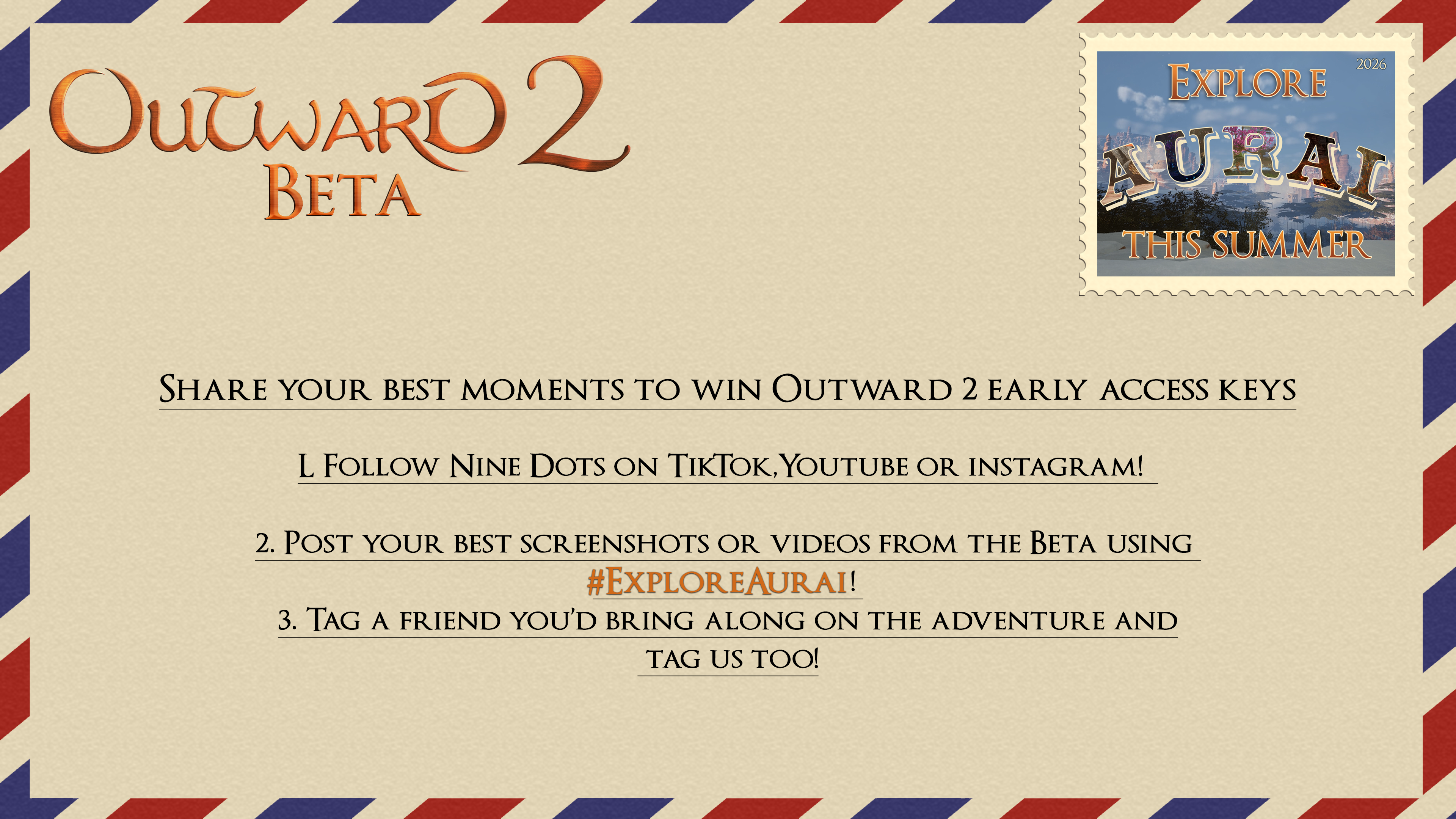
The Outward 2 Beta is underway. Now we want to see your best moments across Aurai. (Incredible adventures, discoveries, victories or questionable decisions!)
Starting today until June 22nd, we’re launching the #ExploreAurai Community Contest!
To participate:
Follow our Nine Dots account on the platform you want to post Nine Dots TikTok Nine Dots Youtube Nine Dots instagram Our Discord in the #screenshot-and-art channel
Post your best screenshot or video from the Beta using#ExploreAurai,
Tag a friend you’d bring along on the adventure and tag us too!
Our selected winners will receive two early access keys for Outward 2 — one for you and one for the friend you tagged. We will contact the winners after June 22nd and we will send the Early Access keys 3 days ahead of the official Early Access release of the game.
Extra : Use our postcard template to create the best postcard from Aurai (available in this folder). Use your favorite editing tool or just a simple paint program to add it to your screenshots/video to make it even cooler.
Full terms and conditions: Here Good luck and happy exploring!
IMPORTANT BEFORE PLAYING - DELETE YOUR SAVE FILES
If you played previous playtest you will experience bugs if you don't delete the saves
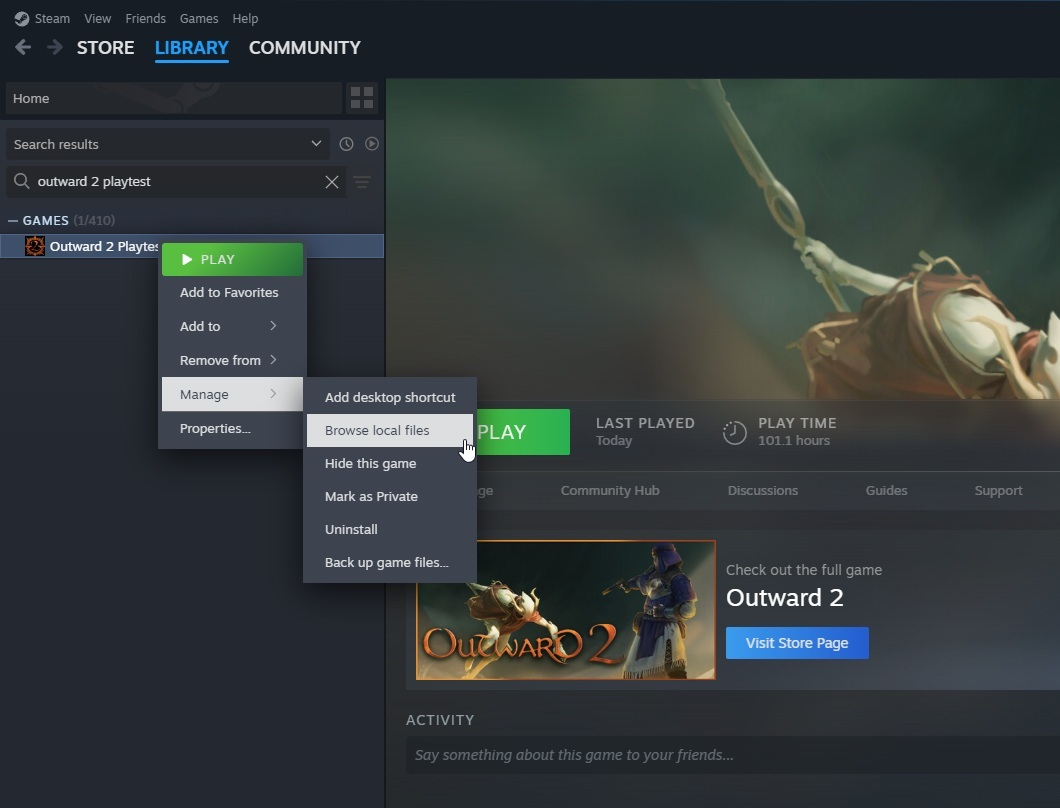
From the Steam Library, search for the Outward 2 Playtest game.
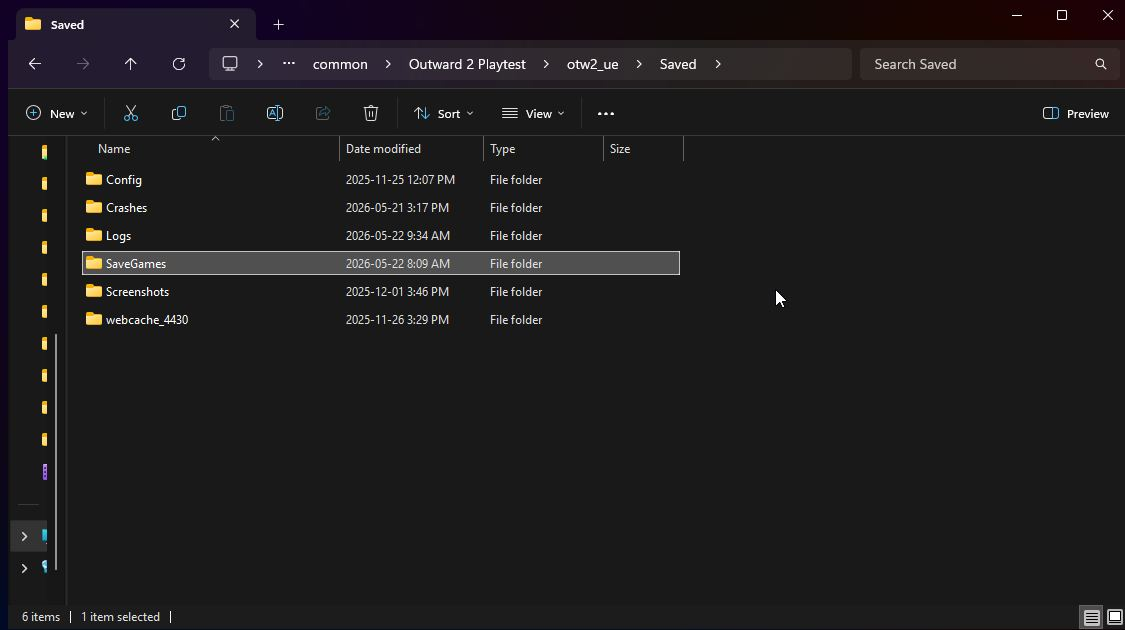
From there, right click on the game and then select "Browse Local Files" found in the "Manage" category In the local files, click on the "otw2_ue" folder, followed by the "Saved" folder, and delete the "SaveGames" folder. After doing so, you can close the local files and Launch the Playtest for Outward 2!
CAN I RECORD, STREAM AND SHARE THE CLOSED BETA CONTENT?
Yes, absolutely, there is no NDA for the beta’s content. We even encourage you to share your best pictures using #visitaurai to participate in the Outward 2 giveaway!
We’d love to be tagged in the content you share online on every platform.
Make sure you also follow us on Steam!
HOW TO PLAY?
If you were part of the January playtest, you will get automatic access to the closed beta.
Ain’t that just dandy? The game will need to be updated before playing.
You should delete your files to make sure everything works perfectly
I GOT A KEY
If that’s not the case but you’re one of the lucky ones that got a key, follow these steps:
Open the Steam client: Launch the Steam application on your computer.
Go to the "Games" menu: Click on "Games" at the top-left of the client window.
Select "Activate a Product on Steam...": Choose this option from the drop-down menu.
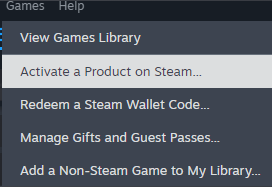
Follow the on-screen instructions: Click "Next" to proceed to the next step.
Enter your product code: Type in the product code you received.
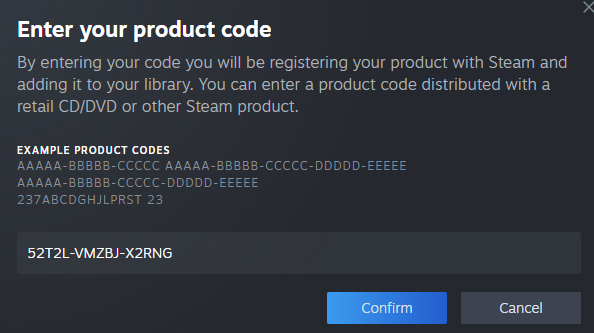
6. YEAH, you're in! Check your library, click on Outward 2 Playtest and download.
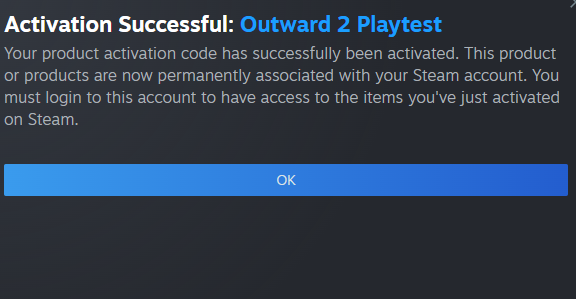
I GOT ACCESS FROM MY STEAM REGISTRATION
Great! The only thing you have to do to play is to download the game from your library!
HOW DO I KNOW IF I WAS SELECTED?
Check the spam folder of the email address you used to register on our website: You would have received an email from Nine Dots Studio.
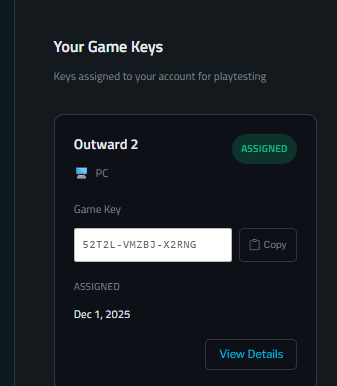
You can also check if you received access here: https://www.ninedotsstudio.com/playtest-login/
Log in on the website with your password and email address. Verify if a key is available for you. (Don’t try this one, it was mine)
WHEN IS THE CLOSED BETA HAPPENING?
The beta will take place between Tuesday, May 26th to Monday June 8th 1 PM EST. We’d love to hear your feedback on the game’s current state on Discord, Steam or via this form.
If you encounter any bugs or issues please let us know too.
We’re likely to push updates and patch notes during the week, we’ll inform you on Discord and Steam.
WHAT CAN WE EXPECT IN THE CLOSED BETA?
WIP Character creator
Online Coop
Split Screen coop
La Rescapée Region and Simeon's Bastion Town
Bellowgale Call to Adventure Quest :
The Call to Adventure Quest is not the beginning of a storyline. It’s your starting quest in one region.
While home of the Menders and the starting location of the story quest linked to them in the full version of the game you will be able to do any call to adventure with any storyline.
2 Trainers to unlock skills from
Levantine Engineer
Mastat Cultist
10+ dungeons
15+ enemies
Early game gear
Survival elements (thirst, hunger, sleep, temperature)
FIND PLAYERS TO PLAY WITH YOU :
Our Discord is the best place to find Great Energy Players via our brand new G.E.P program. Find the GEP program here.
We’re counting on players to be fun, smart, and respectful adults.
However, playing online means someone could steal your backpack, make you spawn into an ambush, or bring you into an area that’s too hard for you.
We recommend discussing your session with your future co-op partner.
Nine Dots will not be responsible for any bad behavior between players.
WHAT ABOUT SPLIT-SCREEN?
Split screen should be playable although we're expecting it to have some stability issues.
HOW DO I INVITE A FRIEND?
If you registered on Steam, find the Outward 2 playtest page in your Steam library, and you will find the blue button ''Invite friends''.
Prerequisite: Users can only invite friends they have been friends with for at least 30 days.

HOW DO I REPORT A BUG?
The best way to report a bug is through our Discord Channel.
Steam is fine too. Please follow this template.
Title: Explain your issue in a single sentence.
Ex: The Iron Sword inflicts no damage
Description : Add some information just so we have an idea how it happened
EX: I was fighting a bird-like creature and noticed I was not doing any damage.
Repro steps: Add the last few things you did that you remember and think are relevant)
I found the sword in a store.
Engaged in combat with the bird in Bellowgale near Haboob.
I noticed I wasn’t doing any damage to the bird.
If you have Screenshots or a video to share it is super valuable to us. <3
By the way, Birb’s name is Pearl, Pearlbird.
KNOWN ISSUES
Performance issues. You may experience FPS drops and/or crashes. If you start crashing too often (Ex: on load), try deleting your save and starting a new one.
Stuck Spot/Collision issues
When playing Online the Client may not see the same thing as the host and vice versa.
Assets and visuals in the Character Creator are still Work in Progress.
Returning to Main Menu and reloading a save/creating a new one may break a few things. It may be wiser to reboot if you want to change character.
Balancing. Some weapons or enemies may feel OP and/or too weak.
Enemies may not have the intended behavior and act in a "weird way"
Most menus have placeholder visuals.
Sound Effects may be missing or not properly adjusted yet.
Some Areas have been blocked off so it is possible to find a house/cave/door that feels like it can be entered but is not.
The cost of items is work in progress. Some Items may be worth too much or too less.
Skills and some attacks may not always work as intended or at all.
The Levantine Workshop is not working.
Pearlbird Mule may disappear when changing area.
Inns do not grant a status effect when sleeping in them.
Not all book give a status effect when read.
Exercises may sometime have difficulty to track progress.
Some Text/descriptions may be missing and/or have a "missing string" error.
LANGUAGES
The private online playtest will be in English only.
PROGRESSION
As this is the Beta version of the game, progression will not be saved through the full game.
Congrats if you read until the end and thanks for your support and participation in the closed beta!