Welcome to Spring Commanders!
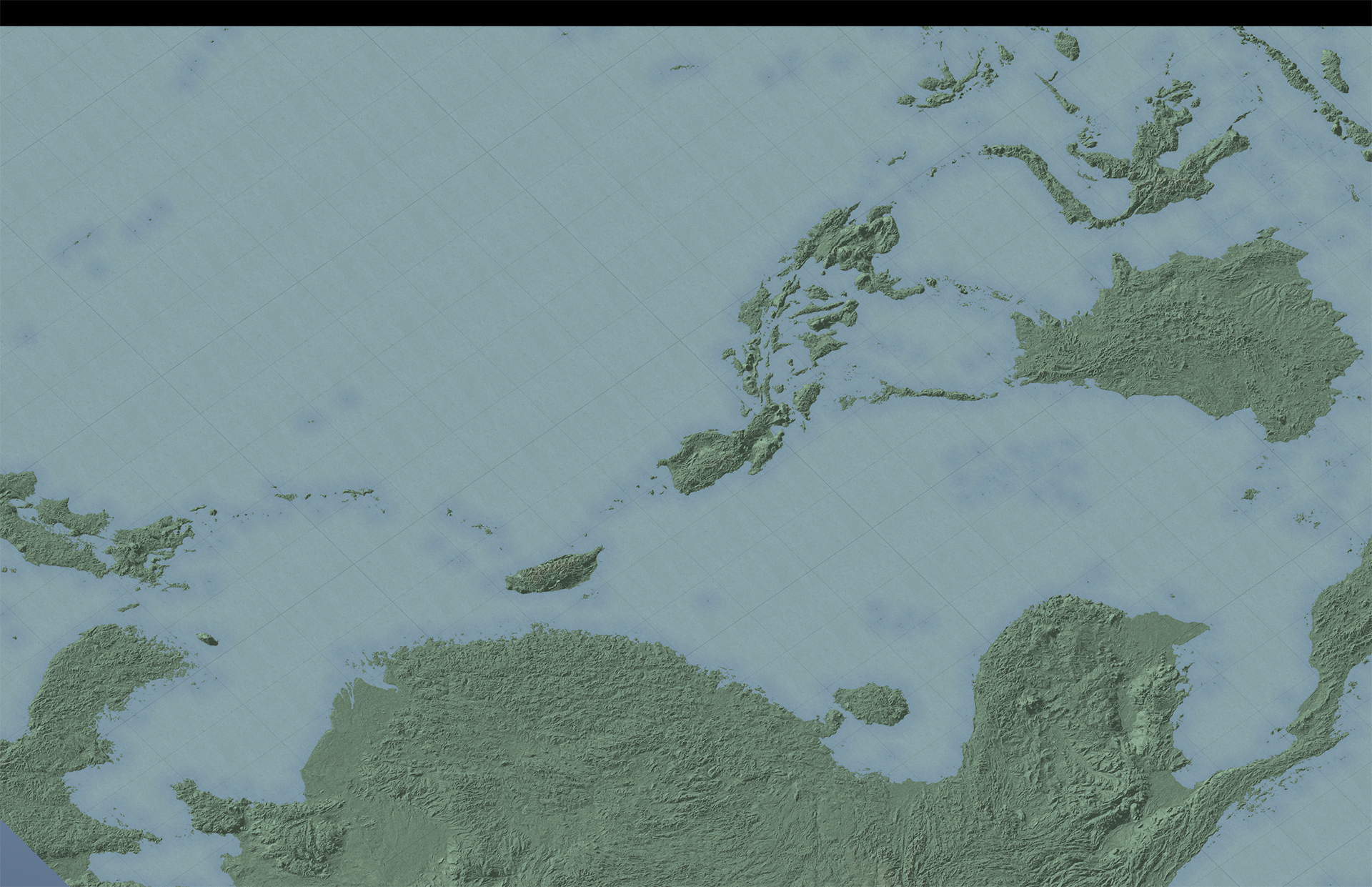
Thank you for sticking with us. In this update we have tackled controller support and hotkey binding (Controller and Mouse and keyboard). This will hopefully tackle some of the issues people have faced when having other types of controllers plugged in. However some may cause some unforeseen issues. This was quite a complex update to get done. But it was required to move forward with other tasks cleanly.
There have been a few changes to various buttons and default layouts. So please take a look at the controller options either in the main menu Settings>Controls or in the in game Settings>Controls.
We will be updating this further (related mostly to UI updates for controller) This will happen during the Visual Overhaul: 2 update planned.
What's Next?
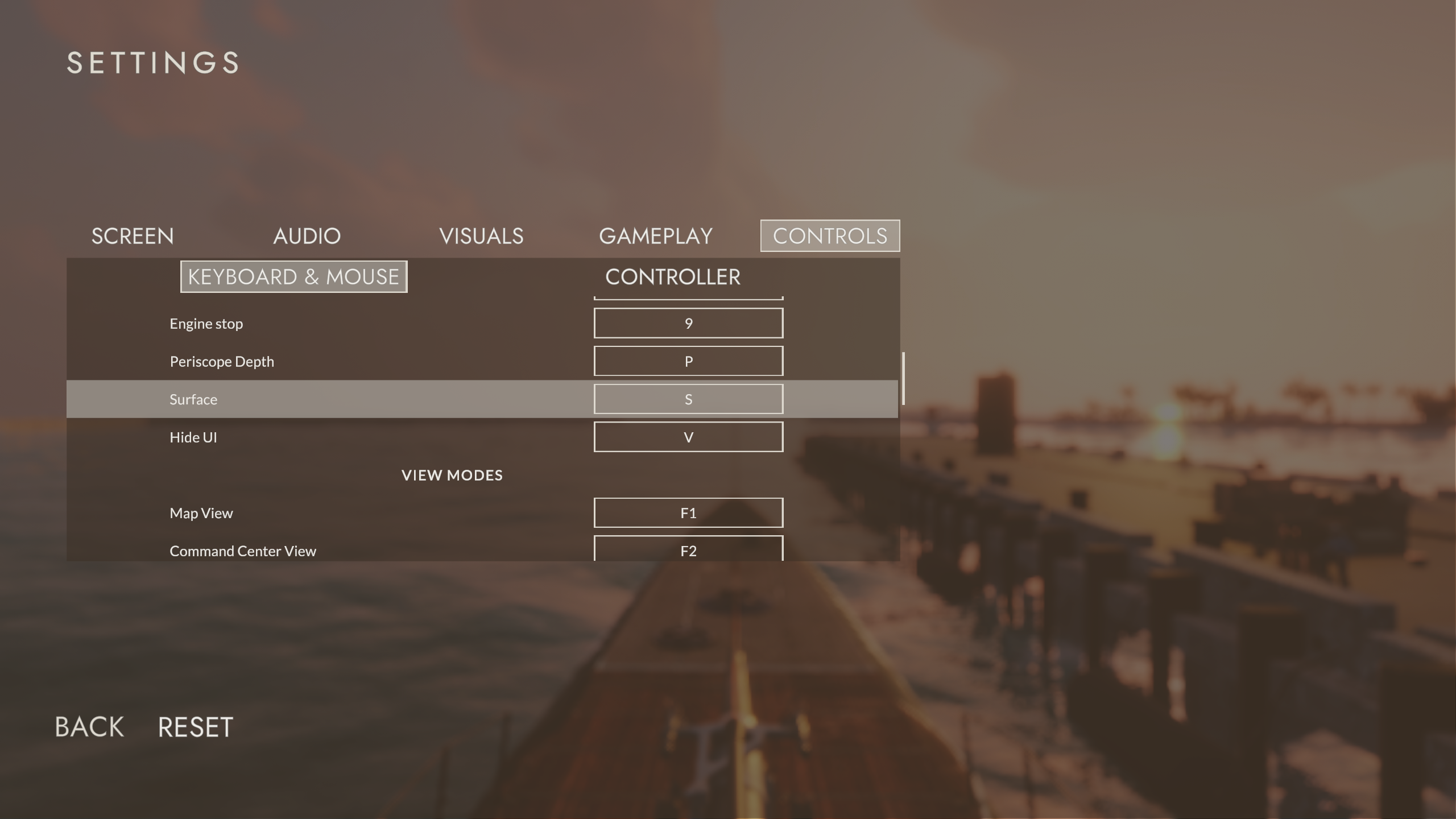
We have also been working on the next major update. Which will be very transformative to the entire game. Finally getting to the point that has been our target for a while. Landmass. Our target is to give the player free roam of the entire pacific ocean rather than a confined region on a 2D map. Our new system will come with full geometry of the landmass’s as well as a 3D interactive map, inspired loosely by some of the iconic battle rooms of the era. This is of course a very very large and fundamental change to the game, which has been the target all along. But this is the reason certain features (planned and requested) have not been forced into the game beforehand. This update may come out in several parts before the entire section is scratched off the roadmap.
Landmass and Map
Waypoints System Historically accurate imperial shipping lanes for hunting grounds. Including correct ship area spawns for lower class vessels.
1 Life System for players who make mistakes. (Shore Warnings, Fuel Warnings etc )
Features:
New: Controller and Hotkey Binding Major Update| - Add: Updated controls UI to main menu and in game settings menu
Large amounts of tweaking and fixes along the way.
Improvements:
Add: highlight state to torpedo cam buttons
Add: Submarine's bullet to its own collision layer
Bug/issues Fixes:
Fixed: Various controls and mapping bugs
Fixed: bullet's explosion positions
Fixed: Sub control for deck gun mode
Fixed: deck gun bullet could collide with submarine
Fixed: multiple UIs displayed during game over screen
Fixed: TDC not working correctly with joystick
Fixed: switching from CC view to free view would have the camera in the wrong position. When switching to free view camera will be looking at the sub.
Fixed: mouse click not working on engine telegraph when in free view
Fixed: correct UZO camera limits depending of FWD or AFT torpedoes selected
Fixed: in game pause menu and missing references when moving between scenes
Fixed: missing reference in torpedo cam ui Fixed: status messages with no caps
Fixed: heading not working correctly
Patrol scene fixes
Remove: Unused code
Contact us for bug reports: We are working on a in-game solution.
The Steam Discussion Forums
Our Discord
Save Game Location: %USERPROFILE%\\AppData\\LocalLow\\Microprose\\Silent Depth 2
Game Session Logs: \\steamapps\\common\\Silent Depth 2 - Pacific\\Silent Depth 2_Data\\Logs Alternatively you can jump to this folder by clicking on the “Cog” on the game’s library page, then mouse over “Manage” then click on “Browse Local Files” and follow the folder structure above.
Note: if you have a save file that may have had "upscaler" on as an option before we removed it, you may find that your game has been scaled up un-naturally large. To fix this navigate to the options menus, and hit reset. Then set the options as per your desire.
Thank you for taking the time to help us find the bugs!