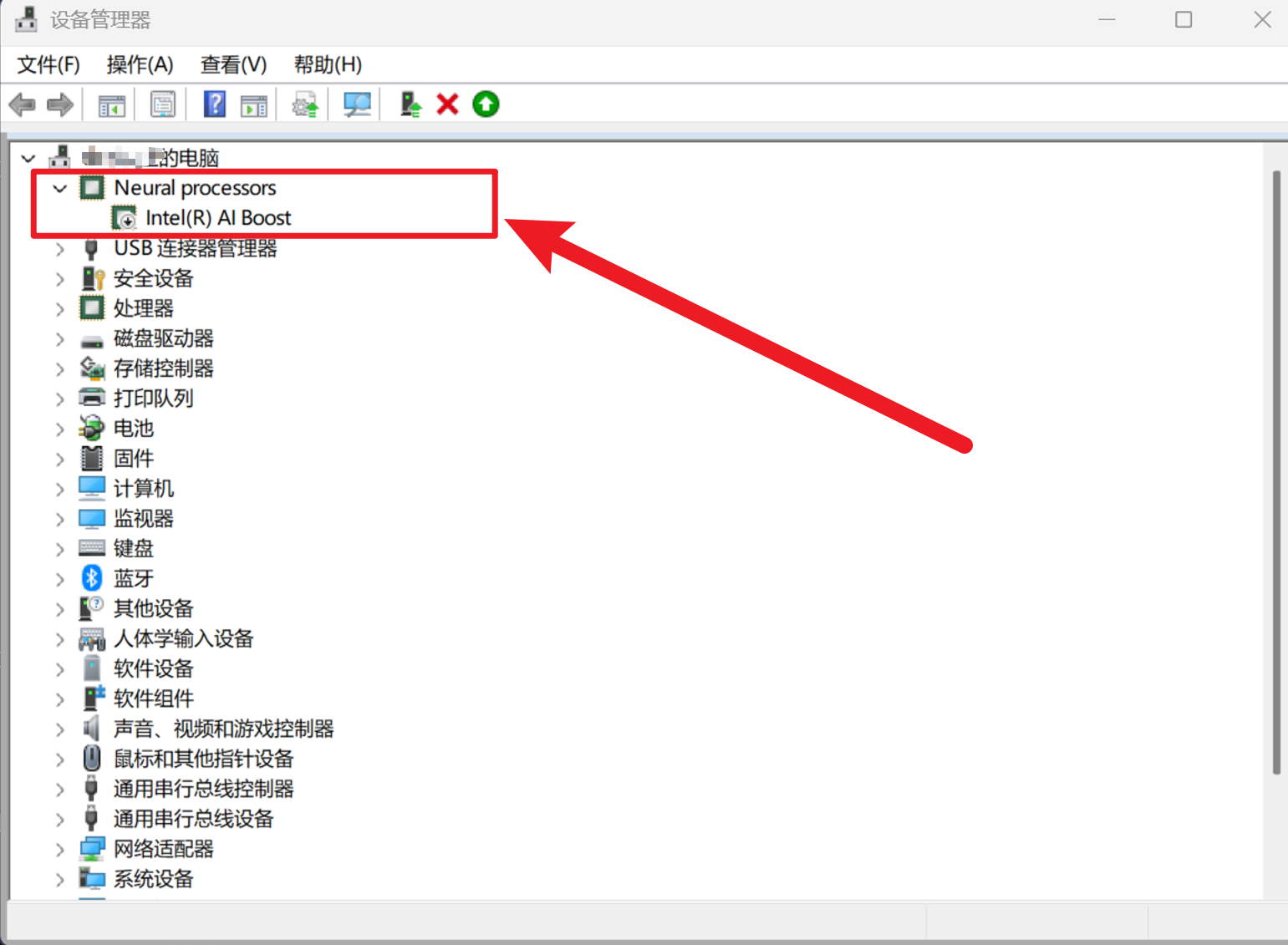
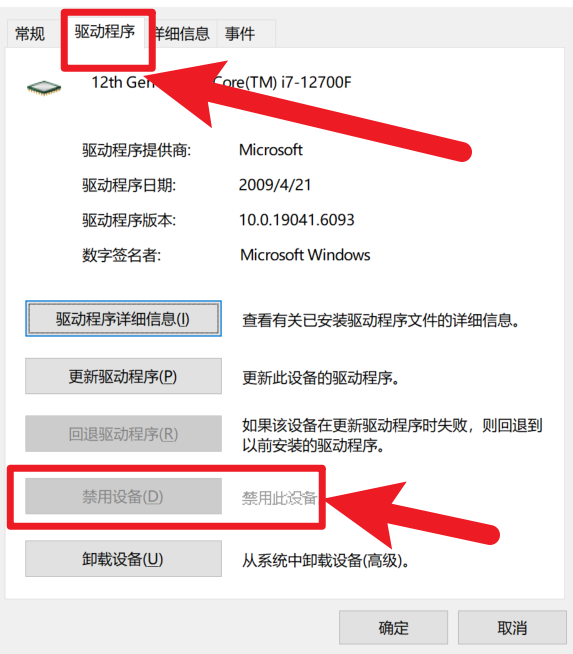
In the Device Manager, click Neural processors, then right-click Inter(R)AI Boost, select Properties, and disable the device under the Driver section (my computer doesn’t have the Inter(R) AI Boost device, so I’ll use a screenshot of another driver as a substitute). You can then play games. This driver isn’t useful since laptops primarily rely on dedicated graphics cards.
Custom parameter startup
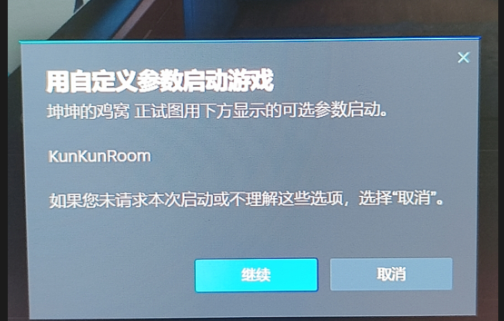
1. Set the exe file to administrator startup
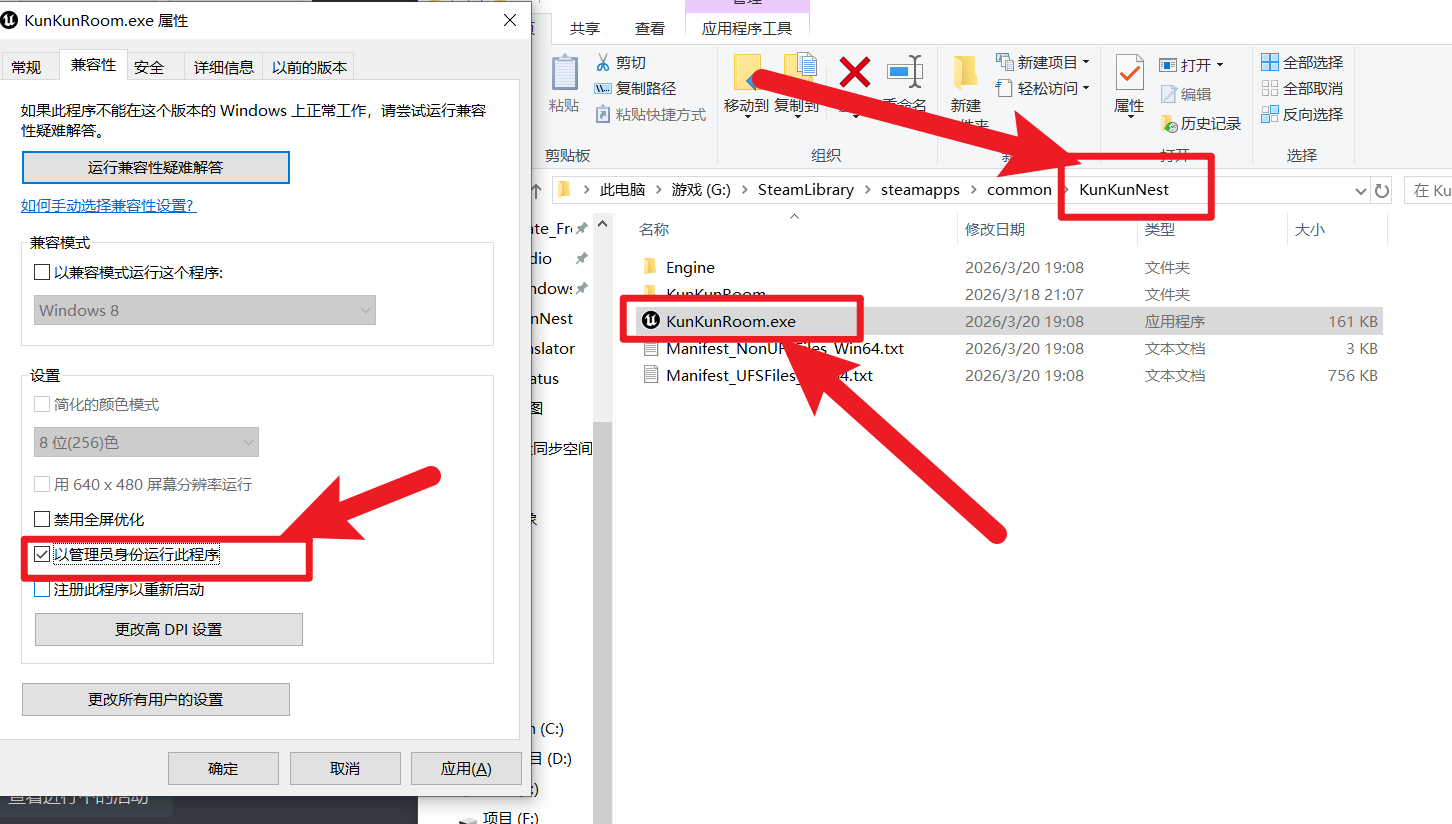
2. Also set up this file
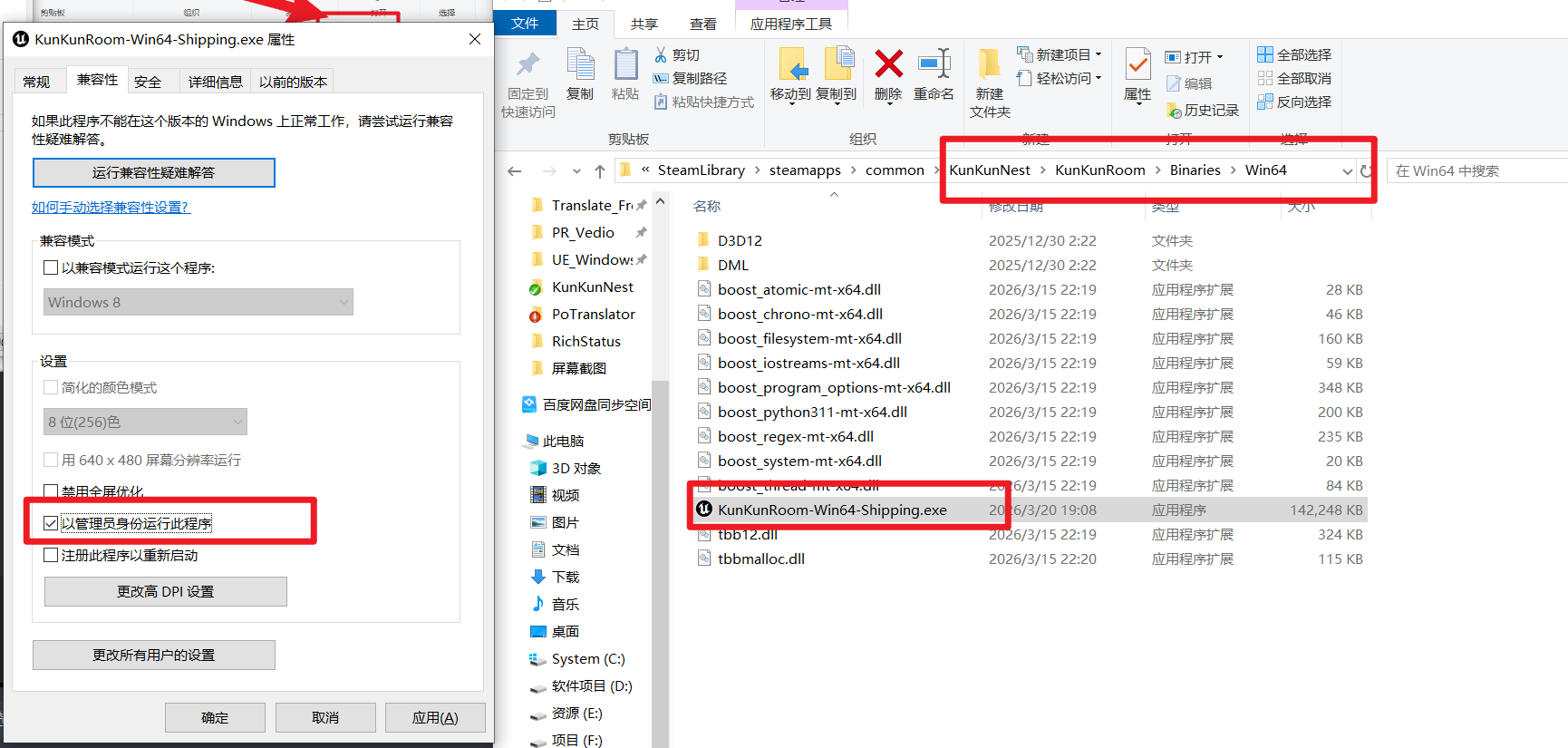
3. Run Steam as an administrator to solve the problem!
There is a large black box issue when opening the game
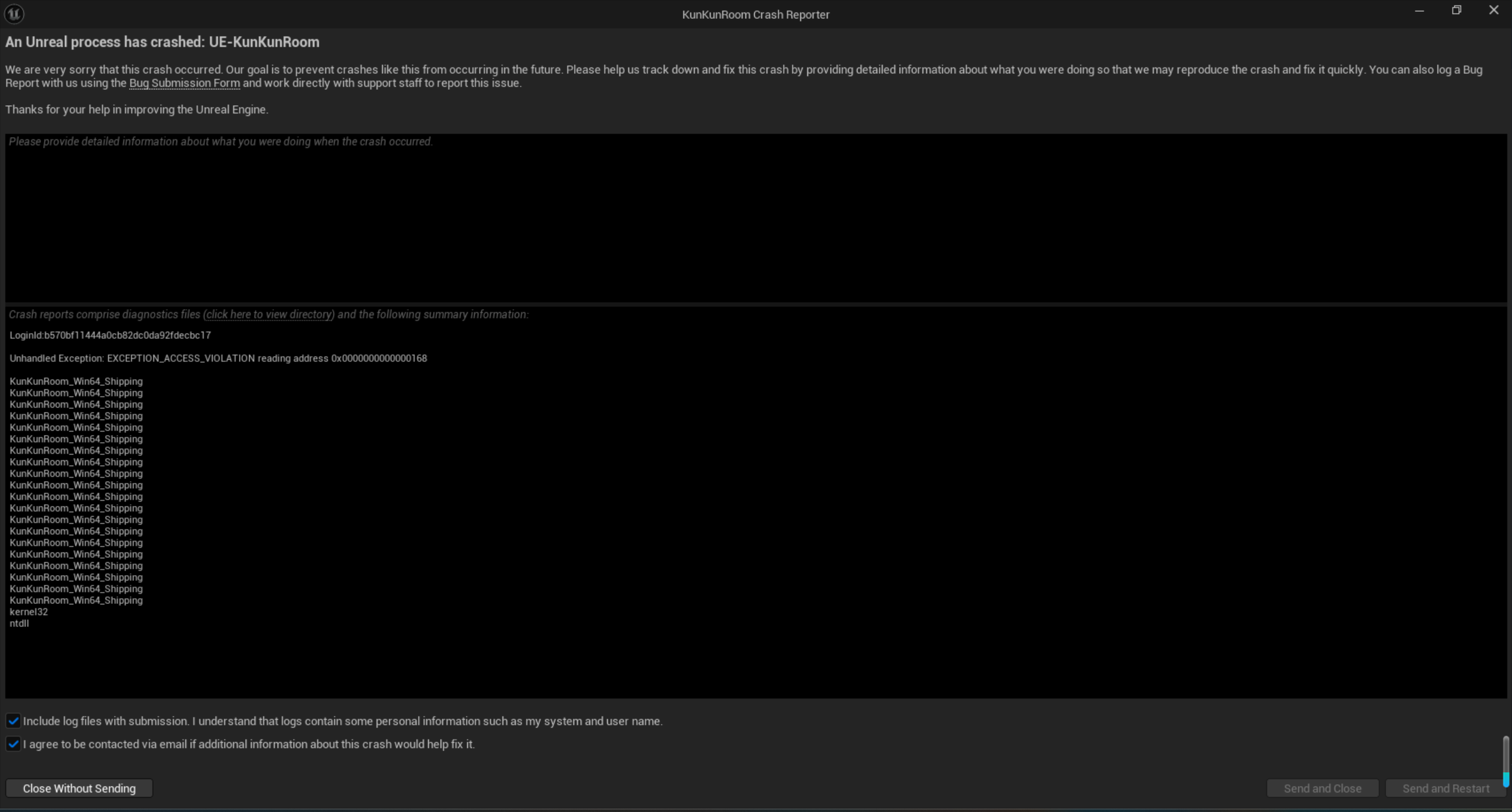
Delete all files in the C: \\User\\ AppData \\ Local \\ KunRoom \\ Saved \\ SaveGames folder and turn off Steam cloud synchronization. The game can be opened normally by enabling cloud synchronization
