Hey everybody! This update focuses on improving Libretro support, improved local MP3 playback, a fix for drag & dropping images into items in the world, and a Tube Head achievement fix.
Improved Core Compatibility
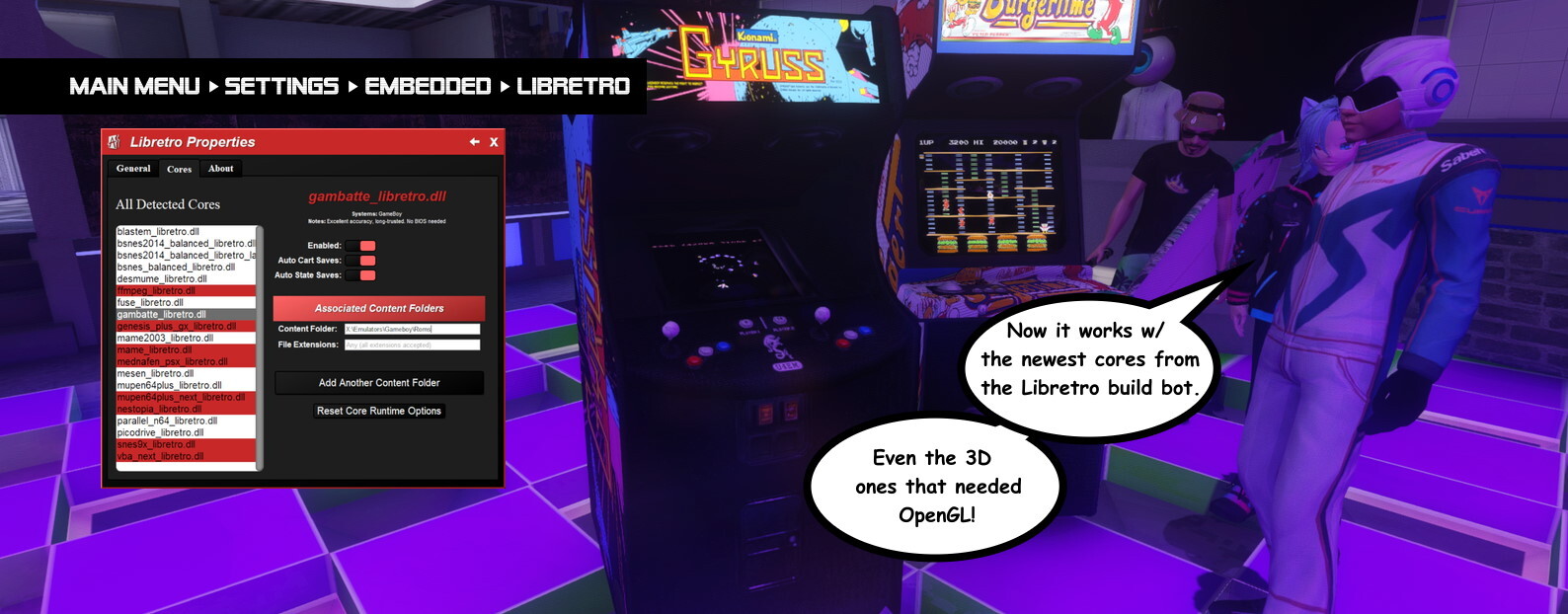 Cores that require OpenGL are now supported! In Libretro, several of the gen-5 & newer consoles require OpenGL hardware acceleration support to run, and even some older consoles have the option to use OpenGL to improve performance or offer extra features. Now all that is automatically supported.
To go along with OpenGL support, AArcade has been updated to the newest libretro.h from the RetroArch GitHub repo. And the support for the various feature #defines offered by the newest libretro.h has been greatly improved. I tested at least 2 cores for each major console (when available) and only came across 1 that didn't work.
You can access the Libretro Properties menu at Main Menu > Settings Menu > Embedded tab > Libretro button. There you'll find an About tab that will explain the details of how to set things up.
YOU WILL LIKELY NEED TO UPDATE YOUR CORES. Especially if you were using older cores. Check the About tab in the Libretro Properties menu for info about the Libretro build bot.
Note that it's still ONLY 32-bit cores that are supported.
Making It Run
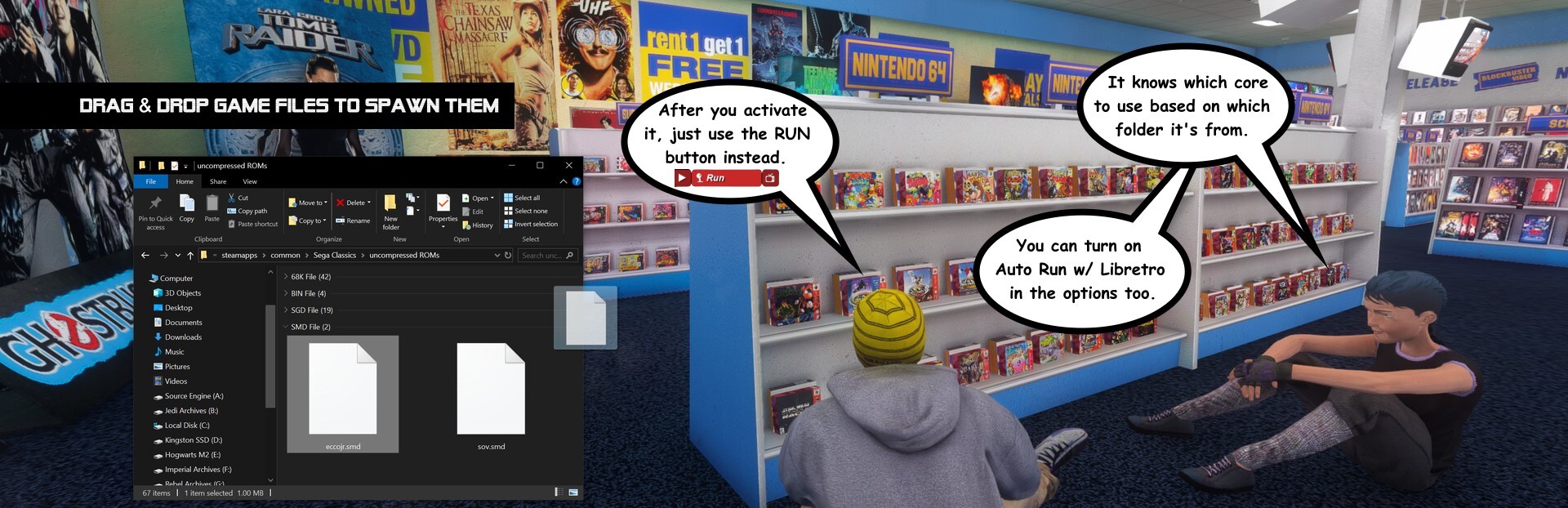
First, you have to configure your file paths for each cores that you enabled in that Libretro Properties menu. You only need ONE core enabled per-system - the one you want used for files in the path you set.
Sub-folders are supported, so if you have each game in a different folder, you'd set the file path to the parent folder. You just have to keep files for different systems separate, because AArcade knows which core to use based on which folder the game came from.
Then on the in-game screen when you activate it, just use the RUN button instead of launch. If you turn on Auto Run w/ Libretro in that Libretro Properties menu, then it'll happen automatically!
Runtime Core Options
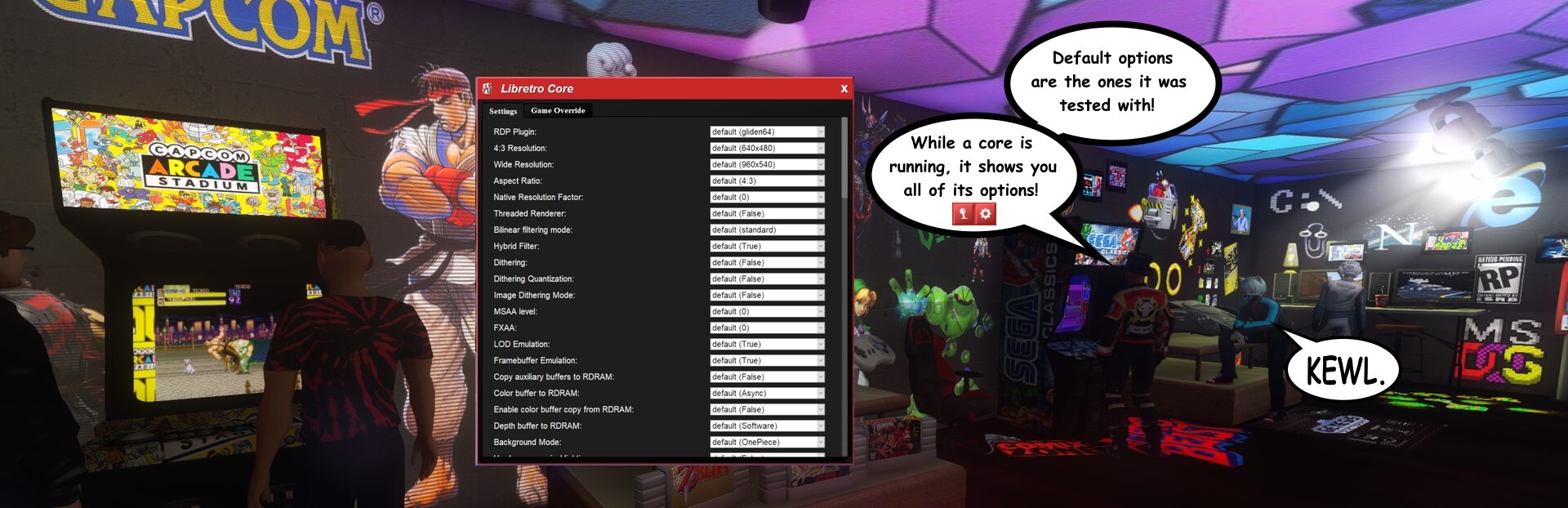
While the core is running, if you pull down the Libretro Tab (up where it's usually the Address Tab when on a website) you can access the Libretro Core and Libretro Input menus.
This lets you configure the options that each core provides. Only the DEFAULT settings have been tested! And many of the options will require you close the core & re-run it to see the changes.
The core & input options provide per-game overrides in case you want different settings for different games. (And per-core overrides in the case of input options.)
The left & right analog sticks of your IRL gamepad are HARD-CODED to be passed through as left & right analog sticks to Libretro. And your gamepad's L and R triggers are bound to what some cores see as the "Z button". These analog binds are ONLY active if your input is focused on a Libretro core.
If you want to lock your input focus to a screen without maximizing it, you can use the Input Lock command in the (F7) Commands Tab. (For advanced users, you can use "find cmd_" in the developer console to see the commands.) Then your input is locked to that screen until you press ESC.
And speaking of advanced users - Libretro currently does a lot of debug messages while it runs, so you should probably keep "developer 0" unless you actually are trying to debug something.
MP3 Playlists
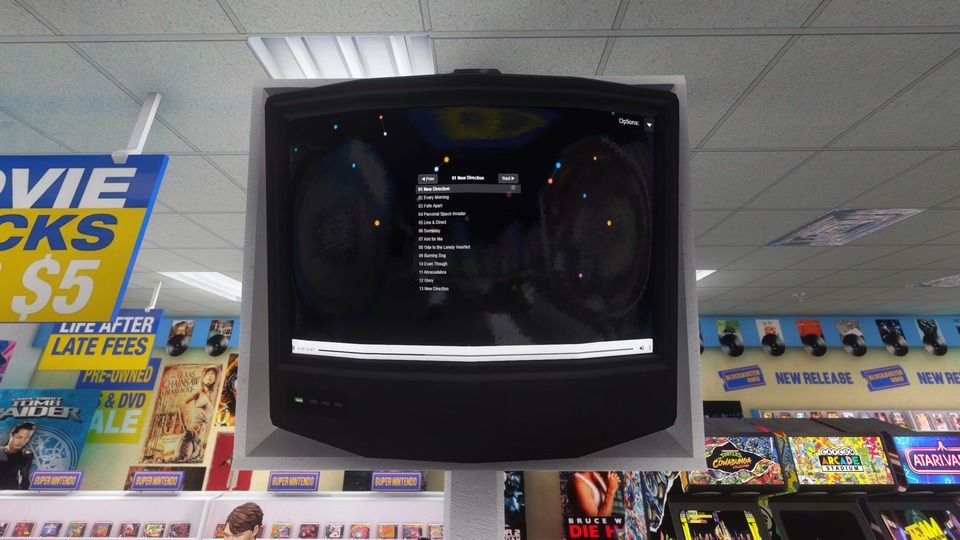
When you spawn a local MP3 file, sibling MP3 files get pulled into the in-game preview on a playlist. Now this playlist shows on the screen for you to interact with. Up to 40 sibling MP3 files can get pulled into the playlist.
Note that Unicode is NOT supported in file names or paths. (It confuses the UI and I haven't figured out how to properly support it yet.)
Drag & Drop Fixes
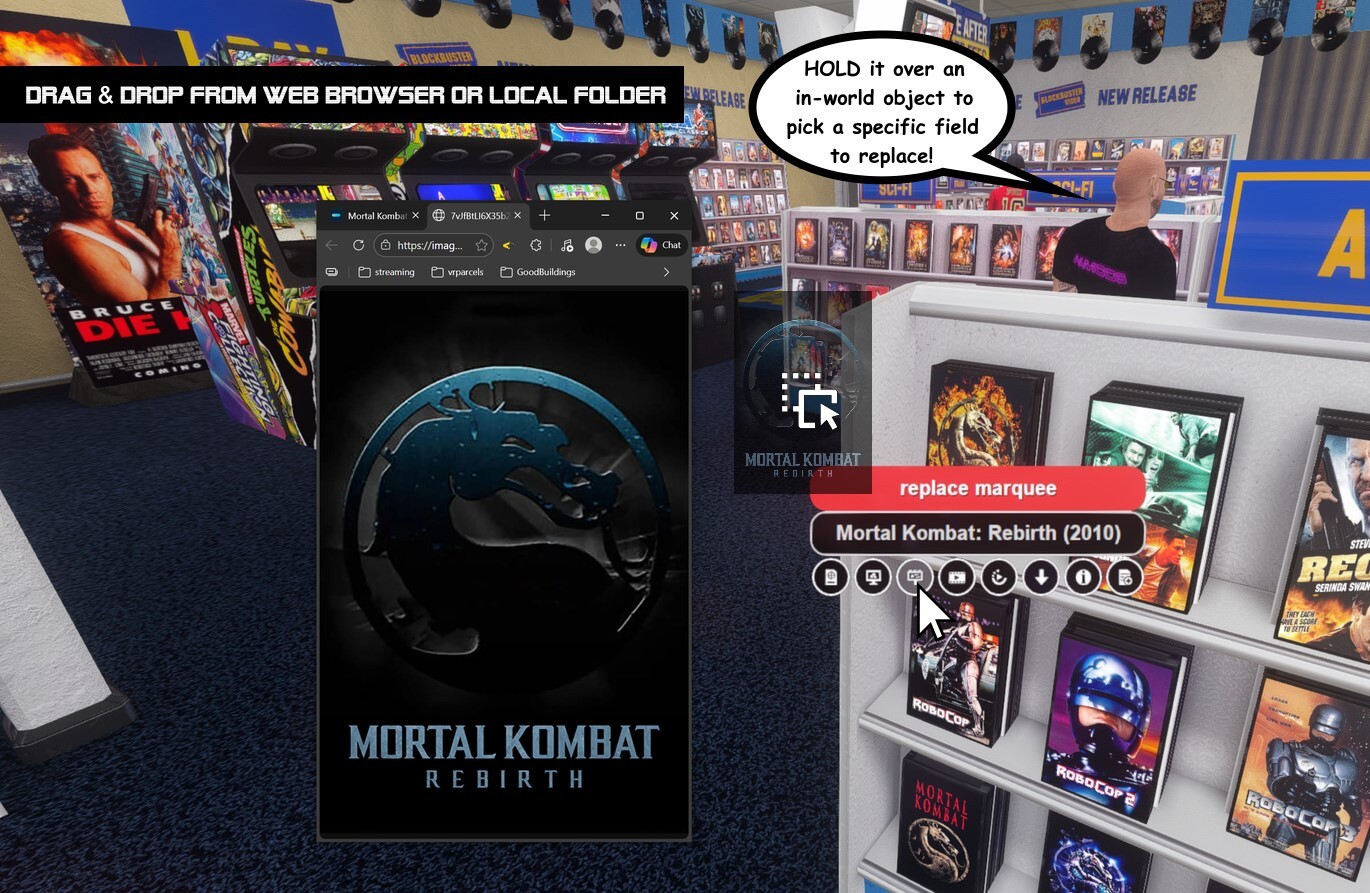
The "wizards" are being phased out. (Only the Steam Store and TheMovieDb wizards are being maintained.) So the preferred way to edit the images on your items is to use Drag & Drop from your standalone web browser OR from local folders on your computer.
For web pages (like a YouTube video you're watching) you'd drag & drop from the address or bookmark bar. For images, you'd Open Image in New Tab and drag the image itself. (Sometimes this works w/o even doing the new tab.) The same for local files from Windows Explorer - you just drag the file itself.
You can drop stuff into an empty spot to create a NEW item. Or if you hold the file over an in-world object, it shows you the different fields of that item and you can drop it into the specific field you want to replace.
The "fix" in today's update makes this work on any screen resolution, and even if AArcade is being ran in a smaller window.
Also remember you can CTRL + V paste any URL while in walking around mode to spawn it.
Achievement Fix
The Tube Head achievement has been fixed so it properly increments the associated stat when watching YouTube videos in-game.
That's all the news for this update! If you have any questions or just want to connect with the AArcade community, you can leave a message here (thanks Daleth for helping with Steam notifications) or look up the Discord community link on the Anarchy Arcade website. (We still use Discord... for now.)
ːilyː
Change Log:
Improved MP3 auto-playlist support on MP3 files. (NOTE: Unicode is still NOT supported in file names/paths.)
Fixed an issue with the aa_tubes_watched stat & the Tube Head achievement. (Thanks to heatray for bringing the bug to my attention.)
Fixed drag & drop support on non-1080p fullscreen resolutions. (Works on any resolution now and when in non-fullscreen resolutions.)
Libretro: Improved support for modern 32bit cores from Libretro build bot.
Libretro: Improved Libretro Config menu to have some help notes & a "reset core options" button.
Libretro: Updated confirmed supported core list.
Libretro: Updated to modern libretro.h from RetroArch repo.
Libretro: Added support for MANY defines in libretro.h that were missing.
Libretro: Added indirect 7z game support. (For cores that don't directly support 7z file extension.)
Switched to VCRHook_RegCloseKey, and VCRHook_ScreenToClient to revert protected_things.h to its default state. (Also restored GetTickCount as protected thing.) No real impact, but keeps the code closer to using all in-engine methods.