Hi Heroes,
We are still working on the next update, but it is clear to us that the new UI wasn't received as we expected, so we are making this post to explain a bit of our reasoning, ask a bit of help, and explain how to access the old version.
Post Content
Why?
How to Help
How to Access the Legacy UI
Why?
While mobile was obviously a big consideration for changing the UI, we also had issues visibility on the Steam Deck and the overall small size of our texts, which we literally had no more room to expand. We thought this UI rework would be the best move to accomodate all information we had to display and an opportunity to add more style to the game.
Obviously we missed the mark with a lot of you, so we want to make some adjustments within our reach.
How to Help
If you want to help us directly, please record a video of you engaging with the new UI and speak your mind freely about what isn’t up to your liking. These videos will be for internal use, we won’t post nor share them and will delete everything afterward. If you are interested, please DM us on Discord.
We also have a little mockup of a possible fix for the UI size. This comes from the feedback that the new UI is too "mobile-esque" or too "in your face." This would be an option in the menu that can be turned on and off. What do you think?
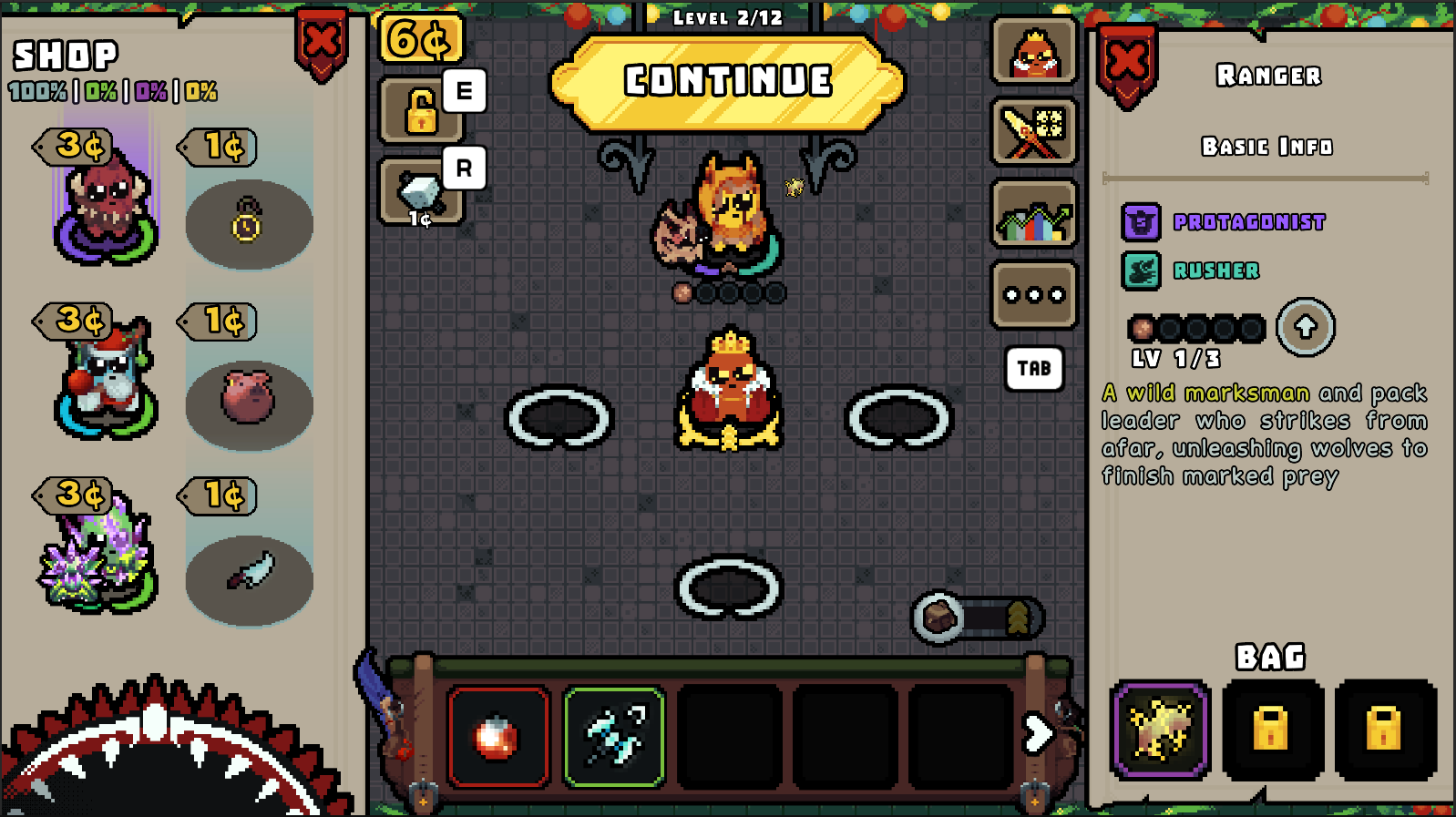 \[Current UI]
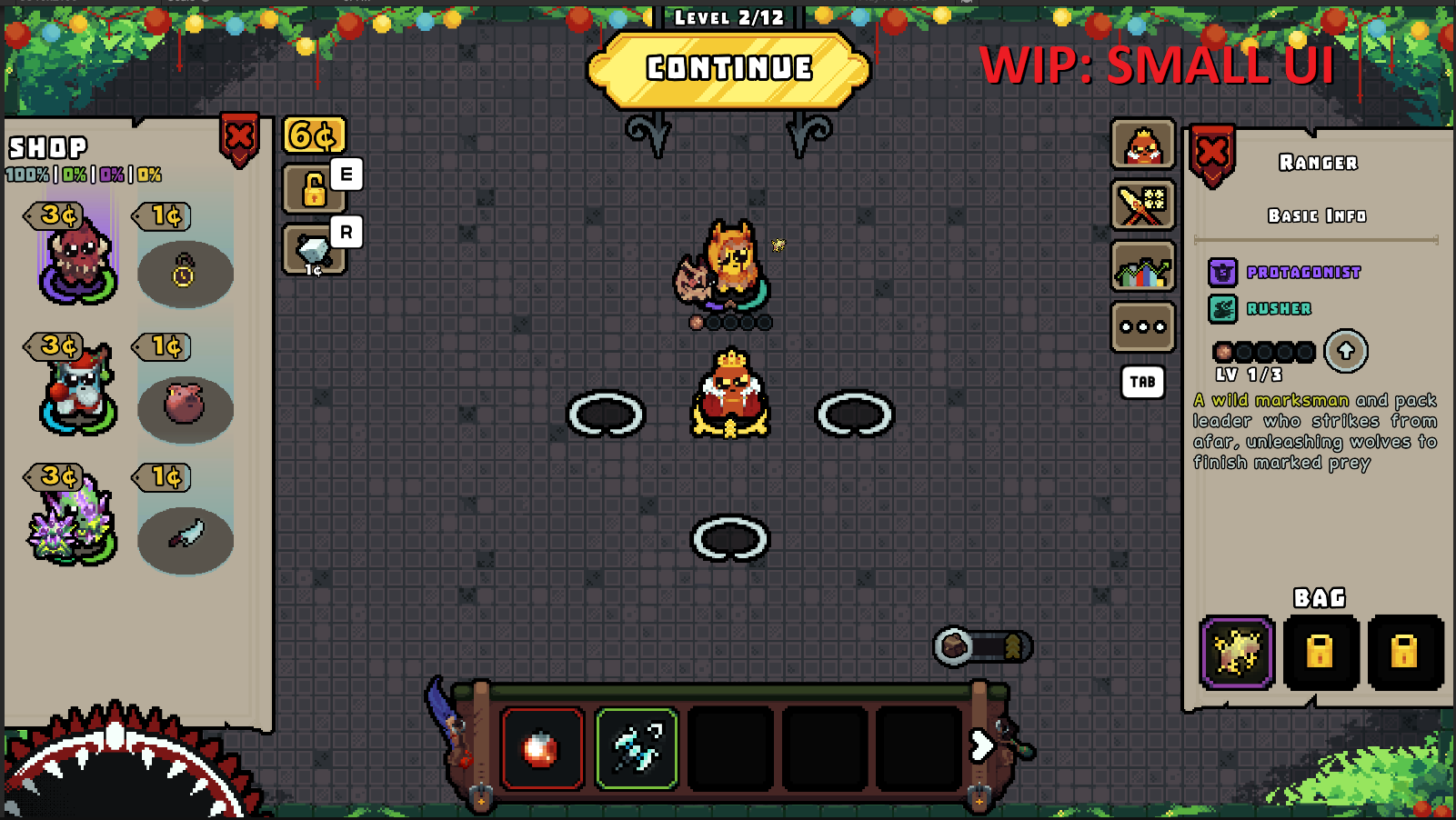 \[Rough mock up of possible "Reduced UI size" option]
How to Access the Legacy UI
If you don’t want to wait for us to get things right, we still have a branch on PC with the old UI. Duels won't be supported fully, but everything else is there as it was before the UI update: you can play the whole campaign and get all achievs.
How to Access the Legacy Branch
1) Right click the game
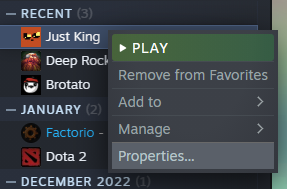
2) Select betas
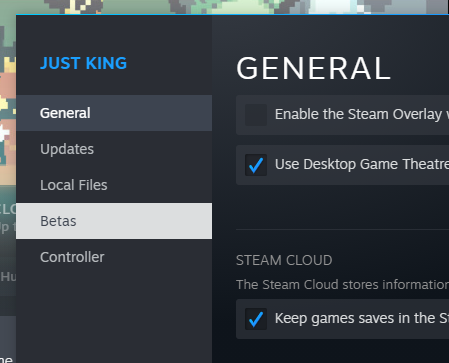
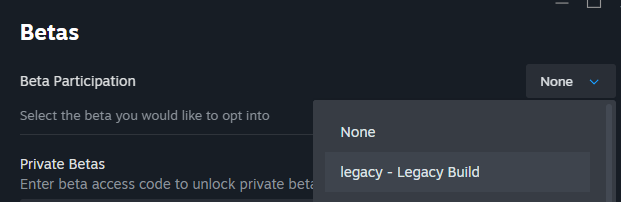
3) Choose the Legacy branch