HOW CAN I CREATE A PRIVATE LOBBY?
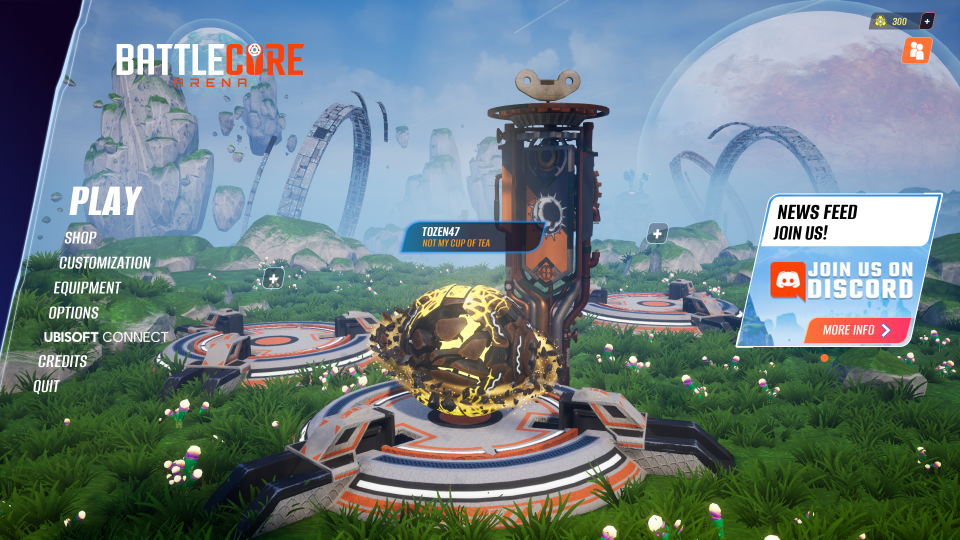
When the game lands in the lobby, click on « PLAY »
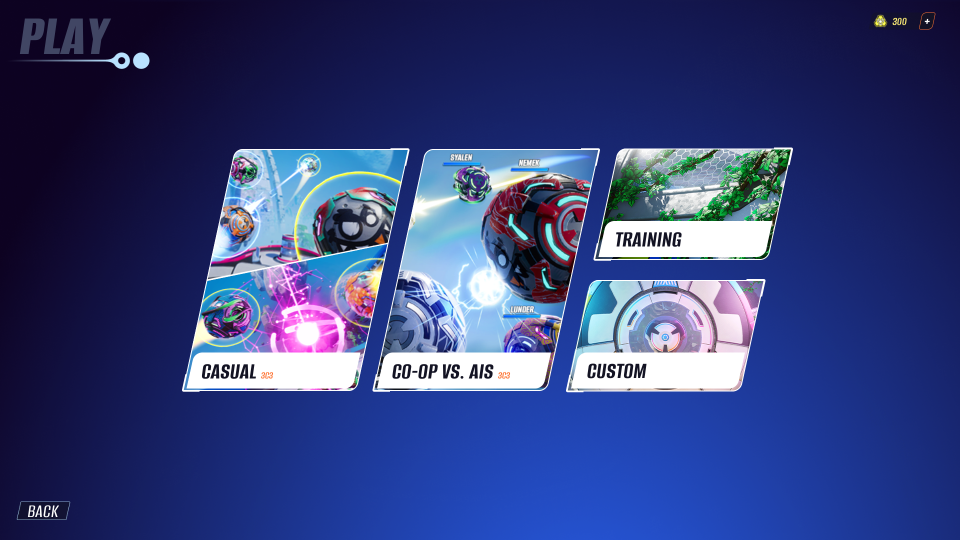
Click on "CUSTOM"
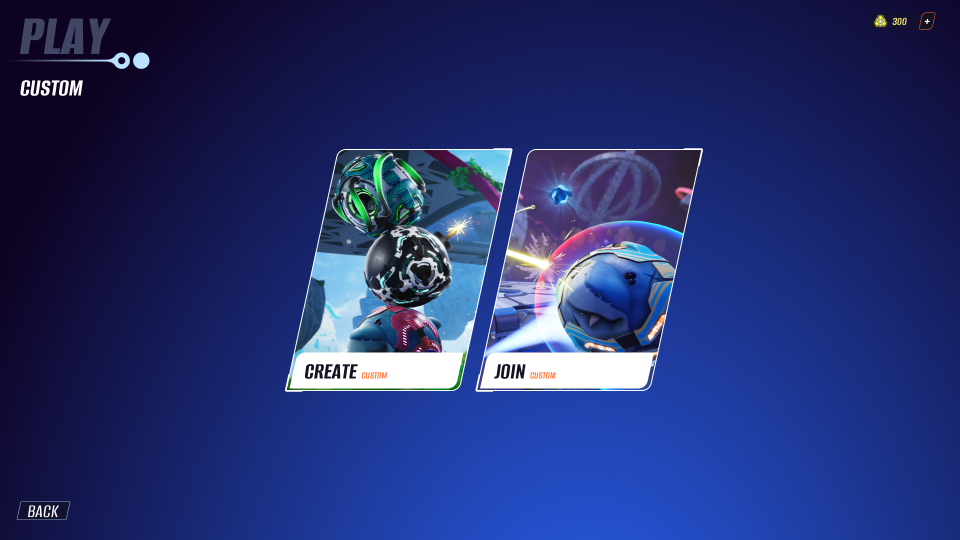
Then click on "CREATE"
You should land in your private lobby. Share your IP address with your friend(s) wanting to join. If you don't know what your IP address is, we suggest you to look on the internet. Please use a channel you consider safe before sharing it to others.
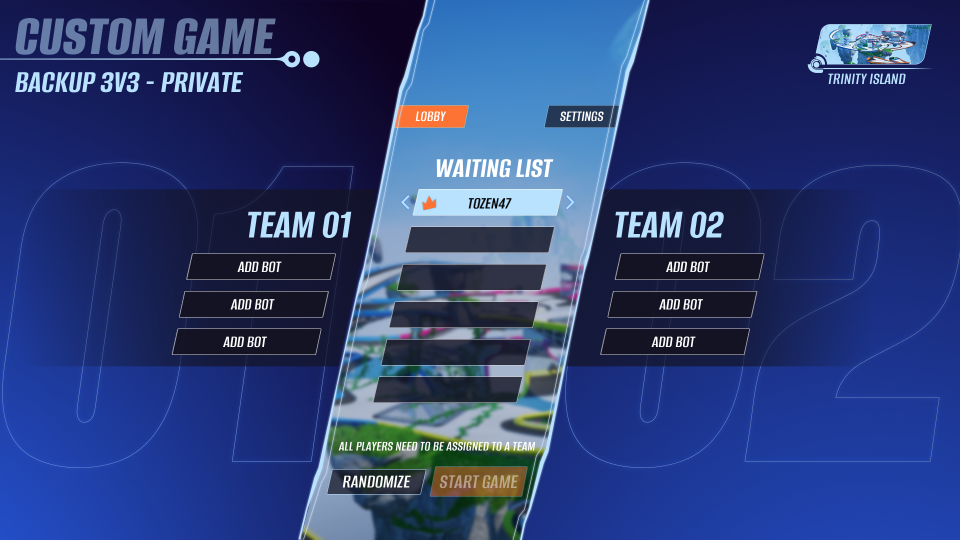
Wait for other players to join the lobby then customize the match as you want!
IF YOUR FRIEND(S) ARE FACING A LOG ERROR
The most probable cause of this comes from the 7777-default port number that is used by the game. It can happen that the 7777 port is already used by some other software (such as another online video game!)
- We recommend the host checks which vacant ports they have, and choose a different one.
- Restart the lobby and enter the new port in the CREATE info bar
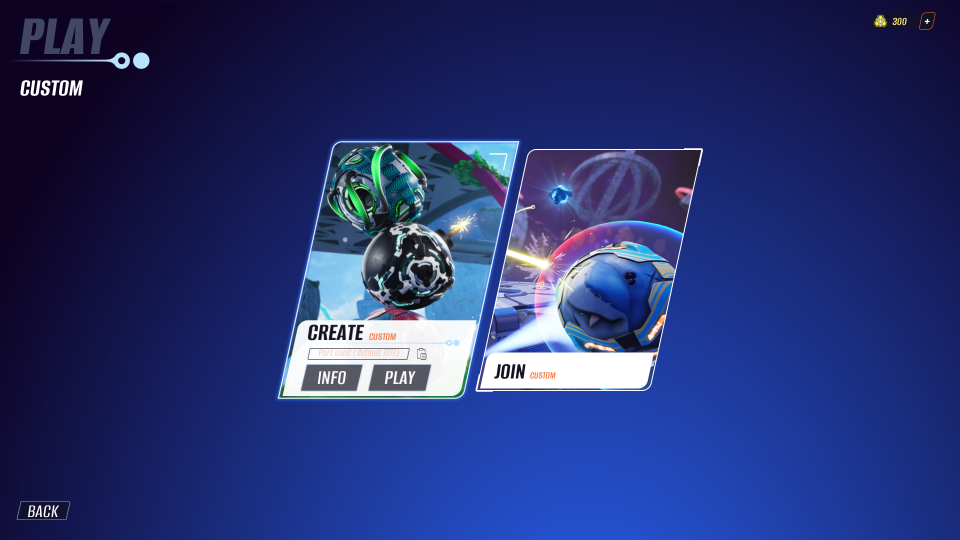
You should land in your private lobby, now you can share the port number with your friends wanting to join.
NOTE: the host doesn't need to have anything set up on their computer or game, but they must share their IP address AND the chosen vacant port to everyone who wants to join. This is the standard way of sharing this information:
Host_IP_address:Host_Port_Number
If we take a fictional IP address and the port 11 000 for example:
192.168.45.78:11000
HOW CAN I JOIN MY FRIEND'S LOBBY?
- When the game lands in the general lobby, click on « PLAY »
- Click on "CUSTOM"
- Then go on « JOIN » category and look for the search bar
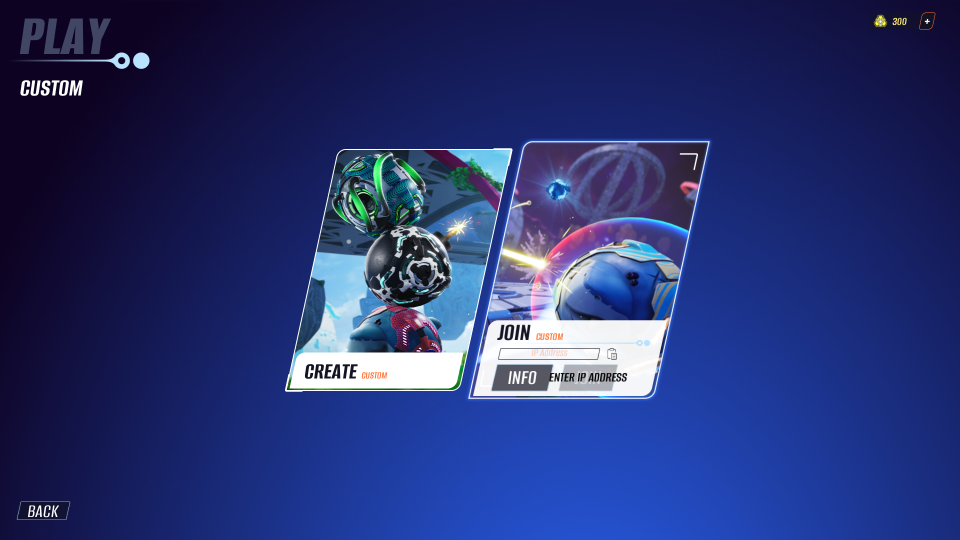
- Insert the host's IP address.
- Click on "JOIN"
- You should land in the host's private lobby! Enjoy
IF YOU CANNOT FIND THE HOST'S LOBBY
- Re-start steps 1 and 2. Then, wait for the host to share you a new port number.
- When received, look for the search bar and insert host's IP address + shared port number such as: Host_IP_address:Host_Port_Number. If we take a fictional IP address and the port 11 000 for example: 192.168.45.78:11000
- Now you should find the host's private match correctly, enjoy!
Q & A
Do I have to pay for BCA as it is out of Early Access?
No, BCA is out of Early Access with the 1.0 Update, but the game is still free.
Do I need to download anything to make peer-to-peer work?
No, P2P system is a native feature you can find on any computer nowadays. BattleCore Arena just uses it to connect players between each other.
Is matchmaking still going to be available?
On 1st of March 2025, servers will be taken out of service and the peer-to-peer feature will be the only option to connect with other players.
Why can't I join my friend's private lobby?
In 99% of cases, it is due to the default network port of BCA, the 7777 port. Ask the match's host to give you a vacant port number to be able to join him.