Consequently, we have updated the button layout to allow for the analog input.
Please confirm whether the updated button layout has been applied or not using the following procedure.
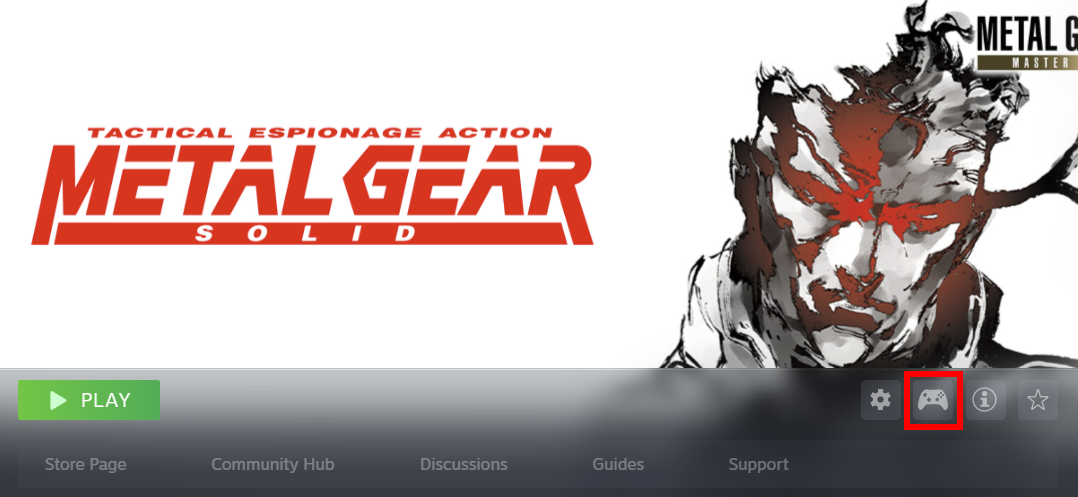
- Please select "METAL GEAR SOLID - Master Collection Version" from your Steam library.
- Open "Controller Layout" by selecting the controller icon.
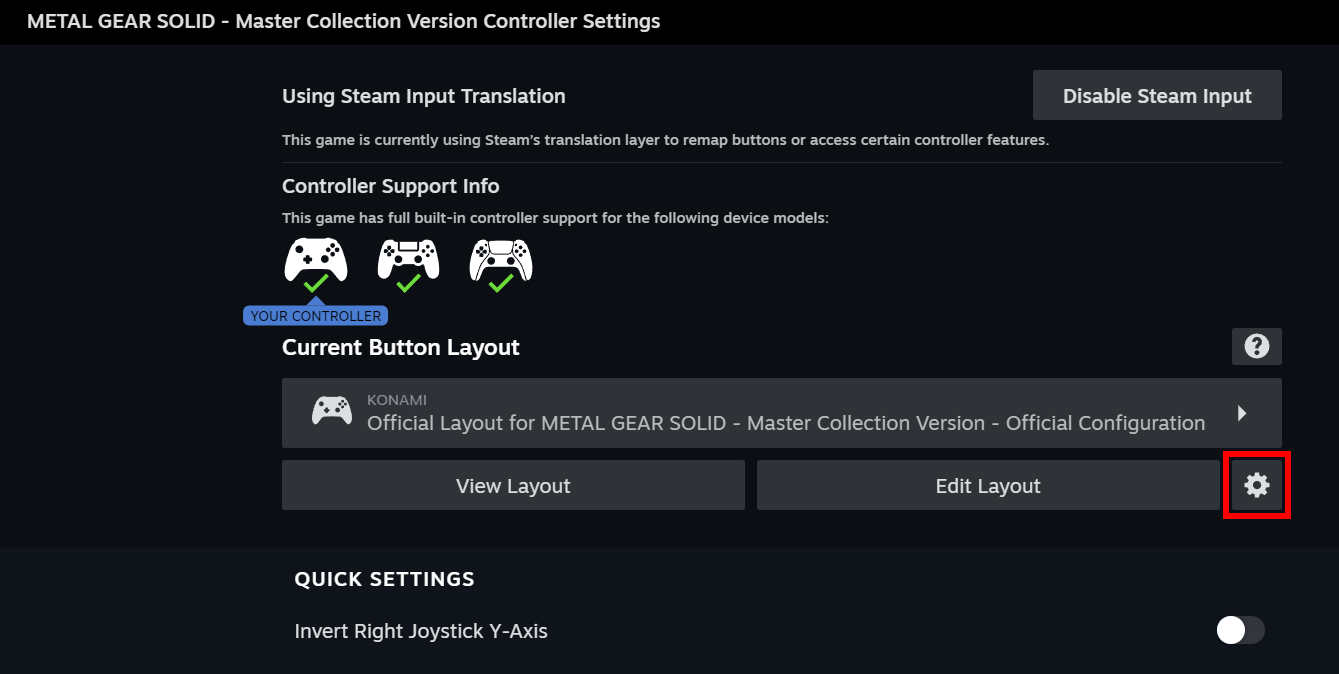
- Select the gear icon.
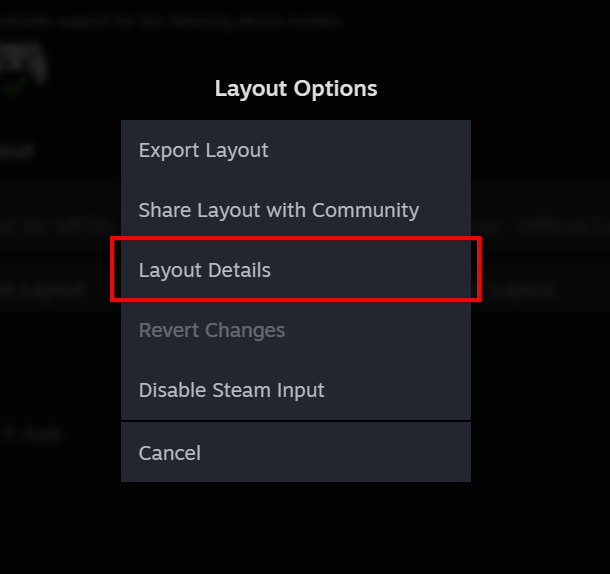
- Select "Layout Details".
- Please confirm that the "Layout ID" is one of the following ID numbers.
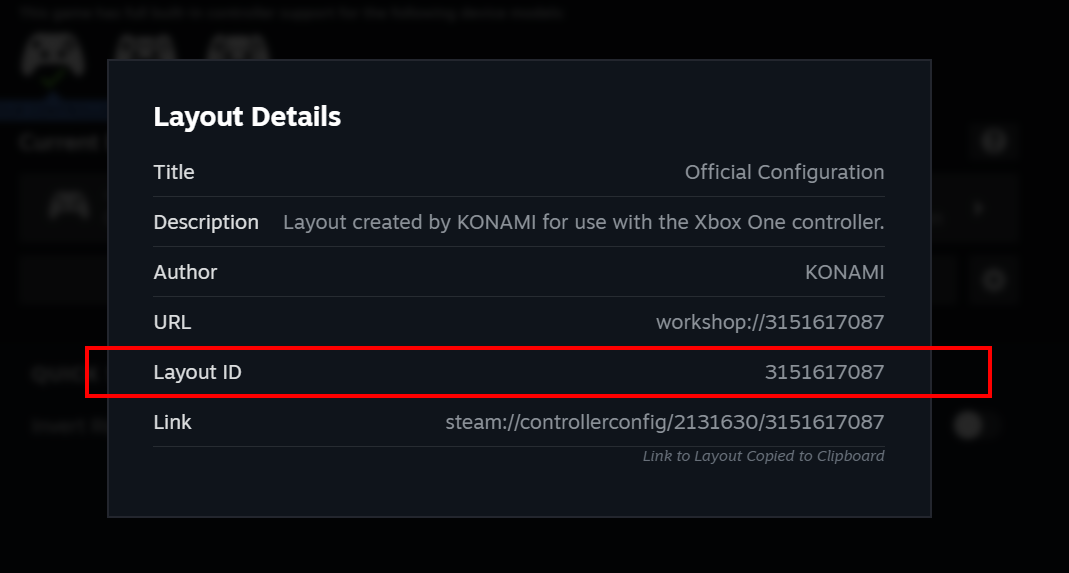
*The number will differ depending on the type of controller being used.
- 3151547762
- 3151614843
- 3151617087
- 3151625643
- 3151626740
- 3151629784
- 3161667775
- 3151547762
If the ID number does not match any of the above, please verify the integrity of game's files.
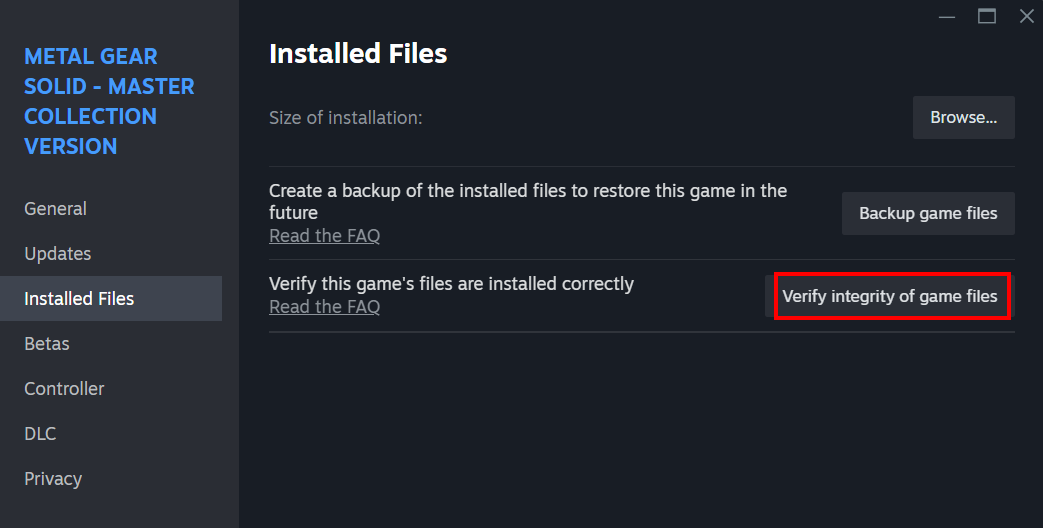
To verify the integrity of the game's files, please use the following procedure.
- Please select "METAL GEAR SOLID - Master Collection Version" from your Steam library.
- Select the gear icon.
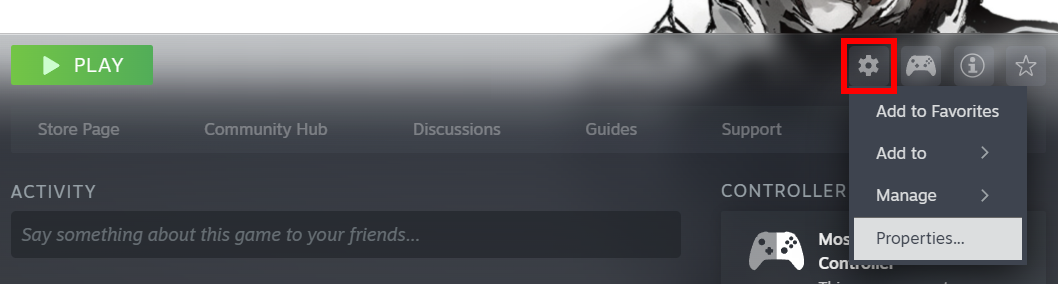
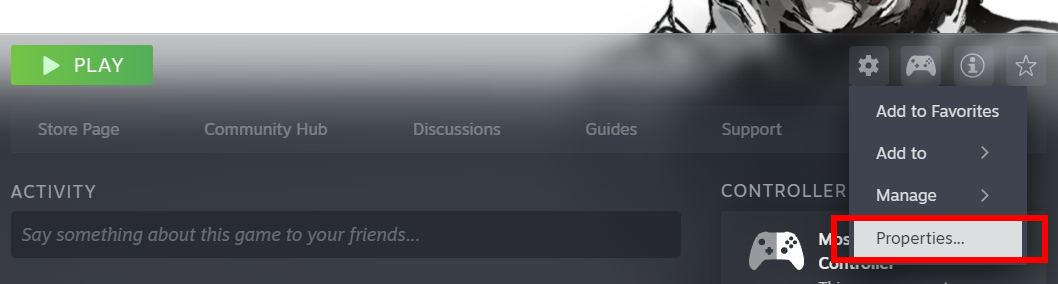
- Select "Properties".
- Select "Installed Files".
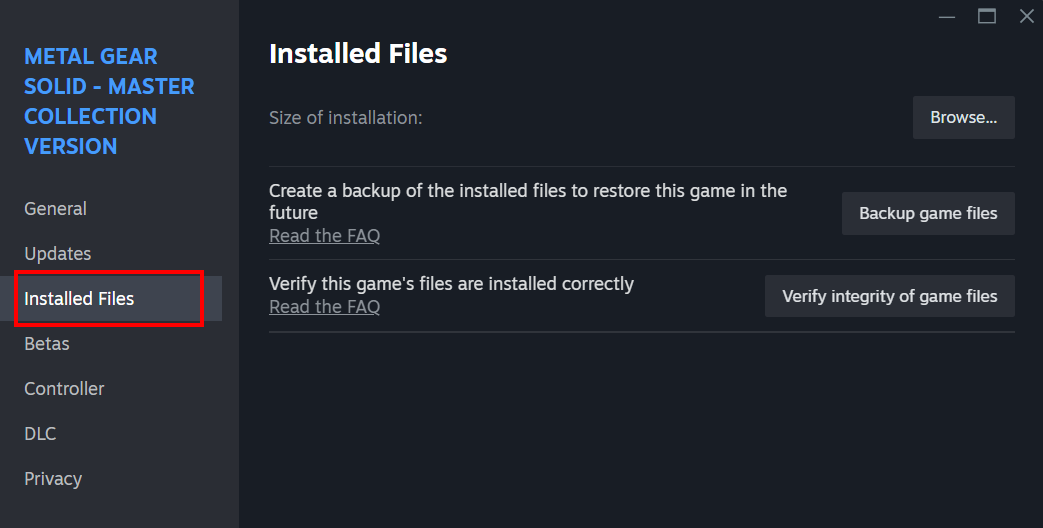
- Select "Verify integrity of game files".
We will continue to investigate and work towards addressing analog input issues to the best of our ability.
Please visit our official site and social media accounts for further updates and other information.