Hey Builders!
It took a while, but it's finally here the preview of the
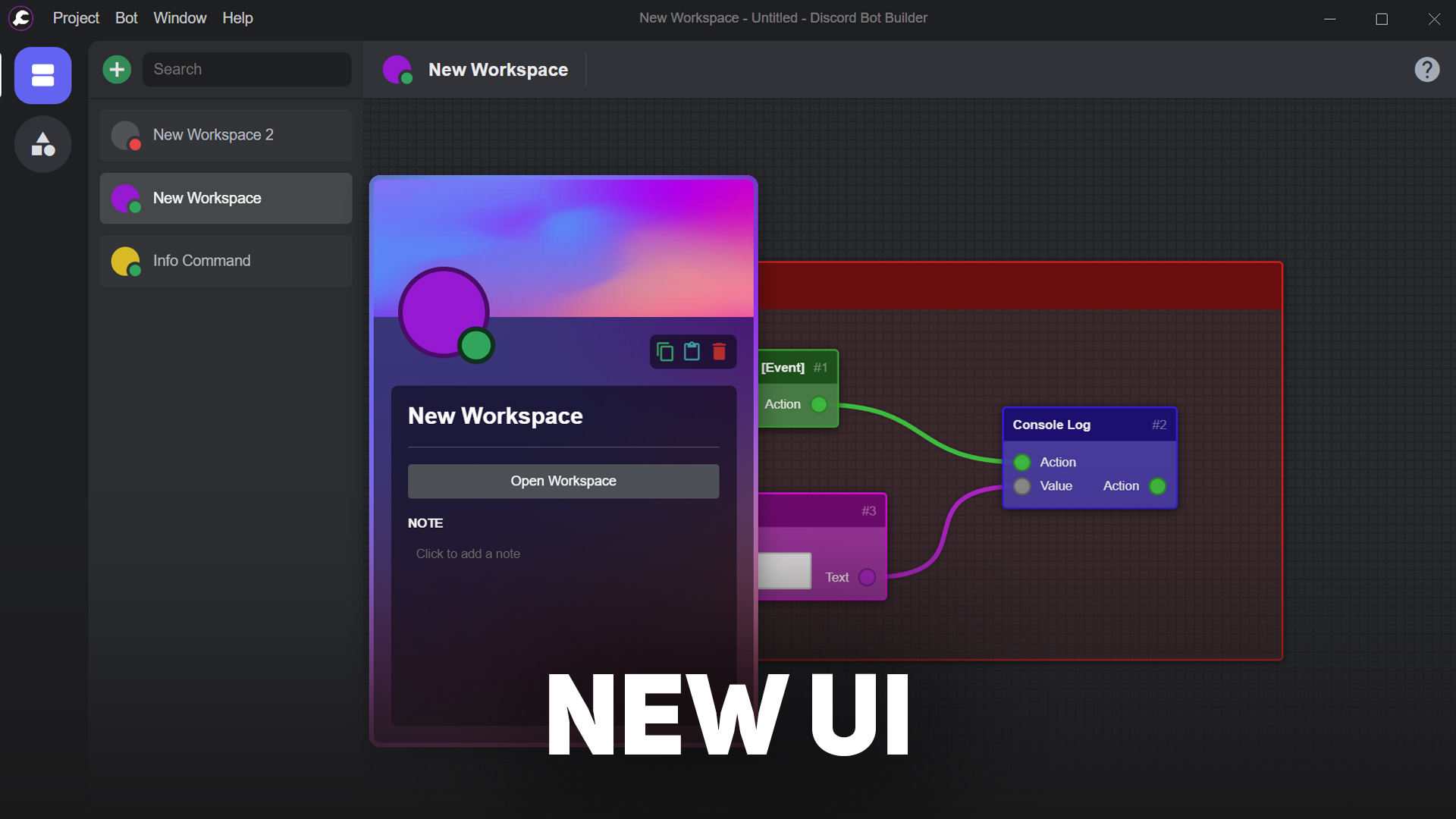
It's been almost 3 months of continuous development, from scratch, to present today a brand new user interface. The actual first concept of v1.0.0 was made more than a year ago, but i had to discard it, because i wasn't satisfied with the result and the design didn't follow Discord's style.
Also, I have to apologize for not having provided any new updates or even information lately. I have to make this sacrifice to stay focused on my personal problems.
New User Interface
Inspired by some popular apps (besides Discord, of course)
The brand new user interface offers more agglomerated information, with a nicer experience and more animations.
Item Preview
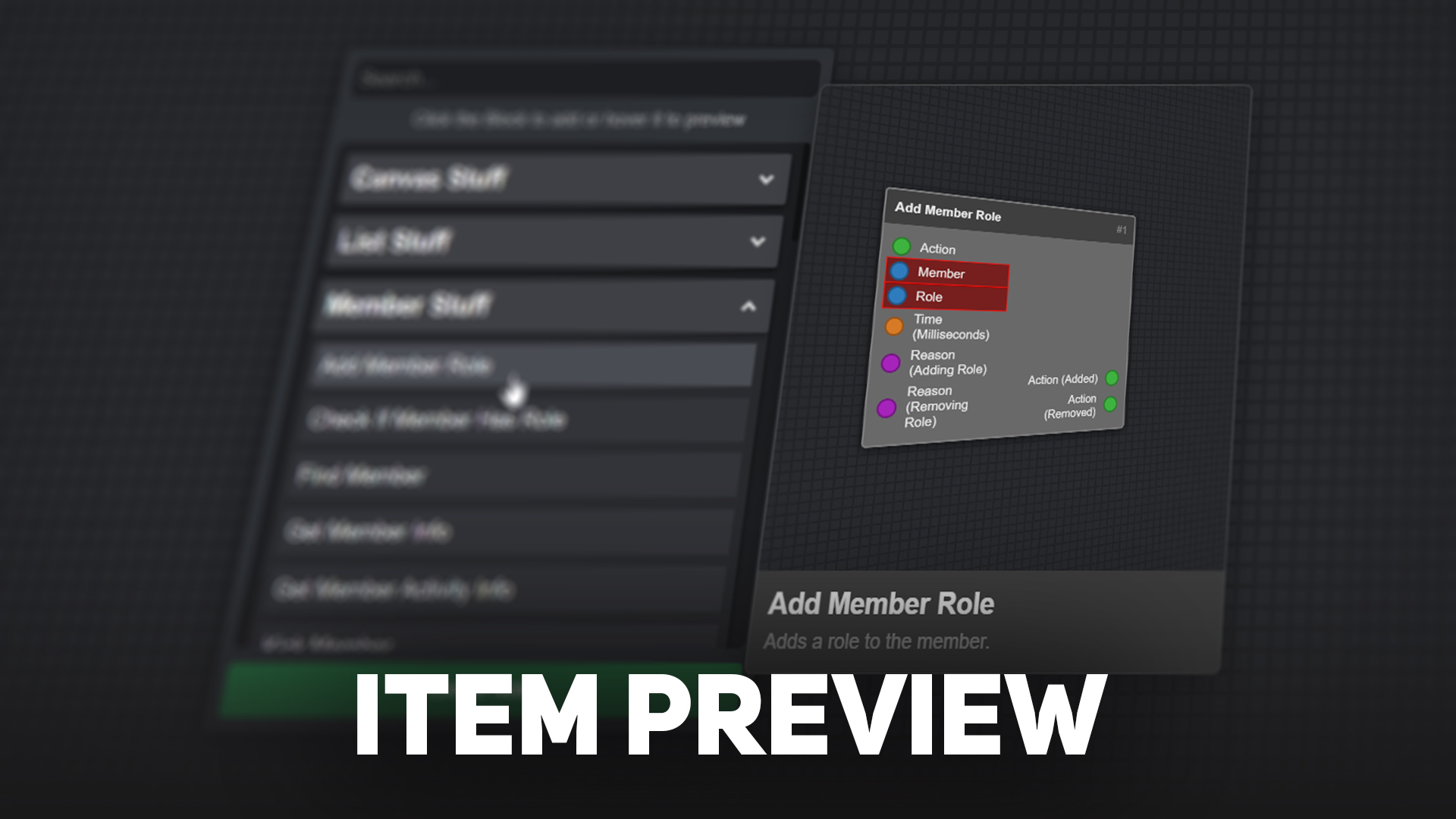
Easier to know which Block you are dealing with!
When selecting the Block or Note to add, preview it by hovering the mouse over it, with a nice 3D animation.
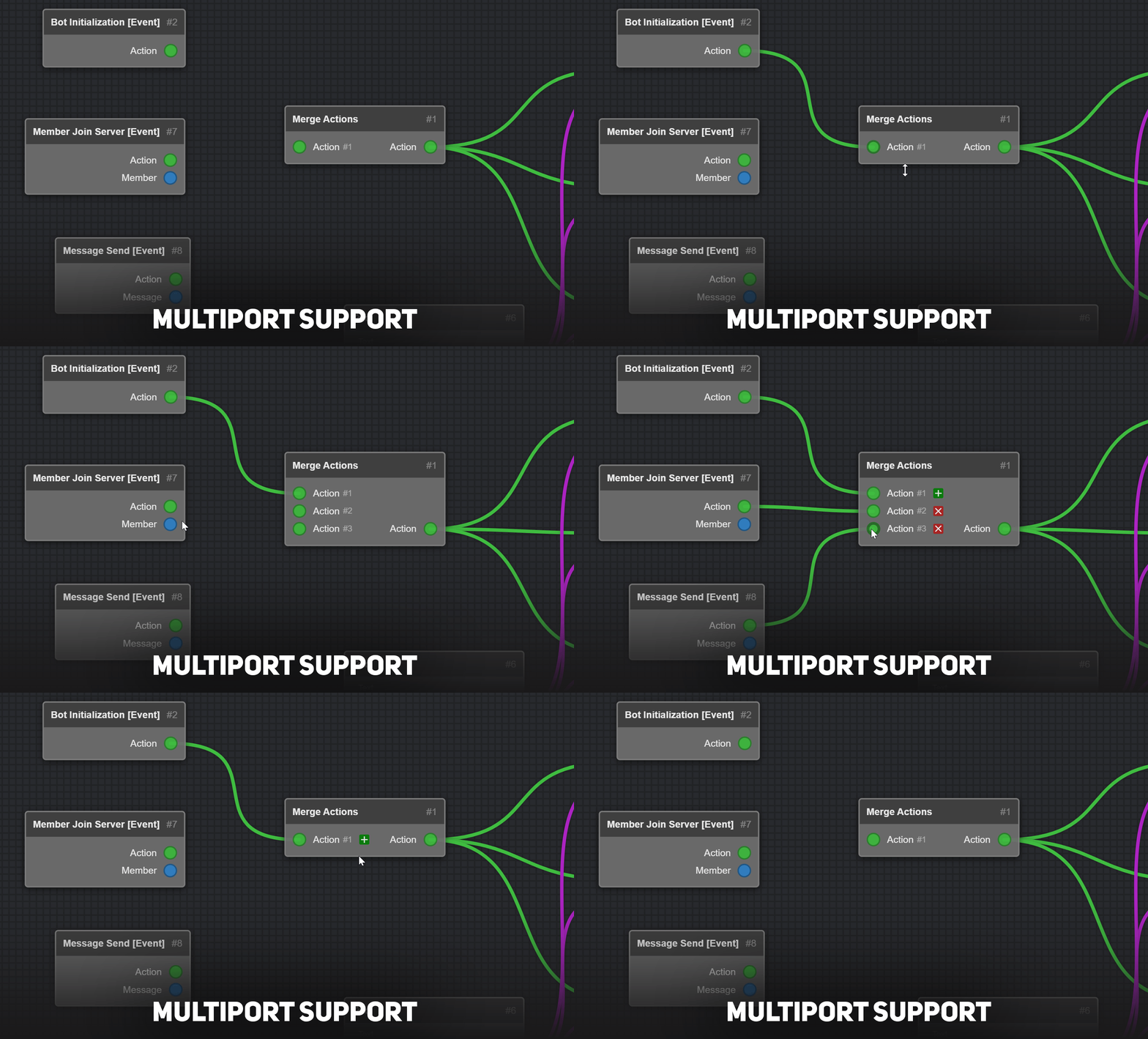
Multiport Support [EXPERIMENTAL]
No more 50x Blocks please...
You will be able to list more ports as you wish, reducing Block limitations in the future.
This feature is still experimental, as it hasn't been implemented in all the Blocks that may need it and hasn't been fully tested.
Update your bot.js file to support multiport feature!
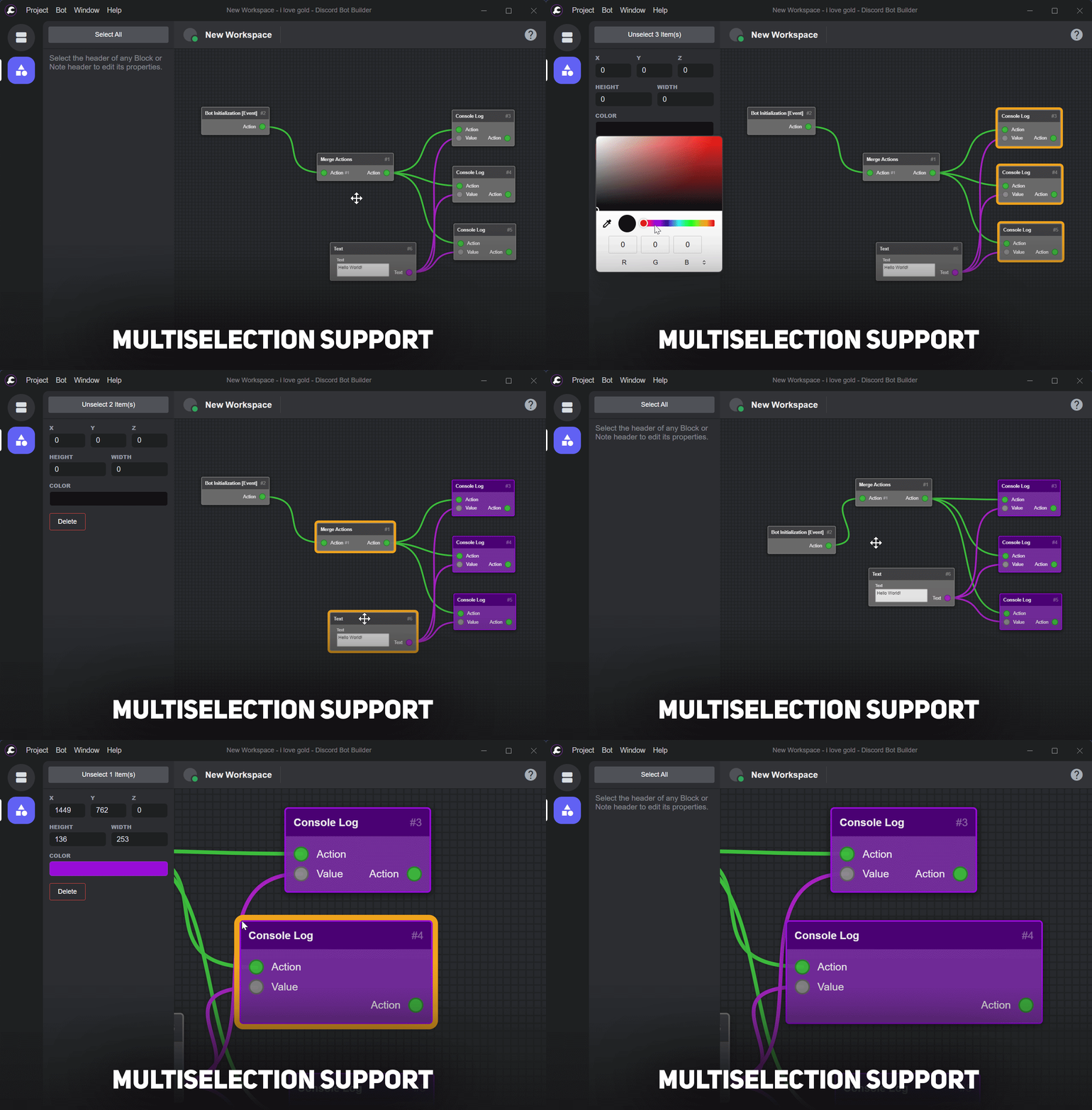
Multiselection Support
Increase your productivity!
Select as many Blocks and Notes as you want, by pressing CTRL, or select them all by clicking the button in the top left corner.
You can also resize Blocks and Notes in ALL directions now!
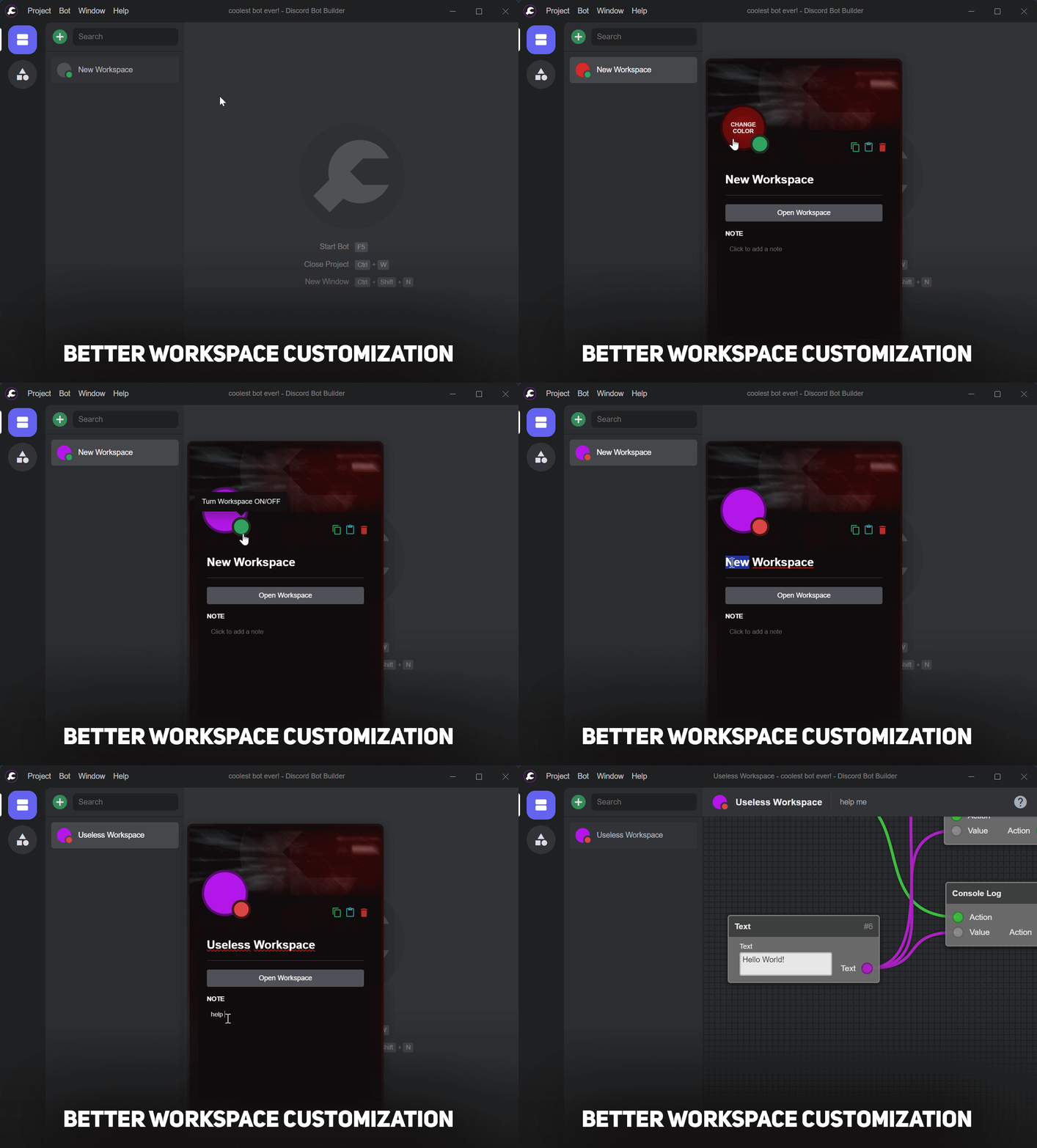
Better Workspace Customization
Customize it to your liking.
It's even possible to copy/paste workspaces and turn them ON/OFF.
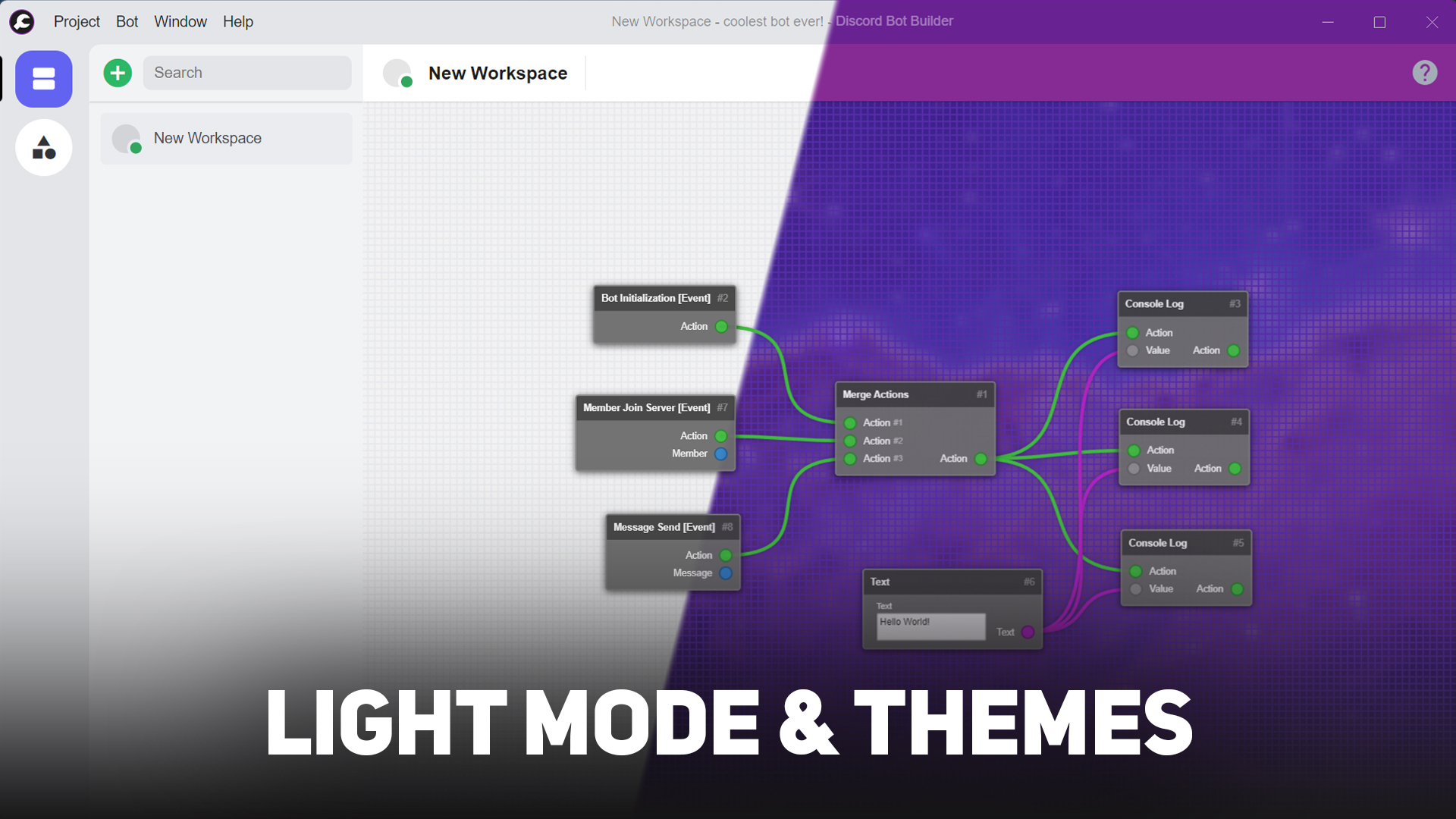
Light Mode & Themes
Flashbang!
Light Mode for fans who like to burn their eyes out.
Additionally, you no longer need to change the original CSS file to add your favorite anime character...
Check out the official DBB Community Themes repository!
Dev Tip: Go to Help -> Developer -> Show CSS Selector to find out which CSS selector to use in your CSS file. If you are having trouble applying your new styles, use !important flag.
Side Notes:
- Added backup system.
- When creating a new project, you don't need to save it first.
- Added translations (only German, Portuguese, Russian and Swedish available at the moment). Check out the official DBB Community Translations repository! Thanks to Artem's nite, MissDaily, NotCallMeHacker and XCraftTM!
- There are no new blocks, nor any significant changes to the bot's code. This initial release focuses more on user experience.
- You may encounter bugs when using it, so please report them on our Discord Server!
MrGold - DBB Developer
DBB Discord Server
Unofficial DBB Website