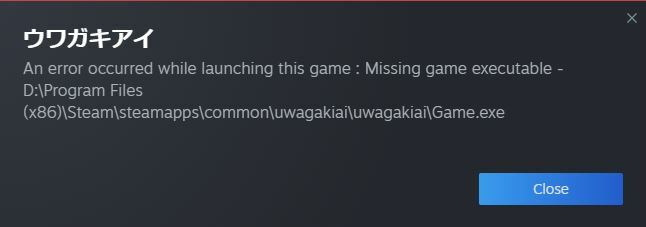
We apologize for the inconvenience, but if this has happened to you, please take the following actions to be able to play the game.
If you want to take over your save data
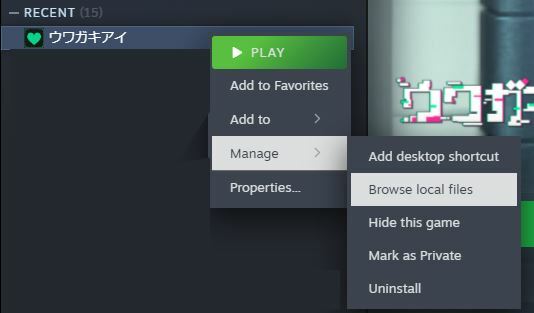
From the library, right-click on "ウワガキアイ" and open the file from Browse local files.
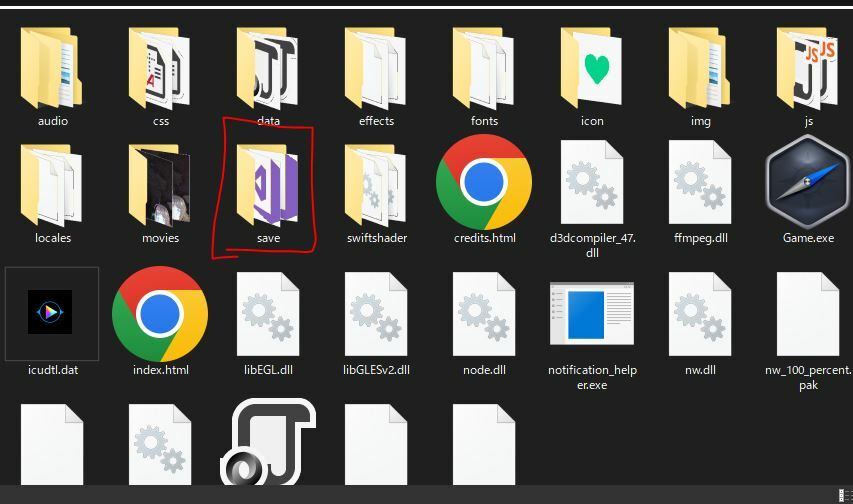
Once the uwagakiai folder appears, locate the save folder and copy it to another location for backup. (The contents may differ from the image)
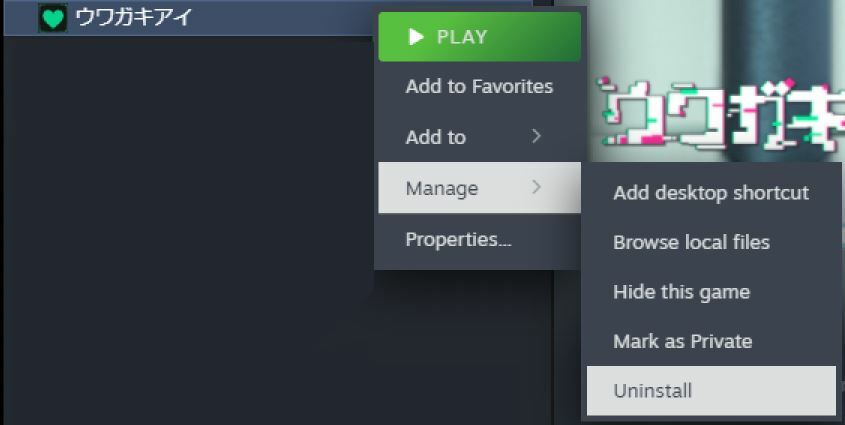
From the library, right-click "ウワガキアイ" and select Uninstall.
Install uwagakiai again, open the file from Browse local files, put the save file you backed up in the uwagakiai folder and start it.
If you have no problem resetting the save data
From the library, right-click "ウワガキアイ" and select Uninstall.
Install Uwagaki-e again and start it up.
*Please note that you will not be able to restore your save if you uninstall without transferring the save data.
We apologize for any inconvenience this may cause you. We are planning to update the English translation and small in-game updates in the future, and we will work hard to deliver a game that will meet your expectations.