We now have a workaround in place that detects when accelerated paint isn't working and will show a temporary popup to reinitialize the user interface with accelerated paint disabled. This means users experiencing this issue can now play the game without needing to create any kind of annoying desktop shortcut. We still plan to actually fix this problem in a future update, but for now at least players have a way to get around the issue without having to troubleshoot anything.
The update also addresses a few performance-related issues that were encountered in the previous update. We rolled back a few important changes and then slowly re-implemented them with our testing group to figure out what was causing the problem, and now performance should be back to normal.
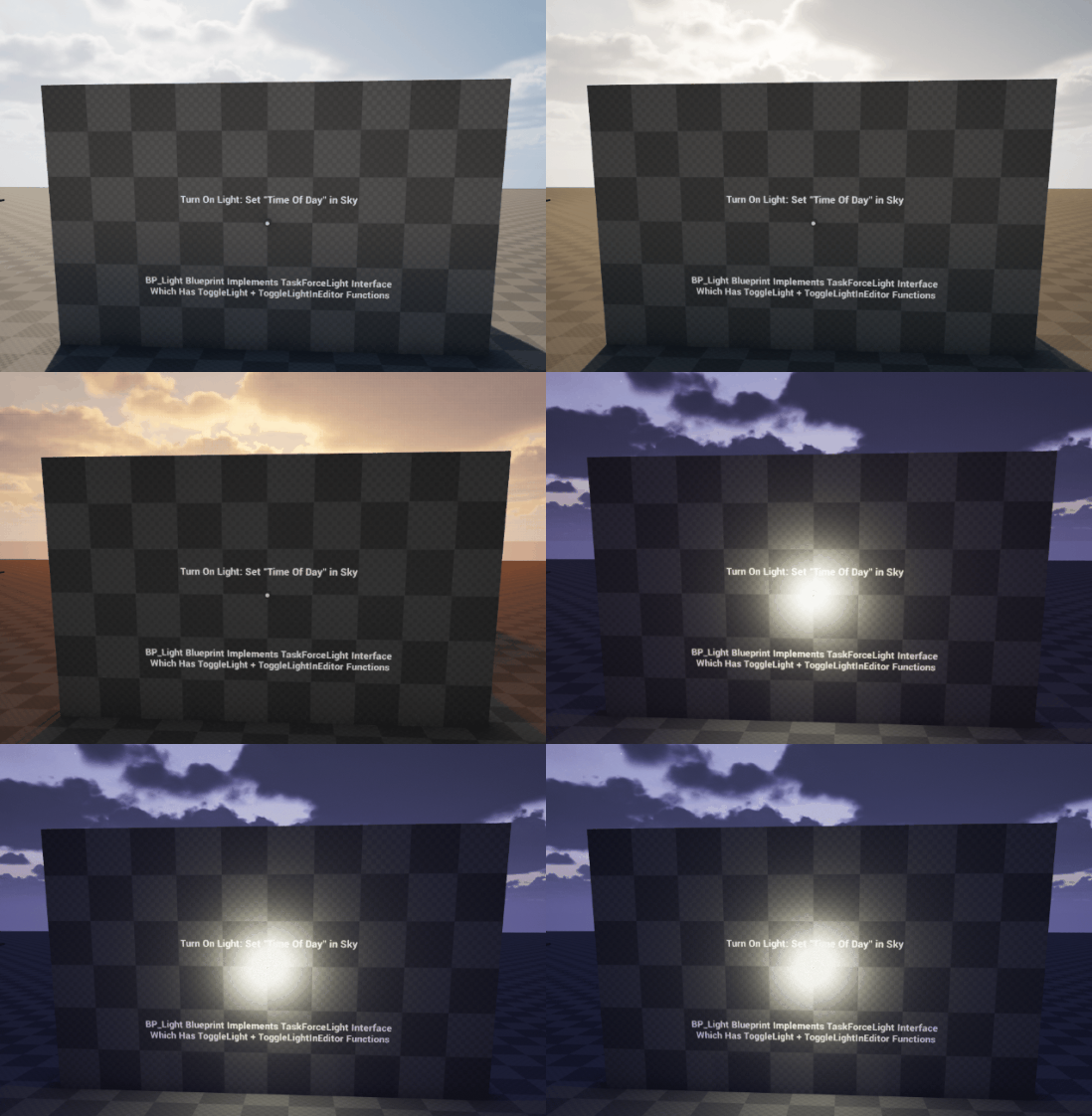
There's a new TaskForceLight blueprint interface that we've added to workshop projects as well. This allows workshop mappers to setup environments with lights that will automatically turn on and off based on the "time of day" when using the built-in sky system that comes with the game.
Finally there's an all new update system integrated into our custom workshop launcher. You can now update your workshop projects with the click of a button, rather than needing to create a new project entirely and move your files over.
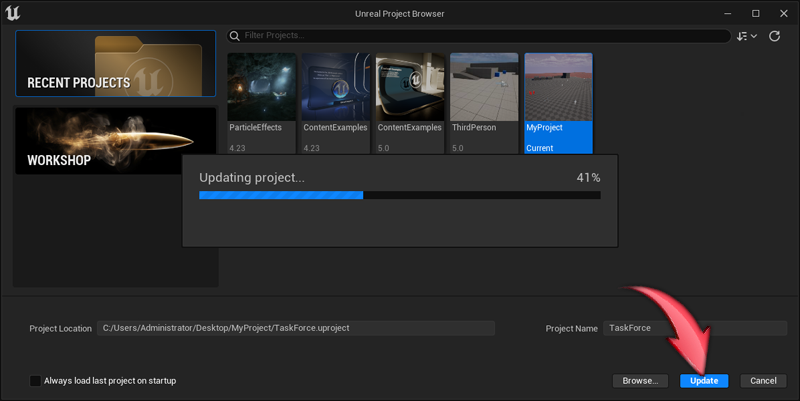
This makes updating workshop projects a lot easier than before, and everything is carefully outlined in the documentation on GitHub:
https://github.com/tracerinteractive/TaskForce#update-project