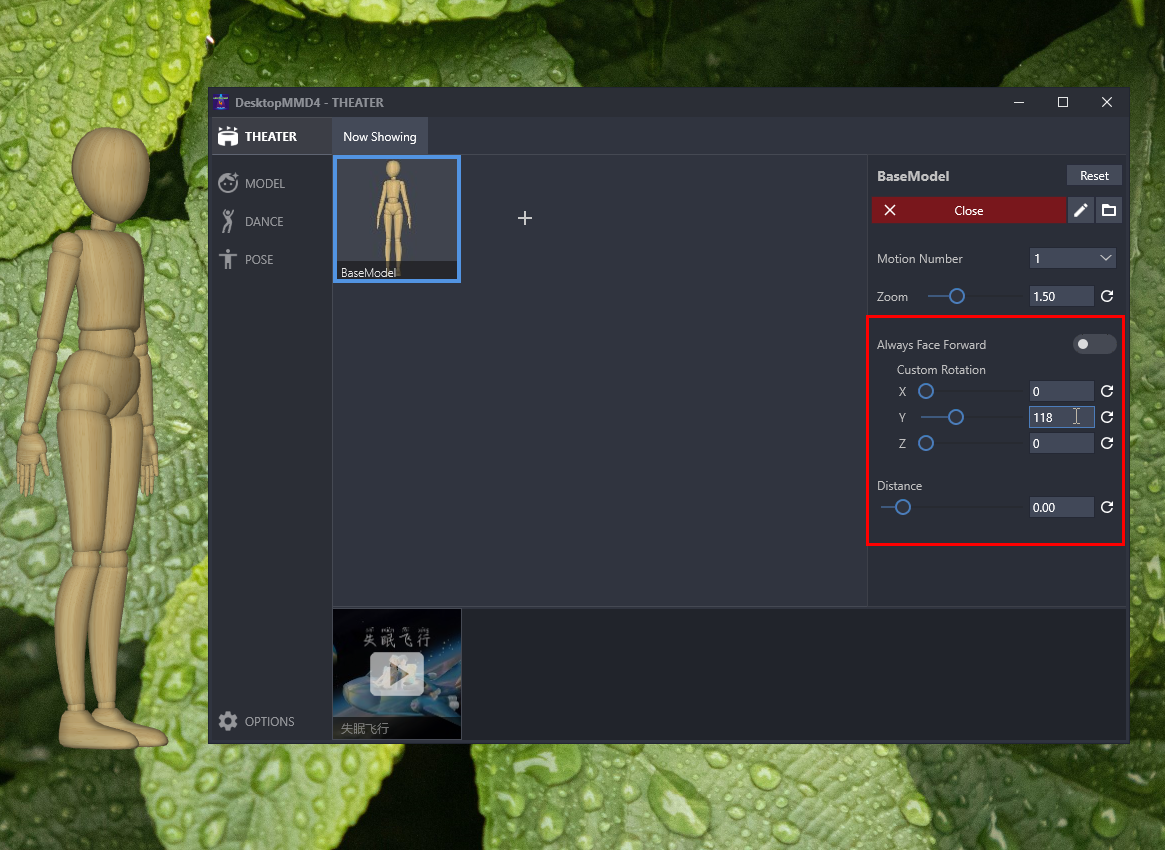
Read the original on Steam ↗1. Add custom rotation option for model: Select any loaded model on the theater page, uncheck "Always face forward" on the right panel, and then you can freely set the rotation of the model in the x, y, and z directions .
2. Add the distance option of model: Select any loaded model on the theater page, and adjust the model's distance option on the right panel.