Feature Overview
Some of us here at PH3 are PC gaming enthusiasts. While this is hopefully a good thing for everyone who plays our ports, it also means that we frequently create substantial workloads for ourselves by introducing features that weren't strictly necessary -- and that is certainly the case for Ys IX.
Full Mouse/Keyboard Support
In porting Ys IX to PC, we implemented full mouse/keyboard support. This includes not just the basics of controlling the game (with raw mouse input for camera control!), but also rebinding of all actions with up to two bindings each, pointer controls in all menus, mouse wheel scrolling where appropriate, and adaptive prompts depending on your preferred input device and binding.
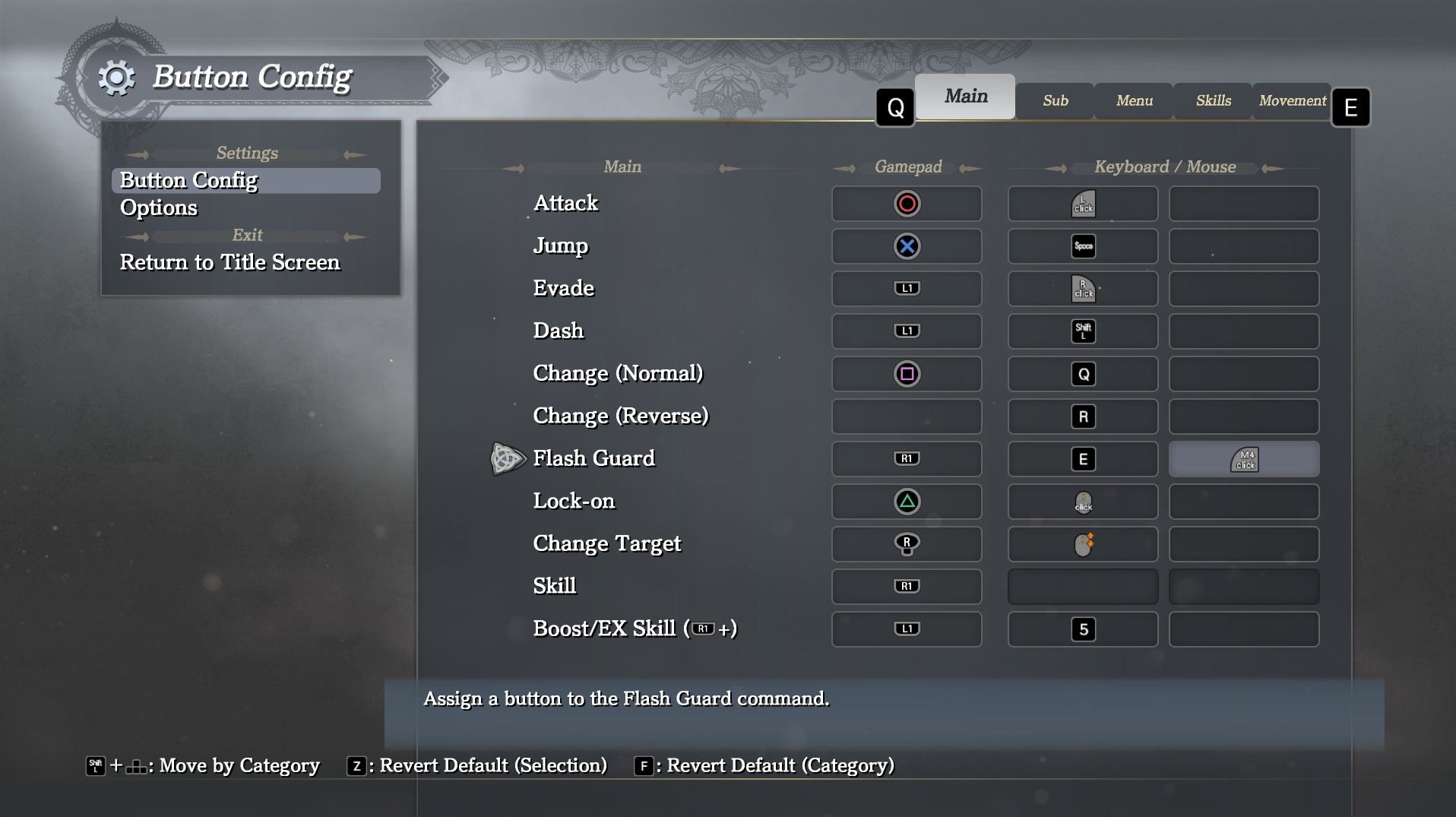
These might sound like trivial changes, but in a game with a substantial amount of custom UI that was only ever designed for a controller, they are more laborious than you might think.
Support for High Frame Rates
Ys IX was originally designed for 60 FPS, but in an action game having the possibility to reach higher framerates is always desirable, especially for those with a high-end PC. Our beta testers helped us find all the large and small ways in which the game could break when going beyond 60 FPS, and step by step we managed to make everything work at up to 144 FPS with full support.
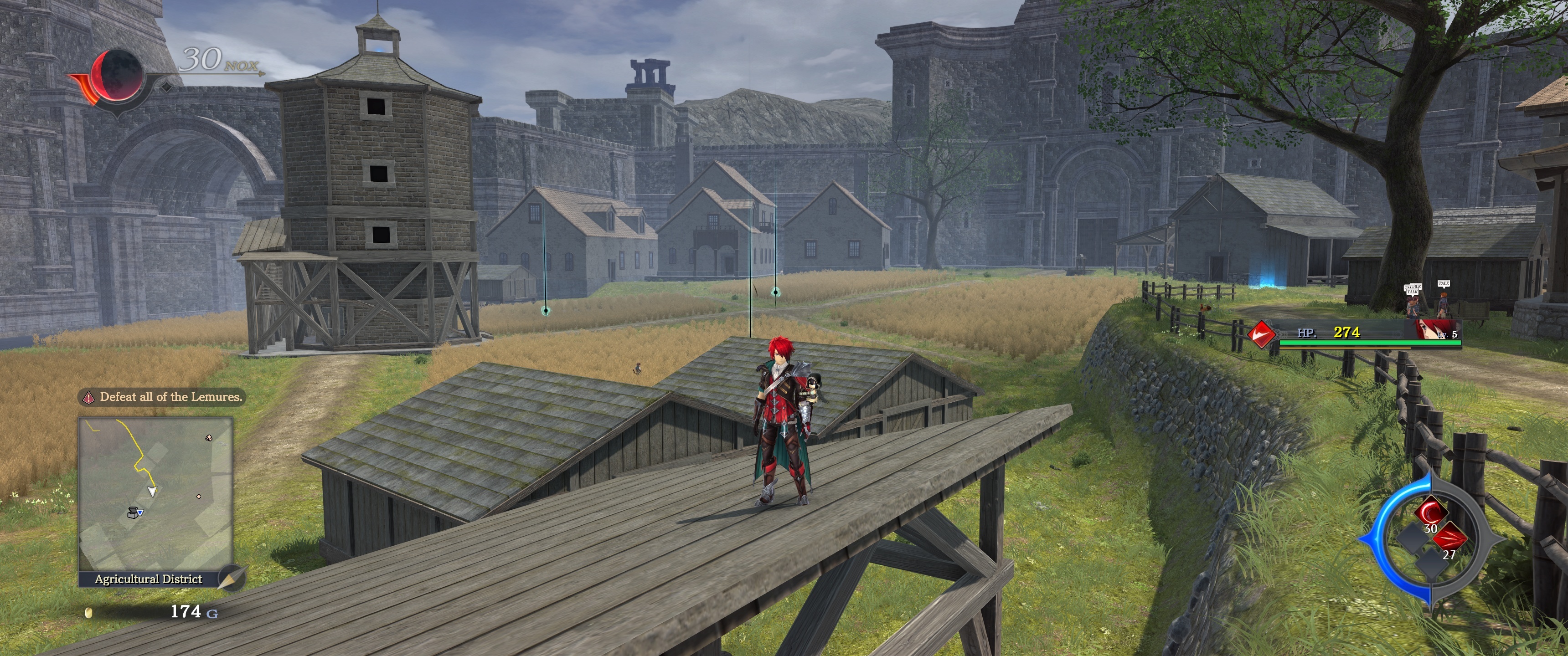
Ultrawide Aspect Ratio
Many console games are built with the assumption that 16:9 is the only aspect ratio which needs to be supported, and going beyond it can introduce all manner of issues, especially related to UI but also with other rendering such as special effects. As such, fully supporting wider aspect ratios, including UI, in such games is much more than just a small hack, but we committed to this for Ys IX and hope you'll love the result.
Other Features and Options
Here is a list of additional features and options added to the PC version:
- Arbitrary resolution support (tested up to 8k)
- Camera field of view adjustment setting
- General Sampling Rate option (supports sub-sampling for low-end systems and supersampling for high-end systems)
- Draw distance and Foliage Density settings to go beyond console on the high-end or gain extra performance on the low end
- Shadow Filtering (including PCSS) and Shadow Resolution options
- Various individual Postprocessing options, including HBAO+ ambient occlusion
- Color blindness accessibility filters
Performance Optimization
With the initial state -- fundamentally improved since -- of Ys VIII on PC still in mind, performance was a key concern when bringing Ys IX to PC. This is doubly important as Ys IX is actually an inherently far more challenging game to run than its predecessor, as the latter was still designed to also work on the PlayStation Vita.
By the time we were ready to ship an initial version of Ys IX to our PC beta testers, we had already improved performance by around a factor of 2 compared to the very first version on PC, by fixing various of the more obvious bottlenecks. We labeled this initial closed beta version 0.9.0.

But still, reaching roughly 68 FPS in the CPU limit on my development PC (Intel 9900k) seemed quite lacking, even taking into account the increased draw distance compared to console and the fact that this measurement was taken in the most challenging location in the game from a performance perspective.
This started a deep investigation of the game's performance characteristics, and improvements and sometimes outright rewrites of several aspects of it. Before we go into a bit more detail for each version, I'd like to note that all of these are true optimizations: the output and behaviour of the game remains exactly the same.
- In 0.9.1 we introduced various parallelization and asynchronous execution features to optimize the DX11 drawing process. Nsight systems was a really invaluable tool for this purpose, since it provides insight into the behaviour of each thread at each point in a frame. While this parallelization provided a very substantial performance improvement, it actually slightly increased frametime instability as well.
- Version 0.9.2 re-implemented the way in which the engine deals with sampler states, pre-generating them and using this set of pre-generated samplers rather than re-generating new ones on demand during each frame, as well as a few more minor optimizations.
- When comparing FPS, version 0.9.3 doesn't seem like too big a step, but it included the replacement of the game's memory allocator with the excellent rpmalloc, which also lead to a more consistent performance profile and decreased loading times.
- In version 0.9.4 we completely reimplement D3D11 buffer handling for both dynamic geometry and instancing-related memory buffers. Not only did this significantly improve performance, it did so while allowing us to get rid of one of the threads introduced in the earlier parallelization.
- Finally, in 0.9.5 we reduced the latency of the graphics pipeline and resolved some clipping issues, getting rid of a few unnecessary drawing operations. No changes which could be expected to affect performance were made after this point, which is also confirmed by the benchmark results.
Video Comparison and Performance in Special Situations
This FPS comparison alone does not tell the whole story of course. The difference in stability can also be substantial, as illustrated in these videos of version 0.9.0 and version 0.9.3.
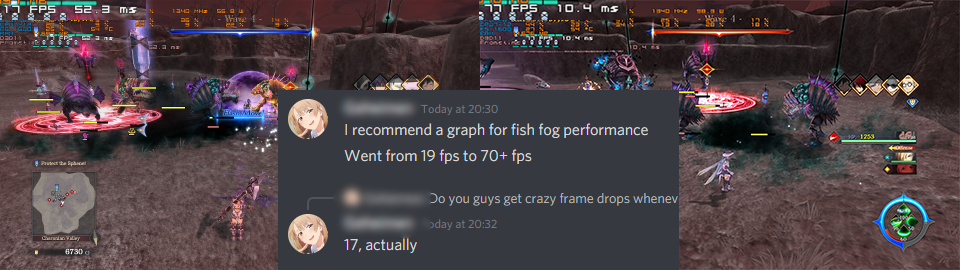
Beyond that, there are some particular situations which show an even more substantial improvement, such as the infamous "black fish fog" incident -- pointed out by one of our beta testers above -- which prompted the investigation and ultimate replacement of the D3D11 buffer handling infrastructure.
Limitations and Expectations
After reading the above, you might be tempted to think that Ys IX is now a masterclass in performance, and that everyone will be able to run it at maximum settings without any issues. That is decidedly not the case. The game still has substantial GPU performance requirements, and several of the settings we introduced exact a very severe performance toll -- above all the general supersampling option.
But even with those options disabled or scaled back, and all the performance optimization discussed above, it is still a game which is inherently substantially more difficult to run well than Ys VIII. However, we did introduce some options that should make it possible for those on lower-end systems to have a smooth experience, including the possibility to fully disable dynamic shadowing, reduce the sampling rate of the 3D rendering, decrease the draw distance, and reduce the density of foliage.
Conclusion
This port would not have been possible without the fantastic work of our indefatigable beta testers, the excellent contributions of my fellow developers at PH3, and the support of NISA. Hopefully it will be an enjoyable experience for you.
- Peter "Durante" Thoman, CTO, PH3