This update lets you explore Street View imagery from 85 countries right within Earth VR. Just fly down closer to street level, check your controller to see if Street View is available and enter an immersive 360° photo. You’ll find photos from the Street View team and those shared by people all around the world.
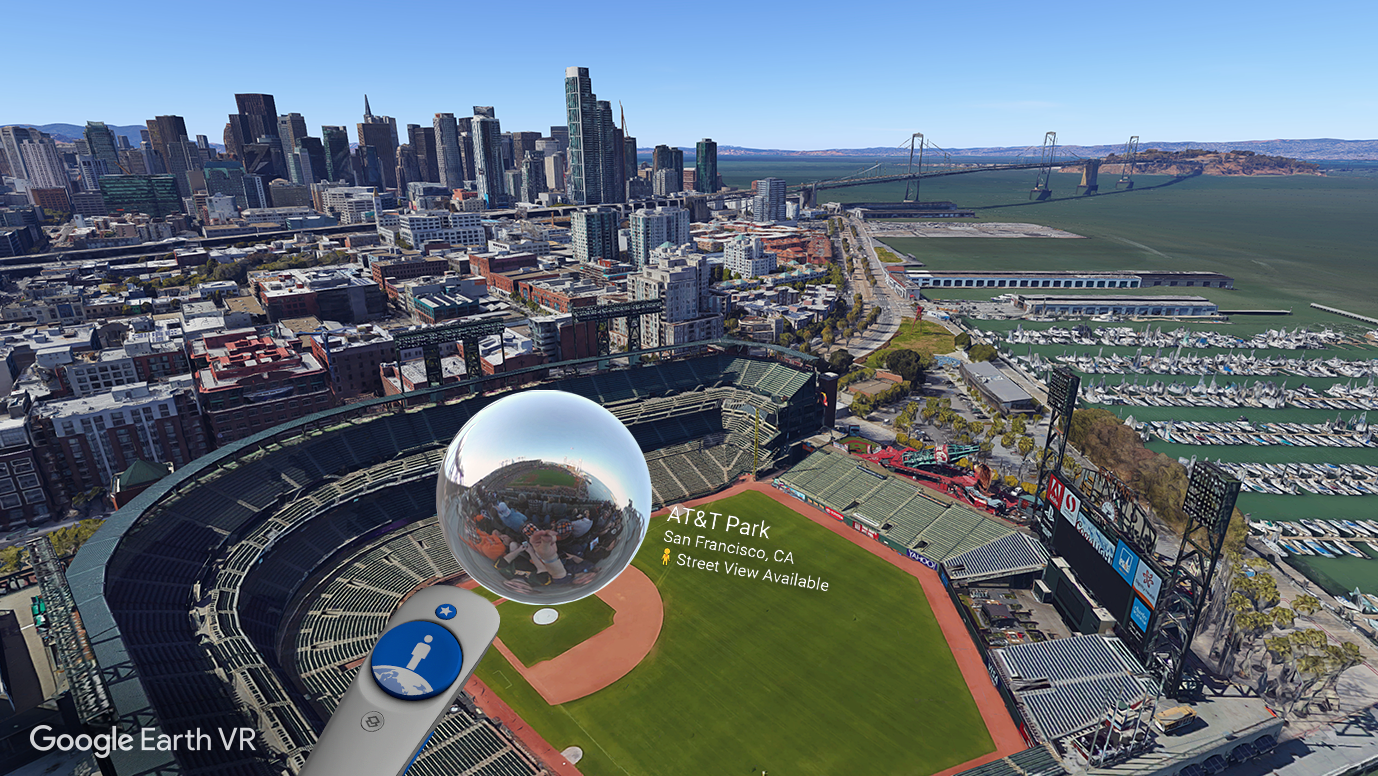
If you need a fun place to start, check out a couple of our favorite spots. Make your way out to the old ballgame at AT&T Park, or head to the Old Port in Westeros … er, Croatia to see King's Landing from “Game of Thrones.”
Happy exploring!
Release notes
- Street View: If you fly close to the Earth, the globe on your non-dominant controller will become a preview lens and indicate whether or not Street View is available. To enter, peek into the preview lens for a quick look, or point and click to enter an immersive 360 photo.
- Renamed “Allow human scale” preference to “Restrict altitude”; limits how close users can fly to the ground.
- Fixed human scale (experimental): Turn this feature on via the menu to stay human-sized at all altitudes.
- Tutorial improvements: Added progress indicators and improved explanation text.
- Refreshed pre-installed data cache for faster startup times.
Full release notes
