Hi everyone, 😄
Thank you very much for all the feedback, reports, and suggestions you have continued to share with us.
This update focuses on improving how machine speed upgrades interact with maintenance, while also making it easier to control machine speed across larger factories through the Machine Management panel.
We have also included fixes for the Vendor Truck Loaded Items display and Cold Storage panels opened from a distance.
With that in mind, here is what is included in this update.
Main Updates
1. Fairer Machine Speed Upgrades
Machine speed upgrades have received a balancing adjustment.
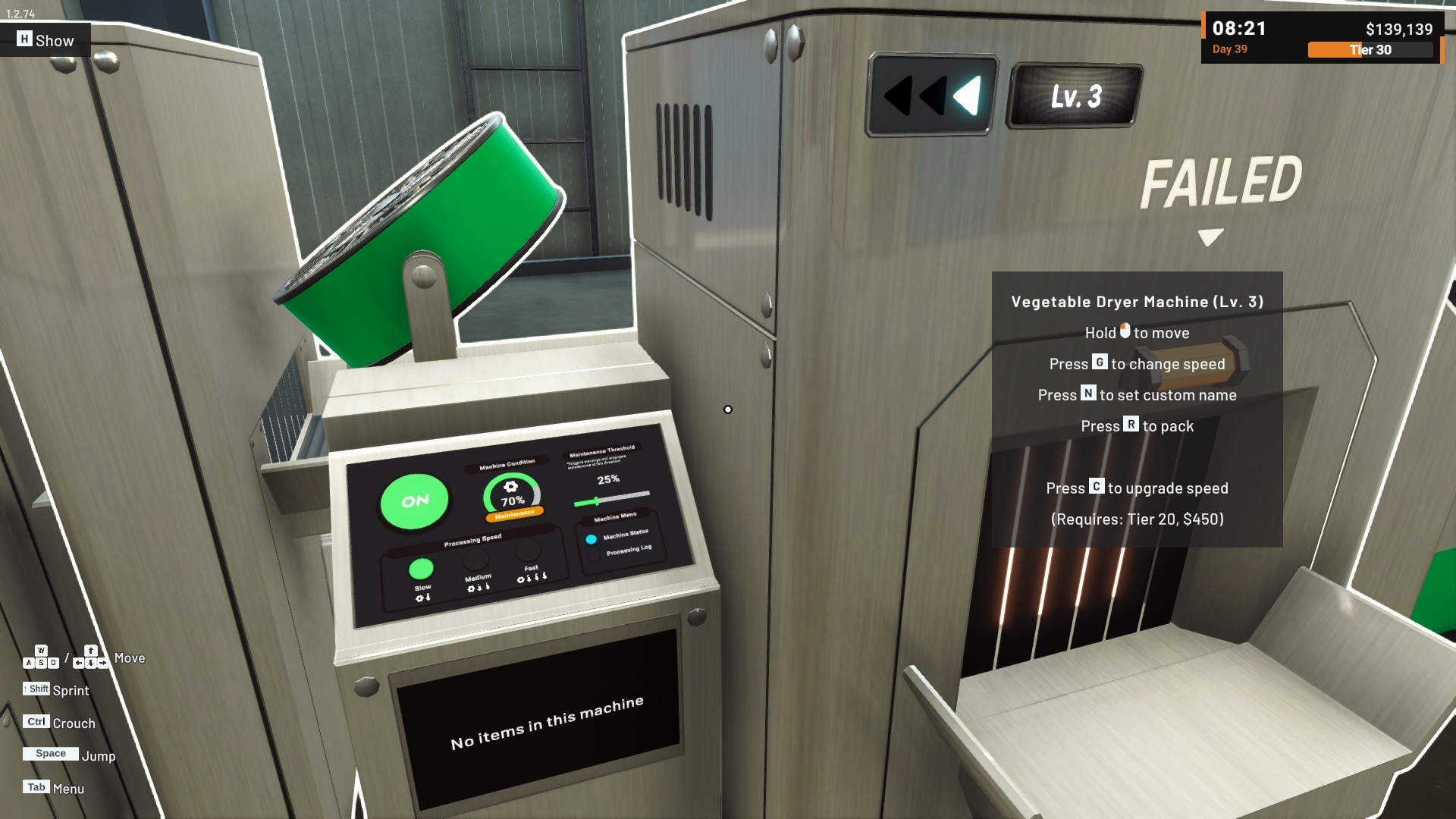
Previously, upgrading a machine to a higher speed level also caused its condition to decrease more quickly over time, because higher-level machines processed more products within the same period.
With this update, the maintenance interval is now consistent across all machine speed upgrade levels.
This means speed upgrades can increase production output without making a higher-level machine require maintenance more frequently simply because of its upgrade level.
This adjustment applies to machines that use the condition system, including:
Processor Machine
Box Packer Machine
Label Machine
Dynamic Packaging Machine
The existing Slow / Medium / Fast speed trade-off still remains.
A machine running on Fast will still wear down more quickly than one running on Slow. This update only removes the additional maintenance penalty that previously came from the machine's speed upgrade level itself.
Machines that are powered on but not actively processing products also continue to behave as before. Machine condition is reduced through processing activity, not simply by remaining powered on.
Existing save files will automatically follow this new balancing rule.
[carousel autoadvance="true"]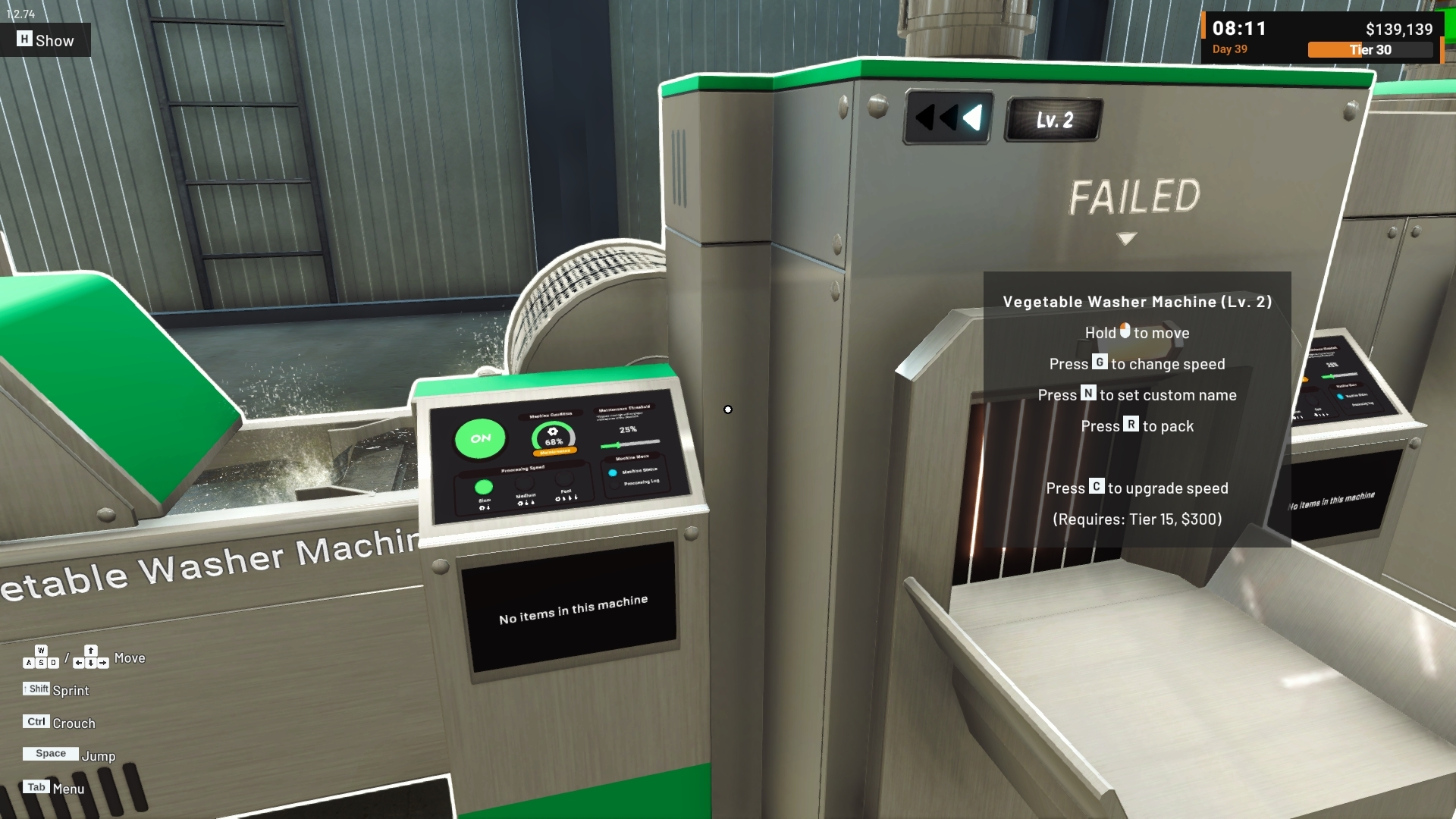
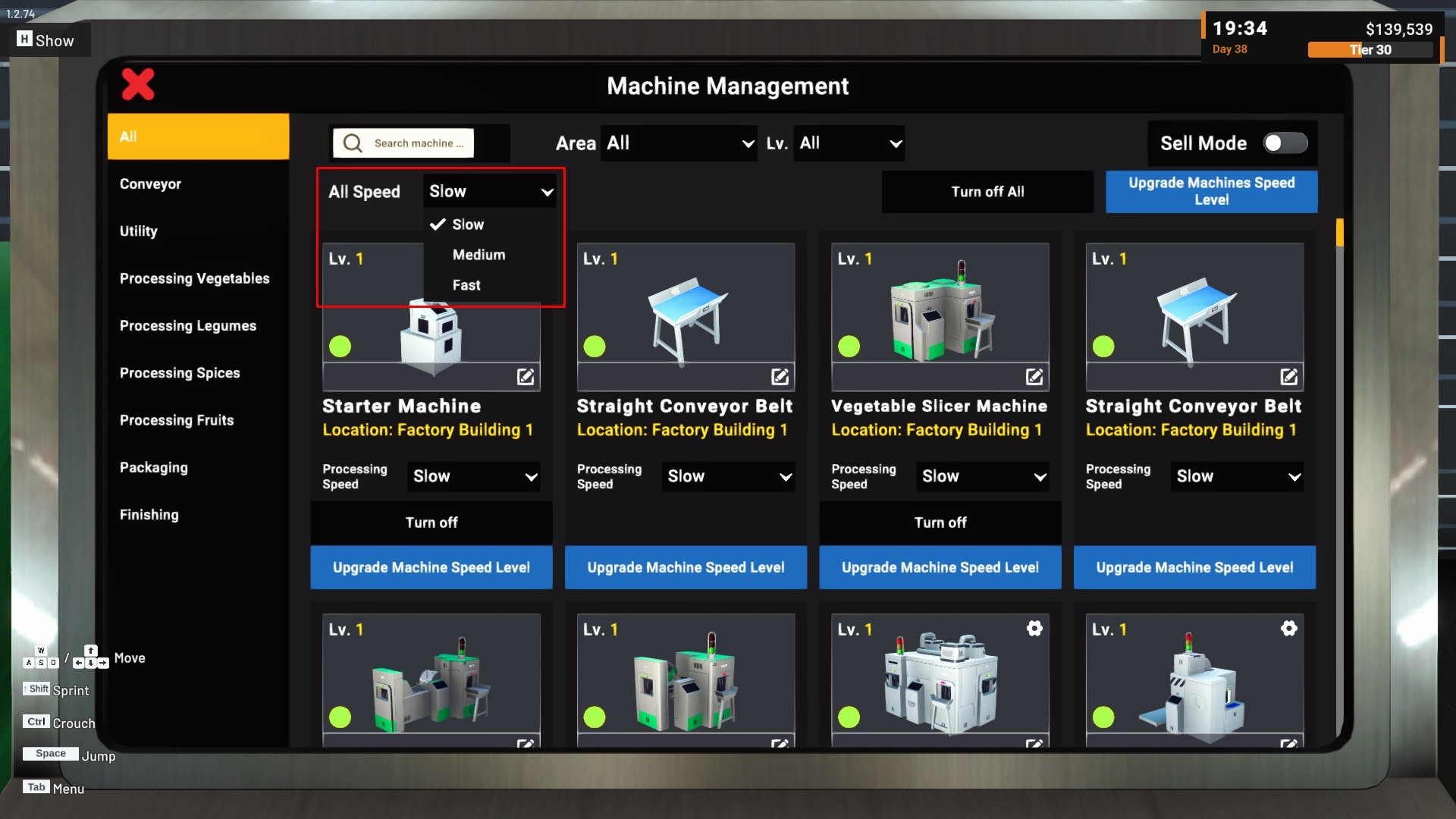
2. All Speed Control in Machine Management
The Machine Management panel now includes a new All Speed control.
This allows players to change the speed of multiple machines at once instead of adjusting each machine card individually.
Available speed settings remain:
Slow
Medium
Fast
a. Applies to Visible Machines
All Speed applies to machines that are currently visible in the Machine Management list.
Machines that do not support speed settings are ignored.
b. Follows Active Filters
The control follows the currently active Machine Management filters, including:
Machine category
Search
Factory area
Lv. filter
This makes it possible to change the speed of a specific group of machines without affecting the rest of the factory.
Please be careful when using All Speed in the All tab without any active filters, as the visible list may include speed-adjustable machines across the entire factory.
c. Mixed Status
If the currently visible machines use different speed settings, the All Speed control will show Mixed.
Mixed is a status indicator, not an additional speed option.
Once all visible machines use the same speed, the control will display that shared speed instead.
Changing the speed of an individual machine will also update the All Speed status accordingly.
d. No Confirmation Required
Changing All Speed does not require a confirmation dialog.
Speed changes do not cost money and can be changed again at any time, so the selected setting is applied directly.
The All Speed control will also be hidden when Sell Mode is active, together with other bulk management controls.
Bug Fixes
1. Vendor Truck Loaded Items Display Fix
Fixed an issue where the Loaded Items list on a Vendor Truck could appear empty the first time it was opened after loading a save, even though the truck already contained items.
The truck contents were still correct, but the list could fail to display them until the panel was closed and opened again.
The Loaded Items list should now display correctly the first time it is opened.
A similar display issue affecting the Supplies Stock popup has also been addressed by the same fix.
2. Cold Storage Panel Refresh from Distance
Fixed an issue where a Cold Storage panel opened from a distance could stop updating its displayed information.
This could affect changes such as:
Grade selection
Sort selection
Stock information
The panel will now continue refreshing while it is open, even when the player is farther away from the Cold Storage monitor.
When the panel is first opened, it will also immediately display the latest available information instead of briefly showing older data.
This only affects panels that are currently open. When the Cold Storage panel is not being viewed, its distance-based optimization behavior remains unchanged.
Thank you again for your continued support, reports, and feedback.
We will continue reviewing machine balancing, factory management tools, and the reports you share as we work on future updates.
If you encounter any issues or unexpected behavior, please report them through the in-game Bug Report Menu and/or the Steam Discussions so we can investigate further.
See you in the next update! 🥗🚚
[dynamiclink href="https://store.steampowered.com/app/3928990/Food_Processing_Simulator/"]
