This is one of our biggest interface updates yet! Nin Online now has full controller support, every window can be used with just your keyboard, and we've brought in a brand new World Map, a new title screen, a new Ninja Card and a lot more!
Combat feels snappier too, with faster jutsu dashes and lag compensation that finally works as intended.
Controller Support
If you've tried plugging in a controller before, you might have noticed that it didn't always get picked up. That's fixed! Xbox controllers are now detected properly, and you can see whether your controller is connected in Settings > Controls.
D-Pad Hotkeys Use hotkeys 1-4 on the D-Pad, 5-8 by holding RT, and 9-12 by holding LT. While you're using a controller, your HUD shows your hotkeys as D-Pad diamonds.
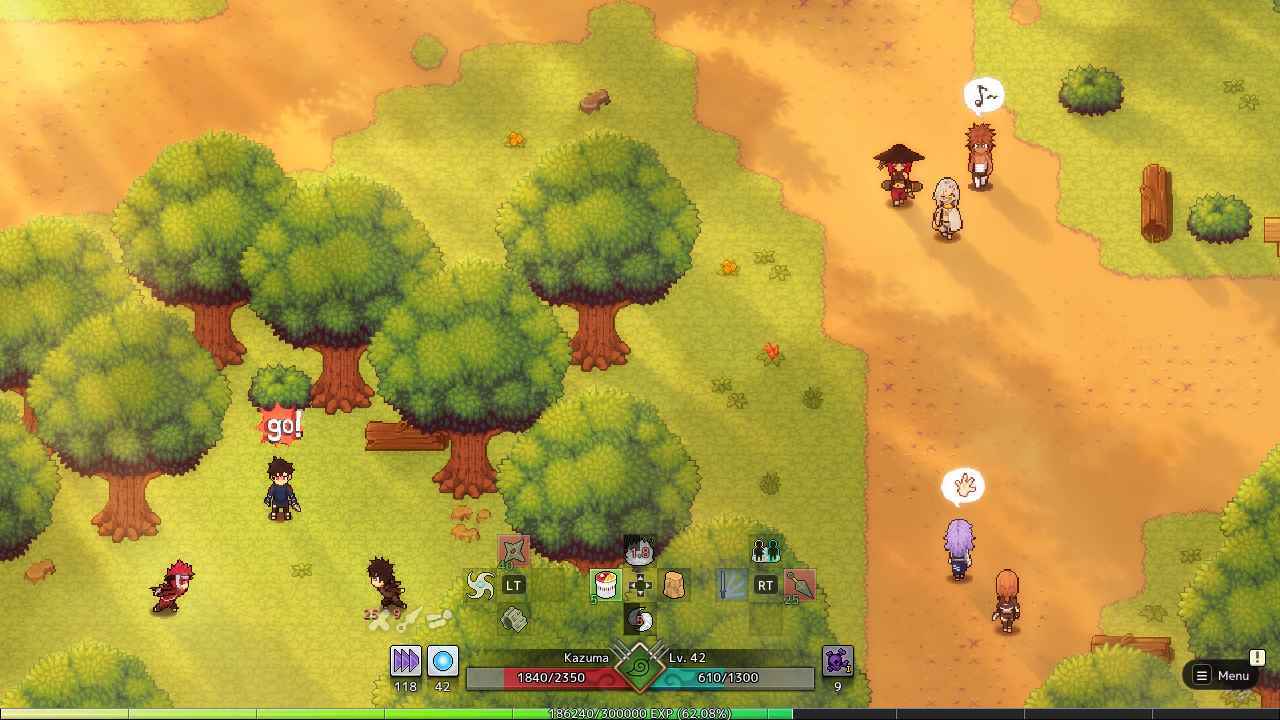
Menu Wheel Press Start to open a wheel with every menu in the game. Point with the stick and let go to pick. Tap it to keep it open, and use LB/RB for the second page.
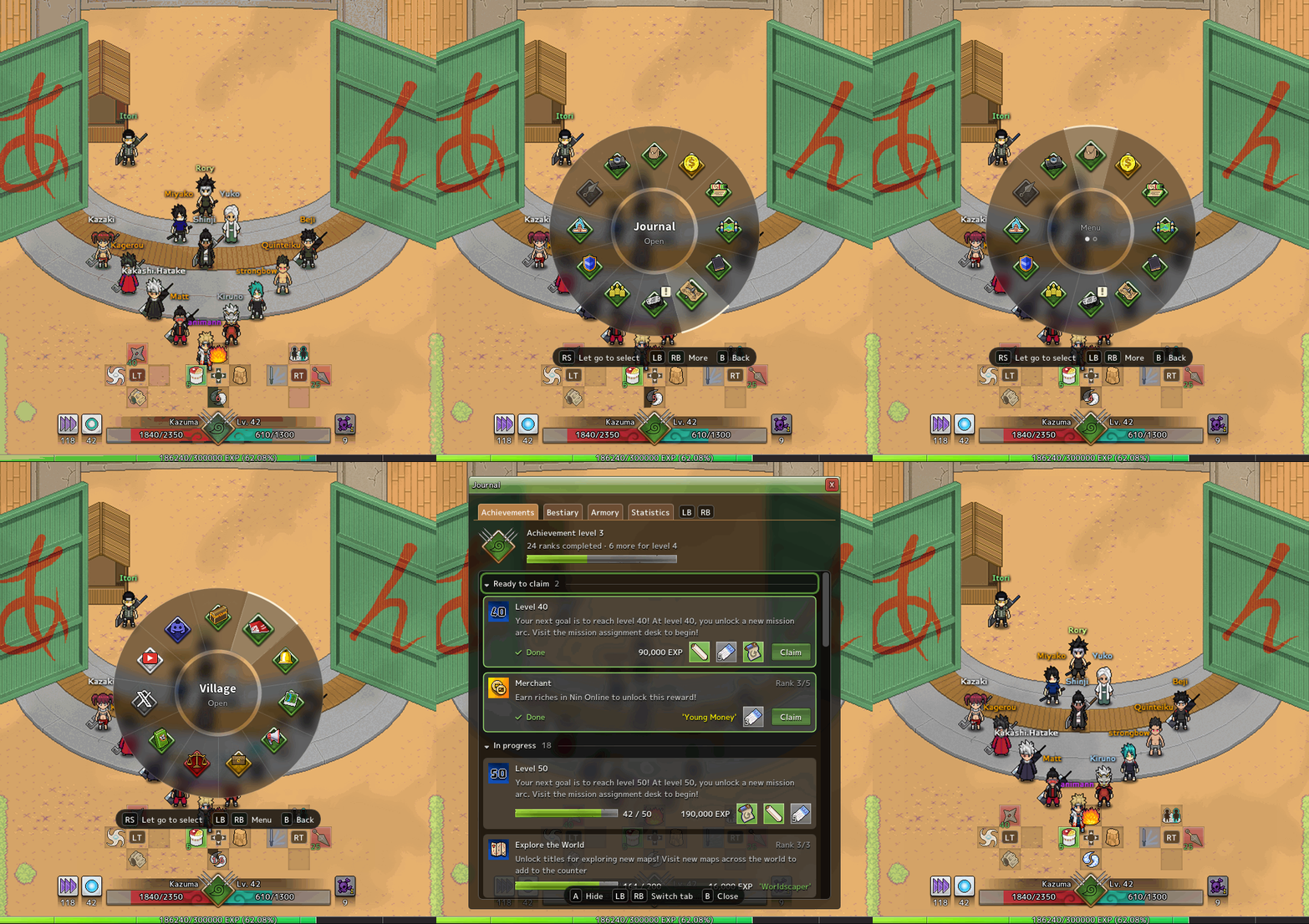
Emote Wheel Press R3 to emote without leaving your controller.
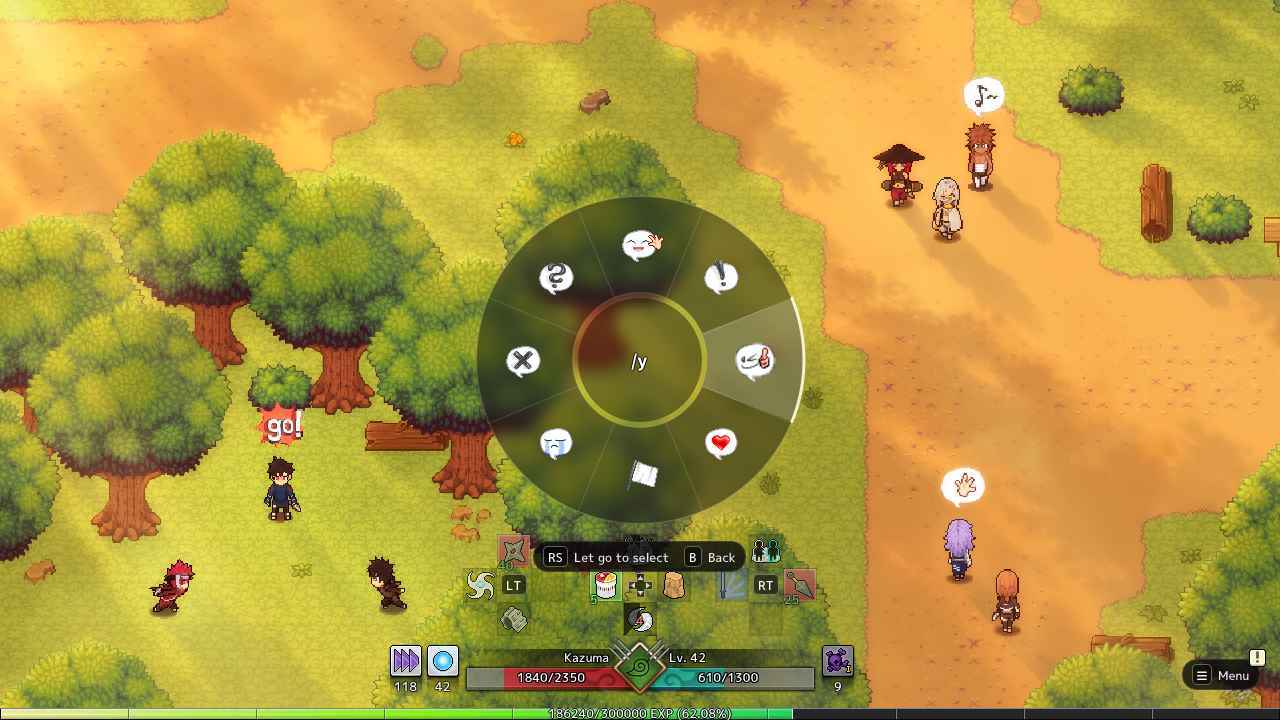
New Controller Defaults
A attacks and confirms
B cancels casts, backs out of fields and closes windows
RB jumps and fishes
View opens the Game Menu, and closes every window when you're inside one
Hold Y to open your target's Ninja Card
Your saved control profiles are moved to the new layout automatically. If you've customised your controls, we leave them alone!
Stick Dead Zone Settings Set the dead zone of each stick separately, with a live tester to see exactly what the game sees.
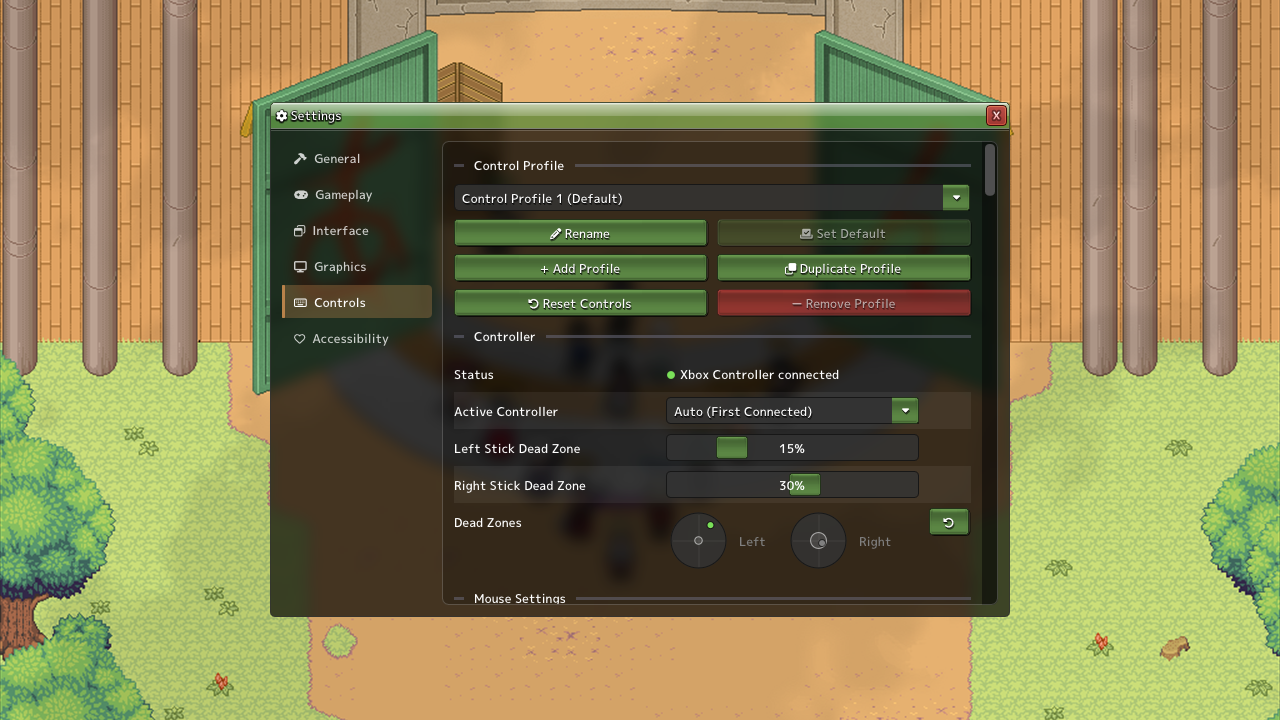
Separate Keyboard and Controller Resets Reset your keyboard binds without losing your controller binds, and the other way around.
Keyboard Navigation Everywhere
Every window in the game can now be used without a mouse.
Arrows, WASD or the stick move around. Enter, Space or A selects.
Q/E or Tab switch tabs, Page Up/Down change pages, and Escape backs out and then closes the window.
Ctrl+Tab moves between your open windows, pending invites and HUD panels.
A prompt bar at the bottom tells you what each key does, and tooltips open beside the window.
Moving your mouse gives your keys back to the game right away.
Control prompts now show the actual key or button you've bound, for fishing, gathering minigames, transformations, tournament brackets and picking things up.
Default Key Changes
Interact moved from E to F (E now switches tabs)
Friends moved from F to U
New: R opens your target's Ninja Card. Target someone with the keys and stand still, and a "Ninja Profile" prompt appears beside them.
Features
New World Map
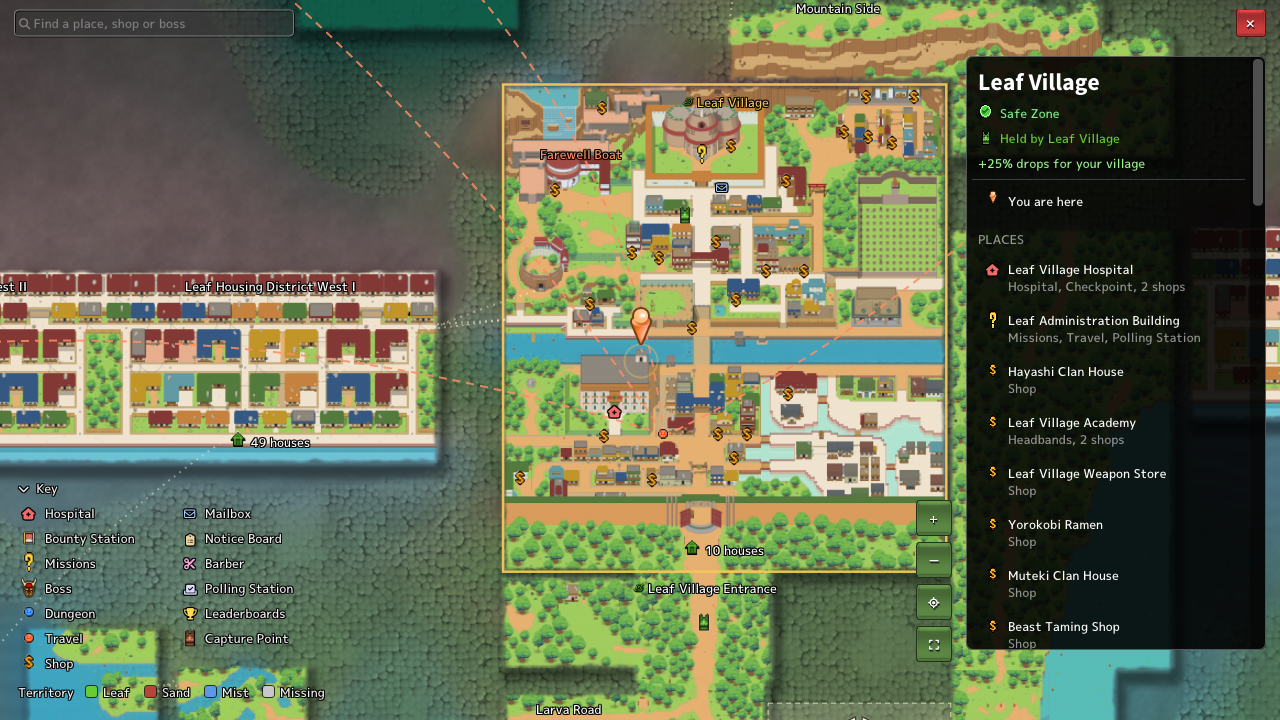
The World Map has been completely rebuilt and is now fullscreen. It's made straight from the maps you actually walk through, so it always matches the game.
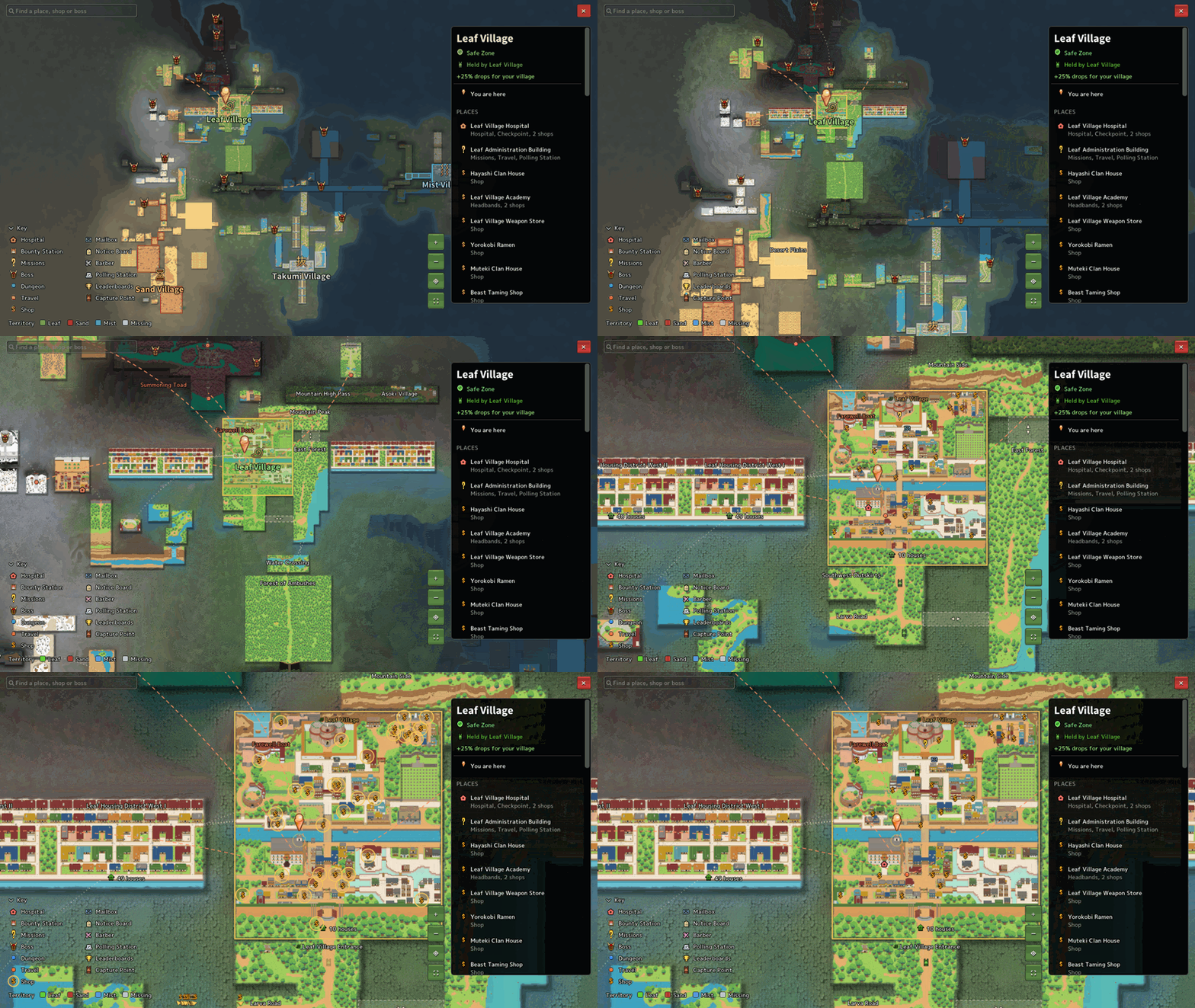
Zoom and pan freely
Shops, bounty stations, missions and more are marked with icons, and the key lets you filter them
Search for places
Village territories are tinted
Pins with several destinations, like the Summoning Toad, show all of them
The minimap now shows resources too
New Title Screen
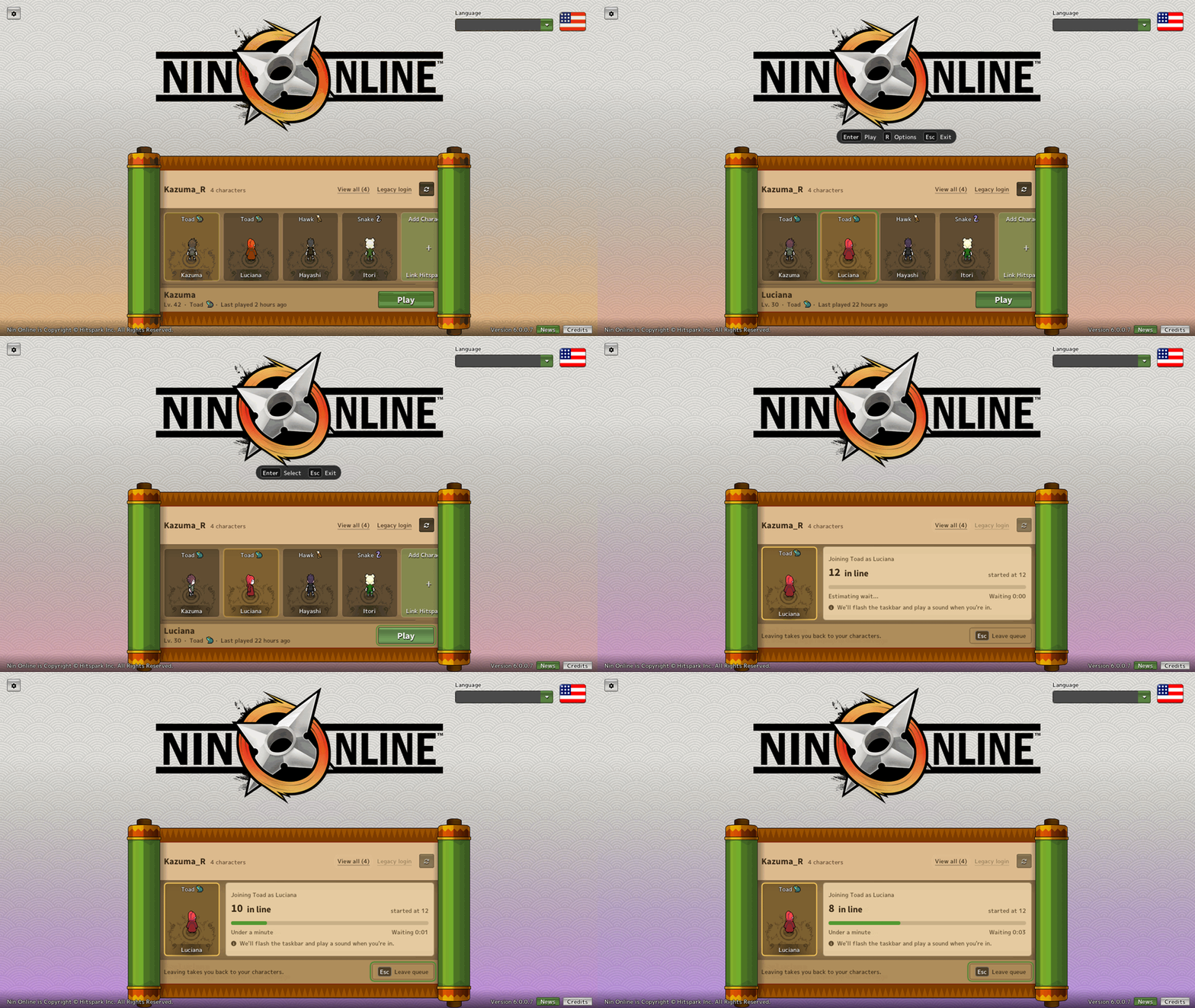 Your characters are shown on a strip and the selected character's details below. Logging in, your queue position and any errors now show right under your character with a Try Again button, instead of popup boxes. Character creation now goes step by step, and the loading screen shows your character running!
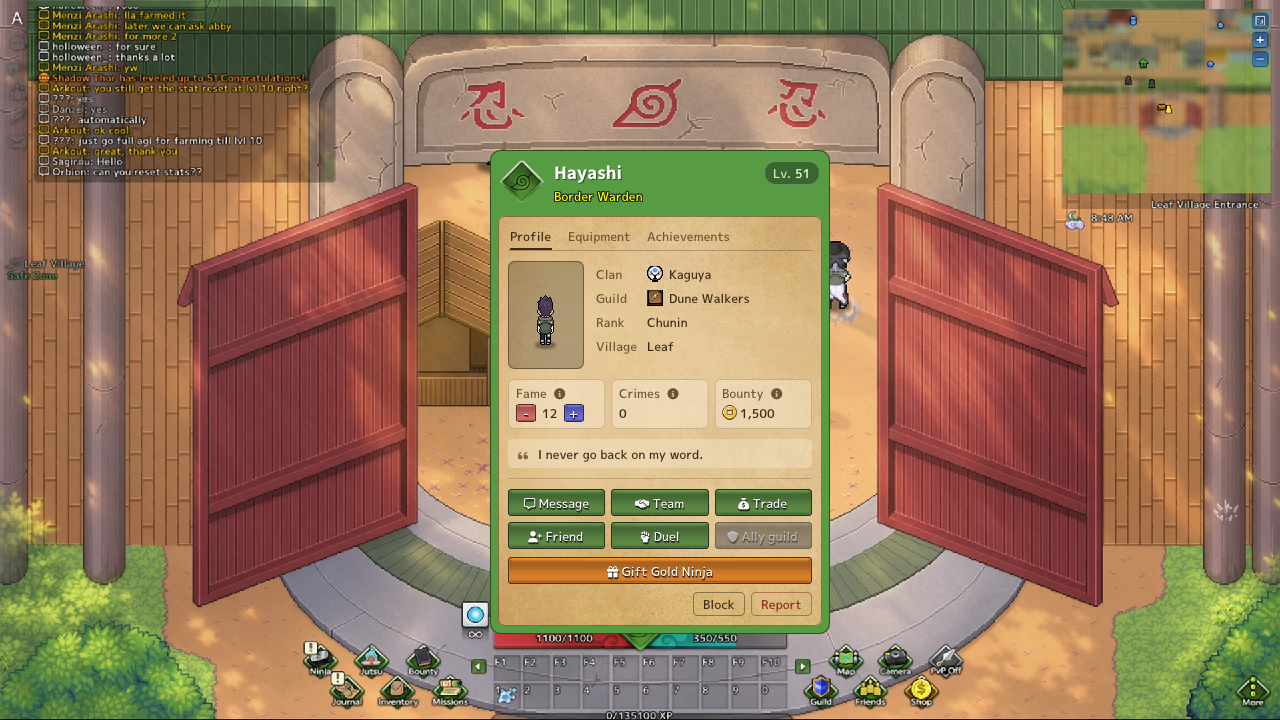
New Ninja Card A cleaner card with your village crest, name, title and level, and tooltips explaining Crime, Bounty and Fame.
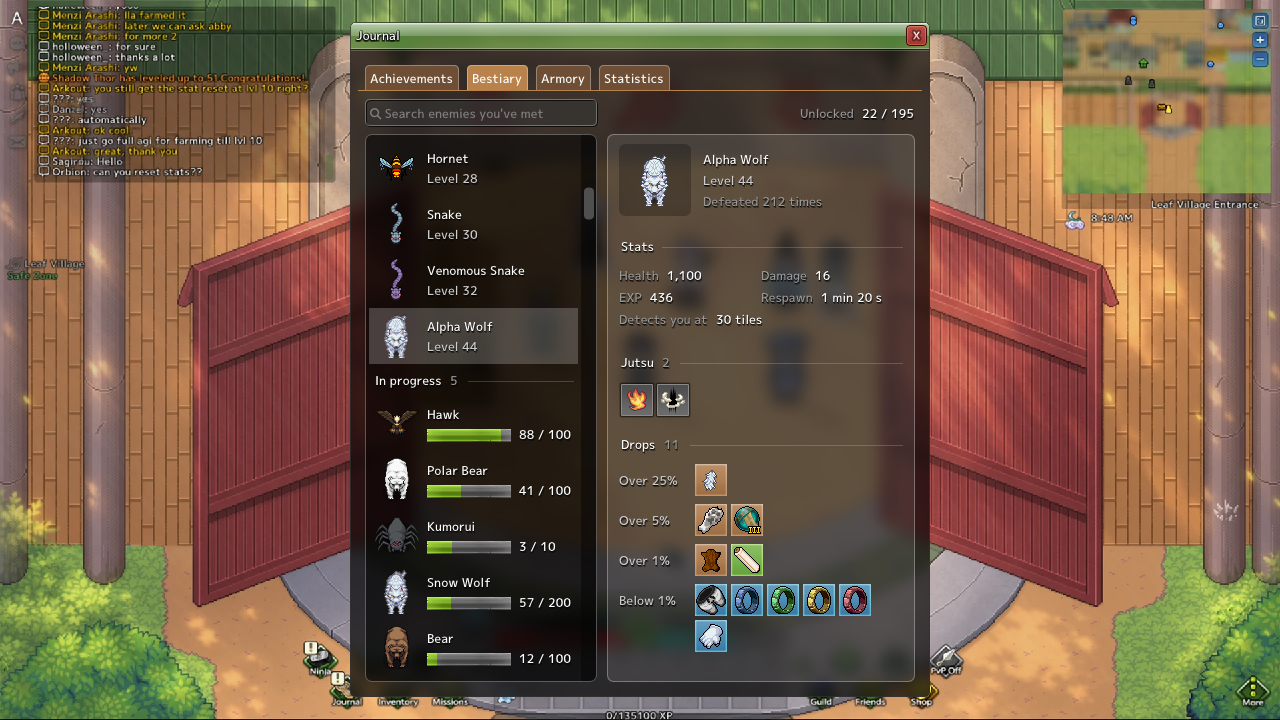
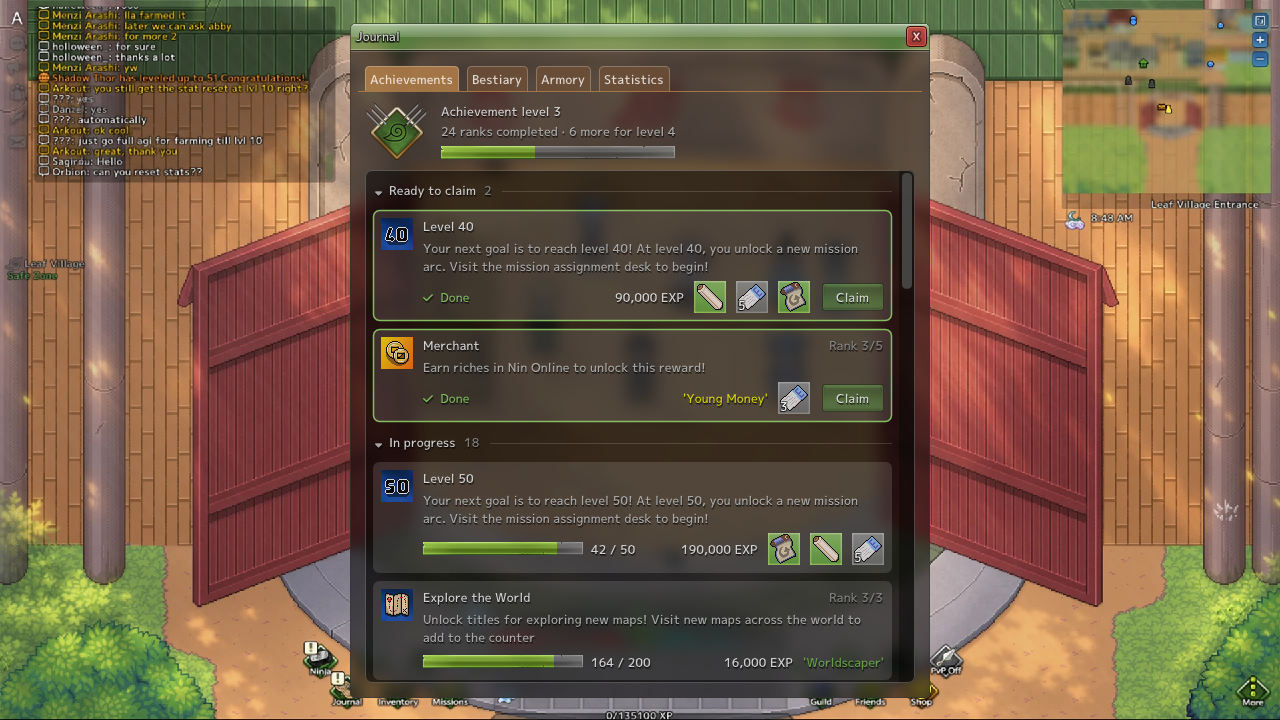
Rebuilt Journal
The Achievements, Bestiary and Armory pages have been rebuilt from the ground up.
Restyled Windows
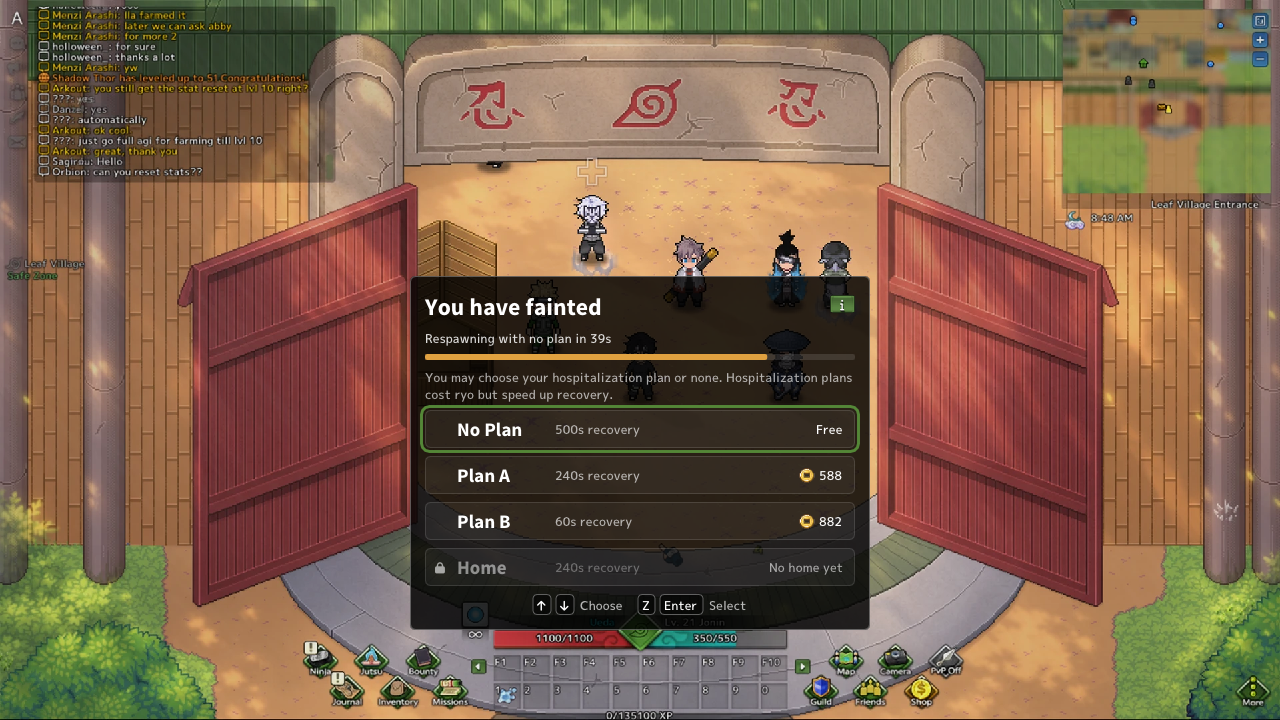
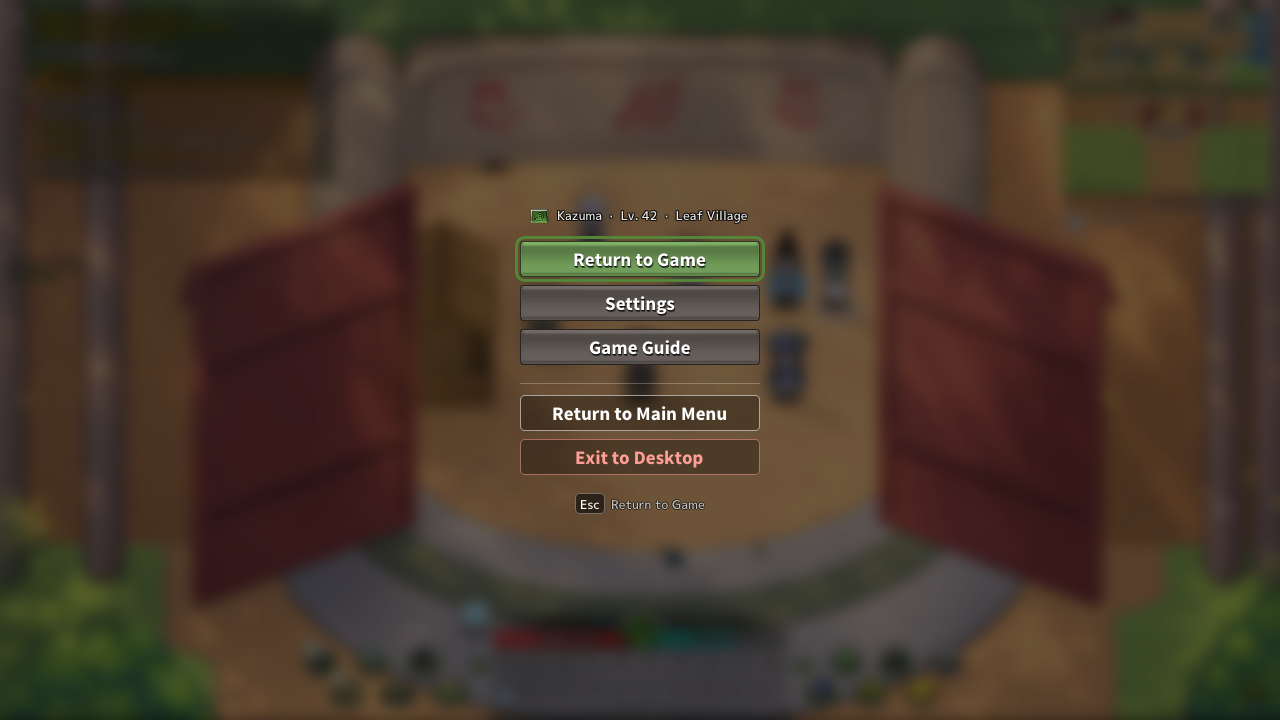
Esc Menu: Cleaner, and shows who you're playing as
Faint Screen: Each respawn option shows its cost, or why you can't use it
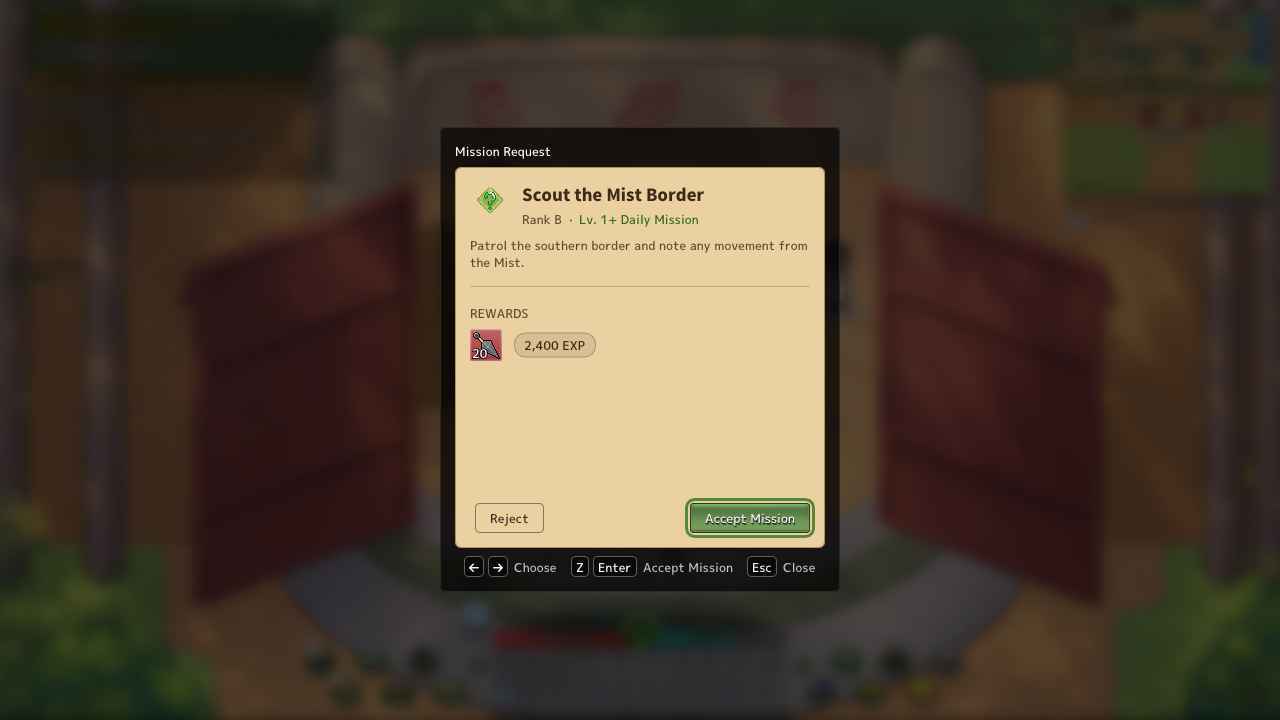
Missions: Rank chips, progress bars for objectives, and the rewards on offer
Shops: Choose how many to buy and see the total
Bounty Station: Tidier layout with the Ryo icon
Settings: Tabs down the side, with log and cache tools under Advanced
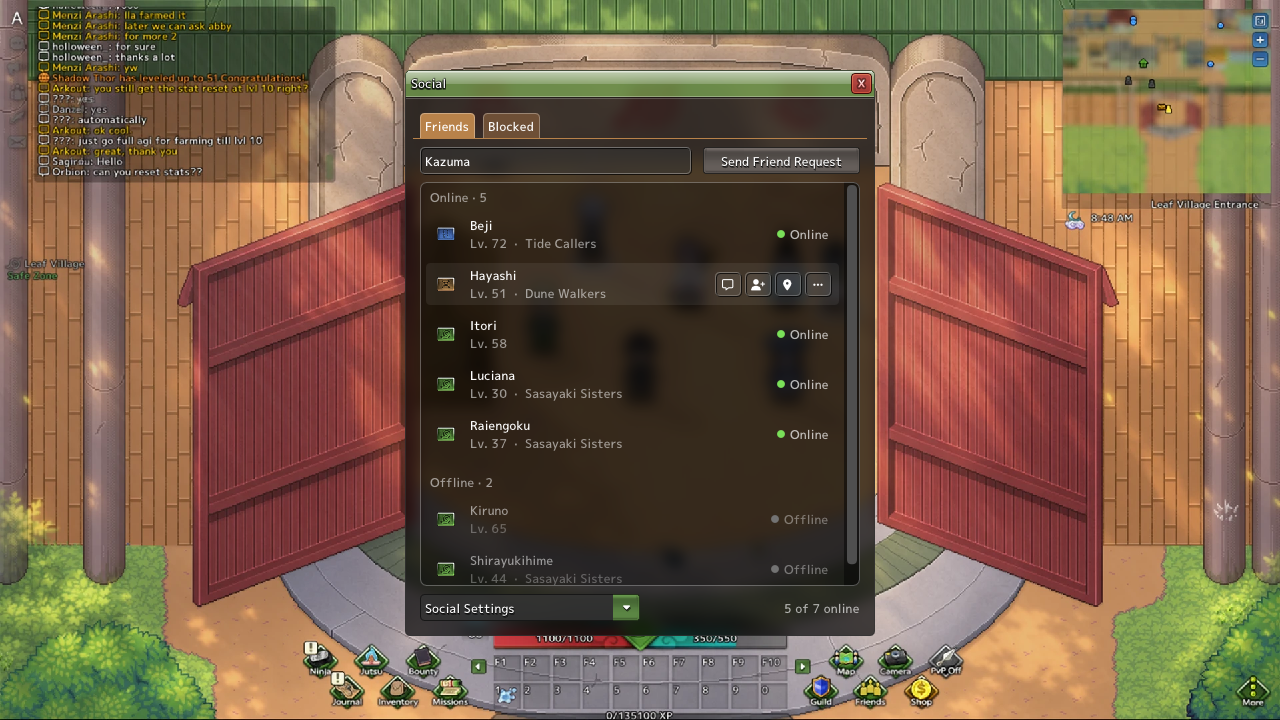
Friends & Blocked: Each row shows the village emblem, name, level and guild
Animated Health Bars
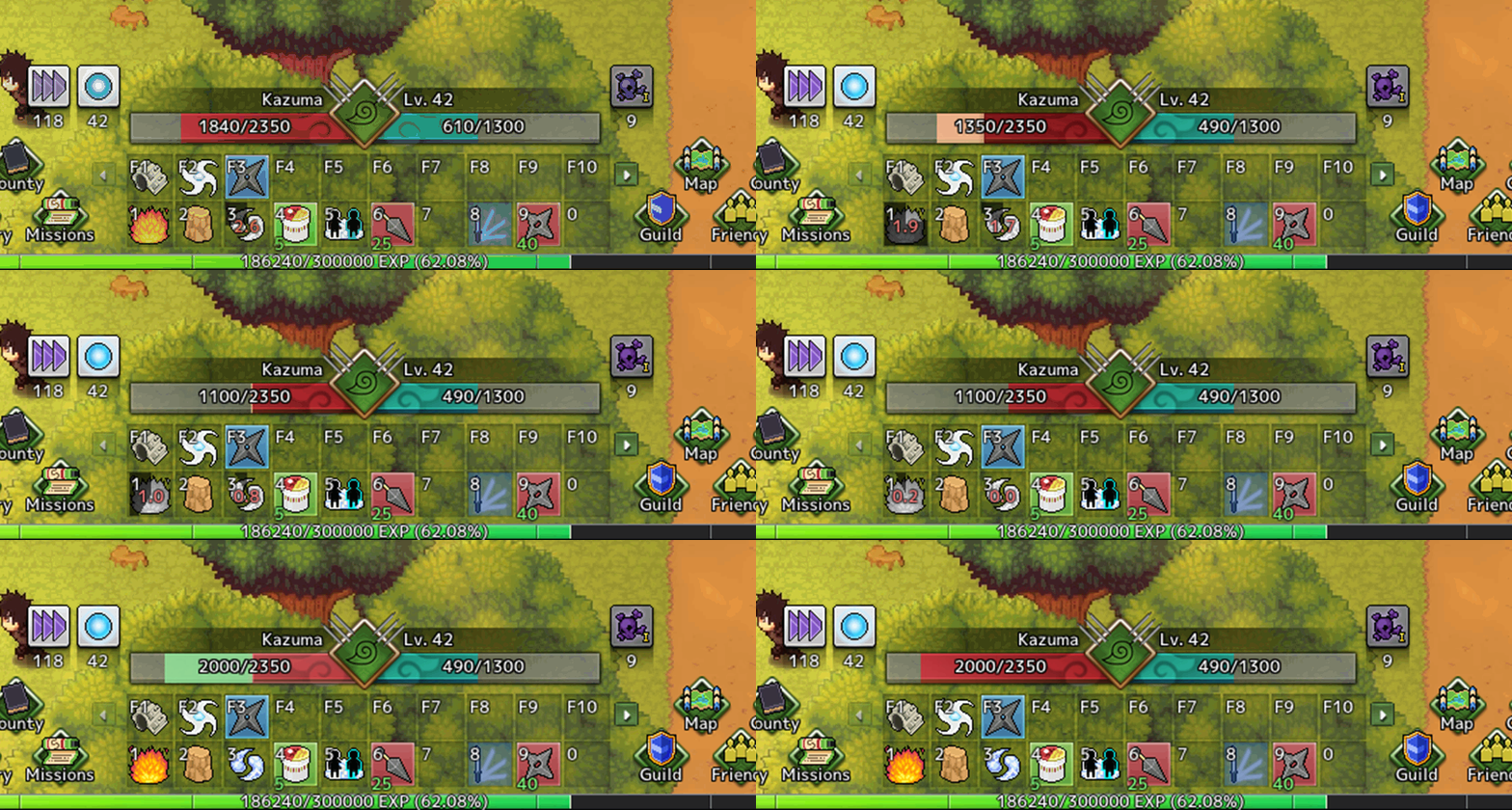
Health bars now animate when you take damage, and your hotbar flashes when a jutsu is ready and shakes when you can't use it.
Windows Fade out now
Jutsu on cooldown are now shown in grey again
Dialogue Improvements
Answer dialogue with your hotbar keys, and event names step aside while a dialogue is open.
Event and Tournament HUDs now show the event's name under the timer, they are also movable now!
New Loading Screen
(Devs) Missions can now increase a ninja's crime as a reward
(Devs) Staff can evict every rented house on a map at once, with unused rent refunded by mail
(GMs) Double-clicking anywhere on the world map will now warp you to that exact point in the game world
Content
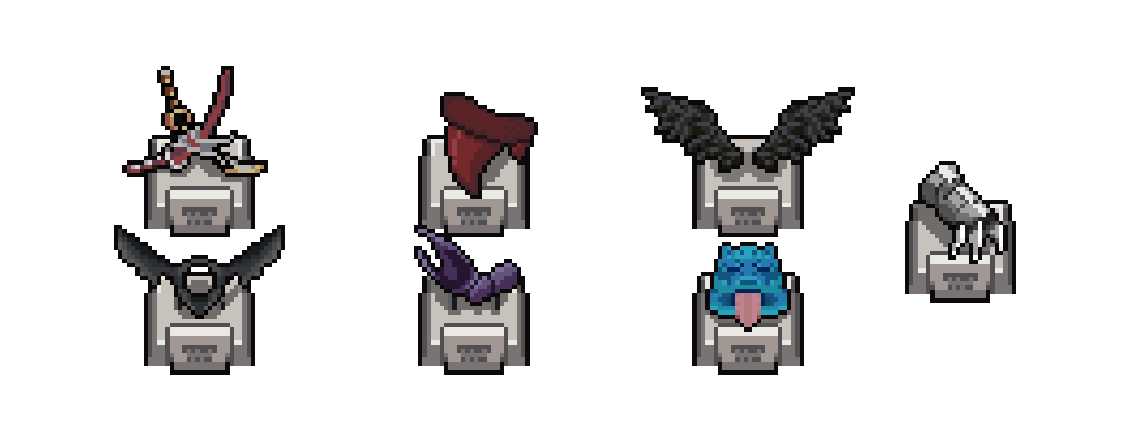
Added 7 New Trophies to Boss NPCs around the world - Go Collect them and show off!
Romaji Trophy
Shinkai Trophy
Admiral Mitsuhide Trophy
Chimamire Trophy
Karoshi Trophy
Gamakura Trophy
Tengu Trophy
Changes
Dash Jutsu are twice as fast Dashes now take half the time and slow down smoothly at the end, instead of crawling through the last bit.
Removed extra delays after landing a dash You can move and cast again the moment you land.
Opening chat now lets go of held keys except chakra charge No more walking in place or staying in guard while you type. A chakra charge you've already started keeps going.
The interface is sharper at scaled resolutions
(Future) NPCs summoned by turret jutsu now behave like turrets
(Backend) Smoother movement of other players in crowded areas The server now bundles small messages together, which cut down freezes of other players in busy areas by around half for players with higher ping.
(Backend) Faster server restarts The server now loads in parallel, so maintenance should be shorter.
(Devs) Editor saves are now fully checked before they're saved, so a broken save can no longer overwrite game data
Bug Fixes
Fixed lag compensation not applying Lag compensation for melee, projectiles, jutsu dashes and casting was always using 0 ping. It now uses your real connection, so hits should feel a lot fairer at higher ping.
Fixed a bug where logging in could hang and use a huge amount of memory
Fixed dashes being interrupted incorrectly, and old dashes resuming after your position was corrected
Fixed Substitution triggered by an NPC's attack not landing you on raised ground properly
Fixed escorts not being removed until you relogged
Fixed escort mission rewards and completion not always saving together
Fixed random mission targets not showing in the Mission Log
Fixed being able to claim an achievement rank before reaching its unlock level
Fixed buttons on hovered Friends list rows not working
Fixed the rename window showing a name as taken when the check failed. You can now try again.
Fixed the edges of some windows being cut off at UI scales like 130%
Fixed weapon skin tooltips messing up the colours of other text
Fixed videos sometimes failing to load
Fixed rare cases where friend lists and placed objects could be sent incorrectly
Fixed Pervy Poster Volume 1 + 2 Wall Placement
(Backend) Fixed character resets being undone when an archived account was restored